Skills Manager Desktop App (skills-manager)
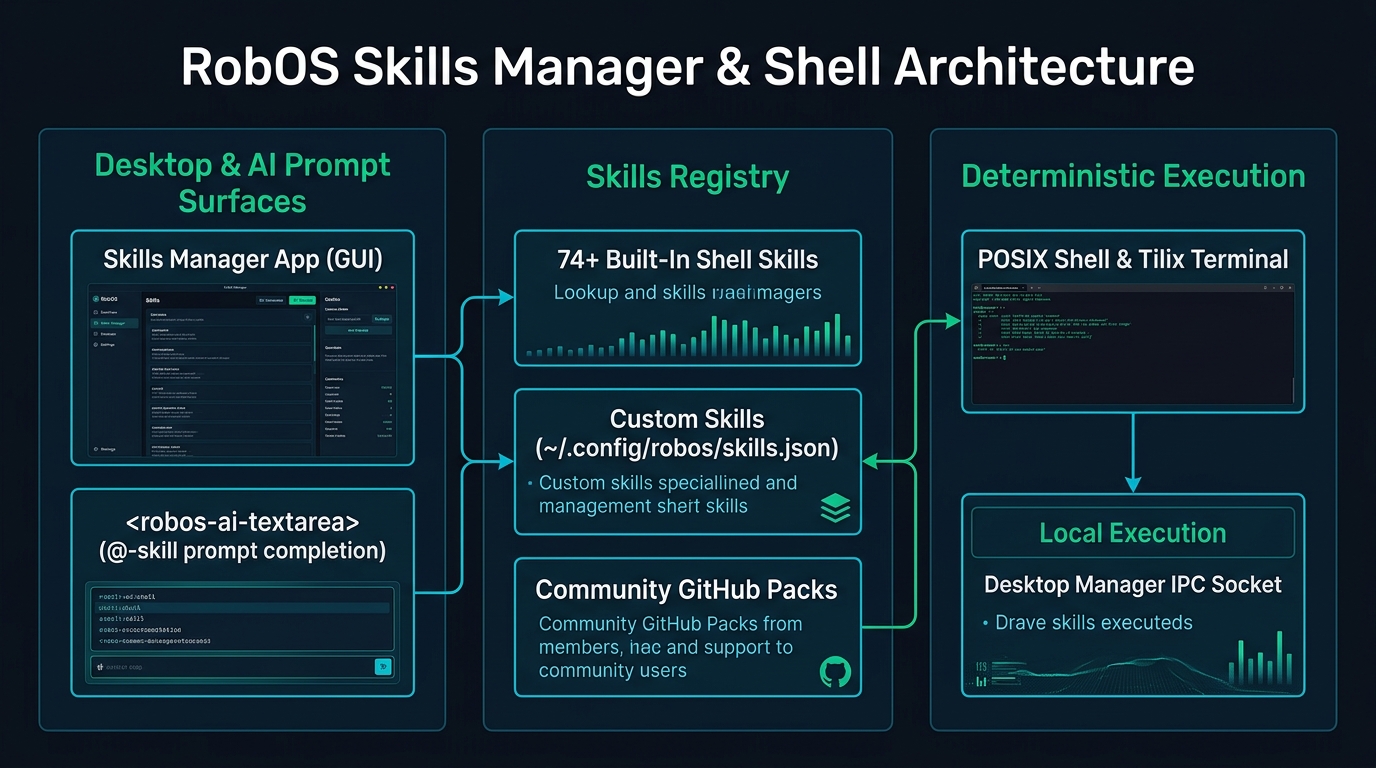
How application developers use the RobOS Skills Manager (packages/skills-manager) to browse, parameterize, execute, and author 74+ system, Git, and Docker terminal skills directly from the desktop and within <robos-ai-textarea> prompt bars.
Table of contents
- Overview: Shell Skill Library for AI & Developers
- 10 Built-In Skill Categories
- Interactive Features
- Integration with
<robos-ai-textarea> - How to Launch and Test
Overview: Shell Skill Library for AI & Developers
While AI agent skills handle complex multi-step orchestration across the codebase, developers also need fast, deterministic shell commands for daily workstation operations: inspecting running Docker containers, finding large files, cleaning up merged Git branches, or profiling memory consumption.
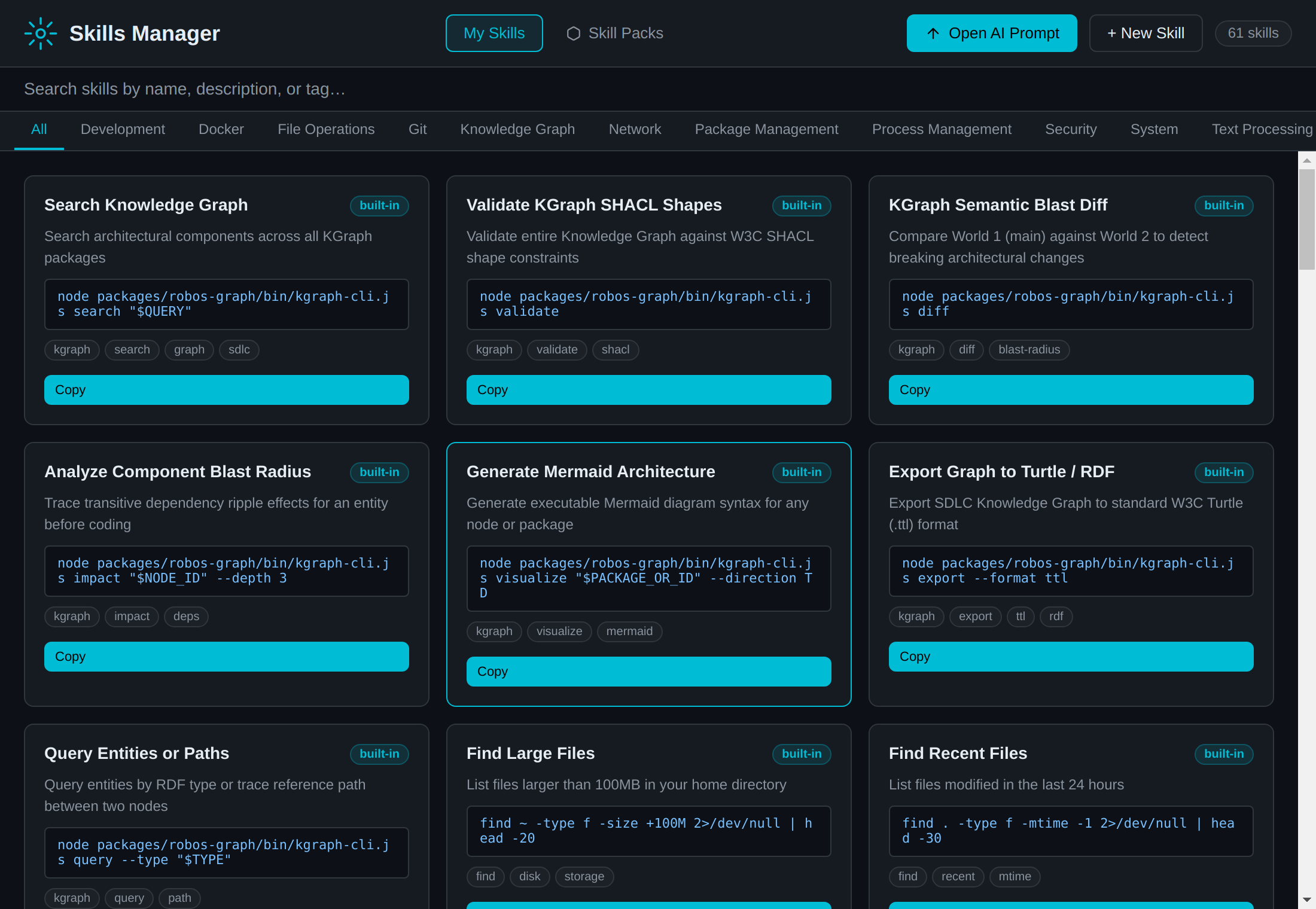
The RobOS Skills Manager (packages/skills-manager) provides an interactive GUI skill catalog shipping with 74+ built-in shell skills across 10 operational categories:
10 Built-In Skill Categories
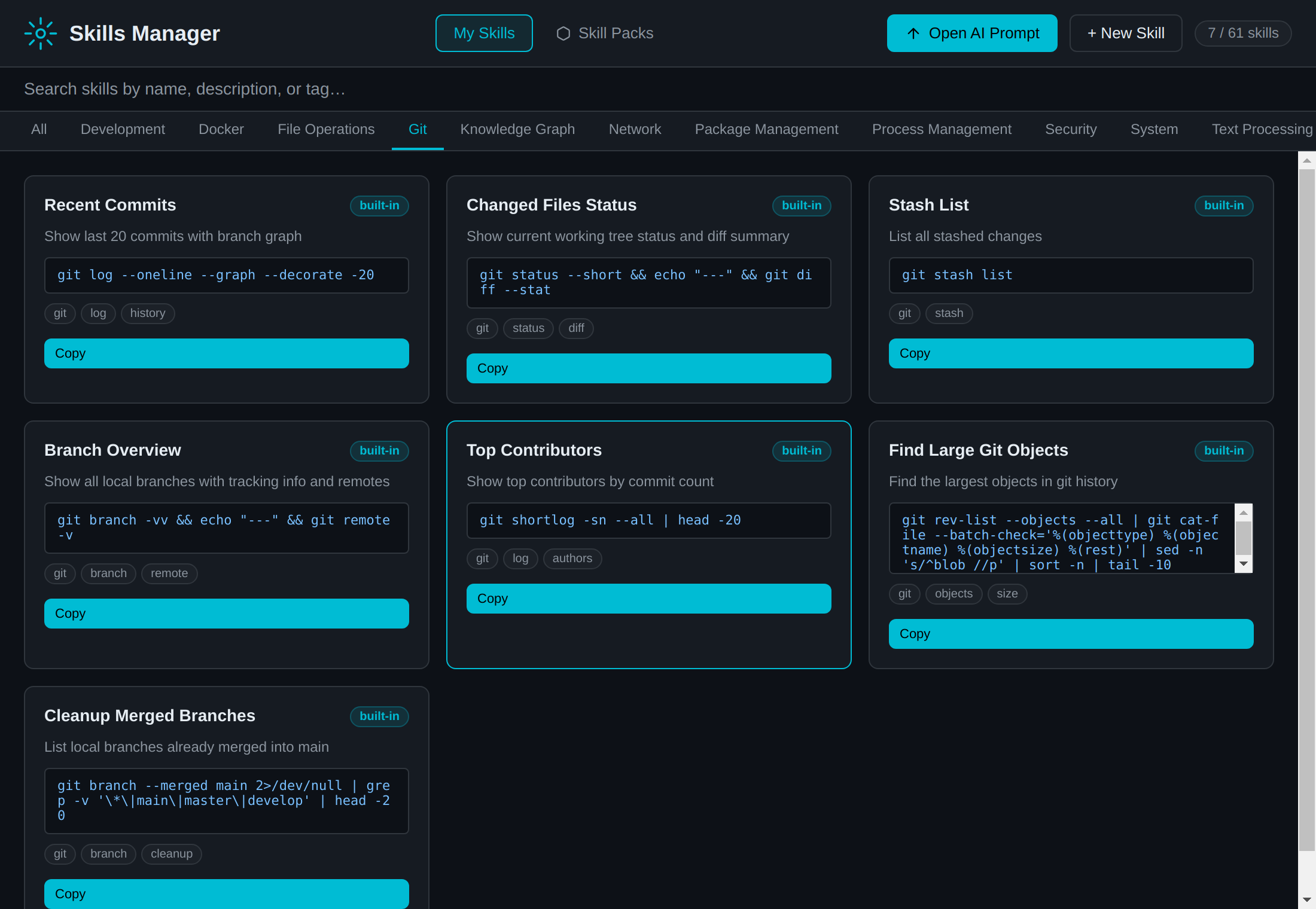
The Skills Manager organizes commands into 10 structured categories:
| Category | Skill Count | Common Operations & Commands |
|---|---|---|
| Git Operations | 8 | Recent commits (git log --oneline --graph), changed files (git status --short), branch lists (git branch -vv), merged branch cleanup, top contributors, large objects in history. |
| Docker / Containers | 5 | Container list (docker ps -a), live resource stats (docker stats --no-stream), image inspection, volume cleanup (docker system prune -f --volumes). |
| File Operations | 7 | Find large files (find ~ -size +100M), recent edits (find . -mtime -1), disk usage summary (du -sh */), count files by extension, find empty directories, find duplicates via MD5. |
| Process Management | 7 | Top memory consumers (ps aux --sort=-%mem), top CPU consumers, open ports (ss -tlnp), free memory & virtual memory stats, zombie processes, process tree (pstree). |
| Network Diagnostics | 5 | Internet connectivity test (curl -s https://github.com), network interfaces (ip addr), active TCP connections (ss -tp), DNS resolution (dig), cumulative bandwidth usage. |
| System Overview | 6 | Kernel & uptime (uname, uptime), CPU details (lscpu), OS release (lsb_release), running systemd services, failed system services, recent system errors (journalctl -p err). |
| Package Management | 4 | Installed global npm packages, outdated npm packages, pip packages list, recently installed apt packages. |
| Text Processing | 4 | Pretty-print JSON (jq), count & sort lines (sort | uniq -c), preview CSV files, recursive text grep. |
| Security & Auditing | 5 | SSH key inventory and fingerprints (ssh-keygen -lf), GPG key list, recent user login history (last), sudo usage audit, open file descriptors count. |
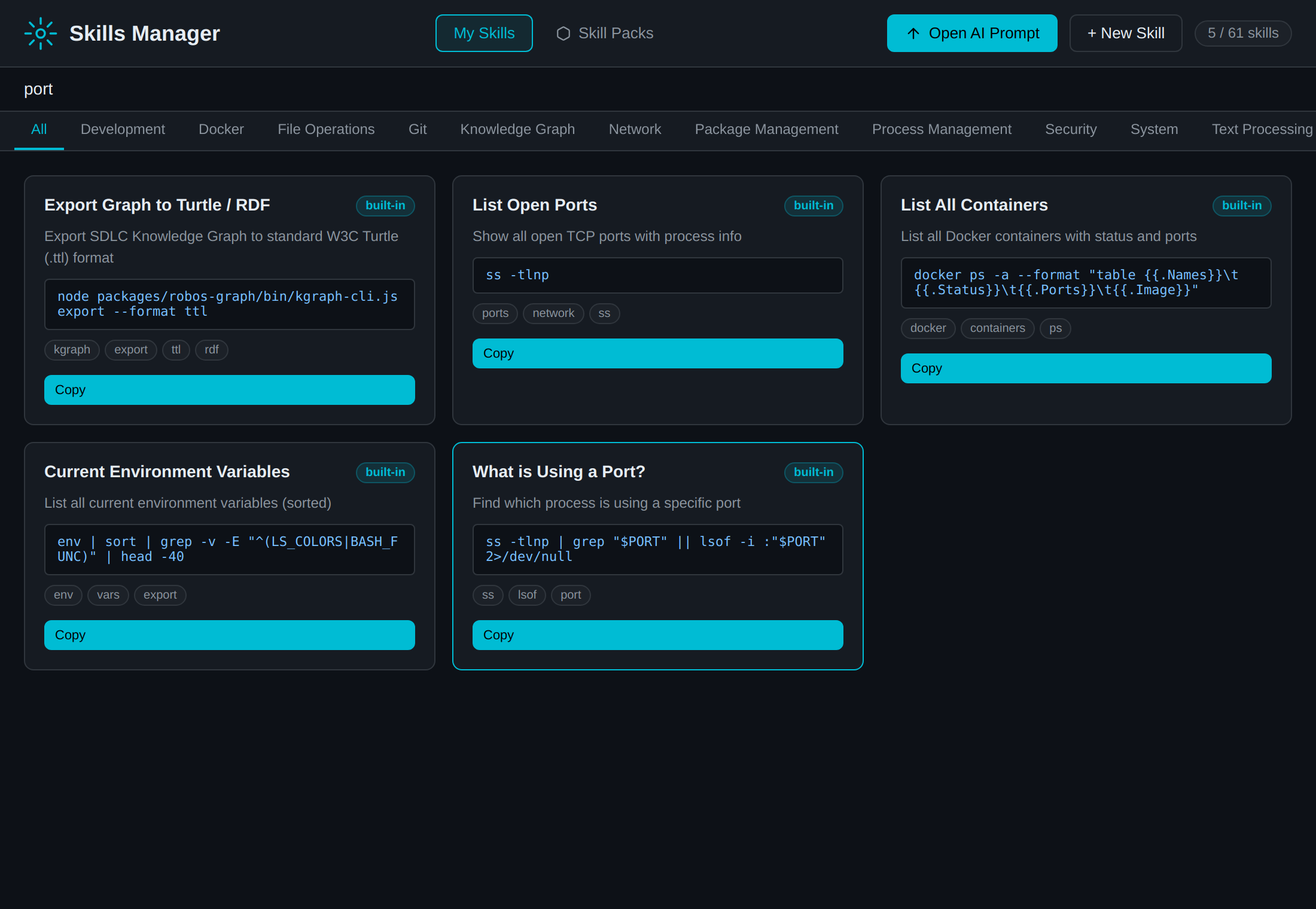
| Development Runtimes | 4 | Node & npm versions, Python version, current environment variables, port-in-use finder (ss -tlnp | grep :<port>). |
Interactive Features
1. Instant Parameterization & Search
Filter by category tab (File, Process, Git, Network, Docker, etc.) or type instant search terms. For commands requiring runtime parameters (such as $PORT, $FILE, $PATTERN, or $BRANCH), the UI automatically detects bash variables and renders dynamic inline input boxes so arguments can be customized prior to execution:
2. Custom User Skills
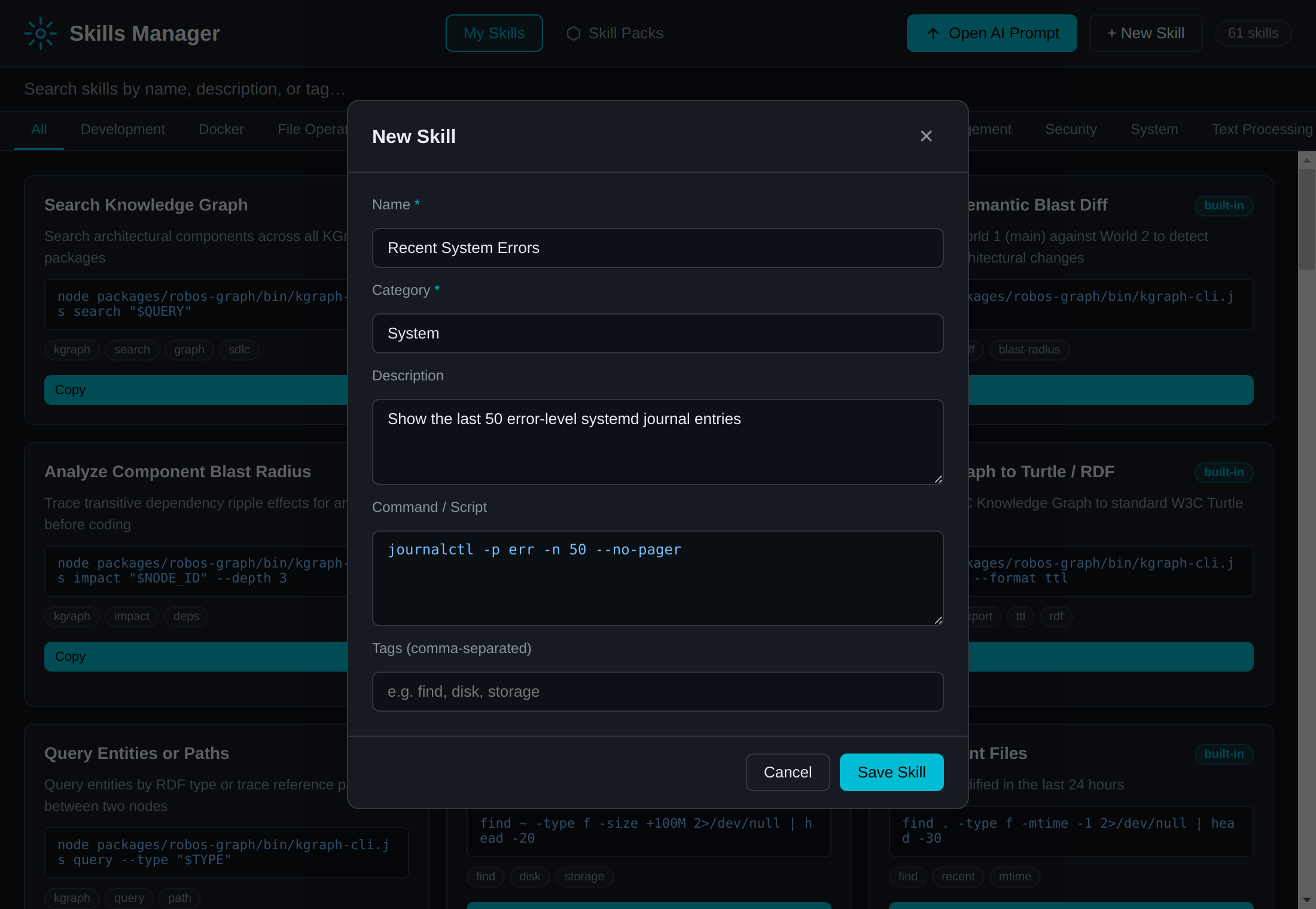
Developers can add personal bash commands and scripts directly from the UI by clicking + New Skill. Custom skills are saved to ~/.config/robos/skills.json and persist across reboots, instantly becoming available in the desktop grid and across all AI prompt bars.
3. Community Skill Packs & Pattern Inspection
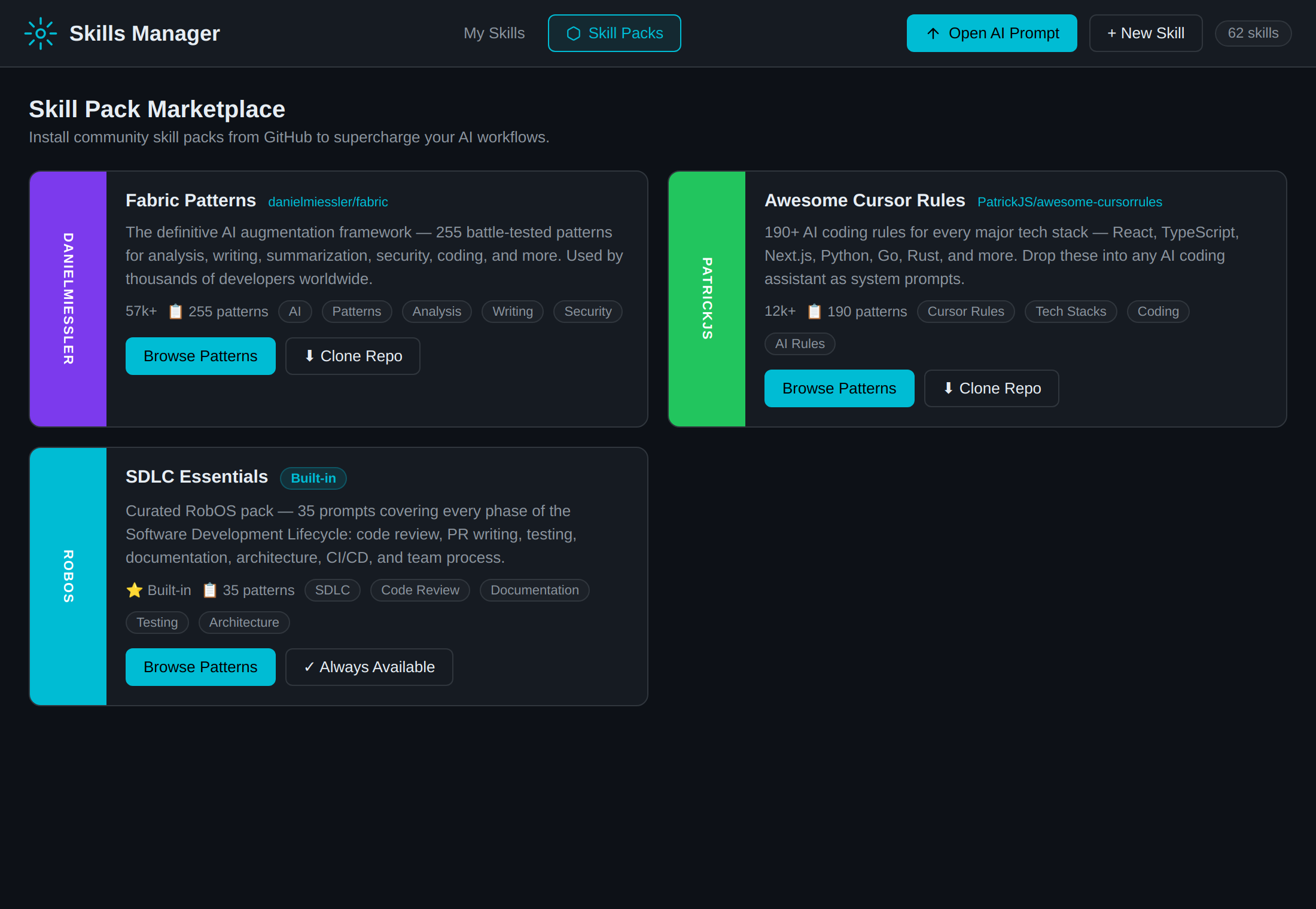
Under the Skill Packs tab, developers can browse curated collections of skills and patterns tailored for specific engineering domains: SDLC Essentials, Cloud Native, Security Hardening, and Frontend Toolkit.
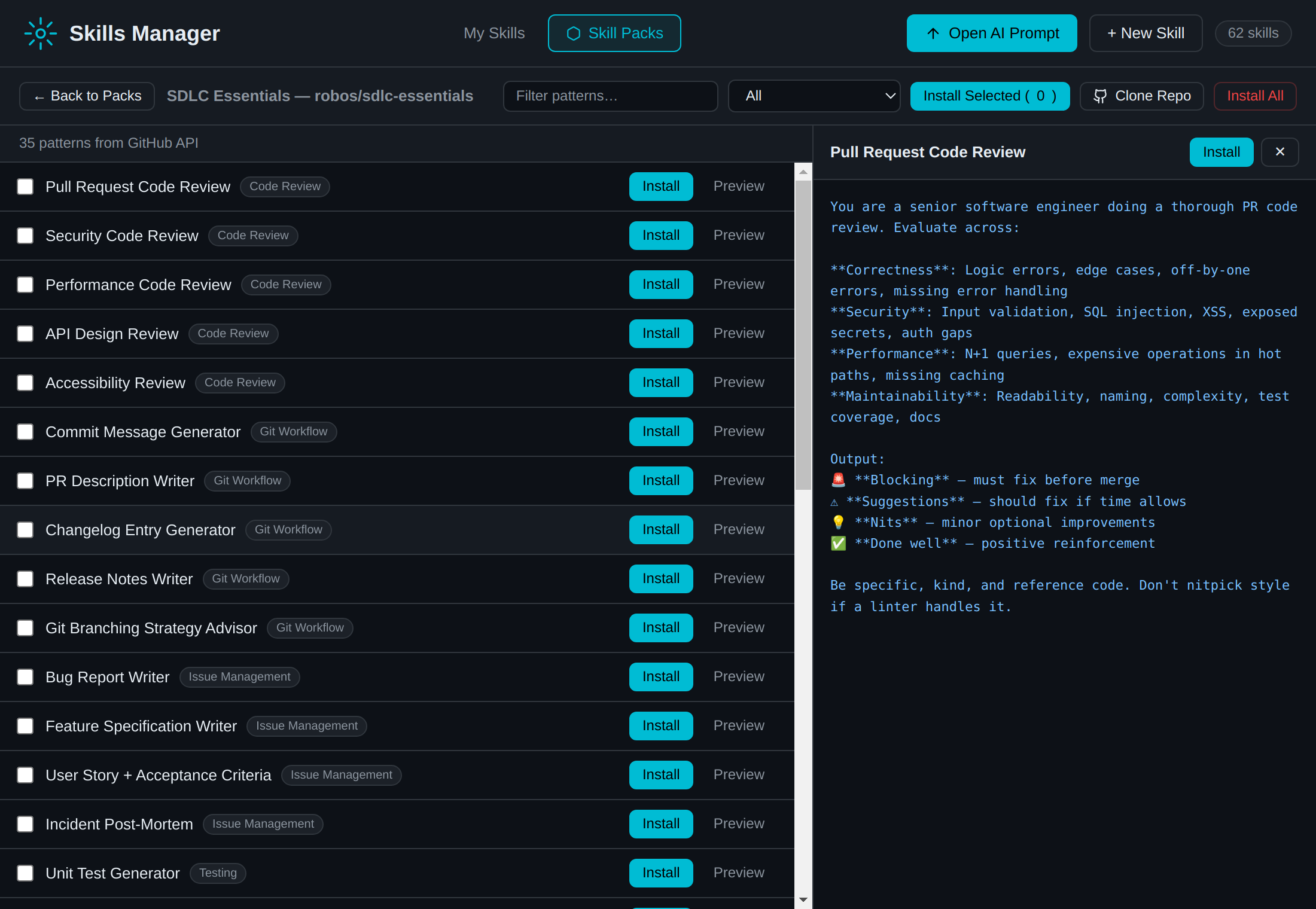
Clicking View Patterns opens an in-depth pattern inspector showing the full library of prompt engineering templates, required parameters, and generated context instructions:
Integration with <robos-ai-textarea>
Every skill registered in the Skills Manager is automatically wired into the <robos-ai-textarea> web component used across RobOS applications:
- Type
@in any AI textarea to trigger typeahead. - Select
@skill:top-memoryor@skill:git-changed-files. - The AI agent automatically executes the diagnostic command and incorporates the terminal output into its planning or prompt context.
How to Launch and Test
# Launch the Skills Manager (or open "Skills Manager" in RobOS App Launcher):
electron packages/skills-manager

# Run the comprehensive End-to-End test suite with screenshot capture:
node --test packages/robos-test/tests/skills-manager/e2e.test.js

# Run the automated smoke test suite:
node --test packages/robos-test/tests/skills-manager/smoke.test.js

# Execute the narrated E2E video demo walkthrough:
node packages/robos-test/demos/skills-manager-demo.js