

One app suite. Make it yours.
RobOS is a suite of desktop apps, from a point of sale and an auto shop to household finances, games, music and developer tools, all built on one knowledge graph. Use the apps as they are, customize any of them to fit how you work, or describe a new app and RobOS builds it.
- Use ready-made app suites, free and local
- Customize any app by describing the change
- Build new apps from context, with proof they work

Free & open source · macOS, Linux, Windows · Other install options
Three ways to use RobOS
Use the apps. Change them. Build new ones.
Every app in the suite is described in a knowledge graph (KGraph): what it is, how it works and how to test it. That one description is what lets you go from using an app, to reshaping it, to building one that did not exist.

1. Use the suites
Ready-made apps for shops, families, players and developers. They run on your machine, keep your data local and need no subscription.
See the suites →
2. Customize any app
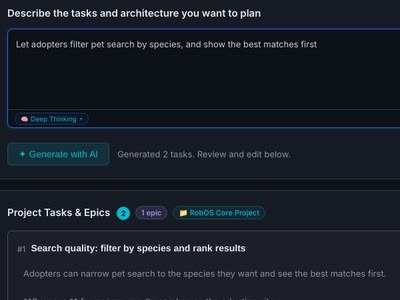
Describe the change you want. It becomes an edit to the app's KGraph, an agent builds it, and tests prove it before you keep it.
What you can change →
3. Build a new app
Describe an app, or import what you already have. RobOS models it in the KGraph and routed agents build it, the same way the suites were built.
How apps get built →The change lands in the app's knowledge graph first
- + Envelope
- + TopUpSchedule
- ~ AccountsPage
- + test: Friday top-up
A KGraph comes first: what it is, how it works, how to test it
- app Garden Club
- Plot
- Member
- WateringShift
- Harvest
- screens 4
- tests 6
An optional AI feature inside an app: the agent writes an intro for each song
“That was Miles taking his sweet time. Keep that coffee warm, because up next it gets a little darker.”
The app suites
Suites to start from, not stop at
Each suite was modeled in the KGraph, built by agents and verified by automated browser or gameplay tests. Use them as they are, or ask for the version that fits you.
Point of Sale
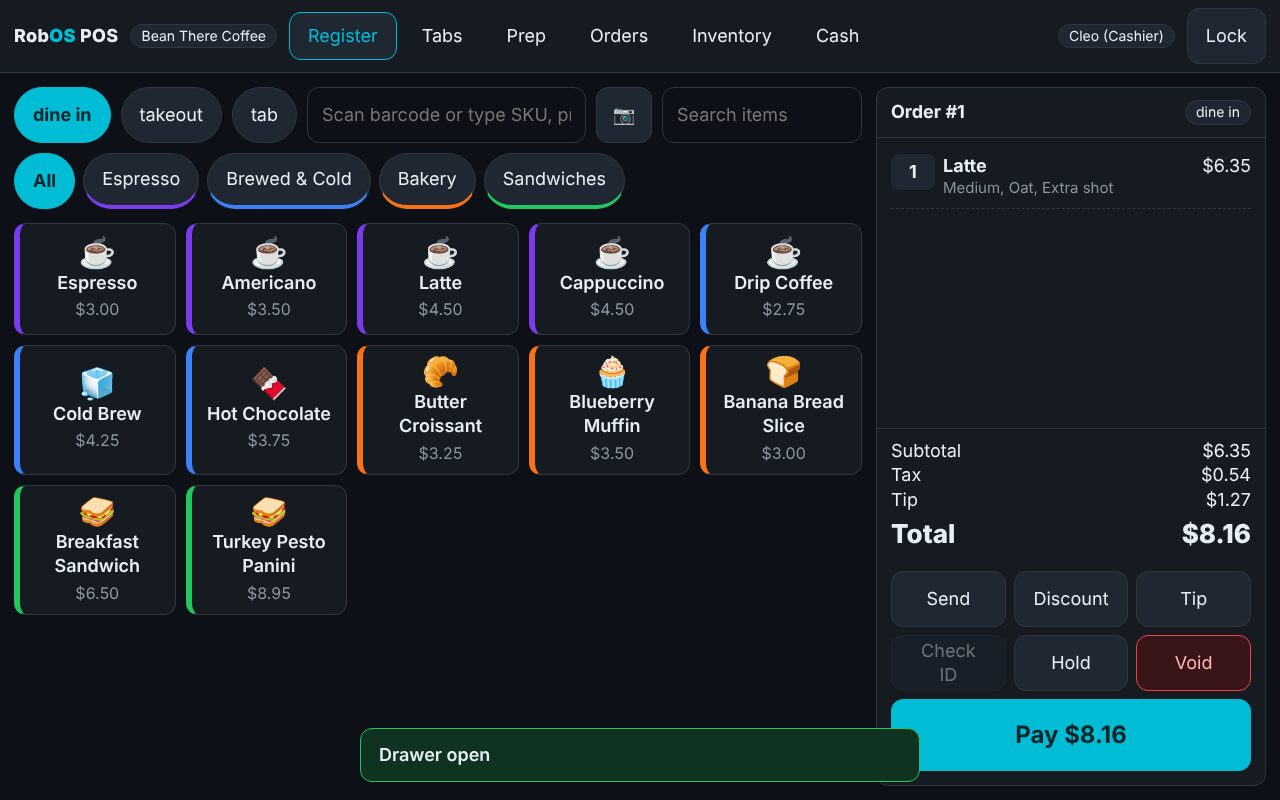
A touchscreen register with self-checkout, barcode and camera scanning, prep queues, open tabs and cash drawer reports. No subscription, data stays local.
Tour Point of Sale →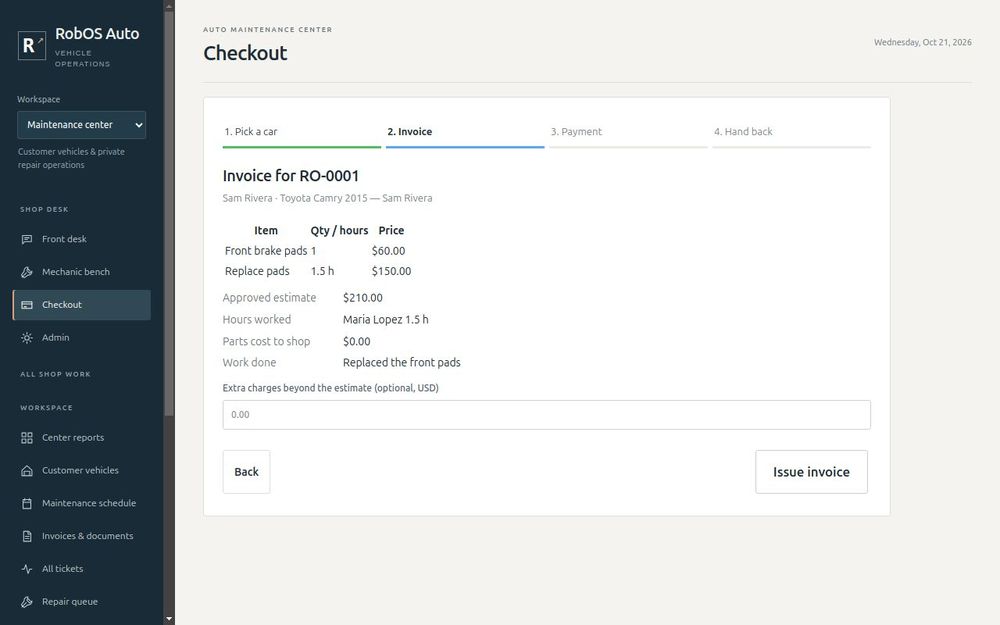
Auto Center
Front desk intake, the mechanic bench with Bluetooth OBD-II, estimates and checkout, plus owner vehicle care, invoice scans and recall remedies.
Read the Auto Center guide →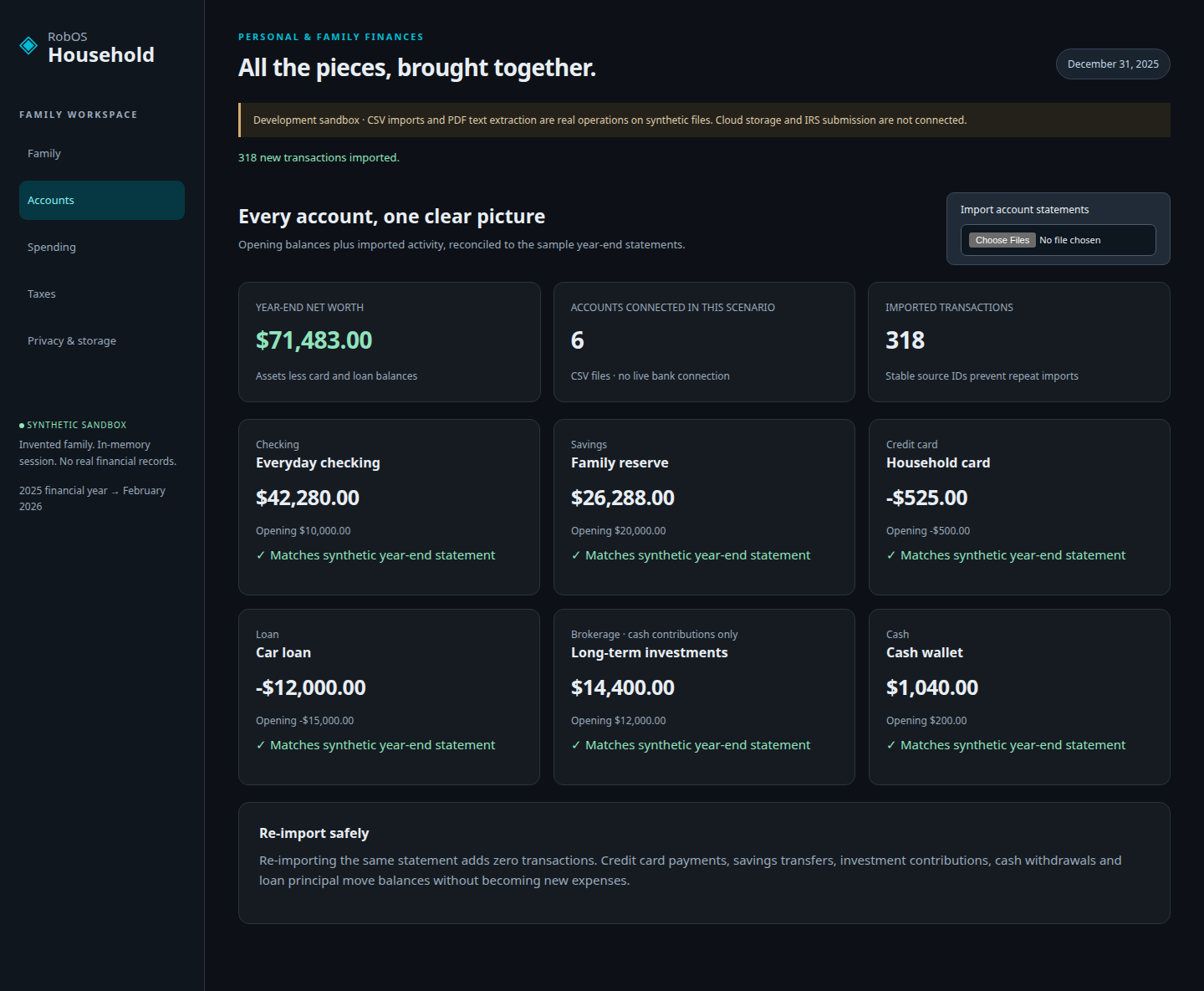
Household
Statement imports and reconciliation, everyday spending categories, W-2 and 1099 field review, and a local federal tax estimate, all on your own machine.
Walk through a family's year →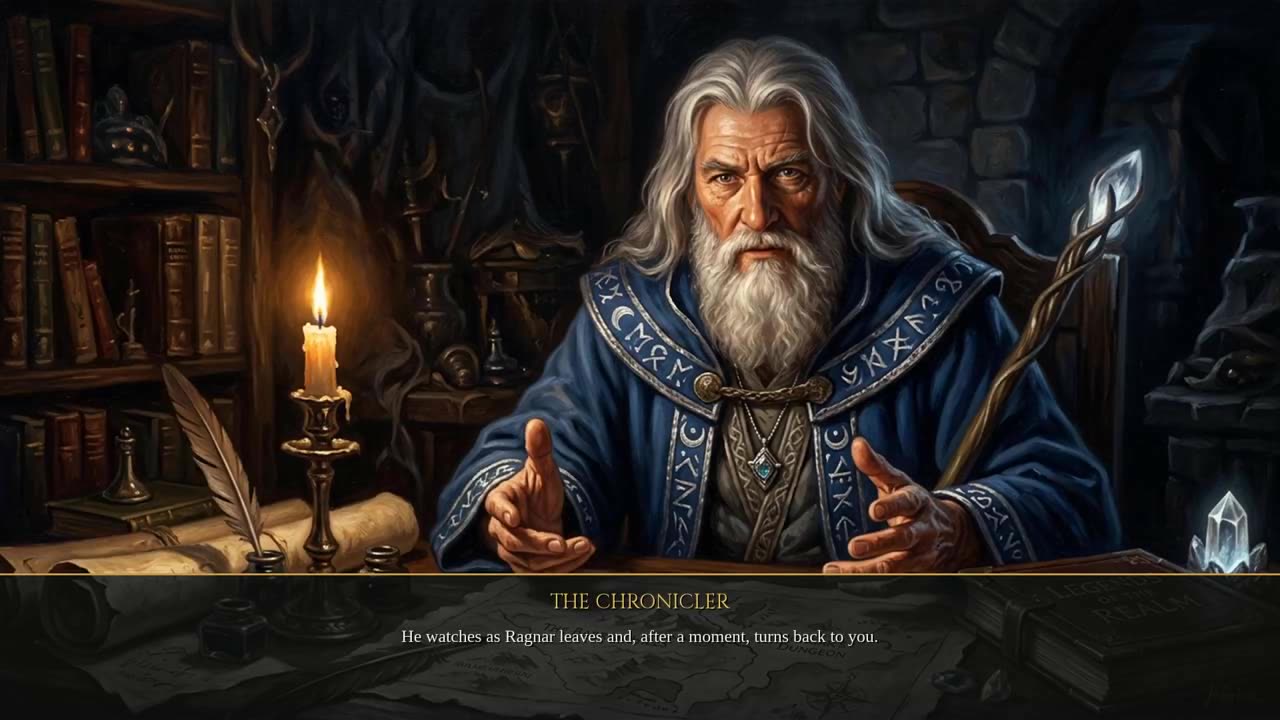
Games
Realm of Heroes, a HeroQuest-inspired Tabletop RPG and the Starfall Command RTS. Designed from a knowledge graph, written by agents and tested by playing them on camera.
Choose a game →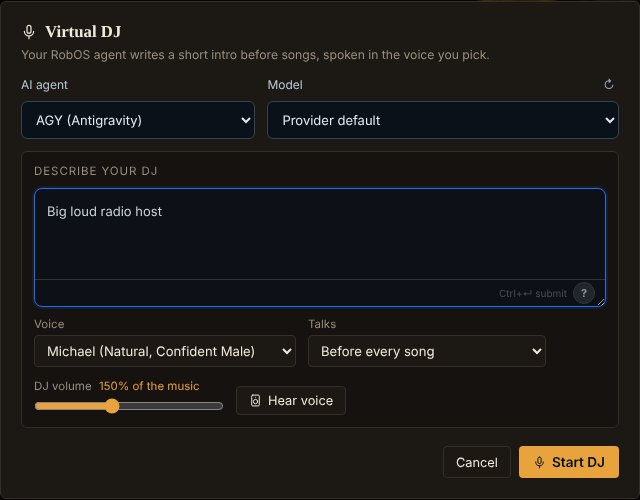
Audio Player & Home Speaker
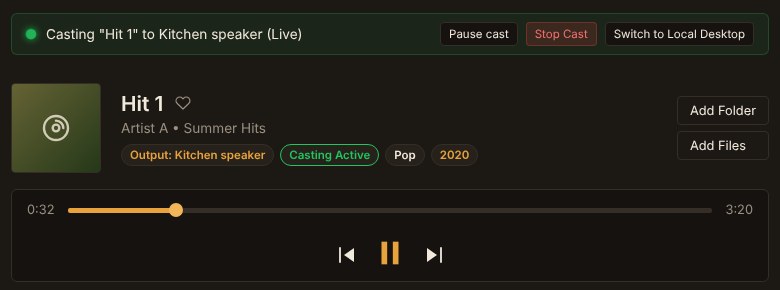
A large music library with casting to the speakers around your home, plus optional AI Playlists and a Virtual DJ.
Read the Audio Player docs →The one you describe
Model a new app in the KGraph, from a sentence or by importing what you already have, and let agents build it the same way these suites were built.
See how apps get built →Browse every app in the directory, including the developer suite →
Customize existing apps
Every app is a starting point
Because each app is described in the KGraph, a change is a request, not a rewrite. Describe it in plain words; RobOS turns it into an edit to the graph, an agent implements it on a branch, and tests and a narrated walkthrough show you the result before you keep it.
Suggest a pastry to anyone who orders an oat-milk latte before 10.
A change to your register, built and tested against your menu.
Flag any subscription that went up in price since last year.
A new check over your reconciled transactions.
Explain these trouble codes to the customer in plain English on the estimate.
A new section on the estimate, written from the scan on the ticket.
Add a side quest for tonight with a talking wolf in it.
New content for a game whose rules already live in the graph.
Show which services a pull request touches before I review it.
A new panel for the developer apps, from the same graph.
Make the text bigger and put the buttons I use most on the left.
Small changes count too. You decide what your copy of the app looks like.
These are example requests. How well a change goes depends on the agent you use, and you review the evidence before you keep anything.
AI-powered features, always optional
Inside the apps, AI is an extra you switch on
Apart from building and changing apps, many actions inside the apps have optional AI-powered features. Each one hands your request to the agent you choose, along with the slice of the KGraph it needs, so the answer is about your data. Leave them off and the apps work the same.
Example · Audio Player
Create a Virtual DJ
Describe a host, and the agent writes a short intro for each song a few songs ahead. RobOS Voice speaks it between songs, on your desk or on a Google Cast speaker. The same player can build an AI Playlist from a description of a mood.
- Off unless you turn it on
- Pick the agent, the voice and how often it talks
- Works from your own library, not a streaming catalog

Optional, never required
The apps work without AI. AI features are buttons you choose to press, and the API mode for quick requests is off until you turn it on.

Your agent, your account
RobOS runs the agent CLI you already signed in to, or a local Ollama model. No new subscription.

Grounded in your graph
The agent gets the part of the KGraph it needs, so it answers about your data instead of guessing.

Guarded by default
A prompt security guard checks every request for secrets, personal data and prompt injection before it leaves the app.
Build new apps from context
Describe it once. The graph does the remembering.
Behind every RobOS app is a KGraph: a standard description of what exists, how it behaves and how to verify it. That is context engineering made durable. With the context written down, building and rebuilding is cheap work that routed, lower-cost models can carry, and every change comes back with proof.
- DescribeA sentence, a sketch, or an import of the repos, APIs, databases and docs you already have.
- ModelRobOS turns it into KGraph nodes: entities, screens, rules and the tests that define "working".
- BuildAgents get only the slice they need and write the code on a branch.
- ProveThe real app runs headlessly; you get a narrated walkthrough and test evidence to review.
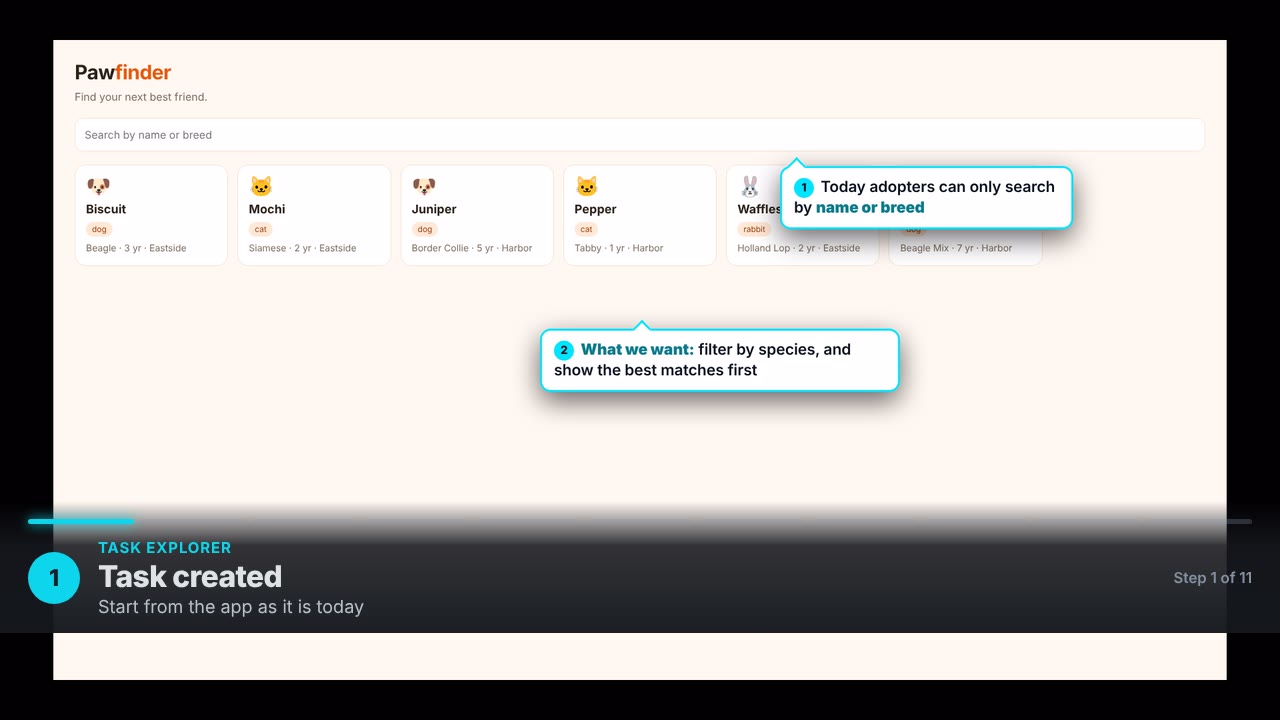
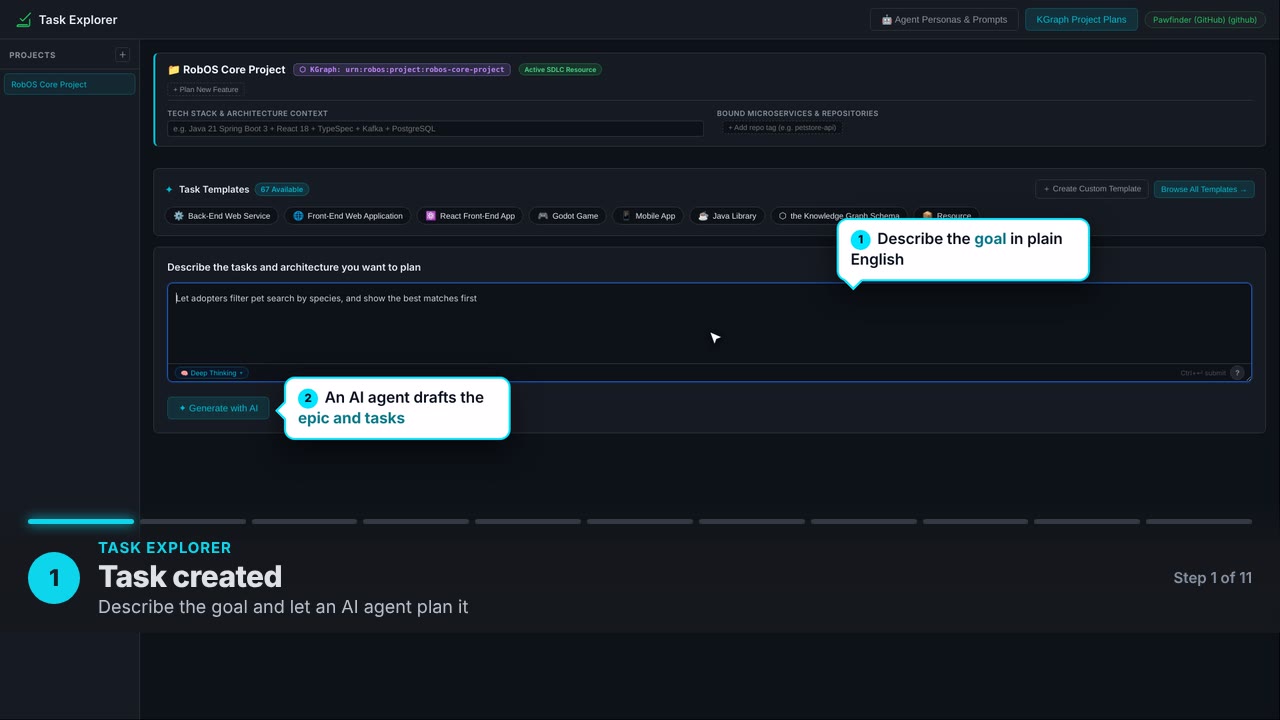
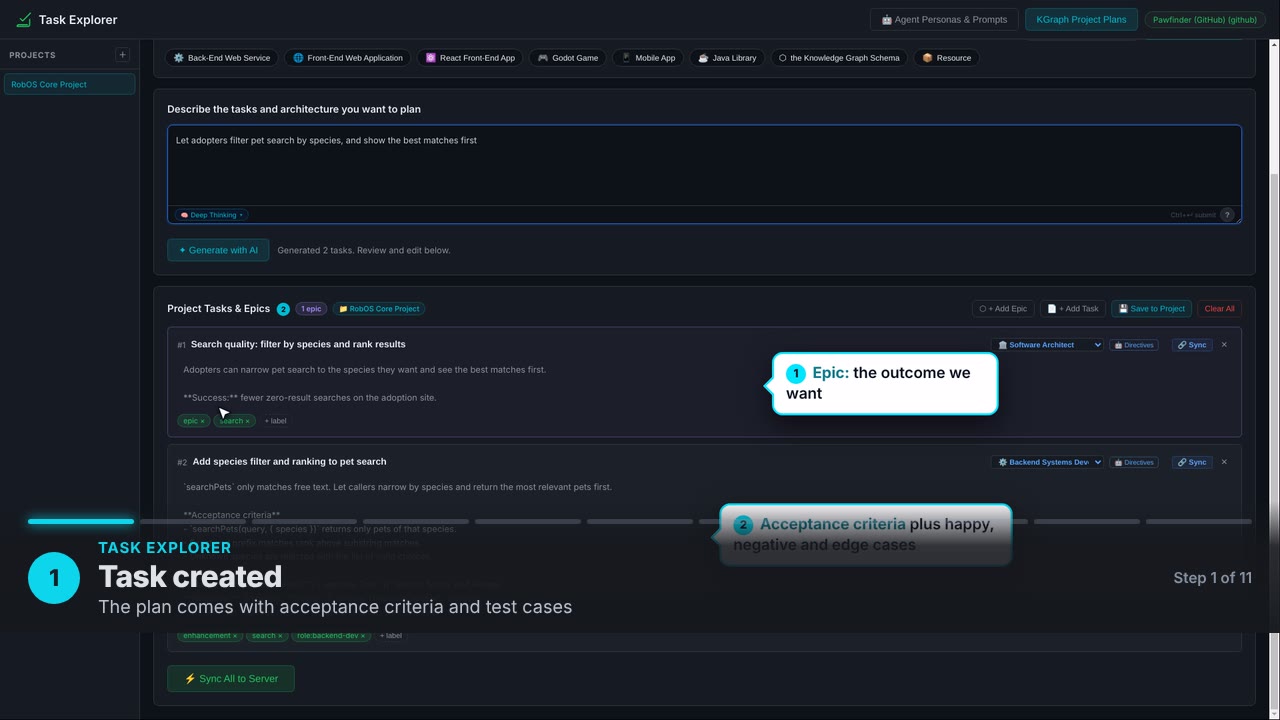
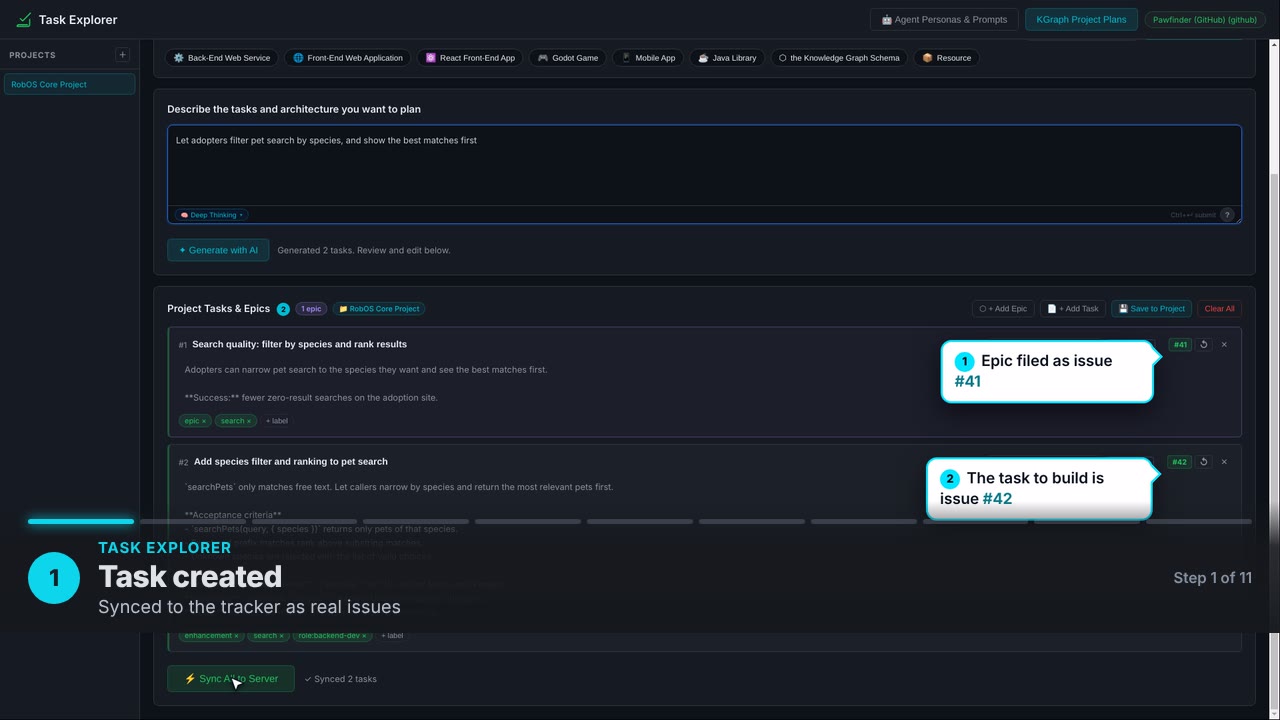
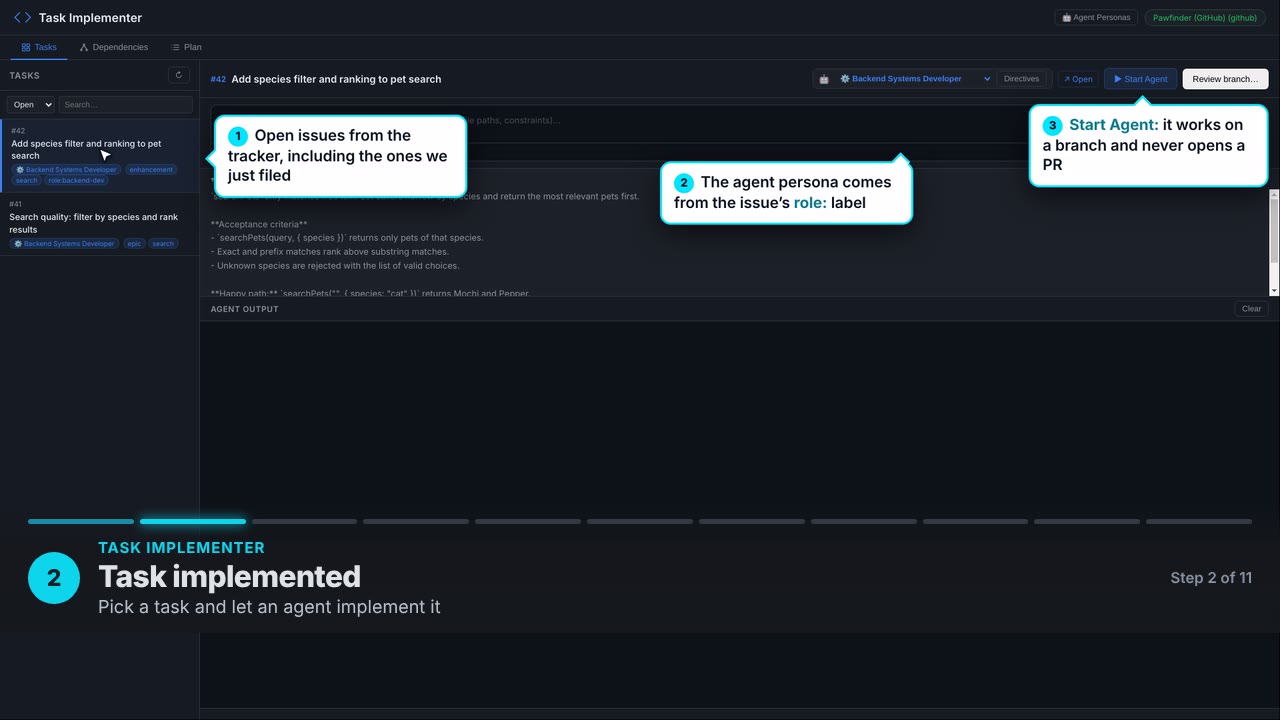
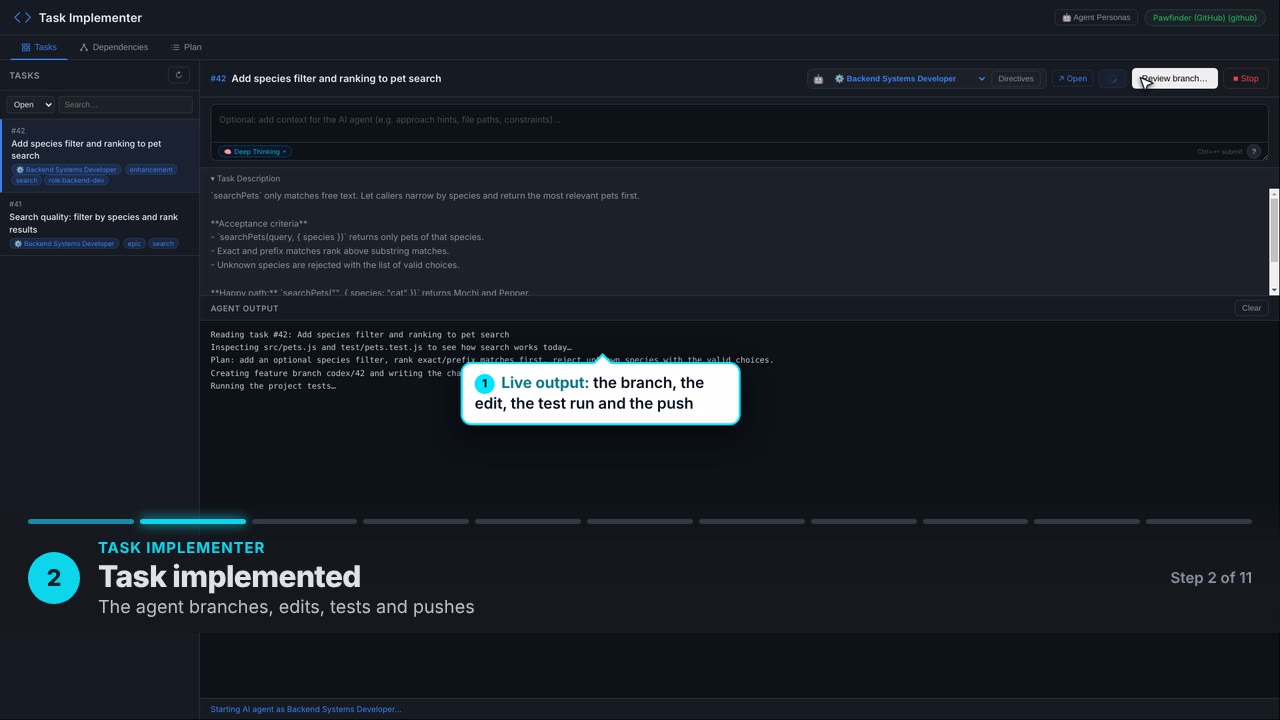
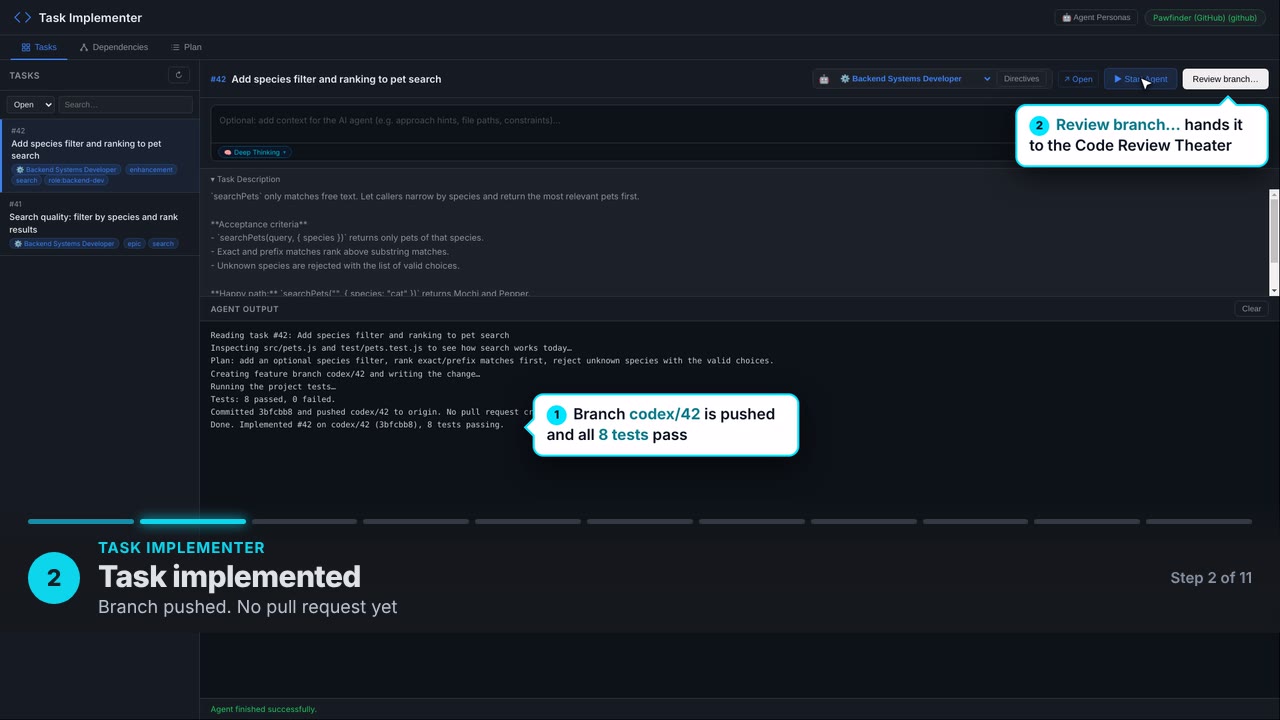
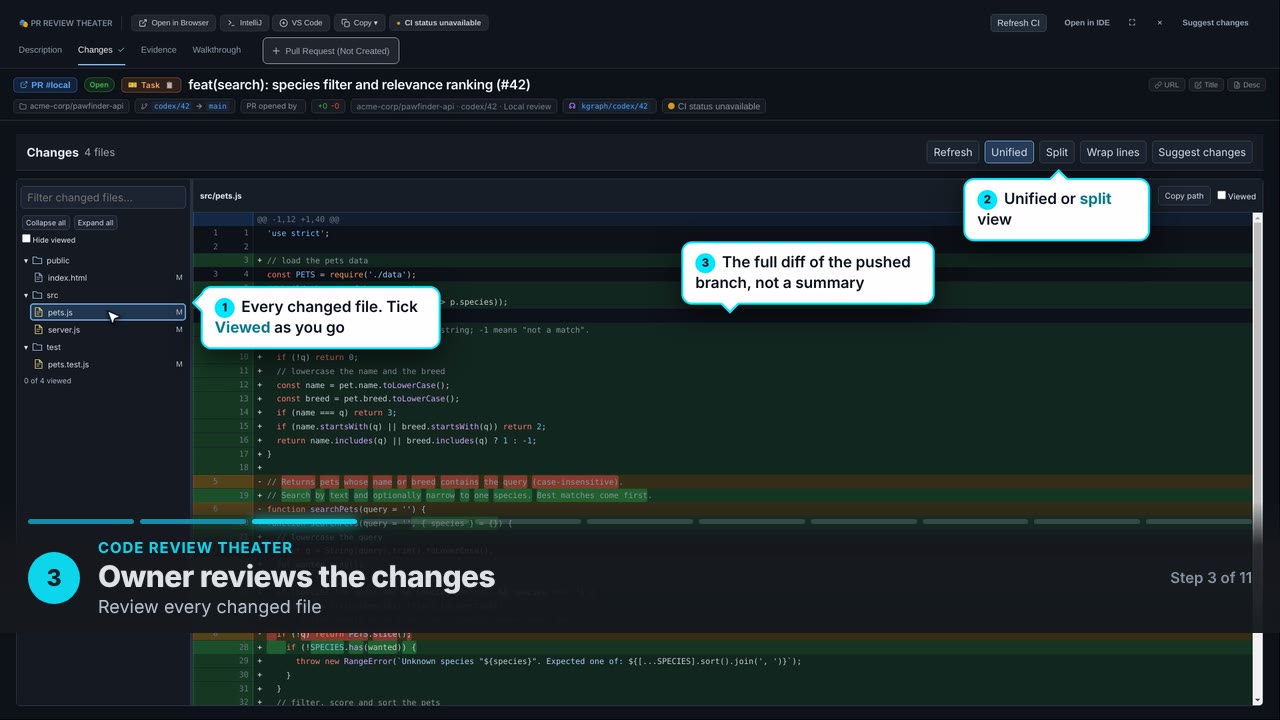
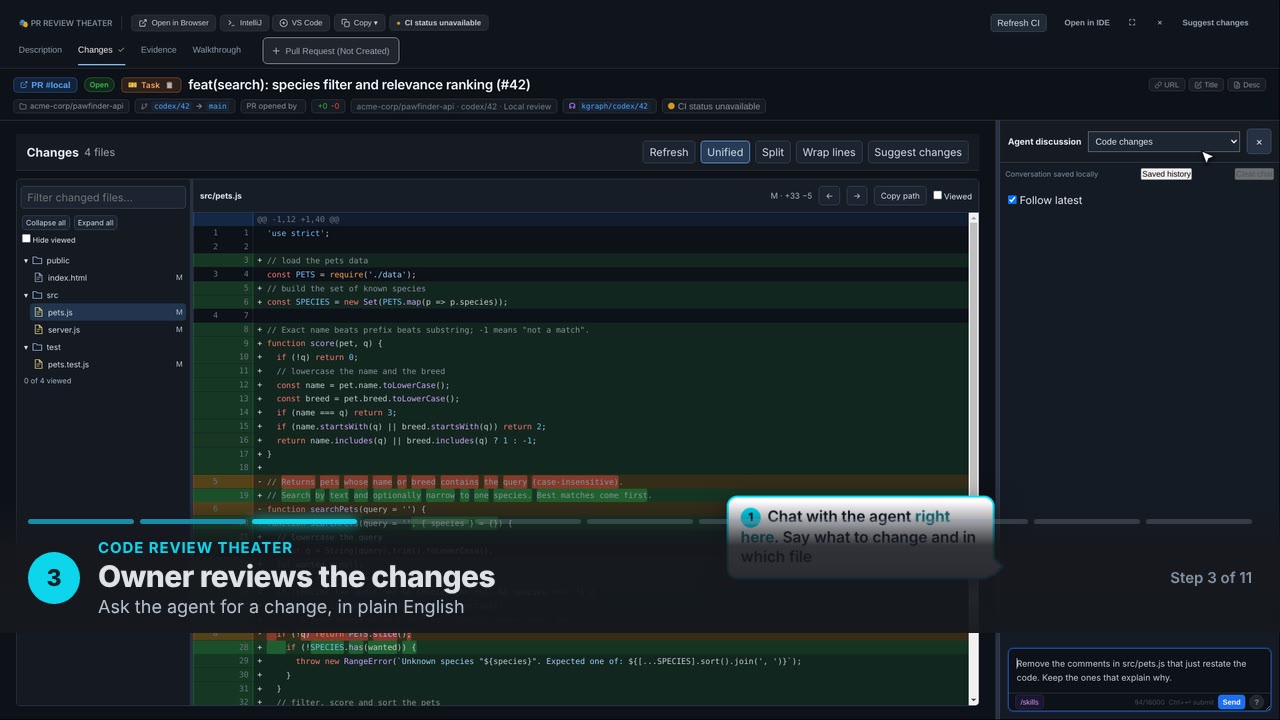
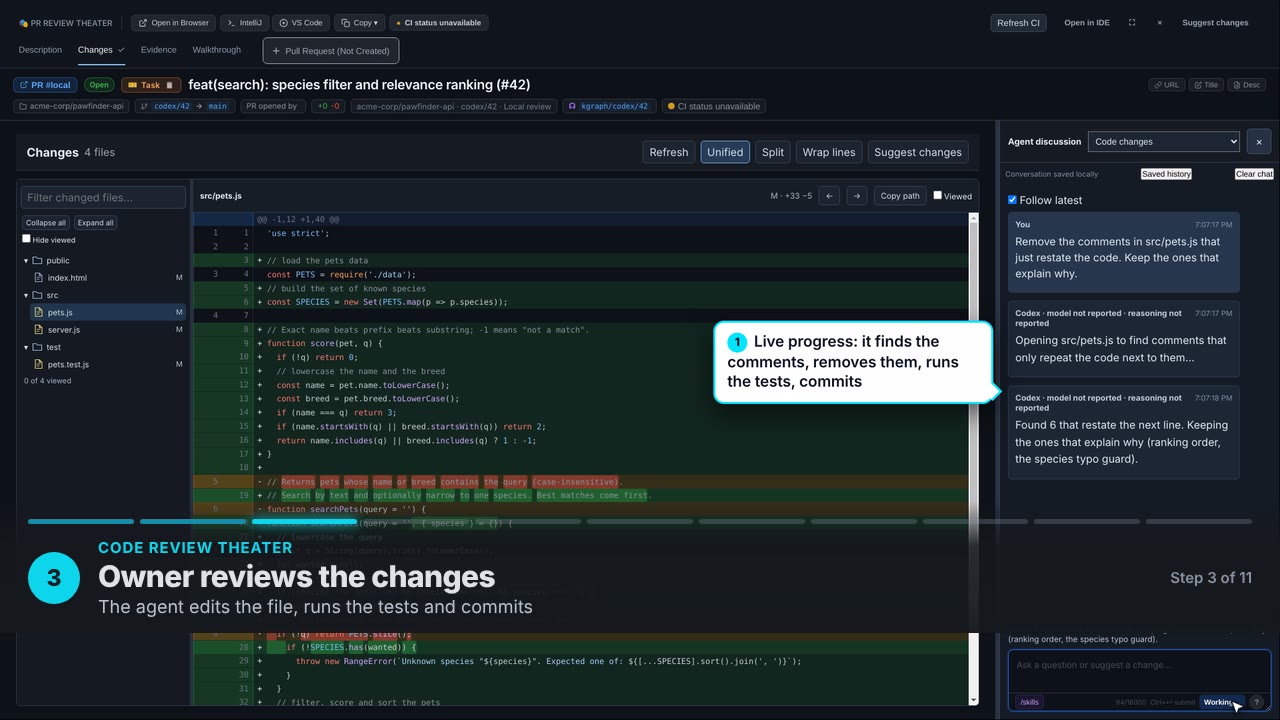
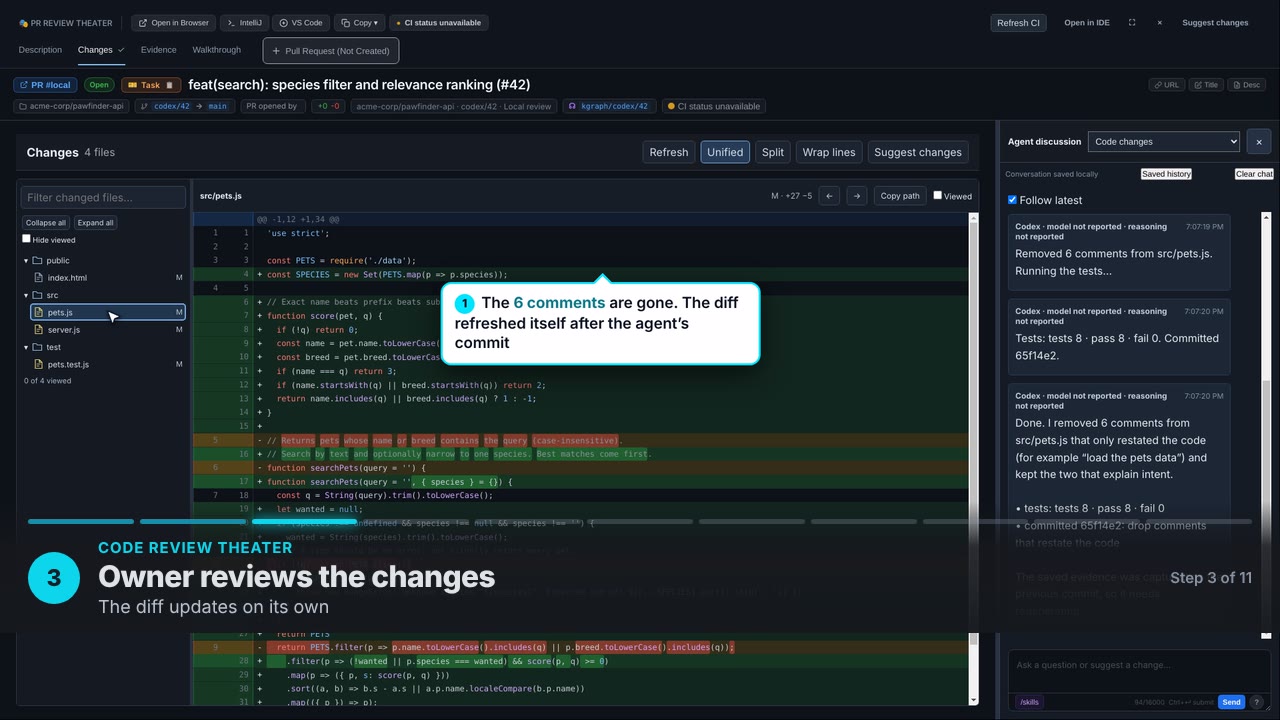
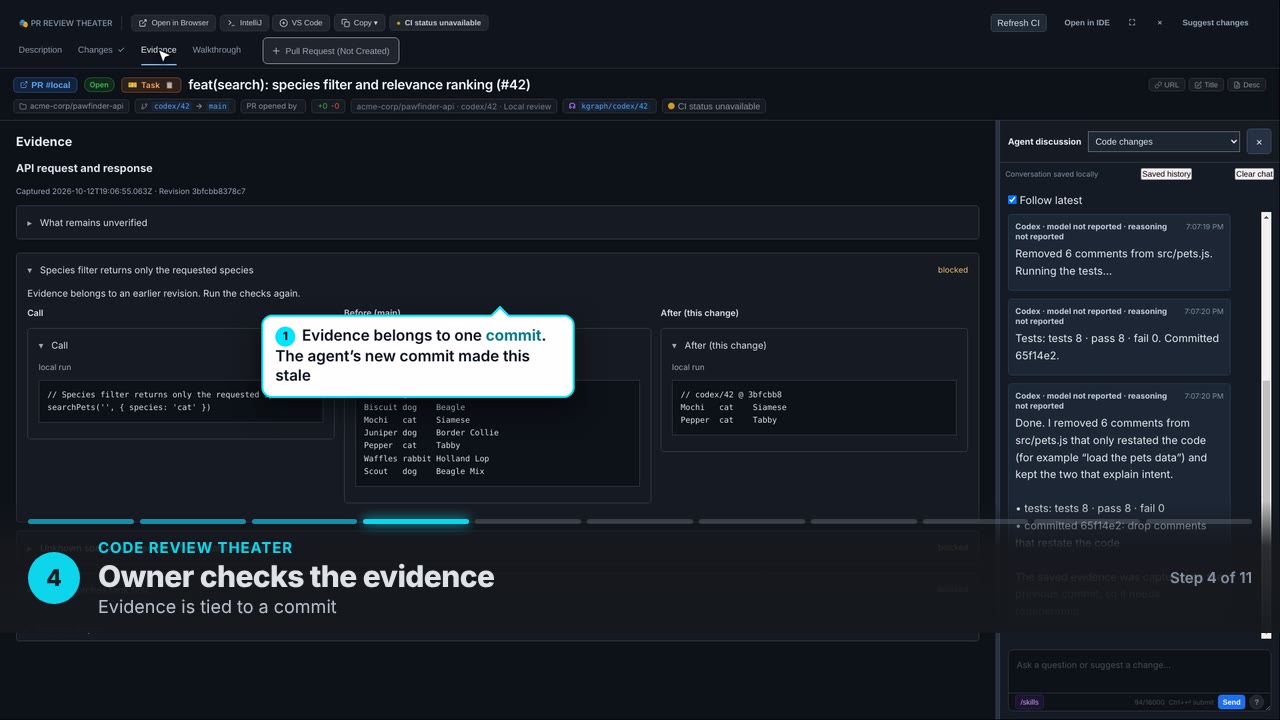
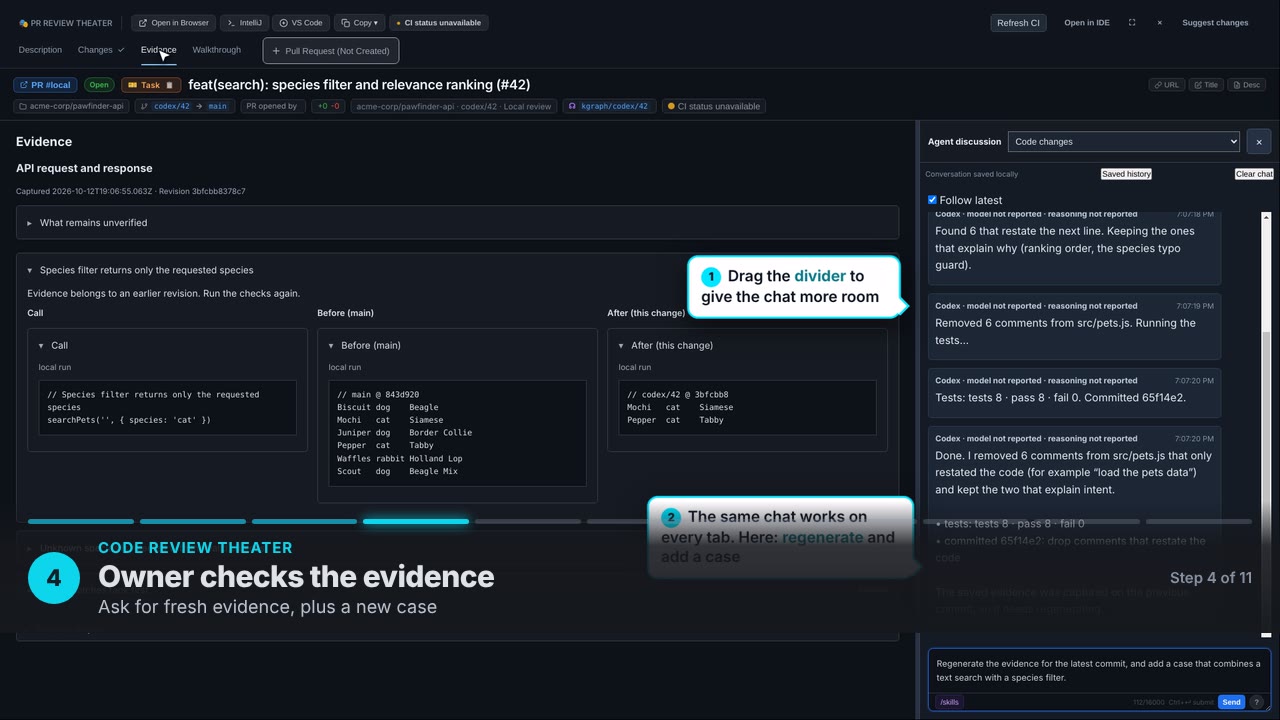
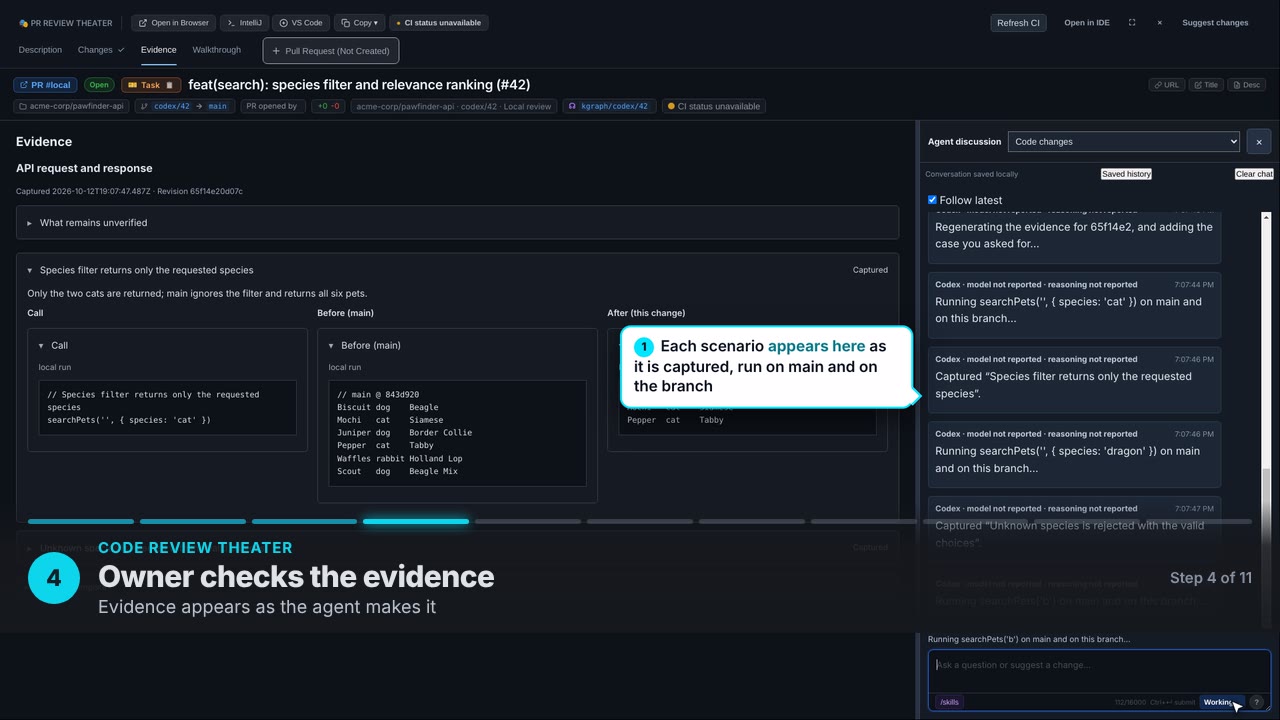
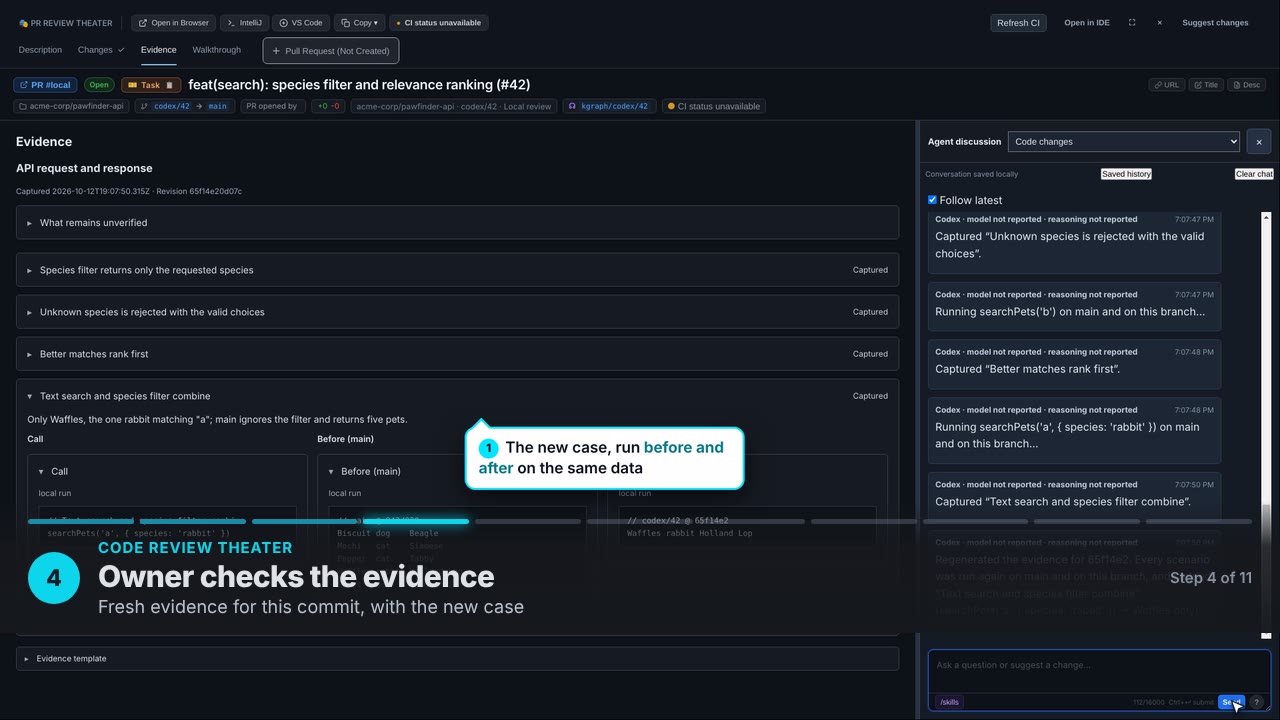
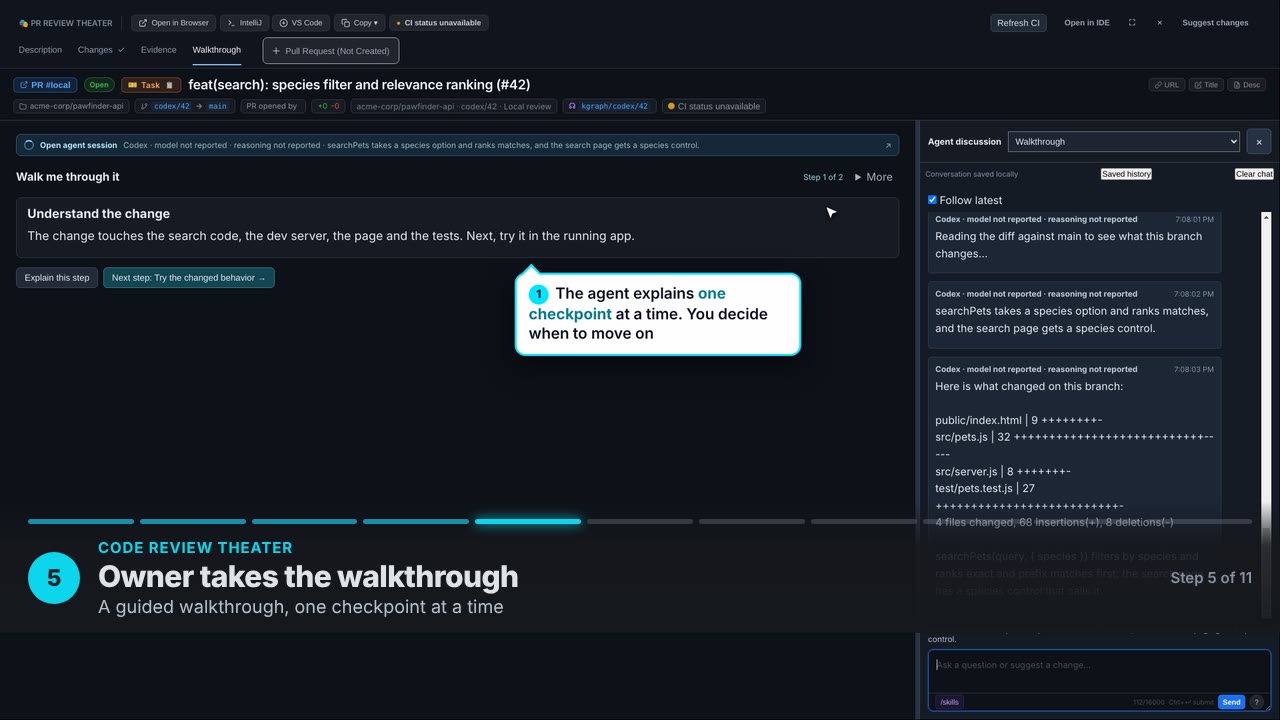
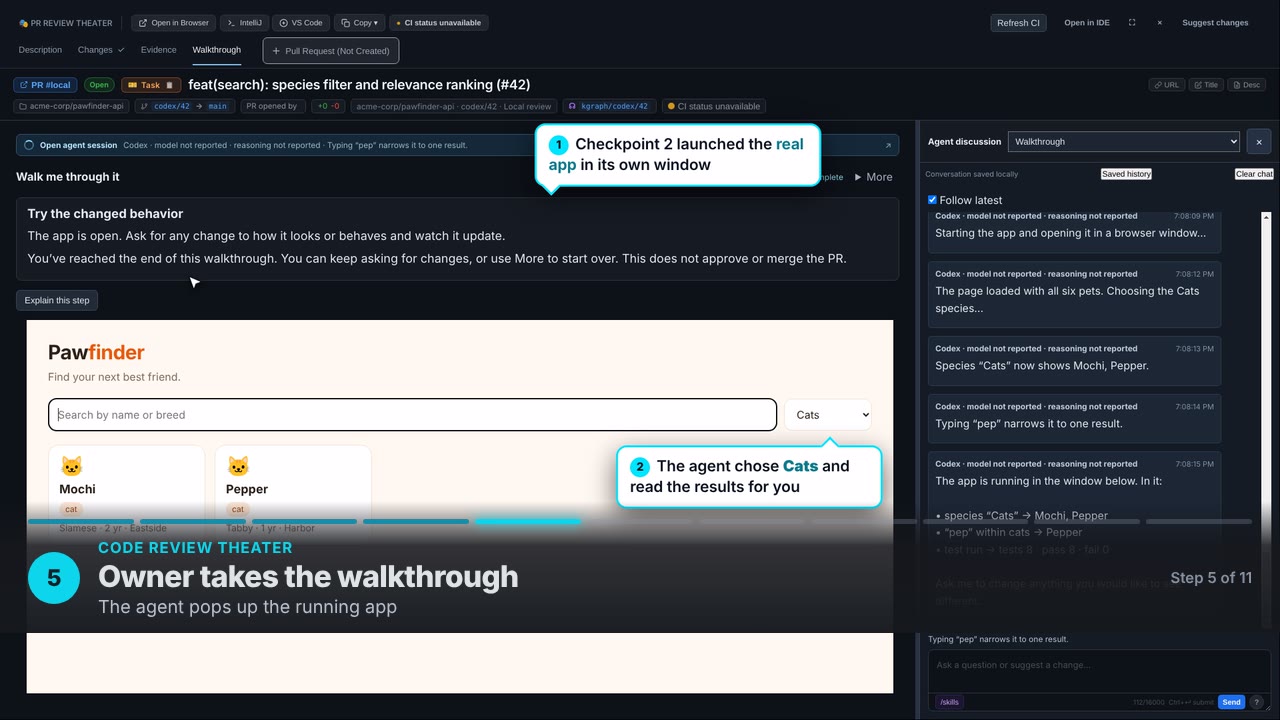
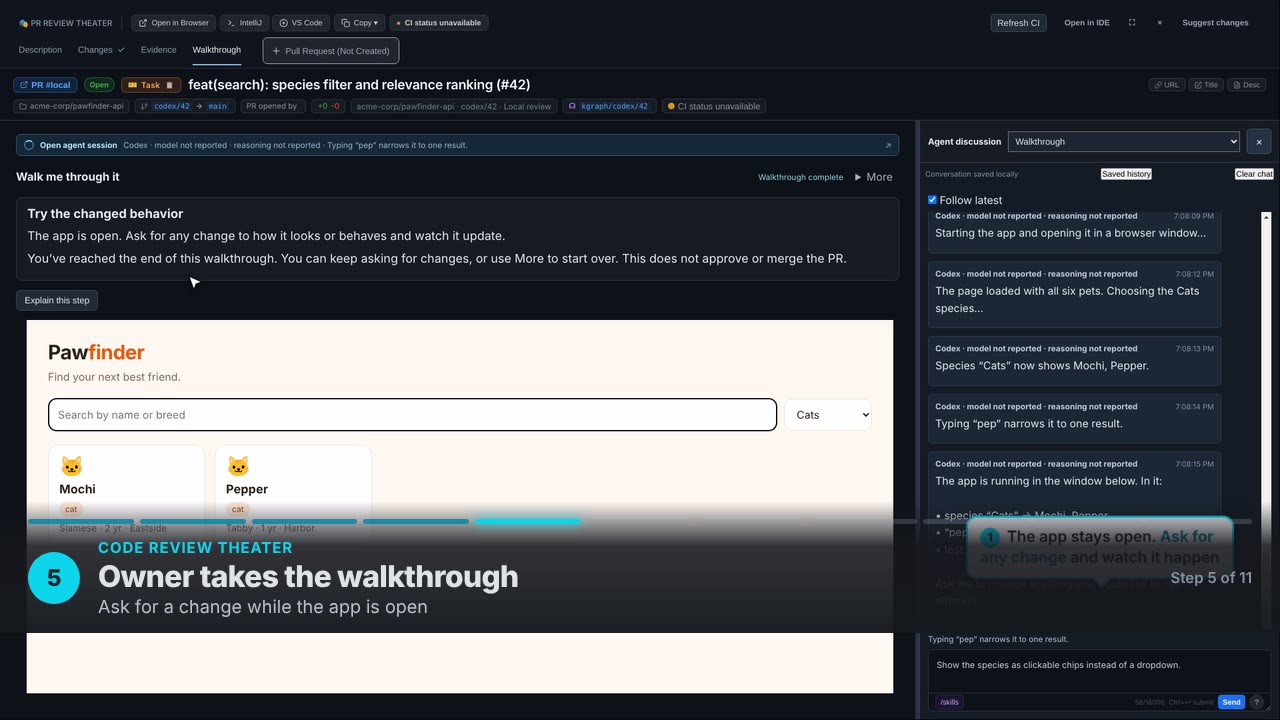
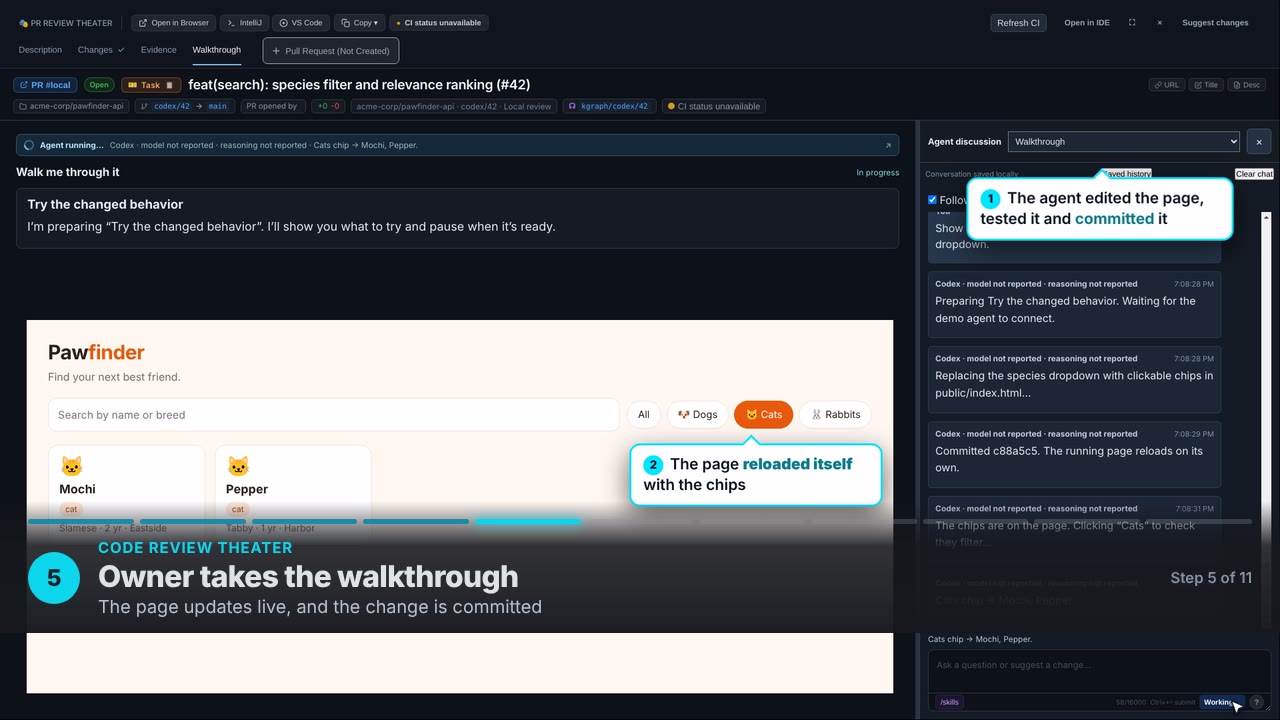
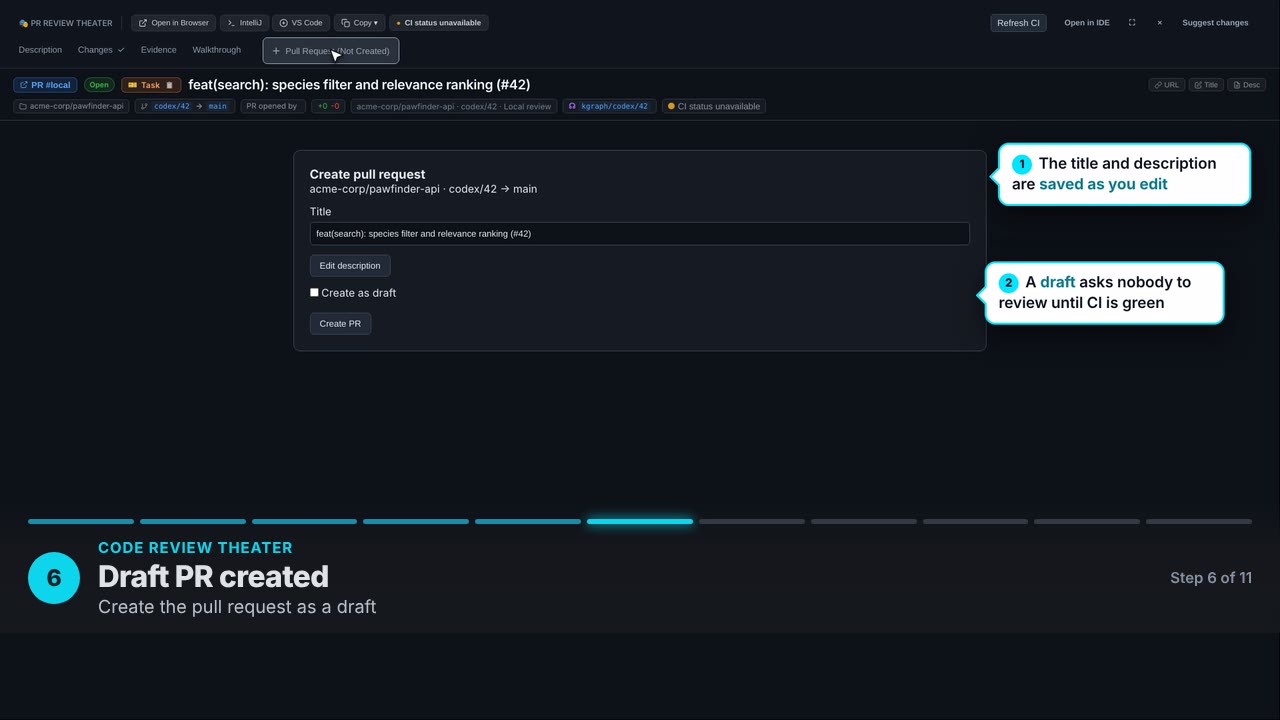
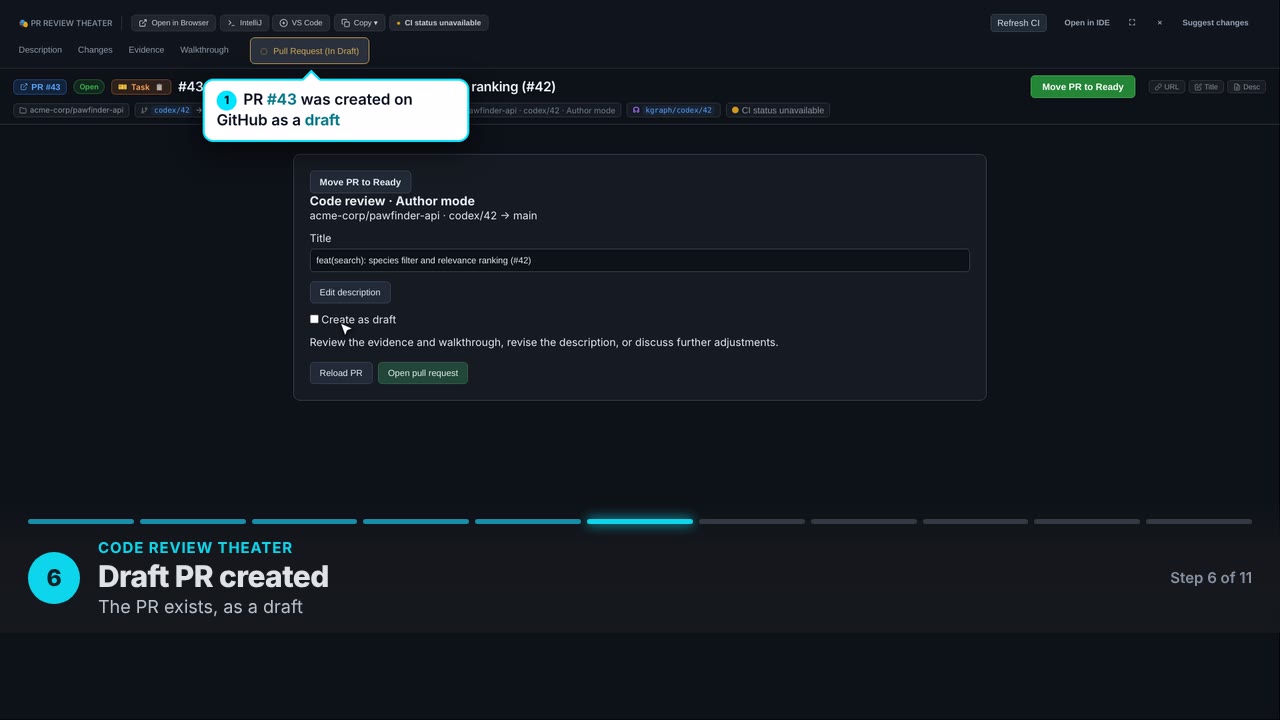
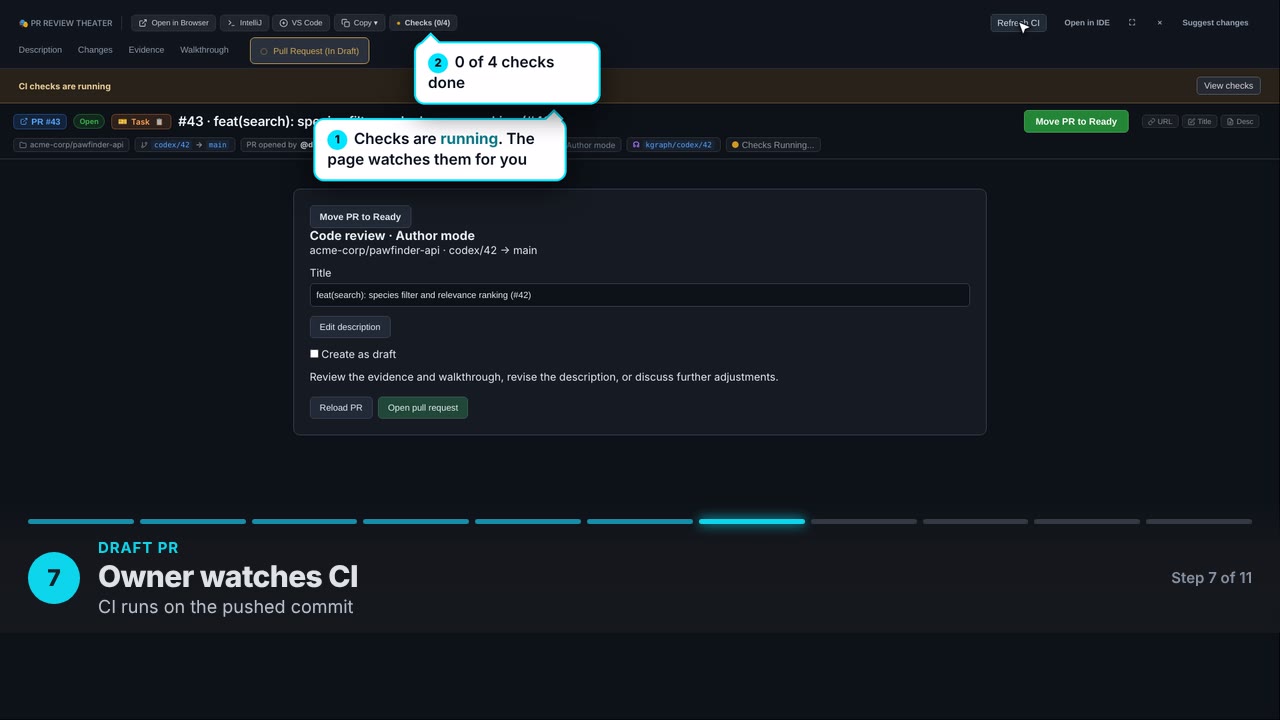
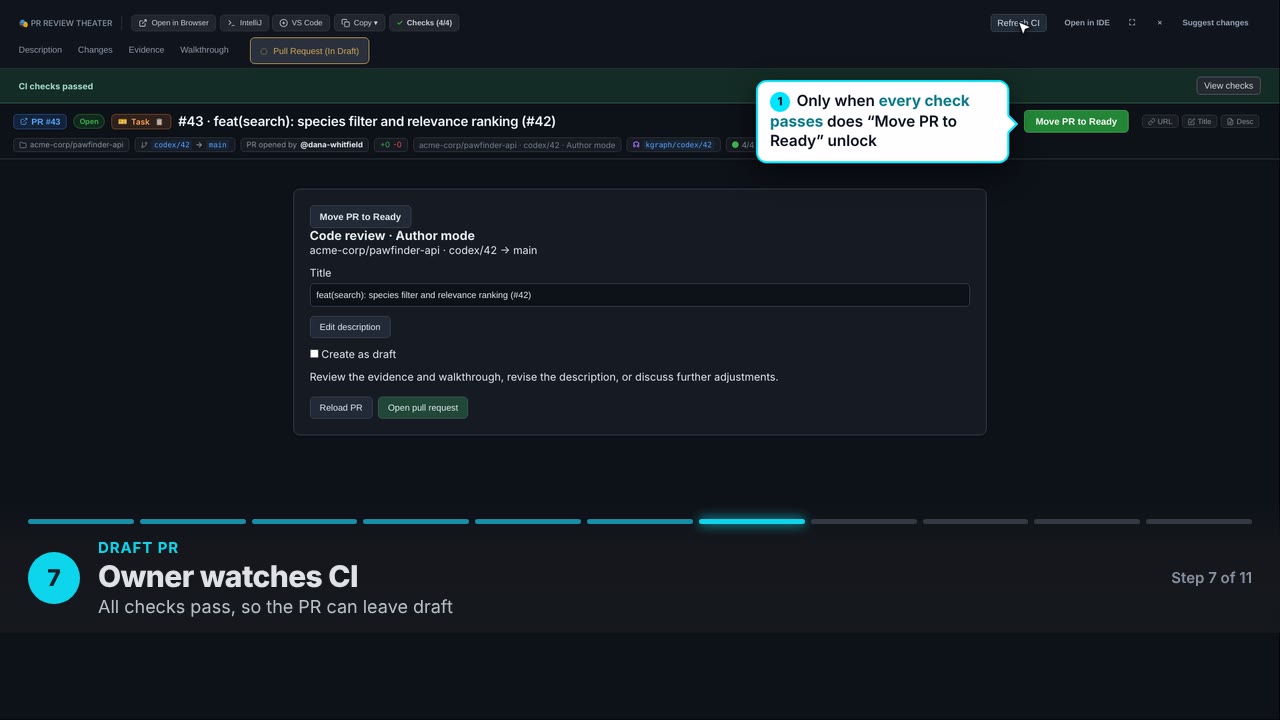
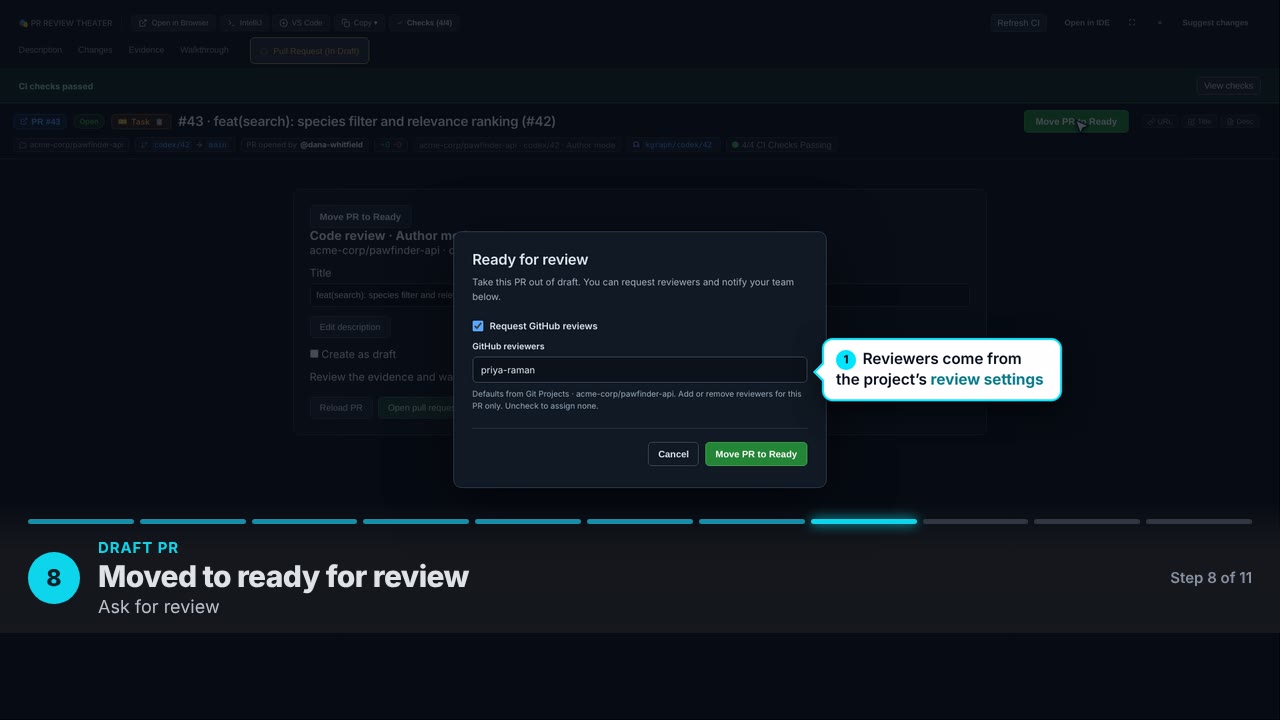
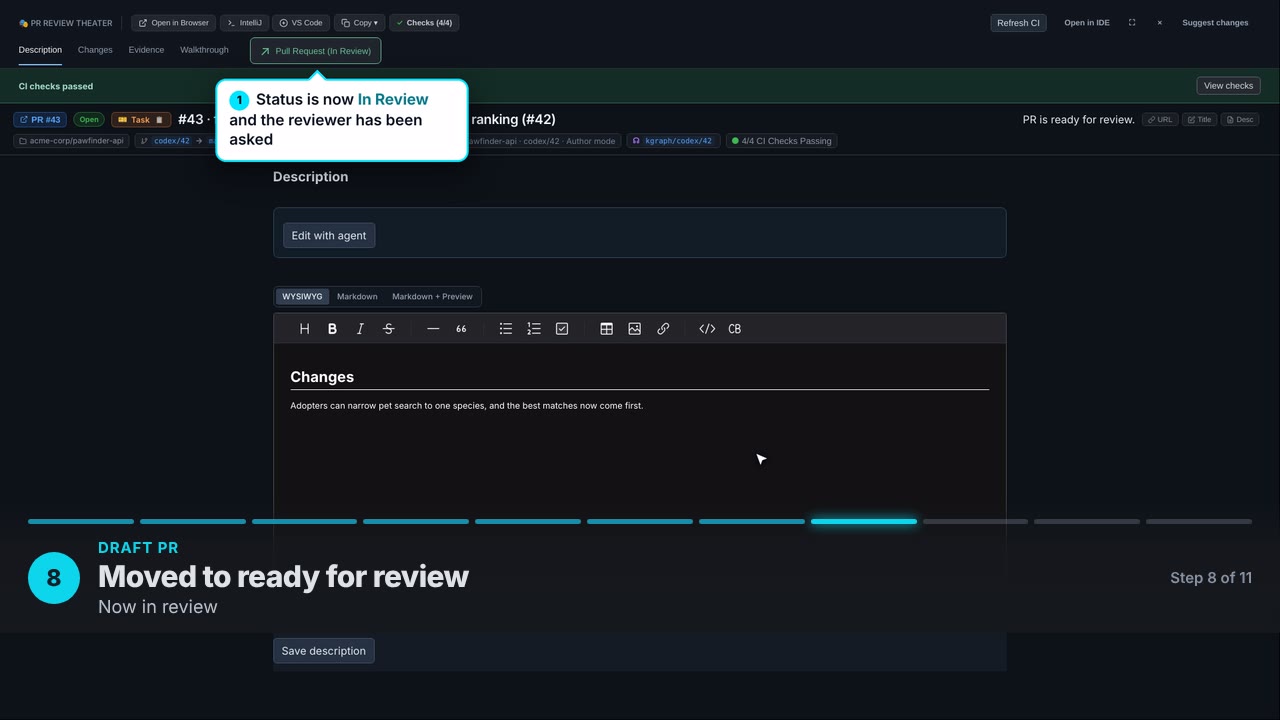
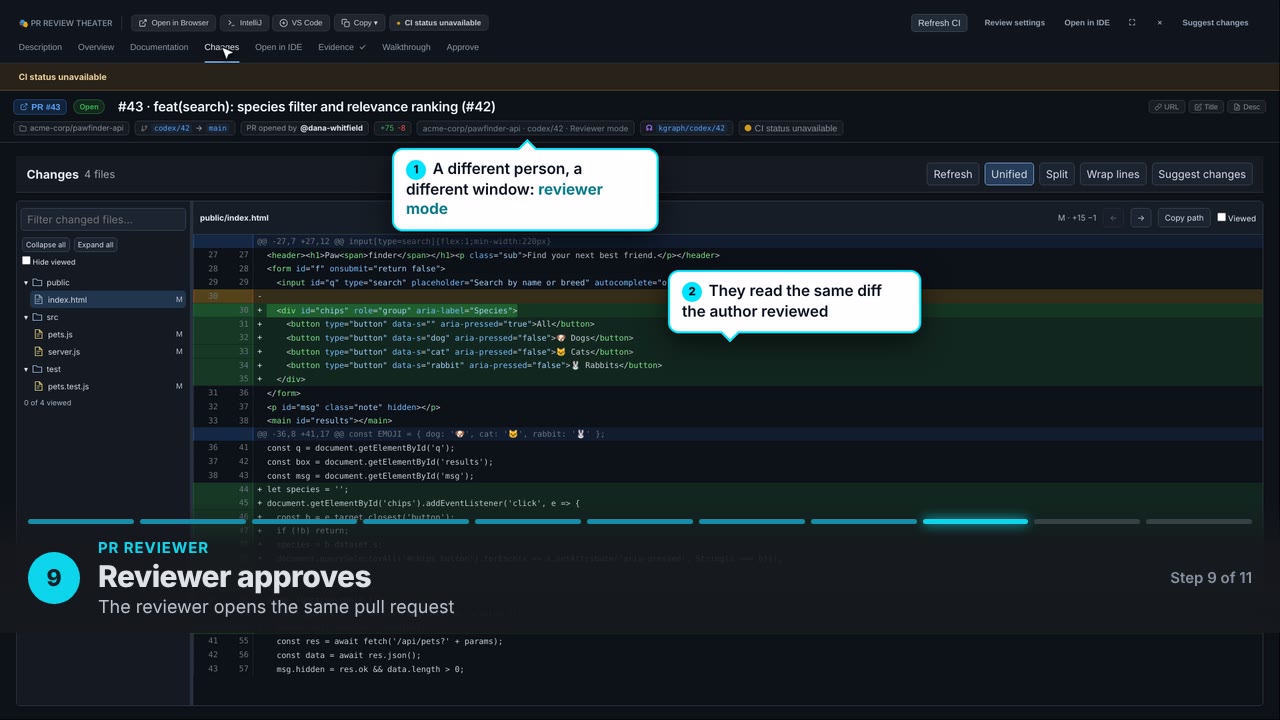
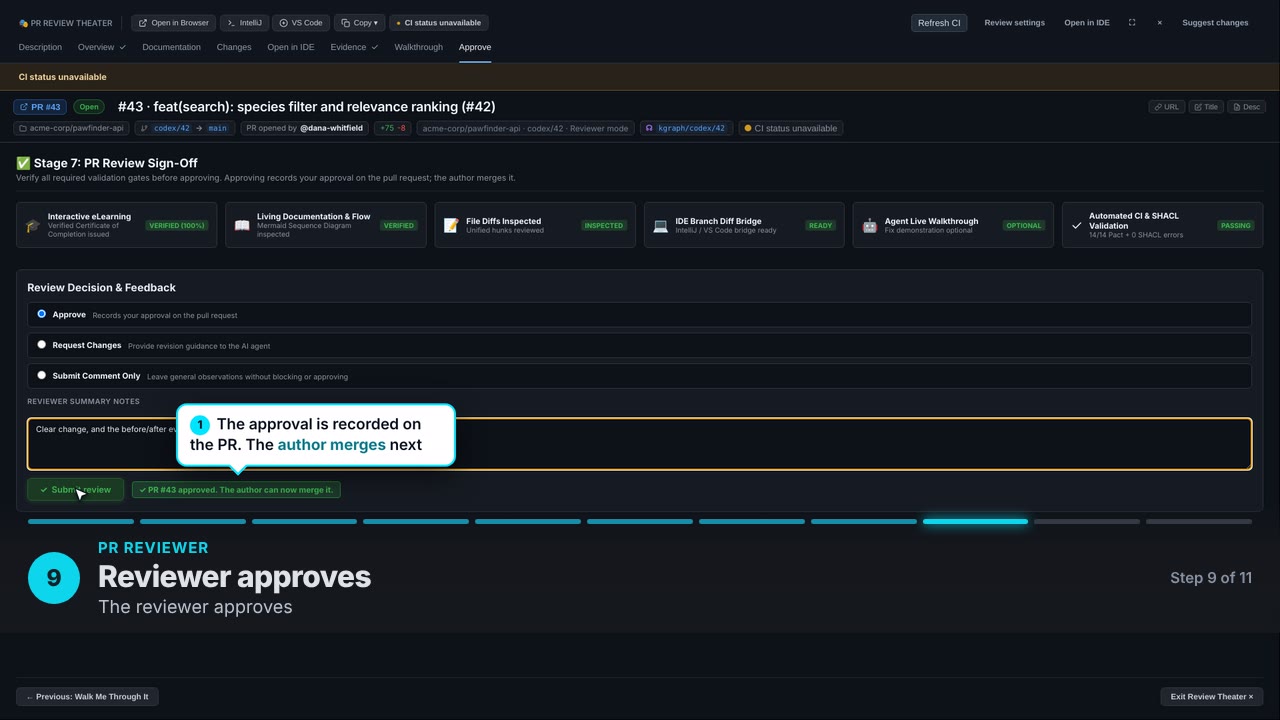
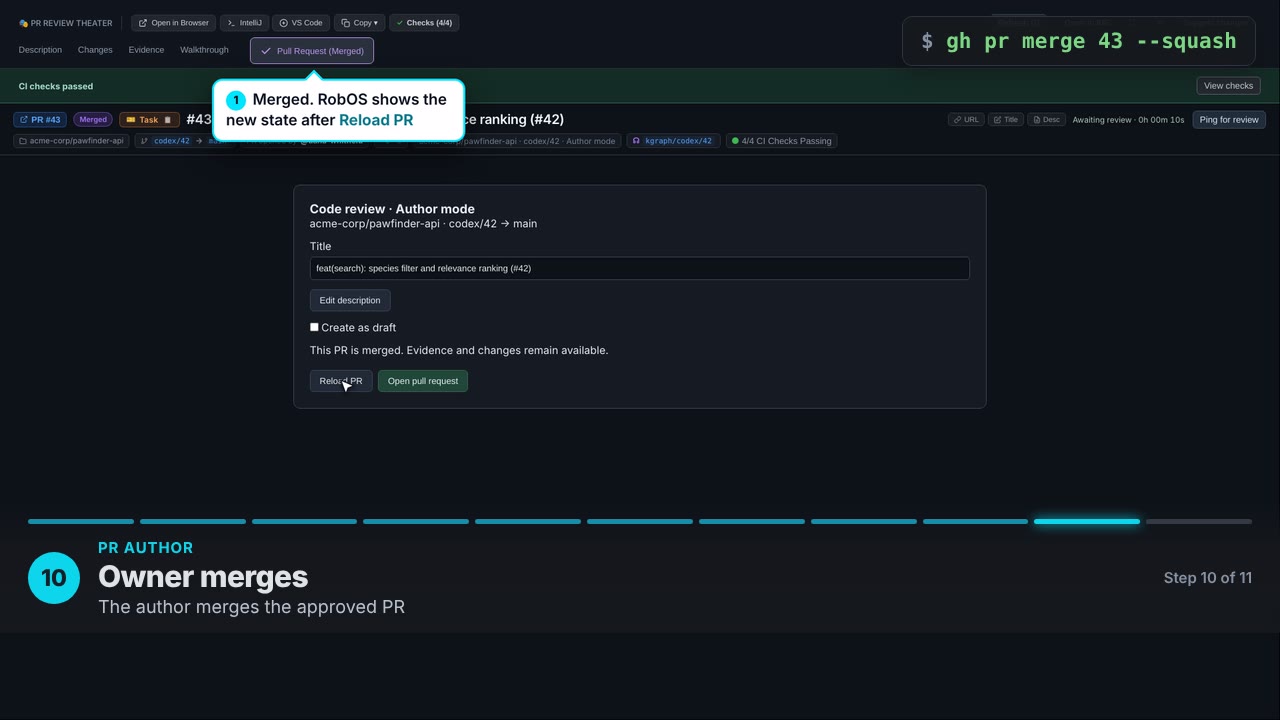
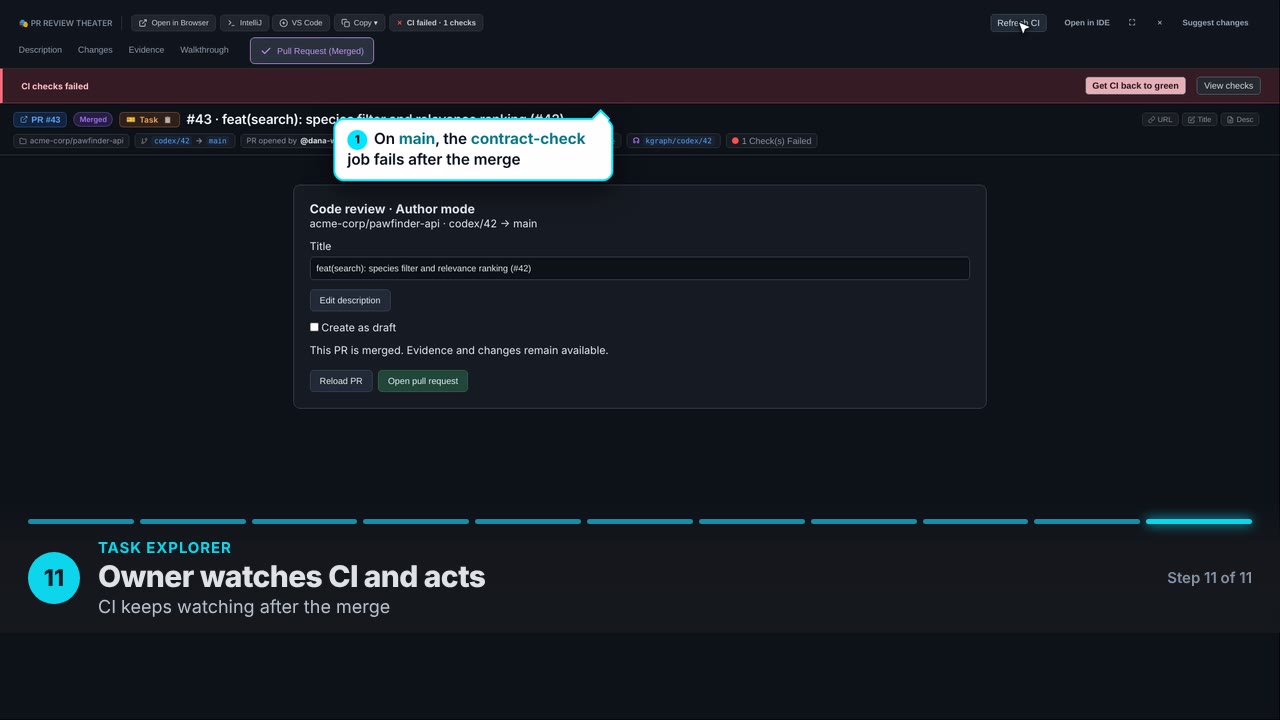
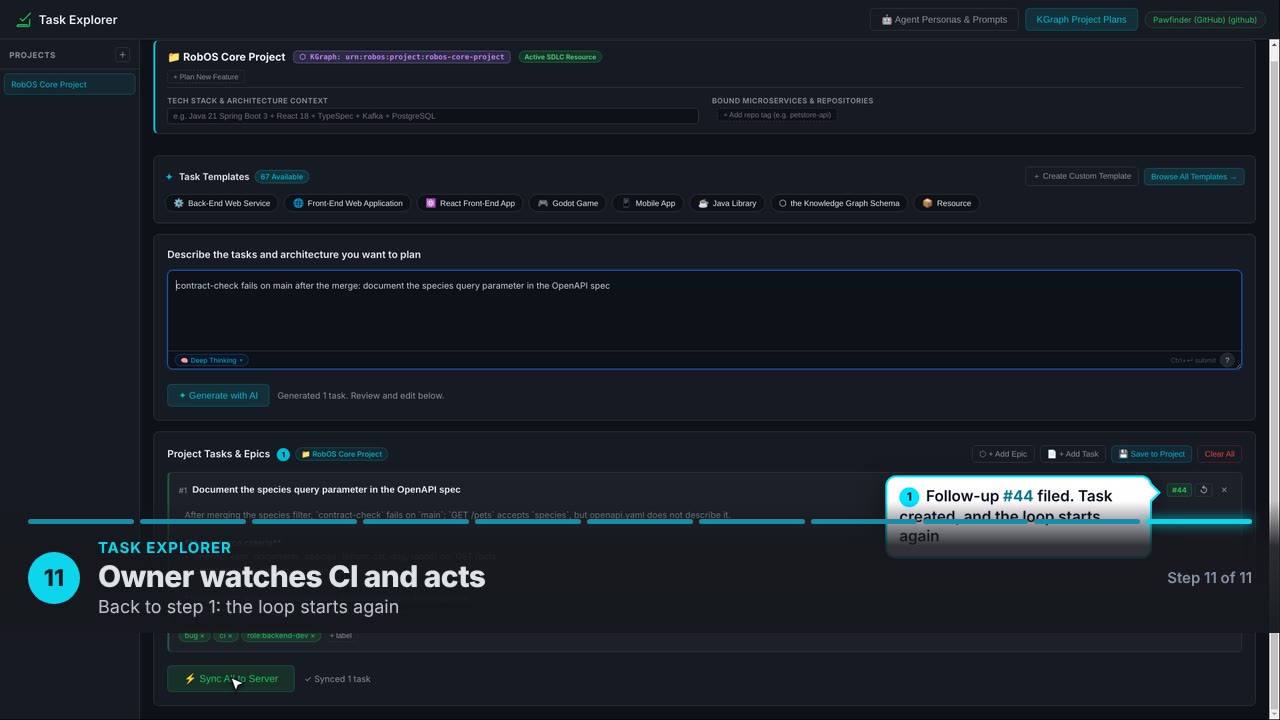
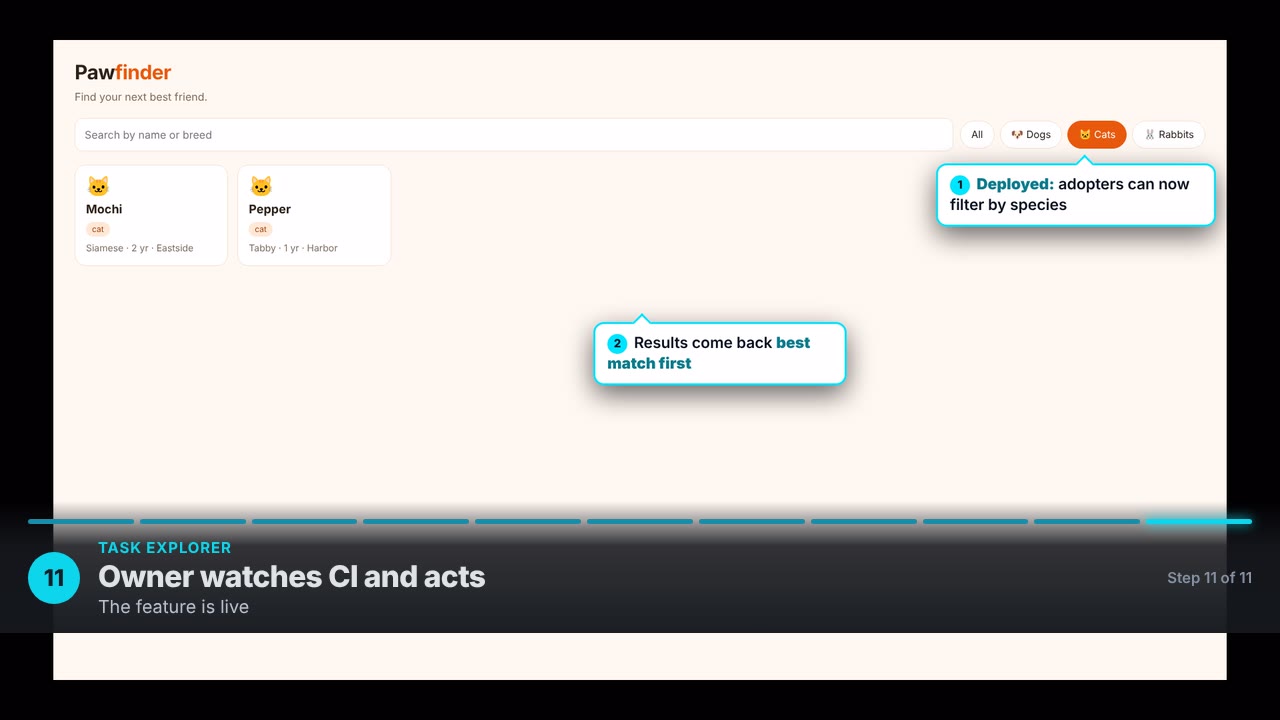
Recorded from the real apps. GitHub, the coding agent and CI results are scripted stand-ins; the repository, tests, diff and evidence are real.
Under the hood
One knowledge graph behind every app
The same platform that builds the suites is in your hands: the graph, the importers, the agent runner and the review tools. Developers still get the full lifecycle, from planning to merge, with semantic diffs and IDE review.
One standard KGraph format
A single schema for every app, service, contract, schema, runbook and test. Whatever it is, it has a node and a known shape.

Import anything
A KGraph parser and import skills pull in repos, APIs, databases, docs and tickets and turn them into linked entries.

Viewer, editor, e-learning
Every node gets a viewer, a form editor, generated documentation and e-learning, all customizable to your domain.

Proof, not promises
Agents run the real app headlessly and hand back a narrated walkthrough and test evidence, so you review what happened rather than guess.

Review you can understand
The graph knows what a change should touch, so review starts from intent: semantic diffs, inline comments, and IntelliJ or VS Code when you want them.
Safe by construction
Disposable sandboxes, the prompt security guard and a full audit log keep agents inside the lines.
GitHub
GitLab
Google Drive
Google Cast
Ollama
PostgreSQL
MongoDB
Elasticsearch
Apache Tika
Docker
Jira
- and many more
Make money with RobOS
Start a small software business on top of it
RobOS is free and open source, which makes it a ready-made foundation for a services company. Use the existing apps as your starting inventory, customize them for each customer, and earn from the gap between what customers pay for old software and what it now costs you to replace it.

1. Set up an LLC
Form a small company that owns the customer relationships, the contracts and your extensions. RobOS stays open source, and your business is the work you do on top of it.
2. Take, extend or build apps
Start from an existing RobOS app, ask for the changes a customer needs, or build a new one from a KGraph. Routed, cheaper models do the bulk of the work, so your margin stays healthy.

3. Migrate customers over
Import the systems customers run today into the graph, so moving them onto the RobOS-based version is documented and testable.

4. Sell support contracts
Recurring support covers each customer's tickets, and the KGraph keeps every fix quick to find and verify.
Start here
Pick your path
Use the apps
Install RobOS, tour the suites, and turn on AI wherever you want it.
Start using →Build apps
Plan tasks, let an agent implement them, and review every branch before it becomes a pull request. Guides for solo developers and teams.
Start building →RobOS for Teams
Govern coding agents and roll RobOS out across your org.
See why → Star on GitHub