

Dev Central
Your daily task list: issues from your task servers as an epic tree, with buttons to start design or implementation agents and to open the related PR.
Dev Central is where you see what is assigned to you and what to do next with it. Since v2 the default window is a task tree. The older dashboard (v0.8.2: overview cards, my PRs, standup) is still in the package.
Requirements
- At least one task server in
~/.config/robos/settings.json(task_servers), set up in the Task Servers app. GitHub servers use the RobOS-selected Git account; theghCLI is used by the legacy dashboard. - For agent buttons, an agent CLI that RobOS Agents can drive (the run records name
codexorclaudeas the provider).
The v2 task tree
The sidebar lists Views: Assigned to me, Needs attention, Unassigned, All tasks, and one view per workflow stage (Not started, Designed, Agent implementing, Local evidence review, Draft PR pipeline review, Human review, Closed). Below it is a list of Epics.
- An issue with sub-issues becomes an epic and its descendants become the tasks under it. Choose View by Epics (tree) or Tasks (flat list), and use Group by (Epic, Status, Priority, Assignee) in the flat list.
- The table columns include Issue, Summary, Epic, Type, Status, Priority, Assignee, Pull request, PR state, CI, Review, Branch, Parent, Sub-issues, Labels, Repository, Created, Updated and Options. Right-click a header or use the columns button to choose them. Filter this list… narrows the current view.
- Find (or
/) opens a search over every task on your task servers, for examplekafka p0 is:unassigned.Enterassigns the highlighted task to you, and Assign selected to me assigns several. - The Options button follows the task’s stage: Design (a read-only design agent), Implement, Resume, Steer while a run is live, Review evidence (opens PR Review), Check pipeline and Review PR (open the PR in your browser). Runs can be steered or killed from the row’s menu, and a run’s discussion opens in a side panel.
- Keys:
jandkmove, the left and right arrows collapse and expand,Enteropens details,aassigns to you.
Agent runs are plain JSON files in ~/.robos/agent-runs/<runId>.json with a .log of the agent’s output, so other RobOS apps can publish runs for a task by writing the same record. The workflow stages come from packages/robos-lib/default-workflow. A per-server cache (~/.config/robos/dev-central-v2-cache.json) lets the window paint before a refresh finishes.
The legacy dashboard
Start it with --v1 or ROBOS_DEVCENTRAL_UI=v1. Its tabs are an overview, Active Feature, My Tasks & Sprint, Pull Requests & CI, Notifications, Blocker Radar, AI Standup and Desktop Activity.
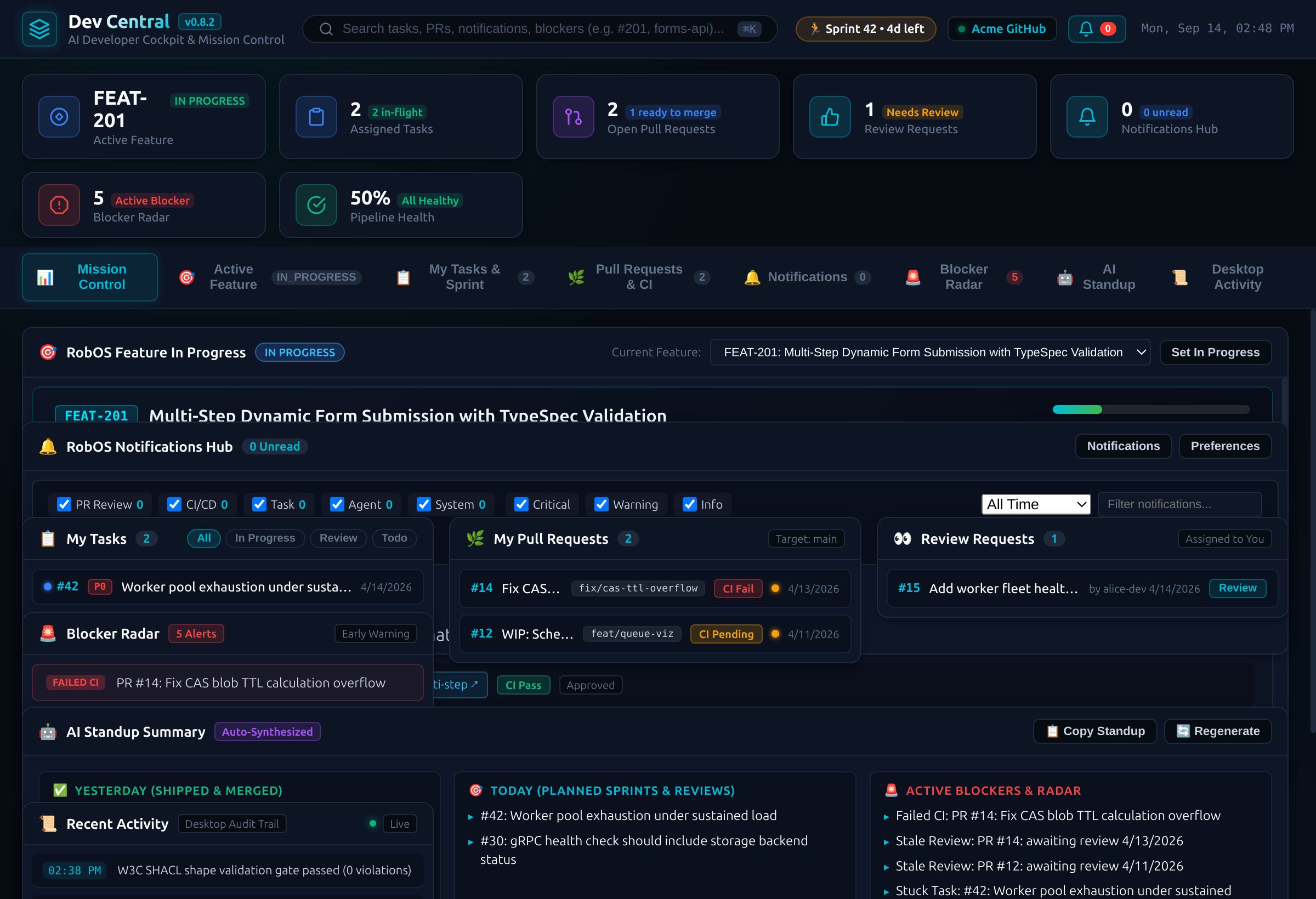
The legacy v0.8.2 dashboard with sample data. The “Sprint 42” badge in the header is fixed text.
Tasks and PRs come from gh for the first repository of the active task server. Sample data is used only in test mode. The “AI Standup” is built by plain code from merged PRs, open issues and detected blockers; if no PR has merged it inserts a fixed placeholder line. In Pull Requests & CI, Passing CI only filters your open PRs, Move from draft to ready re-checks the PR head, author and CI on GitHub before marking a draft ready, and Open code review opens the PR in PR Review with its saved local review from ~/.robos/local-reviews if there is one.
Command-line options
| Option | Effect |
|---|---|
--v1, or ROBOS_DEVCENTRAL_UI=v1 | Open the legacy dashboard |
--dev, or ROBOS_DEV=1 | Reload the window when renderer files change |
--notifications, --tab=tasks, --tab=feature | Switch to a tab on start (legacy dashboard) |
Run it with electron packages/dev-central. Source: packages/dev-central.