
RobOS RTS: Starfall Command
A real-time strategy game in Godot 4.3, in games/robos-rts. The default mode is Frontier Hunters: one human versus one AI, building from scratch on a rich eight-start map. The engine also contains three asymmetric factions and isolated mechanics scenarios. The simulation is deterministic and runs at a fixed 64 ticks per second, separately from rendering, so the same game can be played by a person, driven by a script, or run headless in tests.
On this page
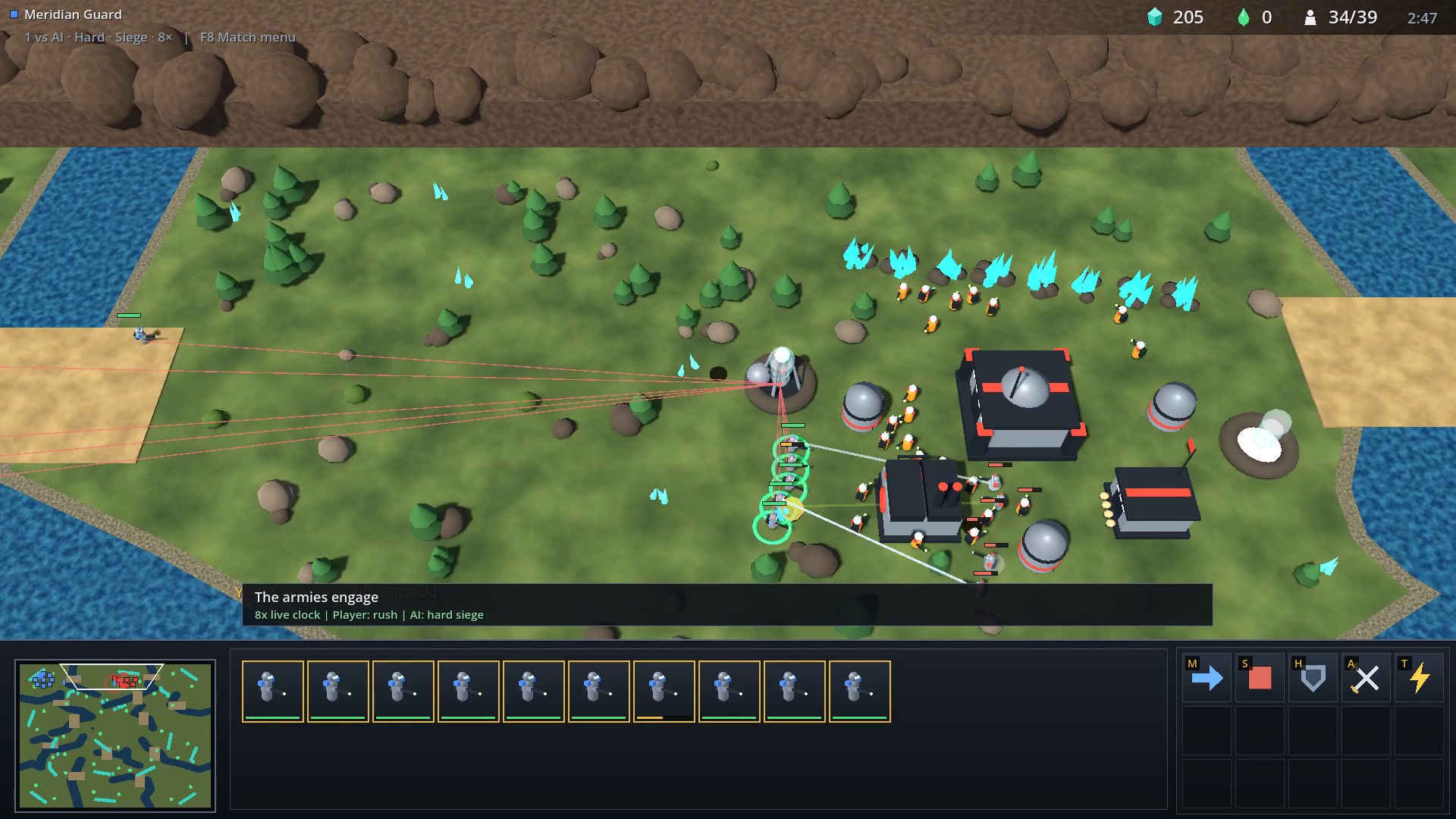
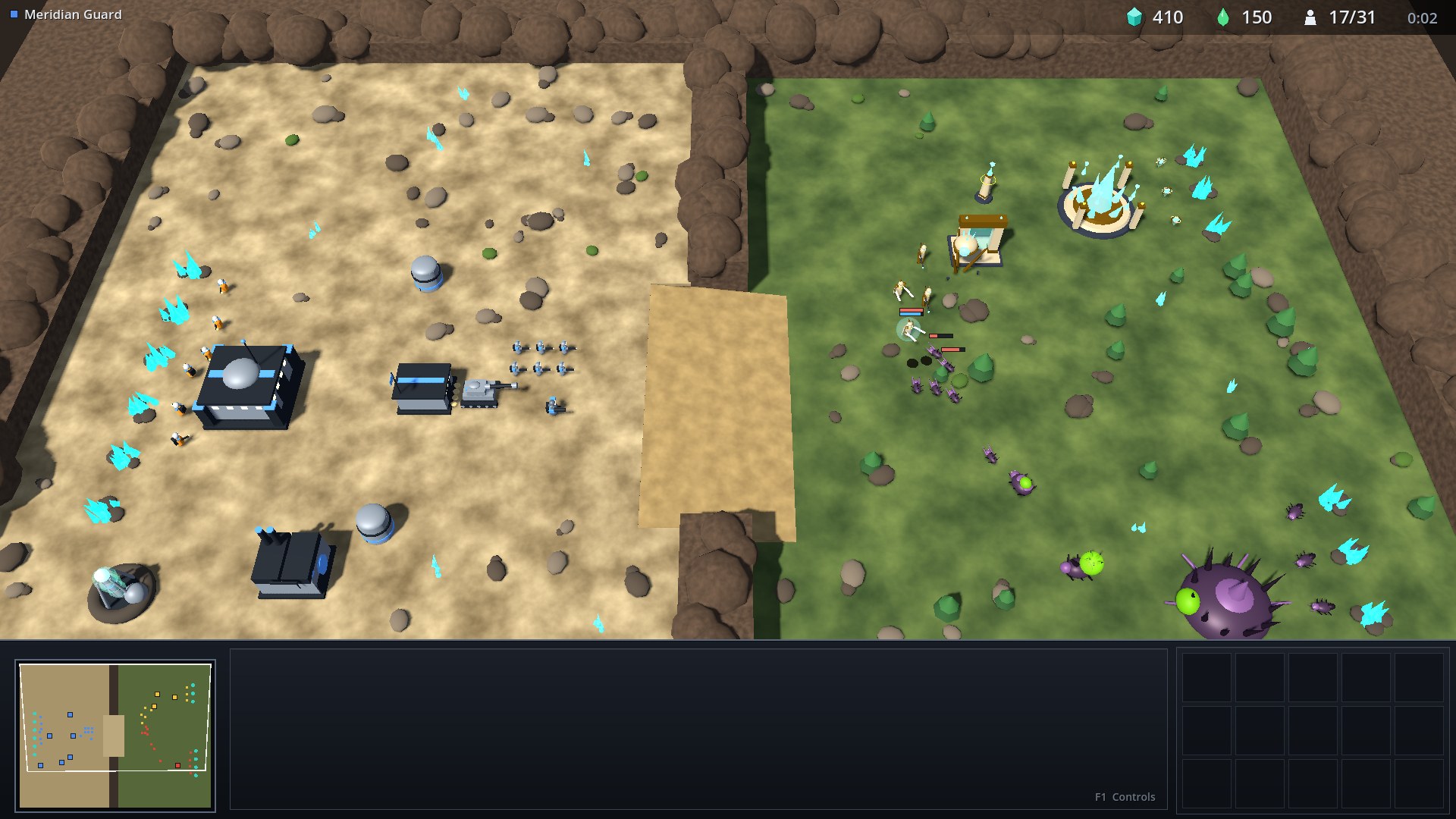
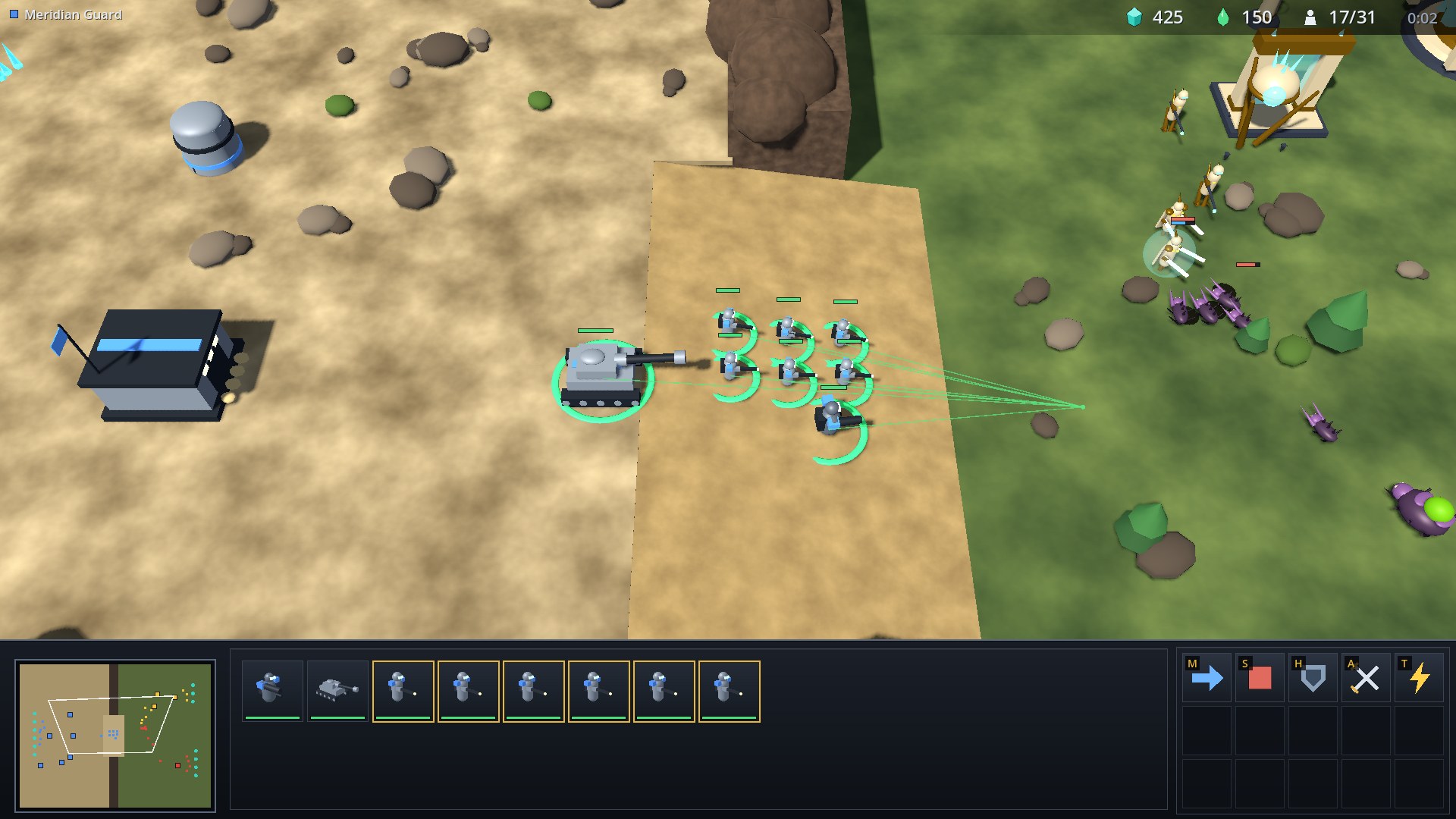
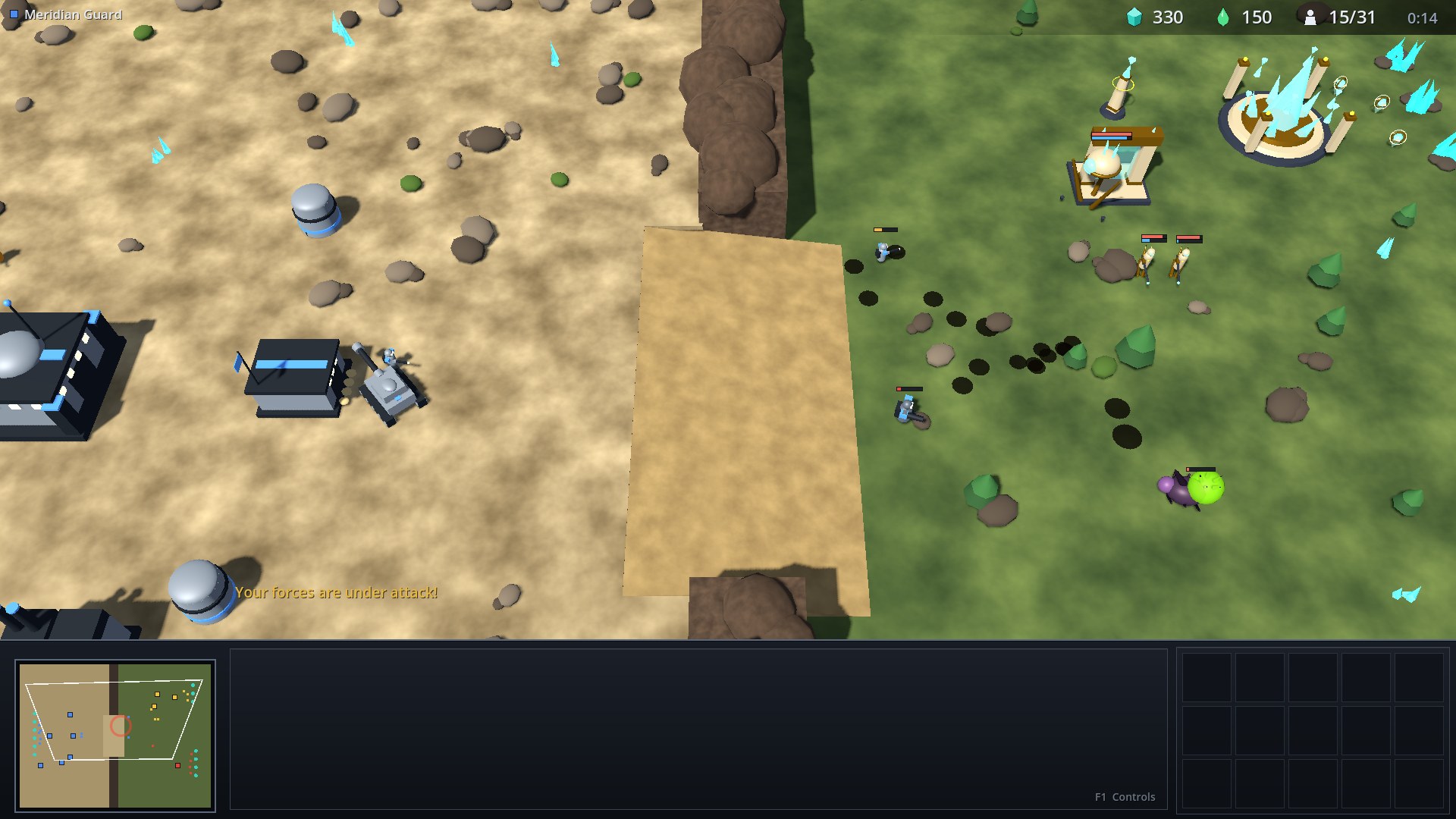
A frame from the live Rush versus Hard Siege test on Frontier Hunters. The older canyon and three-faction screenshots below illustrate isolated engine mechanics.
The game takes its conventions from the RTS genre in general: base building, a worker economy, control groups, a minimap and a command card. Open-source RTS projects such as OpenRA, 0 A.D., Warzone 2100 and Beyond All Reason are good references for the genre. Names and models are original to this repository; the map editor credits its reused open-source brush and fill cores below.
Run it
You need Godot 4.3 (GODOT_BIN, godot4 or godot on your PATH).
games/robos-rts/play.sh
Without a display, the headless Cucumber suite needs Python with behave:
cd games/robos-rts
./run_cucumber_tests.py --backend
The window opens with match setup. Choose Easy, Normal or Hard AI, its Rush, Balanced, Economy or Siege strategy, and a speed from 1× to 8×. Press F8 during play to resume, start a new match, or surrender; F1 opens the controls overlay.
Frontier Hunters
This mode focuses on a Meridian Guard mirror match on a 256×256 map. Two distinct starting sites are selected randomly from the map’s eight perimeter bases. Each commander starts with one Colony Hub, 12 Pioneers, 50 crystal and no aether or army. Workers immediately gather. Crystal fields and aether vents are inexhaustible. Winding waterways divide the outer bases and interior expansion sites, with land crossings connecting the battlefield. Pathfinding, building placement, the 3D view and the minimap share this terrain.
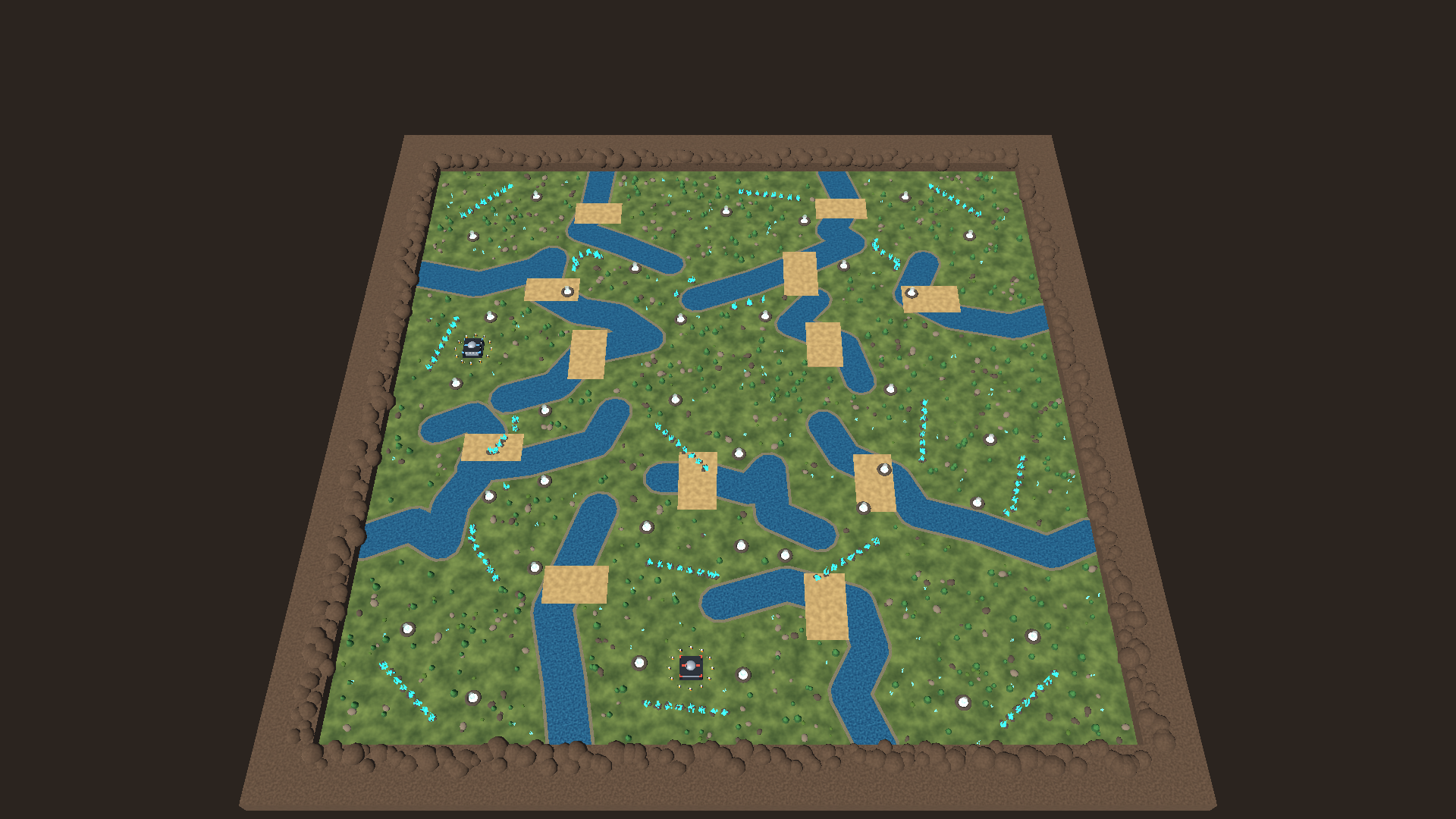
Win by destroying every opposing structure, including expansions and unfinished construction, or by accepting the opponent’s surrender. Losing a main base or all workers alone does not end the match. The terminal result freezes the simulation and rejects further commands. Supply is capped at 200. Construction and training use the unit registry’s full durations; accelerated play advances the same simulation faster.
The AI harvests, builds supply and production, trains workers and armies, then attacks and searches for remaining structures. Economy saves for a second base; Siege builds gas extraction and a Workshop for Howitzers. Difficulty changes decision frequency, worker targets and production capacity. All difficulties use paid engine commands with identical starting resources, costs and combat statistics.
The bot API starts a replayable match with POST /match {"seed":42,"difficulty":"hard","strategy":"rush"}. Omit the seed for a fresh random assignment. POST /match {"action":"surrender","player":1} concedes. Observations include match status, winner, reason, seed and starting-site assignments. Existing mechanics scenarios remain available by slug; starfall-canyon loads the older three-faction showcase.
Accelerated build-order tests
cd games/robos-rts
python run_cucumber_tests.py --backend --name="Frontier|Build orders|unattended|Destroying|Surrender|Illegal|Seeded"
tests/e2e/features/engine/03_frontier_hunters.feature plays Rush, Siege and Economy builds against different AI difficulties through the public observation/action/step API. The player controller starts with the same opening as a person and pays for every building and unit. Tests advance four game seconds per request, with a bounded game-time budget; reaching the budget is a failure, never an invented victory. JSON progression traces and final observations are written under tests/e2e/reports/.
Additional checks cover deterministic seeded replay, selection of every start site, an unattended human defeat, surrender/restart, invalid production and building placement, and a base-race fixture proving that an unfinished expansion keeps its owner alive even after the main base falls.
Live gameplay and frame performance tests
cd games/robos-rts
python run_cucumber_tests.py --realtime-headless --speed=8
python run_cucumber_tests.py --realtime --speed=8 --record
python run_cucumber_tests.py --realtime --tags=@performance
The live suite uses the map editor to modify, save and reload each map, then starts a paused F5 playtest and checks the standard opening. A player-side controller builds Rush, Siege or Economy through paid commands against the built-in opponent. Only the live frame clock advances time: the live SDK rejects /step, and the engine reports a counter proving no manual step requests occurred. Matches must reach an actual structure-elimination result, including the unattended-player defeat case. The deterministic suite remains useful for smaller mechanics fixtures.
--record needs ffmpeg and a rendered game; --show-window displays the test window on Windows, and --keep-open leaves it at the result for manual play through F8. Each run writes its authored map, action log, game-state samples, frame timings and, when rendered, a result screenshot under tests/e2e/reports/realtime/. Recording adds a captioned MP4 and WebVTT. Finished artifacts are also archived in ~/.robos/development/walkthroughs/rts-live-<scenario>/, with timestamped history. The proof records both requested speed and achieved game seconds per wall second.
Real-time simulation retains fixed 64 Hz ticks but yields after an 8 ms frame budget, allowing input and drawing during fast-forward overload. Requested 8× playback can run slower when CPU capacity is exhausted. Static terrain, decoration and unlimited crystal facets are combined in spatial chunks; human units use shared MultiMesh batches. Offscreen units and combat effects are culled conservatively, and effect allocation is capped. Static minimap terrain/resources render once into a cached viewport, while unit markers and camera bounds remain live. Navigation smoothing uses bounded visibility searches, steering reuses each tick’s nearby-unit query, target acquisition searches hostile spatial grids, and harvesting uses cached town-hall/extractor links.
The control server buffers incomplete requests and partial responses without sleeping on the frame thread. Capture encoding runs on a worker when /screenshot receives "async":true; /capture reports completion. Live recording uses JPEG frames to avoid PNG encoding stalls, while screenshots can still use PNG. GPU readback remains on the frame thread and is measured separately. GET /performance reports frame percentiles, simulation/HUD time, rendering draw counts, navigation/steering totals and readback cost. The responsiveness feature checks that incomplete clients and asynchronous PNG encoding keep the live clock moving without a 100 ms frame stall. tests/e2e/performance_probe.py --warmup=180 --speed=1 measures normal play after a paid army build. tests/test_render_batches.gd verifies constant body batch counts from one to eighty units and prevents geometry accumulating across map reloads within one frame.
Verified run: October 23, 2026
| Check | Result |
|---|---|
| Complete backend suite | 20 scenarios, 128 steps passed |
| Live frame-clock suite, headless rendering | 6 scenarios, 40 steps passed; zero manual step requests |
| Rendered match and responsiveness | 2 scenarios, 13 steps passed |
| Normal-speed paid army, 180-second warm-up | Roughly 80 units; observed 49–60 FPS; final rolling frame p95 26.952 ms, max 72.047 ms |
| Rendered Rush vs Hard Siege, seed 29 | Structure-elimination victory at 259.55 game seconds; requested 8×, achieved 2.58× during recording |
The normal-speed probe used Godot 4.7.2’s compatibility renderer on a GTX 1050 Ti at 1920×1080 and passed its p95 ≤33.34 ms and maximum ≤100 ms budgets. Results depend on hardware and workload. The recorded test had a worst frame of 55.773 ms and a maximum per-window p95 of 40.133 ms. Navigation between all starting sites, spatial queries against brute force, editor document round trips and render batching regressions also passed.
The complete live match, captured at 1080p and 10 FPS with on-screen step narration. These media files are served by the front site at /assets/games/rts/; the guide itself lives under /v1/.
Download the recorded match proof and normal-speed frame samples. The match proof includes paid commands, progression events, the terminal observation and frame measurements from the video run.
Map editor
Choose Map editor from the F8 menu, or run:
games/robos-rts/map-editor.sh frontier-hunters
The editor opens the playable map with terrain, resources, start locations and expansion markers. Hunters Template creates a custom copy; New starts a blank 256×256 map. Open File and Save As support maps outside the built-in scenario folder. Saves replace the file atomically, and opening another map prompts before discarding unsaved edits.
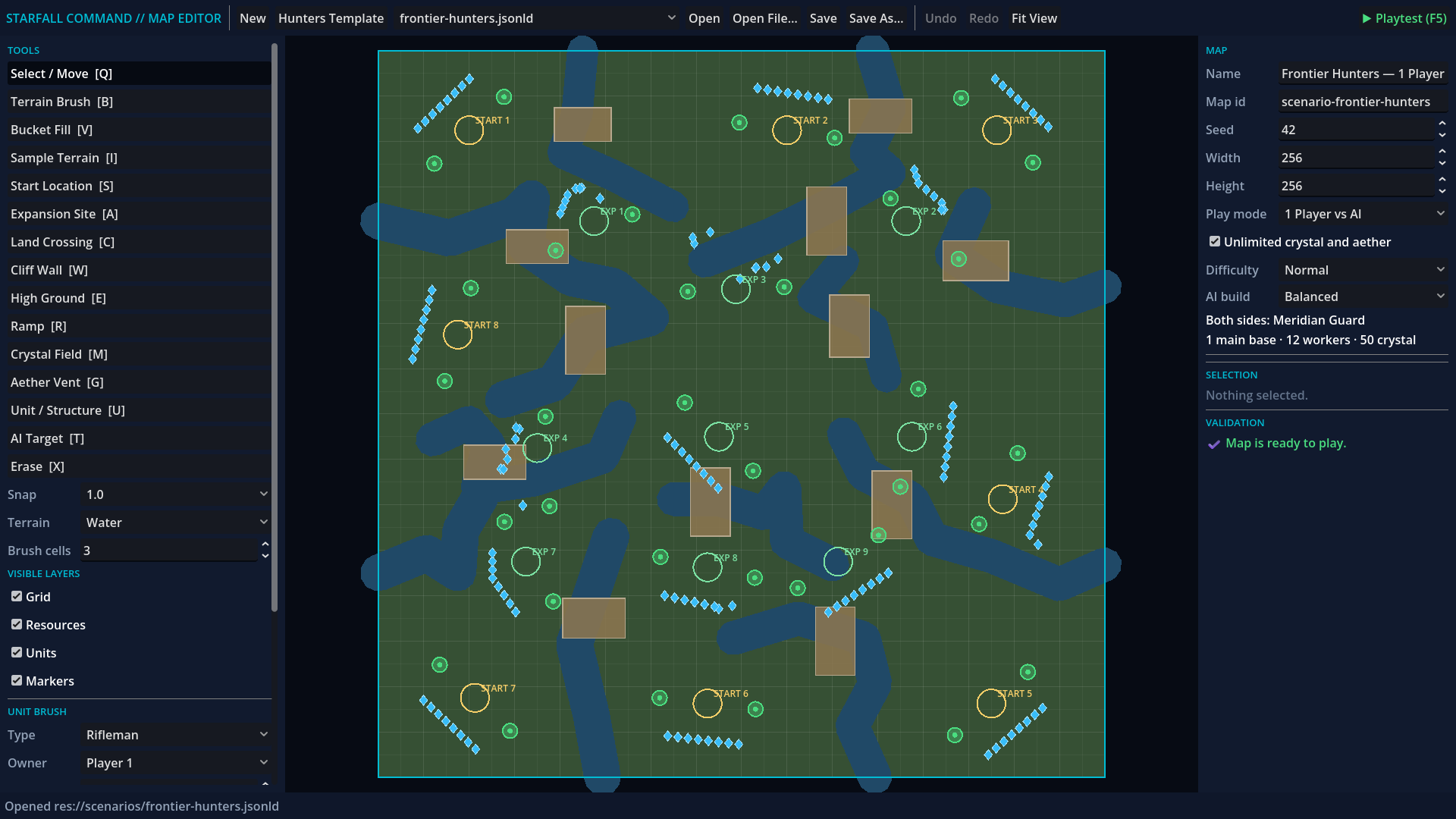
| Tool | Use |
|---|---|
| Terrain Brush (B) | Paint land, water, cliffs or plateaus with an adjustable brush; right-drag paints land. A full drag is one undo step. |
| Bucket Fill (V), Sample (I) | Fill a connected terrain region, or sample terrain into the brush. |
| Start Location (S), Expansion (A) | Place and move numbered base sites. Skirmishes support two to eight possible starts. |
| Land Crossing (C) | Drag a crossing across a waterway; select and resize its rectangle. |
| Resource and unit tools | Place, move, duplicate and inspect deposits, units and structures. |
| Layer toggles | Show or hide grid, resources, units and start/expansion markers. |
| Ctrl+Z / Ctrl+Y | Undo and redo edits, including whole brush strokes and fills. |
| F5 / F10 | Playtest the current map, then return with the document and undo history intact. |
Validation blocks playtests with invalid starting locations or resources in impassable terrain. The same authored terrain changes navigation and the rendered game. Switching the play mode to Scenario / Campaign uses explicit unit placements; 1 Player vs AI uses random starts and the standard opening. Campaign objectives and future multiplayer metadata are retained during save/reload, including fields the current editor does not interpret. Campaign scripting and network multiplayer execution remain separate engine work.
The terrain brush and bounded bucket-fill cores reuse MIT-licensed code from Crusade RTS, with its license and pinned source revision in games/robos-rts/third_party/crusade/. Rendering, map persistence and simulation integration remain native to RobOS. The editor authoring tests exercise a mouse stroke, undo/redo, save, playtest, return and validation gates. tests/test_map_editor_document.gd verifies preservation of campaign and multiplayer metadata; tests/test_frontier_navigation.gd checks routes between every pair of starts.
The screen
The layout follows RTS convention: resources top-right, minimap bottom-left, the selection in the middle and the command card bottom-right. Everything on screen reads live simulation state. Health bars appear only on selected, damaged or under-construction units.
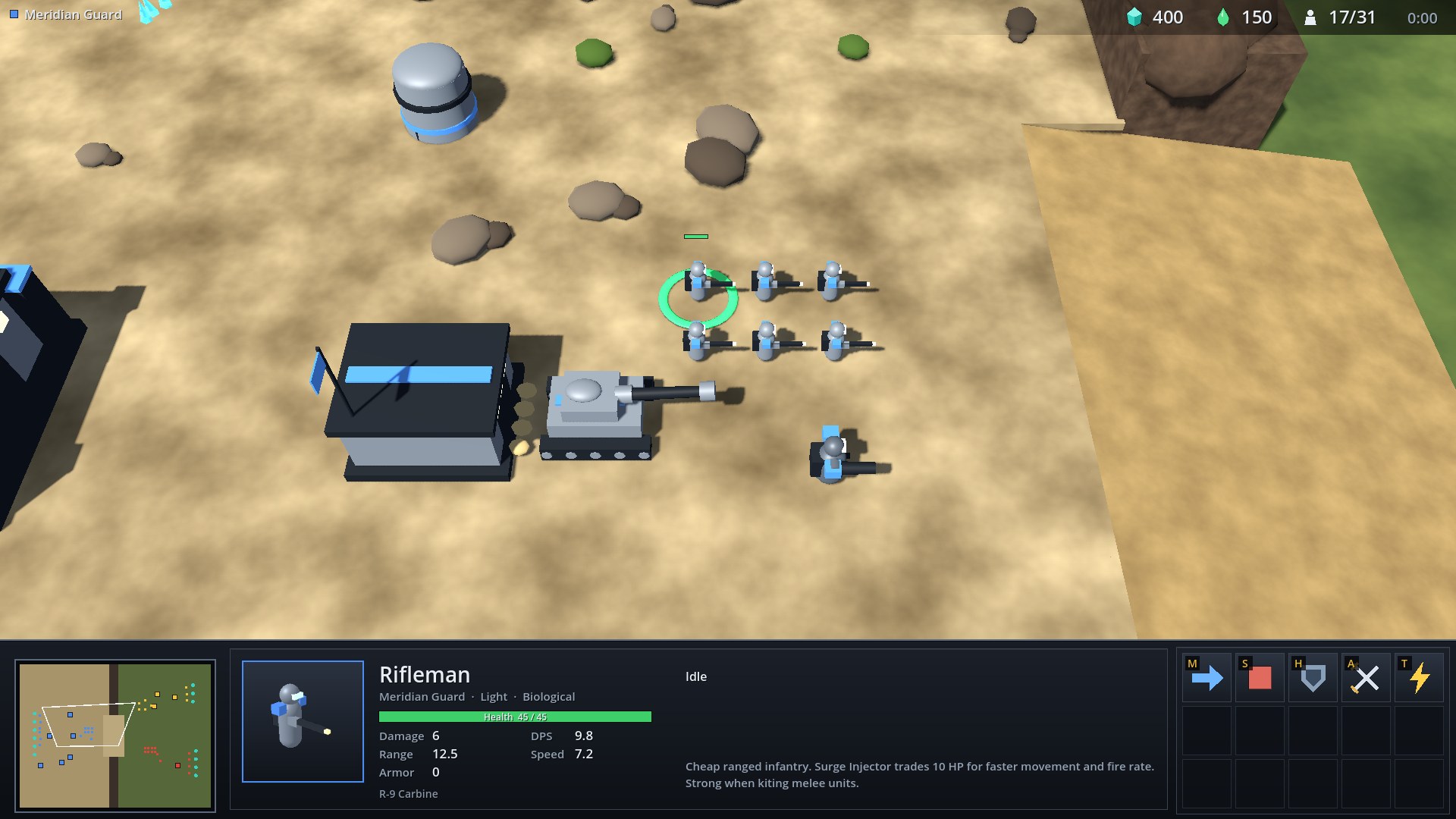
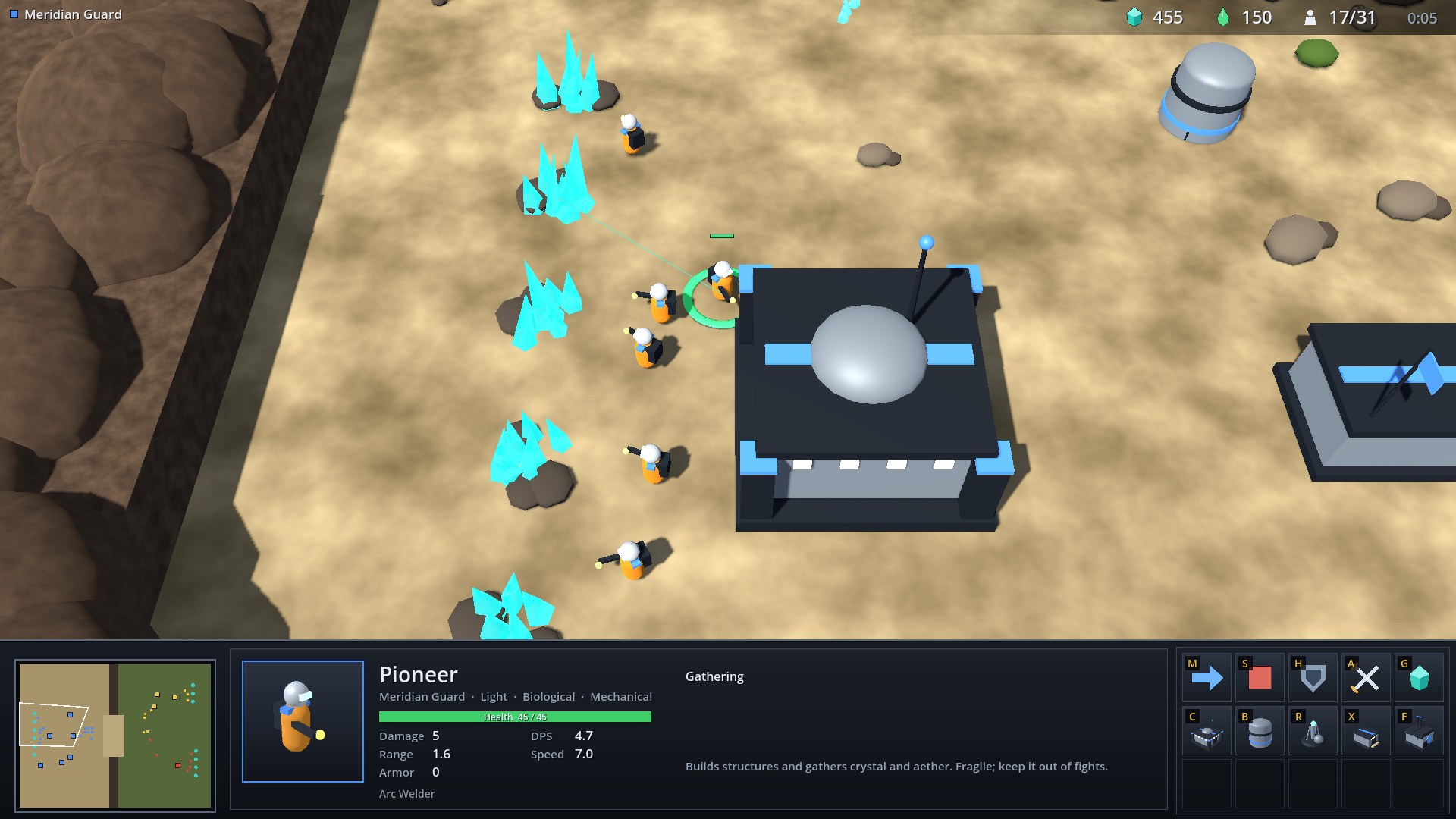
One unit selected. The portrait is rendered from the unit’s own 3D model. The panel lists health, damage with damage per second, range, armor and speed, plus the weapon’s name and any bonus damage. The command card shows what the unit can do.
Selecting units
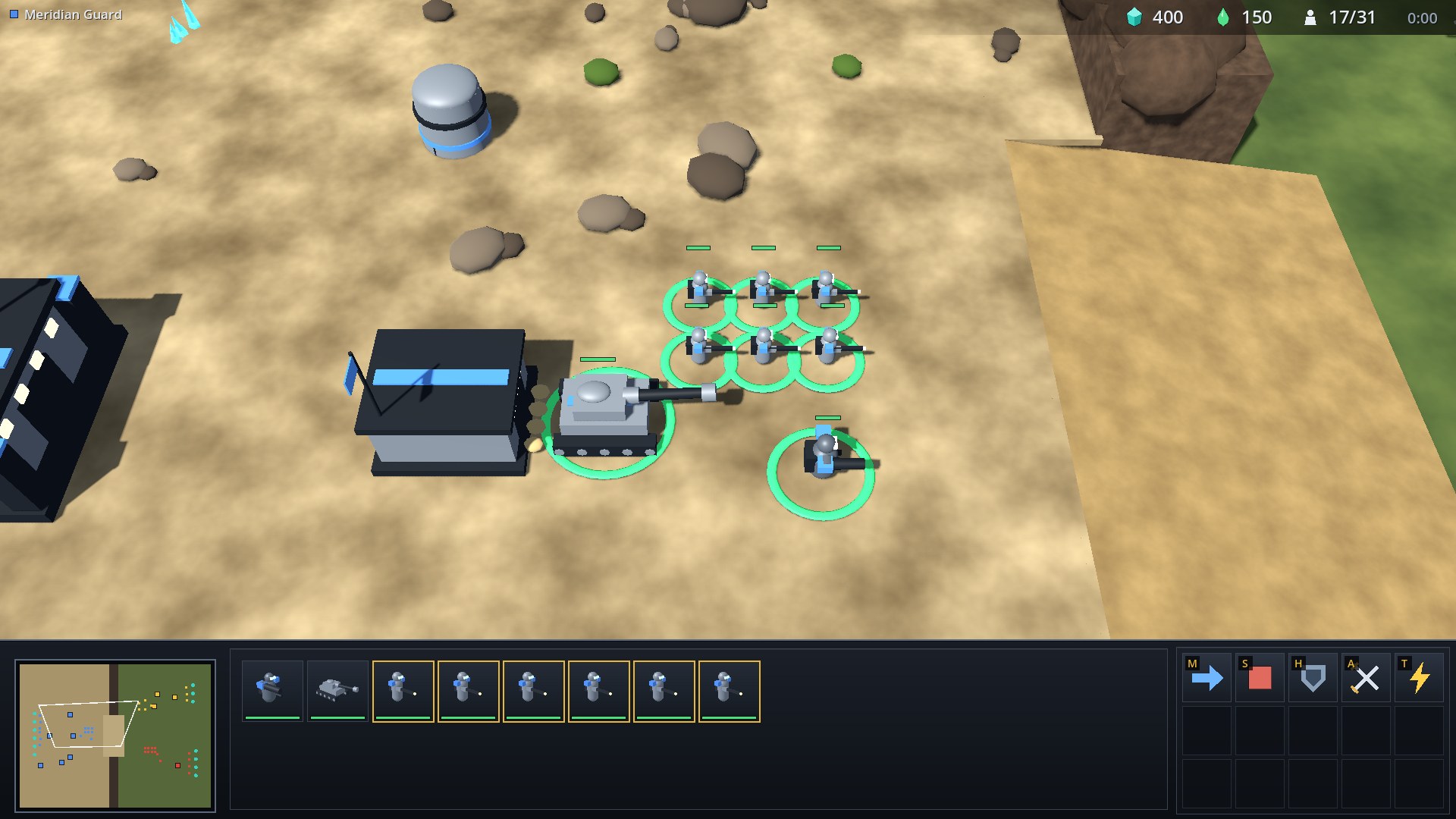
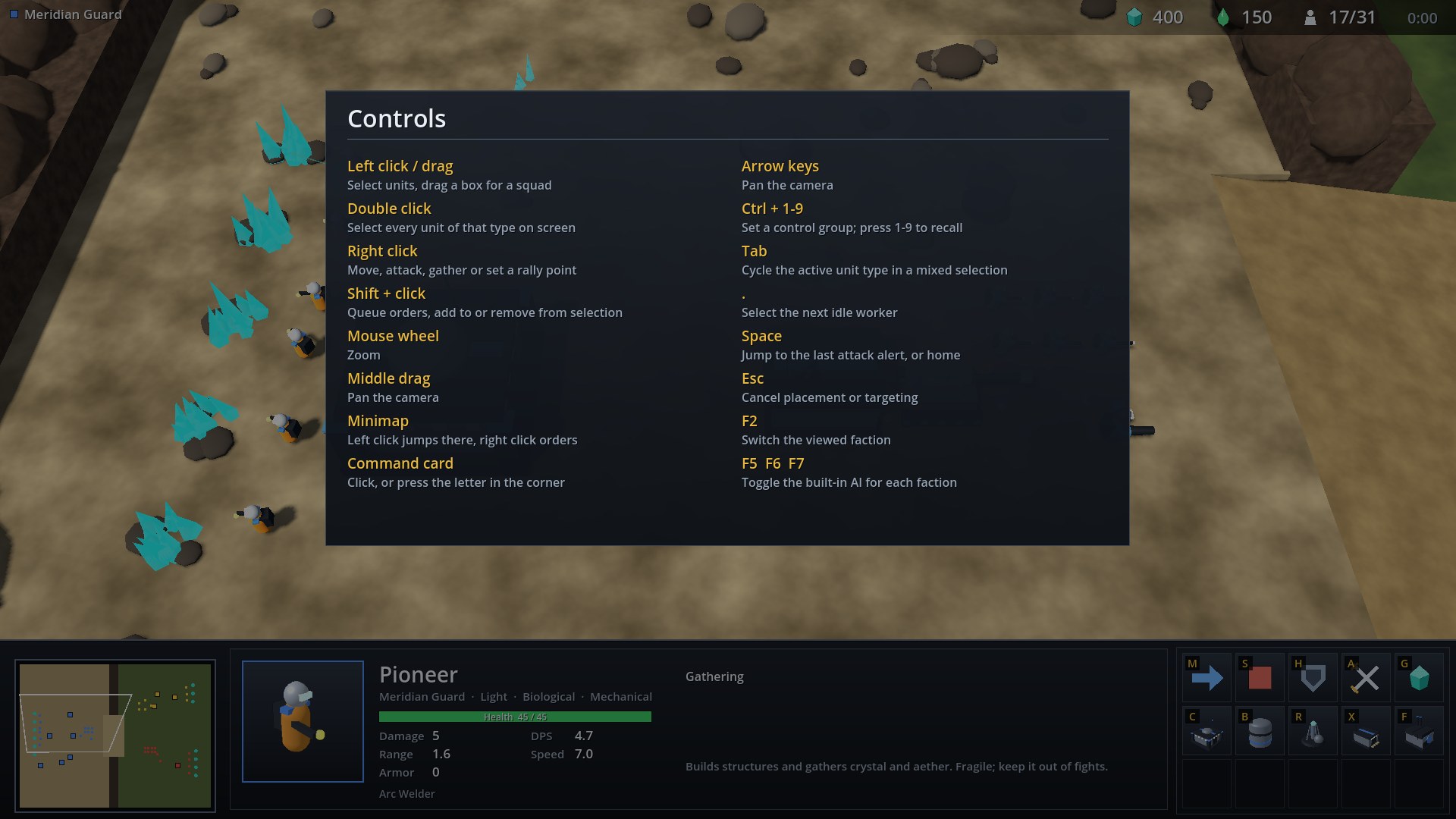
Drag a box to select a squad. In a mixed selection the gold-bordered type is the active subgroup, which owns the command card; press Tab to cycle it. Double click selects every unit of that type on screen. Ctrl+1 to 9 sets a control group and the number recalls it; double press to center the camera.
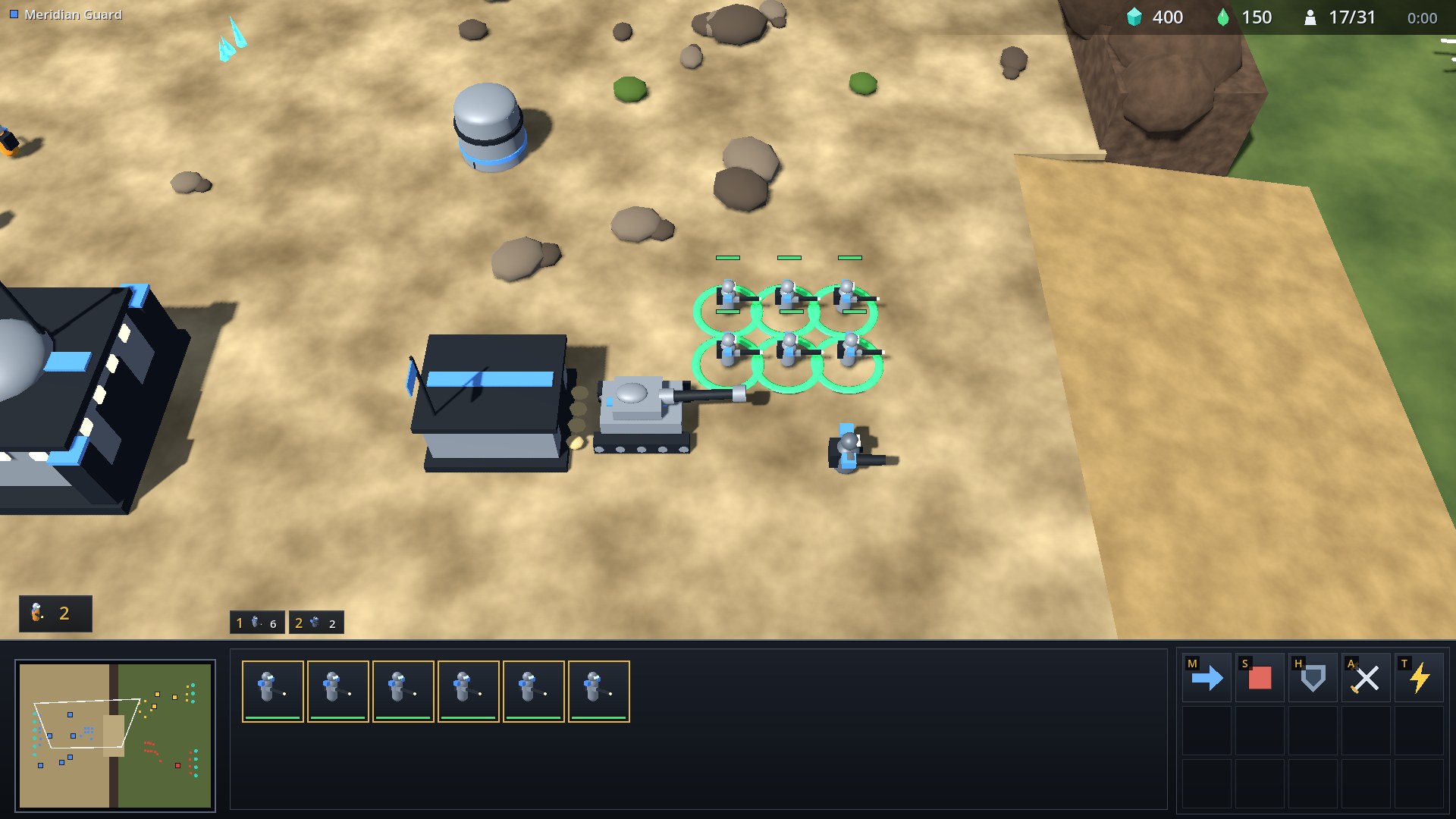
Control group tabs sit above the selection panel. The idle worker button at the left appears only while a Pioneer has nothing to do; . selects the next one.
Commands, costs and tooltips
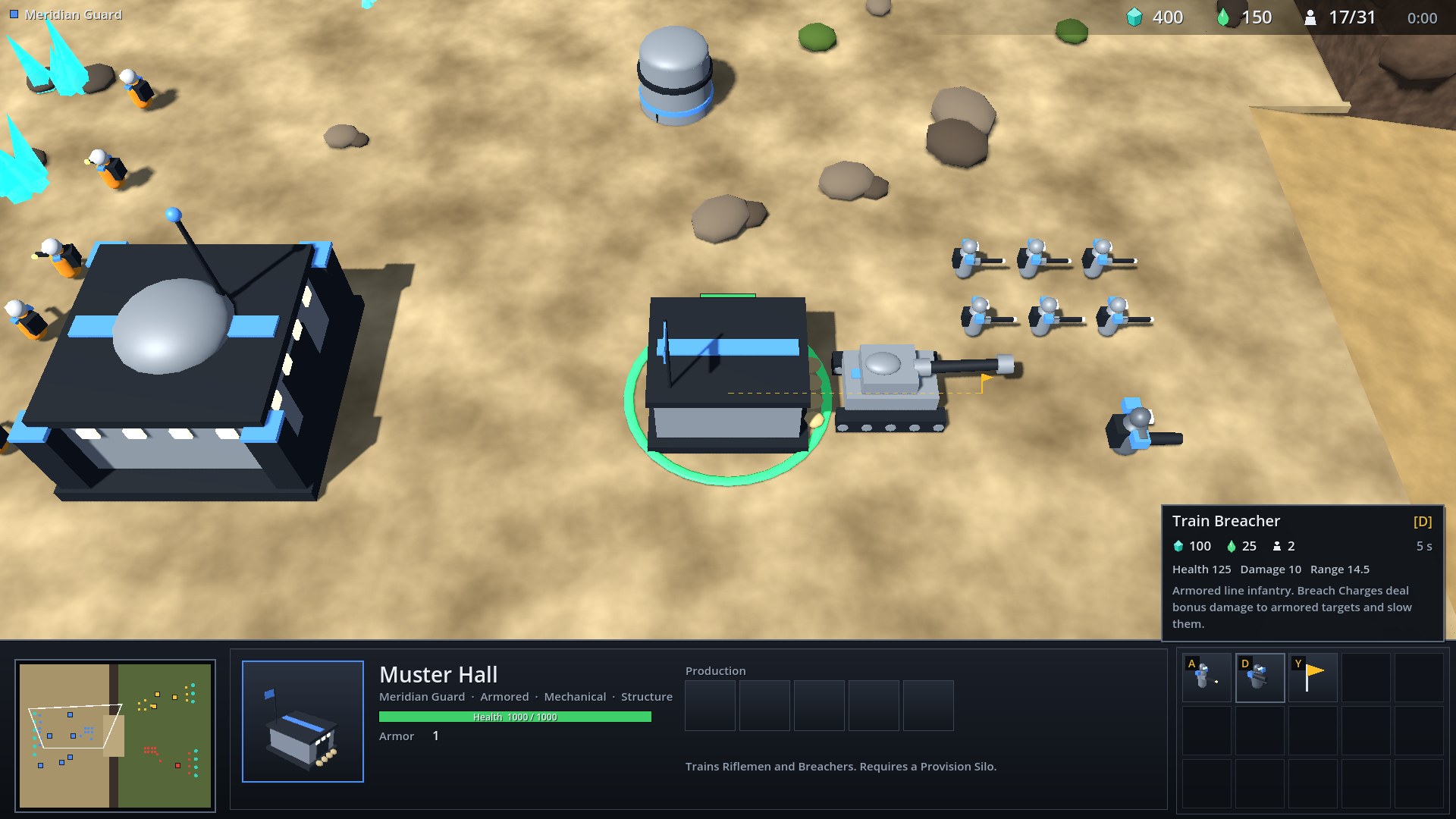
Each button on the command card shows its hotkey in the corner. Hover one for the cost in crystal, aether and supply, the build time and a description. Buttons you cannot use yet are dimmed, and the tooltip says why.
Production
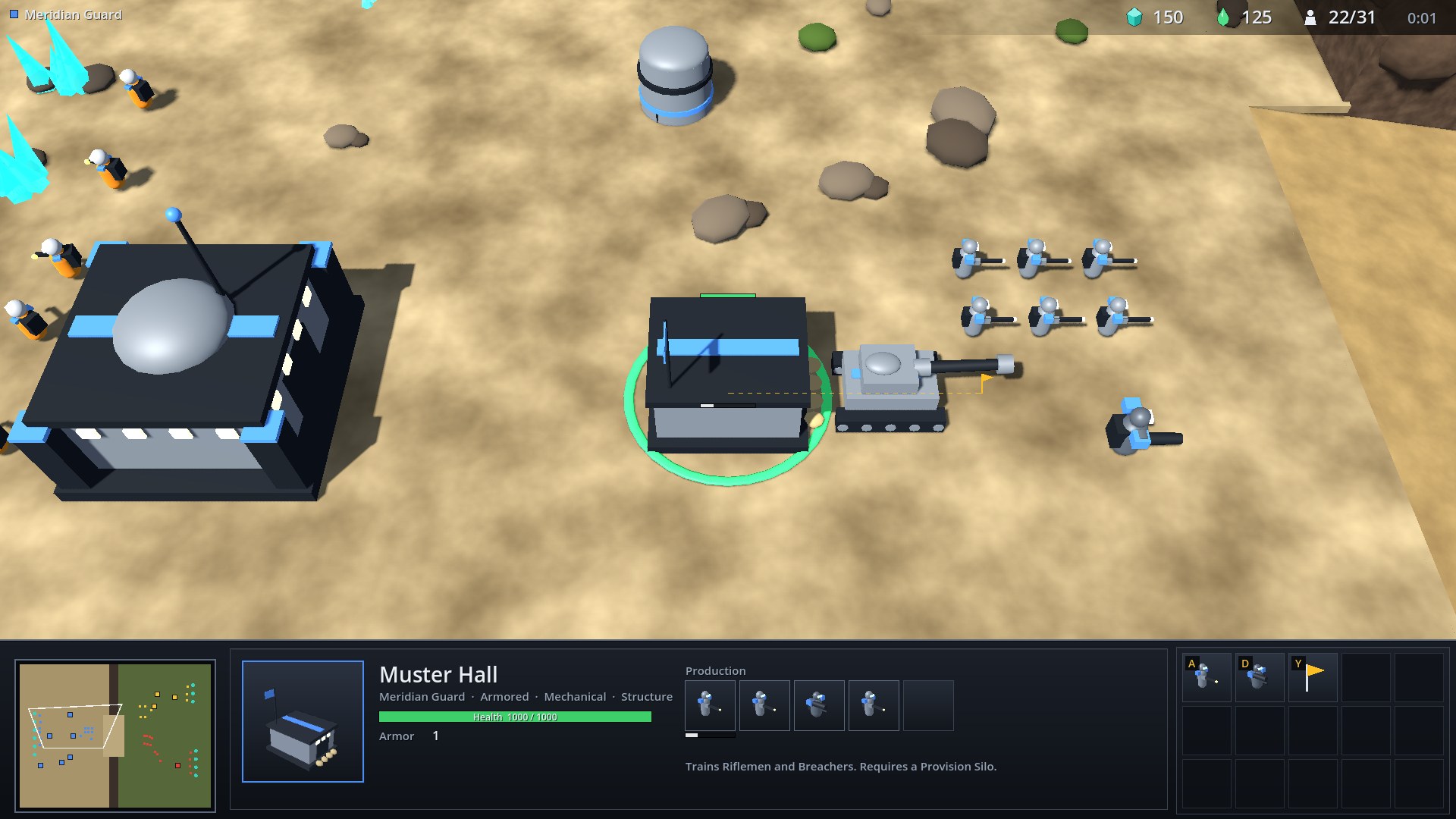
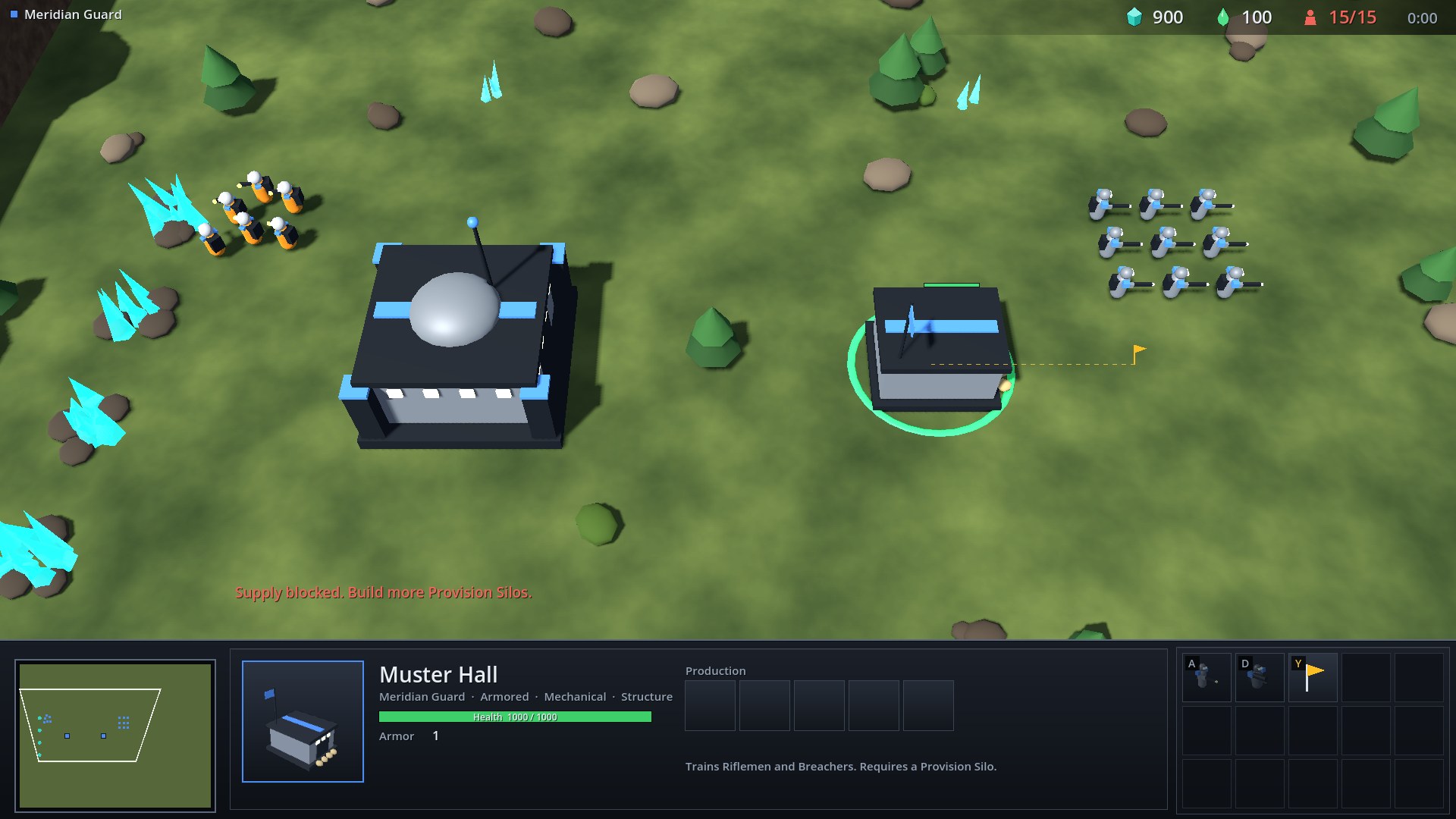
Structures have a five-slot production queue. The first slot shows progress. The structure also shows a progress bar in the world while it is producing.
When you cannot afford something, or you are at your supply cap, the game says so:
Building
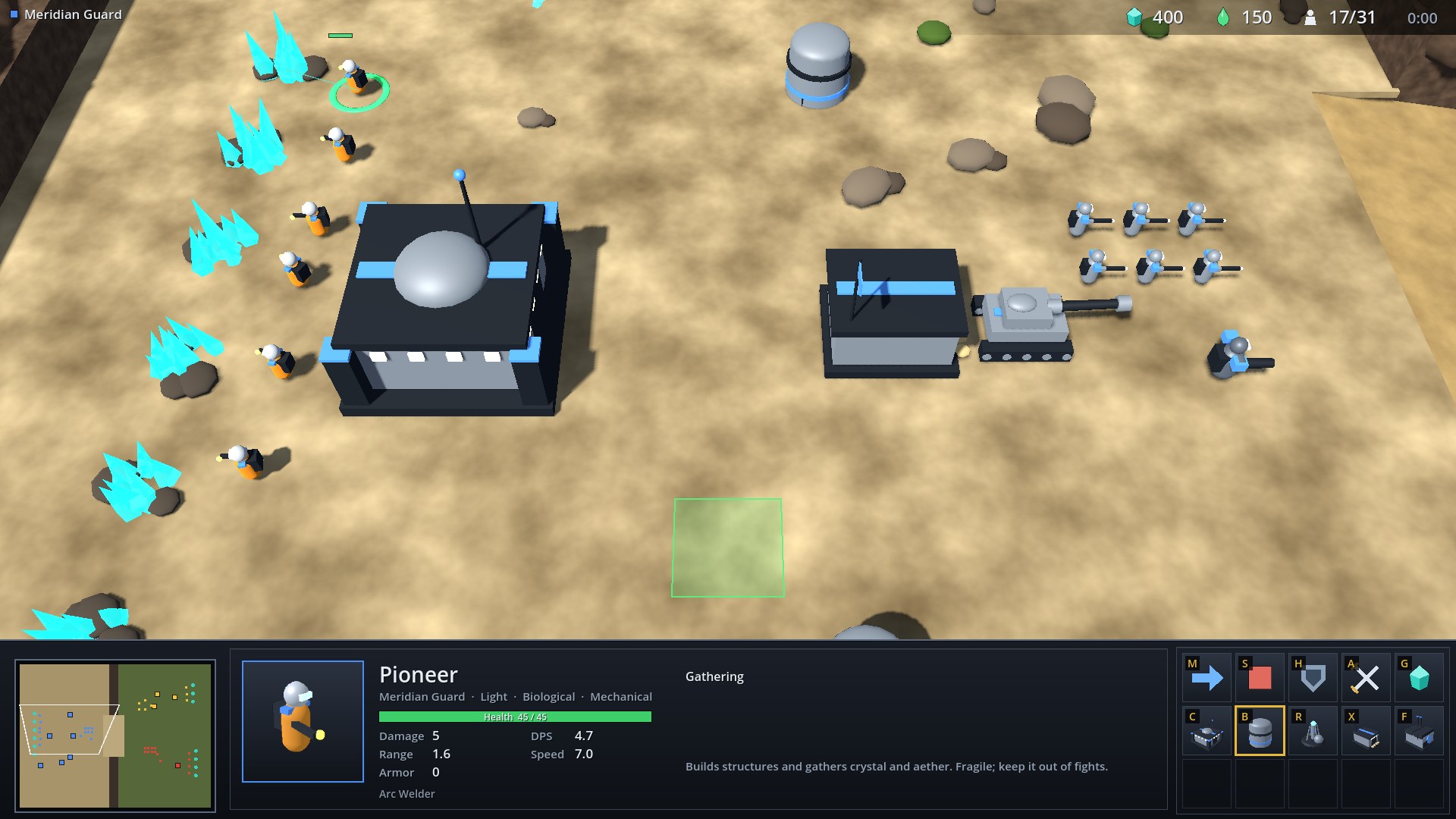
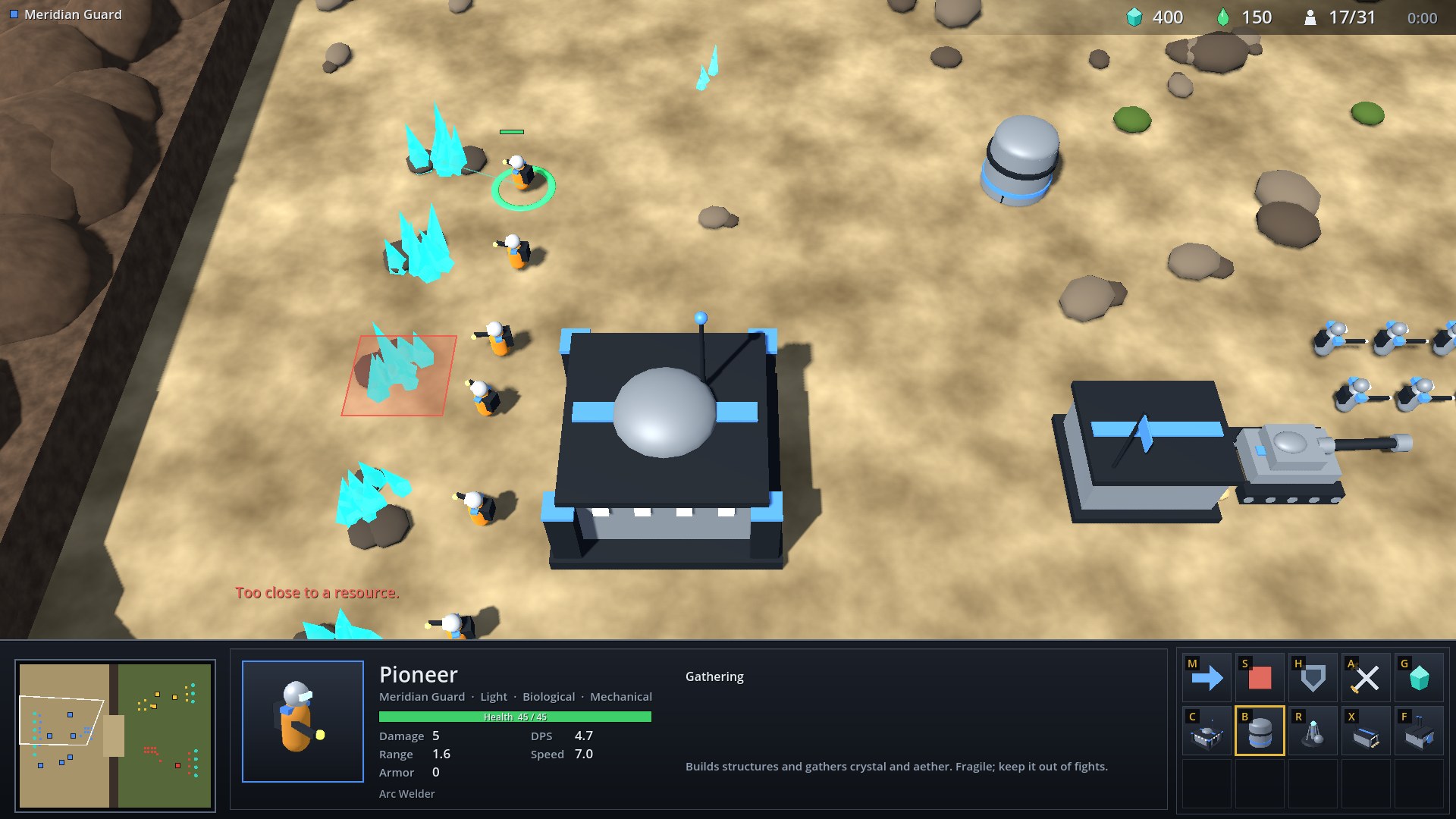
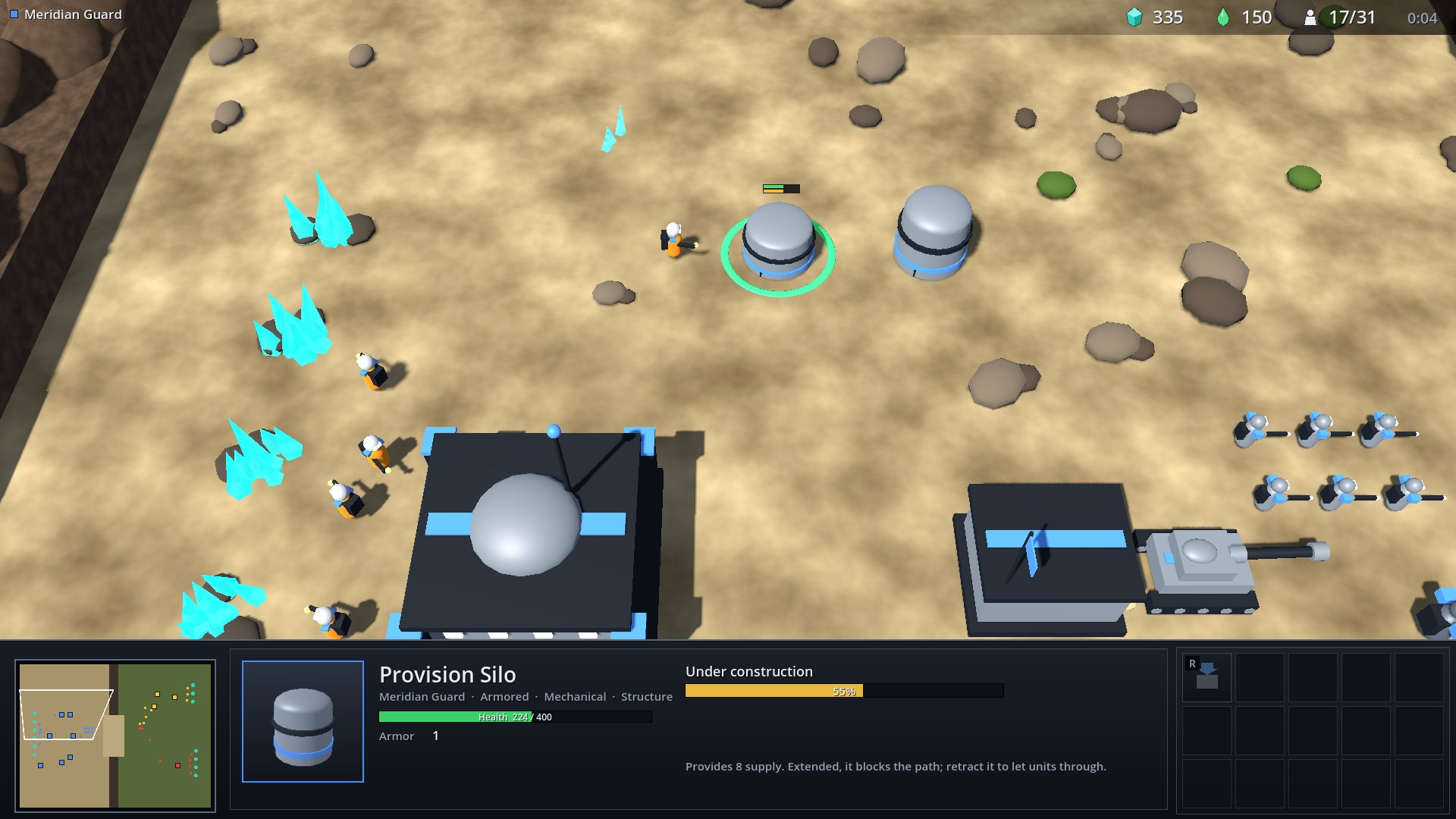
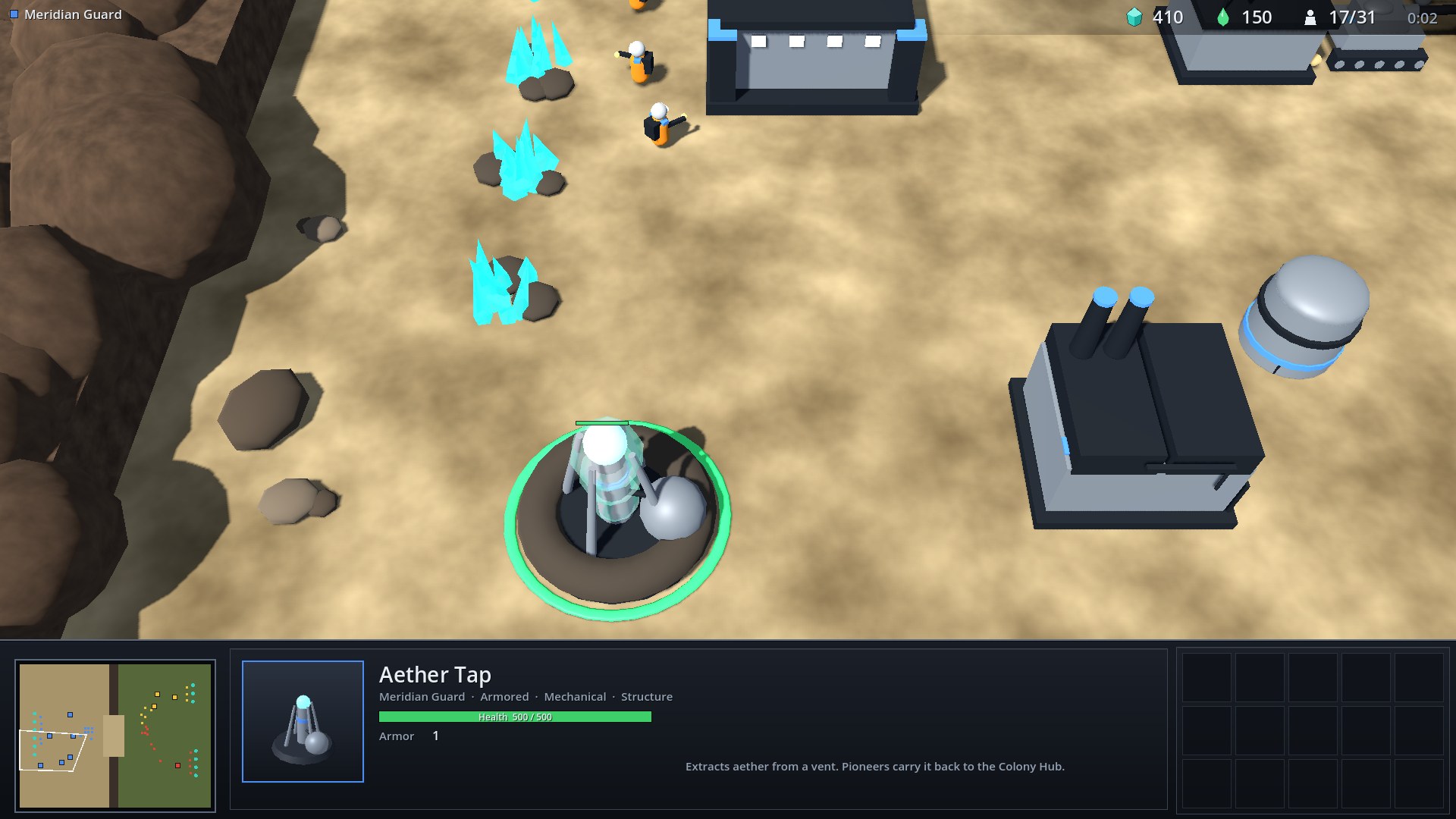
Select a Pioneer, press the build hotkey and place the structure. The footprint turns green where you can build and red where you cannot, and a click on an invalid spot tells you why. Aether Taps snap to a free aether vent.
Other views
Zoomed out with the mouse wheel. The white outline on the minimap is the camera. Left click on the minimap jumps there; right click gives orders.
Economy
Pioneers gather crystal from fields and aether through an Aether Tap built on a vent, and carry it back to the nearest main base. Supply comes from main bases and Provision Silos; units and queued units count against it.
Map
Starfall Canyon has two levels. The Meridian Guard start on a sandstone plateau; the Gnarl Brood and the Aurelian Concord start on the low ground to the east. A single ramp connects them, flanked by cliff walls that ground units cannot cross.
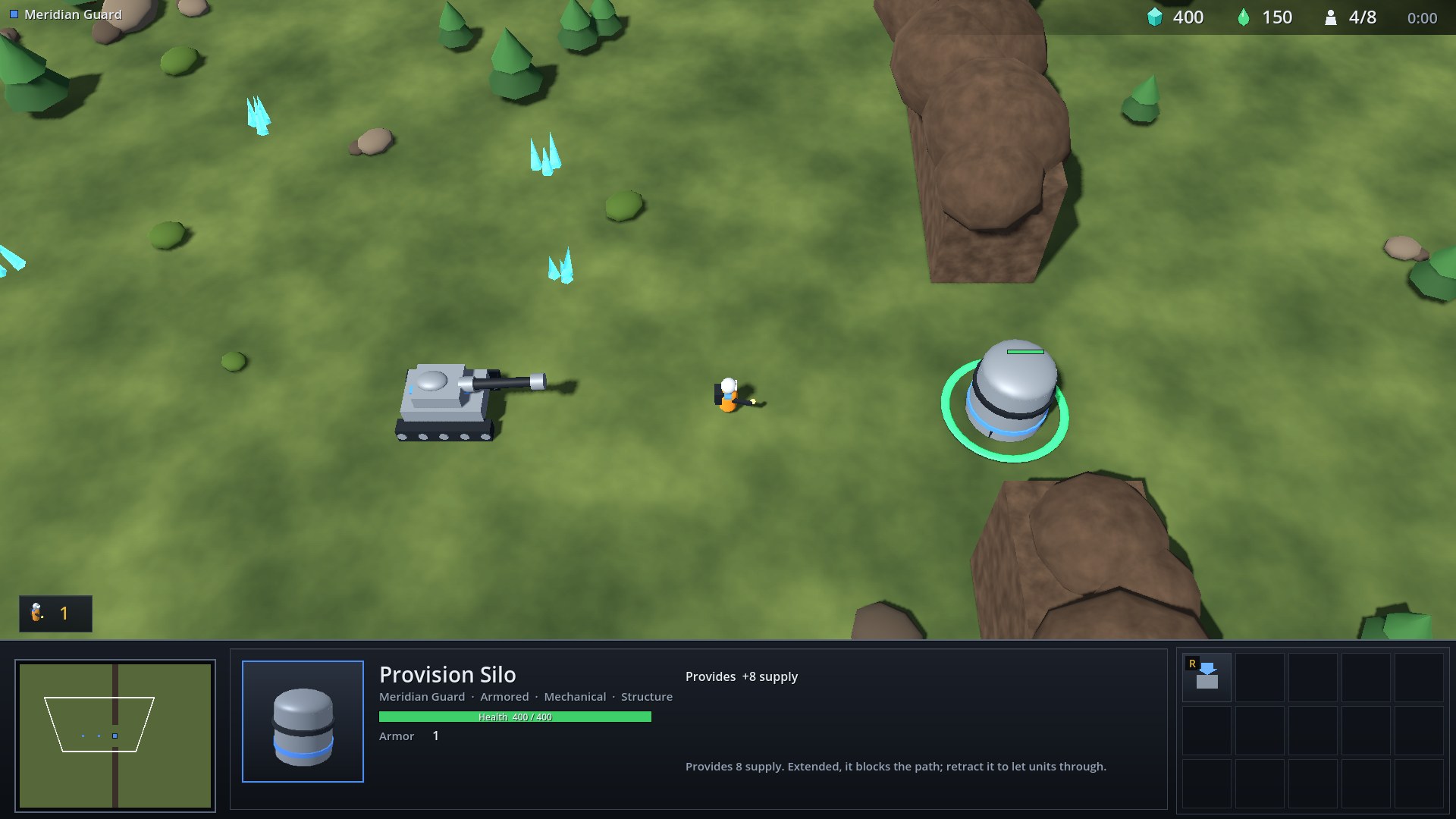
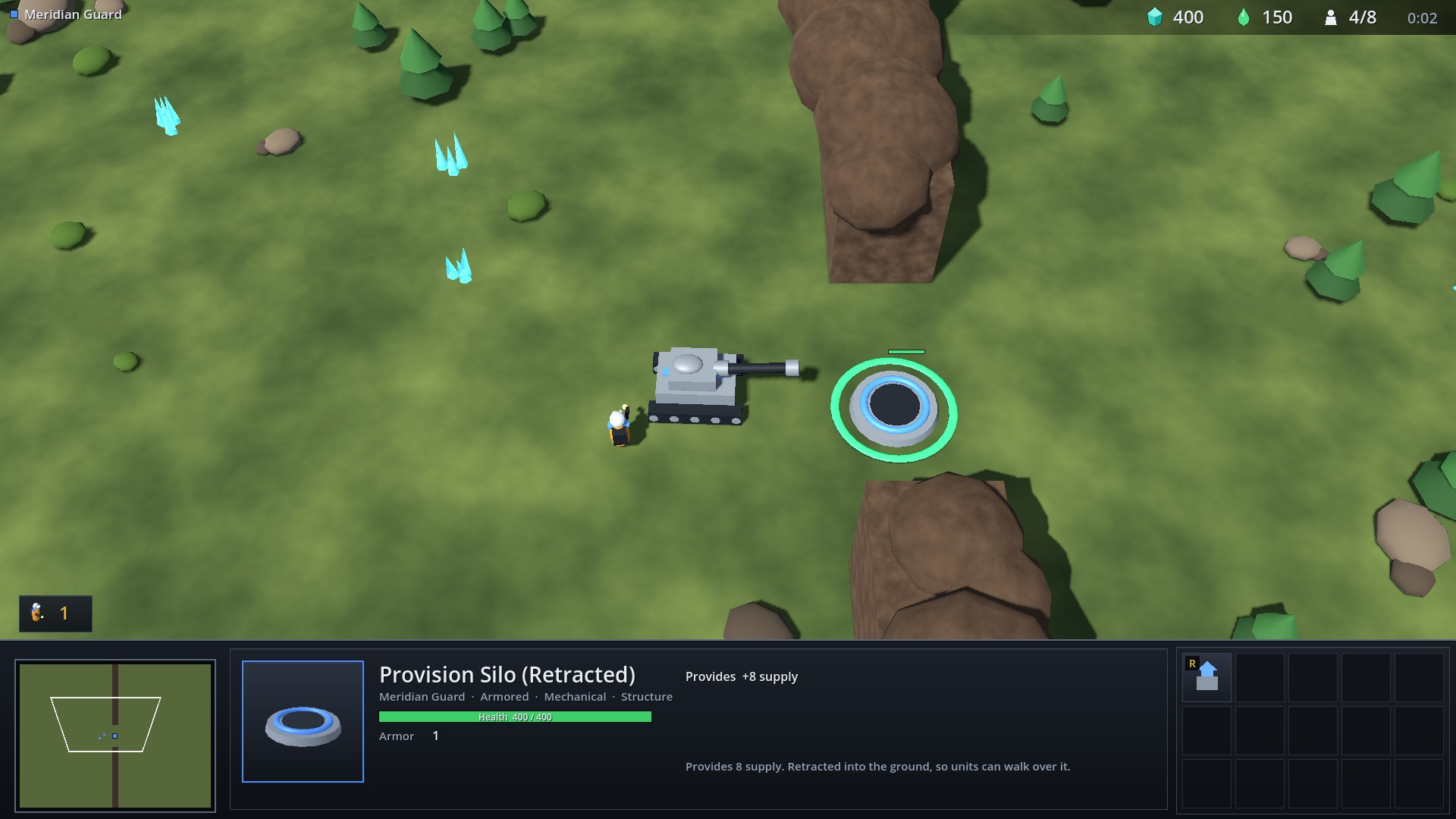
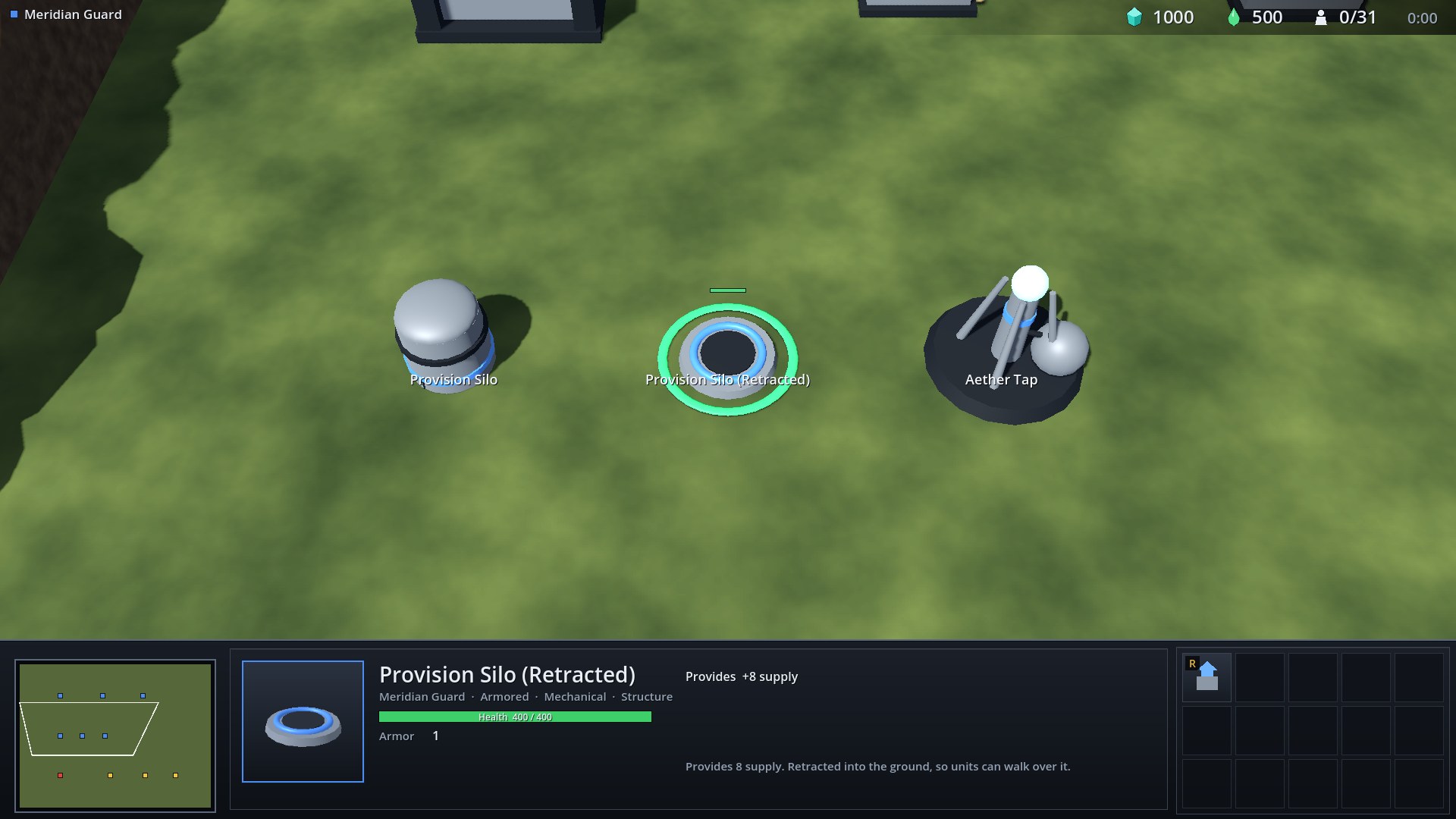
A Provision Silo can be retracted into the ground so units can walk over it, or extended to block the path again:
Factions
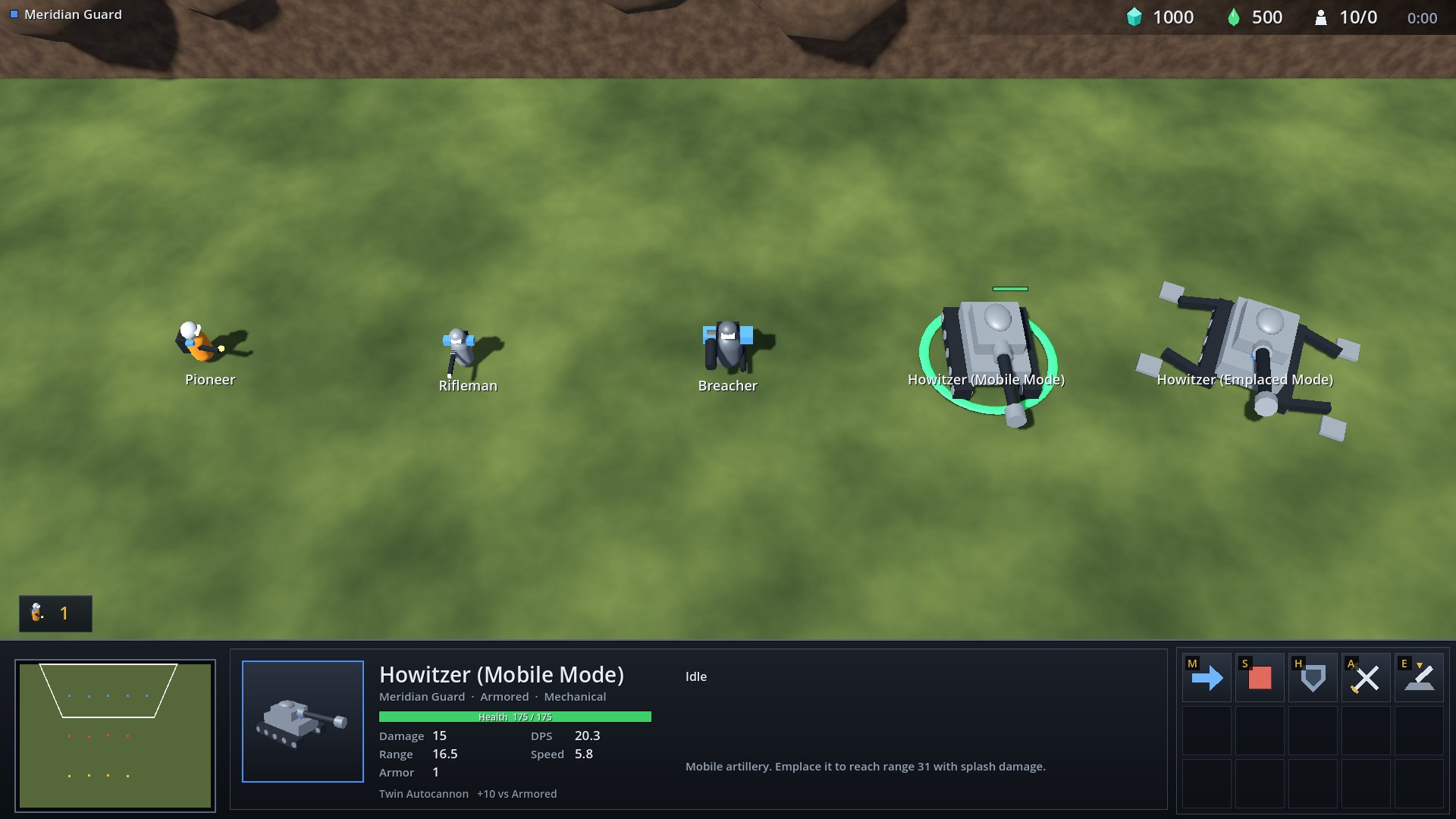
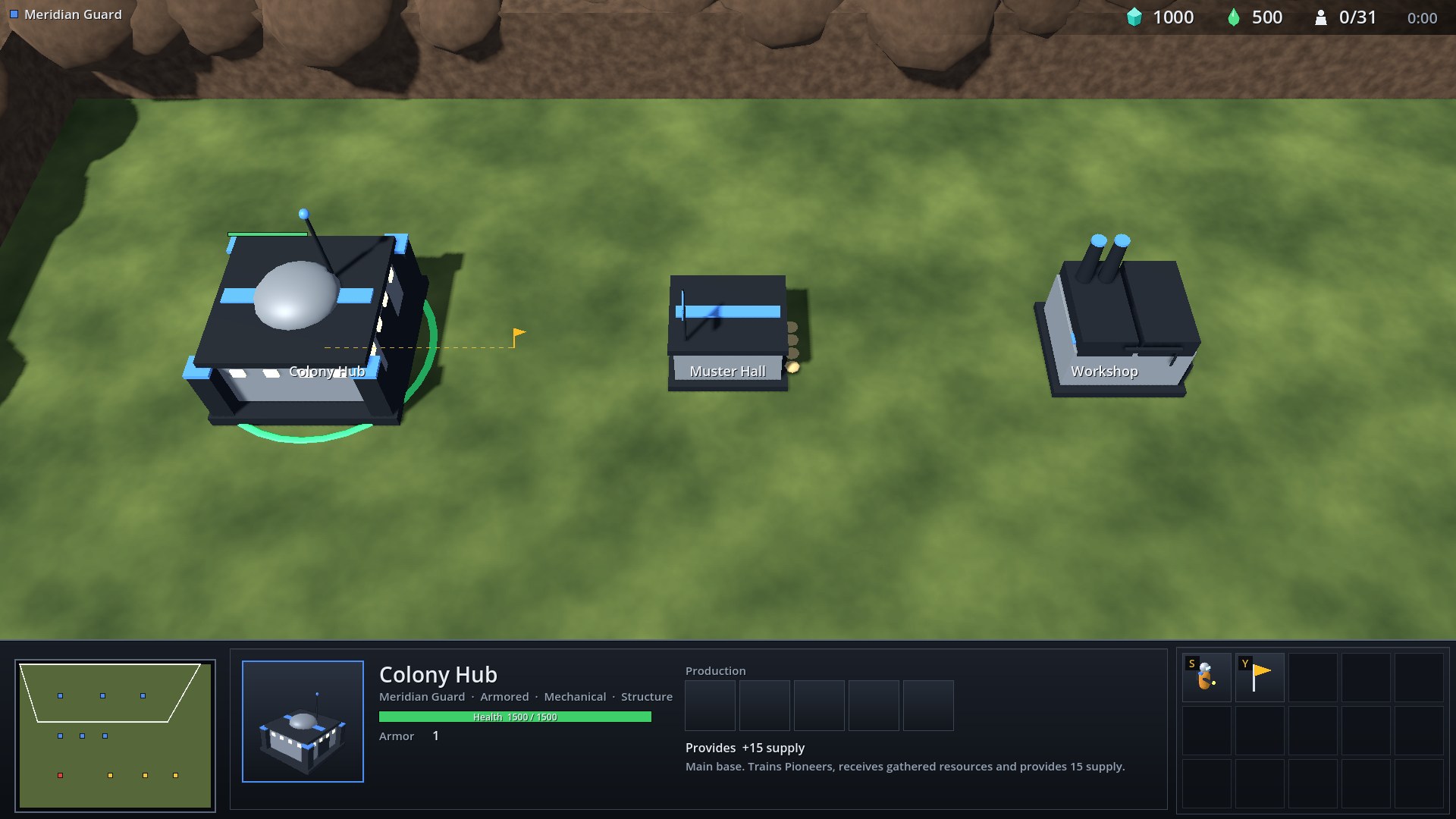
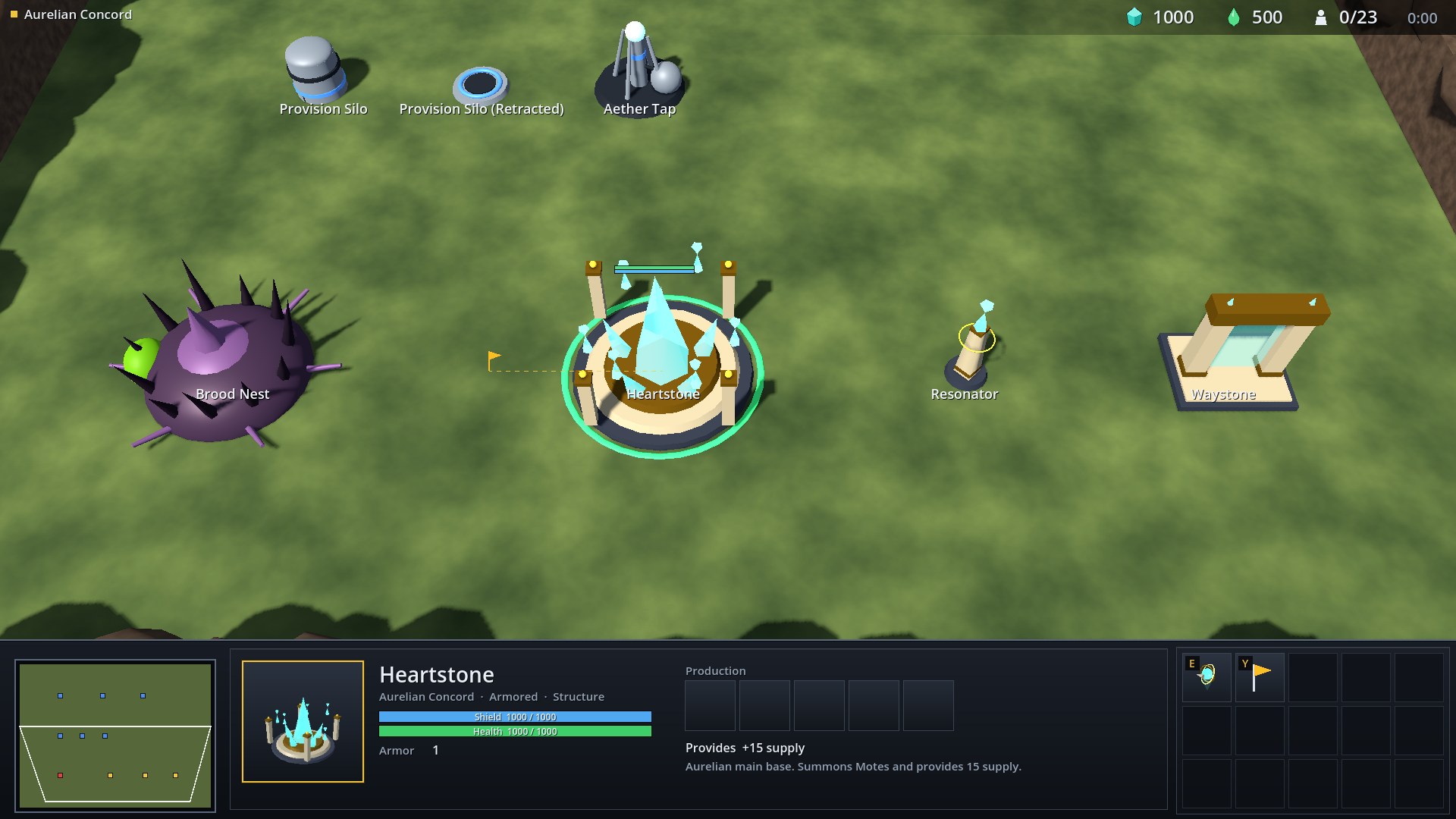
The three factions are asymmetric rather than reskins of each other. Costs are crystal, then aether. Damage shows attacks per volley where a weapon fires more than once.
Meridian Guard
Human colonists. Cheap infantry, armored line troops and artillery. Rifleman and Breacher can use Surge Injector, which costs 10 health for 11 seconds of faster movement and fire. A Howitzer can emplace to reach range 31 with splash damage, at the price of being unable to move.
| Unit | Crystal / aether | Supply | Health | Shield | Damage | Range | Role |
|---|---|---|---|---|---|---|---|
| Pioneer | 50 | 1 | 45 | 0 | 5 | 1.6 | Builds structures and gathers crystal and aether. Fragile; keep it out of fights. |
| Rifleman | 50 | 1 | 45 | 0 | 6 | 12.5 | Cheap ranged infantry. Surge Injector trades 10 HP for faster movement and fire rate. Strong when kiting melee units. |
| Breacher | 100 / 25 | 2 | 125 | 0 | 10 | 14.5 | Armored line infantry. Breach Charges deal bonus damage to armored targets and slow them. |
| Howitzer (mobile) | 150 / 125 | 3 | 175 | 0 | 15 | 16.5 | Mobile artillery. Emplace it to reach range 31 with splash damage. |
| Howitzer (Emplaced Mode) | 150 / 125 | 3 | 175 | 0 | 40 | 31.0 | Deployed artillery. Range 31 with splash damage, minimum range 5. Cannot move until mobilized. |
| Structure | Crystal / aether | Supply | Health | Shield | Role |
|---|---|---|---|---|---|
| Colony Hub | 400 | +15 | 1500 | 0 | Main base. Trains Pioneers, receives gathered resources and provides 15 supply. |
| Provision Silo | 100 | +8 | 400 | 0 | Provides 8 supply. Extended, it blocks the path; retract it to let units through. |
| Provision Silo (Retracted) | 100 | +8 | 400 | 0 | Provides 8 supply. Retracted into the ground, so units can walk over it. |
| Aether Tap | 75 | - | 500 | 0 | Extracts aether from a vent. Pioneers carry it back to the Colony Hub. |
| Muster Hall | 150 | - | 1000 | 0 | Trains Riflemen and Breachers. Requires a Provision Silo. |
| Workshop | 150 / 100 | - | 1250 | 0 | Builds Howitzers. Requires a Muster Hall. |
Gnarl Brood
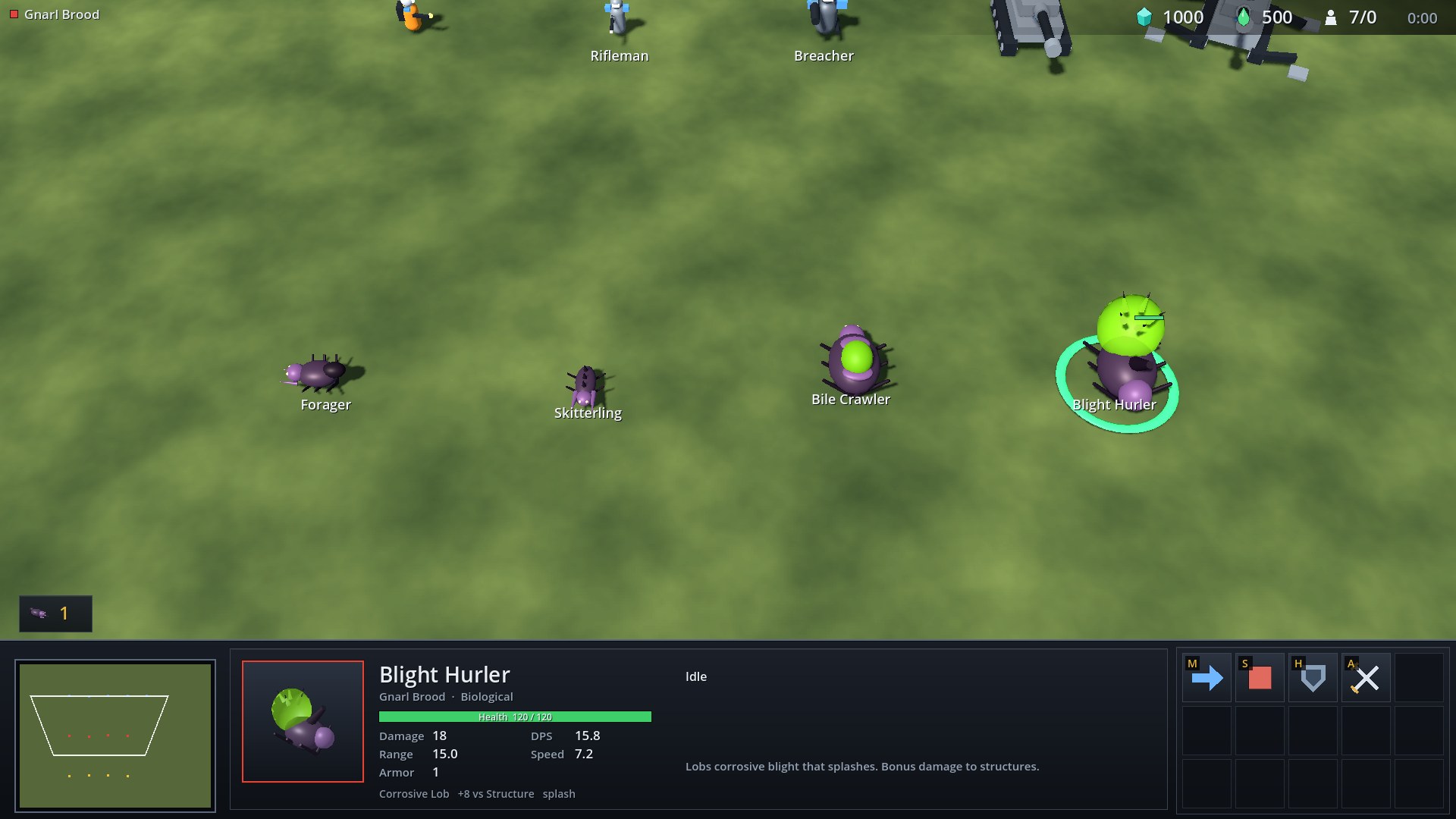
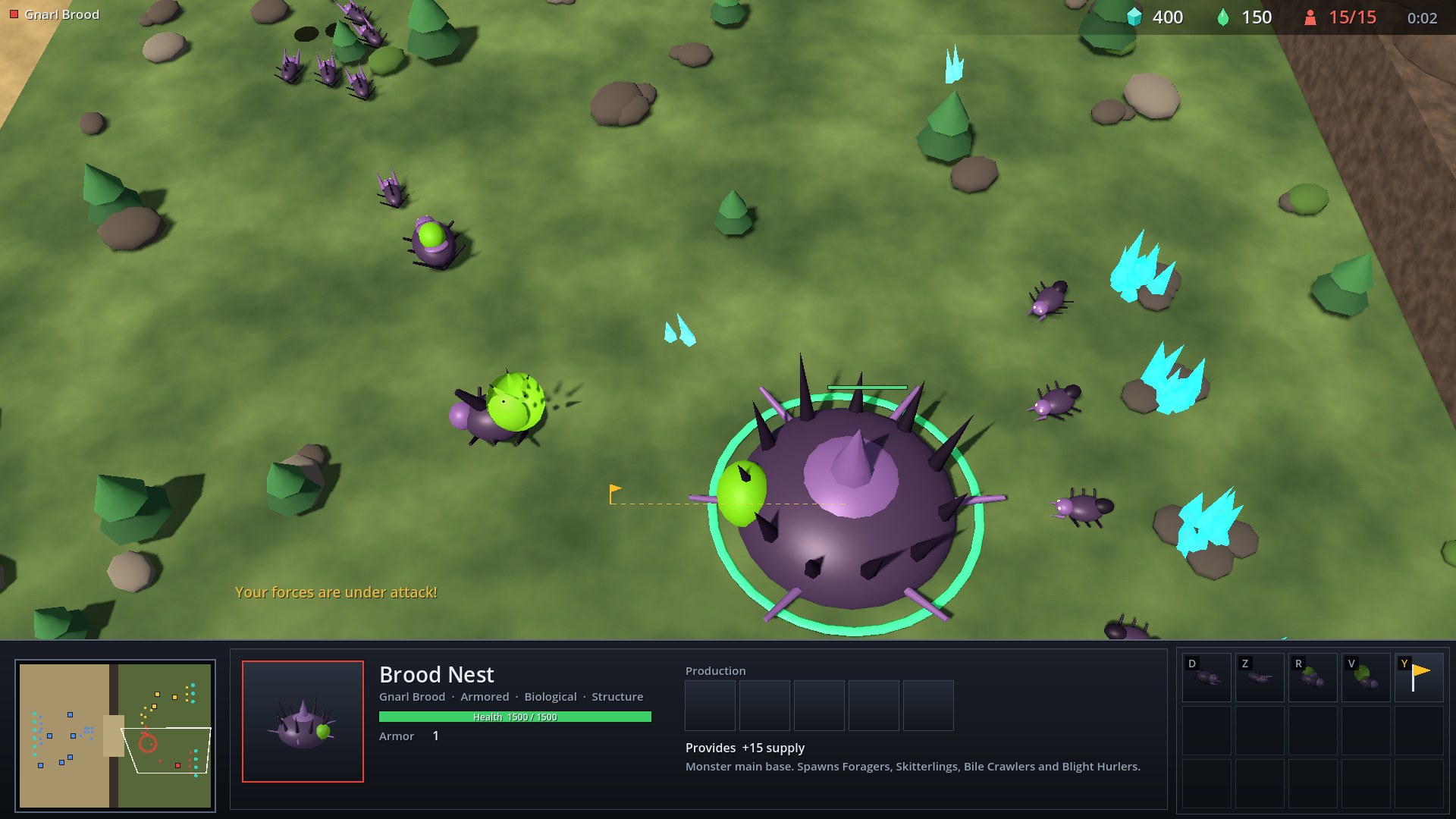
A monster swarm. Fast, cheap units that overwhelm in numbers and are punished by splash damage. They have one main structure, the Brood Nest, which spawns every unit.
| Unit | Crystal / aether | Supply | Health | Shield | Damage | Range | Role |
|---|---|---|---|---|---|---|---|
| Forager | 50 | 1 | 40 | 0 | 5 | 1.6 | Worker. Gathers crystal and returns it to the Brood Nest. |
| Skitterling | 25 | 1 | 35 | 0 | 5 | 1.9 | Very fast, cheap melee swarm unit. Dangerous in numbers, weak to splash damage. |
| Bile Crawler | 75 / 25 | 2 | 145 | 0 | 16 | 10.5 | Armored acid spitter with mid range. Good against structures and armored units. |
| Blight Hurler | 100 / 100 | 3 | 120 | 0 | 18 | 15.0 | Lobs corrosive blight that splashes. Bonus damage to structures. |
| Structure | Crystal / aether | Supply | Health | Shield | Role |
|---|---|---|---|---|---|
| Brood Nest | 300 | +15 | 1500 | 0 | Monster main base. Spawns Foragers, Skitterlings, Bile Crawlers and Blight Hurlers. |
Aurelian Concord
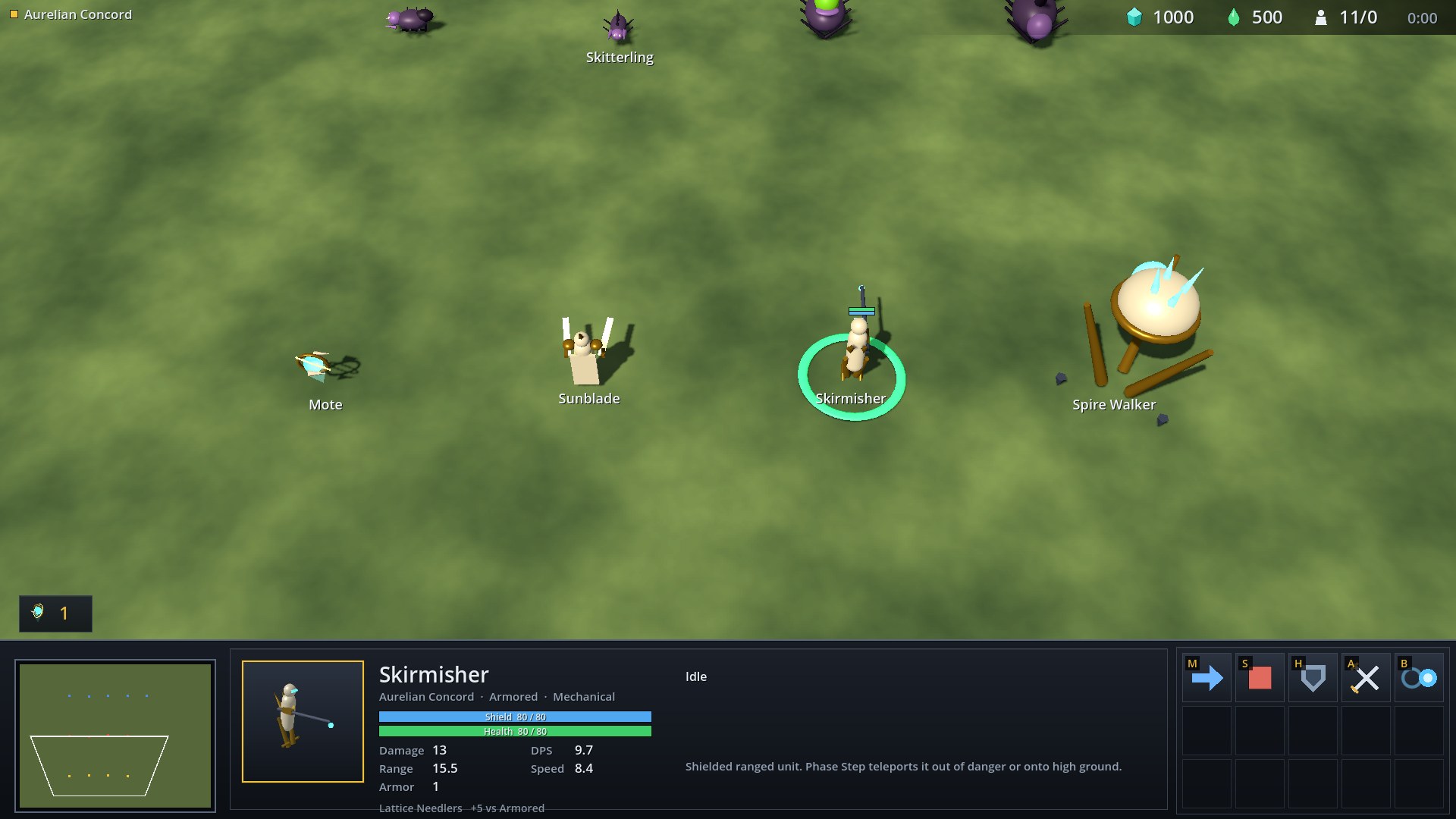
Shielded warriors. Every unit and structure has an Aegis Shield that absorbs damage first and regenerates after a few seconds out of combat; a faint bubble flashes when it takes a hit. Skirmishers can Phase Step to teleport 18 range, and the Spire Walker steps over cliff walls.
| Unit | Crystal / aether | Supply | Health | Shield | Damage | Range | Role |
|---|---|---|---|---|---|---|---|
| Mote | 50 | 1 | 20 | 20 | 5 | 1.8 | Worker. Gathers crystal and summons structures that complete on their own. |
| Sunblade | 100 | 2 | 100 | 50 | 16x2 | 2.1 | Shielded melee warrior with twin light blades. Rush closes the gap quickly. |
| Skirmisher | 125 / 50 | 2 | 80 | 80 | 13 | 15.5 | Shielded ranged unit. Phase Step teleports it out of danger or onto high ground. |
| Spire Walker | 300 / 200 | 6 | 200 | 150 | 20x2 | 21.0 | Towering walker with splash prism beams. Strong against light units and can step over cliff walls. |
| Structure | Crystal / aether | Supply | Health | Shield | Role |
|---|---|---|---|---|---|
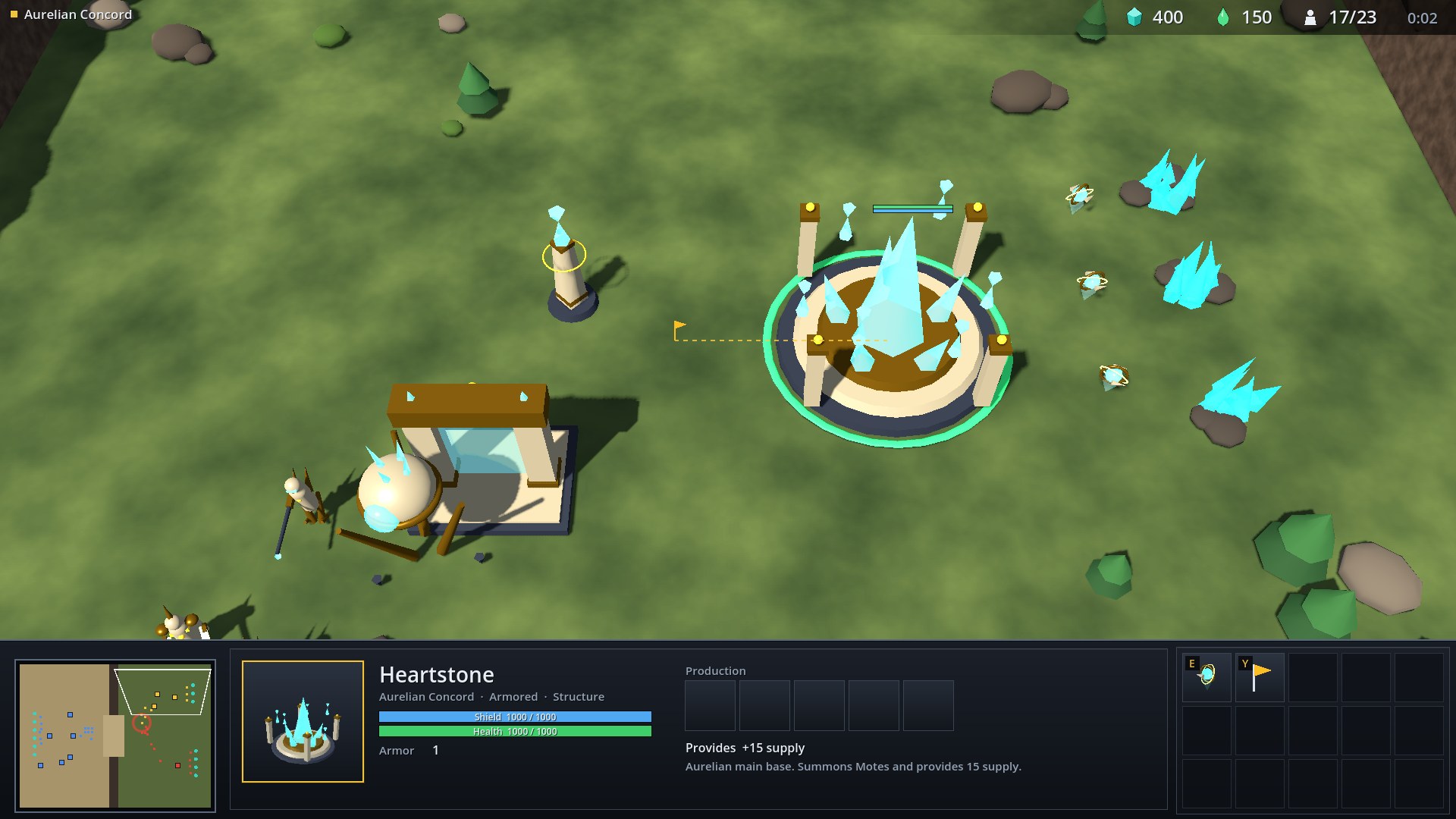
| Heartstone | 400 | +15 | 1000 | 1000 | Aurelian main base. Summons Motes and provides 15 supply. |
| Resonator | 100 | +8 | 200 | 200 | Provides 8 supply. |
| Waystone | 150 | - | 500 | 500 | Summons Sunblades, Skirmishers and Spire Walkers. |
Combat
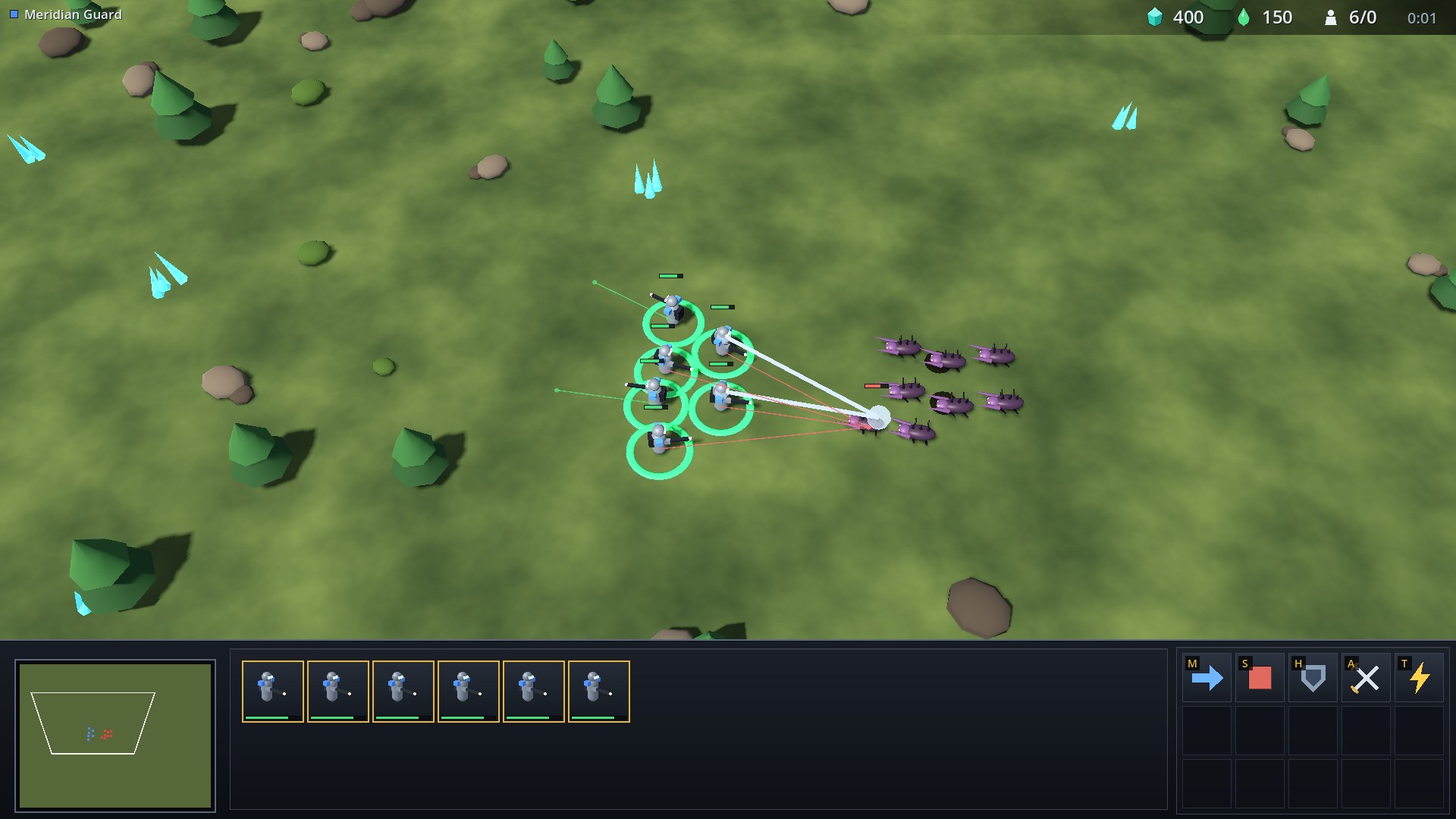
Weapons have a wind-up before damage lands and a recovery after it. Moving during the recovery cancels it, which is what makes stutter-step kiting work: the built-in AI does it, and so can a player or a bot.
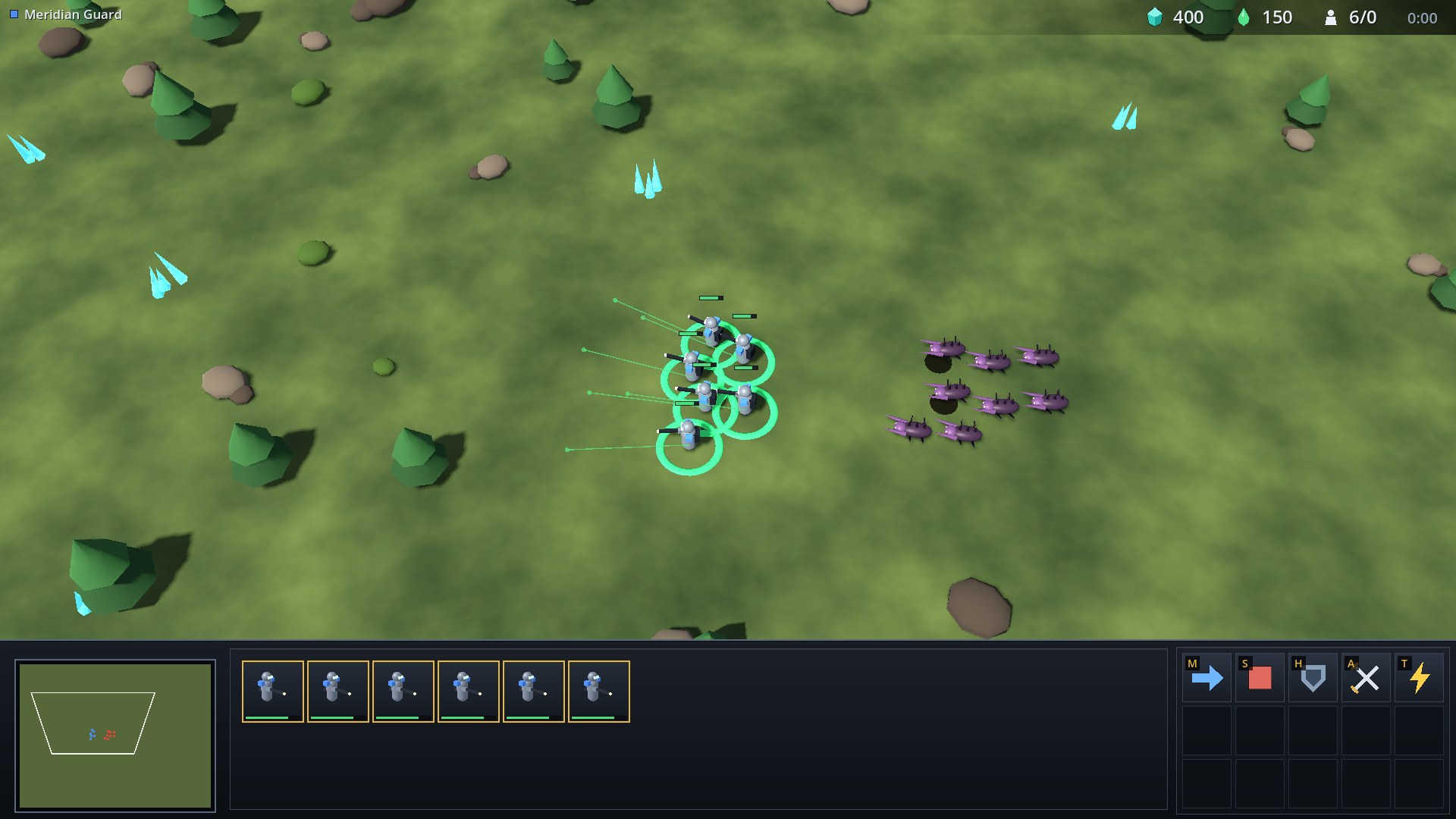
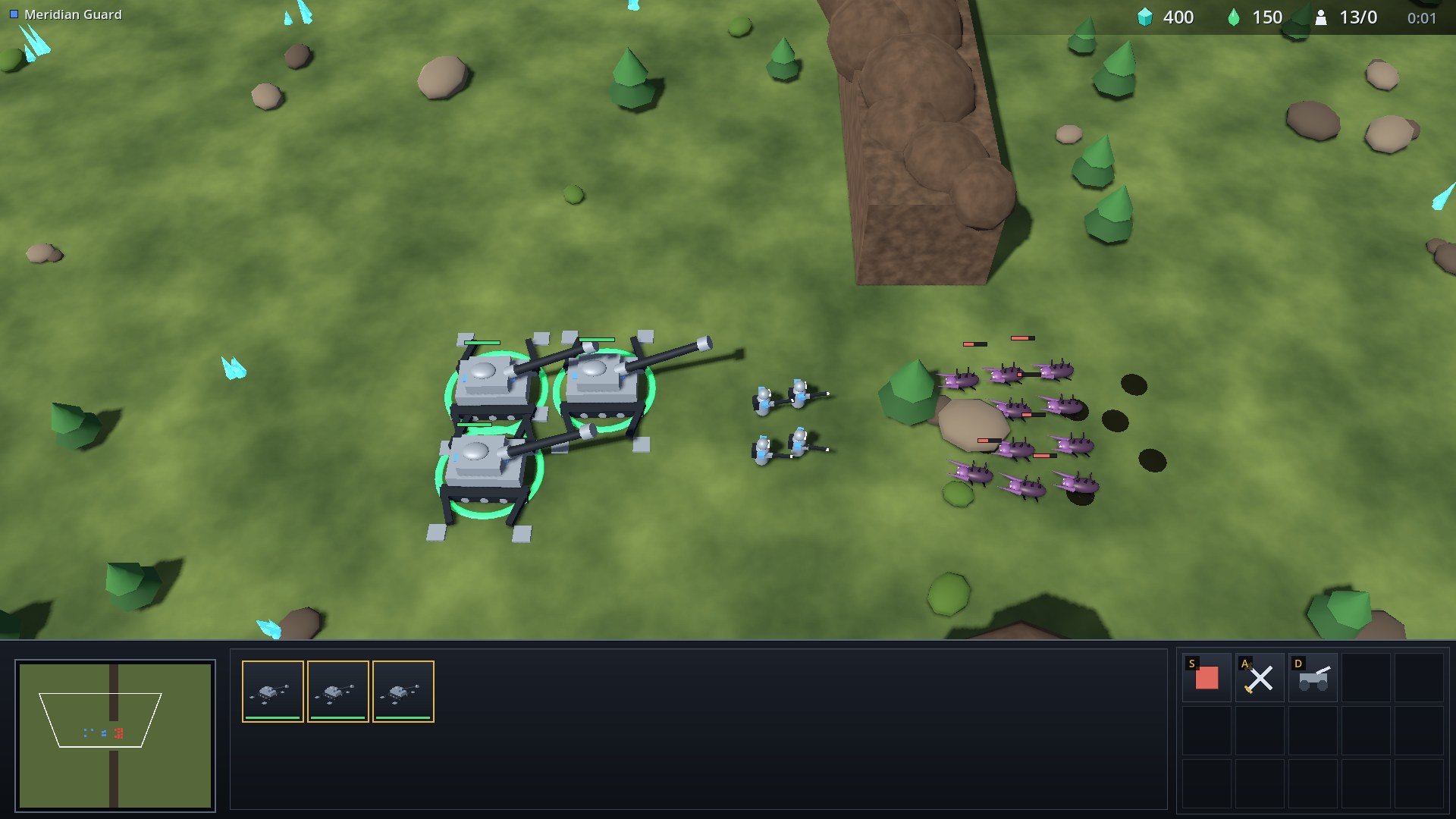
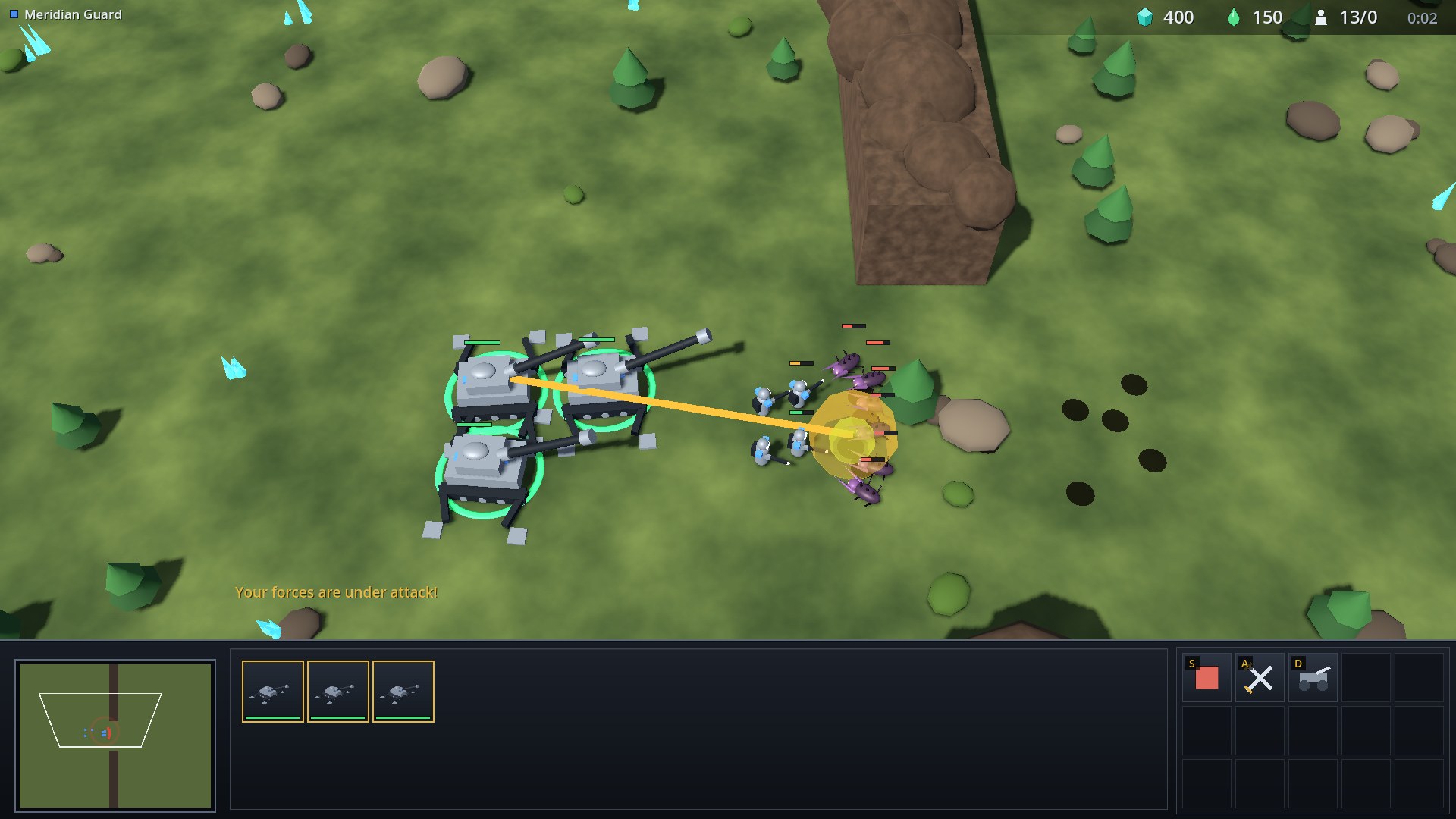
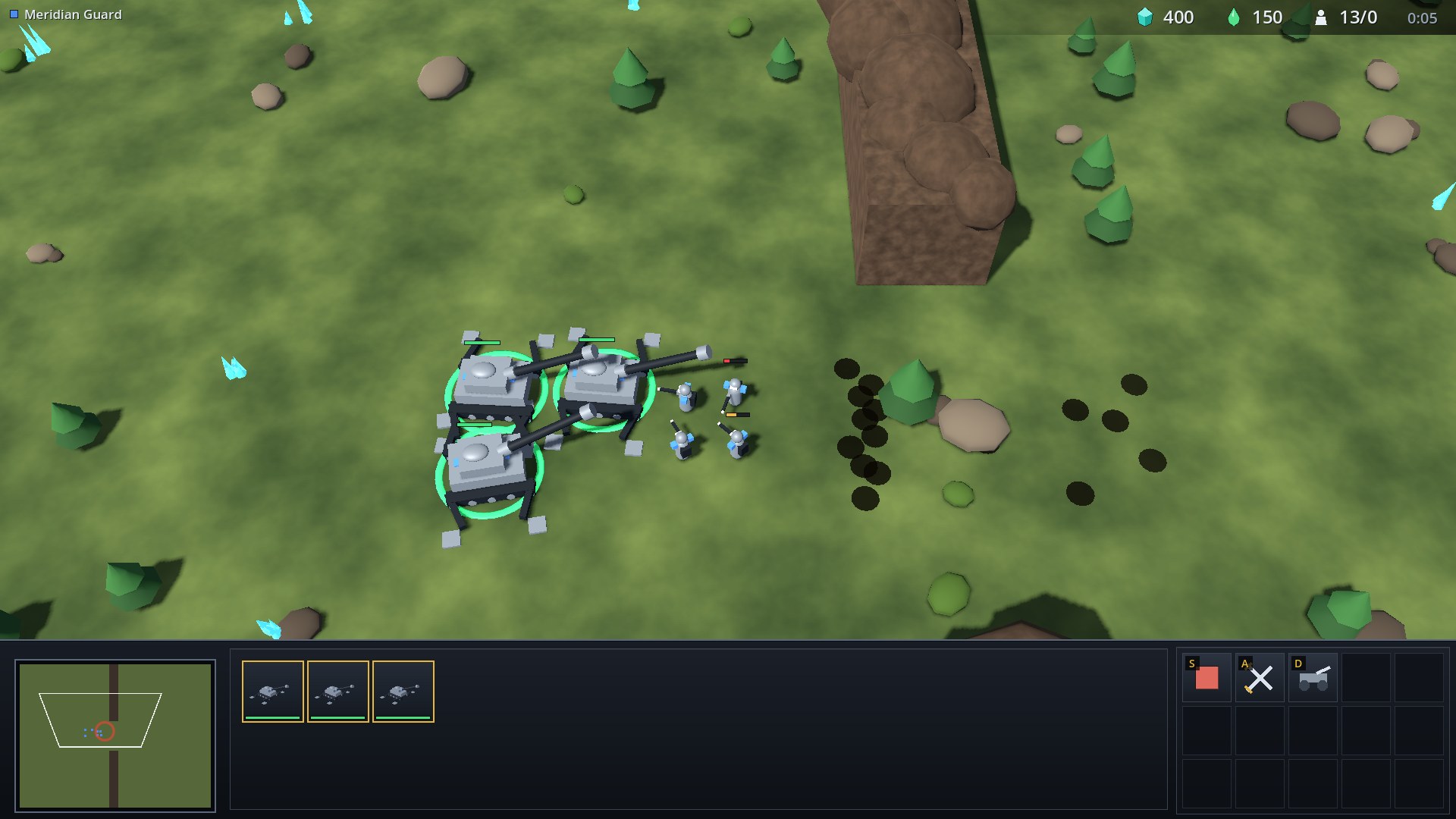
An emplaced Howitzer line at the canyon choke deals splash damage to a wave. The dark discs are scorch marks left where units died; they fade after a while.
Aurelian Skirmishers keep their shields up by teleporting out when a shield breaks, and a Spire Walker can walk straight across the cliff wall:
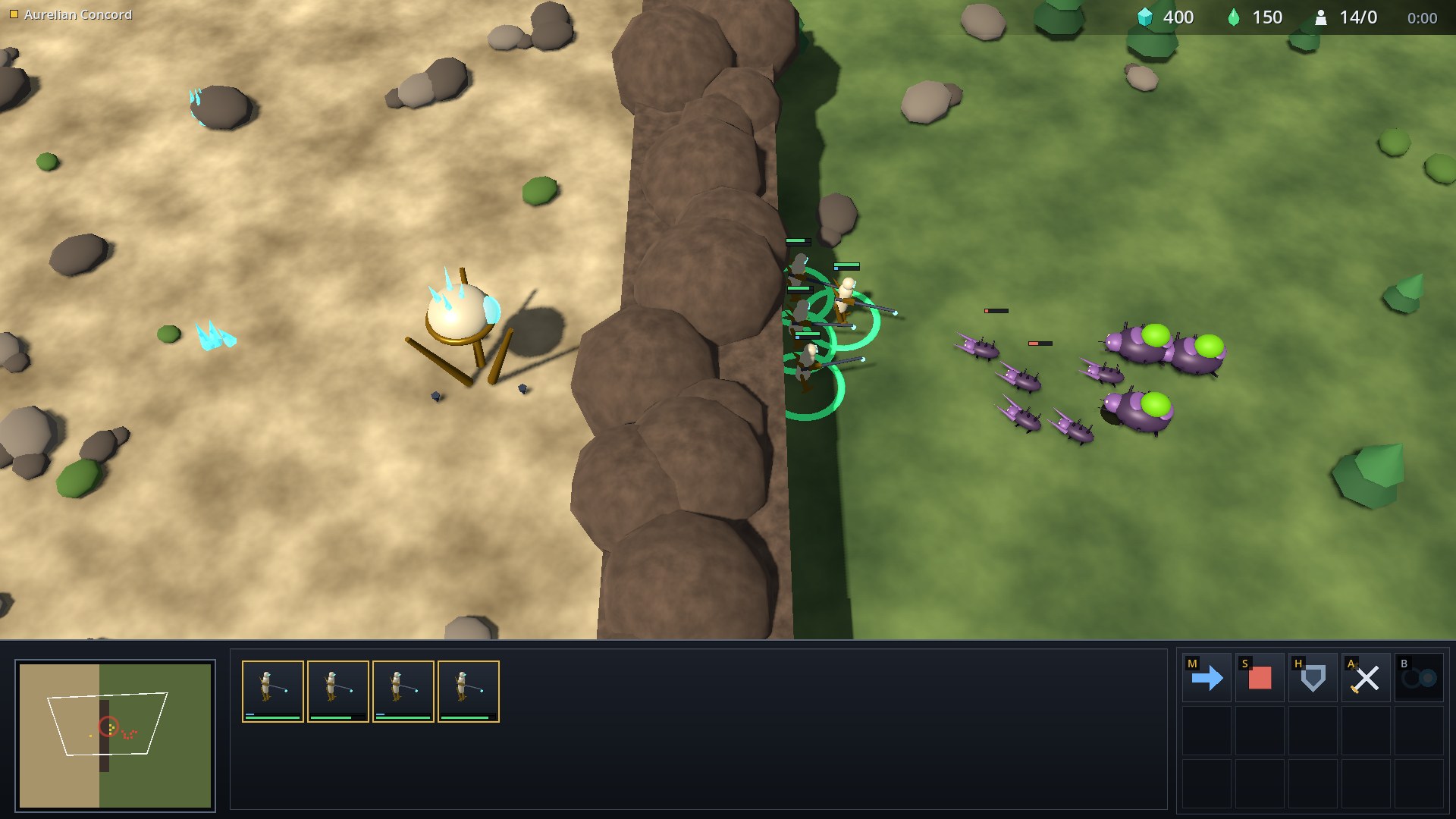
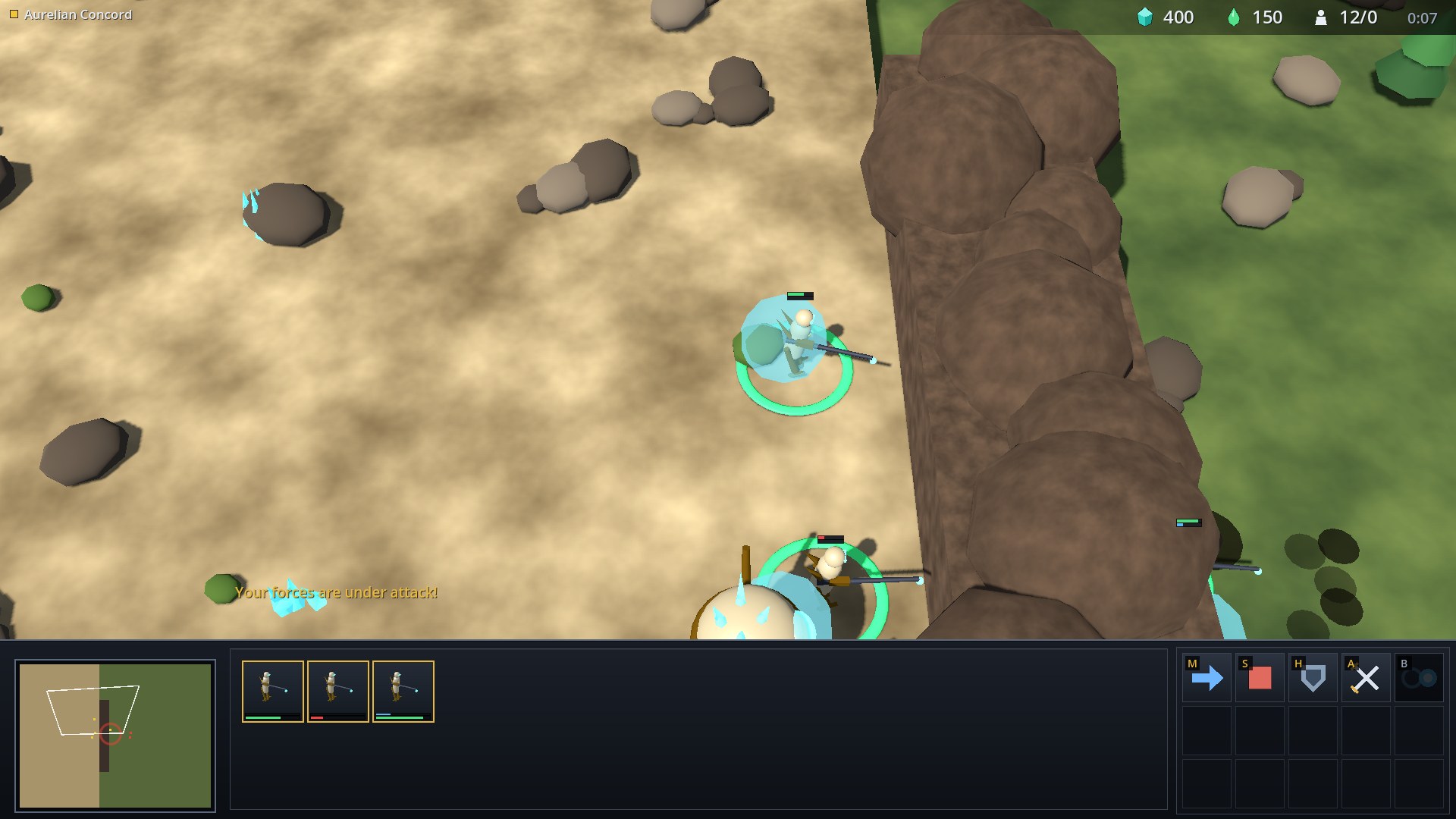
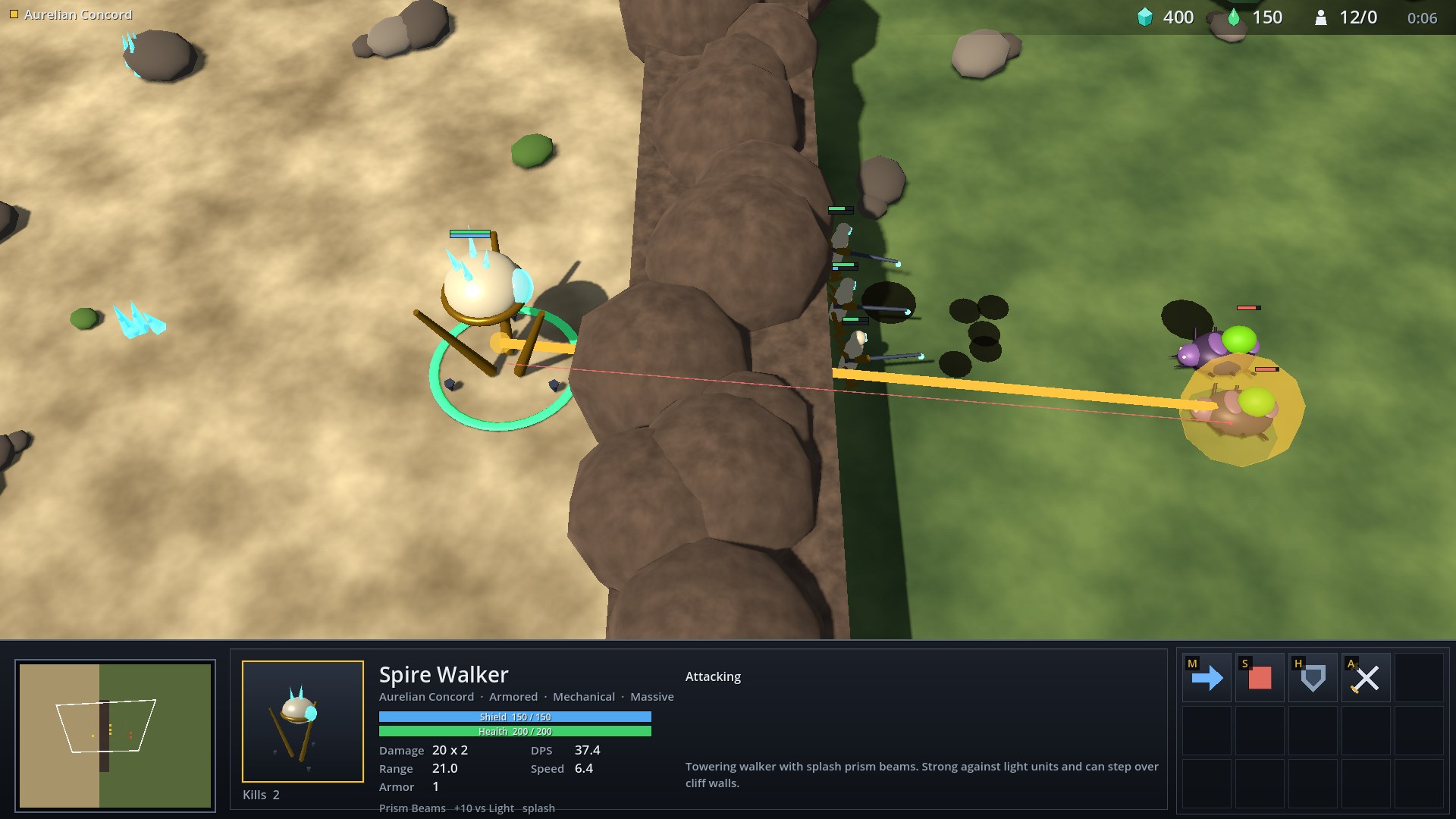
When something of yours is hit, the minimap pings and the game says so; Space jumps the camera there.
Controls
| Input | Action |
|---|---|
| Left click or drag | Select; drag for a box |
| Double click | Select all of that type on screen |
| Right click | Move, attack, gather, or set a rally point |
| Shift | Queue orders; add to or remove from the selection |
| Mouse wheel, middle drag | Zoom, pan |
| Arrow keys | Pan |
| Letter in a button’s corner | Use that command |
| Ctrl + 1 to 9, 1 to 9 | Set, recall a control group |
| Tab | Cycle the active unit type |
| . | Select the next idle worker |
| Space | Jump to the last attack alert, or home |
| Esc | Cancel placement or targeting |
| F1 | Controls overlay |
| F8 | Match menu: settings, new game, surrender and map editor |
| F2 | Switch the viewed faction in showcase scenarios |
| F5, F6, F7 | Toggle the faction AIs in showcase scenarios |
Scripting and bots
The game runs an HTTP/JSON server (port 18095, or RTS_WEB_SERVICE_PORT). The Cucumber tests and external bots use the same endpoints, and the Python SDK robos_rts_bot_sdk.py wraps them:
| Endpoint | Purpose |
|---|---|
GET /health, POST /observation | Status; full observation of units, resources and players |
POST /action | Issue a command to unit tags, or to every unit of a type and owner |
POST /step, POST /pause | Advance ticks; pause real-time play (/step still works) |
POST /playback, GET /performance | Control live speed/pause without stepping; inspect frame timings |
POST /scenario | Load a scenario by slug (default for the main map) or an inline definition |
POST /directive | Turn a built-in AI mode on or off for a player |
POST /select, POST /camera, POST /ui | Selection, camera and HUD state |
POST /input | Inject mouse and key events through the real input handlers |
POST /screenshot, GET /capture | Save a frame; optionally encode asynchronously and poll completion |
from robos_rts_bot_sdk import RTSClient

c = RTSClient("127.0.0.1", 18095)
c.load_scenario_slug("stutter-step-micro")
c.step(120)
riflemen = [u["tag"] for u in c.get_observation()["units"] if u["unit_type"] == "rifleman"]
c.command("attack_move", tags=riflemen, x=70.0, y=40.0)
Scenarios are JSON-LD files in games/robos-rts/scenarios. Besides units, resources and map obstacles, a scenario can set paused and decor; the two roster scenarios use both.
Tests
games/robos-rts/tests/e2e/features/engine covers combat mechanics, paid skirmish builds and map authoring. features/realtime plays editor-authored matches on the live clock and checks frame responsiveness during control traffic and capture. Full build orders take longer than isolated mechanics fixtures.
Regenerating these screenshots
Every image on this page is a frame from the game itself. games/robos-rts/capture_screenshots.py starts the game under Xvfb, drives it through /input, /ui and /step, and writes the JPEGs:
games/robos-rts/capture_screenshots.py --only 05,06
It needs xvfb-run, Godot 4.3 and Pillow.