
Agent tiers
What the “Agent Tiers & Prompt Optimization” settings do today, how RobOS hands a task to an agent CLI, and what is not built yet. Read this before you rely on tier-based model selection.
On this page
Not built yet: automatic tier dispatch. RobOS has three settings called Tier 1, Tier 2 and Tier 3 model, but no app reads them. Nothing scores a task, picks a tier, escalates after a failure, or runs the agent in a RAM-disk sandbox. The parts that exist are the settings pane, two prompt helpers in the knowledge graph library, and the agent router described below.
The Agent Tiers settings
Open RobOS Preferences from the app launcher and choose Agent Tiers & Prompt Optimization in the left sidebar. The source is packages/robos-preferences.
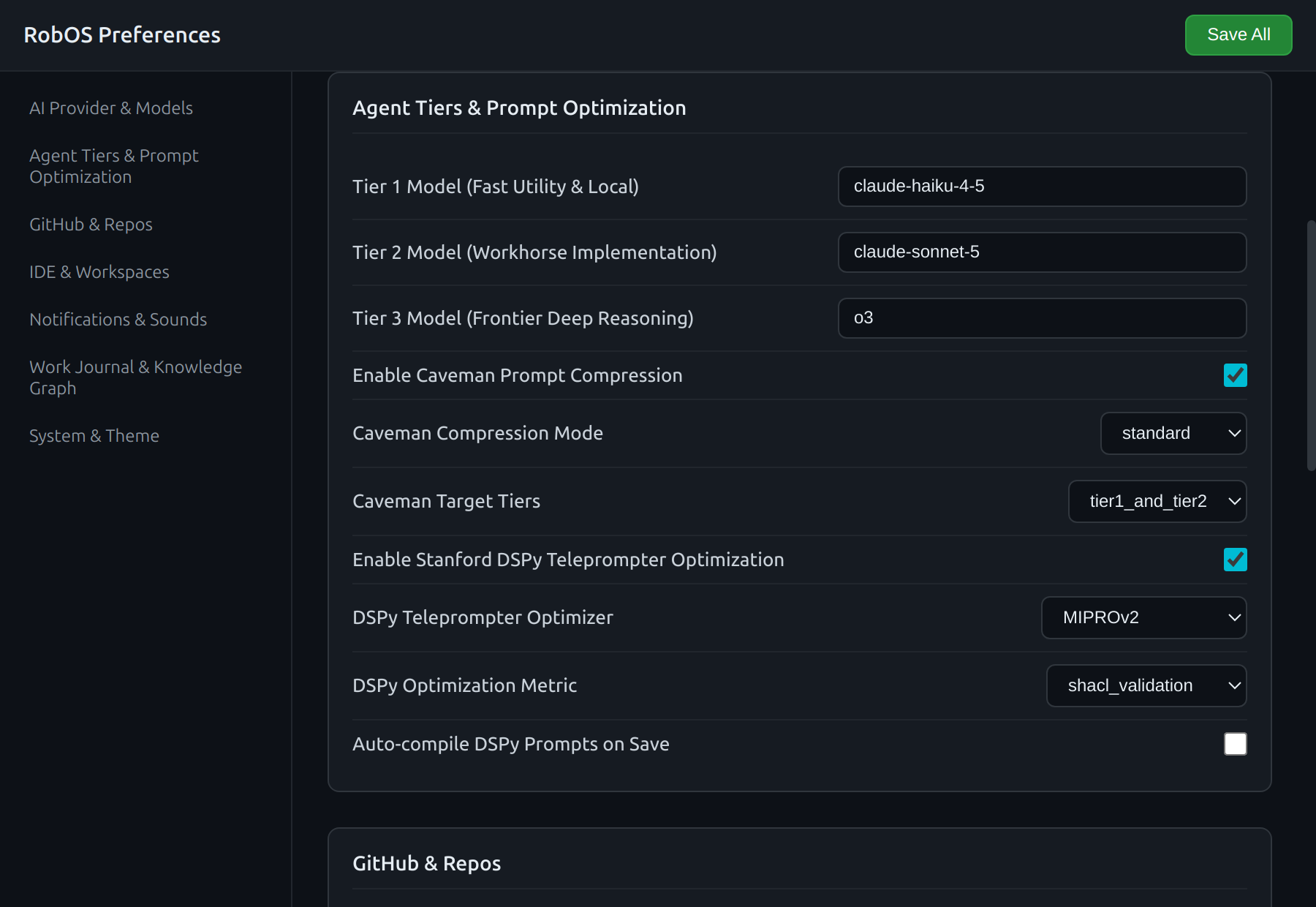
Look at the three model fields and the Caveman and DSPy controls with their defaults.
| Label | Key in settings.json | Type | Default |
|---|---|---|---|
| Tier 1 Model (Fast Utility & Local) | tier1_model | text | claude-haiku-4-5 |
| Tier 2 Model (Workhorse Implementation) | tier2_model | text | claude-sonnet-5 |
| Tier 3 Model (Frontier Deep Reasoning) | tier3_model | text | o3 |
| Enable Caveman Prompt Compression | enable_caveman | checkbox | on |
| Caveman Compression Mode | caveman_mode | standard, aggressive, extreme | standard |
| Caveman Target Tiers | caveman_target_tiers | tier1, tier1_and_tier2, all_tiers | tier1_and_tier2 |
| Enable Stanford DSPy Teleprompter Optimization | enable_dspy | checkbox | on |
| DSPy Teleprompter Optimizer | dspy_optimizer | MIPROv2, BootstrapFewShot, COPRO, LabeledFewShot | MIPROv2 |
| DSPy Optimization Metric | dspy_metric | shacl_validation, unit_tests_pass, ast_syntax_check, exact_match | shacl_validation |
| Auto-compile DSPy Prompts on Save | dspy_compile_on_save | checkbox | off |
The model fields are free text. The defaults are whatever the code ships with, so change them to a model your agent CLI accepts.
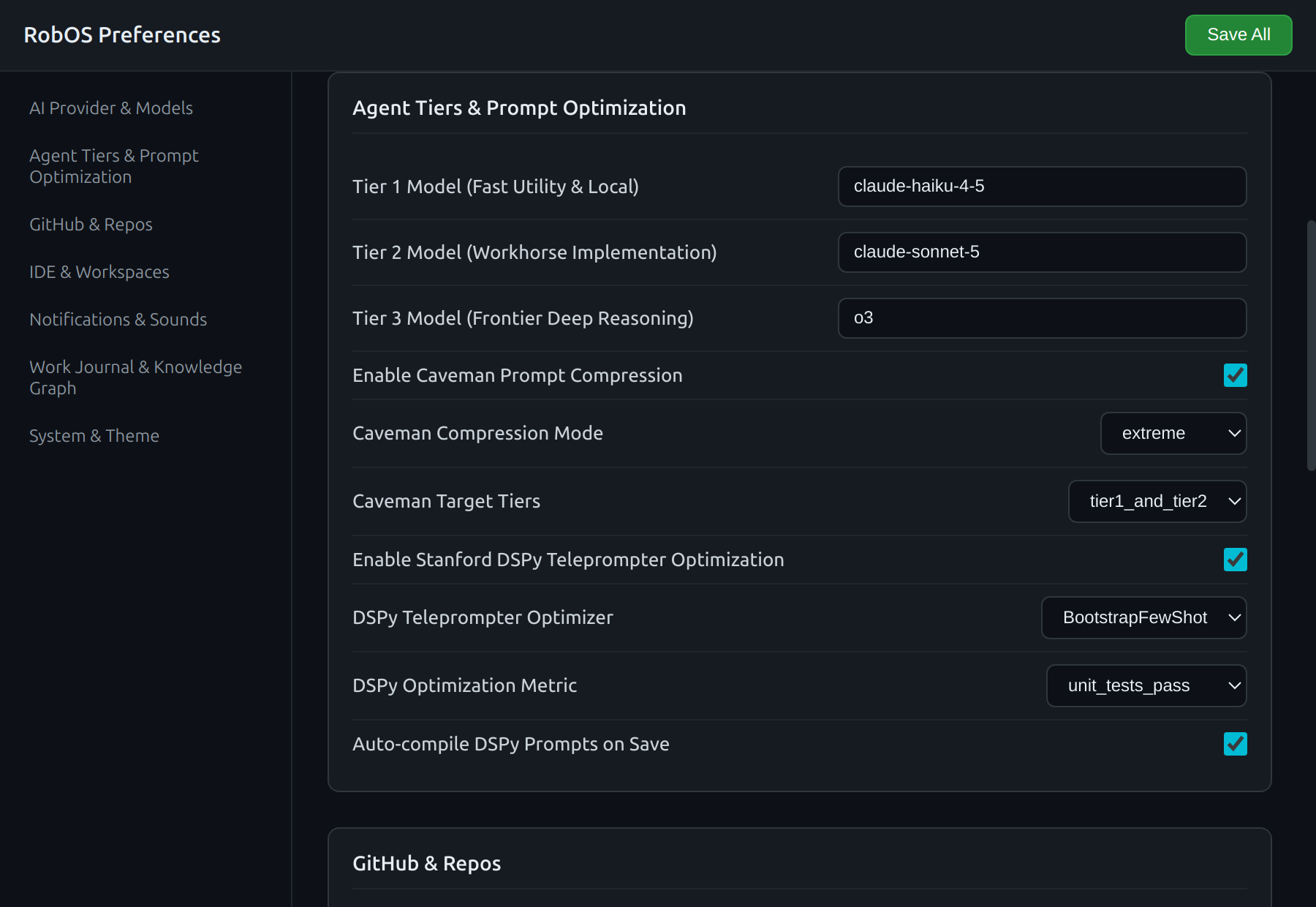
Look at Caveman Compression Mode set to extreme and the DSPy optimizer and metric changed from their defaults.
Click Save All. RobOS merges the values into ~/.config/robos/settings.json and shows “Settings saved successfully.”
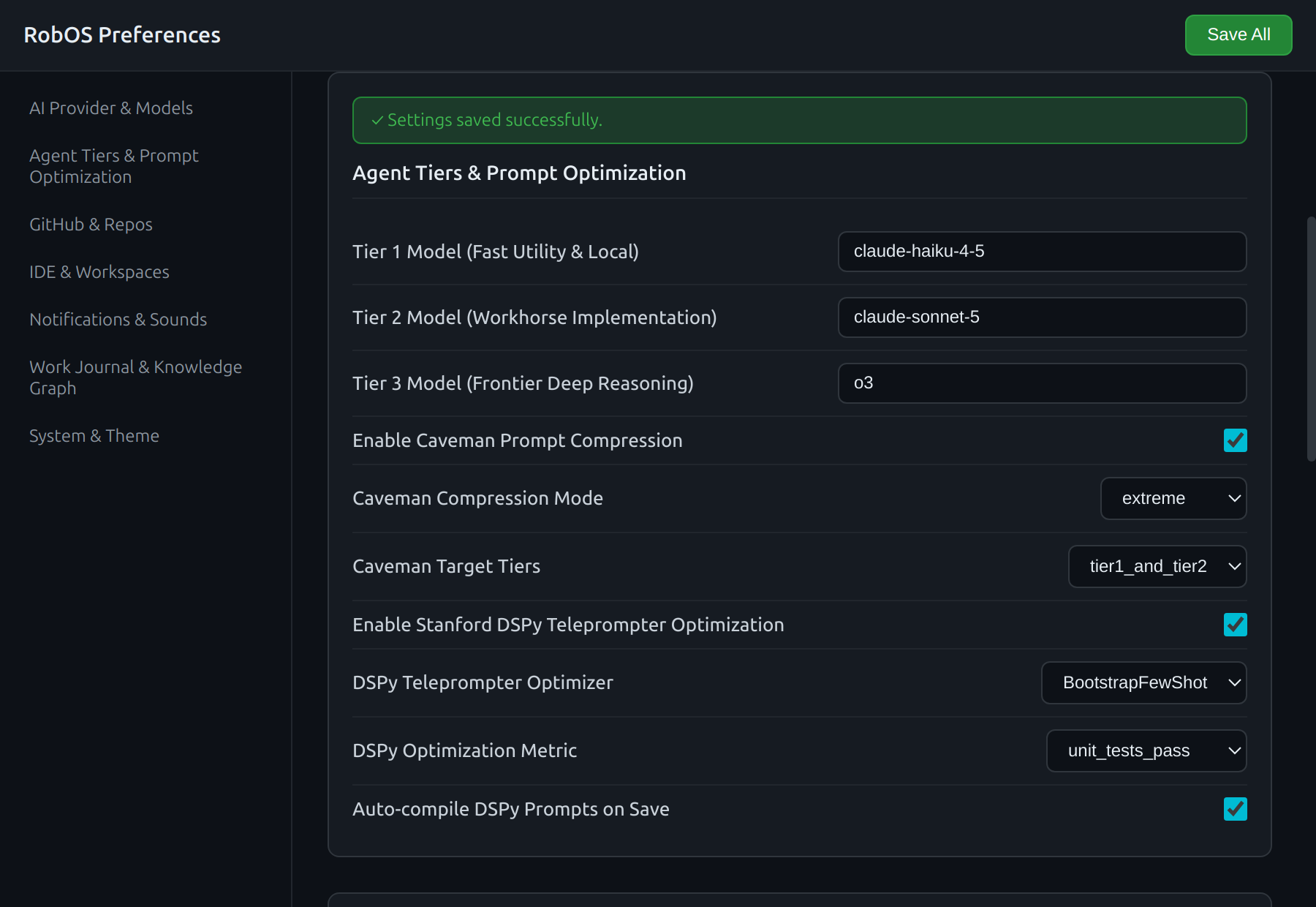
Look at the green banner at the top of the section.
On save, the code also tries to mirror the Caveman and DSPy toggles into the knowledge graph as two nodes, urn:robos:agent:strategy:caveman-compression and urn:robos:agent:optimizer:dspy-teleprompter. That mirror loads robos-graph from the Preferences process and, as the code is written, appears not to run. Treat settings.json as the only stored copy.
Prompt helpers
Two methods on SDLCKnowledgeGraphStore in packages/robos-graph/lib/graph-store.js implement the “prompt optimization” half of the pane. No RobOS app calls either one outside the test suite, so the toggles above do not change what agents receive.
Caveman compression
applyCavemanCompression(text, { mode }) removes filler words with regular expressions. Backtick code (fenced blocks and inline code) is set aside and restored unchanged.
| Mode | Removes |
|---|---|
standard | Phrases such as “please ensure”, “please make sure”, “could you”, “in order to”, “keep in mind that”, greetings, “thank you”, “feel free to” |
aggressive | Everything in standard, plus “furthermore”, “moreover”, “additionally”, “we need to”, “you should” |
extreme | Everything in aggressive, plus the words “the”, “a” and “an” |
It returns originalTokensEst, compressedTokensEst, savingsPercent and compressedText. The token figures are an estimate, word count times 1.3, not a real tokenizer count.
Running it on this prompt in standard mode:
Hello! Could you please make sure to inspect `packages/billing/index.js`? In order to comply with accounting standards, it is important to note that all currency calculations must use integer cents. Furthermore, please ensure the tests pass. Thank you!
gives:
to inspect `packages/billing/index.js`? comply with accounting standards, all currency calculations must use integer cents. Furthermore, the tests pass.
The estimate for that prompt was 49 tokens before and 24 after. The example also shows the risk: the patterns delete “ensure” and “make sure” along with “please”, so “please ensure the tests pass” became “the tests pass”. Compare the output with the original before you send it anywhere. File paths are only protected when they are inside backticks.
DSPy prompt builder
compileWithDSPy(signature, dataset, { teleprompter, metric, maxBootstrappedDemos }) returns a prompt string made of a fixed instruction line, up to maxBootstrappedDemos examples copied from your dataset (default 3), and the current-task placeholders. The teleprompter and metric names are written into the instruction line and the result object. It does not call the DSPy library, run MIPROv2 or any other optimizer, or score anything, and validationScore is always 1.0.
How tasks reach an agent CLI
RobOS starts the agent CLIs directly. There is no router in between, and nothing picks a tier. Each app decides which CLI to run:
| Work | Agent | Model |
|---|---|---|
| Task Implementer | Starts claude from its main process | Claude Code’s configured model |
| Dev Central work tasks | codex or claude, from ~/.config/robos/work-task-settings.json (see below) | That CLI’s configured model |
| PR Review CI recovery | Codex, from the catalog in robos-agent-client/providers.js | Chosen in the panel |
| One-shot requests: generate buttons, the text box quick-ask, the Knowledge Graph AI Co-Pilot, Import & Refine | robos-lib/ai-agent: the CLI set as active in RobOS Agents, or the optional API mode | The CLI’s configured model, or the API model setting |
The last row is described in AI agents and API mode. The agent runs as you, in the working directory the app passes. There is no sandbox.
Prompt scanning
ask() in robos-lib/ai-agent runs every prompt through the prompt security guard in packages/robos-lib/prompt-security.js before it starts a CLI or calls an API. The prompt_security_mode setting (section “Prompt Security & Guardrails” in RobOS Preferences) accepts redact (default), block, warn, audit-only and off. A blocked prompt is not sent anywhere. Findings are logged to ~/.config/robos/prompt-security-audit.json. Task Implementer and Dev Central start their CLIs without this scan; see Configure the prompt security guard.
Where task agents are chosen today
Dev Central does not use the tier settings. It reads backend from ~/.config/robos/work-task-settings.json, which defaults to codex and also accepts claude, and starts that CLI directly. For codex, design runs use --sandbox read-only and implementation runs use --sandbox workspace-write with network access on. For claude, design runs add --permission-mode plan and implementation runs add --permission-mode acceptEdits. The model is whatever that CLI is configured to use.
providers.js in robos-agent-client lists Codex and AGY (Antigravity) with their model catalogs, which the PR Review CI recovery panel reads (it offers Codex only). It needs a signed-in Codex or AGY and caches each catalog for 24 hours in ~/.config/robos/provider-model-cache.json.
Earlier versions shipped a HarnessRouter client for the Unified Harness Protocol, an in-process “embedded router”, and a HarnessRouter panel in Agents Manager. No app used them for real work, and the embedded router reported success for harnesses it never started, so they were removed. Agent tasks go straight to the CLIs as described above.
Related
- Review & governance for how agent work is reviewed.
- PR Review Theater.
- Roadmap for planned work.