
KGraph parse portal
A local HTTP server and desktop window that scan files into knowledge graph nodes, parse single documents, keep a search index, and generate Buildbarn Helm values. Read this to run it, call its API, or find out what is real behind the Tika and Luxir labels in the window.
On this page
What it does today
The package is packages/kgraph-parse-portal, listed in the app catalog as KGraph Parse Portal. server.js is a plain Node HTTP server that uses only built-in modules, plus packages/robos-graph when it commits nodes. main.js wraps it in an Electron window. The table separates what the code does from what the labels in the window suggest.
| Feature | What the code does | Caveat |
|---|---|---|
| Directory scan | Walks a directory and returns classified JSON-LD nodes. Documented on the KGraph crawler page. | Committing nodes to the graph does not validate them. |
| Document parse | Classifies one file or snippet, extracts symbols with regular expressions, and returns a graph node. | No text extraction from binary formats. See Tika connector. |
| Search | Substring search over node fields in an in-memory index. | The index is empty after every restart. |
| Tika | Opens a TCP connection to localhost:50051 to choose a status label. | It never sends a document to Tika. |
| Luxir | Pings an HTTP endpoint to choose a status label. | Scan and parse results are not sent to Luxir. See Search and the CLI. |
| Buildbarn | Fills in a Helm values template, probes a TCP port, and registers a cluster node. | The values are not checked against the chart. |
Run it
Start the HTTP server from the repository root. No install step is needed.
node packages/kgraph-parse-portal/server.js
It listens on port 19192 on all network interfaces. Set ROBOS_PARSE_PORT to change the port. To use the window UI in a browser, open http://localhost:19192/renderer/index.html. The root URL / serves the same HTML, but its relative style.css and app.js links resolve to /style.css and /app.js, which return 404, so the page shows unstyled and does nothing.
The server has no authentication, sends Access-Control-Allow-Origin: *, and binds to every interface. /api/v1/parse returns the text of any readable file whose path you send, /api/v1/crawl and /api/v1/ingest read any directory the server’s user can read, and ingest writes to the knowledge graph. Run it on a trusted machine, or put a firewall rule in front of the port.
To run the desktop window, use Electron. npm run electron inside the package runs electron ., and scripts/dev-launch.sh kgraph-parse-portal launches it with the usual RobOS flags. The package declares no Electron dependency, so Electron must already be installed where the script looks for it (packages/kgraph-parse-portal/node_modules/.bin/electron). In the Electron app, the REST server defaults to port 19193 and the app’s debug server uses 19192. The installed desktop entry, named KGraph Parse Portal, starts Electron from /usr/local/share/robos/kgraph-parse-portal.
The window
The header shows status badges: Tika: Offline Engine or Tika gRPC: Live, and Luxir: Cached (n) or Luxir: C++ (n), where n is the number of indexed nodes. The tabs are:
| Tab | What it does |
|---|---|
| Filesystem Crawler & Ingestion | Scan a path, commit the nodes, or paste a snippet and click Parse Document via Tika gRPC. Output appears as JSON-LD on the right. |
| MIME & Archetype Disambiguation | A Classify File box and a static table. |
| Luxir Search Explorer | Query box and five facets: All Items, Contracts (OpenAPI/gRPC), Microservices, Source Files, Living Docs. |
| Direct Luxir CLI | A simulated terminal. |
| Hermetiq Buildbarn RBE | Generate Helm Values, Probe Cluster Health, Register in KGraph. |
| Documentation & Living Specs | Static text. |
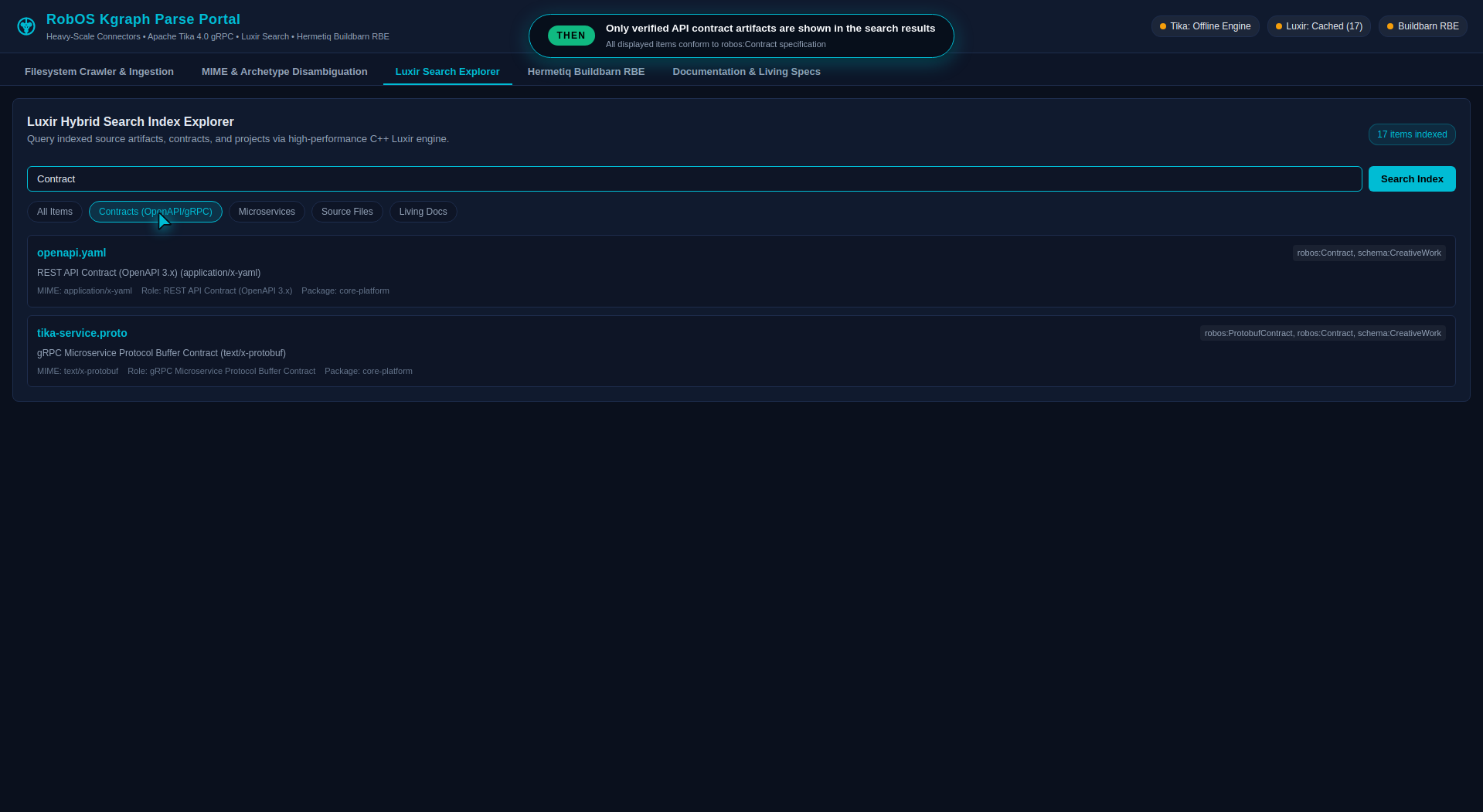 Look at the badges at top right: Tika is in offline mode and Luxir is serving from its cache.
Two things in the window are not what they look like.
- The Classify File box runs a short classifier built into the page. It knows only
package.json, names containingopenapiorswagger,.proto,Chart.yaml,.serviceand/dev/paths. The server uses the full rules on the KGraph crawler page. - The simulated terminal does not run a shell. It looks for the word
status,search,inspectorcurlin what you type, in that order, and calls the portal API. Itsstatusoutput always printshybrid-local-cacheas the engine state and prints17 documentswhen the index is empty.inspectfalls back to a hard-coded sampleopenapi.yamldocument when nothing matches.
REST API
All endpoints return JSON. Errors return HTTP 500 with {"ok": false, "error": "..."}, and unknown paths return 404.
| Endpoint | Input | Returns |
|---|---|---|
GET /health or GET /api/v1/status | none | ok, service, version, tika (endpoint, online, mode), luxir (indexedCount, luxirOnline, endpoint, engine), buildbarn |
POST /api/v1/parse | filePath (or fileName), content, repository | ok, parseResult, graphNode. If content is empty and filePath is an existing file, the file is read. The node is added to the search index only. |
POST /api/v1/crawl | directoryPath (or path), maxDepth, repository, package | ok, archetype, fileCount, nodeCount, nodes |
POST /api/v1/ingest | same as crawl | ok, committedToGraph, nodesCommitted, archetype, nodes |
GET /api/v1/search | q, type, mimeType, semanticRole, archetype, protocol | ok, query, count, results |
GET /api/v1/rbe/status | endpoint (default 127.0.0.1:8980) | ok, rbe (ok, status, endpoint, protocol, provider, chart) |
POST /api/v1/rbe/values | see Buildbarn helper | ok, chart, valuesYaml, installCommand |
POST /api/v1/rbe/register-cluster | clusterId, title, executionEndpoint, casEndpoint | ok, clusterNode, committed |
Request and response details for crawl and ingest are on the KGraph crawler page. The package’s contracts/openapi.yaml describes only crawl and search.
A parse request and the part of the response that matters:
curl -s -X POST http://localhost:19192/api/v1/parse \
  -H 'Content-Type: application/json' \
  -d '{"filePath": "petstore.proto", "content": "syntax = \"proto3\"; service PetService { rpc GetPet(Id) returns (Pet); }"}'
{
  "ok": true,
  "parseResult": {
    "astSymbols": [
      { "type": "service", "name": "PetService" },
      { "type": "rpc", "name": "GetPet", "inputType": "Id", "outputType": "Pet" }
    ],
    "mimeType": "text/x-protobuf",
    "source": "tika-offline-engine"
  }
}
Search and the CLI
The search index is a JavaScript Map of nodes keyed by @id, held in the server process. A query is lower-cased and matched as a substring against the node’s id, title, description, MIME type, semantic role, archetype, protocol and types. Symbols and file contents are not searched, even though the search box placeholder mentions AST symbols. An empty query returns every node. Each filter (type, mimeType, semanticRole, archetype, protocol) is a case-insensitive substring match on that field, and all filters must match.
The portal only pings Luxir. Its search always reads the in-memory index. The bridge indexes through indexer.indexNodes, which LuxirIndexer does not define, and the resulting error is caught and ignored. So scan and parse results are never sent to a Luxir server, even when one is running. Nodes written through ingest and register-cluster do go through SDLCKnowledgeGraphStore.addNode, which sends each node to Luxir without waiting for the result when a server answers.
The repository contains Luxir clients but no Luxir server. The core-platform graph lists Luxir (urn:robos:search:luxir-kgraph-index) as experimental, pre-release and not production-ready. The portal looks for it at ROBOS_LUXIR_ENDPOINT (default http://127.0.0.1:8983) and pings GET /api/v1/health with a 400 ms timeout. The index name the client uses is robos_kgraph.
bin/luxir-portal-cli.js queries the index from a terminal.
node packages/kgraph-parse-portal/bin/luxir-portal-cli.js status [--json]
node packages/kgraph-parse-portal/bin/luxir-portal-cli.js search "<query>" [--type <class>] [--json]
node packages/kgraph-parse-portal/bin/luxir-portal-cli.js inspect <doc-id>
node packages/kgraph-parse-portal/bin/luxir-portal-cli.js curl "<query>"
search and status try the portal on ports 19192 then 19193. If neither answers, the CLI scans the portal’s own package folder (depth 5) into a private index and answers from that, so the results are the portal’s own files. inspect always uses that private index and matches a full id or a substring of an id or title. curl prints the equivalent curl line, then prints the query result without calling curl. For example, search "tika" --type robos:Contract returns tika-service.proto.
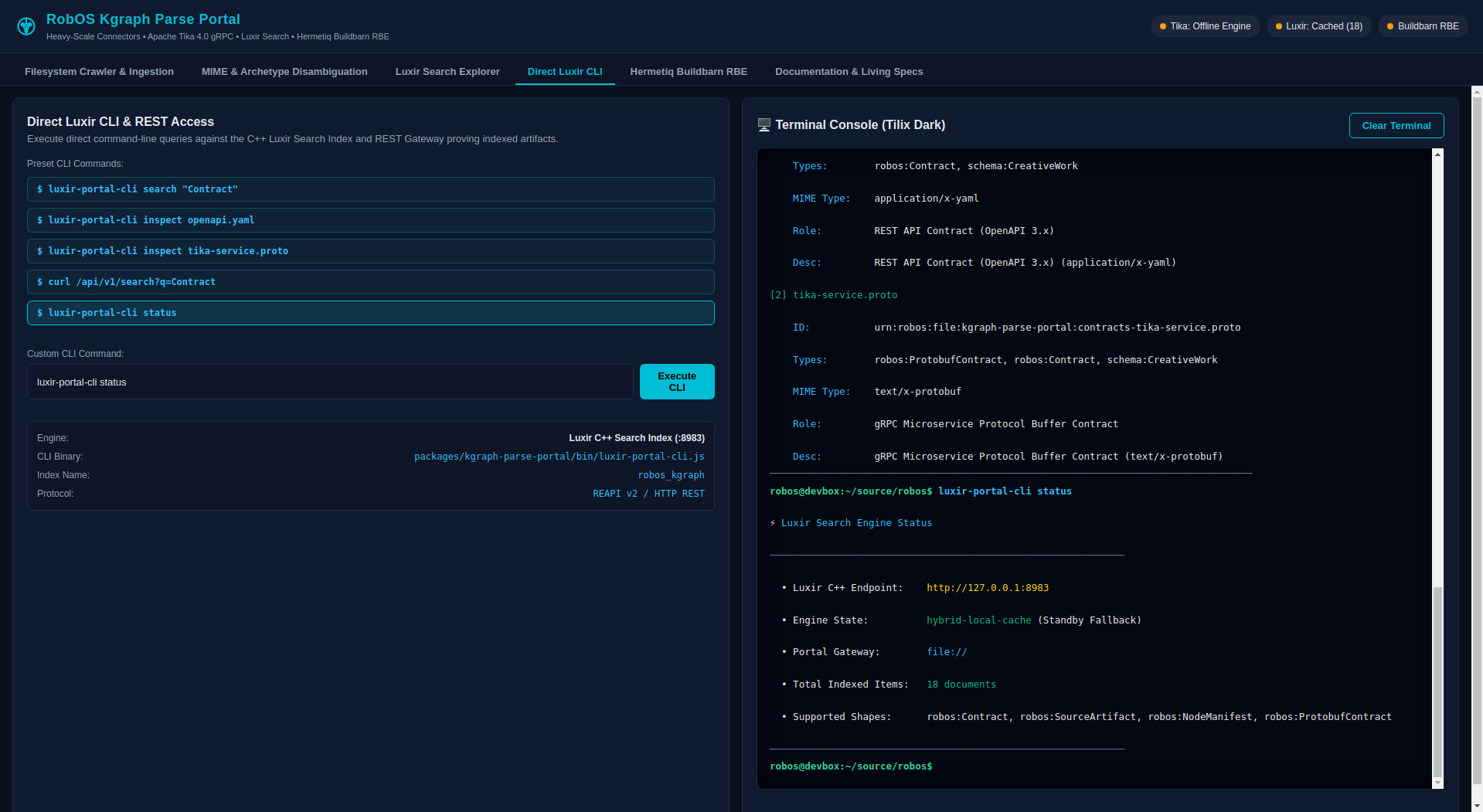 Look at Engine State in the terminal: Standby Fallback means no Luxir server answered.
To reindex the whole graph into a Luxir server, or to search it, use index and search --engine luxir in packages/robos-graph/bin/kgraph-cli.js. Those commands are separate from the portal.
Tika connector
lib/tika-grpc-connector.js does two things. isAvailable() opens a TCP connection to ROBOS_TIKA_GRPC_ENDPOINT (default localhost:50051) with a 500 ms timeout. parseDocument() then classifies the input and extracts symbols locally, whether or not that port is open. The only difference is the label: source is apache-tika-4.0-grpc when the port accepts a connection and tika-offline-engine otherwise.
No gRPC client is called, and no tika-grpc server is shipped in this repository. contracts/tika-service.proto defines a robos.tika.v1.TikaGrpcService with ParseDocumentStream (client streaming) and ExtractSymbols, but nothing implements or calls it.
Symbols are found with regular expressions, chosen by the file extension of filePath.
| Extension | Symbol types returned |
|---|---|
.js, .ts, .tsx, .jsx, .mjs | class, function, typeDefinition |
.py | class, function |
.java, .kt | class, method |
.go | struct, interface, function |
.rs | typeDefinition, function |
.proto | message, service, rpc |
.graphql, .gql | typeDefinition |
PDF and ELF input is not parsed. The text becomes a placeholder such as [PDF Document: name - N bytes], and for PDFs estimatedPages is a guess from the byte count.
Buildbarn helper
The Buildbarn tab and /api/v1/rbe/* endpoints produce a Helm values file, a helm command, a connectivity probe and a graph node. They do not talk to Kubernetes.
POST /api/v1/rbe/values accepts these fields. installCommand uses the last three.
| Field | Default |
|---|---|
clusterName | hermetiq-buildbarn-rbe |
replicaCount | 2, applied to storage, scheduler, worker and frontend |
storageCapacity | 100Gi |
workerConcurrency | 8 |
executionPort, casPort | 8980, 8981 |
releaseName, namespace, valuesFile | buildbarn, buildbarn, buildbarn-values.yaml |
The resulting command is helm upgrade --install buildbarn oci://ghcr.io/hermetiq/buildbarn --namespace buildbarn --create-namespace -f buildbarn-values.yaml. Several settings are fixed in the template in lib/buildbarn-rbe.js: environment: production, a content-addressable store limit of 100 GiB and an action cache limit of 10 GiB whatever storageCapacity says, worker resources of 1000m CPU and 2Gi memory requested and 4000m and 8Gi limited, and a worker runner that mounts /var/run/docker.sock. The portal does not check the values against the chart, so review the file before you install.
The probe opens a TCP connection with a 600 ms timeout and reports online, unreachable or offline. Registering builds a node with id urn:robos:cluster:<clusterId> and types robos:RemoteExecutionCluster, robos:RemoteBuildCluster and schema:ComputerPlatform, indexes it, and adds it to the graph store. The committed field in the response says whether the store was available.
Configuration
| Variable | Default | Used by |
|---|---|---|
ROBOS_PARSE_PORT | 19192 for server.js, 19193 for the Electron app | The REST server, and the CLI’s curl command |
ROBOS_TIKA_GRPC_ENDPOINT | localhost:50051 | Tika status probe |
ROBOS_LUXIR_ENDPOINT | http://127.0.0.1:8983 | Luxir ping, and the CLI |
Source and tests
| Path | Contents |
|---|---|
server.js, main.js, preload.js | HTTP server, Electron main process, IPC bridge |
lib/fs-mime-classifier.js | Archetype detection, file classification, directory scan |
lib/tika-grpc-connector.js, lib/luxir-search-bridge.js, lib/buildbarn-rbe.js | The three connectors described above |
bin/luxir-portal-cli.js | The CLI |
renderer/ | The window UI |
The unit tests are in packages/robos-test/tests/sdlc-graph/kgraph-parse-portal.test.js. Run them from the repository root.
node --test packages/robos-test/tests/sdlc-graph/kgraph-parse-portal.test.js
npm test inside the package finds nothing to run, because the package’s tests/ folder holds only a Gherkin feature file.