

Deploy Tracker
Shows a GitHub repository's recent deployments, releases and merged pull requests with a few counts for a chosen time range.
Deploy Tracker is a read-only dashboard for the first repository of your active task server.
Requirements
- The
ghCLI, signed in with access to the repository. - A task server of type GitHub in
~/.config/robos/settings.json(task_servers, withactive_task_serverselecting one). The app uses the first entry in that server’sreposlist.
What you see
Pick Last 7 days, Last 30 days or Last 90 days, and optionally one environment from All environments (taken from the deployments’ environment field). The page refreshes every five minutes.
| Panel | Source | Notes |
|---|---|---|
| Total Deploys, Deploy Frequency | gh api repos/<repo>/deployments (latest 100) | Frequency is deploys per week over the chosen range. |
| Releases | gh release list (latest 50) | Count in range. |
| Avg Deploy Size | gh pr list --state merged (latest 100) | Merged PRs divided by deploys in range, used as a rough size. |
| MTTR | Deployment statuses | See the limit below. |
| Deployment Timeline | Deployments | Environment, description or ref, status, creator and age. |
| Recent Releases, Recently Merged (Changesets) | Releases and merged PRs |
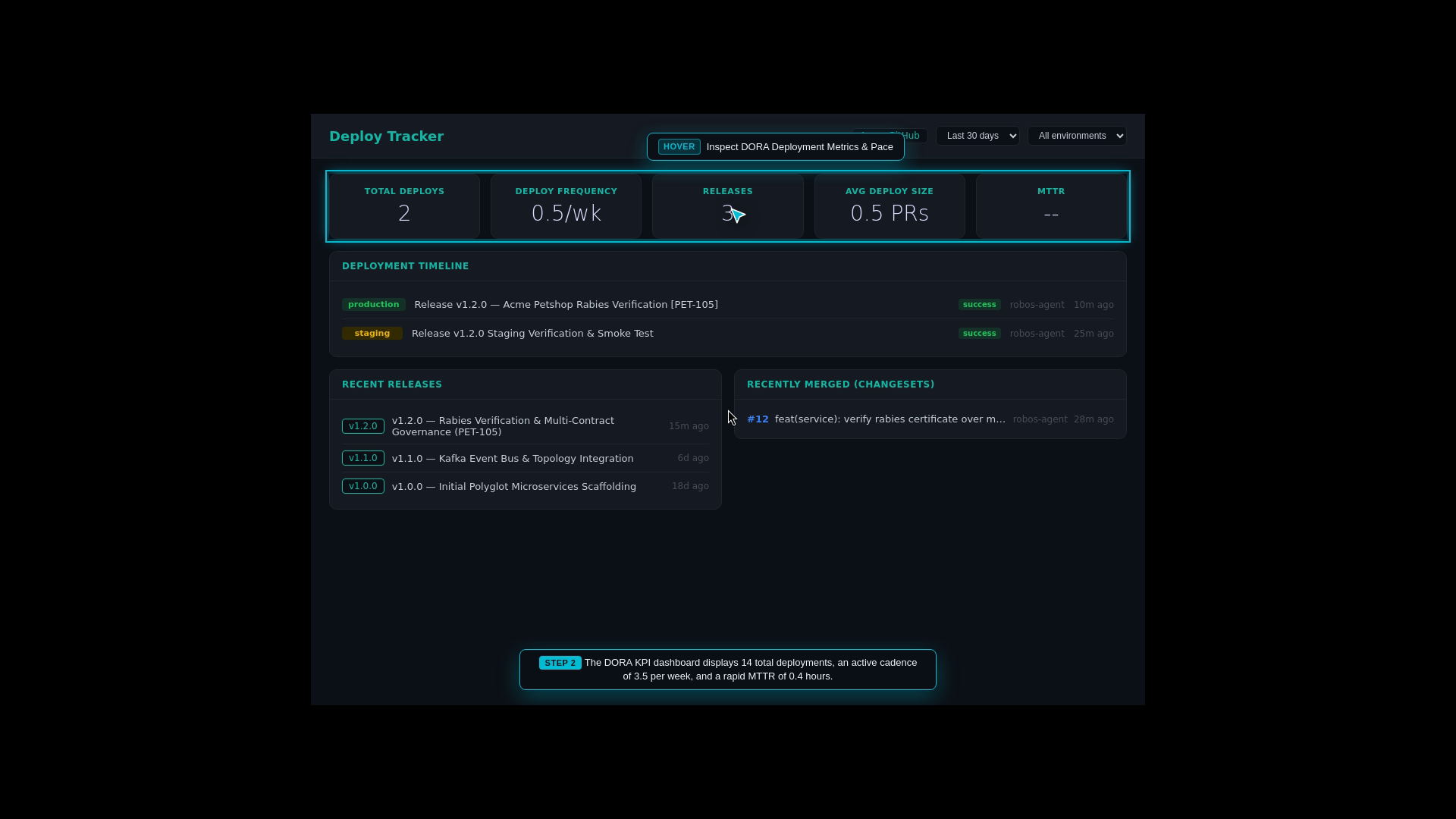
The summary cards across the top, then the timeline and the release and merged-PR lists. This capture uses sample repository data.
The app does not fetch each deployment’s status. renderer/app.js marks every deployment success, so the timeline cannot show failures and MTTR (time from a failed deployment to the next successful one) stays --. The window also has no canary or rollback actions.
Run it with electron packages/deploy-tracker. Source: packages/deploy-tracker.