

Relational DB Manager
A SQL studio prototype with a connection tree, table viewer, DDL view and SQL console; it currently shows built-in sample data.
Relational DB Manager is shaped like a database IDE: a Database Explorer tree on the left, and tabs for table data, a SQL console and DDL on the right. The connection list is stored configuration. Everything that would come from a database is a placeholder.
No driver is loaded and no connection is opened. The tables pets, vaccination_certificates and surgeries, and the adoption_analytics table for the analytics connection, are defined in main.js. Execute Statement returns canned rows when the SQL mentions pets or adoption_analytics and a one-row “SUCCESS” result otherwise; a statement such as DROP TABLE changes nothing.
What you do in it
- Expand a connection in the Database Explorer to see its schemas and tables, and click a table. The data tab shows its rows and the DDL & Structure tab shows the column list and
CREATE TABLEtext. - Open the SQL console (+ New SQL Tab only switches to it) and click Execute Statement or press
Ctrl+Enterto show a result grid.
The Apply Filter, Refresh, Export CSV, Explain Plan and + Connect DB buttons are in the layout but have no handler yet, so connections cannot be added from the window.
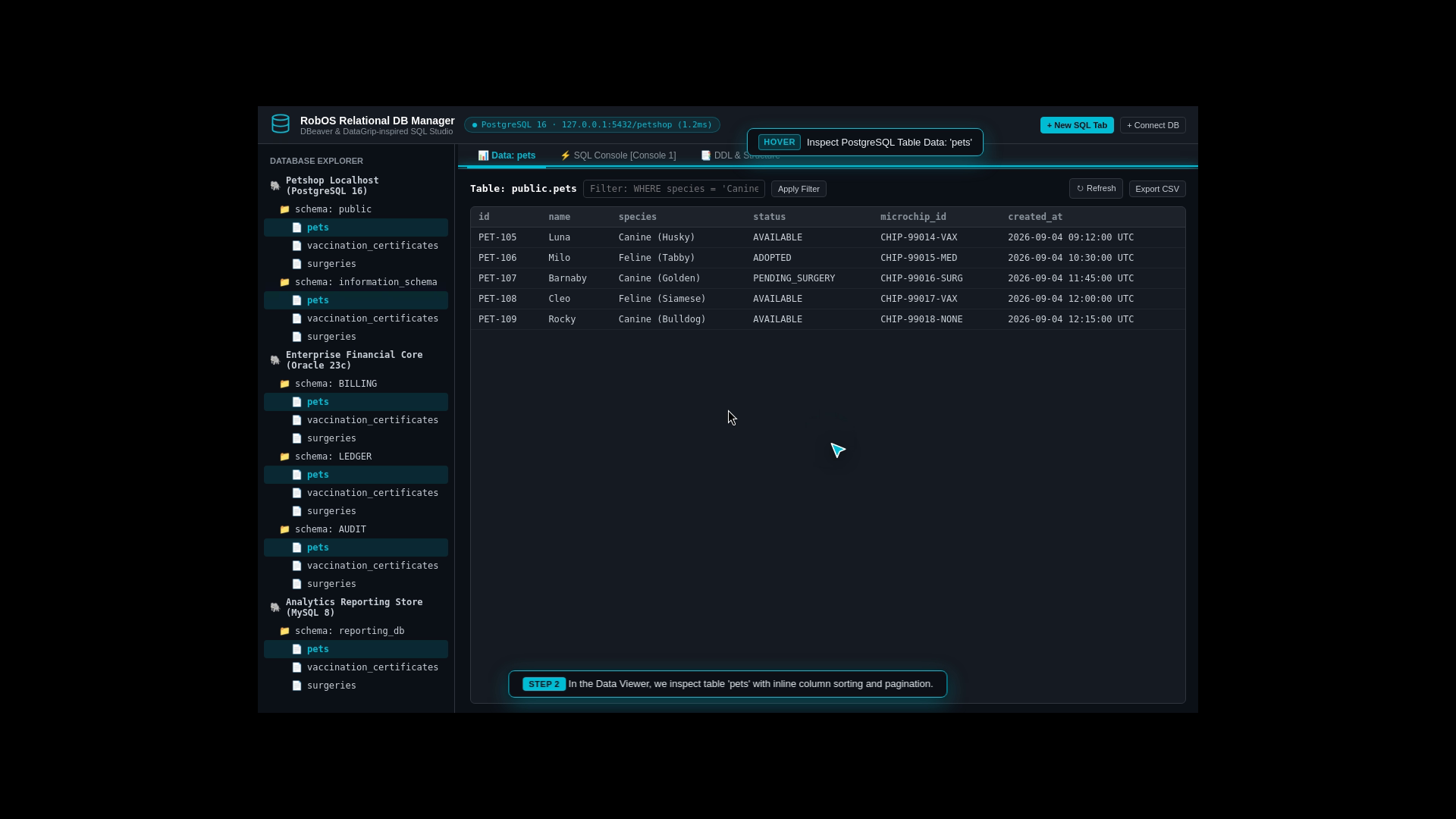
The Data tab for the sample pets table. The same three sample tables appear under every connection.
Where the data lives
- Connections are stored in
~/.config/robos/db-manager-connections.json. On first run, four sample entries are written: two PostgreSQL, one Oracle and one MySQL, with thestatusfield preset to “Connected”. - Each saved connection is also written to the SDLC knowledge graph (
SDLCKnowledgeGraphStoreinpackages/robos-graph) as a database node, and databases already in the graph are merged into the list. The node stores apassPathfor the credential, not a password.
The engine list in the package description (PostgreSQL, MySQL, Oracle, SQLite, MSSQL) describes the intended scope; none of these engines is contacted today. Run it with electron packages/db-manager. Source: packages/db-manager.