

Git Projects Multi-Repo Hub
A list of your git repositories that clones, pulls and opens them in an IDE, and stores setup scripts, PR templates and review-notification settings for each.
Git Projects is the repository list the rest of RobOS reads (Context Manager, App Wizard and others add to or read the same file).
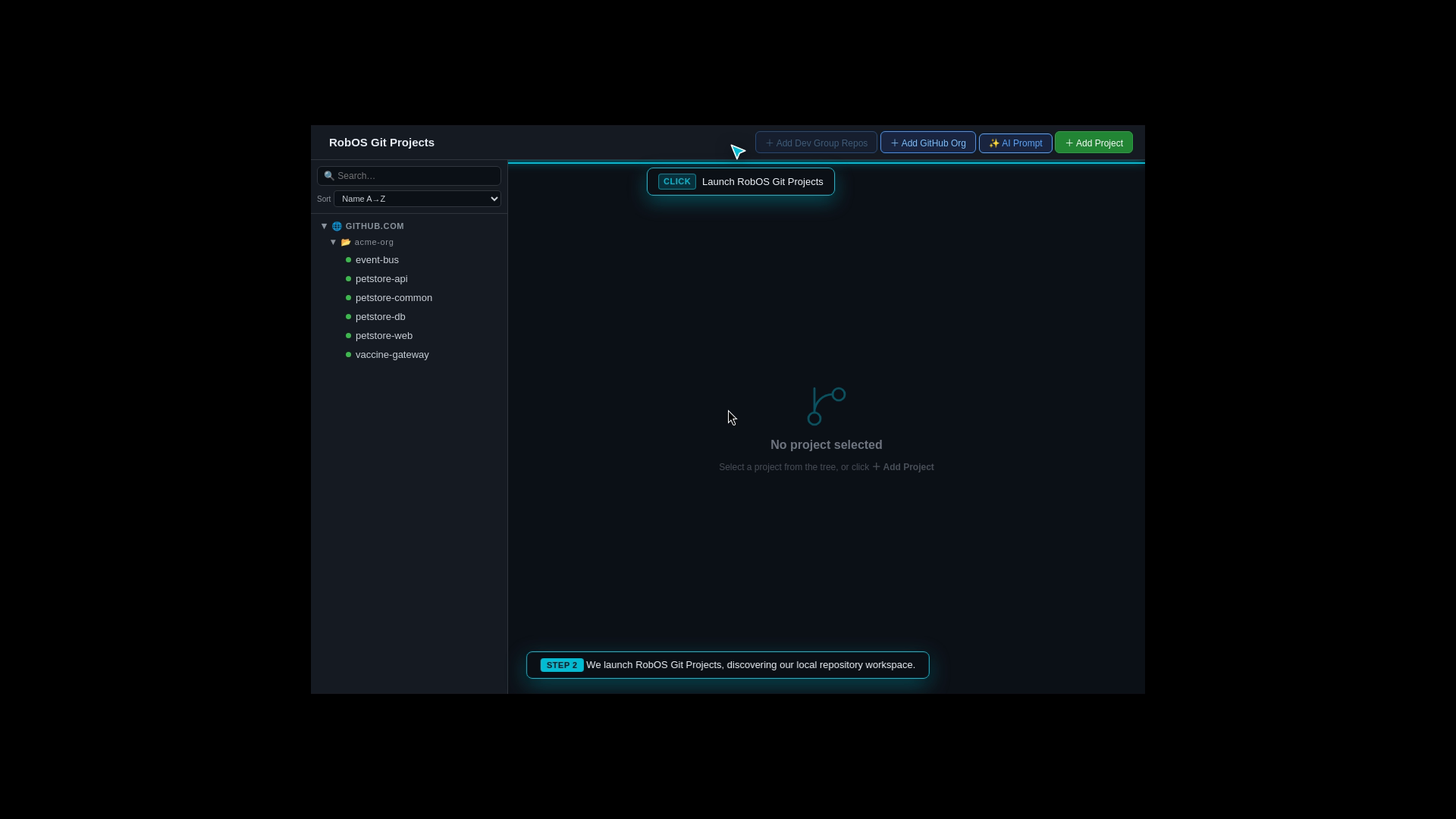
The project tree grouped by host and organization, with the add buttons in the header. A green dot marks a repository that is cloned.
Add repositories
- Add Project: pick from your GitHub repositories, or paste git URLs (https or ssh, one per line). Each is cloned into the default local path.
- Add GitHub Org: enter an organization, Load Repos, select some and Add Repos.
- Add Dev Group Repos: add the repositories of a group defined in Group Manager (read from
~/.config/robos/groups/). - AI Prompt: describe repositories in words and let the AI helper propose a list, then Add Selected Repos. Suggested paths follow
~/source/<org>/<name>.
Cloning runs git clone <url> <path>. The tree has a search box and a Sort menu (Name A to Z, Name Z to A, Host / Org, Cloned first, Uncloned first).
Work with a project
Select a project to get Clone or Pull, Load in IDE (it lists the IDEs it detects), Terminal and GitHub. Tabs below:
| Tab | Contents |
|---|---|
| Recent Commits | git log for the repository |
| Secrets | Rows of environment variable name and pass path, so a setup script can read secrets from the password store. The app can suggest rows by reading project files |
| Local Dev Setup | Editors for Instructions, Setup, Start, Test and E2E scripts. Run in Terminal runs a script in the project folder through bash (120 second limit in the in-app runner), and Run in IntelliJ hands it to IntelliJ. Saved scripts go to ~/.config/robos/git-projects/<project id>/ as setup.sh, start.sh, test.sh and e2e.sh |
| PR review settings | The PR description template and default GitHub reviewers, saved with Save PR settings |
| Team messaging | The review notification template, workspace, channel and reviewers to @mention, saved with Save notification settings |
Review settings are stored per repository in ~/.robos/project-review-settings/. For messaging, choose a Slack workspace configured in Team Chat Servers and a channel, then search @name under Reviewers to @mention. Each saved reviewer keeps serverId, the Slack member userId and a display name, so renaming someone in Slack does not change who is notified. PR Review preselects the project’s reviewers when you send a notification.
The AI buttons (Generate all tabs, Fix, Refine, Ask me first, the AI Prompt dialog) load robos-copilot-lib from /usr/local/share/robos/robos-copilot-lib. That module is not in this repository; without it they report “AI features unavailable: robos-copilot-lib not installed”. Everything else works. The JSON generators that use the Agent menu, and the ? quick-ask button in the AI text boxes, use the shared robos-lib/ai-agent library instead and work with any agent CLI (AI agents and API mode).
Data
The project list is ~/.config/robos/git-projects.json. Repositories are also synced into the knowledge graph. Cloning needs git and credentials for the remote; Git Login Manager checks them. Run it with electron packages/git-projects. Source: packages/git-projects.