

RobOS Shopping Lists: Grocery, Target & Costco Lists with Two-Way Google Docs and Mobile Form Controls
We added RobOS Shopping Lists (packages/shopping-lists) to the RobOS Household suite alongside RobOS Household and robos.tax. It comes pre-seeded with three store-tailored lists — 1) Grocery, 2) Target, and 3) Costco — with form-driven item entry, −/+ quantity steppers, 1-tap staple chips, per-row remove/undo buttons, a live mobile web companion (:19225), the /shopping-lists CLI & AI skill, and two-way synchronization with native Google Docs in Google Drive.
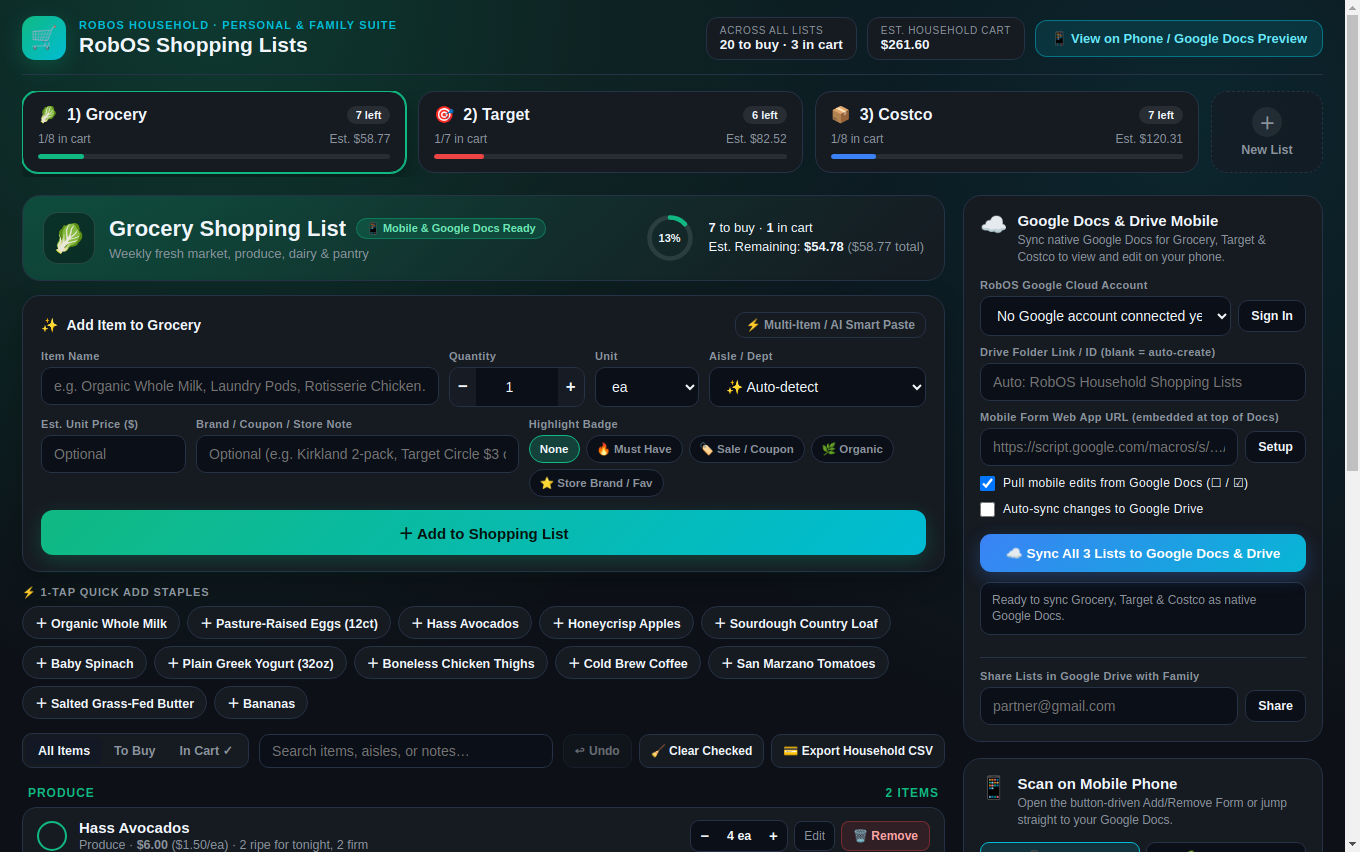
packages/shopping-lists). Pre-seeded with 1) 🥬 Grocery, 2) 🎯 Target, and 3) 📦 Costco, featuring a structured Add Item form, −/+ quantity steppers, 1-tap staple pills, per-row check-off and remove buttons, and two-way Google Docs & Drive sync.Why we built it. In the RobOS Household line of apps (Family Finances and robos.tax), statement reconciliation and spending categories start with what the household actually buys week to week. Keeping a shopping list in a raw notes doc on a phone works for reading, but typing bullet points on a mobile keyboard while pushing a cart through Costco or Target is clumsy. We wanted household shopping lists that are viewable as native Google Docs in Google Drive on any mobile phone while also providing form-like buttons to add, step quantities, check off, and remove items — pre-seeded out of the box with 1) Grocery, 2) Target, and 3) Costco.
1. Three Store-Tailored Household Lists: Grocery, Target & Costco
Rather than dumping weekly produce, pharmacy errands, and warehouse bulk cases into one generic list, packages/shopping-lists/lib/defaults.js seeds three store-specific lists in ~/.config/robos/household/shopping-lists.json:
- 1) 🥬 Grocery (
grocery/@grocery): Emerald accent theme with auto-detected aisles for Produce, Dairy & Eggs, Bakery, Meat & Seafood, Pantry & Dry Goods, Frozen, Beverages, Snacks, and Household, plus 12 one-tap staple chips (Organic Whole Milk, Pasture-Raised Eggs, Hass Avocados, Honeycrisp Apples, Sourdough Loaf, Baby Spinach, Greek Yogurt, Chicken Thighs, Cold Brew, San Marzano Tomatoes, Grass-Fed Butter, Bananas). - 2) 🎯 Target (
target/@target): Bullseye red accent theme with aisles for Household Essentials, Personal Care & Beauty, Health & Pharmacy, Kitchen & Dining, Home & Storage, Kids & Pets, and Electronics & Tech, plus 10 one-tap staples (Free & Clear Laundry Pods, Dishwasher Pacs, Foaming Hand Soap, Sensodyne 2-Pack, Ziploc Bags, AA Batteries, Parchment Paper, Allergy Relief, Facial Tissues, USB-C Cable). - 3) 📦 Costco (
costco/@costco): Warehouse blue accent theme with aisles for Kirkland Signature, Rotisserie & Deli, Bulk Produce, Meat & Poultry, Freezer Bulk, Pantry & Oils, Paper & Cleaning, and Beverages & Cases, plus 10 bulk staples (Hot Rotisserie Chicken, Kirkland Paper Towels, Kirkland Bath Tissue, 2L Extra Virgin Olive Oil, Kerrygold Butter 4pk, Butter Croissants, Organic Blueberries, Topo Chico Case, Wild Mahi-Mahi, Kirkland Mixed Nuts).
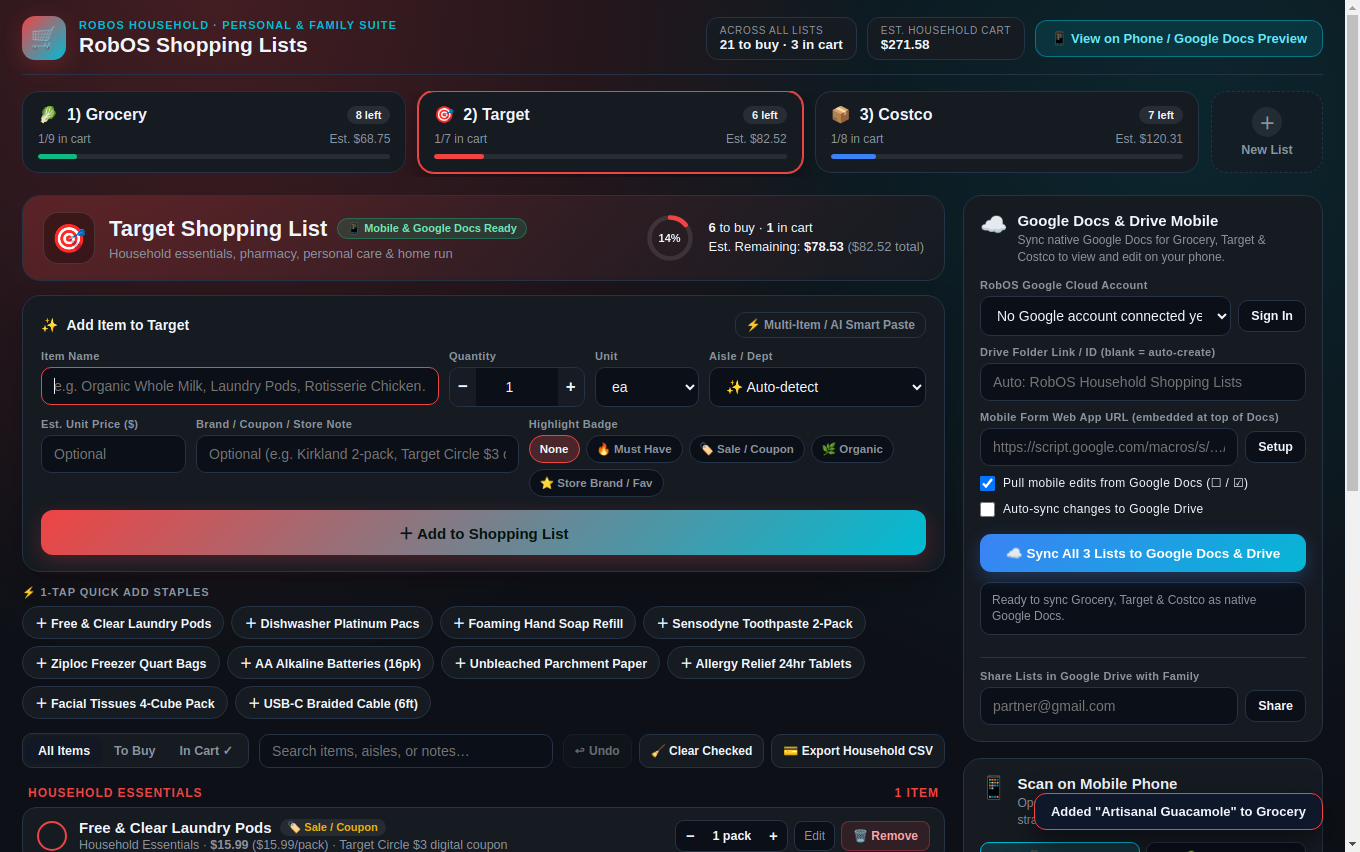
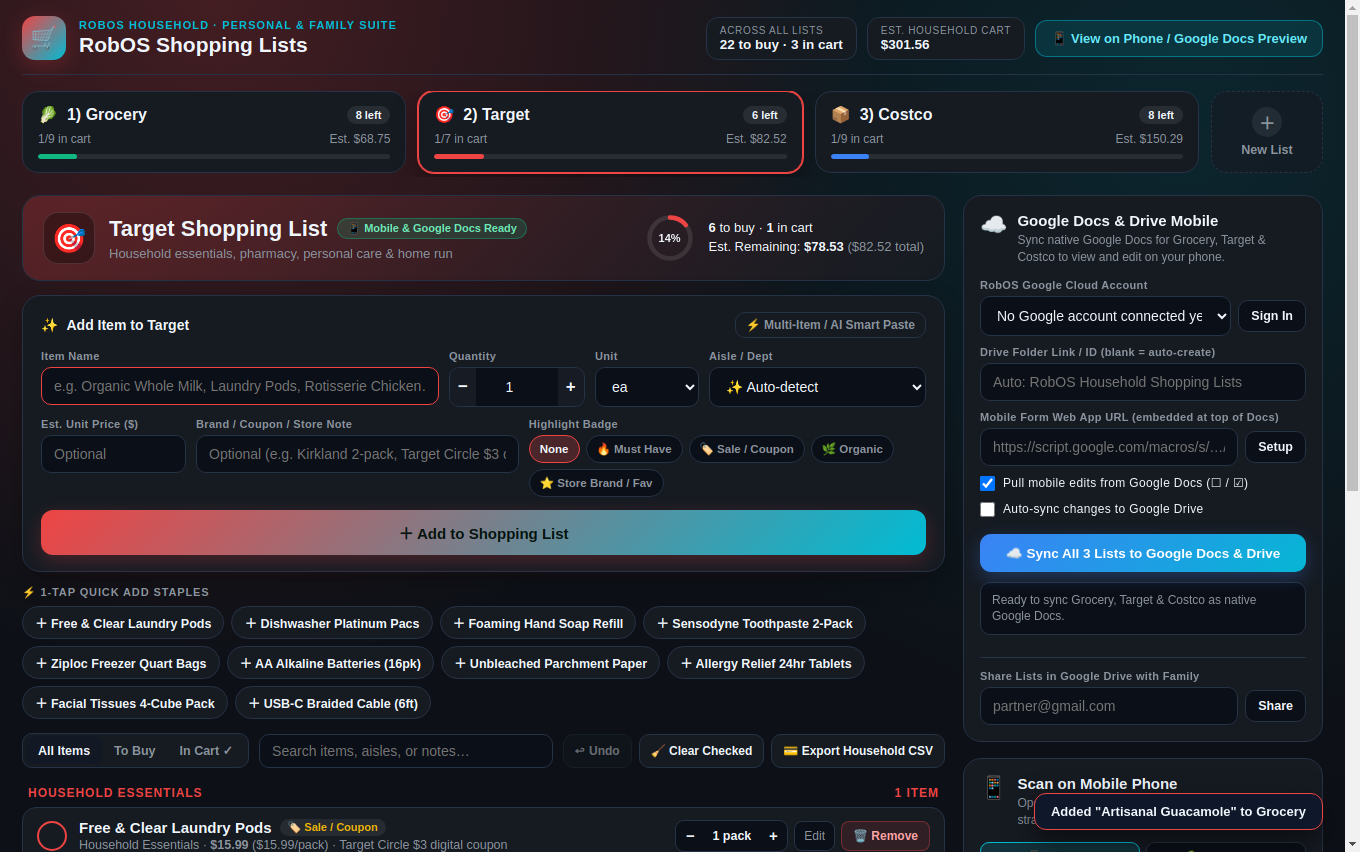
2. Form-Like Add/Remove Controls & Smart Multi-Store Paste
Every item interaction is button-driven so you never have to select and backspace text lines by hand:
- Structured Add Item Form: Enter the item name, tap
−/+to adjust quantity, pick a unit (ea,pack,lb,oz,gal,case,bag,box,bunch,bottle,jar), letdetectAisle()auto-classify the store department, add an optional estimated unit price ($) and coupon/brand note, and attach a highlight badge (🔥 Must Have,🏷️ Sale / Coupon,🌿 Organic,⭐ Store Brand / Fav). - Per-Row Stepper, Edit, Remove & Undo Buttons: Each item row has a circular check-off button (updating the SVG cart progress ring and remaining dollar estimate), inline
−and+quantity steppers, an Edit dialog button, and a 🗑️ Remove button backed by a 12-level ↩ Undo stack and 🧹 Clear Checked. - Household Finance CSV Export: Clicking 💳 Export Household CSV exports the list with merchant, category, aisle, quantity, unit price, line total, and status so it drops straight into RobOS Household spending workflows.
3. Two-Way Google Docs in Google Drive + Mobile Web Form
To make the lists both readable/editable in the Google Docs mobile app and controllable via mobile form buttons, packages/shopping-lists combines two mobile surfaces:
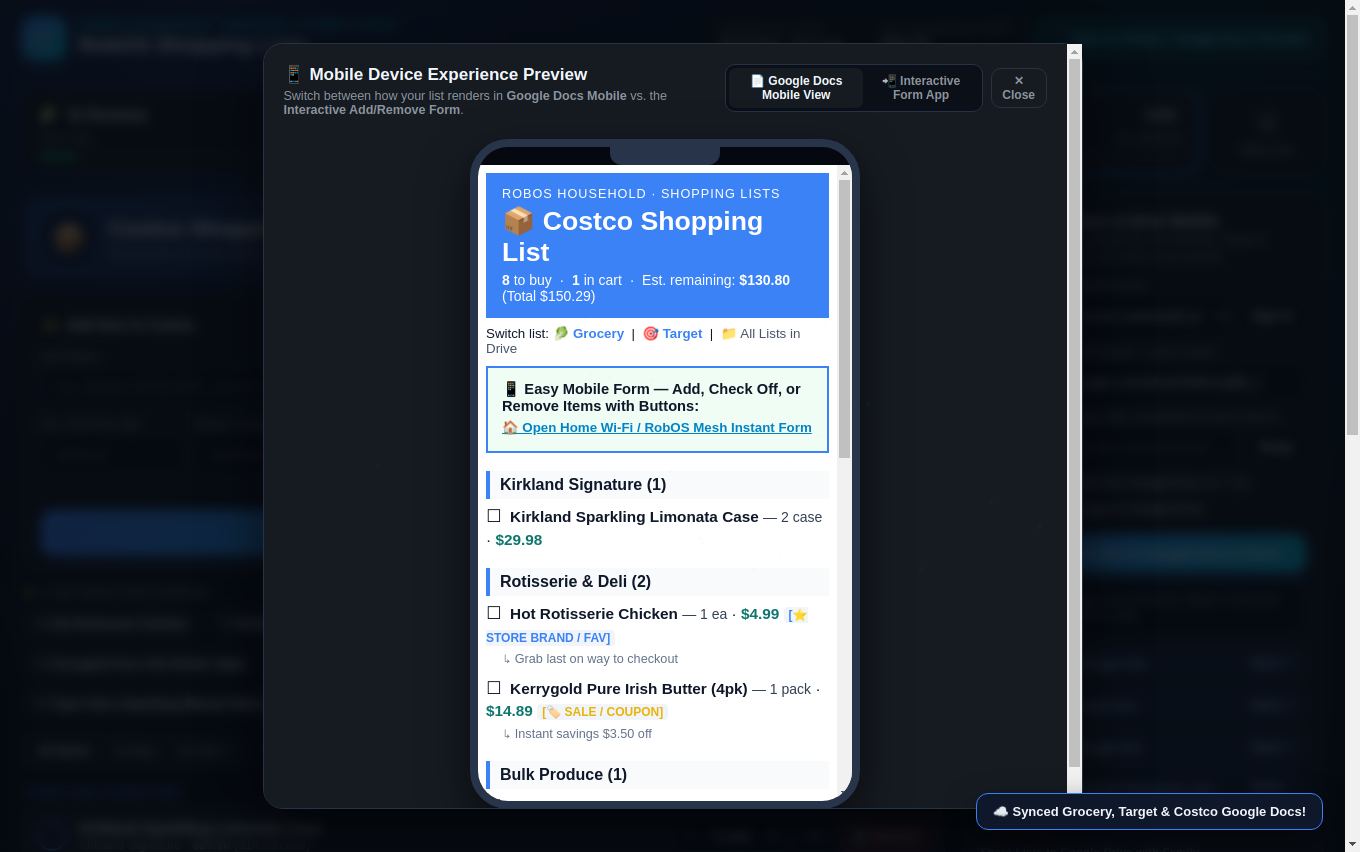
renderGoogleDocHtml() and uploaded as a native application/vnd.google-apps.document file in Google Drive.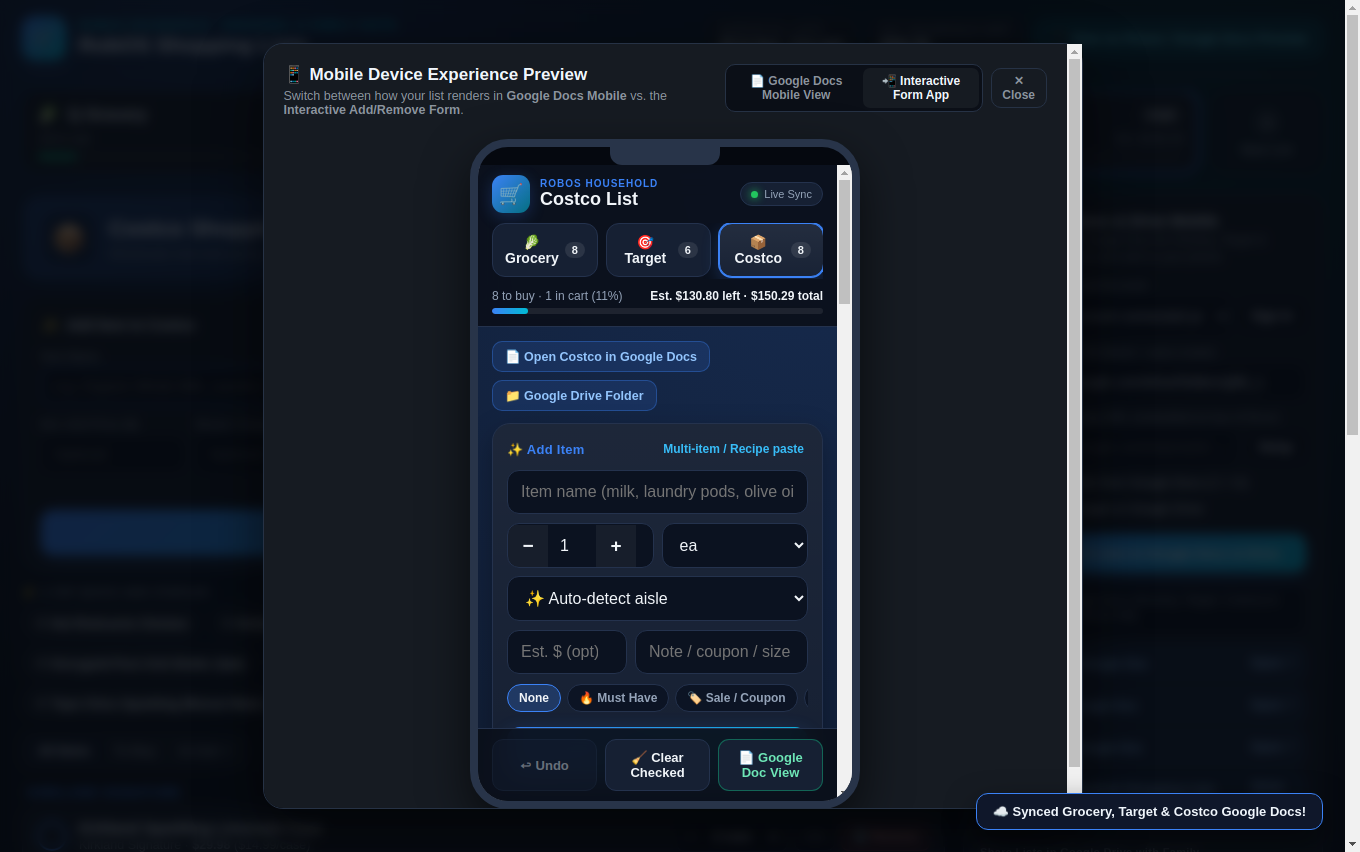
:19225 & Apps Script). Touch-friendly form buttons to add, step quantities, check off, and remove items from your phone.- Native Google Docs Synchronization (
lib/google-drive-sync.js): Using your RobOS Google Cloud Account viarobos-lib/google-drive-fetch, clicking ☁️ Sync All 3 Lists to Google Docs & Drive creates aRobOS Household Shopping Listsfolder in Google Drive containing three native Google Docs (Grocery — RobOS Shopping List,Target — RobOS Shopping List, andCostco — RobOS Shopping List) plusshopping-lists.json. If you toggle checkboxes (☐→☑or[x]) or type new☐ Item — 2 packlines in the Google Docs mobile app,parseGoogleDocText()pulls those edits back into RobOS. - LAN QR Mobile Form (
:19225) & Serverless Google Drive Apps Script: On home Wi-Fi or RobOS Private Networks, scanning the SVG QR code opens the live mobile web form on:19225with instant Server-Sent Events (SSE) sync. For 5G cellular inside the store when your home PC is off, RobOS also writesMobile-Form-Apps-Script/Code.gsandIndex.htmlinto your Google Drive folder — deploying it as a Google Apps Script Web App puts a live Tap Here to Add / Remove Items (Mobile Form) button at the top of each Google Doc.
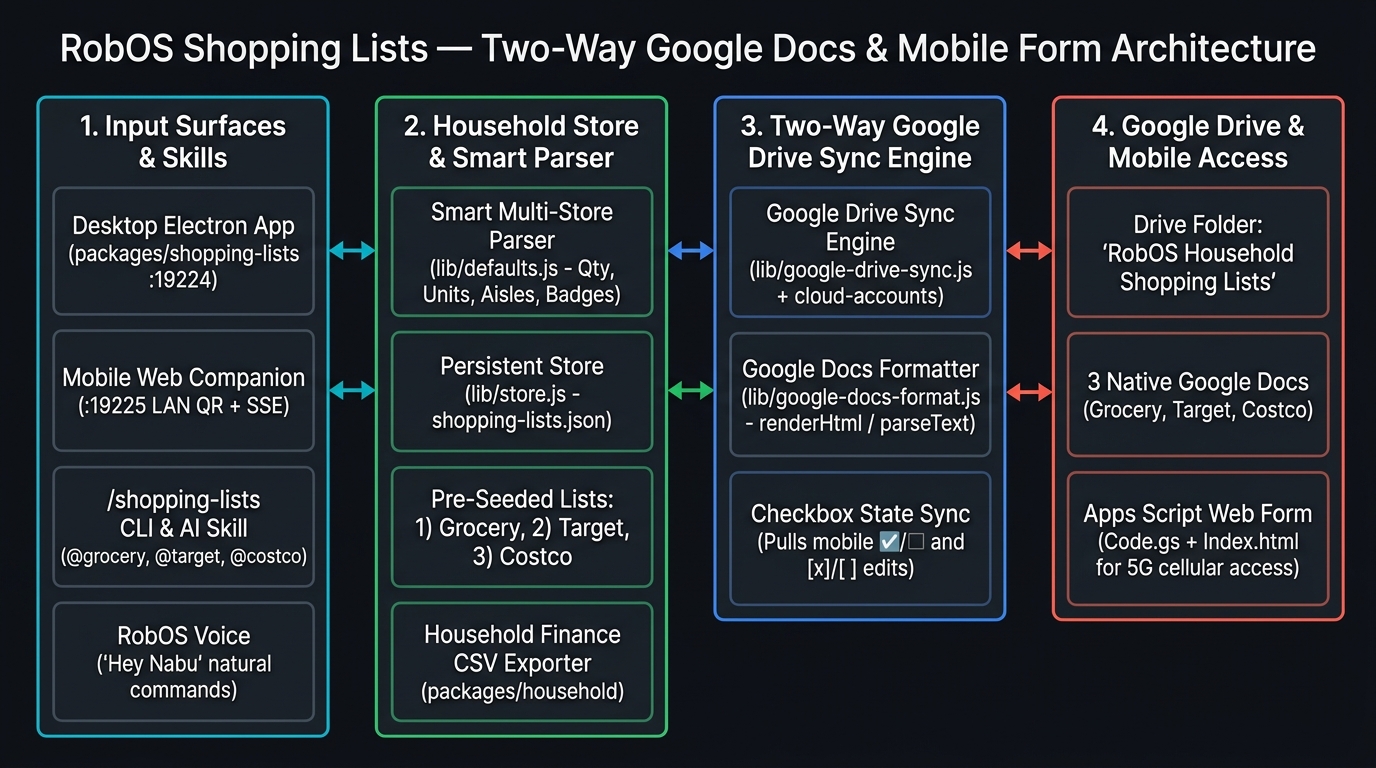
:19225), /shopping-lists CLI/Skill, and RobOS Voice route through the Smart Multi-Store Parser and Persistent Store to Google Drive.4. The /shopping-lists AI Skill, CLI & Printable Guide
We also registered the /shopping-lists skill (plugins/robos/skills/shopping-lists/SKILL.md) across Claude Code, Codex, Antigravity, Copilot, and Gemini CLI, wired natural-language shopping commands into RobOS Voice (packages/voice-prompt/lib/skills-executor.js), and built a printable cheat sheet at http://127.0.0.1:19225/guide and packages/shopping-lists/PRINTABLE-GUIDE.md: