

Guide · reviewing agent work
Code Review Theater
An agent wrote the code. Before anyone else spends time on it, you read the diff, look at evidence that it works, and watch the agent use the change in the running app. Then you open the pull request, or a teammate approves it.
The app the agent openedThe review window and its agent chat
- Two ways to open itYour branch, or a teammate's PR
- Open a reviewFrom Task Implementer, Dev Central or a command
- DescriptionThe PR text, drafted and saved as you go
- ChangesThe diff, and an agent that edits it for you
- EvidenceBefore and after screenshots of the same action
- WalkthroughThe agent drives the app, one checkpoint at a time
- Customize the stepsRequired, optional or hidden, per repository
- Pull request and CICreate as draft, get green, ask for review
- Reviewer modeTeam policy and approval
- Where things liveFiles, settings, tests
About the screenshots. They are the real RobOS apps, captured by
packages/robos-test/demos/code-review-guide-shots.json a sample project,acme-corp/pawfinder-api: a pet search site with a real git repository, real tests and a real dev server. Issue #42 asks for a species filter and better ranking. The before-and-after screenshots in the evidence are captured in a real browser frommainand from the branch. The agents' replies, GitHub and CI results are scripted stand-ins, so the run is repeatable; the commands the agents run, the commits they make and the pages they open are real.
Two ways to open it
The same window serves the author of a change and the person reviewing it. Which one you get decides the tabs.
| Your own branch (local review) | A teammate's pull request (reviewer mode) | |
|---|---|---|
| Who | The author, before and after creating the PR | A reviewer, on a PR that has no local review on their machine |
| Opened from | Task Implementer (Review branch…), Dev Central (Open Code Review), or a manifest | Dev Central (Open code review on a PR), or a PR URL |
| Tabs | Description, Changes, Evidence, Walkthrough, Pull Request | Description, Overview, Documentation, Changes, Open in IDE, Evidence, Walkthrough, Approve |
| Agent chat | Yes, on every tab: it can edit the branch, regenerate evidence and drive the app | No |
| Who decides which tabs | The repository's review steps in Git Projects | The team's review policy |
Most of this page is the author's review, because that is where the agent works with you. Reviewer mode is at the end.
Open a review
The usual way in is Task Implementer. When its agent has finished a task (branch pushed, tests passing, no PR yet), click Review branch… and pick the checkout. RobOS writes a review manifest and opens the review window.
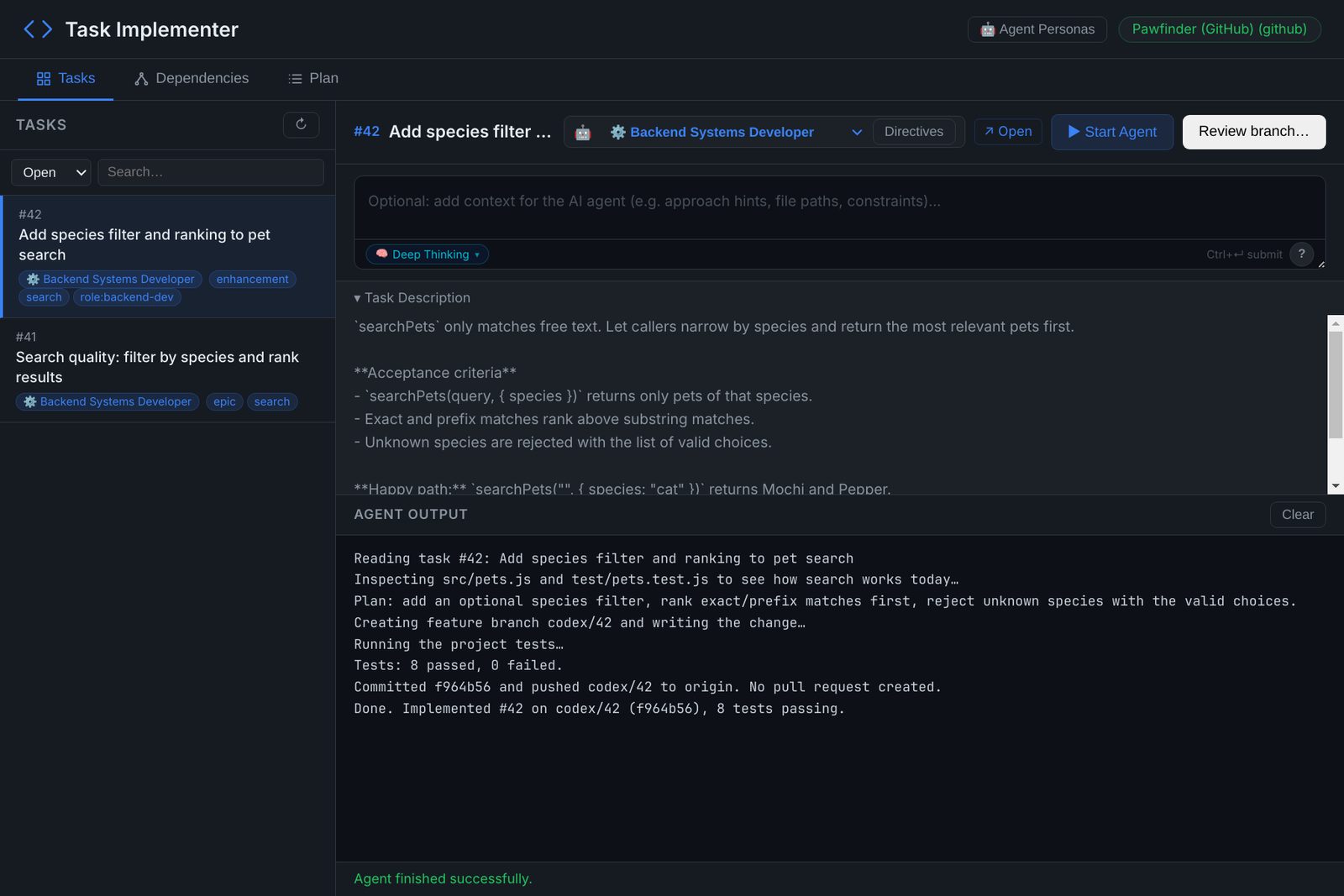
codex/42. Review branch… hands it to the Code Review Theater.You can also reopen a saved review from Dev Central (In code review › Open Code Review), or launch the window yourself:
# your own branch, from a manifest that Review branch… wrote
ROBOS_LOCAL_REVIEW=~/.robos/local-reviews/<id>/review.json ~/robos/scripts/dev-launch.sh pr-review

# a teammate's pull request
ROBOS_REVIEW_URL=https://github.com/OWNER/REPO/pull/NUMBER ~/robos/scripts/dev-launch.sh pr-review
With neither variable set, the window opens a task picker listing the reviews saved under ~/.robos/local-reviews/. The diff is always HEAD against the manifest's baseRef (the default branch), so commit what you want reviewed.
The window at a glance
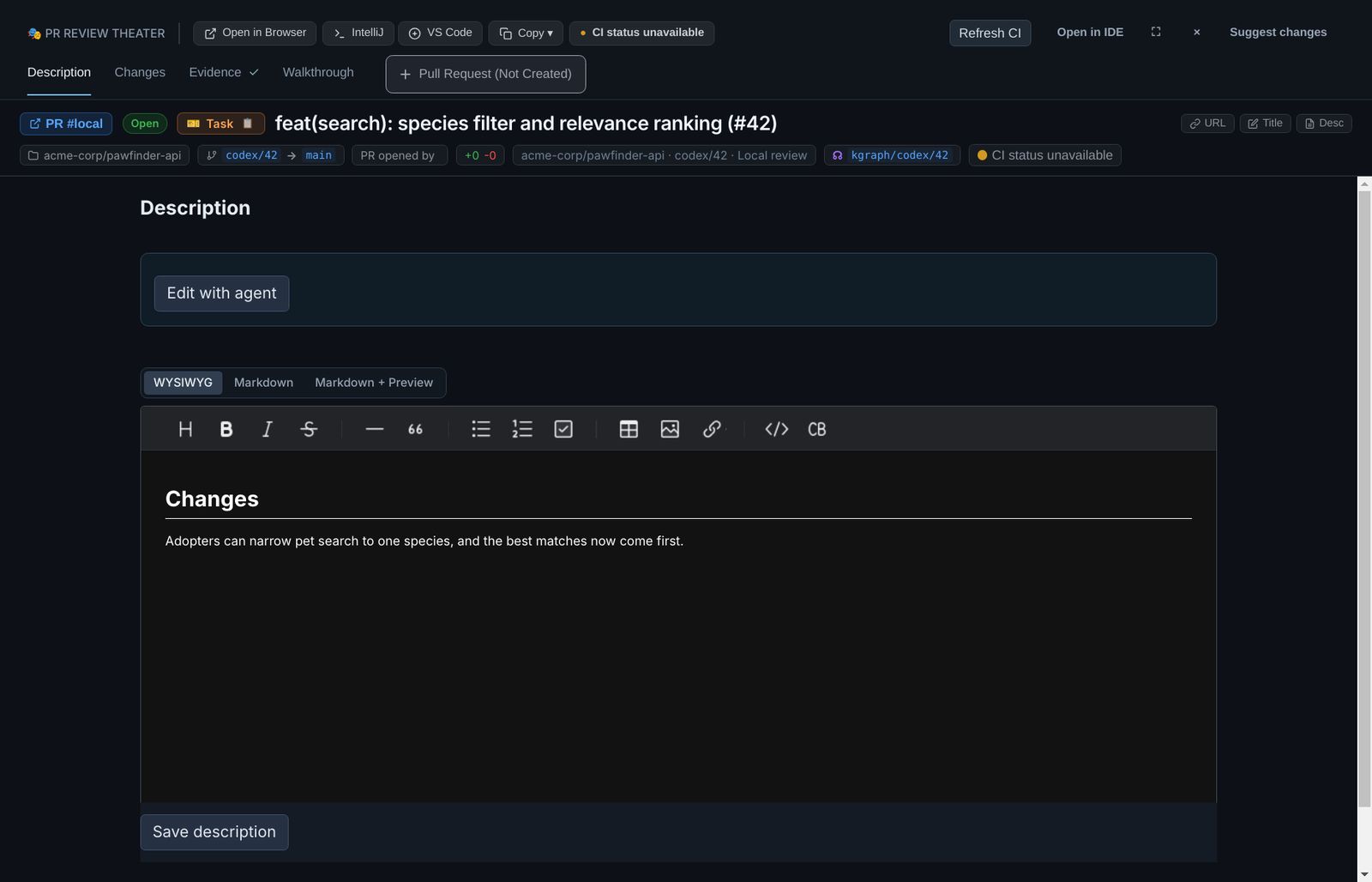
- Header buttons: open the branch in the browser, IntelliJ or VS Code, copy the URL, title or description, and refresh CI.
- Tabs: Description, Changes, Evidence, Walkthrough and Pull Request. A tick means the step is done (every file viewed, evidence fresh for this commit, walkthrough finished). A repository can mark them Required or hide them; see Customize the steps.
- Agent chat: one conversation with the agent working in your checkout. It opens on the right; drag the divider to make it as wide as you like. The screenshots below give it about half the window.
Description
The PR title and body, in WYSIWYG, Markdown or Markdown + Preview. It starts from the task summary and the repository's PR template, and is saved locally as you type. Edit with agent drafts a description from the diff, the evidence and the walkthrough conversation; Restore previous description undoes it. Once the PR exists, Save description writes your edits to GitHub (author only).
Changes: read the diff, ask for edits beside it
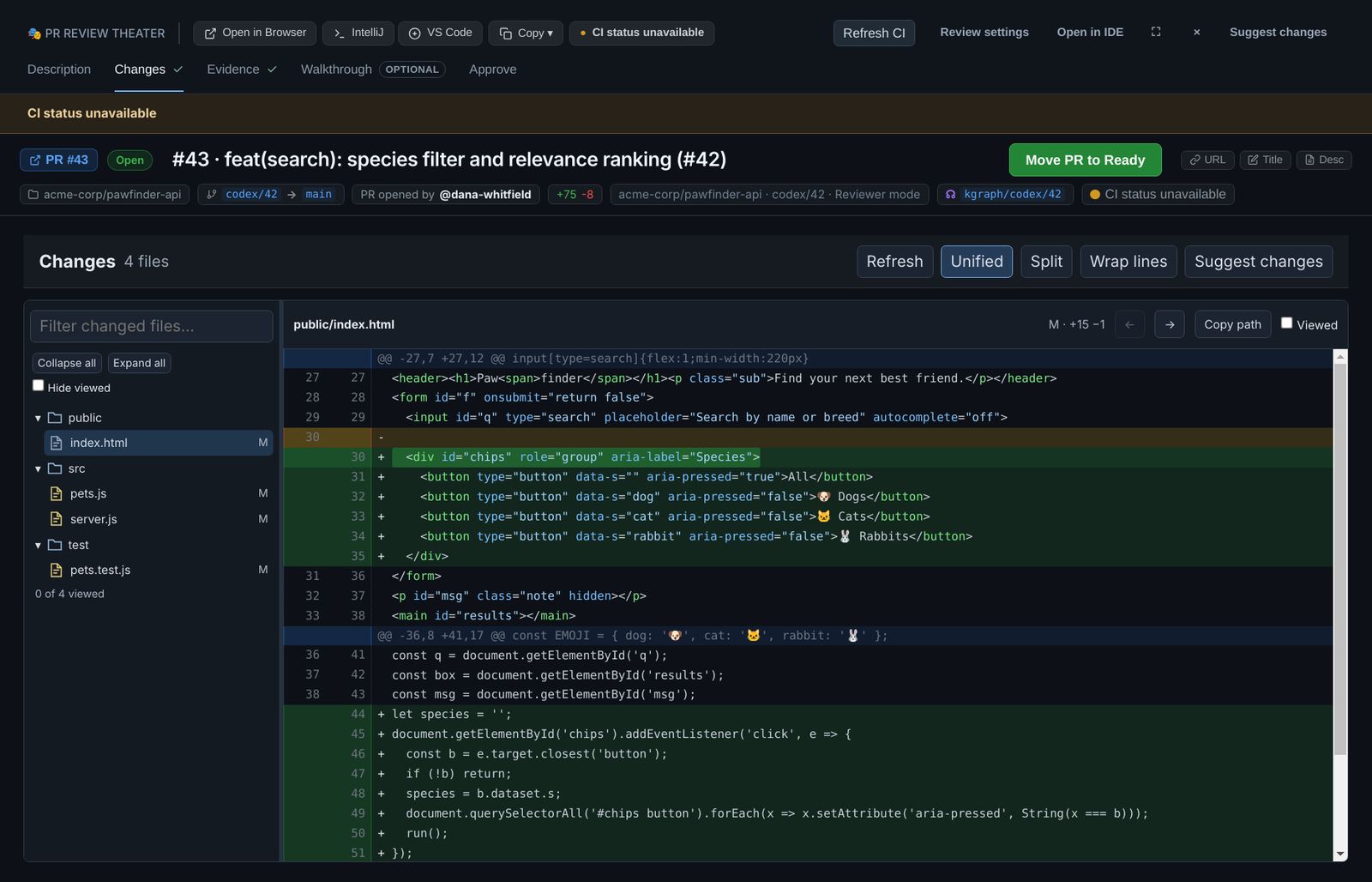
Every file the branch changes, in a tree, with the diff of the selected file. Nothing is summarized away: this is the pushed branch against main.
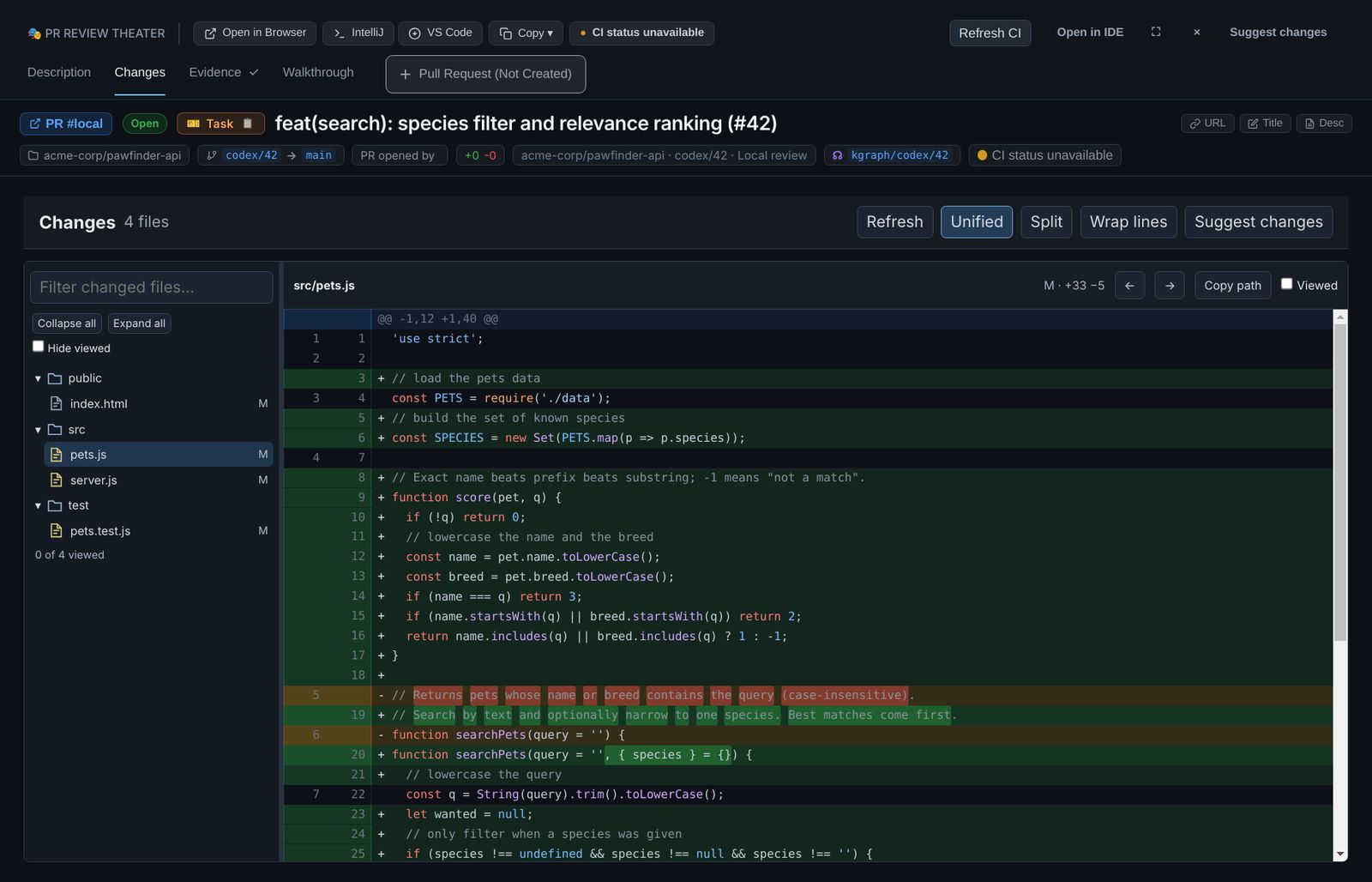
src/pets.js: the new score function, the species option and the error for unknown species. 0 of 4 viewed under the tree.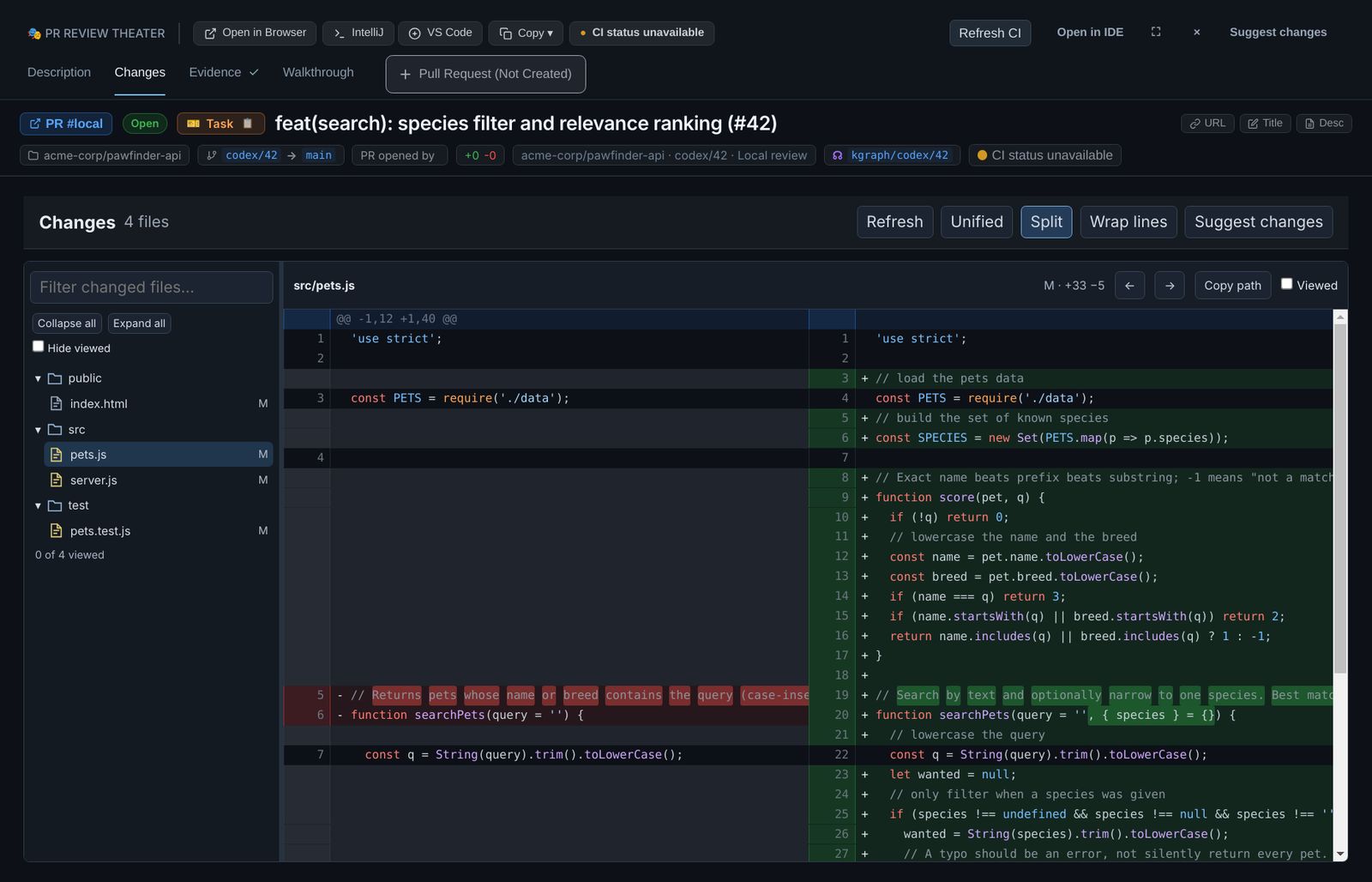
main and the branch side by side. Wrap lines helps with long lines.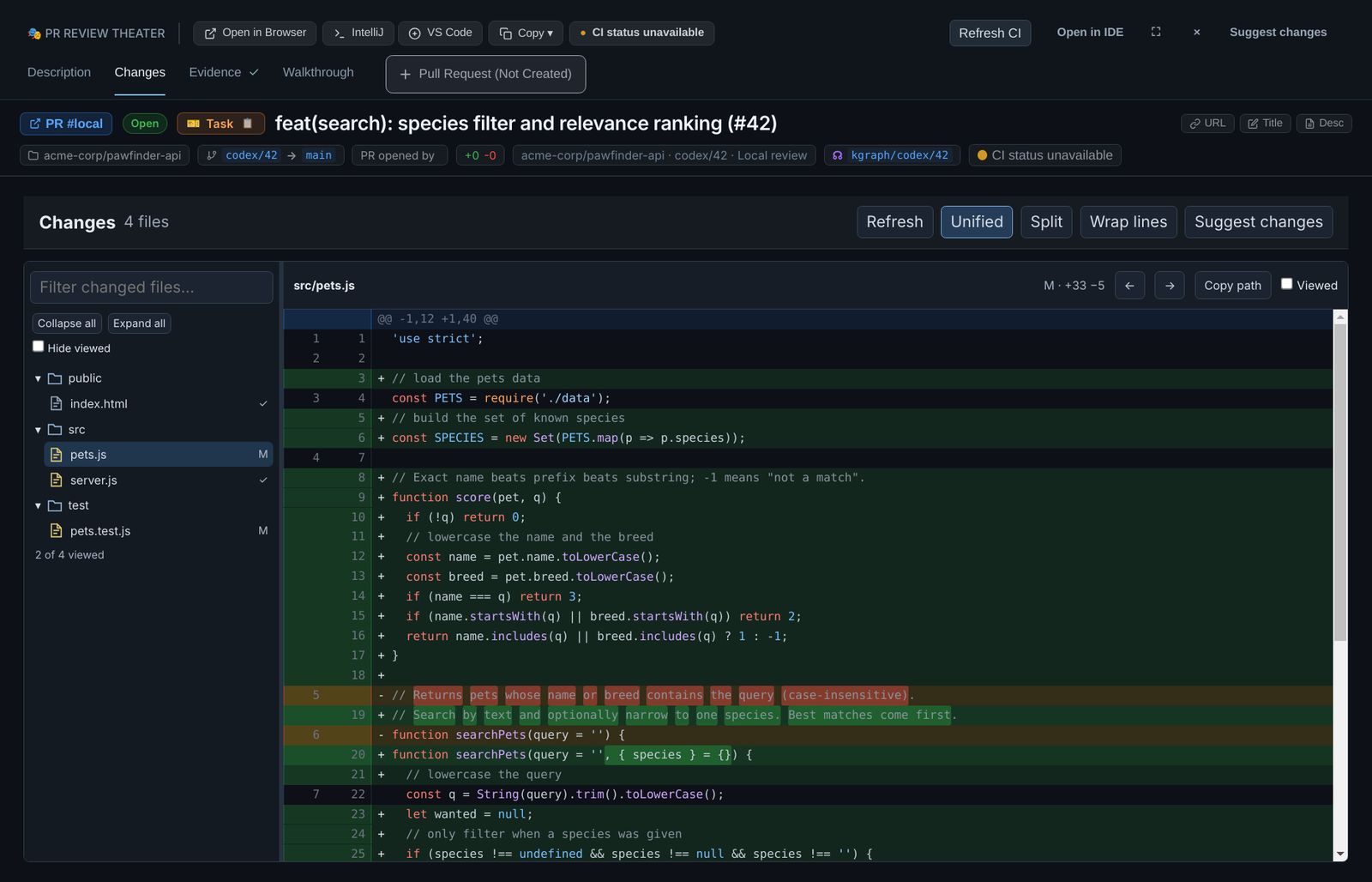
The toolbar has Refresh, Unified/Split, Wrap lines and Suggest changes; the file bar has previous/next, Copy path and Viewed. Use the filter box and the arrow keys in the tree on large branches. Viewed marks belong to one exact diff: when the branch gets a new commit, they reset, because what you read is no longer what will be merged.
Ask the agent for a change
If something should be different, say so in the chat instead of switching to an editor. The agent edits the checkout, runs the tests, commits, and the diff reloads by itself.
The diffThe agent chat
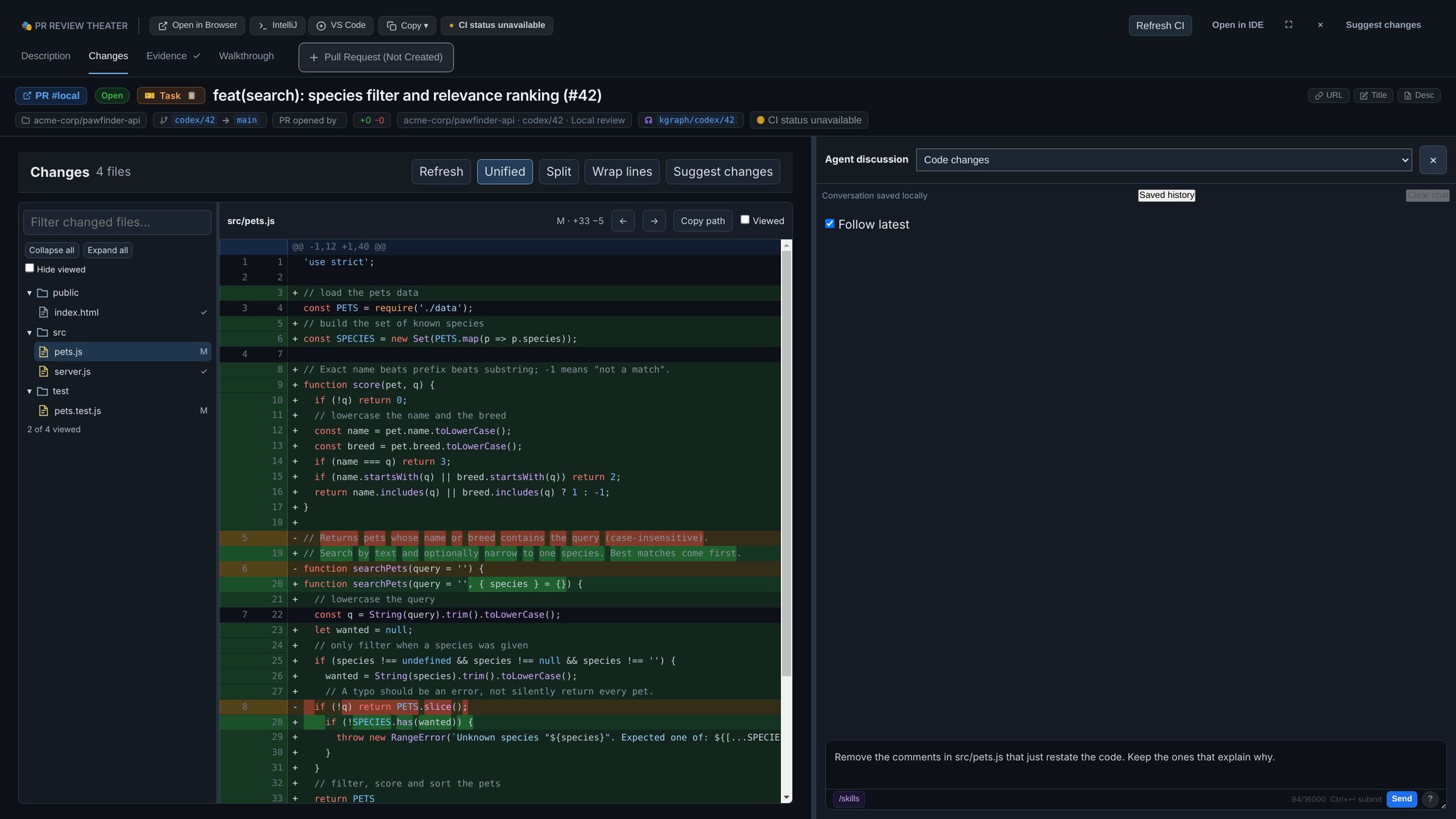
src/pets.js that only restate the code, keep the ones that explain why.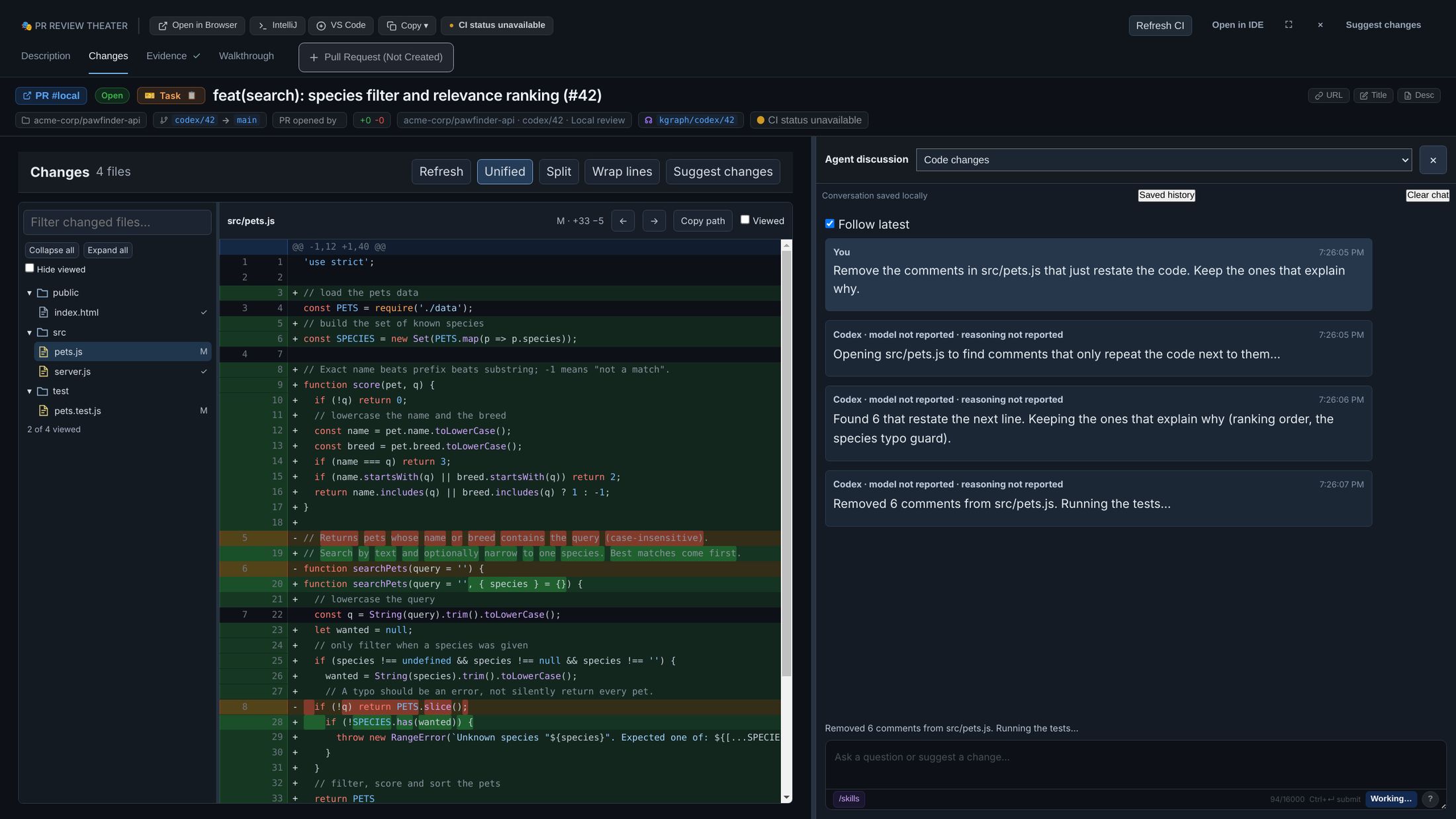
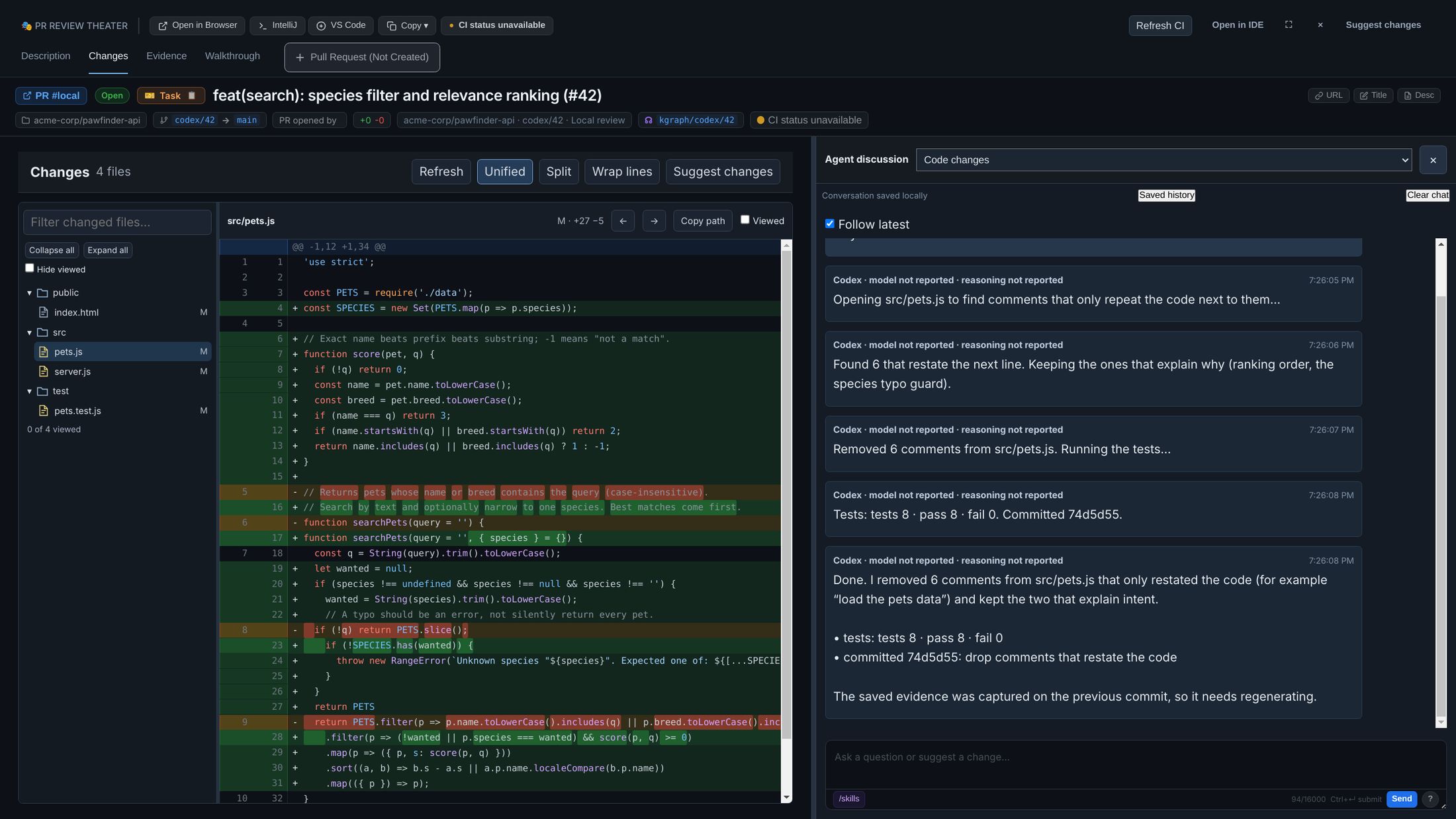
A message sent while the agent is working stops its current attempt and restarts with your instructions. The conversation is saved with the review, so closing the window loses nothing; Saved history pages back through it.
Evidence: before and after, the same action, real screens
A diff tells you what changed in the code. Evidence shows what changed for the person using it. For each acceptance scenario, the same action is done on main and on the branch, in a real browser, and both screens are kept side by side with what the browser saw.
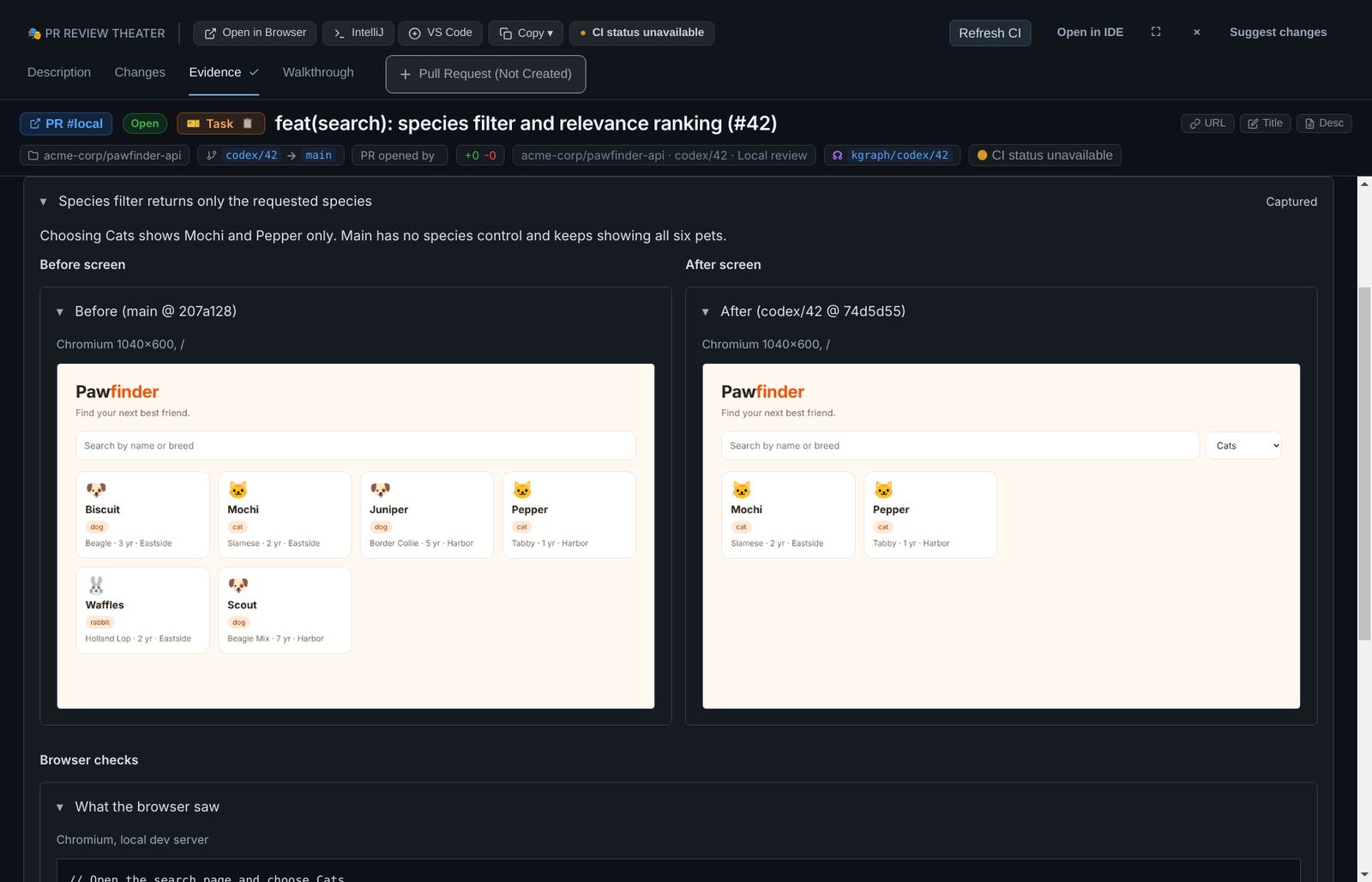
main): there is no species control and all six pets stay. After (codex/42): Mochi and Pepper only. The text below each pair is what the browser read off the page, plus the same check in code.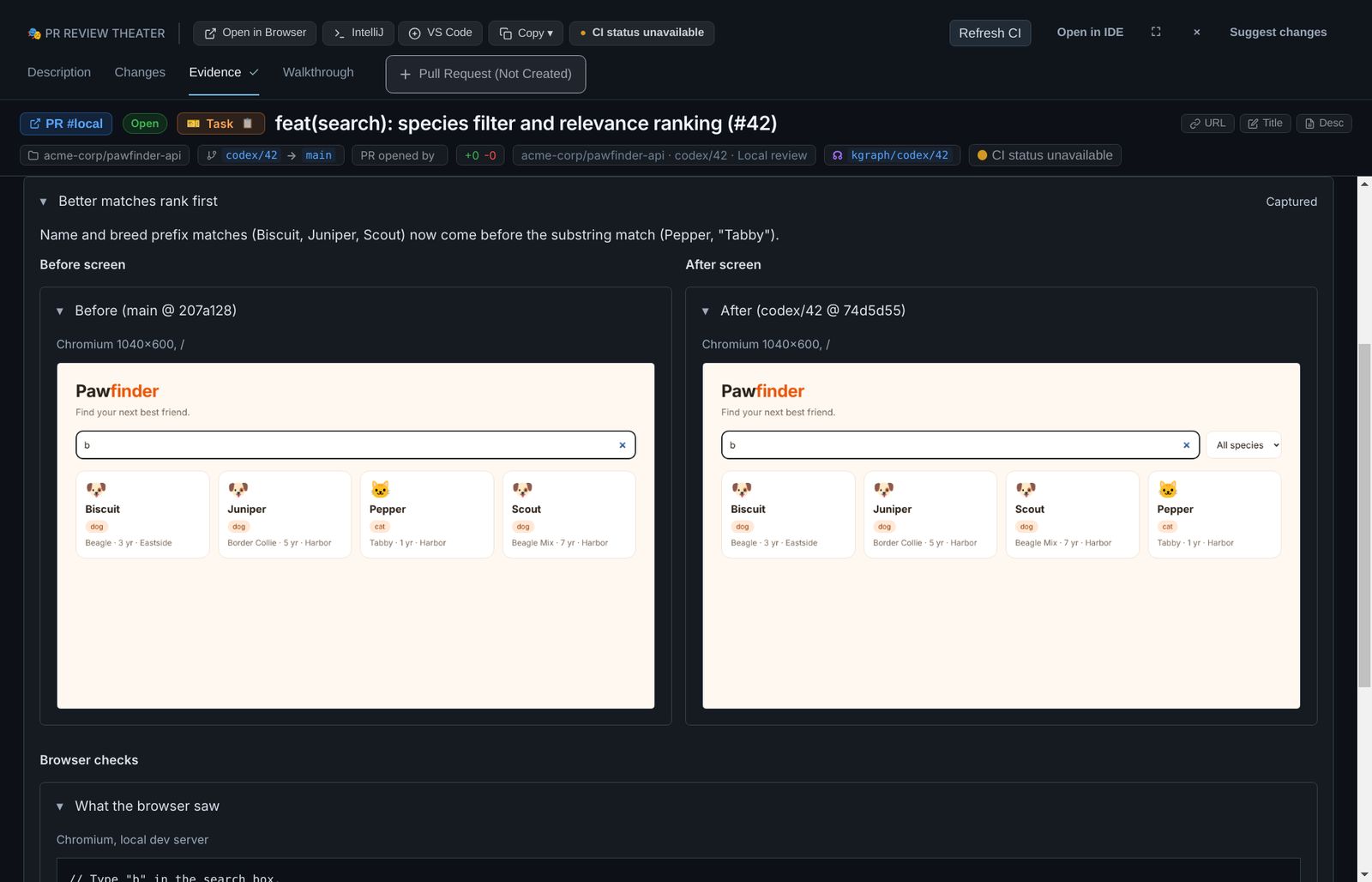
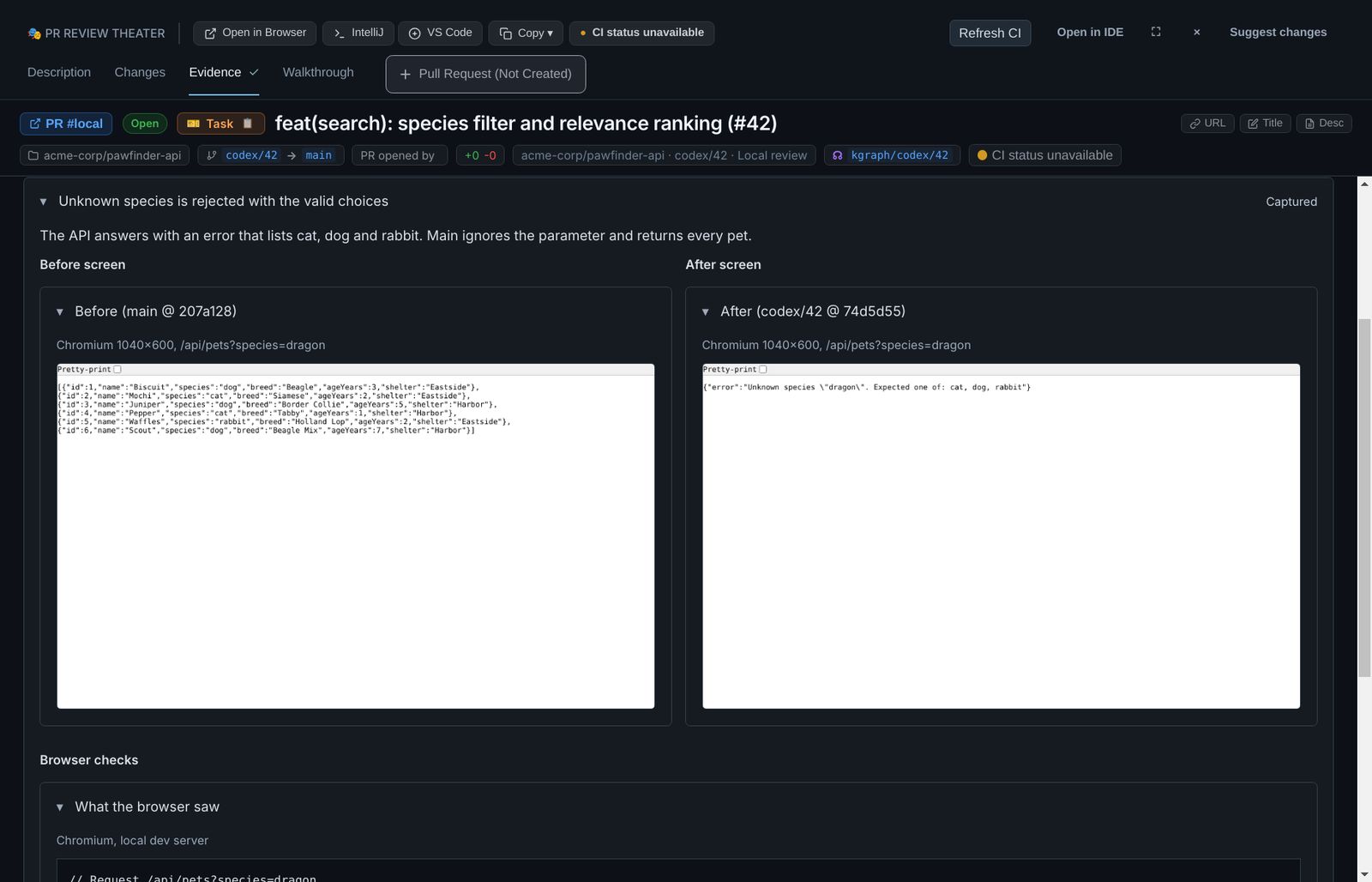
main ignores the parameter and returns every pet; the branch answers 400 with the valid choices.Each capture records the commit it was taken on, a checksum of the file, and where it came from (“Chromium 1040×600”). What remains unverified lists the limits honestly, here: sample pets, not production data.
Evidence belongs to a commit
The agent's commit above changed src/pets.js, so the evidence captured before it no longer proves anything about the branch. The Evidence tab says so instead of showing old screens as current, and its tick disappears.
The Evidence tabThe agent chat
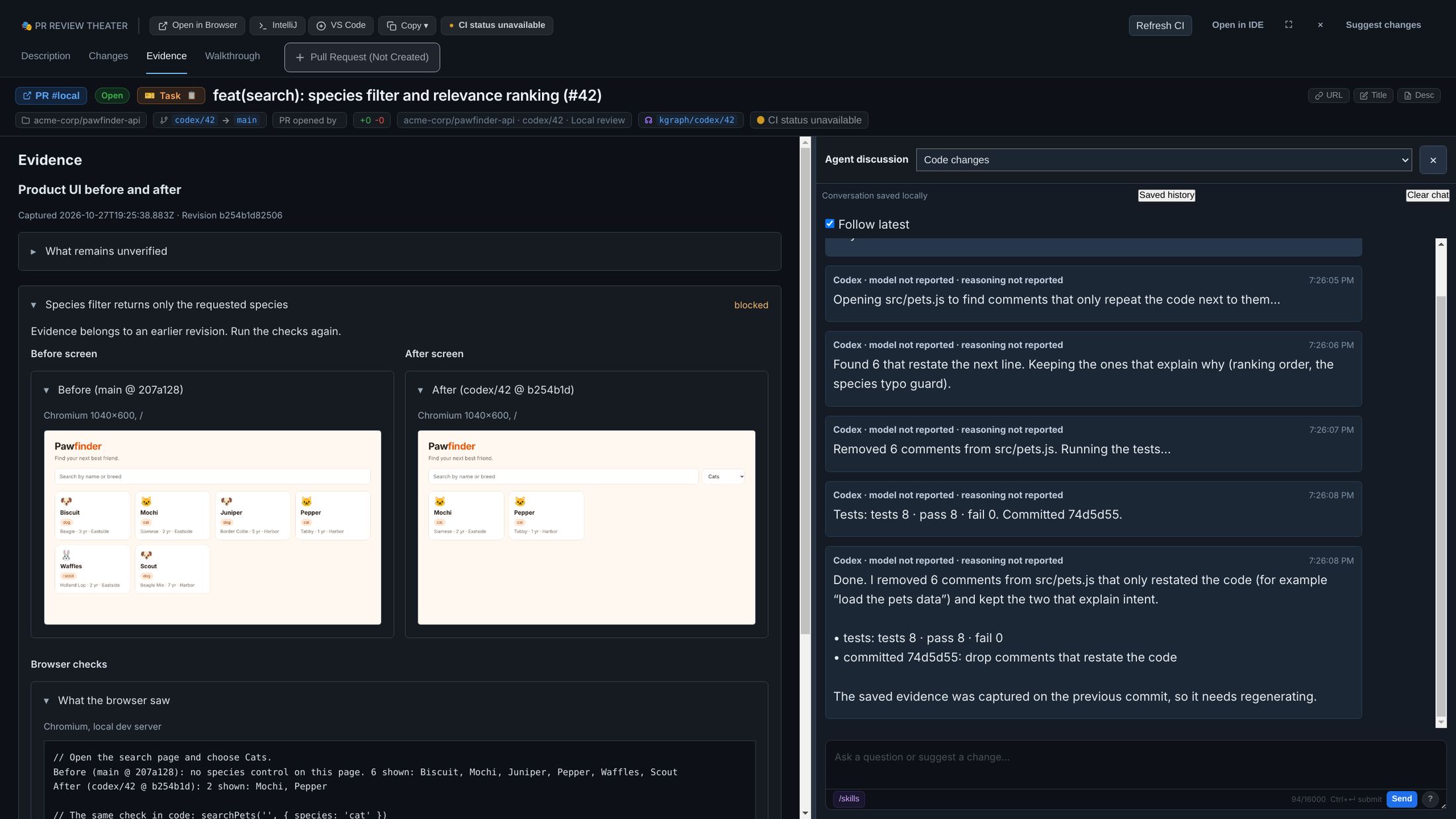
Ask the agent to regenerate it, and to add any case you think is missing. Each scenario appears as soon as it is captured.
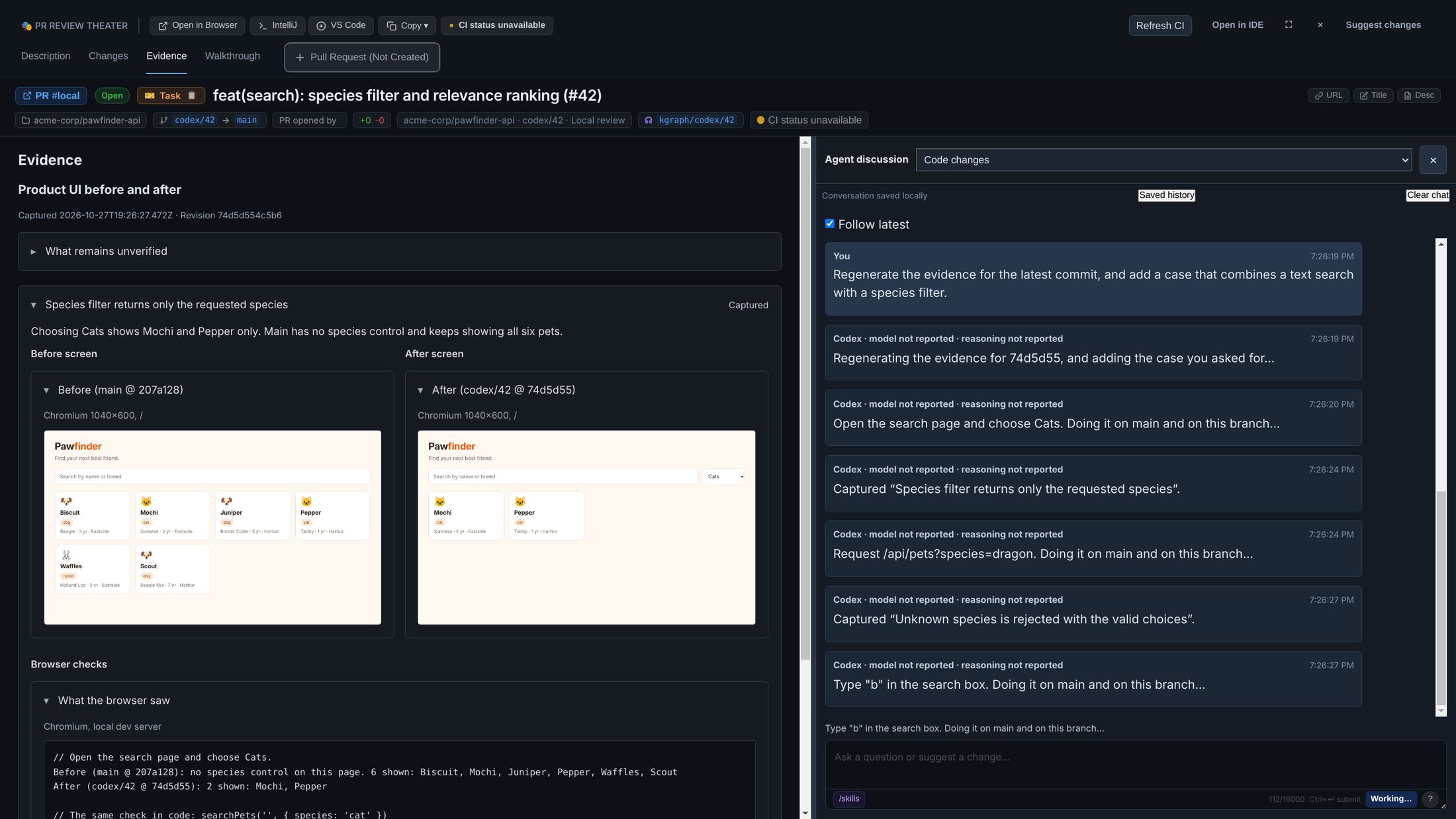
main and on the branch.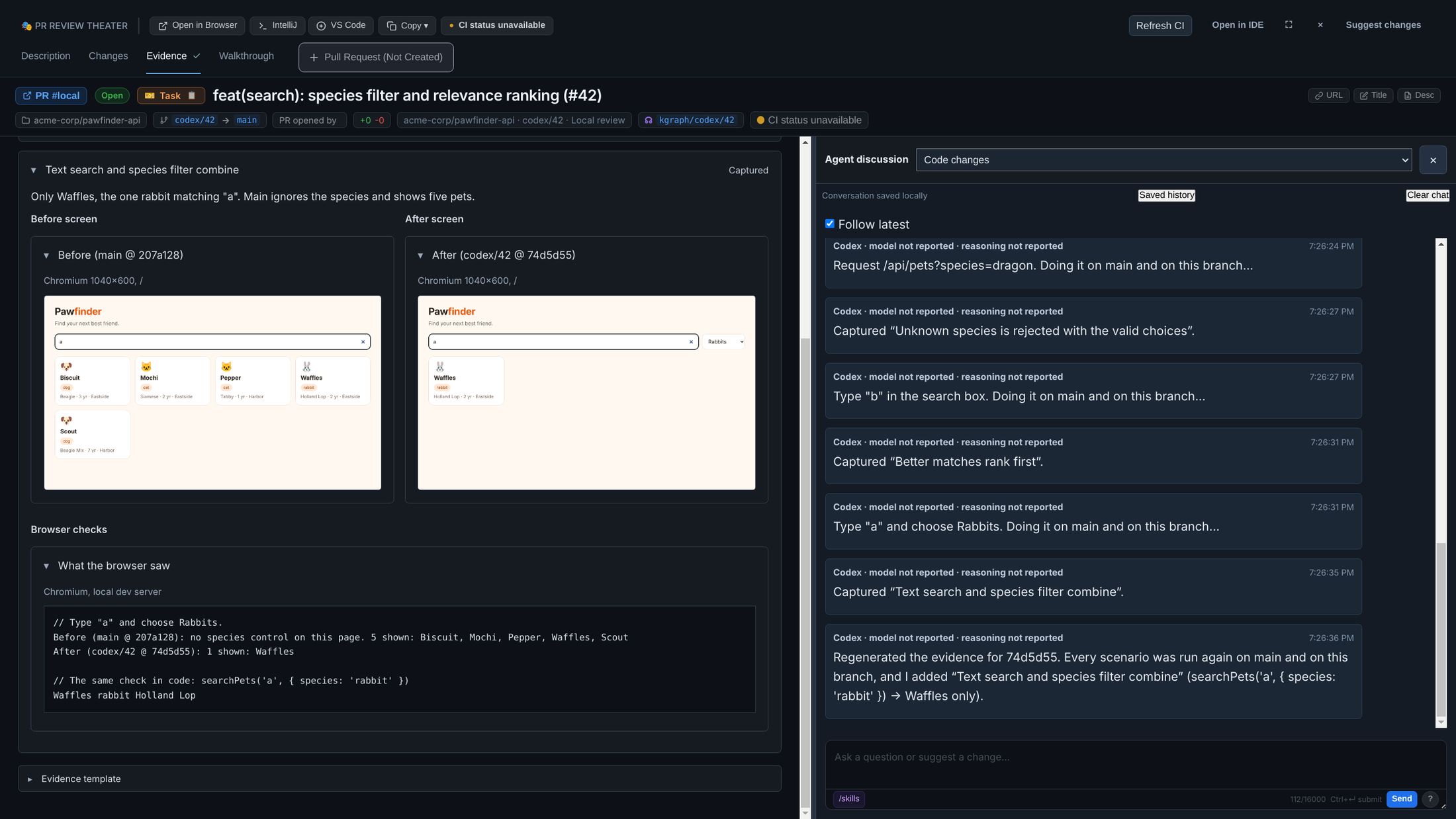
main ignores the species and shows five pets.What kind of evidence
Evidence follows a template chosen for the task. The template names the slots each scenario must fill; a scenario missing a required slot is marked blocked, not captured. The built-in templates:
| Template | Use it for | Slots |
|---|---|---|
| Product UI before and after | Anything a user sees (this page) | Before screenshot, after screenshot, browser checks |
| Command and output | CLI and backend changes | Command, output before, output after |
| MCP request and response | MCP and API behavior | Request, reply before, reply after |
| Task checks and artifacts | Work without a useful before/after | The output of each acceptance check |
packages/robos-lib/evidence-template-cli.js (list, select, collect, refresh) binds an agent's captures to a template and writes the bundle the tab reads. refresh rechecks existing captures against the current commit without rerunning anything, which is how stale evidence is caught.
Walkthrough: the agent uses the change while you watch
The walkthrough is a short, project-defined demo. The agent works through it one checkpoint at a time and stops at each one, so you decide when to move on. Checkpoints that need the running app open it in its own window, next to the review.
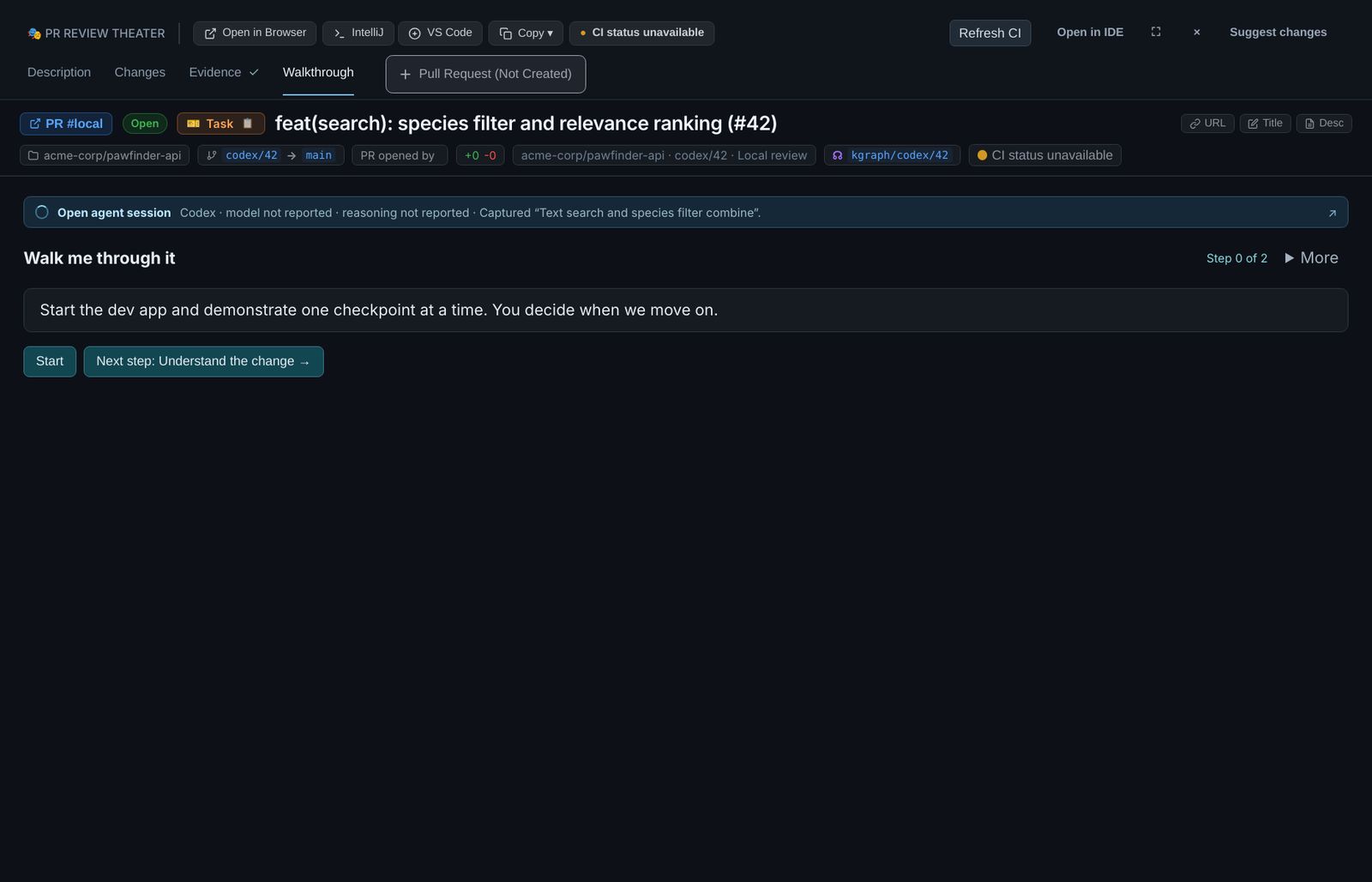
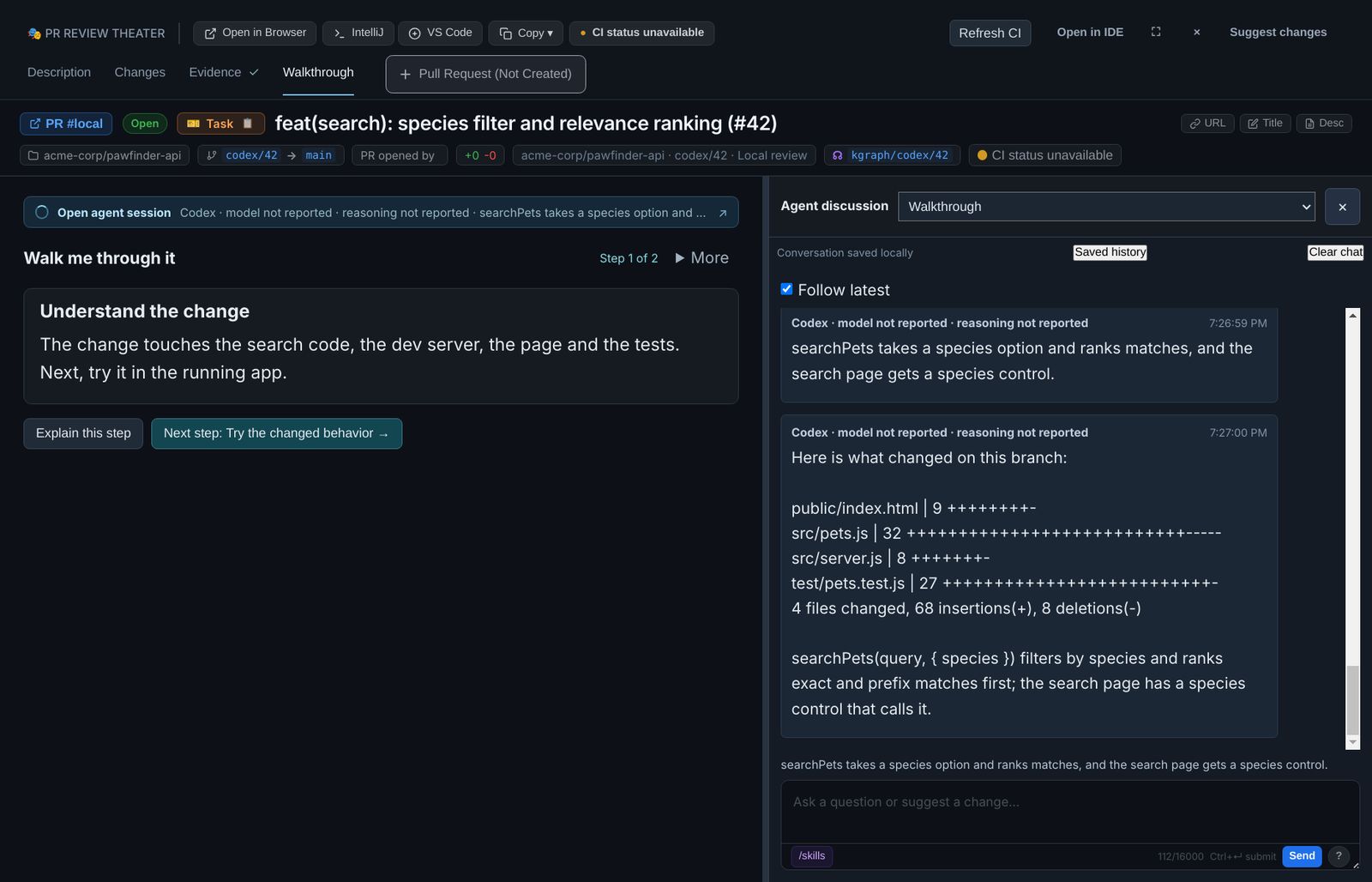
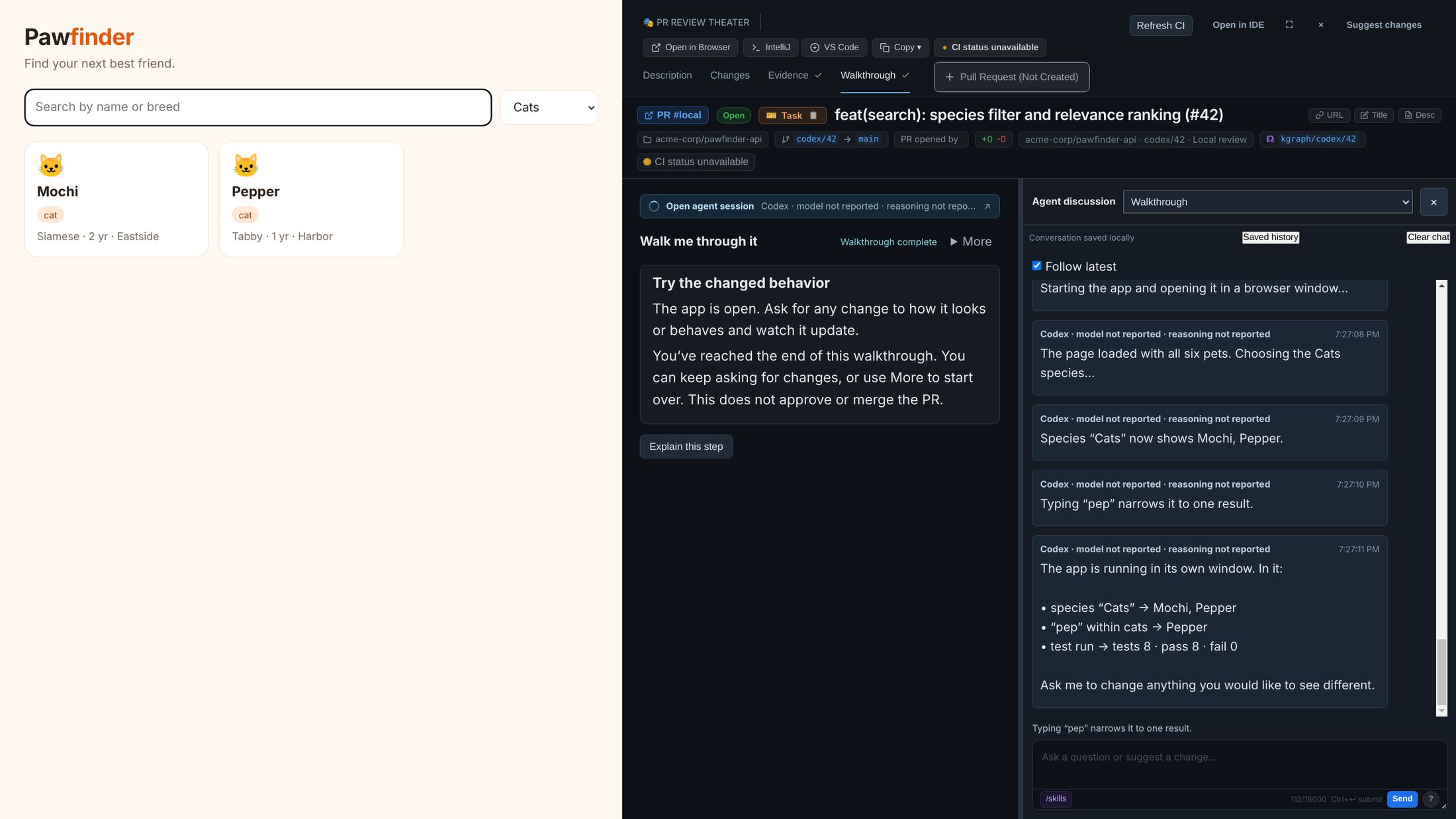
Checkpoint 2 is Try the changed behavior. The agent starts the dev server from your checkout and opens the app on the left.
The app the agent openedThe walkthrough and its chat
While the app is open, ask for anything you would like different. The agent changes the code, commits, and the page reloads in place.
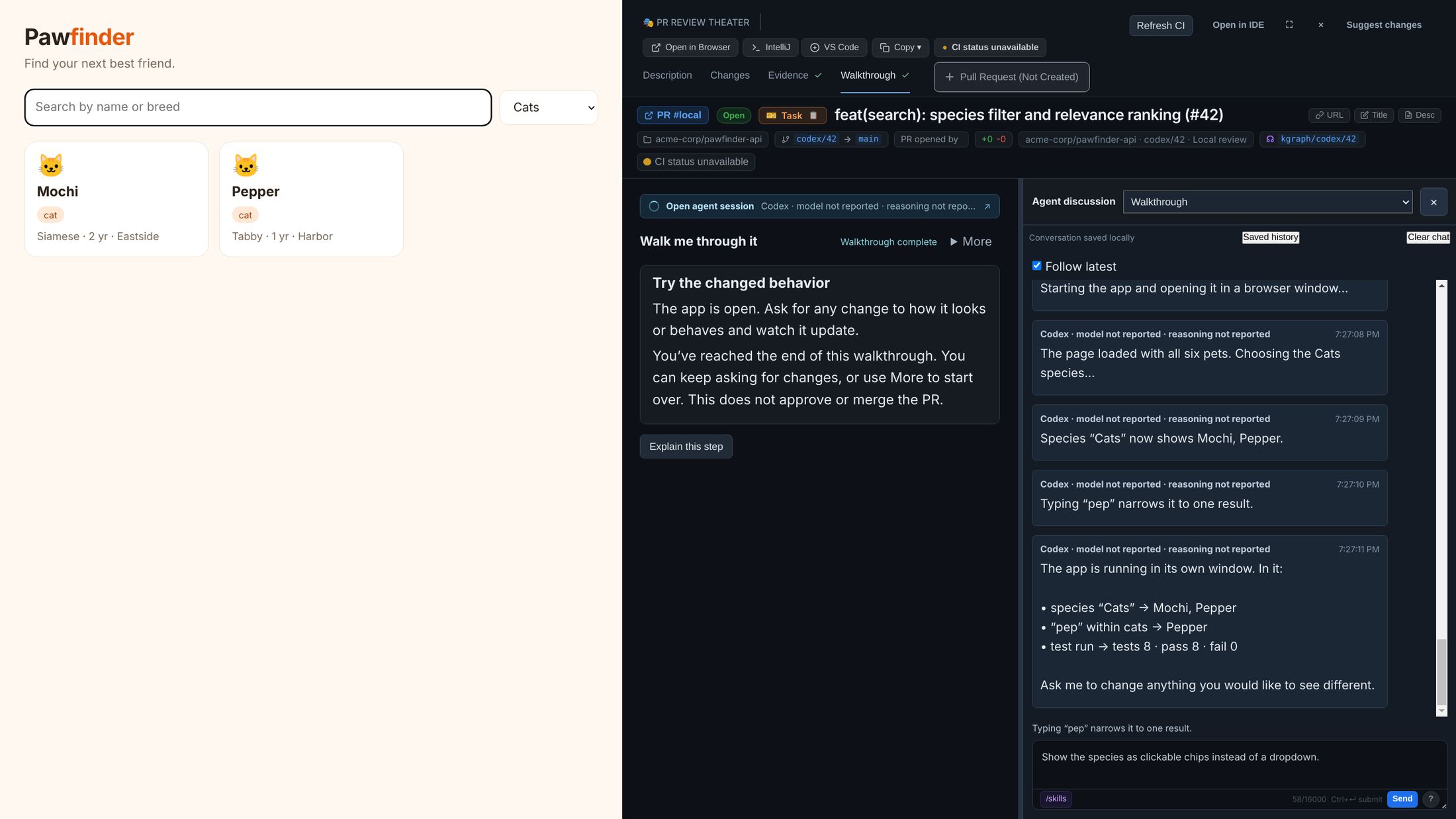
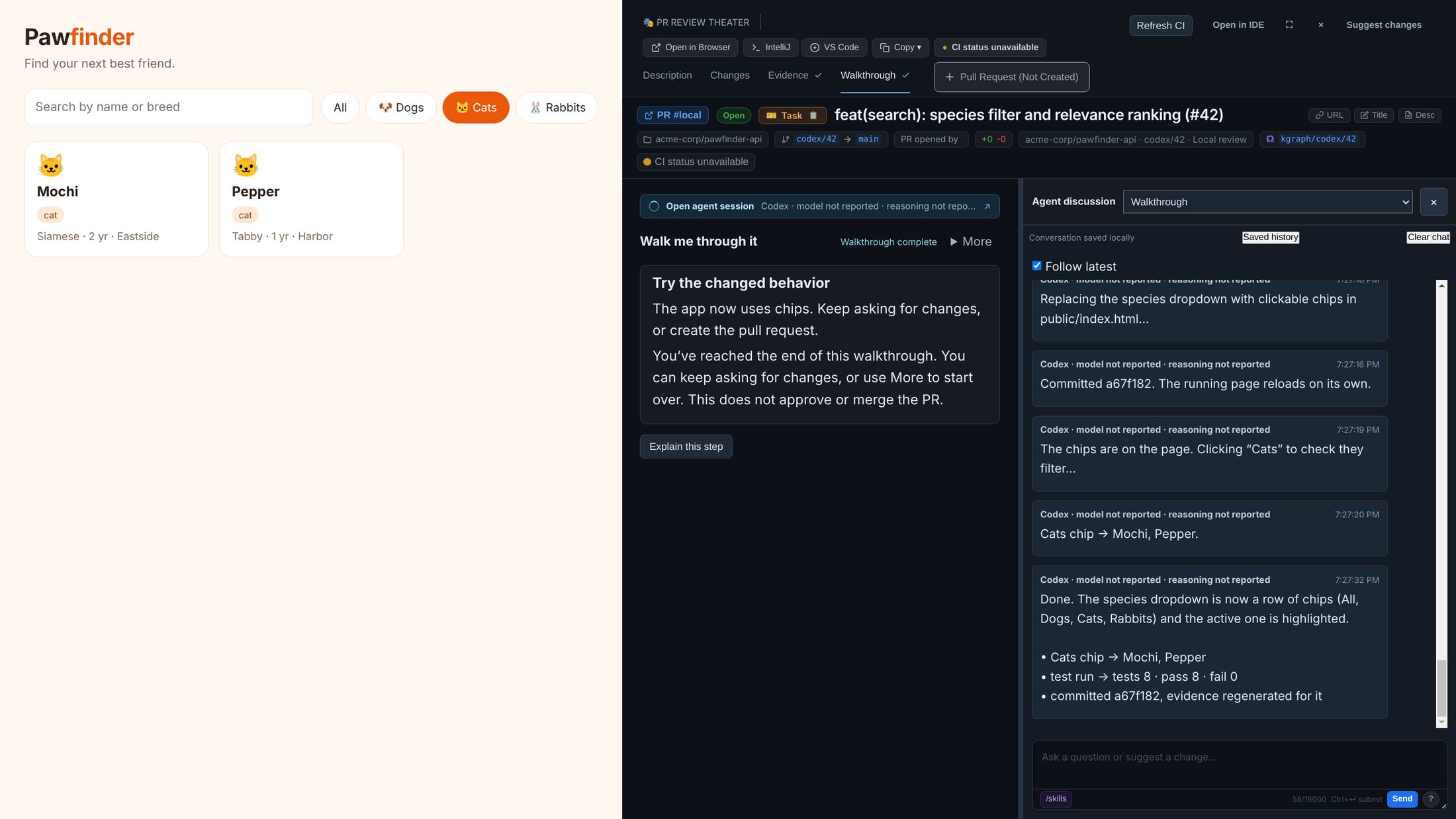
- Explain this step asks about the current checkpoint without moving on. Next step moves on.
- A checkpoint the agent cannot verify does not advance. You get Retry, or Continue, which records it as unverified.
- How it used to work (under More) runs optional “before” checkpoints in a separate checkout of
main, without touching your branch. Show the change goes back. - Reaching the last checkpoint shows Walkthrough complete. It does not approve or merge anything.
Change the walkthrough itself
The checkpoints are a JSON file per project, not a script. More › Process… edits it in place; saving starts the walkthrough over. A process for a UI change might look like this:
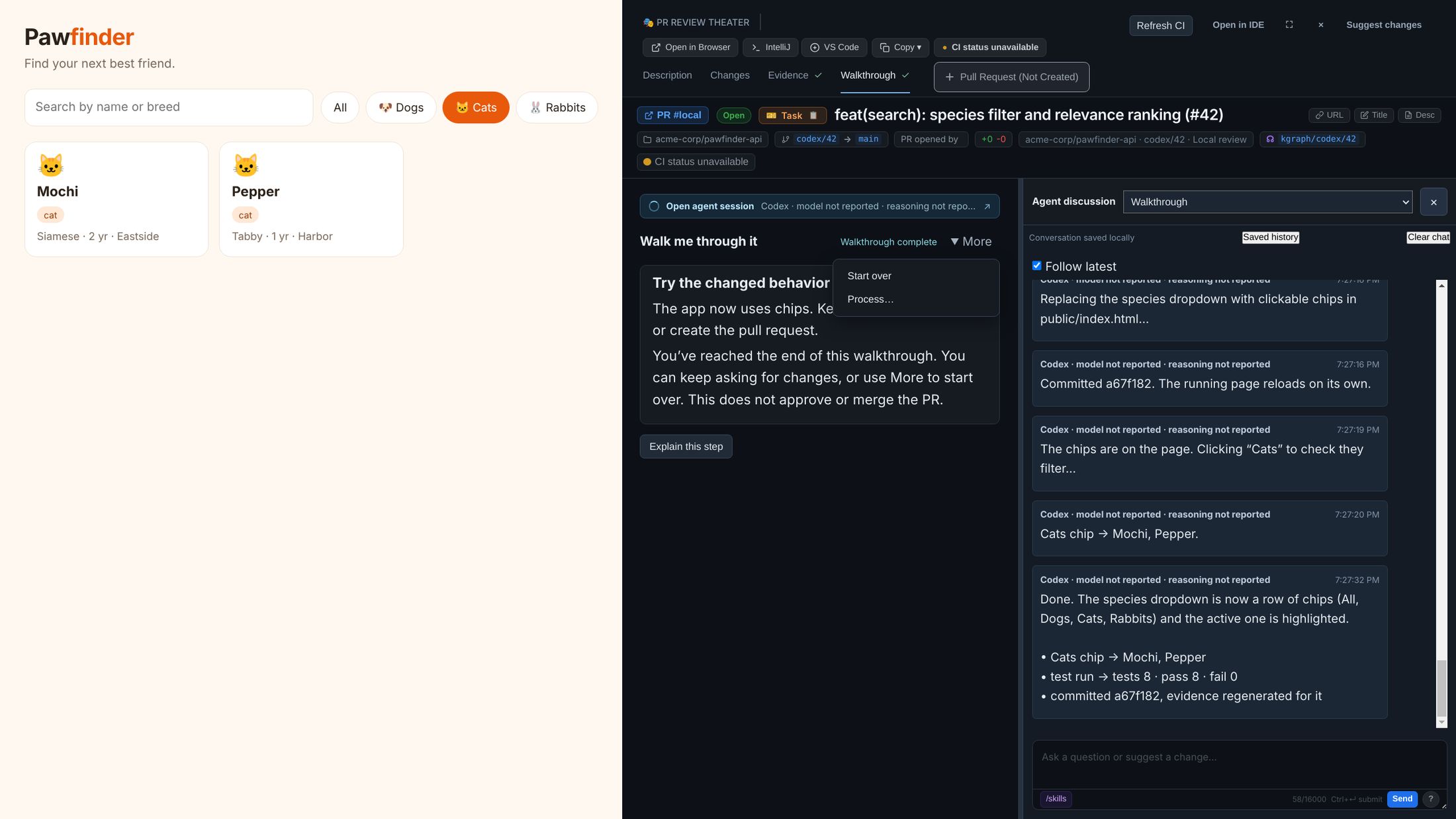
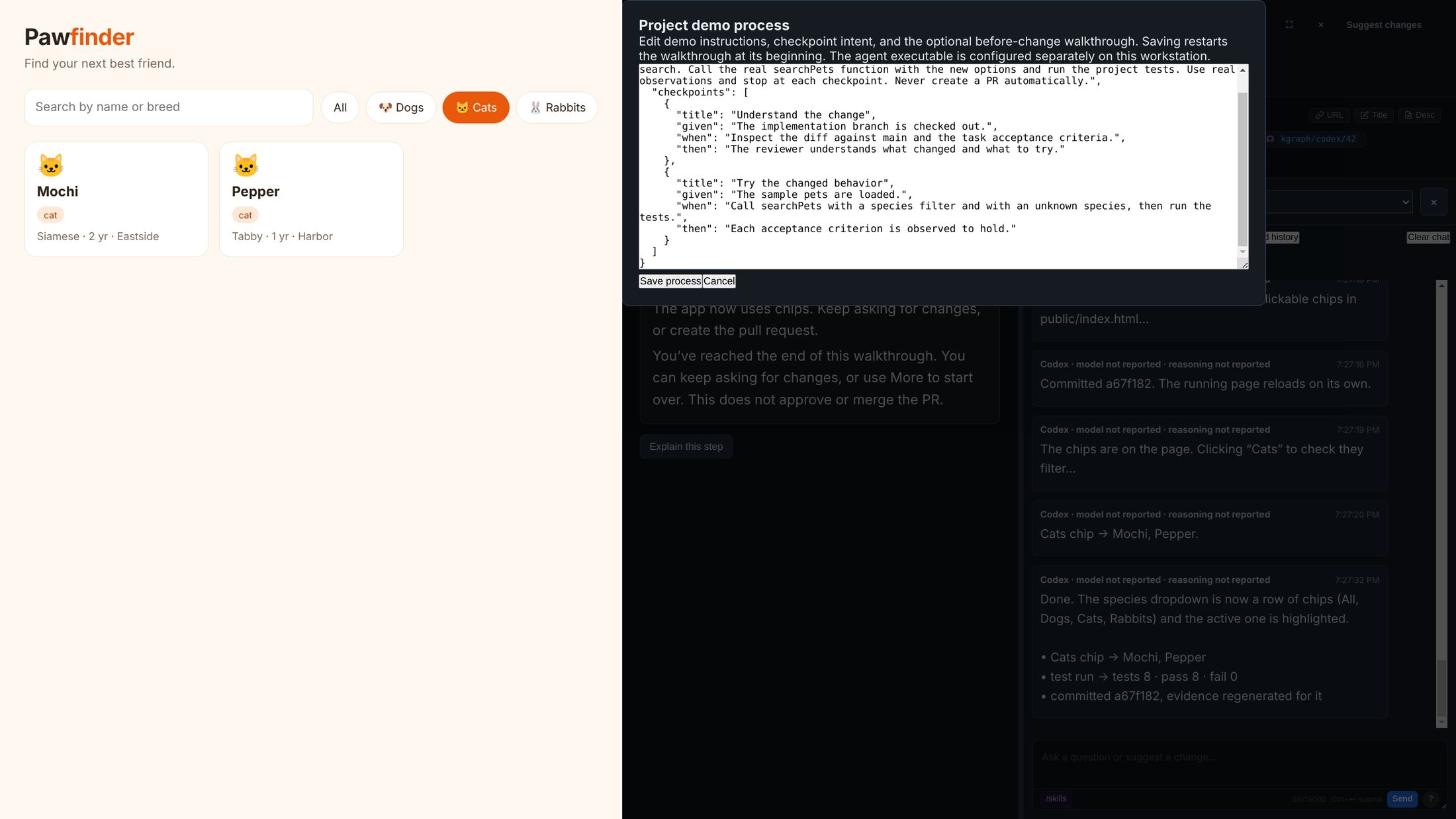
{
  "instructions": "Demonstrate the species filter in the running app. Use real observations and stop at each checkpoint.",
  "checkpoints": [
    { "title": "Understand the change", "given": "The branch is checked out.",
      "when": "Inspect the diff against main and the acceptance criteria.",
      "then": "The reviewer knows what changed and what to try." },
    { "title": "Try the changed behavior", "given": "The app is running.",
      "when": "Choose a species, then search within it.",
      "then": "Each acceptance criterion is observed to hold." }
  ],
  "before": { "ref": "origin/main", "instructions": "Show the search as it works today.", "checkpoints": [ … ] }
}
Up to 40 checkpoints, each with title, given, when and then. The agent that runs it is set in the launch manifest on your machine, never in the process file or the chat.
Customize the steps: required, optional or hidden
Teams review differently. A UI-heavy repository may insist on evidence; a library may not have an app to walk through. Each repository sets every review step to one of three modes:
| Mode | Tab | Before Create PR and Move PR to Ready |
|---|---|---|
| Required | Shown, marked Required until done | Must be done (see below) |
| Optional (default) | Shown | Not checked |
| Hidden | Not shown | Not checked |
| Step | Done when |
|---|---|
| Changes | Every changed file is marked Viewed on the current diff. |
| Evidence | The evidence bundle was captured on the current commit and every scenario passed. |
| Walkthrough | The walkthrough reached its last checkpoint. |
Description and Pull Request are always shown.
Set them per repository
In RobOS Git Projects, select the repository, open PR review, choose a mode for each step under Review steps, and click Save PR settings. The same tab holds the default reviewers and the PR description template.
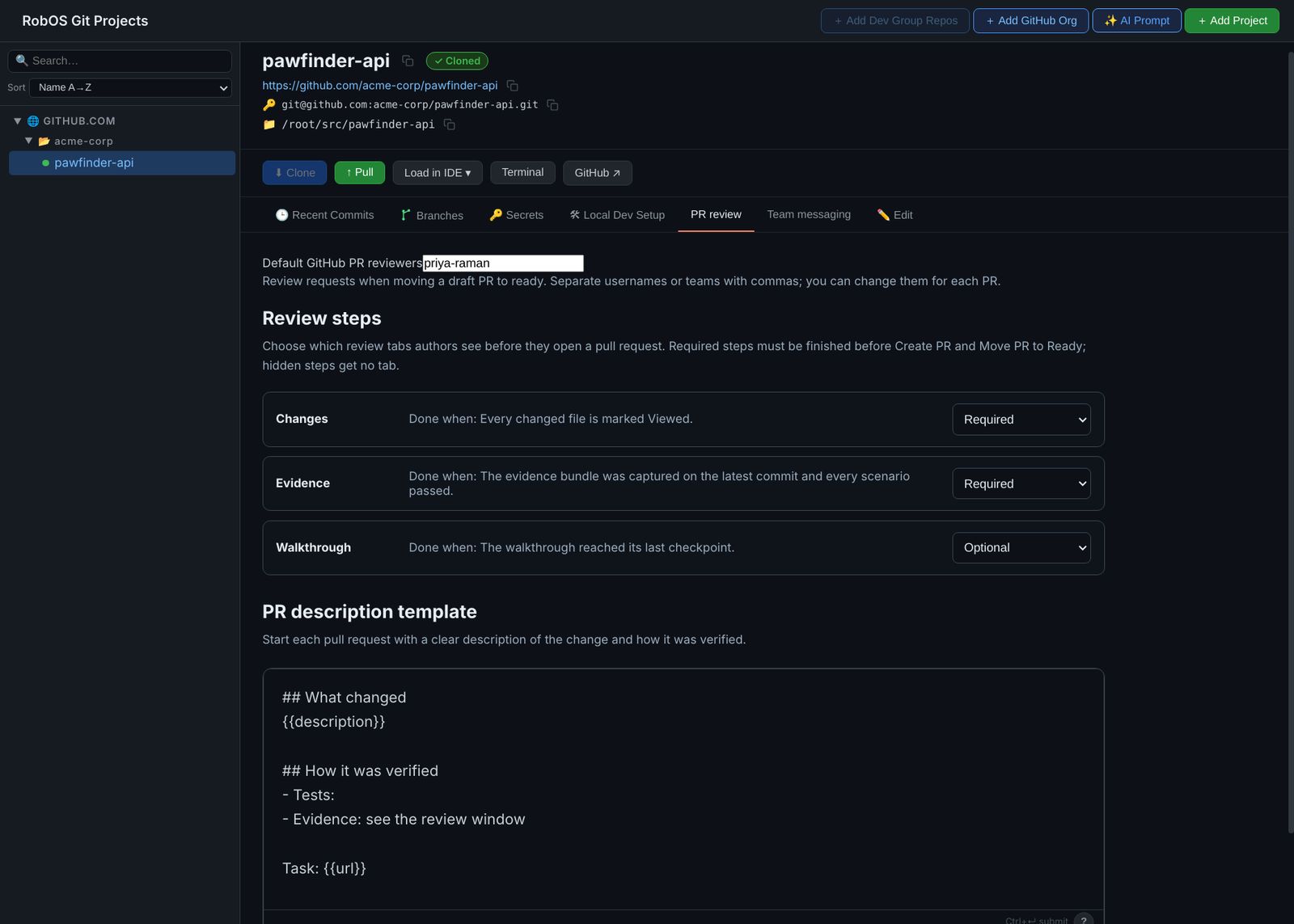
For a single review, a launch manifest can override them with "reviewSteps": { "walkthrough": "required" }.
What the author sees
With Changes, Evidence and Walkthrough all required, the tabs say so, and the Pull Request tab lists what is left. Create PR stays disabled until the list is done.
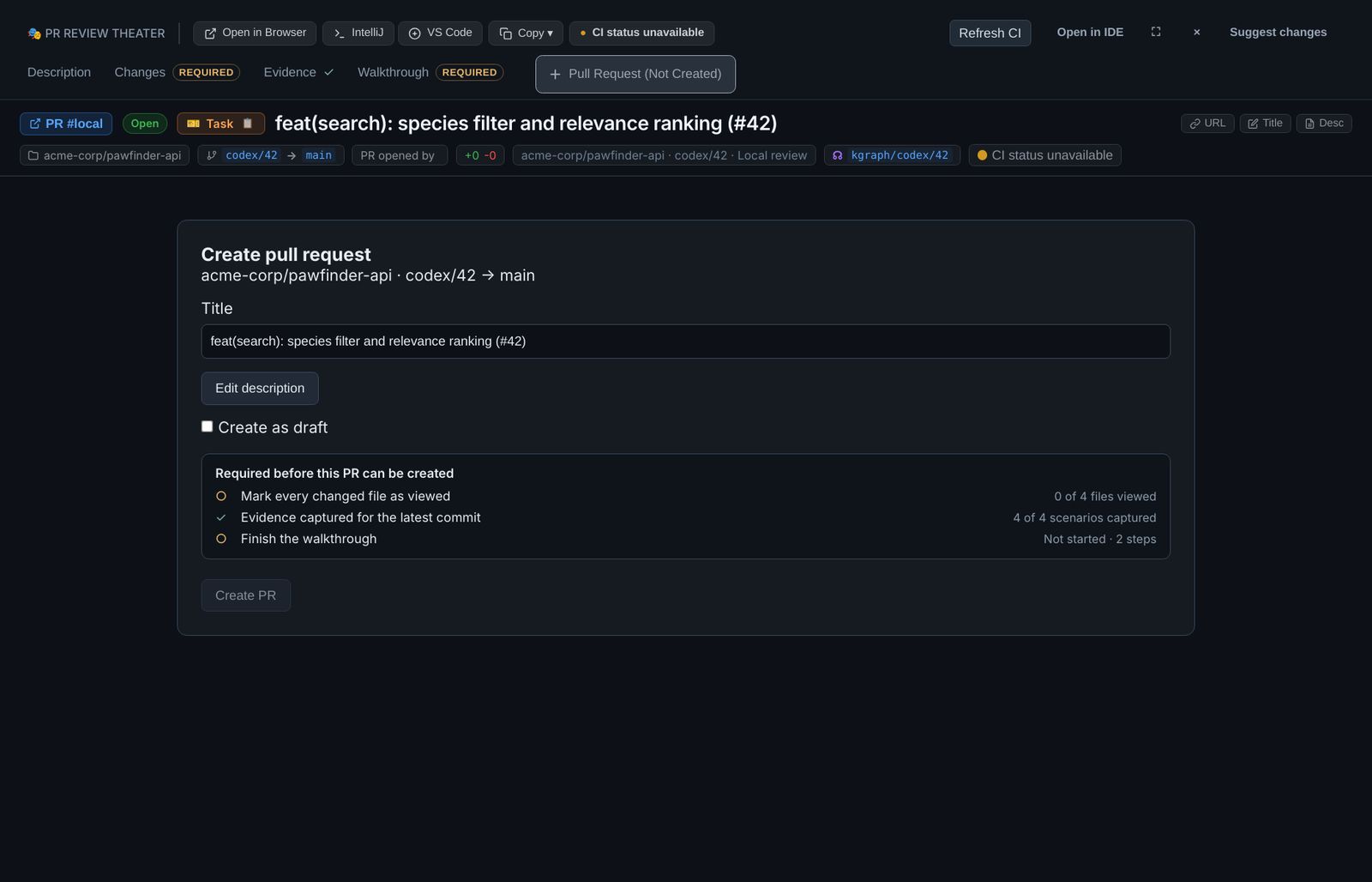
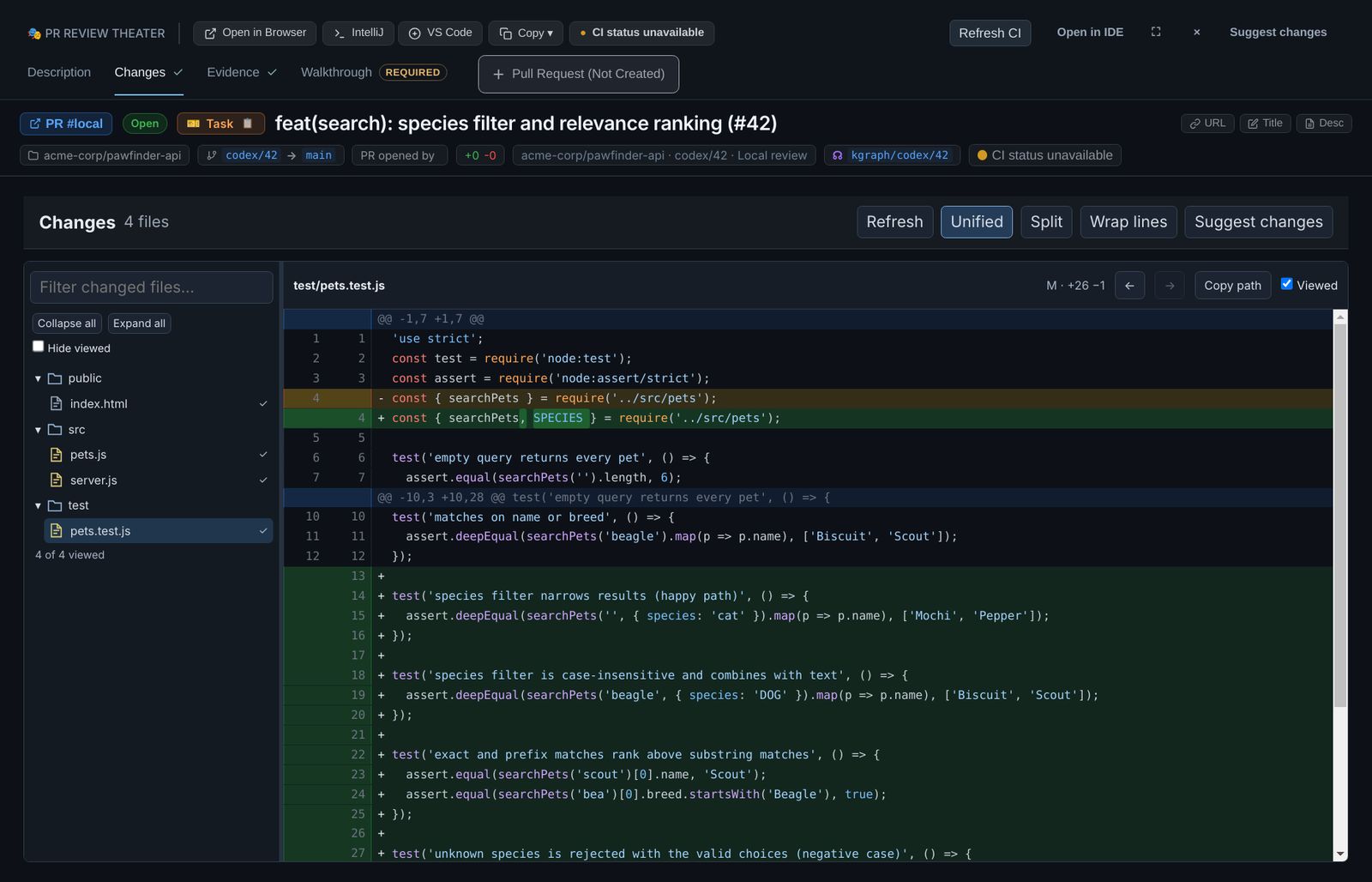
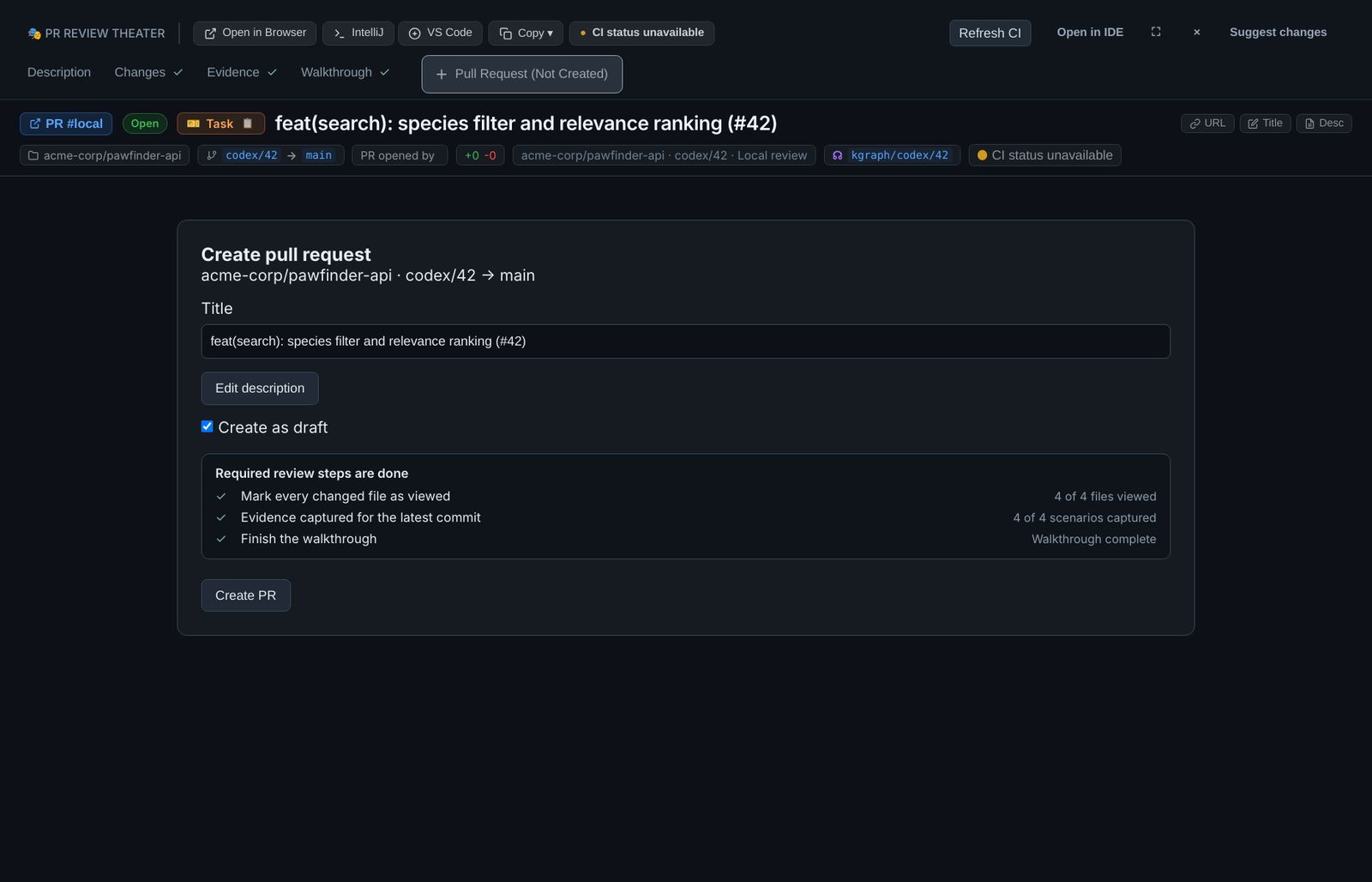
The check is not only in the page. When the PR is created or moved out of draft, RobOS checks the evidence and the walkthrough again, so a stale bundle or an unfinished walkthrough is refused with the reason.
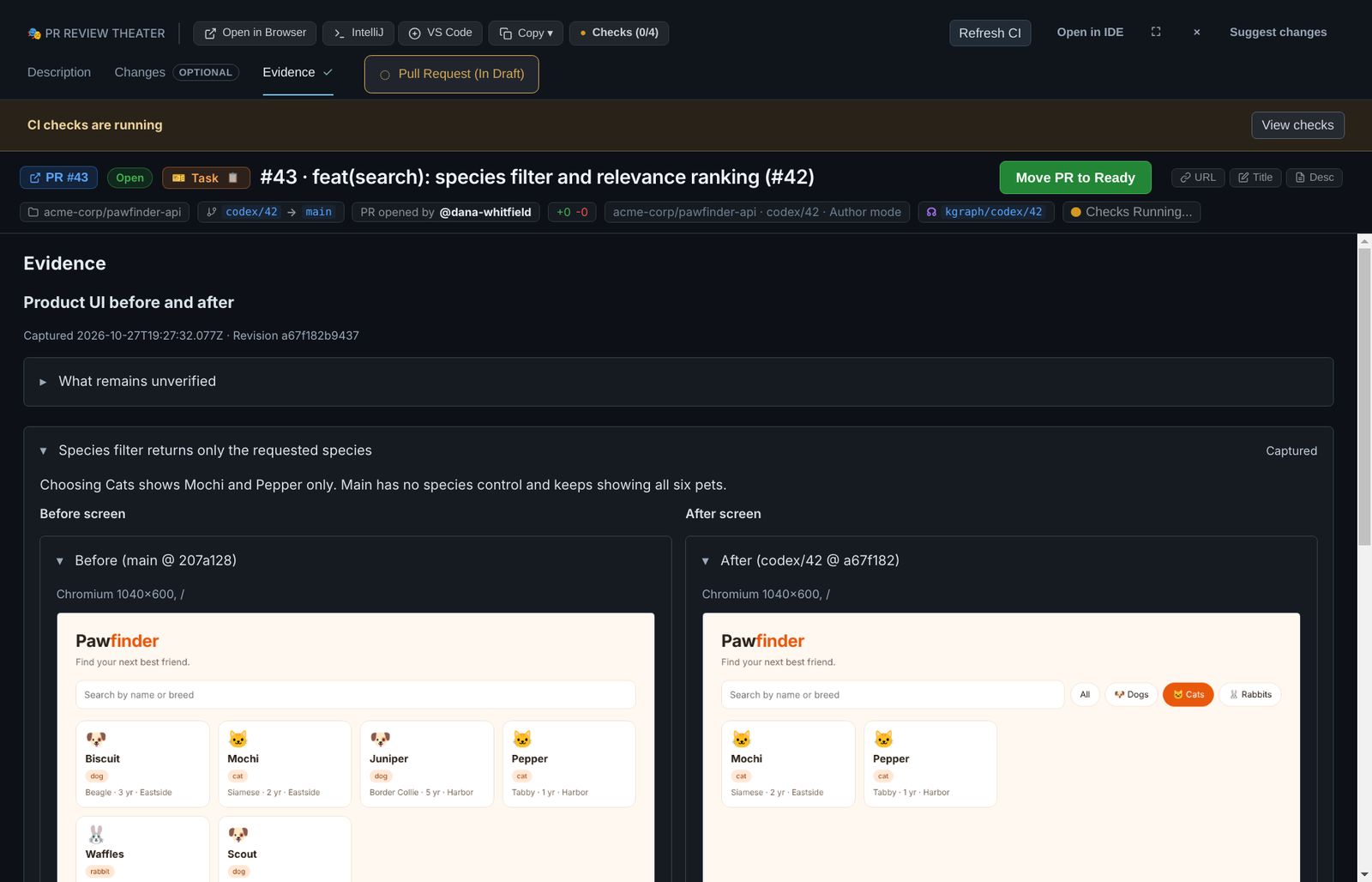
A different mix: Changes optional, Evidence required, Walkthrough hidden. The Walkthrough tab is gone, and Changes no longer counts against the PR.
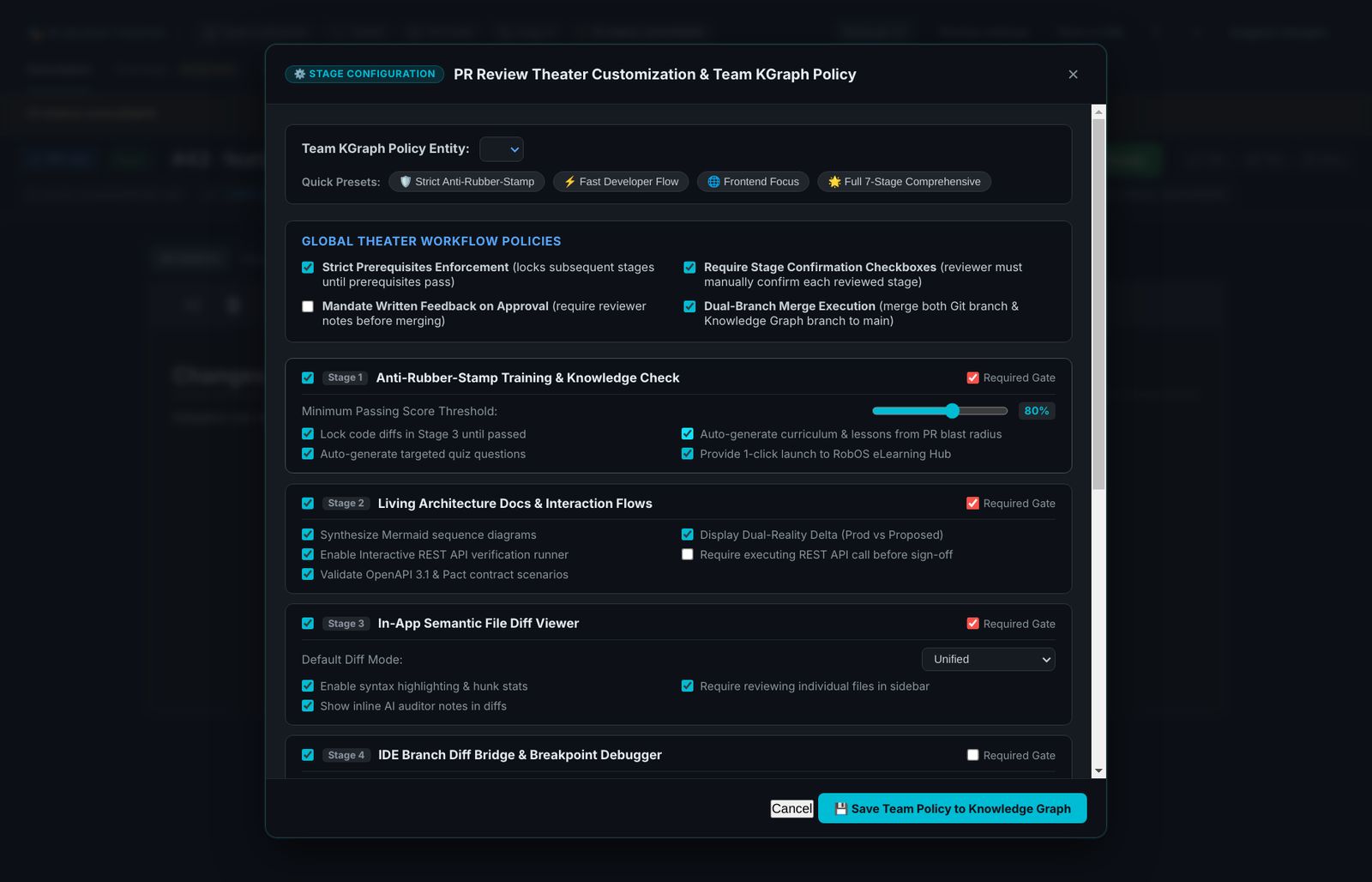
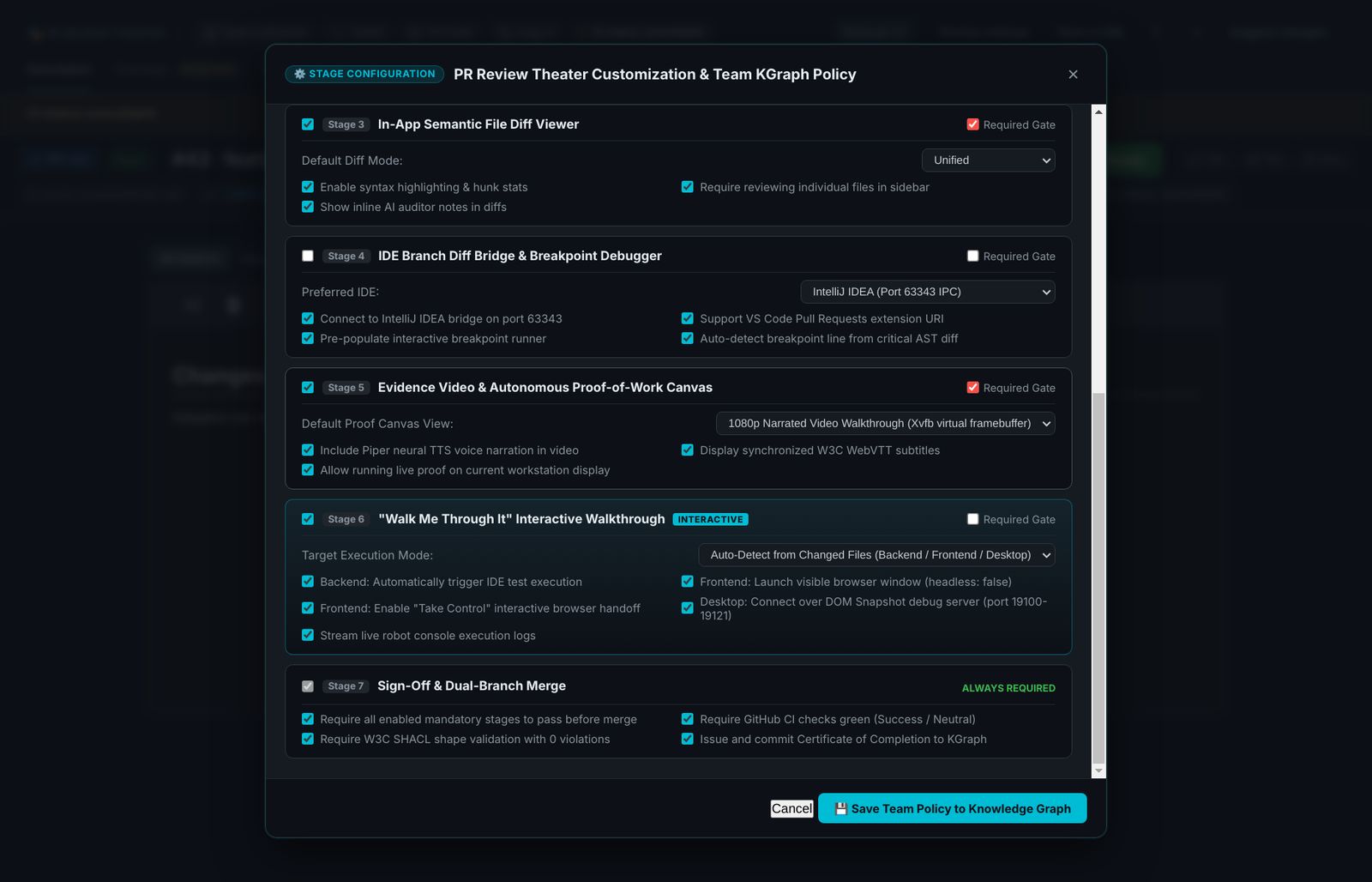
The team policy for reviewer mode
Reviewers have their own, richer policy, stored on the team's node in the knowledge graph. Open it with Review settings in reviewer mode. Each stage has an enable box (off hides the tab) and a Required Gate box, plus options such as the quiz pass mark, the default diff mode and the preferred IDE. Presets set several at once: Strict Anti-Rubber-Stamp, Fast Developer Flow, Frontend Focus and Full 7-Stage.
Pull request and CI
The Pull Request tab creates the PR from the reviewed branch. Tick Create as draft so nobody is asked to review before CI is green. Create PR pushes the branch head and runs gh pr create; it refuses with uncommitted changes (Resolve uncommitted changes asks the agent to deal with them), on main, or when origin is a different repository.
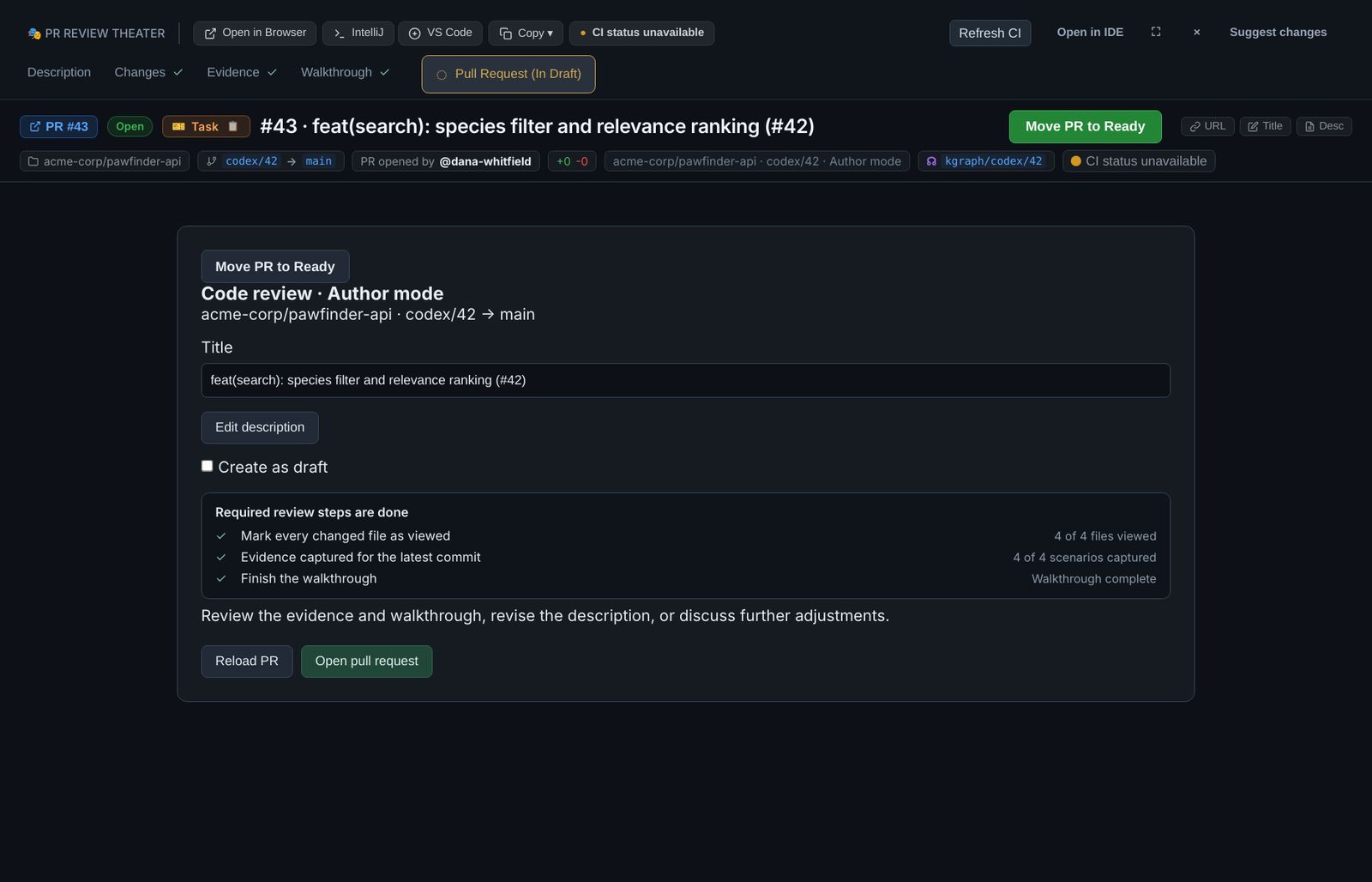
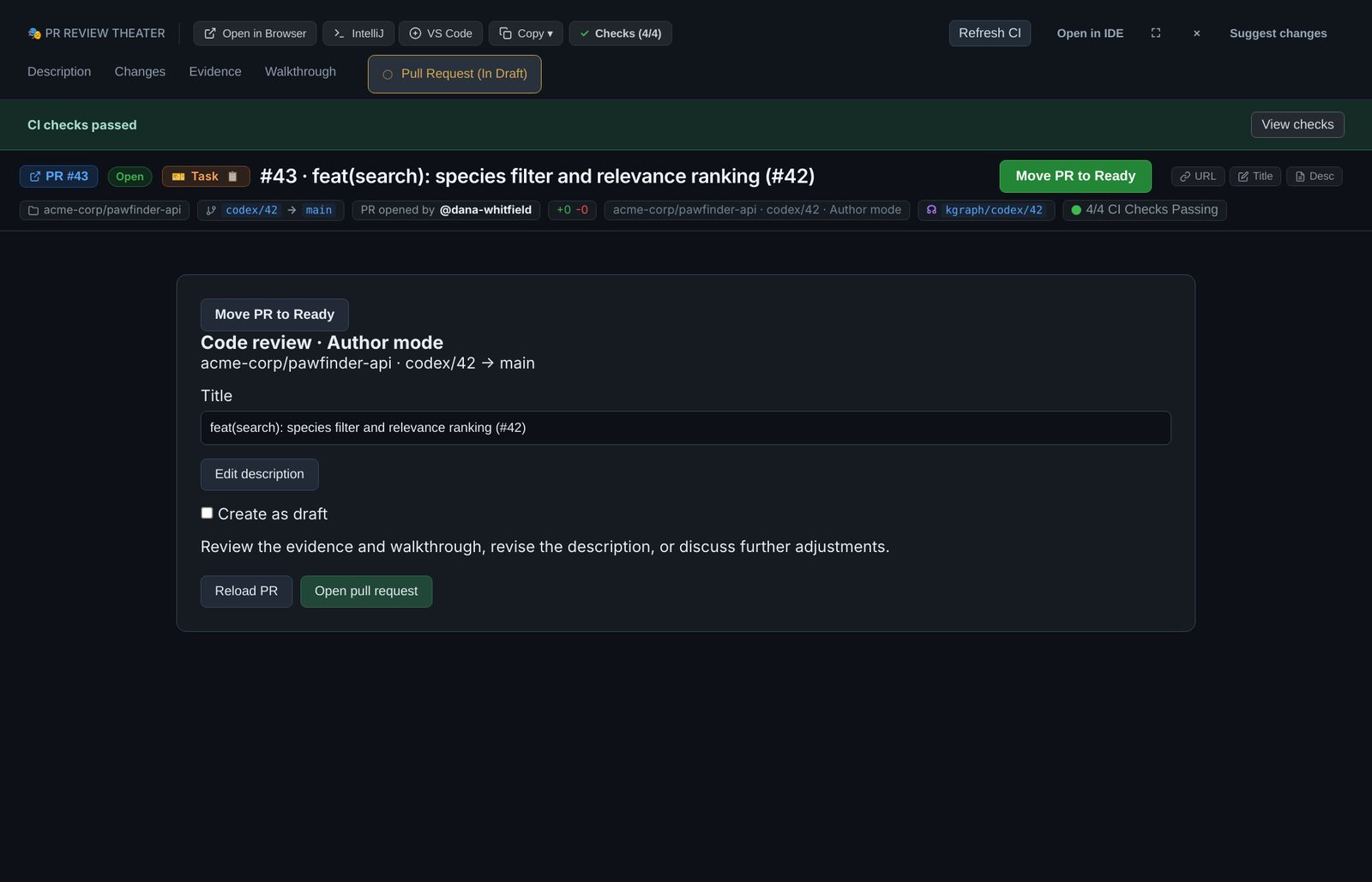
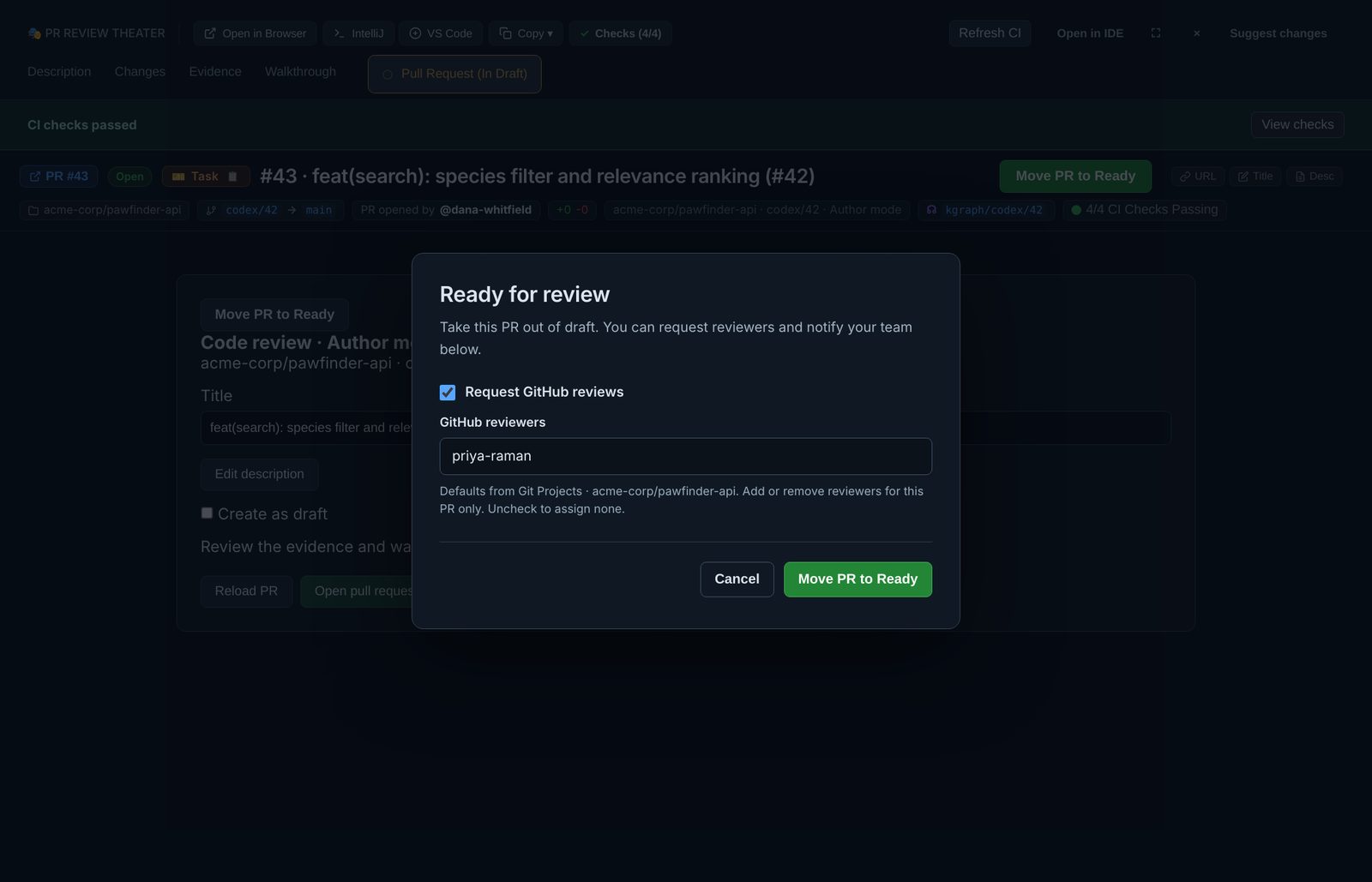
RobOS has no merge button: the author merges on GitHub once the PR is approved and green.
Reviewer mode
A teammate opens the PR with Open code review in Dev Central, or ROBOS_REVIEW_URL. Description, Changes and Approve use the real pull request. Approve offers Approve, Request Changes or Comment Only and runs gh pr review; approving does not merge.
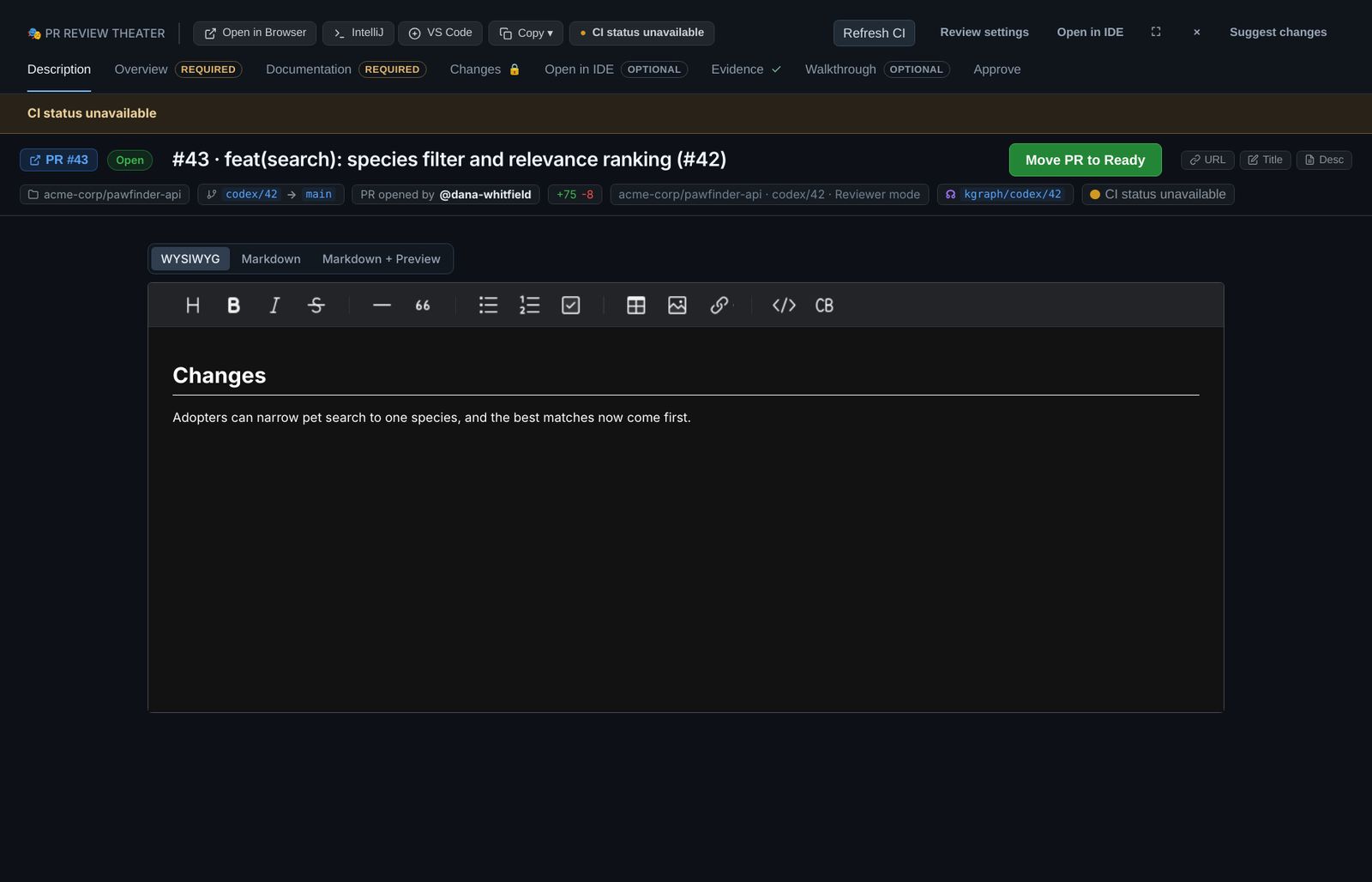
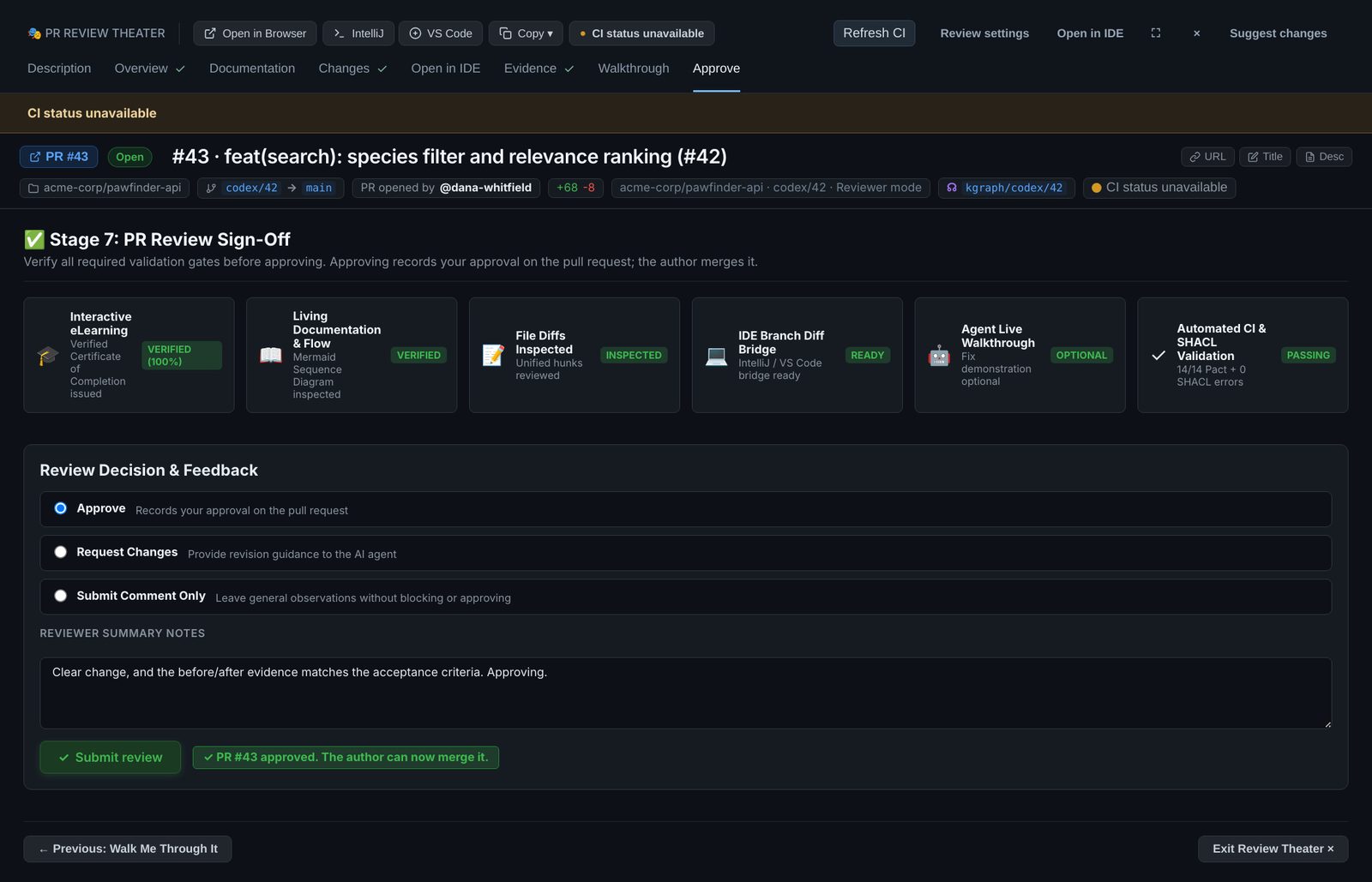
Know what reviewer mode shows today. The Overview, Documentation, Open in IDE, Evidence and Walkthrough tabs in reviewer mode show built-in sample content, not content from the pull request. The evidence and walkthrough on this page are the author's, in a local review. Until reviewer mode reads them, link the evidence in the PR description (Edit with agent embeds the screenshots) and turn the sample stages off in the team policy.
Where things live
| What | Where |
|---|---|
| Review manifest written by Review branch… | ~/.robos/local-reviews/<id>/review.json, with a starter demo.json |
| Review steps, default reviewers, PR template | ~/.robos/project-review-settings/, one file per repository (Git Projects › PR review) |
| Agent conversation and walkthrough state | ~/.robos/pr-reviews/<repo>-<hash>/ |
| Team policy for reviewer mode | robos:prReviewTheaterConfig on the team's node in the knowledge graph |
| The app | packages/pr-review |
The manifest keys, the demo process format and the IDE buttons are in the PR Review Theater reference. The whole loop, from plan to merge, is in Build apps.
Run the tests, or make these screenshots yourself
node --test packages/robos-test/tests/pr-review/review-steps.test.js \
  packages/robos-test/tests/pr-review/local-review.test.js \
  packages/robos-test/tests/pr-review/create-review-pr.test.js

xvfb-run -a -s "-screen 0 2560x1440x24" \
  node packages/robos-test/demos/code-review-guide-shots.js /tmp/cr
node packages/robos-test/demos/code-review-guide-shots.js --publish /tmp/cr