

A family's financial year,
from January to tax season.
Keep accounts current. Review spending throughout the year. Return to your tax documents as they arrive.
Family, Accounts, Spending, Taxes and Privacy are recurring workspaces. Return to each whenever statements arrive, expenses need attention, residency changes or tax documents are ready.
These are screenshots captured by a passing browser E2E test of the working Household sandbox. The Rivera family, statements and tax documents are invented. CSV import, PDF text extraction, corrections and the tax-engine call execute during the test.
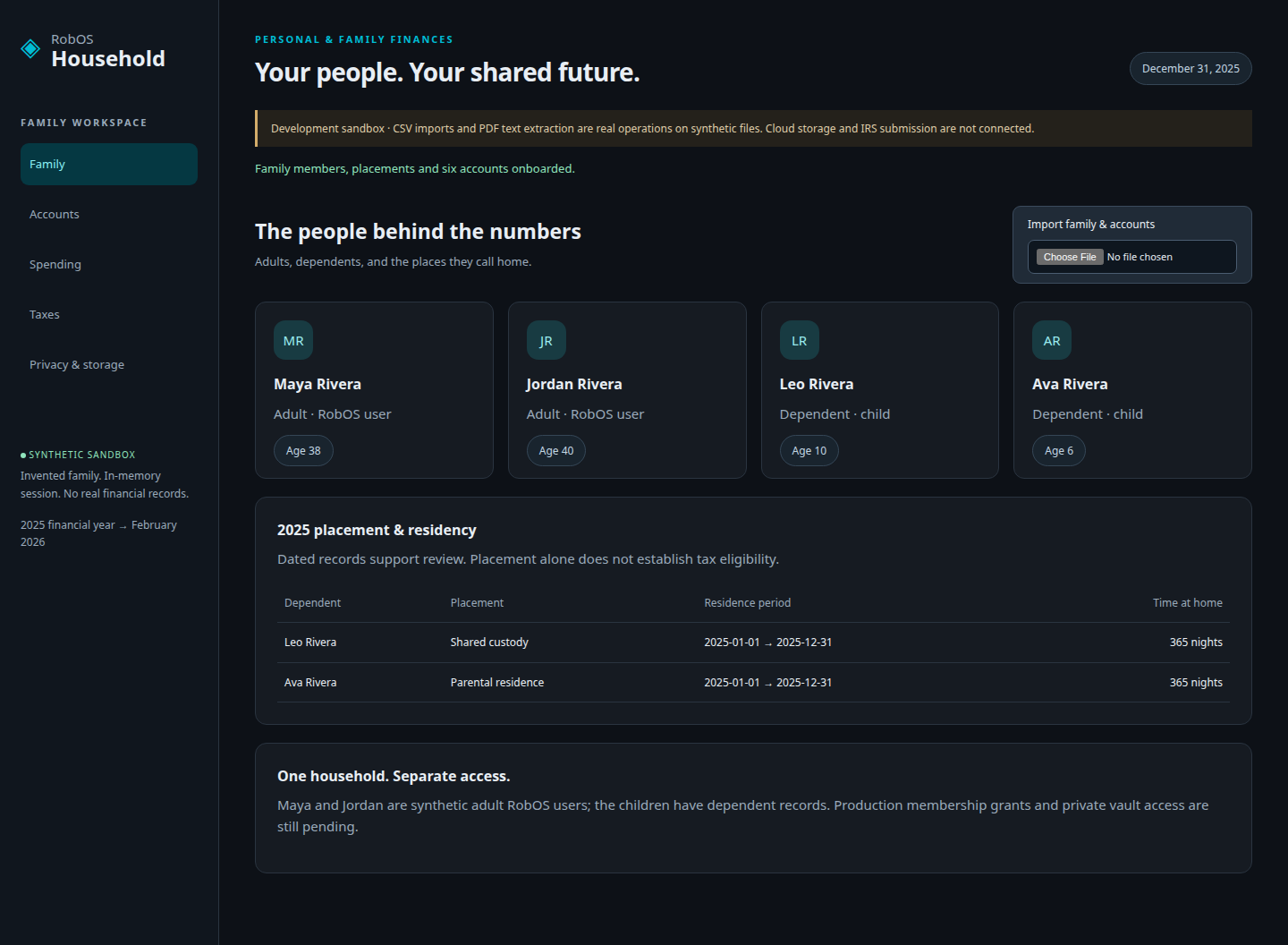
Start with the people.
Maya and Jordan are the adults. Leo and Ava have dependent records, dated placements and full-year residency. Children do not need a RobOS login to appear in the household.
The test imports the synthetic family file, checks all four people, and verifies the residency records. Production user assignment and access grants remain future integrations.
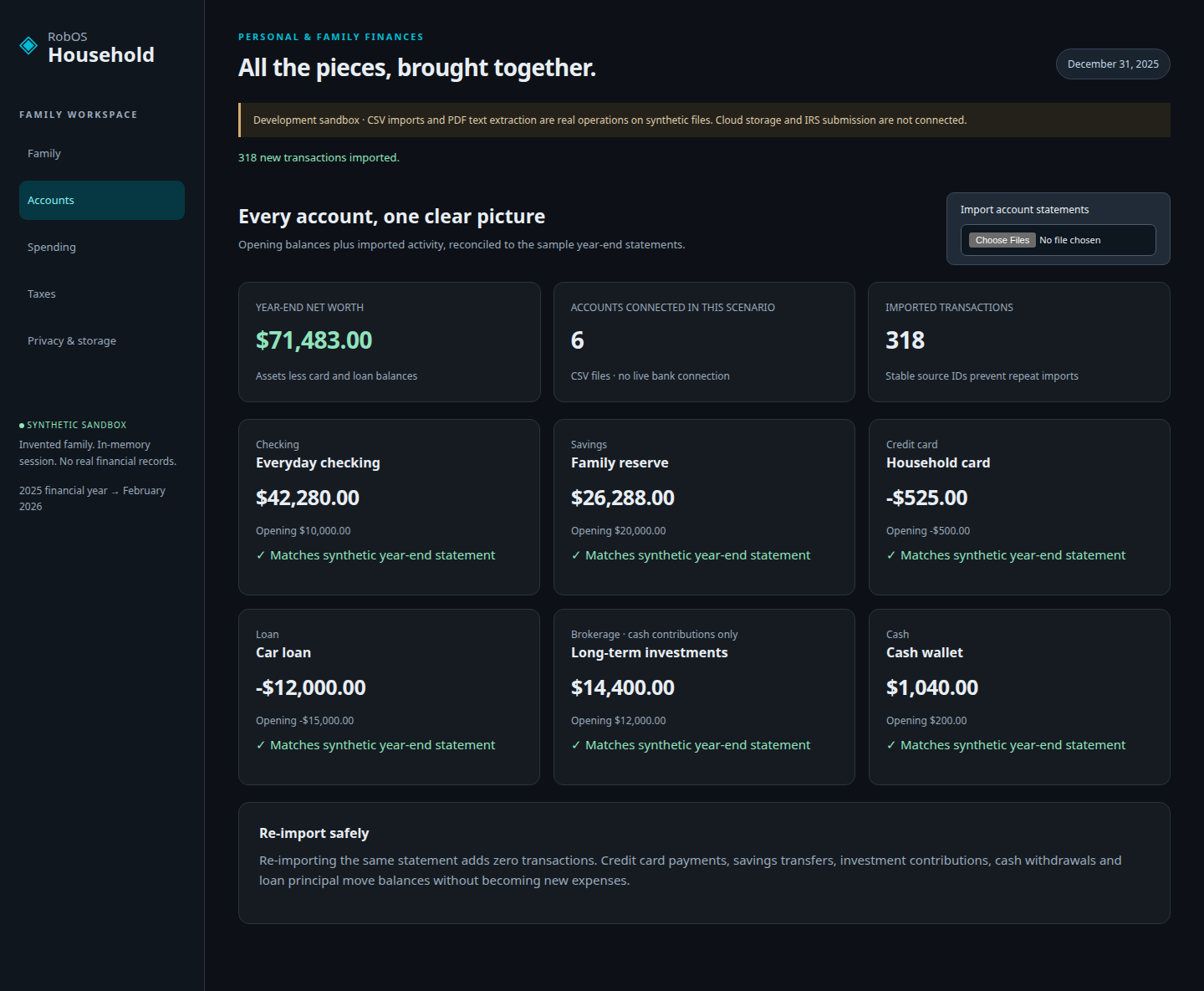
Six statements. One picture.
Checking, savings, a credit card, a car loan, investment contributions and cash. The test uploads six CSV files containing 318 transactions, then checks every closing balance against independently specified synthetic statement totals.
Year-end net worth is $71,483. Re-importing checking adds zero transactions and leaves that balance unchanged. There is no live bank or brokerage connection.
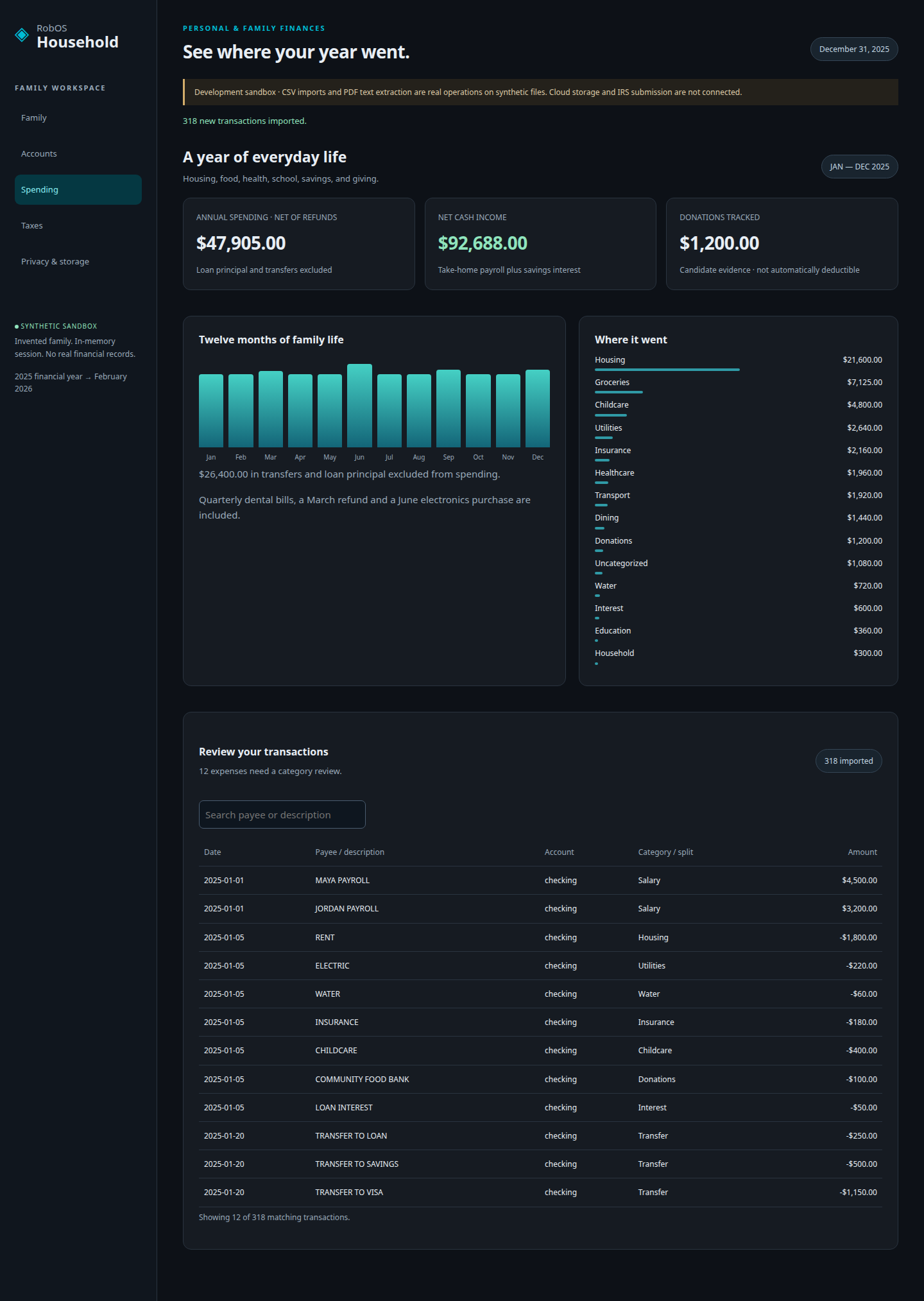
Include the ordinary expenses, too.
The year includes rent, groceries, electricity, water, insurance, fuel, dining, pharmacy purchases, childcare, school supplies, quarterly dental bills, loan interest and donations. It also includes a refund and a purchase that needs splitting.
Annual spending is $47,905, net of the refund. Net cash income is $92,688. Transfers and loan principal are excluded from spending. Donations total $1,200; tracking them does not automatically make them deductible.
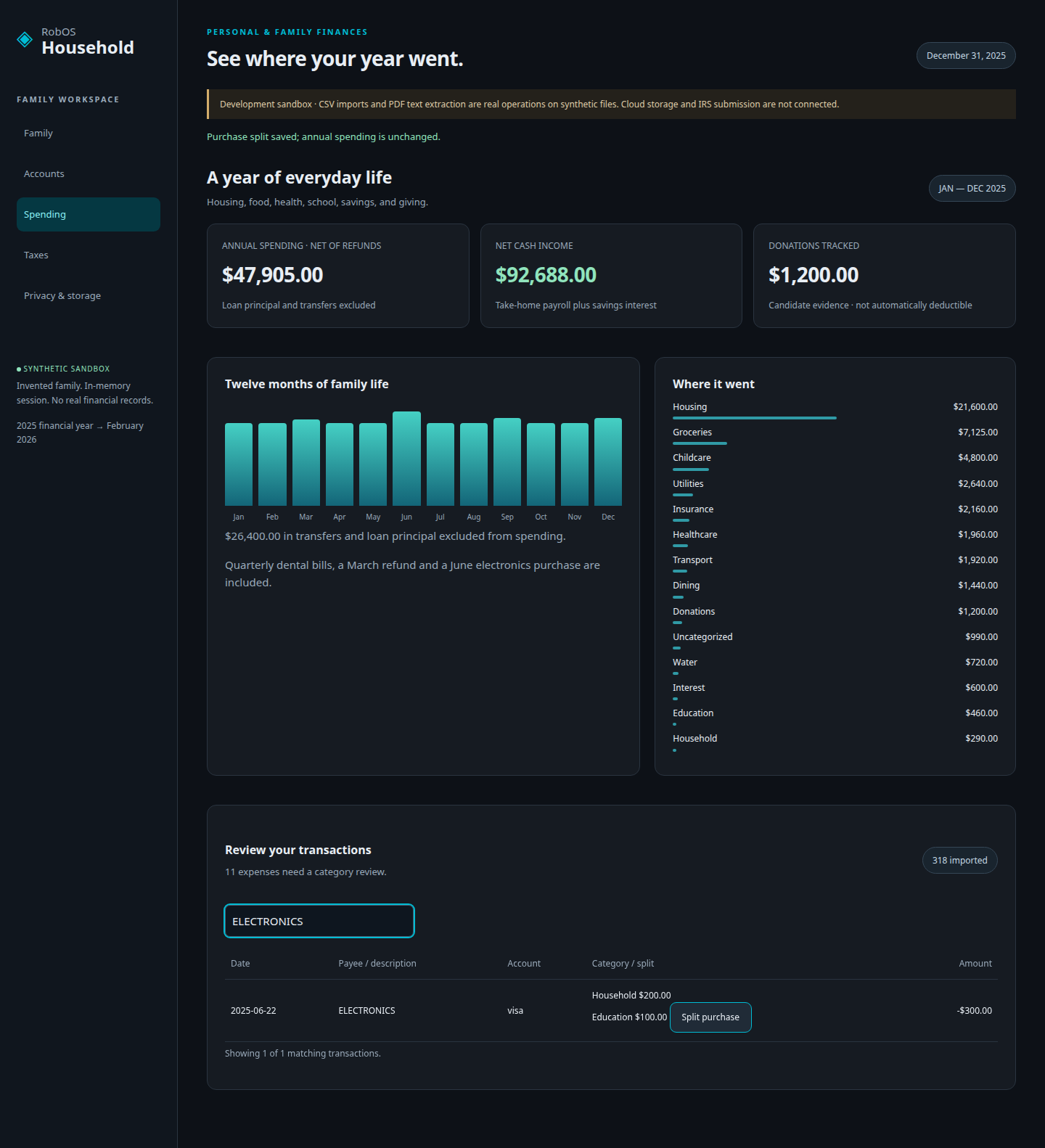
Correct a category. Split a purchase.
The test categorizes a local-market purchase, then splits the $300 electronics purchase into $200 for the household and $100 for education. It checks that the split is saved without changing total spending.
Check what the document actually says.
The test advances the app's scenario date, uploads two synthetic W-2 PDFs and one 1099-INT, and attempts a calculation. The application blocks it until all critical fields have been reviewed.
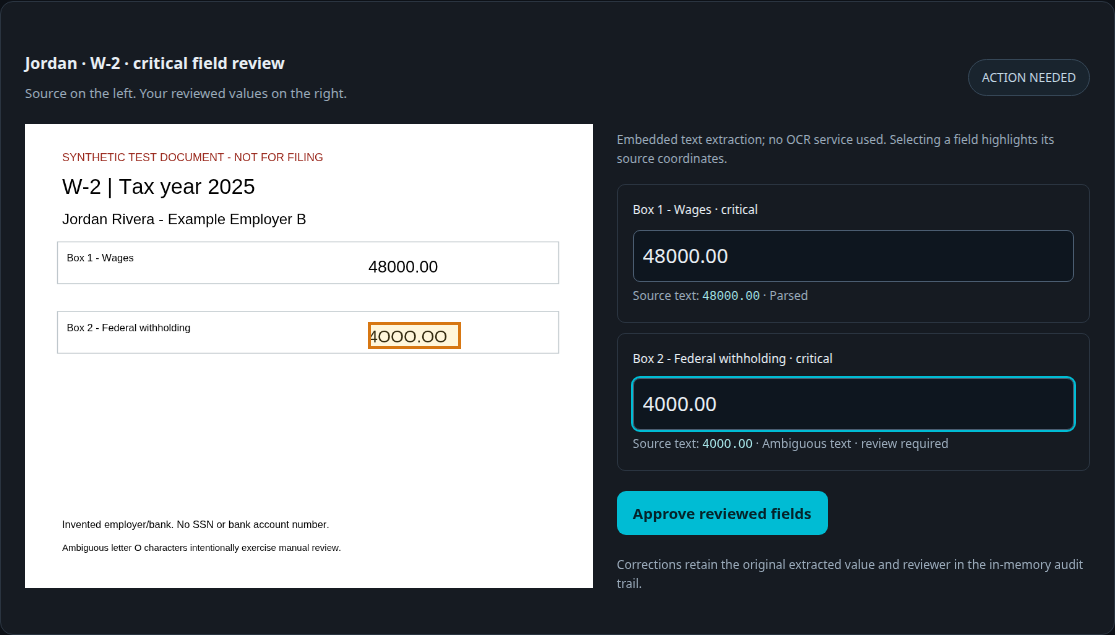
PDF.js extracts embedded text and its page coordinates. Jordan's fixture deliberately contains ambiguous letter-O characters in the withholding amount. The test enters $4,000, verifies the highlighted source field, and approves the correction. This exercises PDF text review, not OCR of scanned documents.
Show the math and its limits.
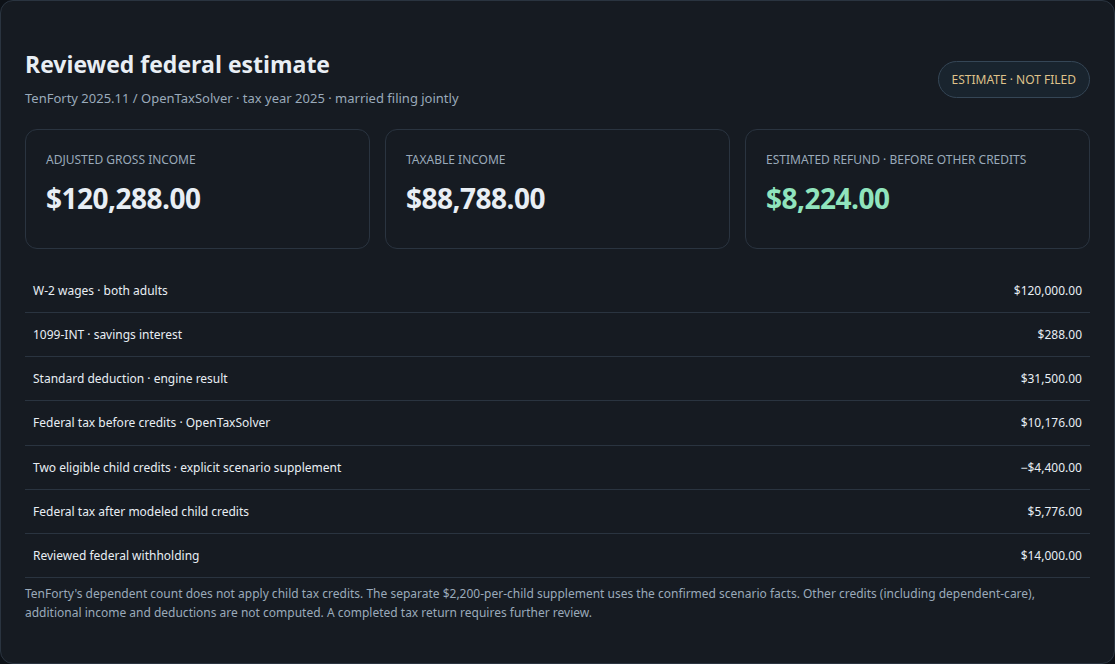
The backend calls TenForty 2025.11 with the OpenTaxSolver backend. Reviewed wages total $120,000, interest is $288, and the engine reports $88,788 in taxable income after the standard deduction.
The engine's $10,176 tax result excludes child credits. A separate, clearly identified supplement applies $4,400 for the two confirmed eligible children. With $14,000 of withholding, the displayed refund estimate is $8,224 before other credits.
The test verifies those results and confirms that a later document correction invalidates the estimate. Eligibility outside this exact synthetic scenario, other credits (including dependent-care credits), state returns and filing forms are not implemented.
Prepared is different from filed.
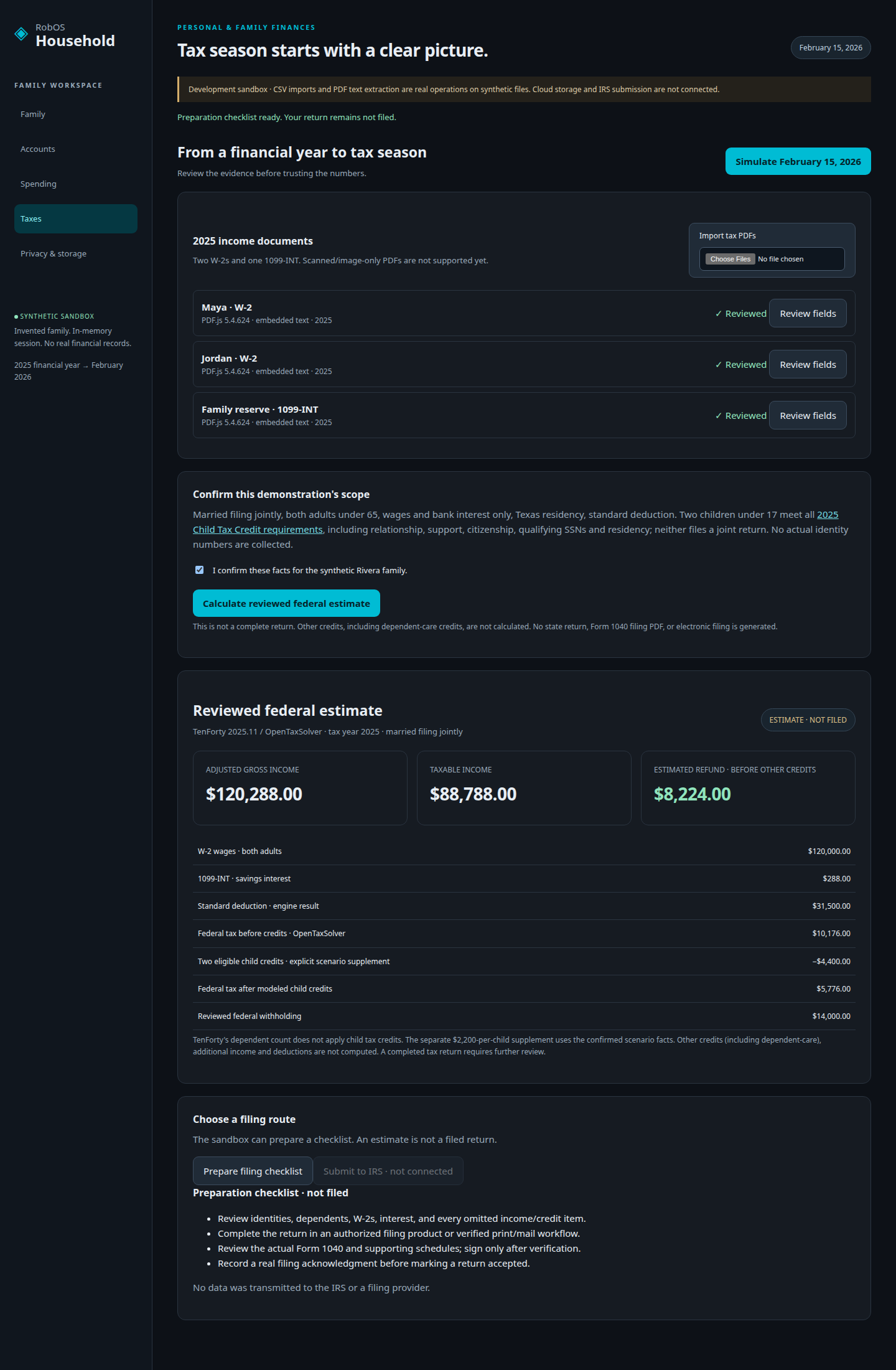
The tax workspace can prepare a filing checklist. The IRS submission control stays disabled, and the application says not filed. This test never sends documents or returns to a tax agency.
Use the approved provider registry.
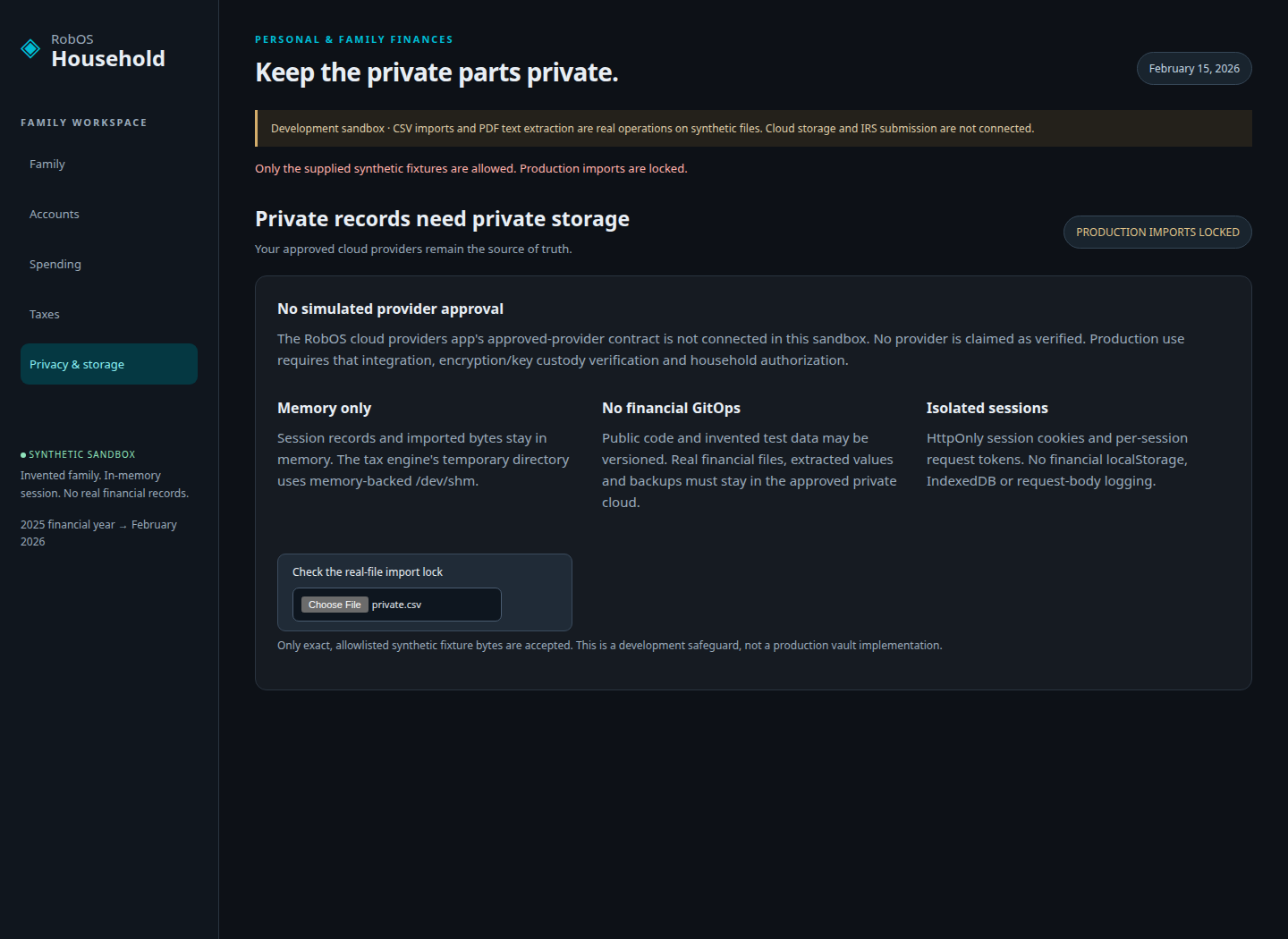
Production storage must bind to the existing RobOS cloud providers app's approved-provider records. This integration is not connected yet. The sandbox accepts only exact, allowlisted fixture bytes and keeps its session data in memory.
The test uploads an unrecognized file and checks the rejection, verifies that browser localStorage and sessionStorage remain empty, and confirms that a separate browser context cannot read the session through the API. These checks do not certify a cloud vault or replace production authorization testing.
Run the same lifecycle.
The test uses a real local HTTP service and Chromium. No bank, OCR or tax-engine response is mocked. All data is synthetic.
cd packages/household
npm ci
uv venv .venv --python 3.12
uv pip install --python .venv/bin/python -r requirements.txt
npm test
npm run test:e2e
Install Chromium with npx playwright-core install chromium if it is not already available. The E2E run writes these screenshots directly into the site assets.
Application and tests on GitHub · Full product specification · IRS child-credit requirements