RobOS Audio Player (packages/audio-player) now includes ✦ AI Fix Metadata & Artwork, built on the shared <robos-agent-selector> and <robos-ai-textarea> components and backed by the new fix-media-metadata agent skill. It inspects local and cloud audio/video containers (.mp3, .flac, .m4a, .ogg, .opus, .wav, .mkv, .webm), sidecar files (.cue, .lrc, .nfo), and strictly legal open-data APIs (MusicBrainz WS/2 CC0, Cover Art Archive, and LRCLIB) to repair messy titles, resolve canonical artists/albums/composers/years, extract or synthesize cover art, and optionally write lossless tags back to disk via ffmpeg.
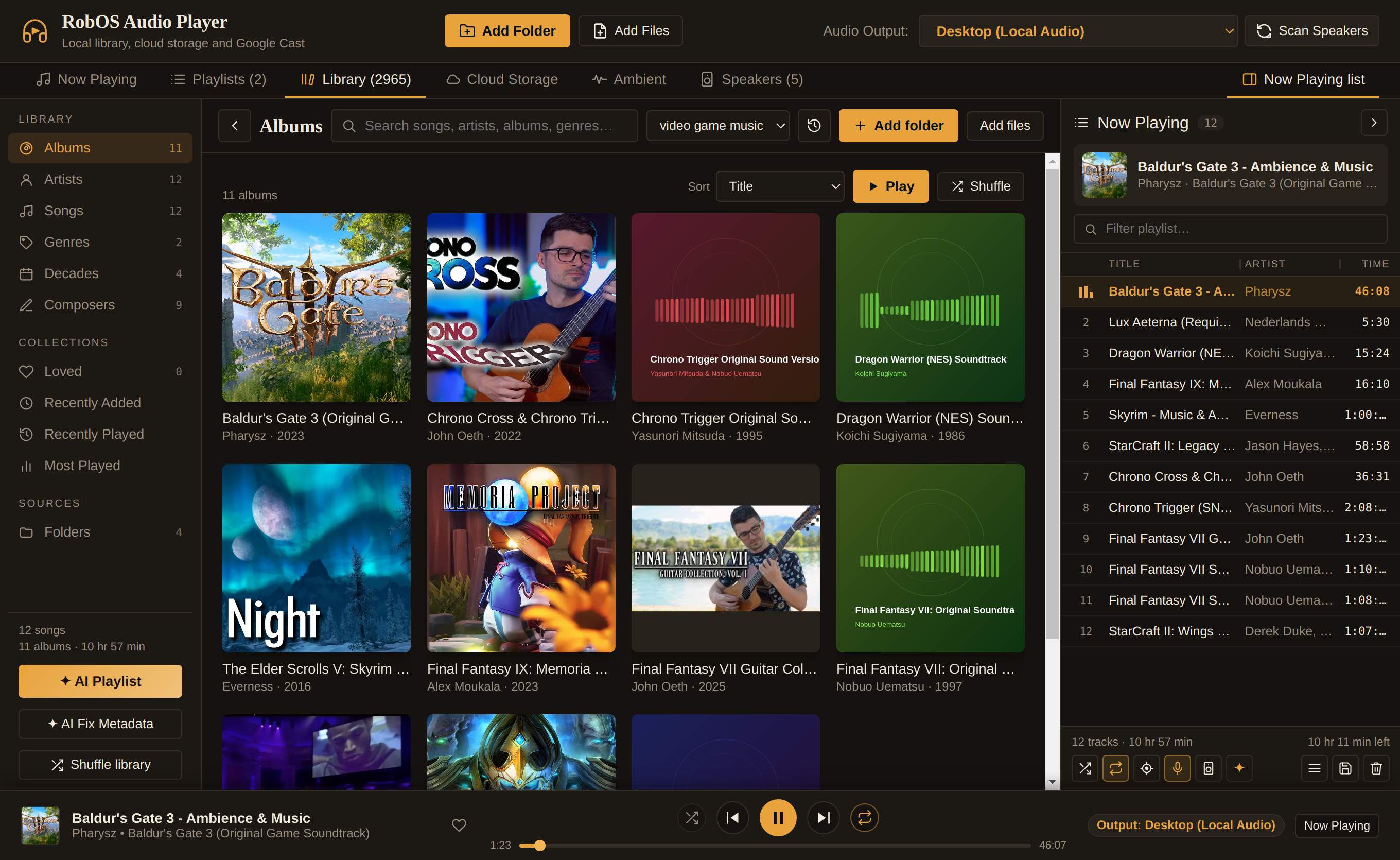
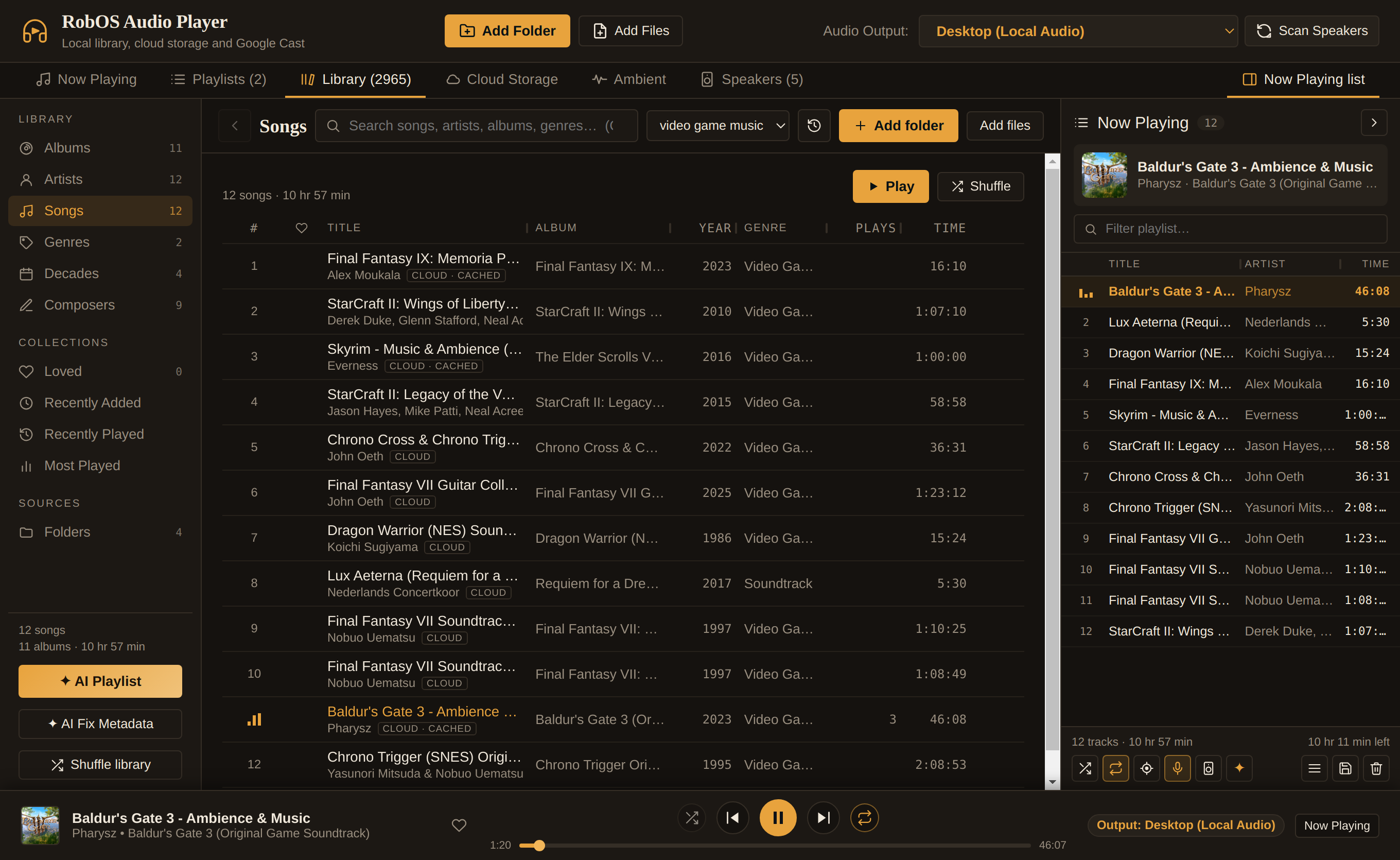
RobOS Audio Player after running ✦ AI Fix Metadata on a 12-track Google Drive video game music folder: what started as 1 generic folder album and 6 unknown/uploader artists was automatically organized into 11 canonical game soundtrack albums, 12 artists, 9 composers, 4 decades, and 100% cover art.
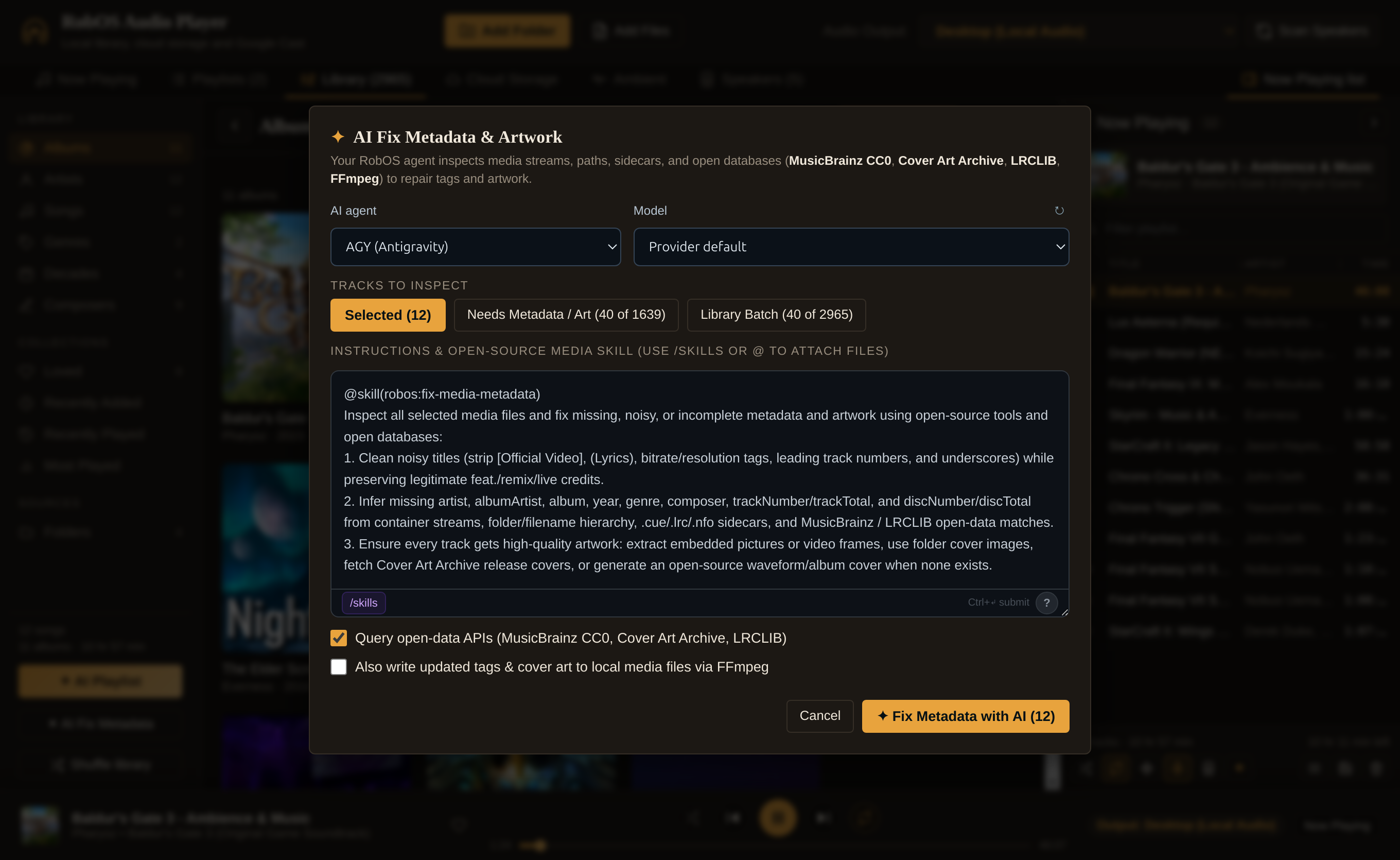
Reusable RobOS UI components and the fix-media-metadata skill. Rather than inventing custom prompt controls, AI Fix Metadata embeds the standard <robos-agent-selector> and <robos-ai-textarea> (packages/audio-player/src/AiFixMetadata.jsx) with /skills command browsing and @mention file typeahead wired to packages/robos-lib/skill-catalog.js. The textarea opens pre-populated with @skill(robos:fix-media-metadata) (plugins/robos/skills/fix-media-metadata/SKILL.md), giving your chosen coding agent (AGY, Claude Code, Codex, Gemini CLI, or GitHub Copilot) full domain instructions on container tag layouts, scene/ripper filename noise removal, open-data cross-referencing, and cover art selection.
The ✦ AI Fix Metadata & Artwork modal reusing <robos-agent-selector> and <robos-ai-textarea> with @skill(robos:fix-media-metadata).The enriched Songs view with cleaned titles, canonical soundtrack albums, release years, and genres.
100% open-source, legal media probing and artwork pipeline. For every track in the selected scope (selected rows, active folder, tracks missing metadata/art, or a library batch), packages/audio-player/lib/ai-metadata.js runs a multi-stage open-source pipeline: it parses container tags with MIT-licensed music-metadata, probes stream/container headers and attached pictures with ffprobe, inspects sibling .cue, .lrc, and .nfo sidecars, and queries the CC0 MusicBrainz WS/2 API and LRCLIB. For tracks missing cover art, it extracts embedded APIC / METADATA_BLOCK_PICTURE / covr streams or representative video frames via ffmpeg, checks folder images (cover.jpg, folder.png), downloads official sleeves from the Cover Art Archive, or synthesizes an open-source FFmpeg waveform / SVG album sleeve. Every proposed change is presented as an interactive before→after diff card so you can review and selectively apply updates to the library index, playlists, and (optionally) directly into local media files via lossless ffmpeg -c copy stream muxing.
# Run the open-source media metadata & FFmpeg tag-writing unit tests
node --test packages/audio-player/lib/*.test.js
# Trigger AI Fix Metadata on the running Audio Player via DOM Snapshot IPC (port 19196)
node packages/robos-lib/snapshot-cli.js audio-player --click 'button#btn-library-ai-fix-metadata'
node packages/robos-lib/snapshot-cli.js audio-player --click 'button#btn-ai-fix-metadata-run'
node packages/robos-lib/snapshot-cli.js audio-player --click 'button#btn-ai-fix-metadata-apply'
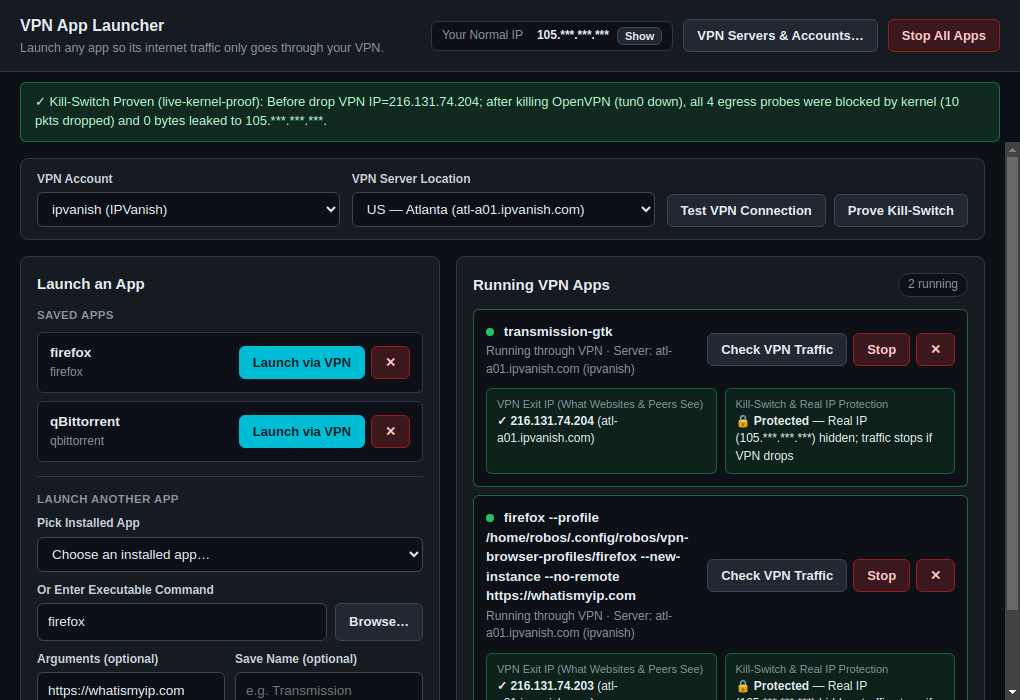
Two new desktop apps—RobOS VPN Servers (packages/vpn-servers) and RobOS VPN Sandbox (packages/vpn-sandbox)—let you launch individual desktop or CLI applications (such as Firefox, Transmission, or curl) inside an isolated Linux network namespace (ip netns) routed exclusively through OpenVPN (with all 3,598 official IPVanish server profiles bundled out of the box). An automated 5-step fault-injection proof kills the OpenVPN daemon mid-flight and verifies at the kernel packet counter level that zero bytes ever fall back to your normal public IP.
RobOS VPN Sandbox running on Ubuntu 26.04 LTS: Firefox is confined to an isolated namespace exiting through IPVanish Atlanta (216.131.74.203) while the host's normal public IP (105.42.88.19) is blocked, and the top banner reports the live 5-step mid-session OpenVPN drop proof.
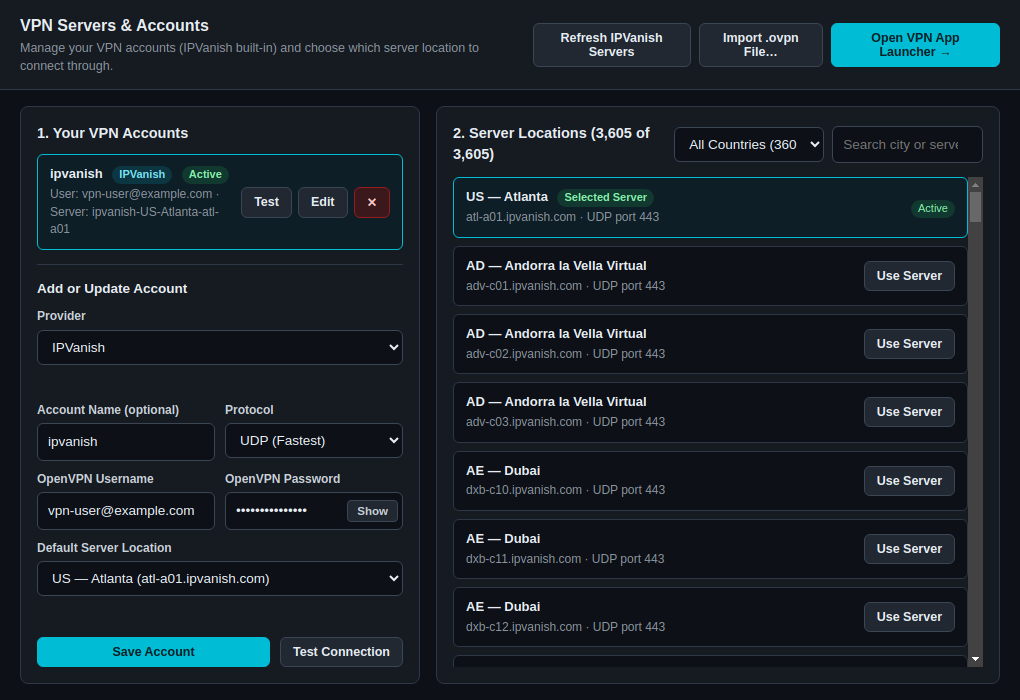
3,598 IPVanish profiles and GPG-encrypted credentials.RobOS VPN Servers bundles the complete IPVanish `.ovpn` server catalog (packages/robos-lib/assets/ipvanish-configs.tar.xz), pre-sanitized for OpenVPN 2.6/2.7 compatibility by stripping deprecated keysize directives and negotiating AES-256-GCM:AES-128-GCM:CHACHA20-POLY1305:AES-256-CBC. Account passwords are encrypted in pass (robos/ovpn/<provider>/<account>) with an automatic AES-256-GCM local vault fallback, and a one-click Test button performs a live TLS 1.3 handshake to verify PUSH_REPLY and the assigned tunnel IP before launching any app.
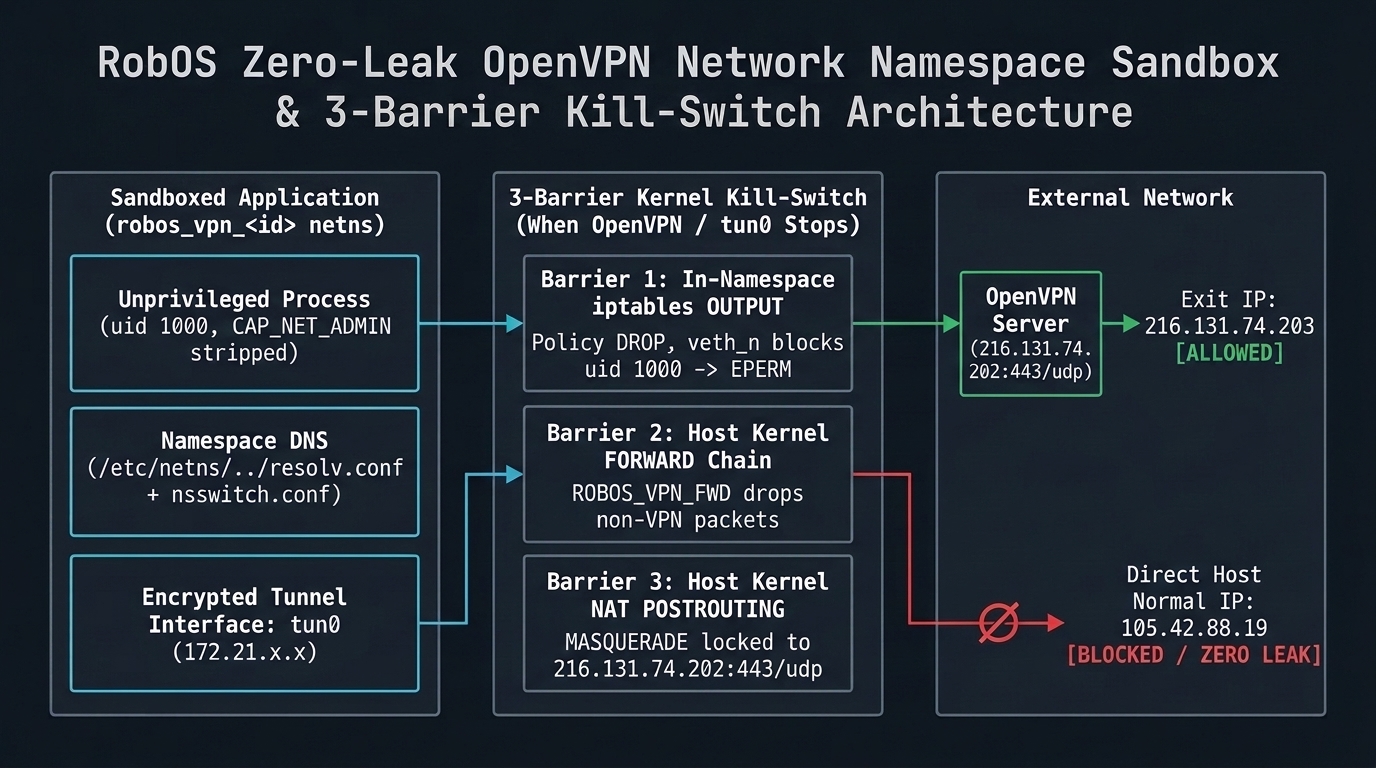
RobOS VPN Servers: account management, live credential testing, and country/city filtering across 3,600+ locations.The 3-Barrier Linux Kernel Kill-Switch inside robos_vpn_<id>.
Three kernel barriers when OpenVPN stops. Unlike OS-wide VPN clients that share the host routing table and fall back to the default gateway when tun0 drops, RobOS VPN Sandbox places each launched app inside its own network namespace (robos_vpn_<id>) as an unprivileged user (uid 1000, setpriv --inh-caps=-net_admin,-net_raw). Inside the namespace, iptables -P OUTPUT DROP and ip6tables -P OUTPUT DROP block all egress except -o tun+; on the virtual Ethernet link (veth_n_<id>), only -m owner --uid-owner 0 (the root OpenVPN daemon) to the exact VPN server IP and port is permitted, followed by -A OUTPUT -o veth_n_<id> -j DROP. On the host side, both the FORWARD chain (ROBOS_VPN_FWD_<id>) and the POSTROUTINGMASQUERADE rule are locked strictly to the VPN server IP and port. Namespace-specific /etc/netns/robos_vpn_<id>/resolv.conf and nsswitch.conf (hosts: files dns) paired with openvpn --dns-updown disable ensure DNS queries travel exclusively through tun0 without touching host systemd-resolved.
Proving zero leak on mid-session VPN crash. The new /security/ section debuts with our live 5-phase E2E fault-injection test (tests/e2e/vpn-sandbox-killswitch-proof.test.cjs, also runnable via the Prove Kill-Switch button in the app). It records the host's real public IP (105.42.88.19), verifies the sandboxed app reaches https://api.ipify.org via the IPVanish tunnel IP (216.131.74.203), sends kill -9 to the OpenVPN daemon while leaving robos_vpn_<id> and its veth default route up, fires four egress probes from the unprivileged app (HTTPS, direct TCP to 1.1.1.1:80, direct UDP to 8.8.8.8:53, and direct UDP to the VPN server IP as uid 1000), and verifies via kernel iptables -L OUTPUT -v -n -x counters that 100% of post-drop packets are dropped in the kernel with zero bytes leaked.
# Launch the apps
scripts/dev-launch.sh vpn-servers
scripts/dev-launch.sh vpn-sandbox
# Run unit tests and live kernel E2E kill-switch proof
node --test packages/robos-lib/ovpn-providers.test.cjs
ROBOS_VPN_LIVE_E2E=1 node --test tests/e2e/vpn-sandbox-killswitch-proof.test.cjs
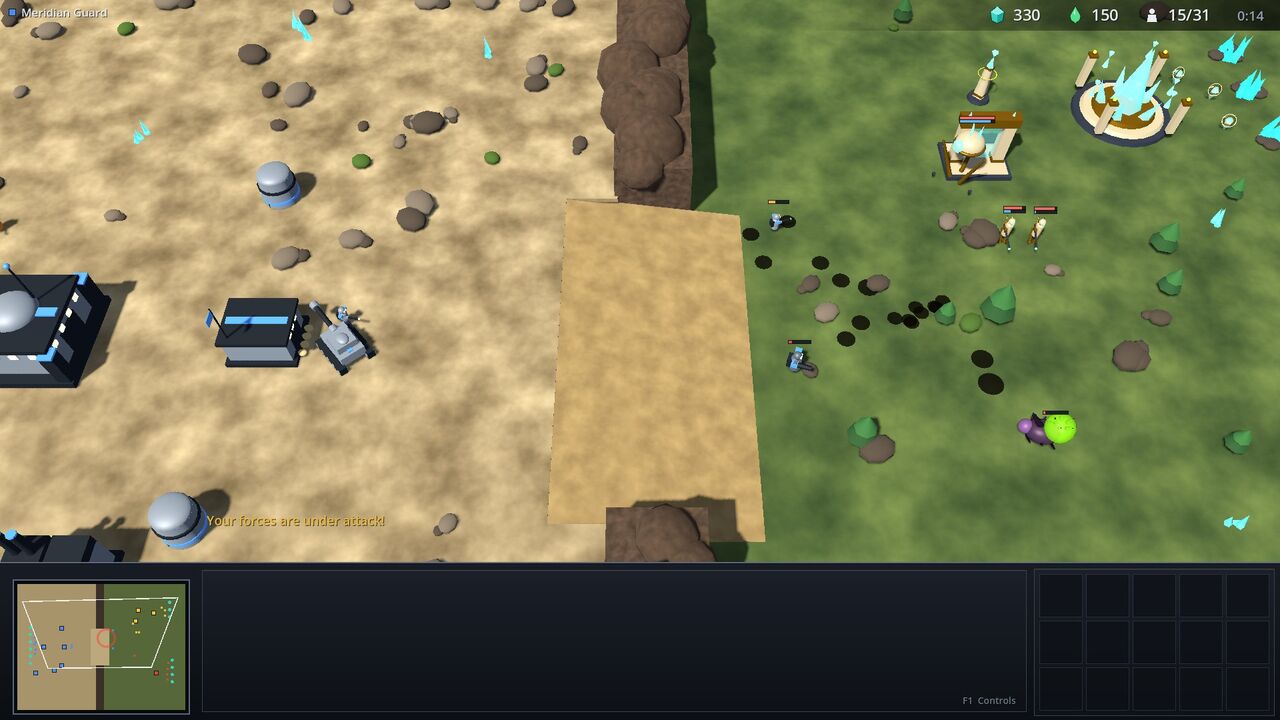
Starfall Command now opens with one player against one AI on a 256×256 battlefield inspired by Big Game Hunters. Two commanders draw distinct starting sites from eight perimeter bases, each with a Colony Hub and 12 workers. Deposits never run out. Everything you build still costs resources, takes time and uses supply. The match ends when one side has no structures left.
A complete recorded Rush build against Hard Siege AI, seed 29: gathering, construction, army production, combat and structure-elimination victory. The engine advances on its live frame clock; the controller made zero manual step requests. Capture is 1080p at 10 frames per second.
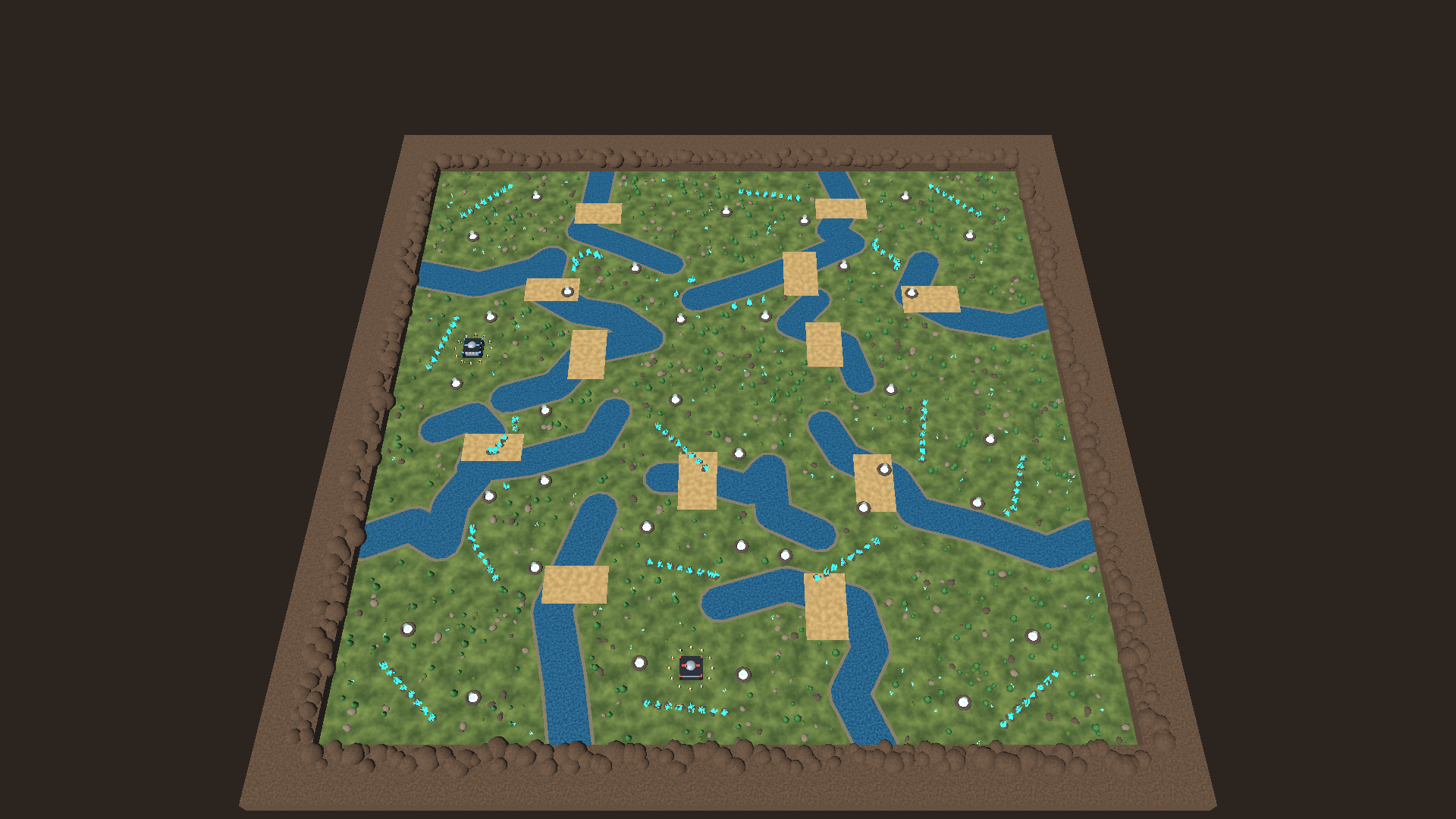
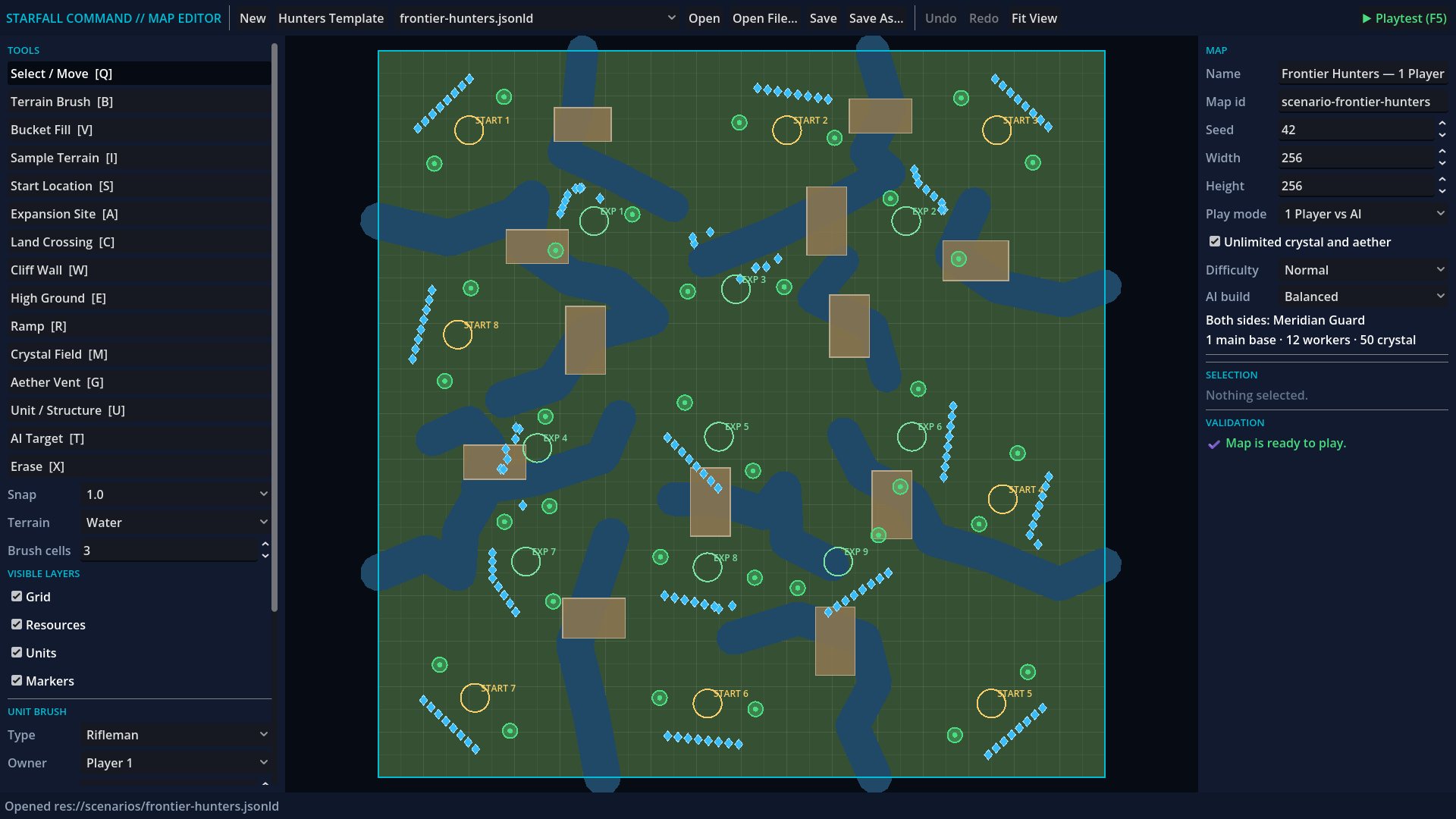
The map is something you can edit and play. Waterways divide the outer bases and interior expansions, with land crossings connecting them. The Godot 4 editor paints terrain, fills regions, places starts and expansions, authors resources and units, and supports undo, validation and atomic saves. F5 plays the current document; F10 returns to it with undo history intact. The bounded fill and brush cores reuse MIT-licensed code from Crusade RTS, credited at a pinned revision in the repository.
The full 256×256 battlefield.The same map in the reusable editor.
The tests build an economy before they fight. Each live case edits, saves and reloads its map, checks the standard opening, then runs a paid Rush, Siege or Economy build against the independent opponent. Easy, Normal and Hard change the AI's decisions and production targets; they use the same starting resources, prices and combat statistics. Tests must reach an actual win condition. An unattended player must also lose. Unfinished expansions keep their owner alive after the main base falls.
The hiccups had measurable causes. Synchronous PNG encoding could stall the frame thread for roughly 800 ms, and incomplete HTTP requests could make it wait another 50–100 ms. Capture encoding now runs on a worker, socket handling buffers partial messages without waiting, and accelerated simulation yields between ticks. Static geometry is batched, human unit bodies share MultiMesh instances, the minimap caches its terrain, and harvesting and targeting reuse spatial data.
On a local GTX 1050 Ti with Godot 4.7.2's compatibility renderer at 1920×1080, a paid army of roughly 80 units ran at an observed 49–60 FPS at normal speed after a 180-game-second warm-up. The final rolling frame sample measured 26.952 ms at the 95th percentile and a 72.047 ms maximum, passing the probe's 33.34 ms and 100 ms budgets. These are measurements on this machine. In the recorded match, requested 8× playback achieved 2.58 game seconds per wall second under rendering and recording load; fast-forward adapts to available CPU time.
Verification on October 23: the complete backend suite passed 20 scenarios and 128 steps; the live frame-clock suite passed 6 scenarios and 40 steps; the rendered match and responsiveness checks passed 2 scenarios and 13 steps. Navigation, spatial-query, editor-document and render-batching regressions also passed. Each live run retains its authored map, paid action log, observations, frame timings and result; recorded runs add video and WebVTT captions.
# From games/robos-rts; set GODOT_BIN to your Godot executable
python run_cucumber_tests.py --backend
python run_cucumber_tests.py --realtime-headless --speed=8
python run_cucumber_tests.py --realtime --speed=8 --record
python run_cucumber_tests.py --realtime --show-window --keep-open --speed=4 --name="@1.4"
python tests/e2e/performance_probe.py --warmup=180 --duration=20 --speed=1 --p95-ms=33.34 --max-frame-ms=100
The current playable focus is one human versus one AI, using the Meridian Guard roster for both sides. The editor preserves campaign and future multiplayer metadata through save and reload; campaign scripting and network multiplayer still need engine work. The older three-faction canyon remains a mechanics showcase.
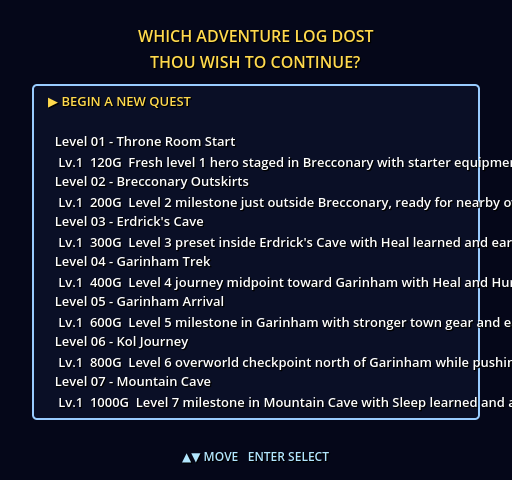
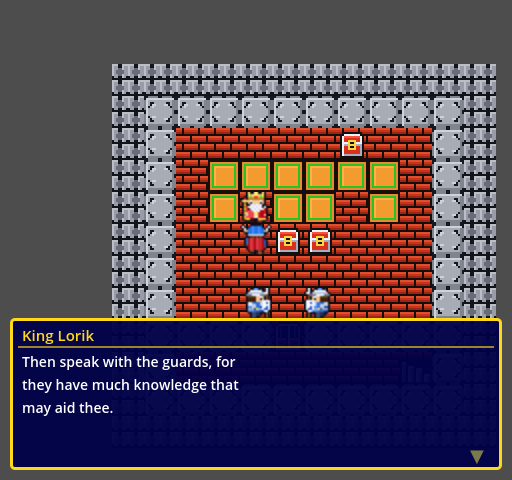
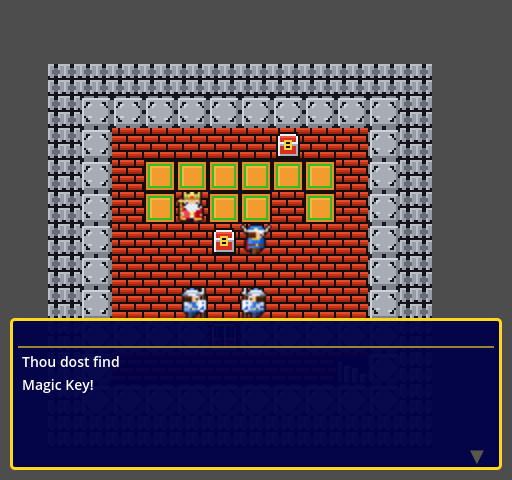
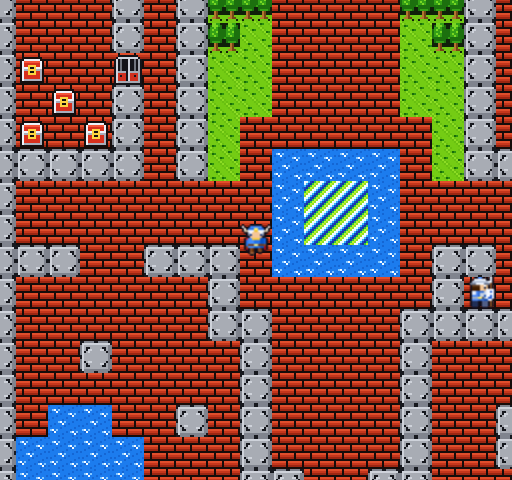
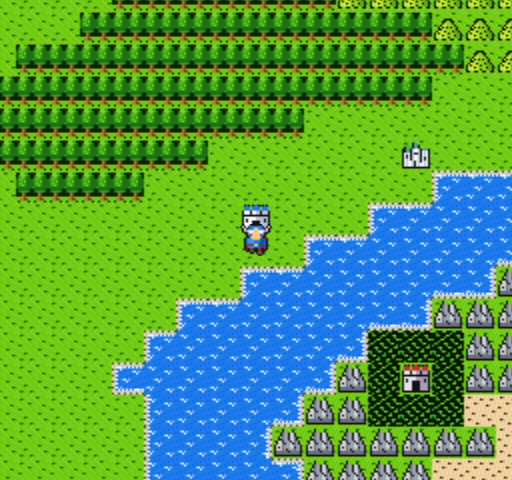
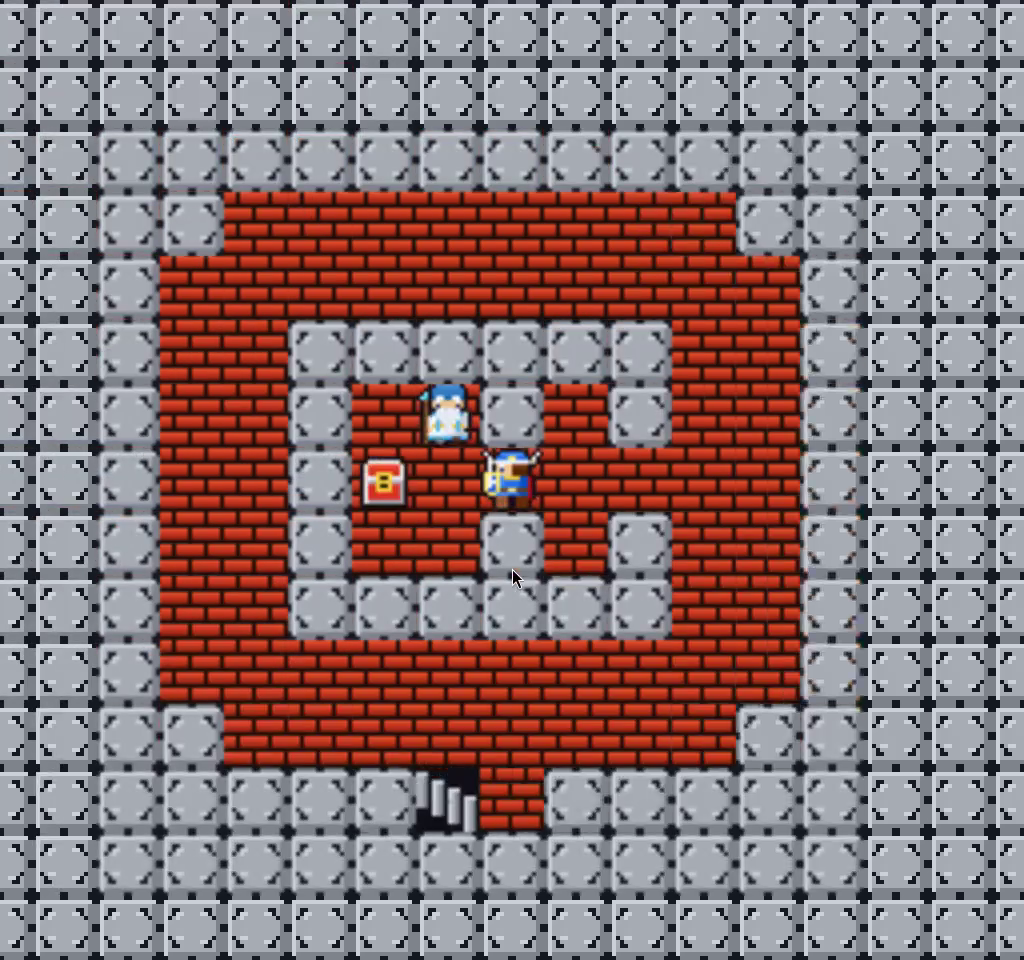
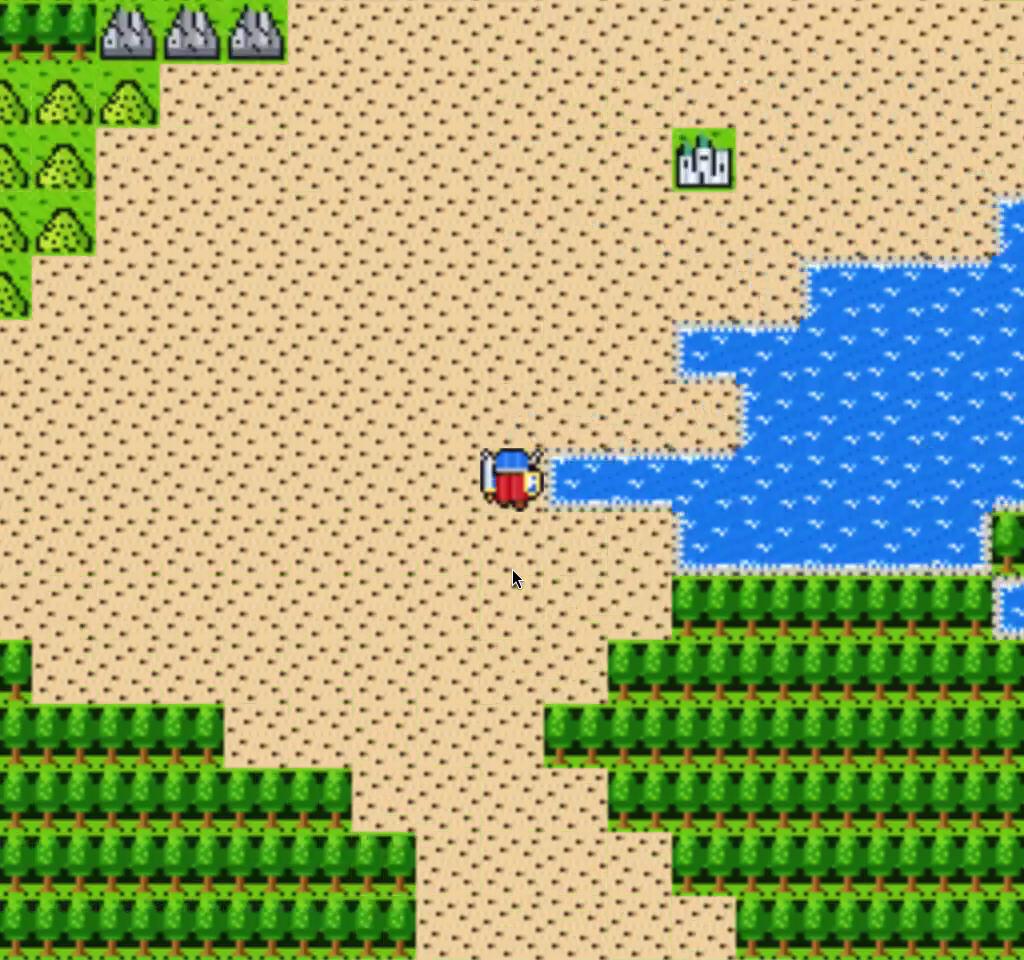
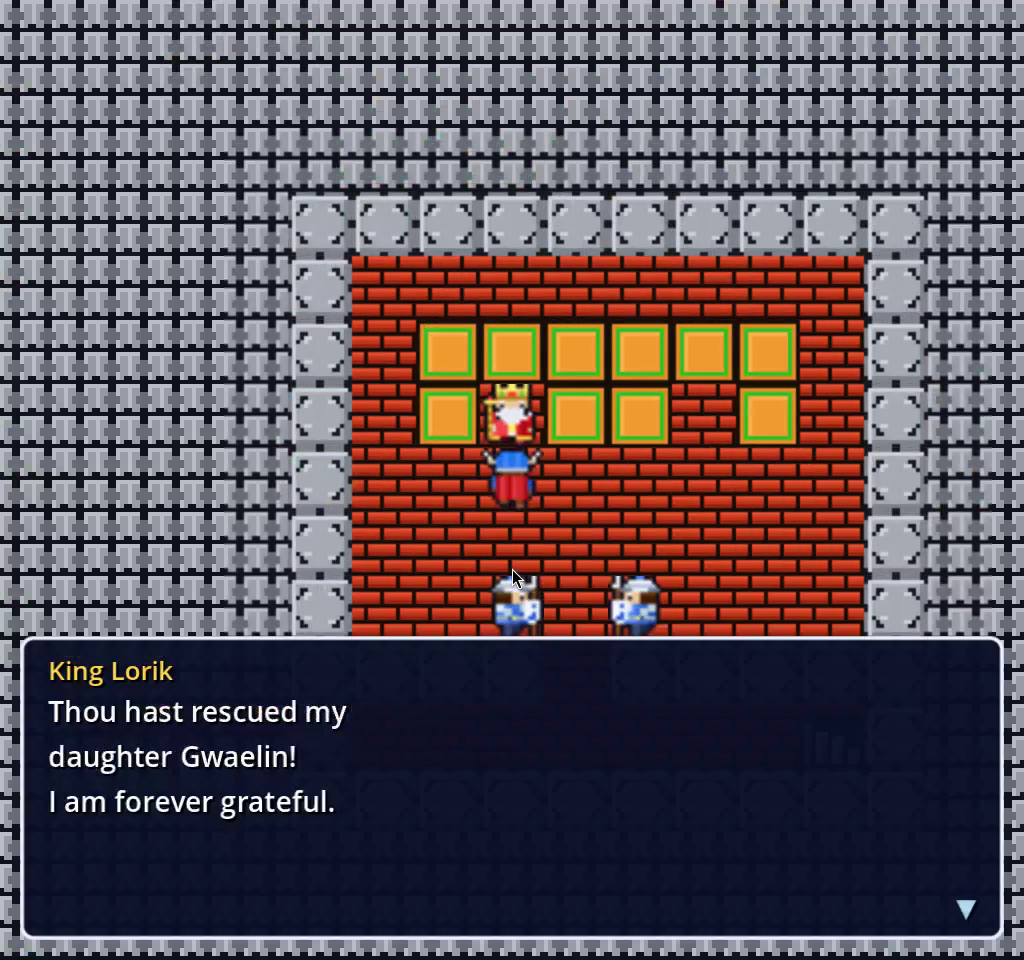
Start Quest: Warrior Dragon with --demo and nobody touches the controller. The in-engine AI picks New Quest, listens to King Lorik, opens the treasure chest, takes the Magic Key to the locked door, walks down through Tantegel Castle and out into Alefgard, then fights whatever jumps out of the grass. Point it at the Dragonlord and it wins that fight too. Everything below was recorded from the game running headless on a virtual display, with no human input.
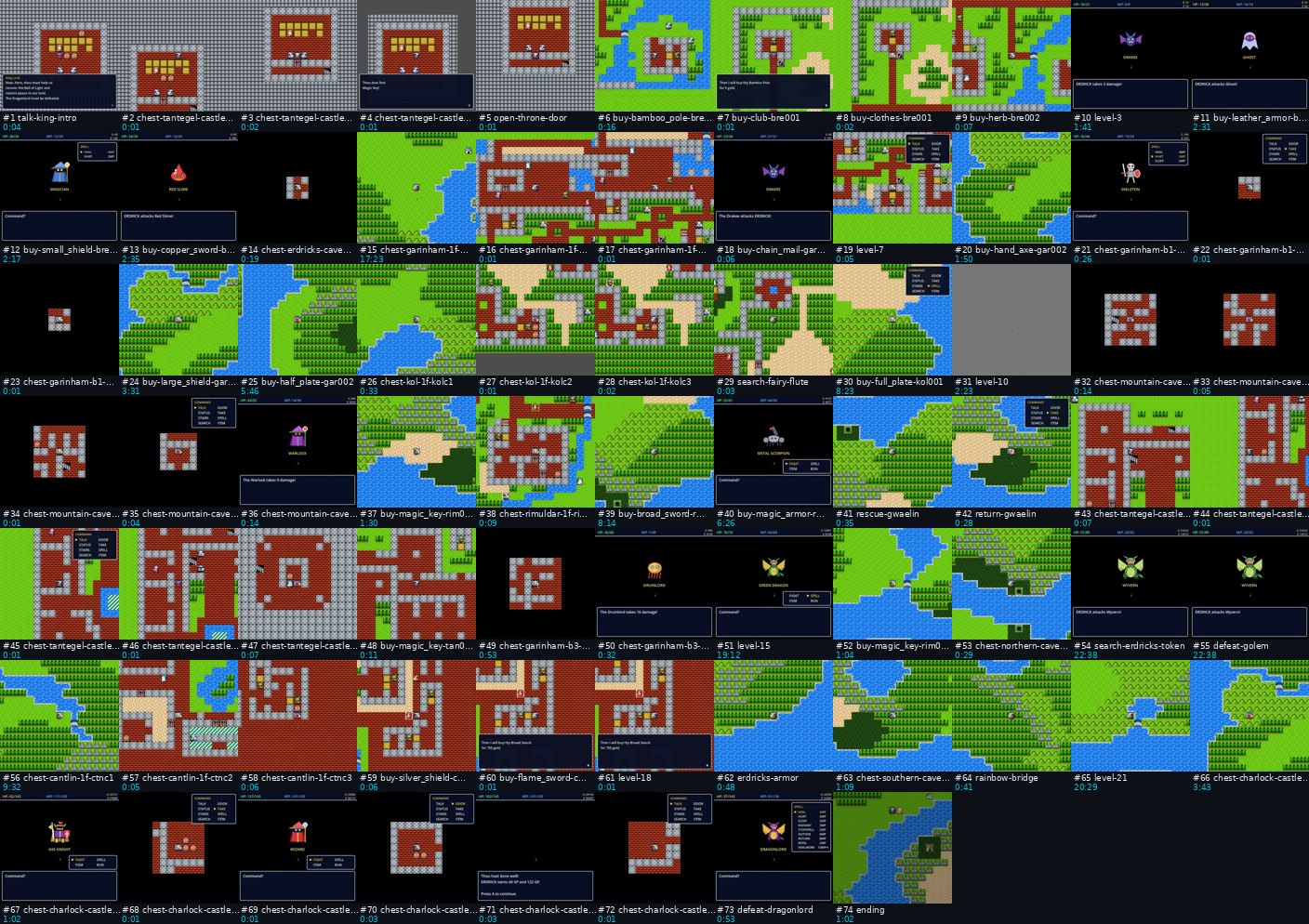
The whole game in one uninterrupted run: all 74 milestones from King Lorik's throne room to the Dragonlord, hero level 21, 2,621 battles, 6 deaths. Chapters in the description jump to each milestone. Recorded with the full-game play mode, which goes further than the --demo run below. Watch on YouTube42 seconds, real time, no human input: King Lorik, the Magic Key, the throne-room door, Tantegel Castle, the overworld and the first Slime and Drakee fights.
~12 sNew Quest to the overworld
0human button presses
5 / 6boss-tier battle tests won
36 / 220HP left after the Dragonlord
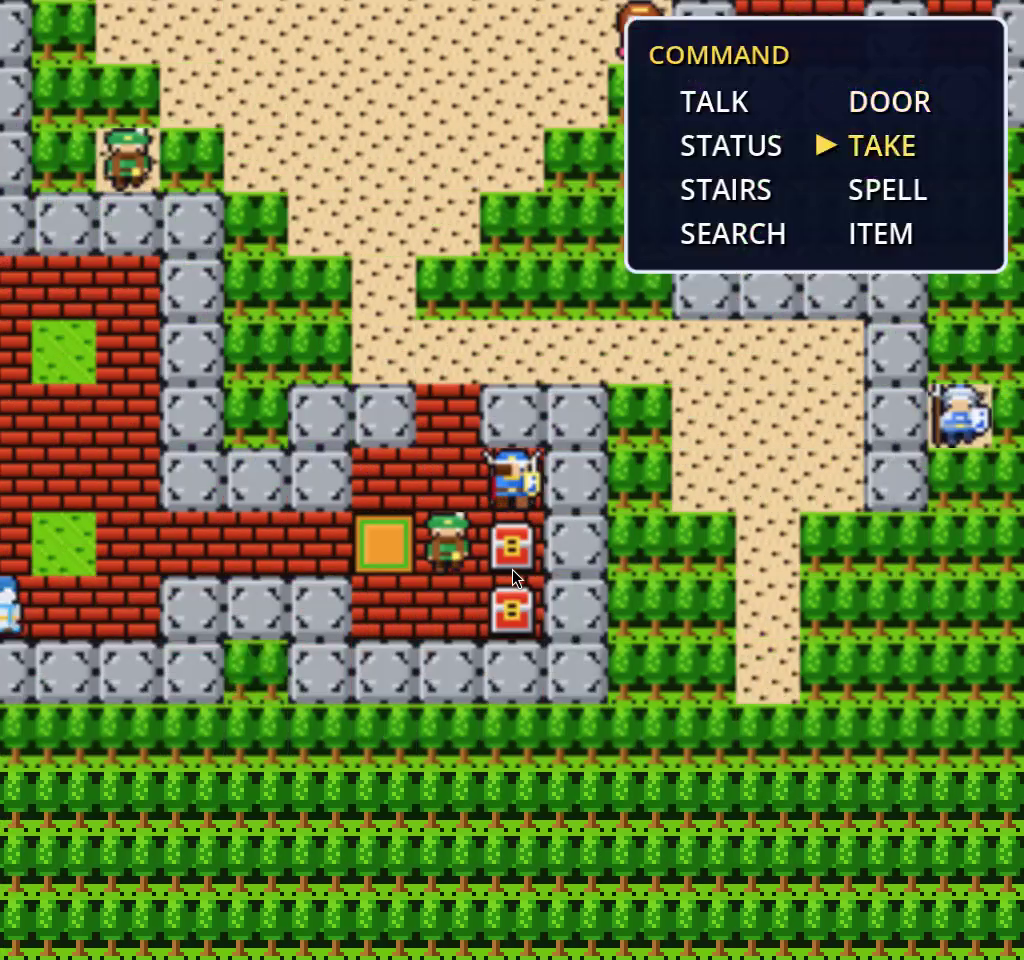
It plays with the same buttons you do.AIEngine.gd is an autoload inside the Godot game. It can only send the input actions a player can (move_up, move_down, move_left, move_right, ui_accept, ui_cancel, cmd_menu), so it opens the command window and moves the cursor to TAKE or DOOR like a person would. It never teleports and never sets the game state directly. Each tick it reads the same JSON the game's HTTP control server publishes (/state for the hero, dialog, menus and battle, /screen for a walkable map of the visible tiles with every chest, door and staircase marked). It runs a breadth-first search to its next goal and walks there in strides: on a straight run it holds the direction down across several tiles and lets go as the hero steps onto the last one, instead of tapping once per tile.
A run from New Quest reads like this (taken from the state log the capture script recorded):
SaveSelect ▶ BEGIN A NEW QUEST
ThroneRoom King Lorik: "Then speak with the guards, for they have much knowledge…"
ThroneRoom cmd_menu → TAKE "Thou dost find Magic Key!"
ThroneRoom cmd_menu → DOOR "The door clicks open."
ThroneRoom stride → stairs (9,9) cmd_menu → STAIRS
Castle1F stride → south gate (11,30)
WorldMap (44,45) ⚔ Slime HP 15 → 12
WorldMap (44,45) ⚔ Red Slime
WorldMap (44,46) ⚔ Red Slime HP 9 → 6
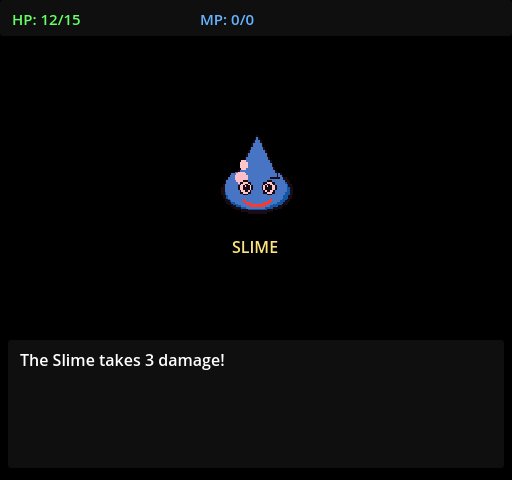
The AI picks Begin a New Quest.King Lorik gives his speech; the AI reads every page.TAKE on the chest: Thou dost find Magic Key!Down the stairs and through Tantegel Castle.Out into Alefgard.First blood: The Slime takes 3 damage!
The bug it found for us. The first time we ran it this week, the hero opened the chest, unlocked the door and then walked into the throne-room counter forever. Yesterday's tile audit (85c4559f) made tile 8 the counter around King Lorik, and a floor tile in every town, but the control server still listed tiles 8 and 21 as staircases in /screen. The AI treated the counter at (5,3) as the nearest staircase. Only tiles 33 and 34 are staircases; mapped stairs come from stair_registry.json. With that fixed in 4f6bbe3d, the same run gets from New Quest to the overworld in about twelve seconds. No test caught this; an AI player did, just by trying to play.
Boss fights. The Enemy AI side of demo mode is the game's normal monster logic: attack patterns, spells and fire breath from monsters.json. To show the Player AI against the strongest monsters we used the debug launcher's battle test, which starts a fight against any of the 40 monsters with whatever hero stats you give it:
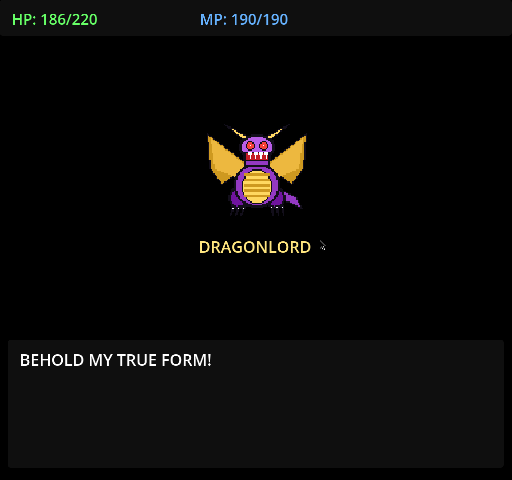
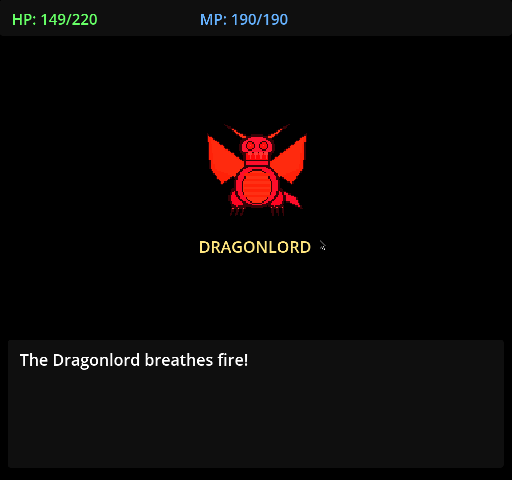
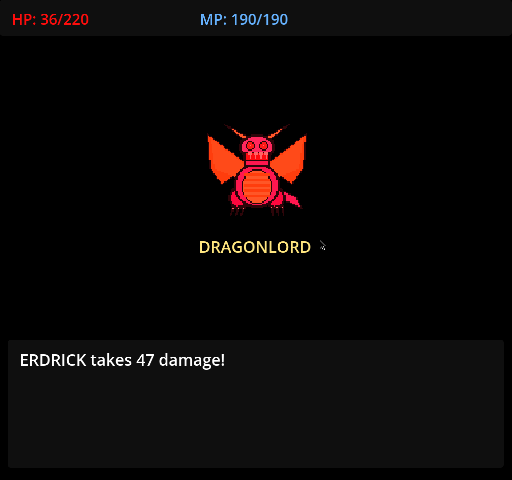
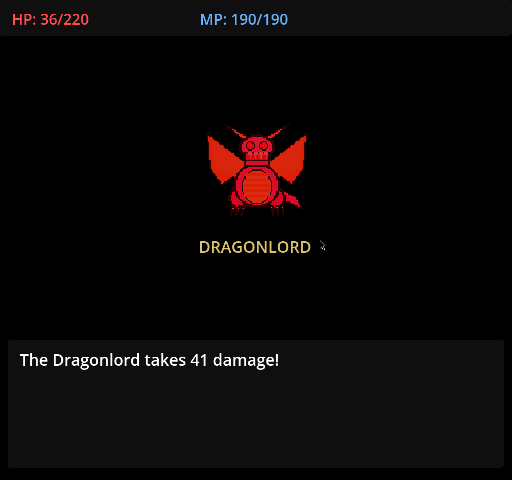
A level-15 hero with 90 HP lost to the Golem. At level 20 the AI beat it twice, and at level 30 it beat the Green Dragon, the Dragonlord's final form on its own (dragonlord_form2) and the full two-stage Dragonlord fight. That last fight is below, about seven seconds from A Dragonlord draws near! to the final blow:
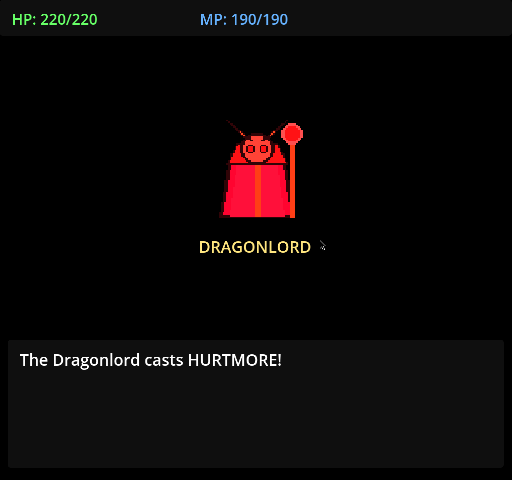
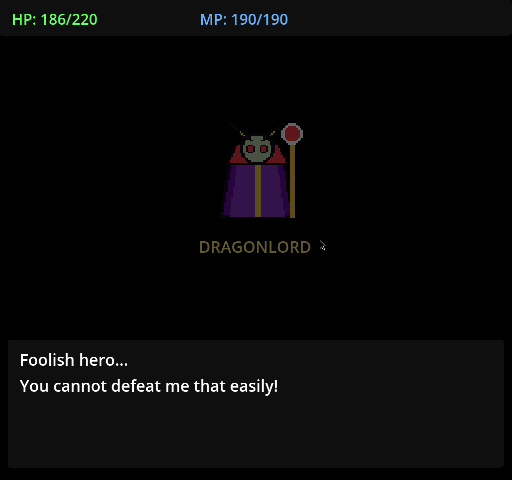
The AI against both stages of the Dragonlord: HURTMORE, “Foolish hero…”, the transformation, fire breath, and a win with 36 of 220 HP left.
The wizard opens with HURTMORE: 34 damage.“Foolish hero… You cannot defeat me that easily!”BEHOLD MY TRUE FORM!Fire breath: 66 damage a time.Down to 36 HP. The AI keeps swinging.The final blow: 41 damage, and Alefgard is safe.
What the --demo mode can't do yet, which is the to-do list. The full-game play mode in the video above does all of it: it routes across Alefgard, casts spells and earns its level before Charlock (how that mode works).
The overworld has no goal. The AI has routes for the throne room and the castle's first floor. Outside, it walks a right, down, left, up loop next to the castle, which is enough to trigger random encounters but not to reach Brecconary. It wanders back through the castle gate now and then, and the castle logic walks it straight back out.
It never casts spells. In battle it chooses FIGHT, or ITEM to use a Herb when HP falls under 35%. The hero in the Dragonlord fight had 190 MP and HEALMORE but no Herb, so at 36 HP it attacked again. It got lucky.
Boss fights start from the debug launcher. The new-game run can't reach Charlock yet, so the boss footage uses a hand-picked hero level, not one the AI earned.
Watch it yourself. From games/quest-warrior-dragon, run ./launch.sh --demo, or set DW_DEMO=1. In a running game, POST /command with start_demo or stop_demo switches the AI on or off, and capture_screenshot saves the frame exactly as the game draws it, which is how the stills above were taken. The videos are an ffmpeg recording of the Xvfb display the game ran on.
Proving every tile was reachable did not prove the game could be won. So we taught the robos-jrpg engine to play Quest: Warrior Dragon from King Lorik's throne room to the Dragonlord with real inputs only, cut the two-hour run into one video and one save checkpoint per milestone, added deadlock watchdogs on both sides of the IPC boundary, and put the whole thing in a GNOME tray icon so you can follow it without watching it.
The BFS proof of viability was the first verification layer for the Quest: Warrior Dragon port: a headless walk over every connected (map, col, row) state that shows every chest, door, staircase and the Dragonlord's altar is reachable from the throne room. It caught real routing bugs. It also said nothing about whether the game is beatable. Can a level-1 hero with 120 gold earn the 1500 for a Broad Sword before the Swamp Cave kills him? Does the pack ever fill up so that a quest chest has to be skipped? Does Charlock's basement let you out again after Erdrick's Sword? Those are economy and combat-formula questions, and the only honest test is to play.
One frame from each per-milestone video of the winning run, with the milestone id and clip length. Chests take a second; digging up Erdrick's Token took 22 minutes of grinding first.
A brain that only wants the next milestone
PlayGameBrain.gd is a "play the game" mode of the in-engine AIEngine.gd. It has exactly the affordances a human has: move_up/down/left/right, ui_accept and cmd_menu, and the state the game exposes through its IPC web service (GameControlServer.gd, GET /api/v1/state). No teleports, no stat edits, no reading hidden RNG. What makes it finish the game is not cleverness but a registry: tools/gen_milestones.py derives data/v1/milestones.json, an ordered list of 70 objectives, from the chest, shop, quest and level-curve data: every weapon, armor and shield purchase, every chest, each quest item, a level gate before each dangerous zone, the Dragonlord and the ending. Each entry says where to stand, which command to use, what level and gold are needed, and a done_when predicate. The brain always seeks the next unfinished one.
Routing:RoutePlanner.gd plans multi-map routes over the real walkability grids (stairs, doors, bridges, the Rainbow Bridge); the brain walks them with the same stride inputs the demo AI uses.
Survival: kill-before-die battle maths from combat_formulas.json, zone-aware heal thresholds (survive two worst-case hits from the local encounter pool), tiered HEAL / herb / HEALMORE, inn trips only when out of heal MP and herbs, herb restocks at every item shop, MP conservation inside Charlock and HEALMORE-only healing against the Dragonlord.
NES rules: eight tool slots, six per stack, no dropping; a full pack skips a non-gold chest rather than cheating around it.
Death-adaptive grinding: every death outside a grind raises the current milestone's required level by one, so a run that gets unlucky becomes more careful instead of repeating the mistake.
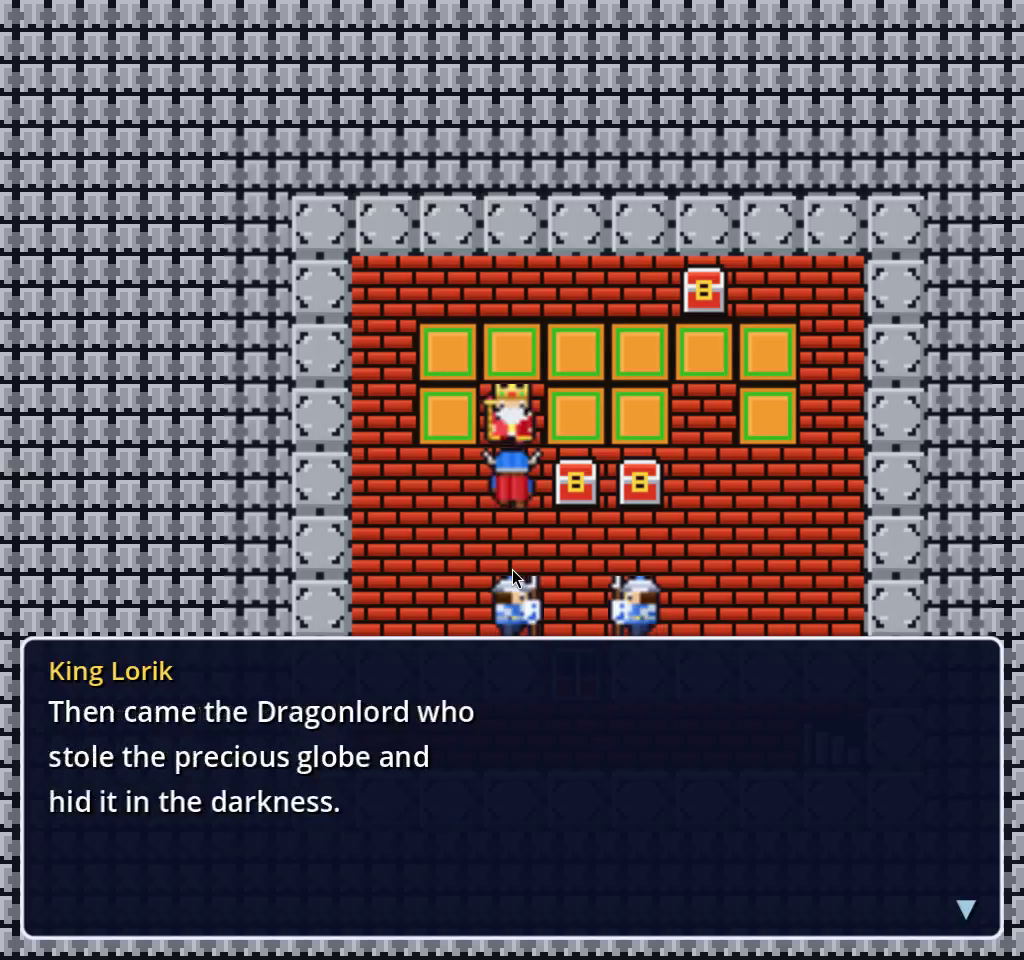
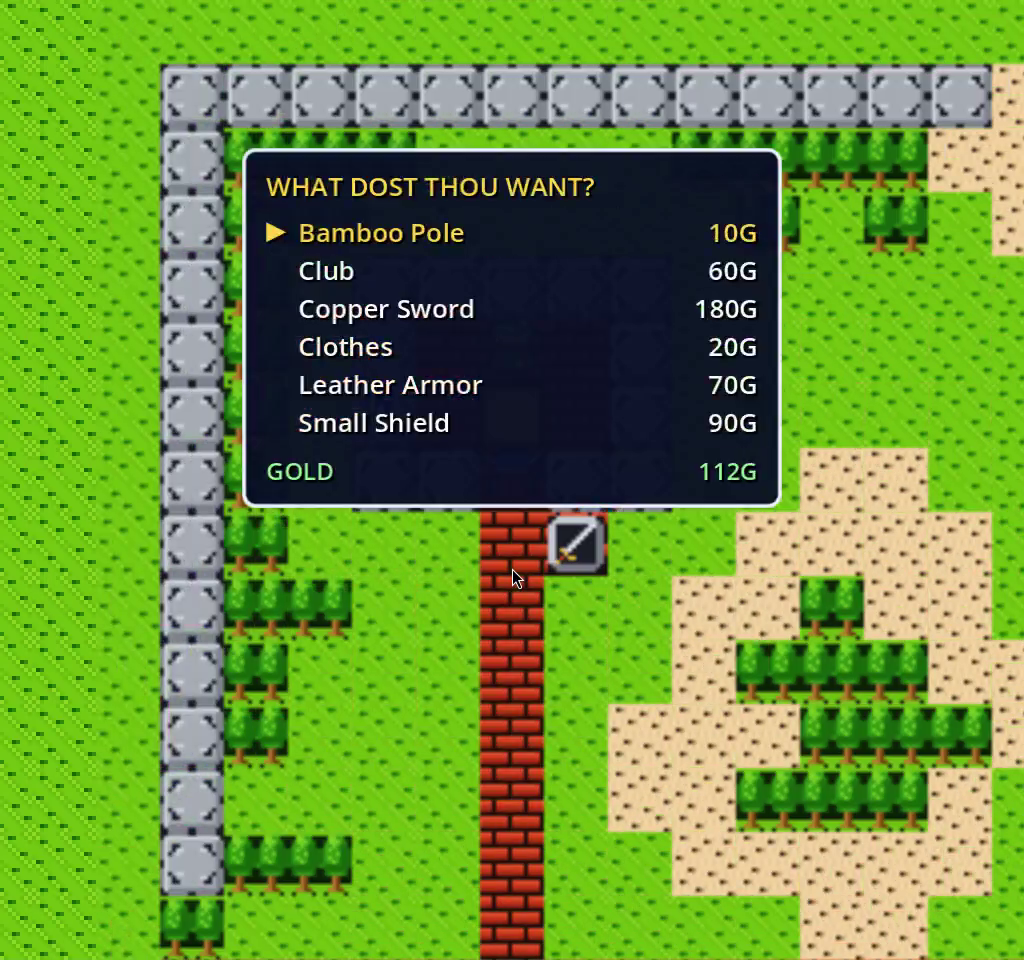
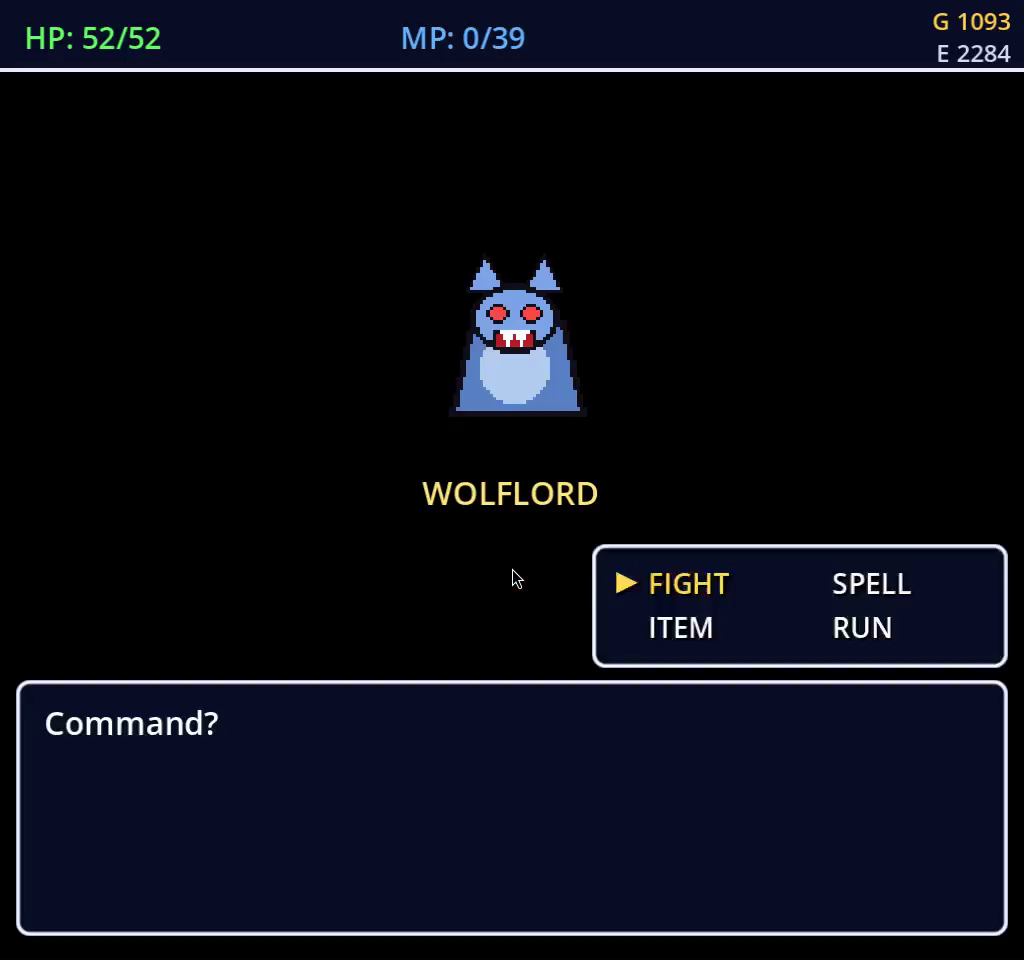
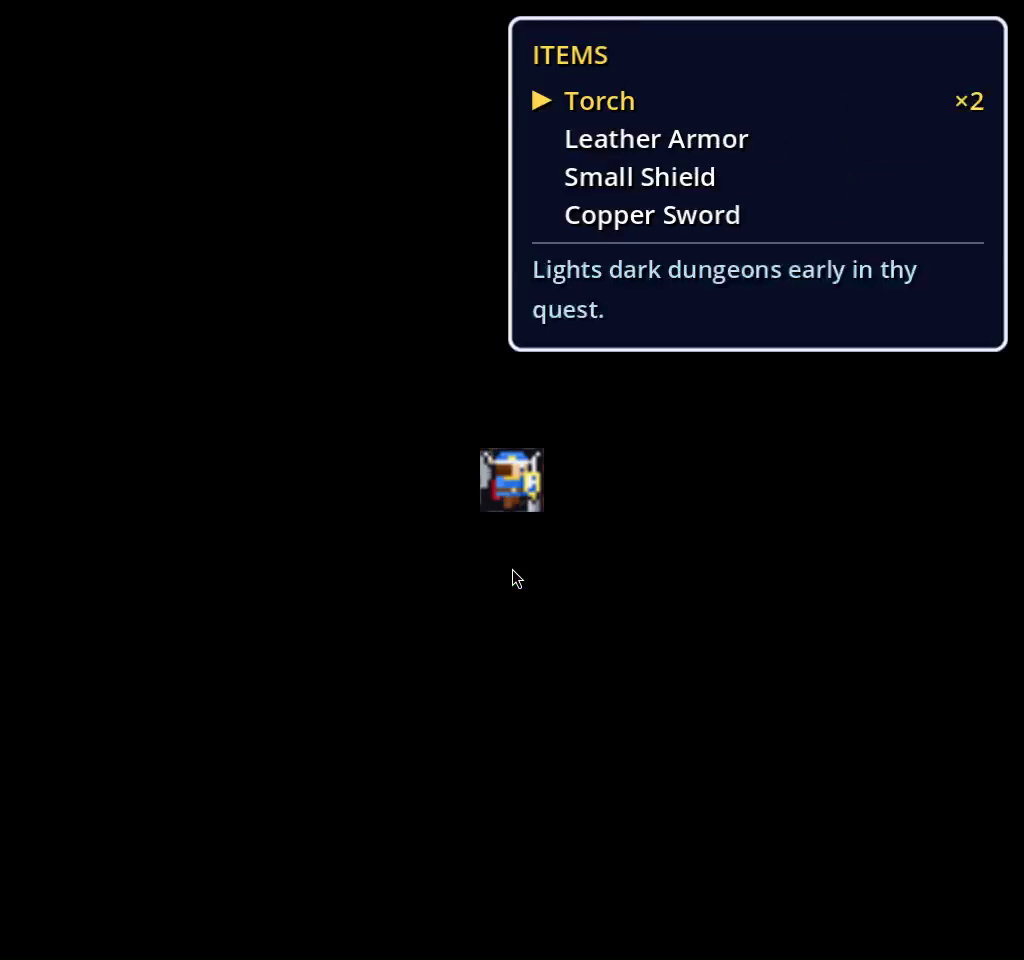
Milestone #1. The run starts exactly where a new game starts.The brain works a real shop menu with ui_accept and the cursor keys.A Wolflord: the battle policy has FIGHT and SPELL to choose from.The ITEMS window. Herbs and torches stack to six; before that fix they filled all eight slots.
The visibility problem of a two-hour run
At time-scale 8 a full run takes about two hours and roughly 800 random battles. Nobody watches that, and a single two-hour MP4 is nearly useless when you want to know why milestone 42 took ten minutes. So the Python driver (tests/e2e/play_full_game.py) got a --stepped mode: it cuts the ffmpeg capture at every milestone boundary into videos/NN-<id>.mp4, asks the game to export_save_state into checkpoints/NN-<id>.json, and saves screenshots/NN-<id>.png. Because every milestone has a checkpoint, --only N loads checkpoint N-1 and replays just that milestone, so a fix to the Kol item shop can be verified in twenty seconds instead of ninety minutes. --from N resumes a run from a checkpoint to the ending.
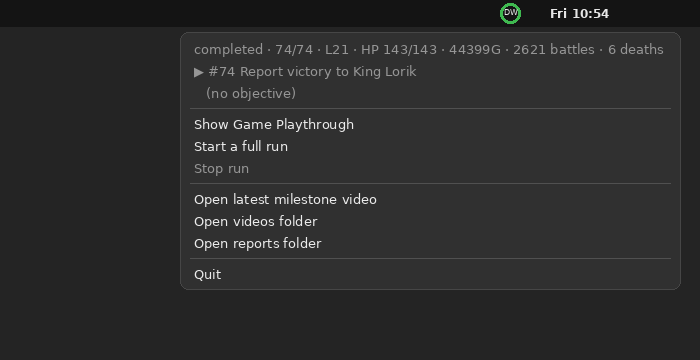
Then the tray icon. Stepped and recorded runs now start tools/playthrough-dashboard, a small Electron app that reads the live.json the driver rewrites once a second. In the GNOME top bar it draws a 32-pixel progress ring (cyan running, green done, red crashed or stalled) whose context menu, rebuilt every three seconds, shows status, done/total milestones, level, HP, gold, battles, deaths, the current milestone and the brain's sub-objective, plus Open latest milestone video and Stop run (which sends stop_play_game over IPC). Click it and the dashboard window opens.
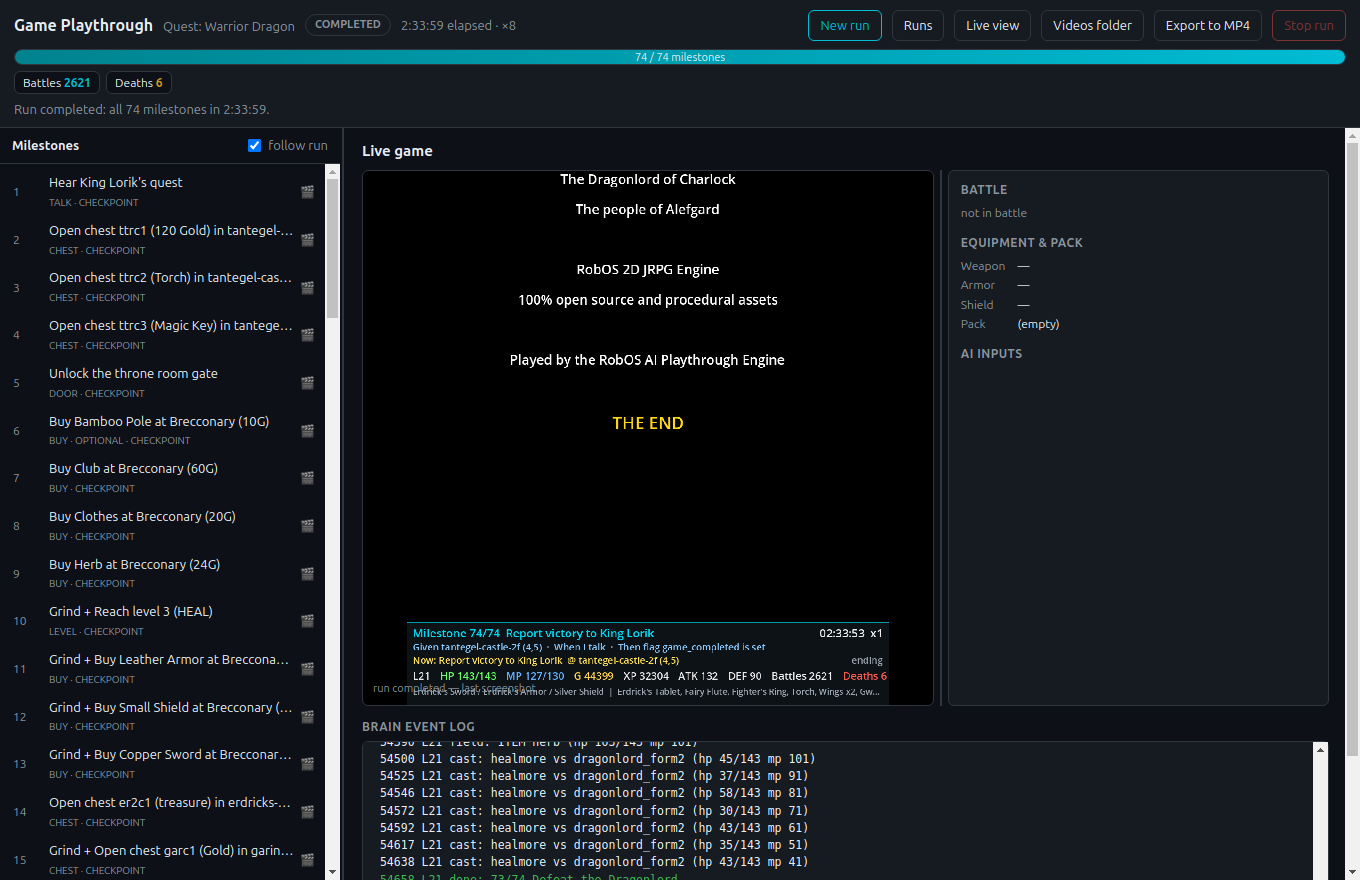
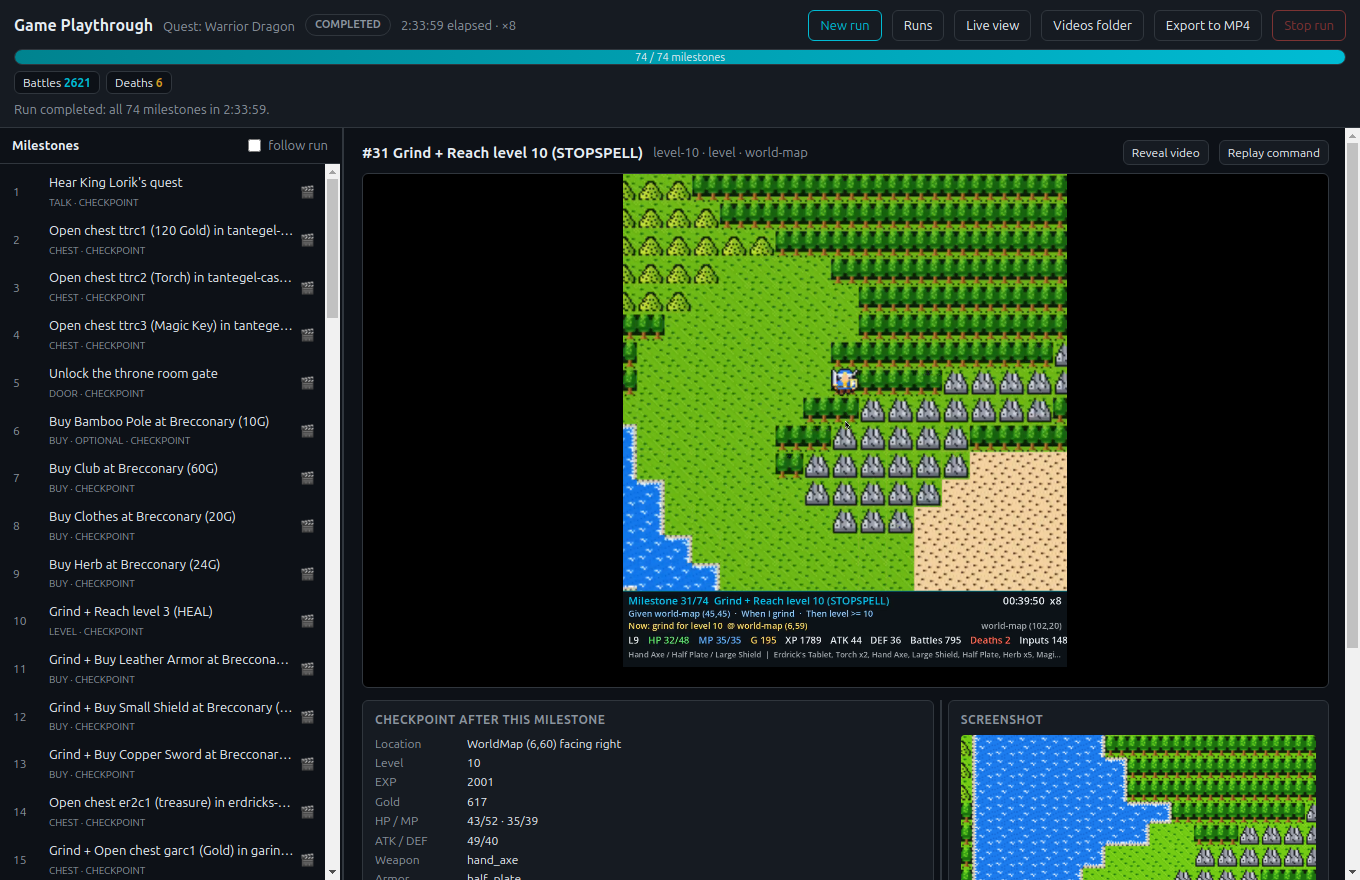
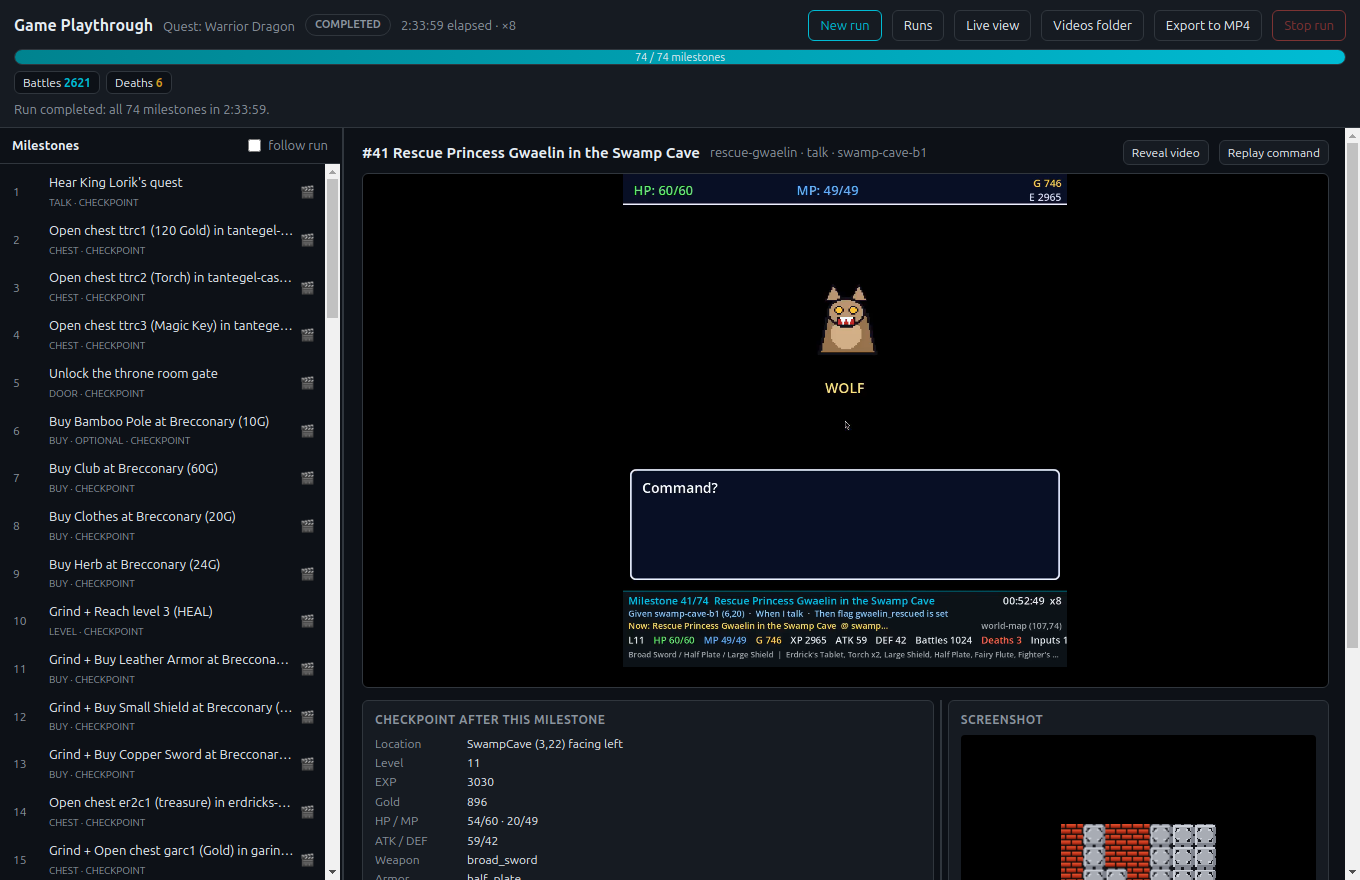
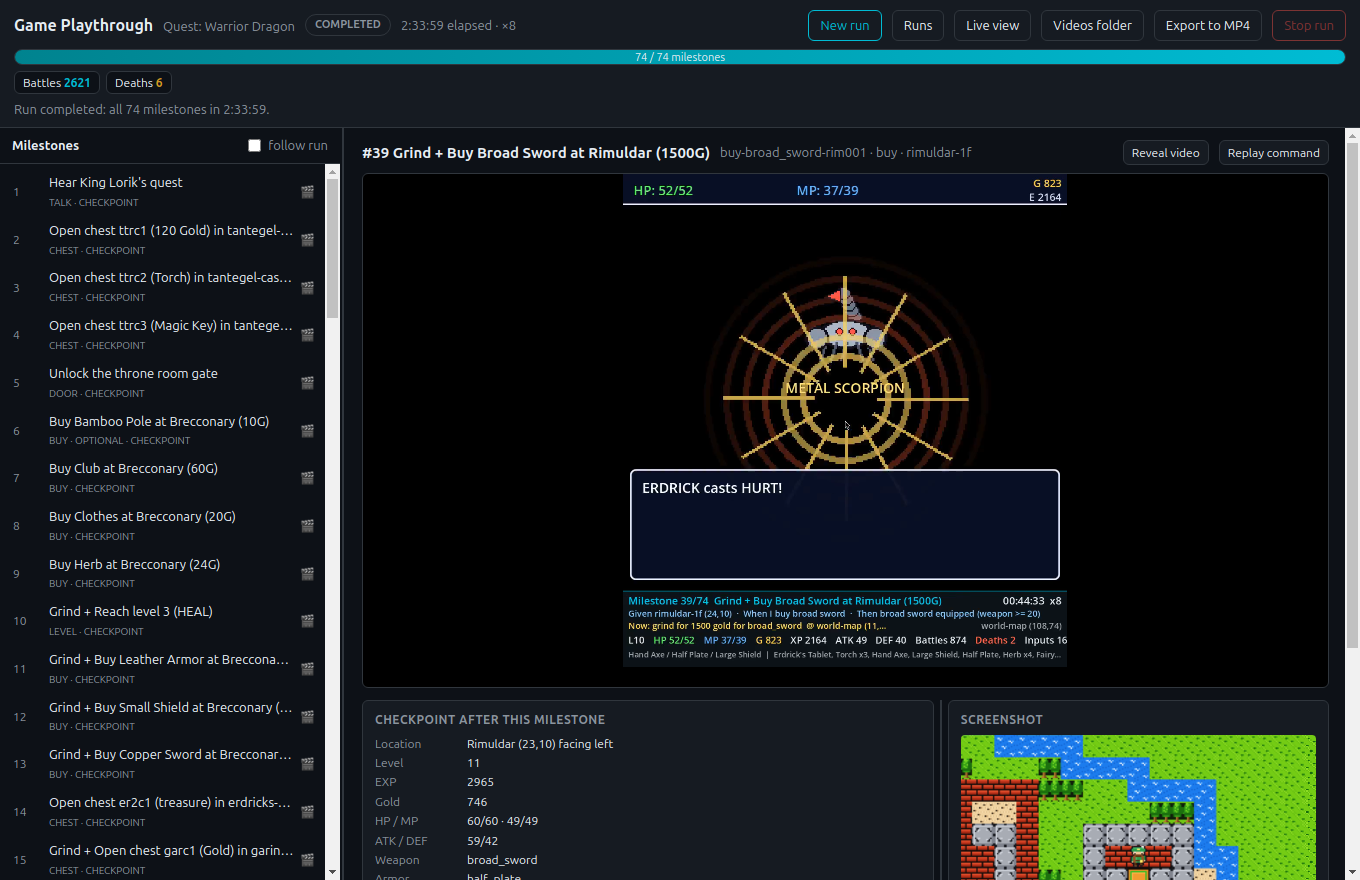
The tray icon and its menu after the winning run: 74 / 74 milestones, level 21, 2,621 battles, 6 deaths.The live view at the end of the winning run. Left: all 74 milestones with their type and whether a checkpoint exists. Right: the game screen, battle, equipment and pack, AI inputs and the brain's event log.
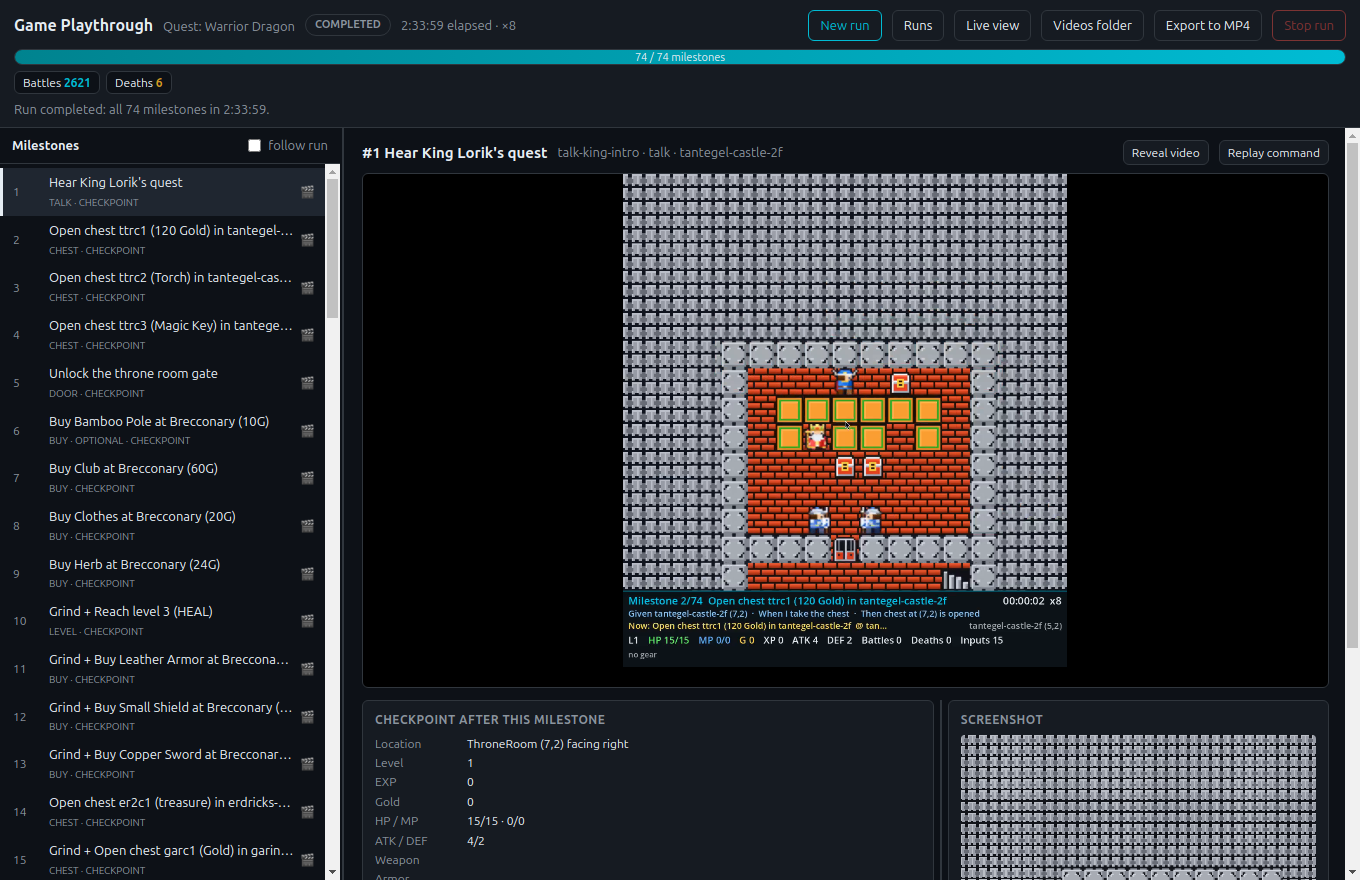
Every finished milestone in the list is a card. Click it and the dashboard plays that milestone's video, shows the checkpoint saved right after it (location, level, EXP, gold, HP/MP, ATK/DEF, equipment), the milestone screenshot, and a Replay command button that copies the exact --stepped --only N command line. Reviewing a run became: skim the filmstrip, click the milestone that looks slow, watch sixty seconds, read the checkpoint.
#1 Hear King Lorik's quest: a four-second clip and the first checkpoint.#31 Reach level 10 (STOPSPELL): 143 seconds on the overworld, checkpoint at 617 gold.#41 Rescue Princess Gwaelin: the Swamp Cave clip and its checkpoint.#39 Buy Broad Sword: the checkpoint confirms broad_sword equipped with 746 gold left.
Two watchdogs, one on each side of the wire
Autonomous runs do not fail loudly; they stall. The brain got a wall-clock progress watchdog: 90 seconds with no change in milestone, battle count, level, gold, map, tile, herbs or HP and it drops the current objective and plan, blacklists an unreachable supply shop, and after three stalls on the same milestone skips it if optional or fails the run. The driver got --stall-timeout (600 s by default): when the done-count, battles, level, gold and EXP all stop moving, it ends the run with status stalled, a stall.png and the tail of the brain's event log. The first thing the pair caught was a wandering villager in Kol who parked himself in the one-tile item-shop doorway and deadlocked the herb restock forever.
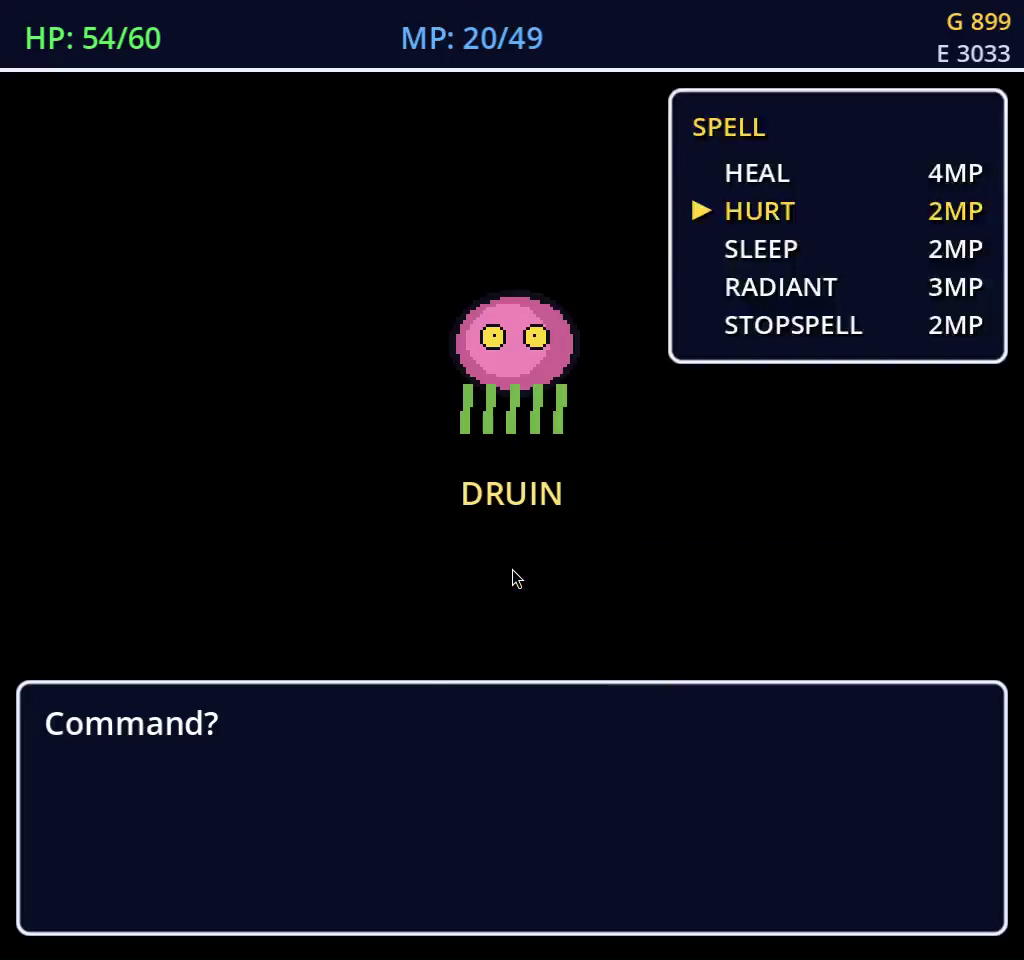
Kol. The NPC that blocked the item-shop door now wanders elsewhere, and shop retries are capped.HURT picked from the battle spell list. The battle policy casts when a spell is cheaper than the sword rounds it saves.
Every bug it hit was a game bug
The rule in the game's AGENTS.md is "fix the game, not the brain", and it held. The playthrough found the Charlock 1F exit gate unwalkable (reachable on the BFS grid, impassable in play), boss fights not syncing the pack, duplicate chests, missing level-up curves, incorrect enemy flee factors and spell resistances, a Cantlin item shop with no stock, Wings that did nothing on the overworld, consumables that refused to stack, and a Magic Armor / Erdrick's Armor tie that made the brain re-buy armor it already outclassed. None of these were visible to the BFS audit or to the chained Cucumber checkpoints, because they only appear when a hero with the real economy and real stats tries to progress.
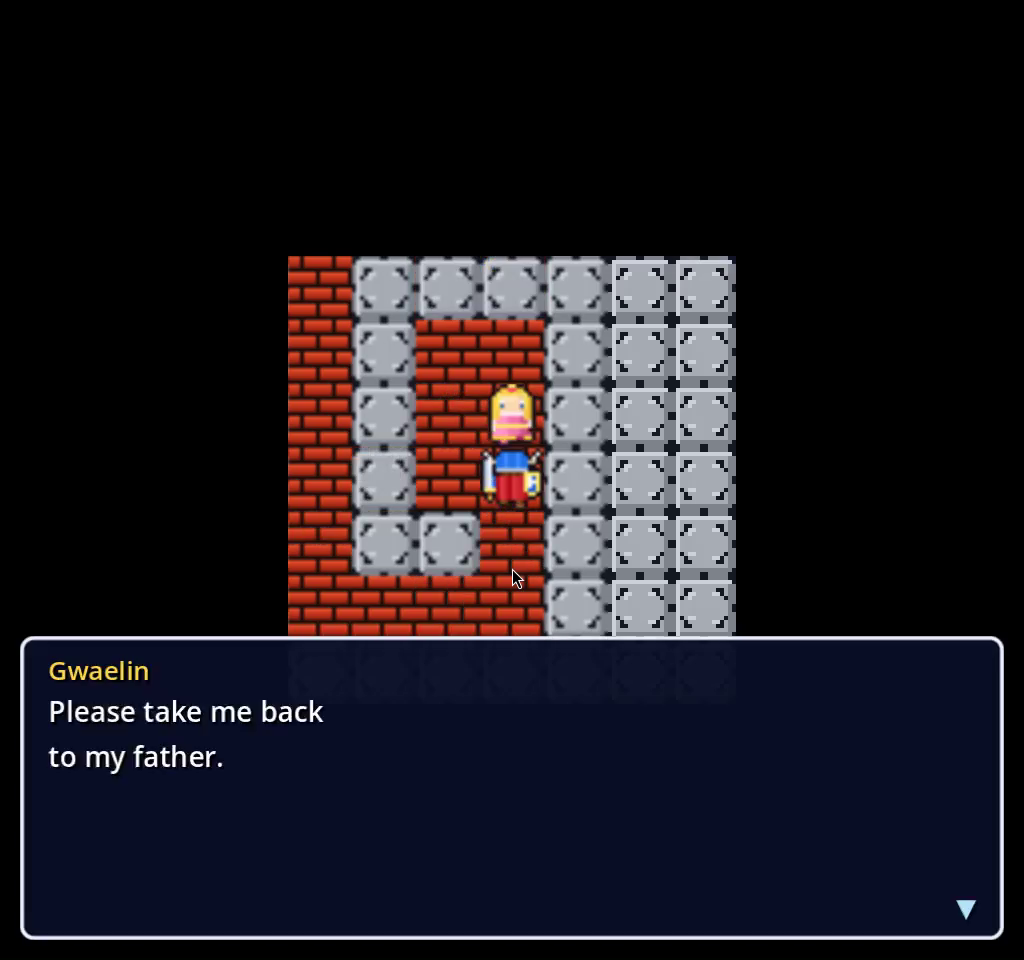
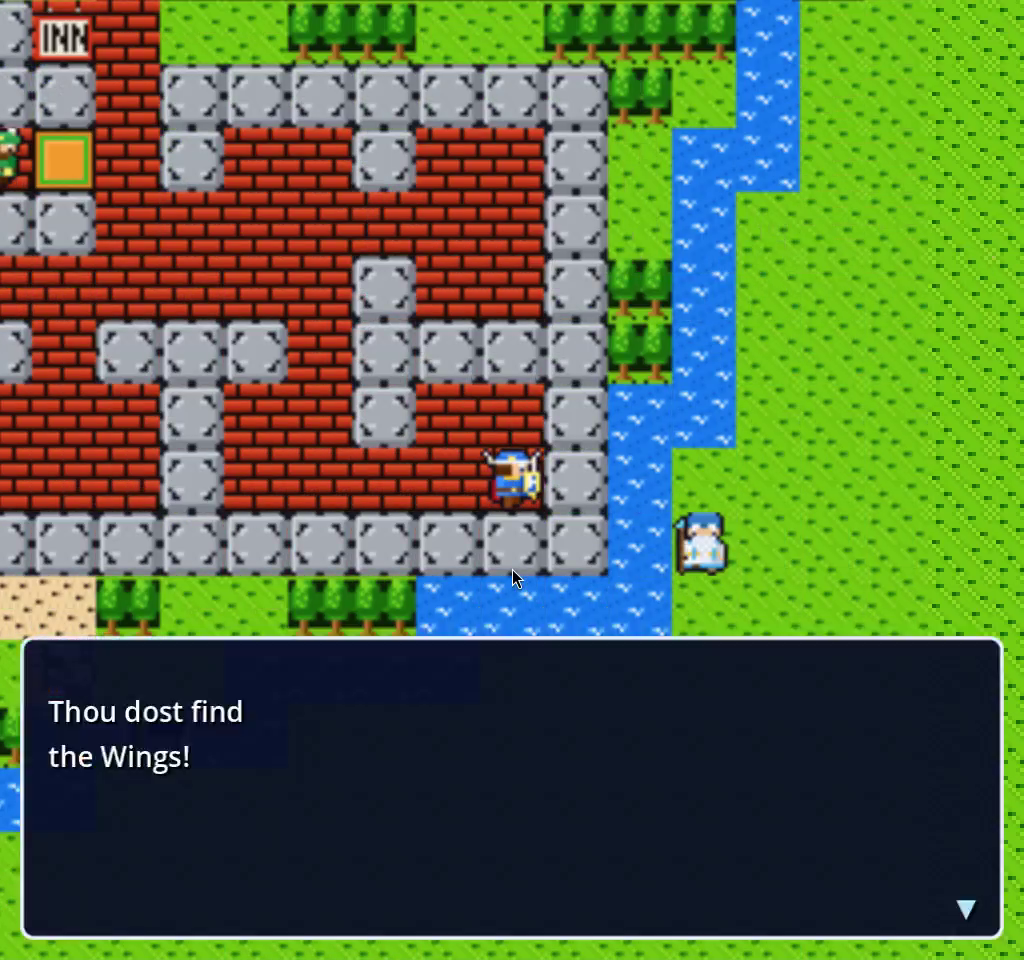
Erdrick's Cave in the dark. The brain buys torches before every dark dungeon until it knows RADIANT.Gwaelin's cell at level 11.Wings from Rimuldar, the brain's way home from Charlock when its MP commit bar is short.Staff of Rain in the northern shrine.
Results, and how to run it
With the game data fixed, the brain clears all 70 milestones and beats the Dragonlord at level 21–22 in one or two Charlock expeditions with at most a single death; the screenshots in this post are from a later run that cleared all 74 milestones with 2,621 battles and 6 deaths. The playthrough.json report, the per-milestone videos and the checkpoints are the proof of work. To try it: python3 games/quest-warrior-dragon/tests/e2e/play_full_game.py --stepped runs the whole game headless with the tray icon and dashboard; --until 18 stops after the Copper Sword, --only 42 replays one milestone, DW_HEADED=1 shows the game on your desktop. The dashboard also runs on its own against any reports folder (npx electron --no-sandbox . --reports ... --port ...) and has --snapshot out.png and --select N flags so headless agents can screenshot it, which is how the dashboard images in this post were taken.
The desert on the way to level 15.Gwaelin returned to King Lorik.
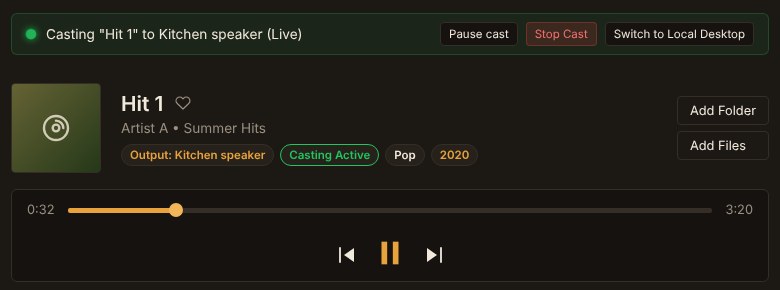
The RobOS Audio Player now browses a 100,000-song library, keeps a VLC-style play queue on screen, builds playlists with your RobOS agent and puts a Virtual DJ between songs, on your desk or on a Google Cast speaker. Most of the work after the first version went into making the DJ loud enough to hear and the speaker keep time.
The library groups music into albums, artists, genres, decades and composers, sorts names the way people expect ("Track 2" before "Track 10", "The Beatles" under B) and only draws the rows on screen, so a 100,000-song library stays smooth. Songs in Google Drive or OneDrive get their real artist and album without being downloaded: the player fetches only the bytes that hold the tags (the ID3 tag at the start of an MP3, FLAC's metadata blocks, an M4A's moov box wherever it sits) and guesses from folder names until then.
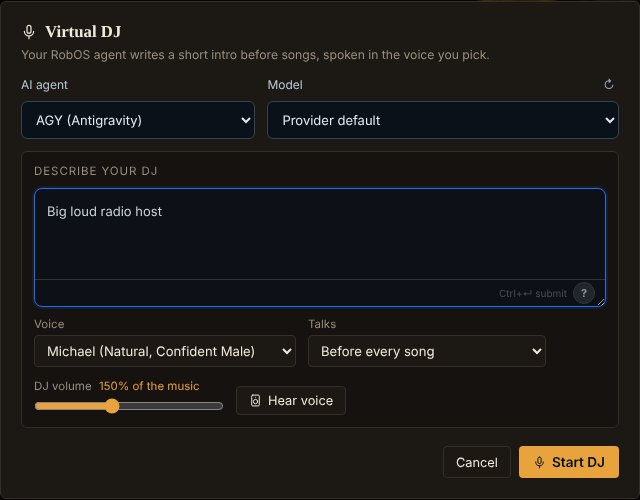
AI Playlists: describe what you want ("late-night jazz and moody electronic for coding") and your RobOS agent picks and orders songs from your library. The agent is chosen with the same <robos-agent-selector> PR Review uses, so it defaults to whichever agent you have installed and signed in. Tick Virtual DJ, describe a host, and the agent writes a short intro for each song, a few songs ahead, spoken with RobOS Voice. The speaker button in the queue (or right-click → Announce this song) plays the intro the DJ has ready, so you can hear it before the song ends.
The first version worked on paper and failed in the kitchen. What we fixed:
The DJ was a whisper. Voice engines produce speech far quieter than mastered music, and a Cast speaker plays the DJ at the music's volume, so turning the DJ up had to happen in the audio itself. Each line is now loudness-normalised to music level (−14 LUFS), set to a new DJ volume (default 150%, about 3.5 dB louder than a typical song) and run through a limiter, then saved as MP3 for both the computer and the speaker.
"No text-to-speech engine produced audio." Kokoro loads its model on first use and the first line gave up after 12 seconds. The fallback then handed Edge-TTS a Kokoro voice name it rejects. The voice engine now starts as soon as the DJ is on, DJ lines may wait 60 seconds, each fallback engine uses its own voice, and the message names what failed for each engine.
The speaker stopped and restarted between songs. Every song shut down the speaker's Cast app and launched it again. A muted local copy of the song also sent the song again whenever it started playing, so each song was loaded at least twice. One receiver session now stays open, and each song is sent once.
The progress bar sat at 00:00. It followed that muted local copy, which for a cloud song might never load. While casting, the speaker is now the clock: the app asks for its position every second, and the progress bars, play counts, synced lyrics and the move to the next song all follow it. Dragging the bar seeks the speaker.
Speakers refused some DJ lines. Every file went out labelled as MP3, including WAV voice clips, and the voice cache stores MP3s under .wav names. Files are now typed by their first bytes.
Smaller things from the same stretch: dividers and table columns can be dragged to resize, and the sizes are remembered. Lyrics have an on/off switch and a Follow button that keeps the current line in view until you scroll yourself.
Unit tests cover tag reading from synthetic MP3, FLAC and M4A layouts, ranged reads from a fake Drive, Cast session reuse, the speaker's position reports and file typing. The DJ and casting screens were exercised in headless Chromium against a scripted Cast speaker.
Virtual DJ settings: the agent writes the lines, RobOS Voice speaks them, and DJ volume sets how loud they are next to the music.Casting to a speaker: the progress bar and the pause button follow what the speaker reports.
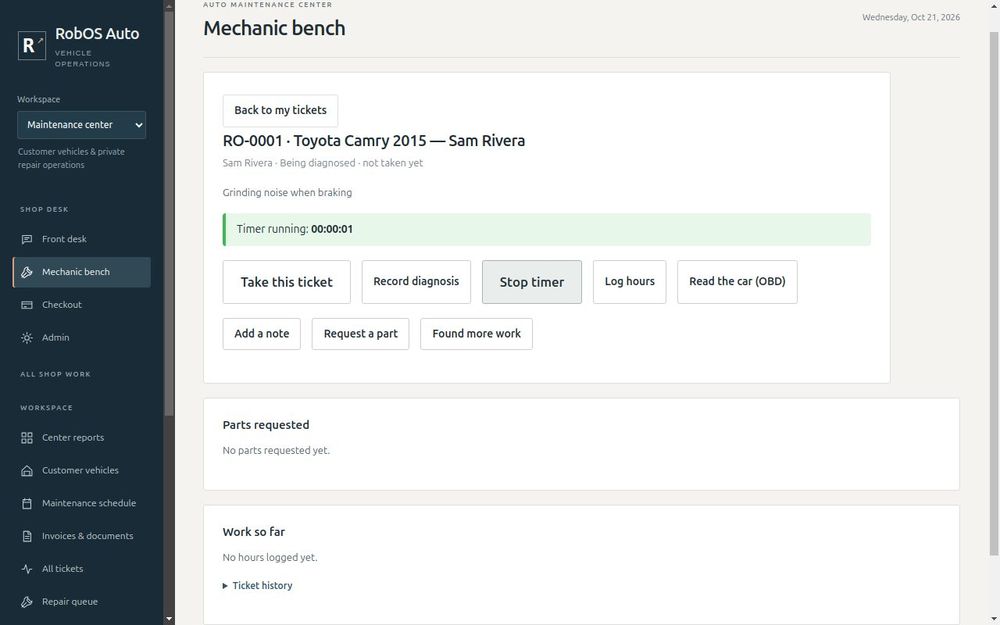
Plug a $30 Bluetooth OBD-II adapter into the port under the dash and the mechanic bench reads the check-engine light, trouble codes, the VIN and live engine data, then saves the scan on the work ticket. We built it against a real van with a vLinker MC+ plugged in.
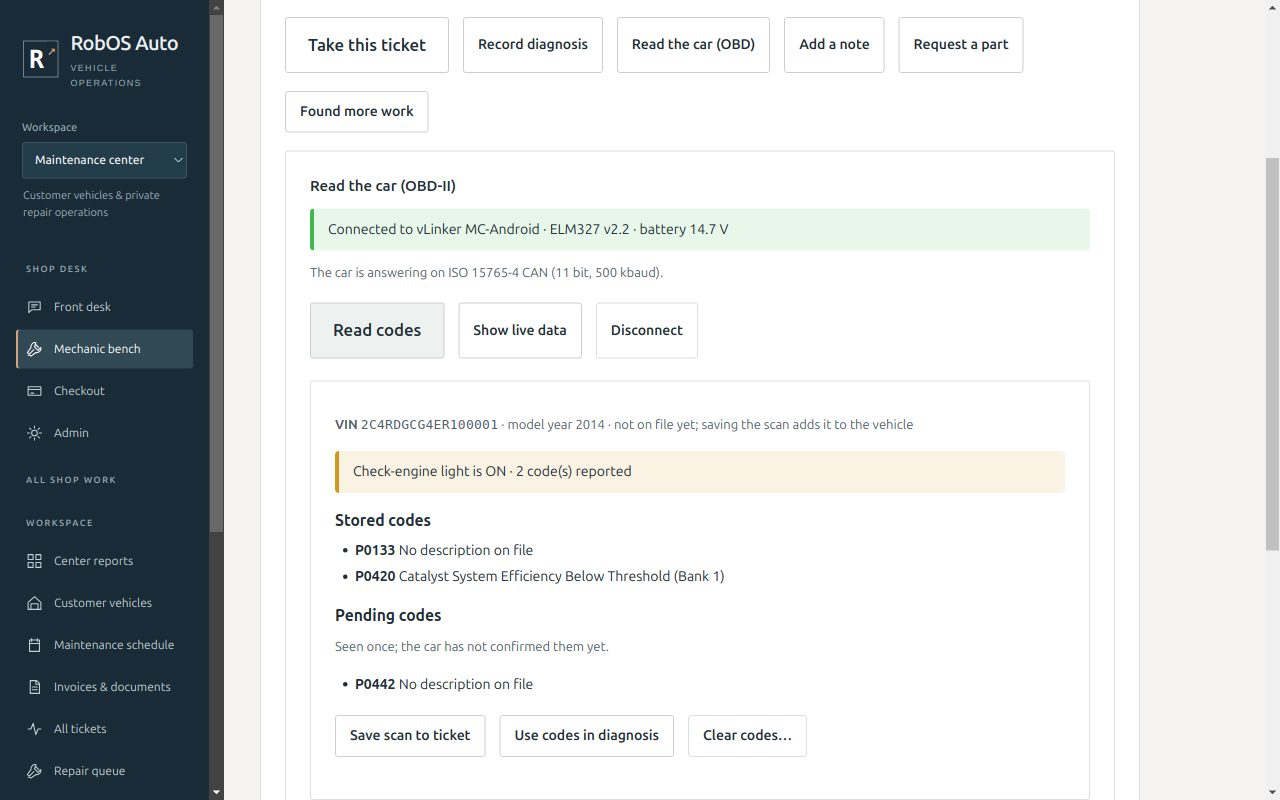
Until now Auto Center knew what trouble codes mean (the python-OBD definitions are in its catalog) but a mechanic still had to read them off a separate scan tool and type them in. A ticket on the Mechanic Bench now has a Read the car (OBD) panel that talks to any ELM327-compatible Bluetooth adapter: vLinker, OBDLink, Veepeak, Vgate and the many clones.
Read codes: the check-engine light, stored, pending and permanent codes with their descriptions, the VIN and the model year it encodes. Engine and transmission codes are labeled by module.
On the ticket:Save scan to ticket writes what the car reported into the ticket history. If the vehicle has no VIN on file, the VIN read from the car fills it in. If the car's VIN does not match the ticket, the bench says you are plugged into the wrong car and will not save the scan. Use codes in diagnosis opens the diagnosis with the codes already filled in.
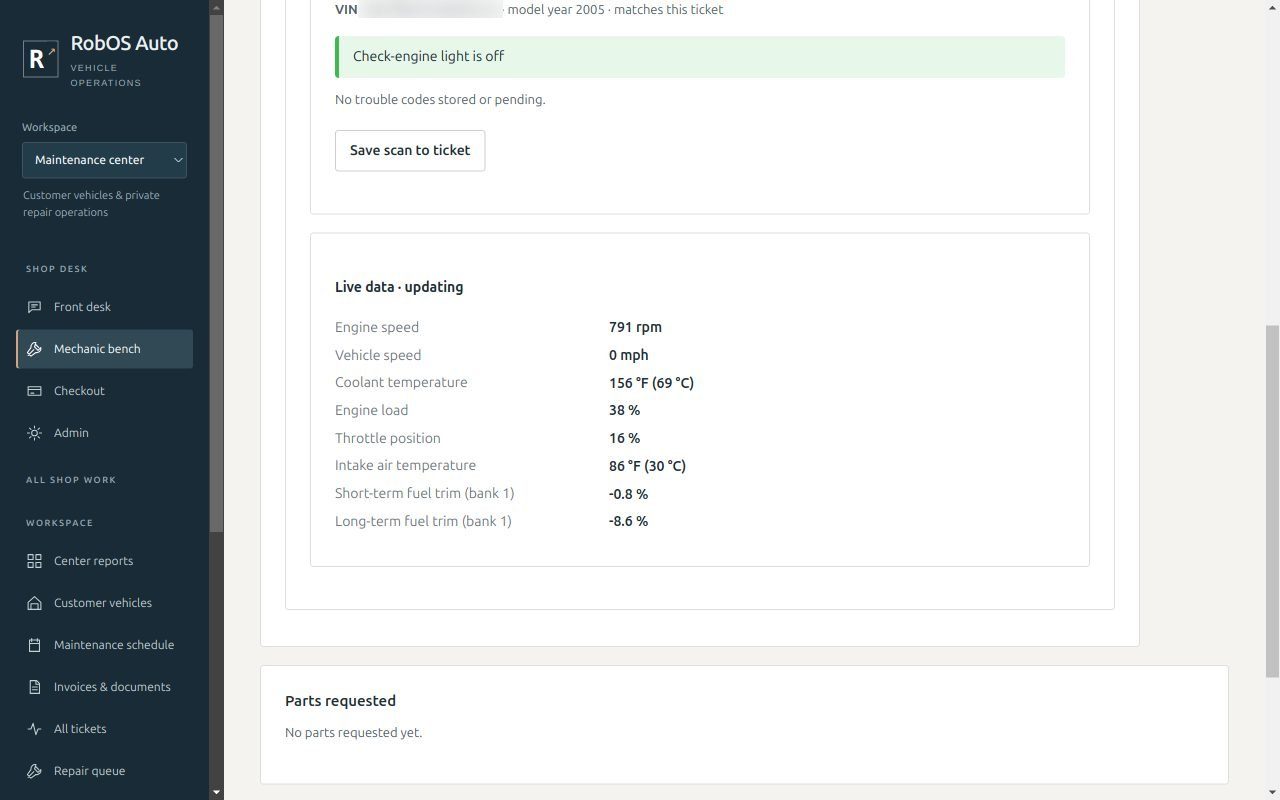
Live data: engine speed, coolant and intake temperature, battery voltage, load, throttle, fuel level, fuel trims, speed and time since start, about once a second. Only readings the car reports as supported are asked for.
Clearing codes asks first. Clearing also resets the emissions readiness checks, so a car cleared just before an inspection will fail it.
Under the hood, lib/obd.js frames the adapter's replies for CAN (11- and 29-bit, including multi-frame replies like the VIN) and the older J1850, ISO 9141 and KWP buses. Node has no Bluetooth serial sockets, so a 60-line obd_bridge.py uses the Bluetooth support built into Python and passes commands over stdin and stdout. There are no native modules to build.
Testing on a real 2014 Dodge Grand Caravan turned up things a datasheet would not tell you. The first read failed with UNABLE TO CONNECT even though the adapter's lights were flashing, because the OBD port is powered with the key off but the engine computer is asleep. The bench now says "turn the key to ON" and has a Try the car again button. The vLinker MC+ shows up as two Bluetooth devices: vLinker MC-Android (classic serial, which is what we use) and vLinker MC-IOS (Bluetooth LE). The scan hides the LE one. Bluetooth pairing failed, but none is needed. A few minutes after power-up the adapter stopped showing up in scans while still accepting connections, so the bench remembers your adapter for a one-click reconnect. It also remembers the car's protocol, which cut reconnecting from 11 to 7 seconds.
A second car, a 2005 Honda Accord, uses the older ISO 9141-2 bus, where each line is a complete frame with its own checksum and the VIN arrives in five pieces. It read cleanly on the first try. Its owner expected a code from a light seen days earlier, but the car reported the light off, no stored or pending codes and every readiness check complete. That is why the guide now says which warning lights a generic adapter cannot see: airbag, ABS and most transmission warnings live in other computers.
The tests replay verbatim recordings of both cars through the real app, with the VINs replaced. ROBOS_AUTO_OBD_RECORD records another car the same way, and E2E_OBD_LIVE=1 runs the scenarios against a real adapter.
The same release changes how shop vehicles are named. Instead of a free-text name like "Sam's Camry", every screen shows make, model and year followed by the customer, such as Honda Accord 2005 — Jim Parker, with an optional nickname in brackets.
Read codes on the recorded van, with a check-engine light added for testing. Descriptions come from the catalog.Captured from the app while connected to a running 2005 Honda Accord (VIN blurred).
RobOS keeps running the coding-agent CLIs you already use. We added an opt-in API mode through LangChain.js for quick requests, local Ollama models and semantic Knowledge Graph search, and deleted the Unified Harness Protocol router that nothing actually used.
The question was whether RobOS should adopt LangChain. Almost all of its AI work already goes to Claude Code, Codex, Gemini CLI / Antigravity or GitHub Copilot, which bring their own tool loops, models and sign-in. Putting a second agent runtime underneath them would duplicate that. So the rule is: install a CLI, sign in, and RobOS works. Direct model APIs are an option, never a requirement.
One switch point: every one-shot AI request in the apps goes through robos-lib/ai-agent, which runs the CLI you set as active in RobOS Agents. Gemini CLI / Antigravity joins Copilot, Claude Code and Codex as a supported provider, and Software Center can now install it.
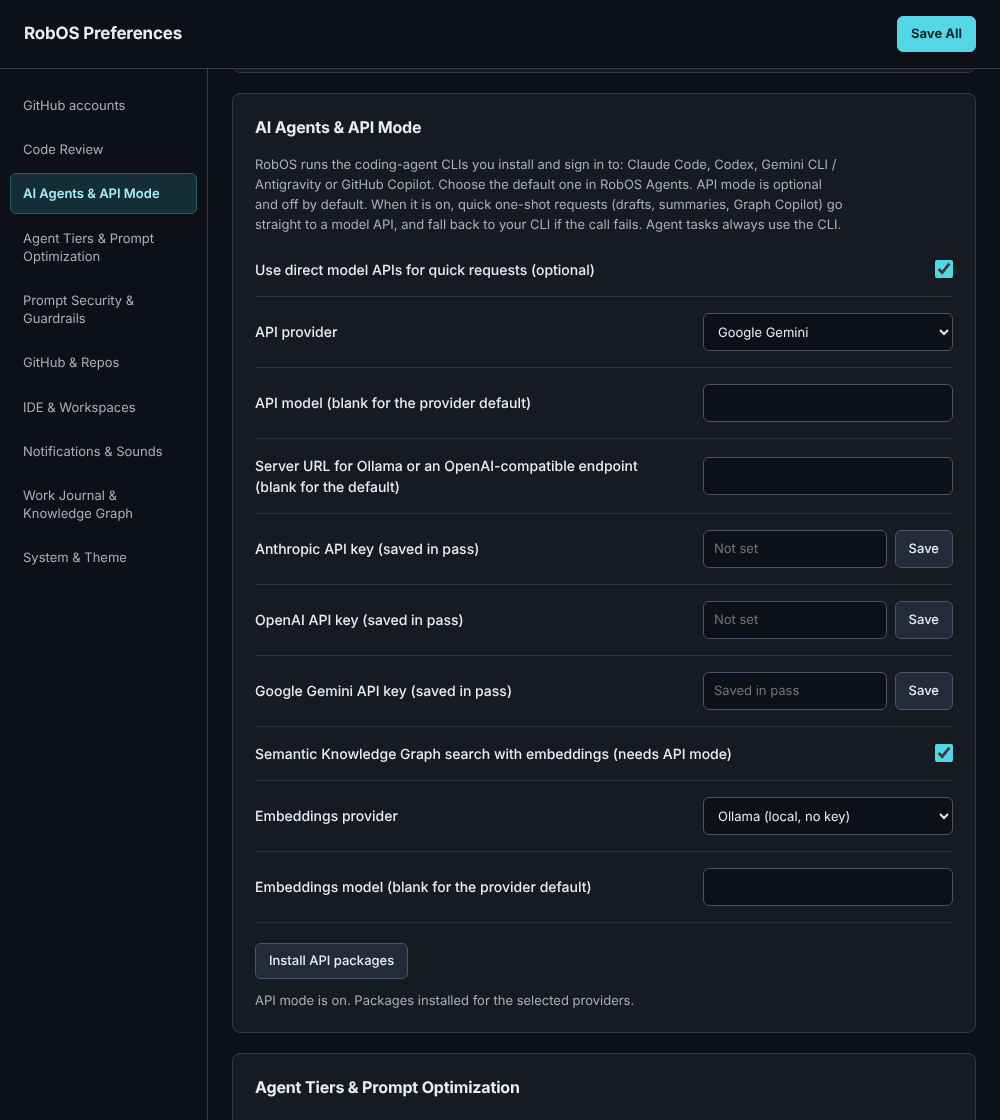
Optional API mode (packages/robos-llm): off by default. Turn it on in RobOS Preferences and quick requests go to Anthropic, OpenAI, Google Gemini or a local Ollama server through LangChain.js, falling back to your CLI if the call fails. The LangChain packages are not shipped with RobOS; Preferences installs them on request into ~/.local/share/robos/llm-deps. API keys live only in pass, keys that older versions saved as plain text are moved there, and LangSmith tracing is forced off.
Stubs that now do real work: the ? quick-ask button in the AI text box was not wired into any app; it now answers in AI Prompt Studio, Git Projects and the Knowledge Graph Explorer. The Graph Explorer's AI Co-Pilot used to pick nodes by keyword; it now asks your agent and checks the answer against the SHACL shapes. Import & Refine's Ask AI agent works with any signed-in CLI instead of needing a router server.
Semantic Knowledge Graph search: with API mode on, kgraph search --engine semantic and the robos_kgraph_semantic_search MCP tool rank nodes by meaning, using embeddings from OpenAI, Gemini or Ollama and a local vector index that only re-embeds changed nodes.
Removing the harness router: no app ran real work through robos-agent-client/harness-router.js. Its in-process fallback passed prompts through a shell, so quotes or $(...) in a prompt could run commands, and it reported success for three of its six harnesses without starting anything. We deleted it, the unused session layer and the Agents Manager panel, about 3,600 lines of code and docs. The prompt security scan moved into ai-agent, so every one-shot prompt is checked before it reaches a CLI or an API.
Still open: answers arrive in one piece rather than streaming, and Task Implementer and Dev Central start their CLIs without the prompt scan.
The new AI Agents & API Mode section in RobOS Preferences. Key fields save straight to pass.
Unified local, FTP, SFTP, and live Google Drive OAuth 2.0 folder mounting in Data Sources, and built a desktop Audio Player and Home Speaker intercom suite with zero-cloud Google Cast streaming.
Connecting external storage and media libraries across desktop apps required too much manual form entry. We overhauled Cloud Storage & Data Sources (packages/data-sources) around a guided 3-step connection wizard with real Google OAuth 2.0 browser sign-in, live Google Drive API folder mounting, top-right authentication status toasts, and native FTP/SFTP storage drivers alongside PostgreSQL schema inspection.
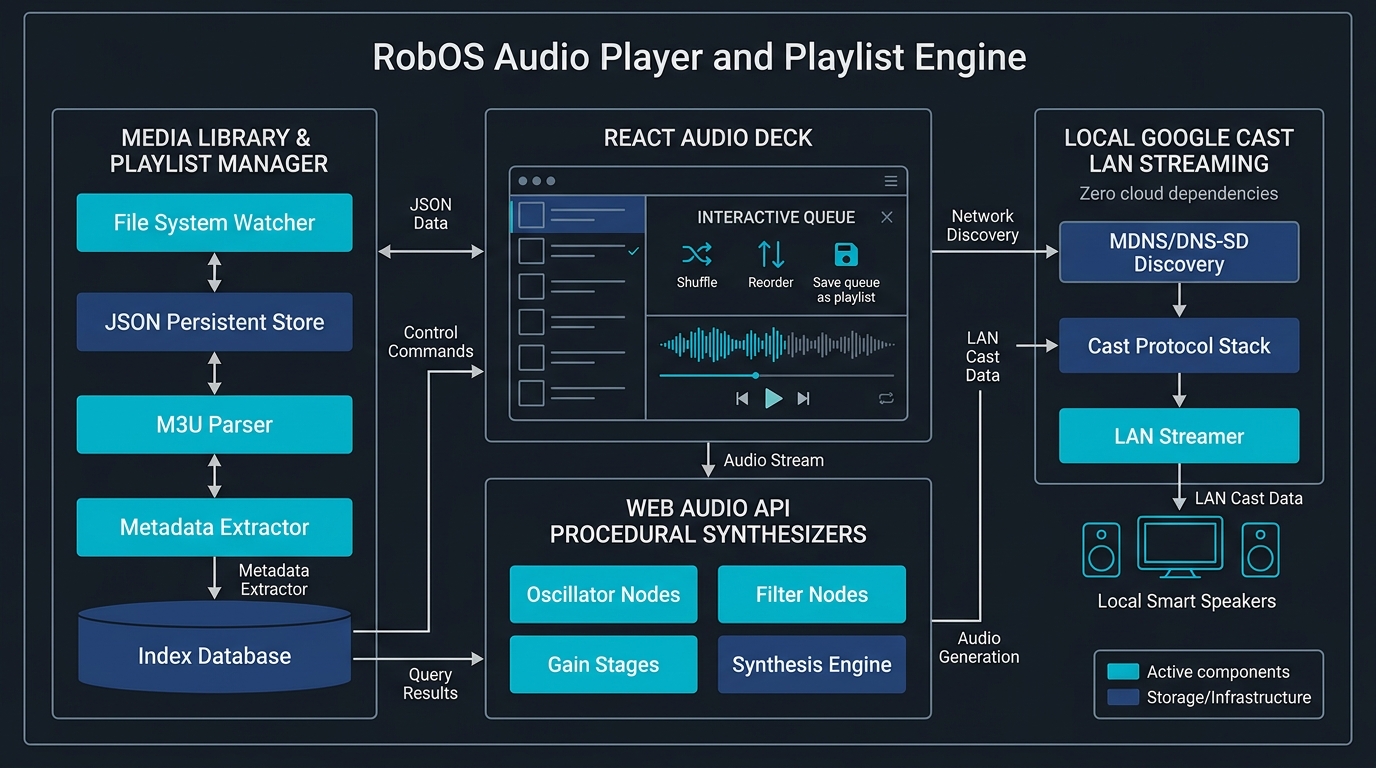
Managed Library Folders:RobOS Audio Player (packages/audio-player) mounts local directories, FTP servers, and SFTP shares as managed libraries with one-click sync, rename, and removal. Folder scanning runs on a background worker thread so large music libraries never stall the UI.
Playlists, Synced Lyrics & Amber Library View: Added a sortable, list-based library view with a warm amber palette, synced lyric display, M3U playlist import/export, and Howler.js + H5AudioPlayer playback.
Local Cast & Home Speaker Intercom: Built zero-cloud Google Home / Cast discovery and streaming directly from the Now Playing deck, plus the companion RobOS Home Speaker app (packages/home-speaker) for push-to-talk intercom broadcasts, neural TTS announcements, and scheduled chimes.
RobOS Audio Player library management, background metadata worker, and local Cast streaming pipeline.
Built a HeroQuest-inspired tactical dungeon crawler in Godot 4, a two-layer blockmap and quest authoring suite, autonomous Mentor-vs-Zargon AI playthrough verification, and a voiced satirical Midterm Elections 2026 campaign pack.
To make classic grid-based tabletop dungeon crawlers fast to author and verify, we split level design into two distinct layers and paired them with a deterministic Godot 4 tactical engine (games/tabletop-rpg) and RobOS Tabletop Studio (packages/robos-tabletop):
Layer 1 — Tabletop Blockmap Creator (packages/tabletop-blockmap-creator): Calibrates tile size and X/Y offsets over any board artwork, supports freeform contiguous room painting and corridor geometry, and saves reusable static blockmaps.
Layer 2 — Tabletop Quest Map Editor (packages/tabletop-quest-editor): Places single and 2×1/1×2 double doors, monsters, furniture, traps, secret doors, border stairs, and recursive event/action dialogue triggers. Exports playable .cartridge bundles as well as high-resolution PNG and printable PDF quest sheets.
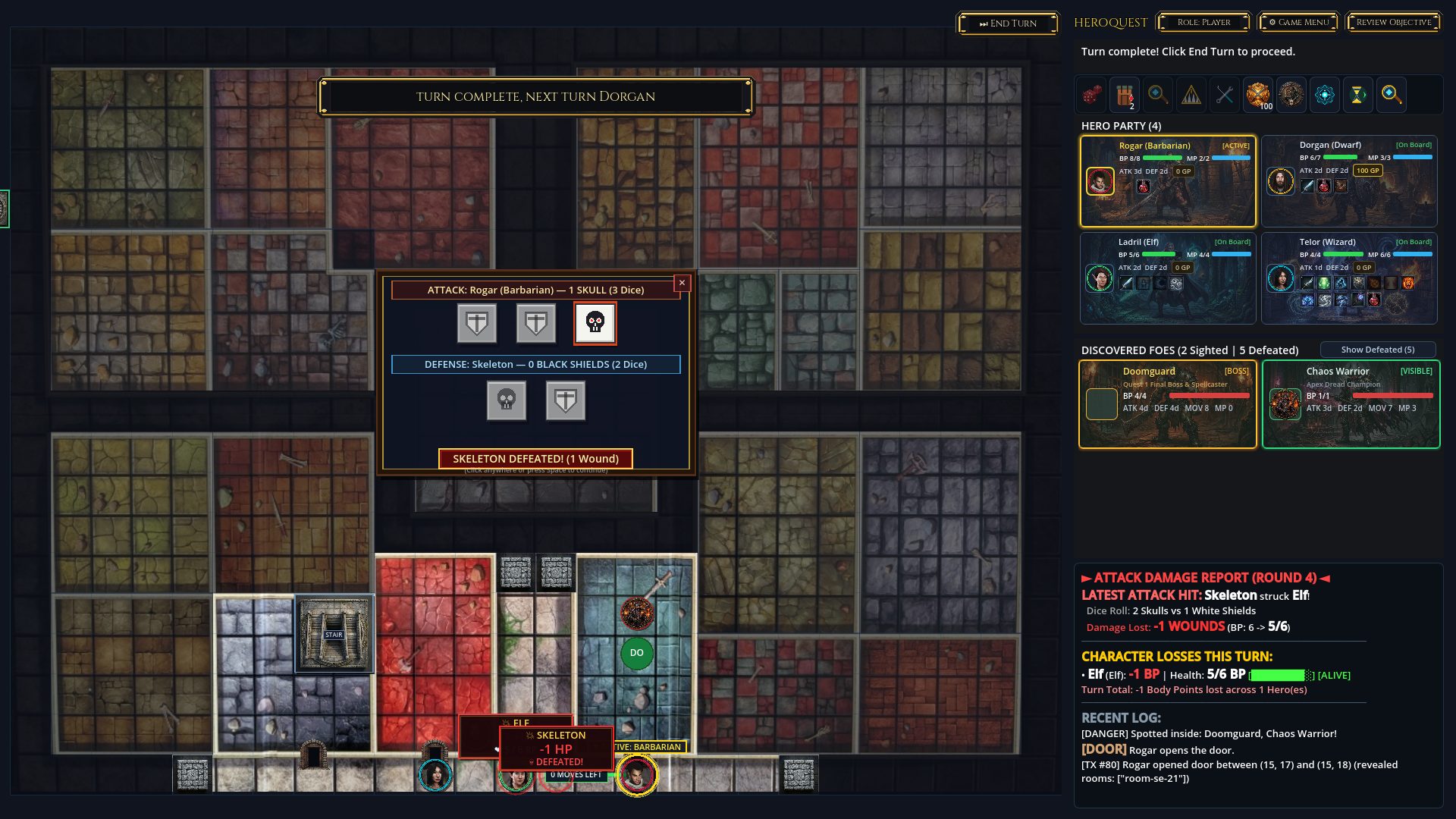
Tactical Rules, Raycasted Fog of War & GPU Optimization: Implemented authentic raycasted line-of-sight room reveals, permanently visible unreachable non-room tiles, A* monster pathfinding, skull-and-shield combat dice trays, Dwarf trap disarming, parchment treasure cards, and KGraph save-state telemetry—while eliminating a 4-second GPU frame readback stall on turn transitions.
Autonomous Playthroughs & Midterm Elections 2026 Pack: Built an autonomous Mentor Party vs. Zargon AI harness that plays full quests end-to-end and emits an HTML Proof of Viability ledger. Topped it off with the Midterm Elections 2026 campaign featuring a Capitol Oval Office blockmap, 24 satirical enemies and spells, multi-headed Hydra bosses, Oval Office intro and victory movies, custom hero tokens, and 40+ situation-specific voice lines across turn start, movement, attack, reaction, and death triggers.
Tactical dungeon crawl in the Godot 4 Tabletop RPG engine with raycasted fog of war.Turn-by-turn screenshot evidence from the autonomous Proof of Viability playthrough.
Defined the public Household and Tax KGraph schema package and built RobOS Household to take a family from twelve months of bank and card CSV statements through W-2 PDF verification and local federal tax estimation.
Personal finance and tax preparation software usually locks family records inside proprietary cloud silos. We defined the robos:Household and public tax schema package and built RobOS Household (packages/household) around five recurring workspaces: Family, Accounts, Spending, Taxes, and Privacy.
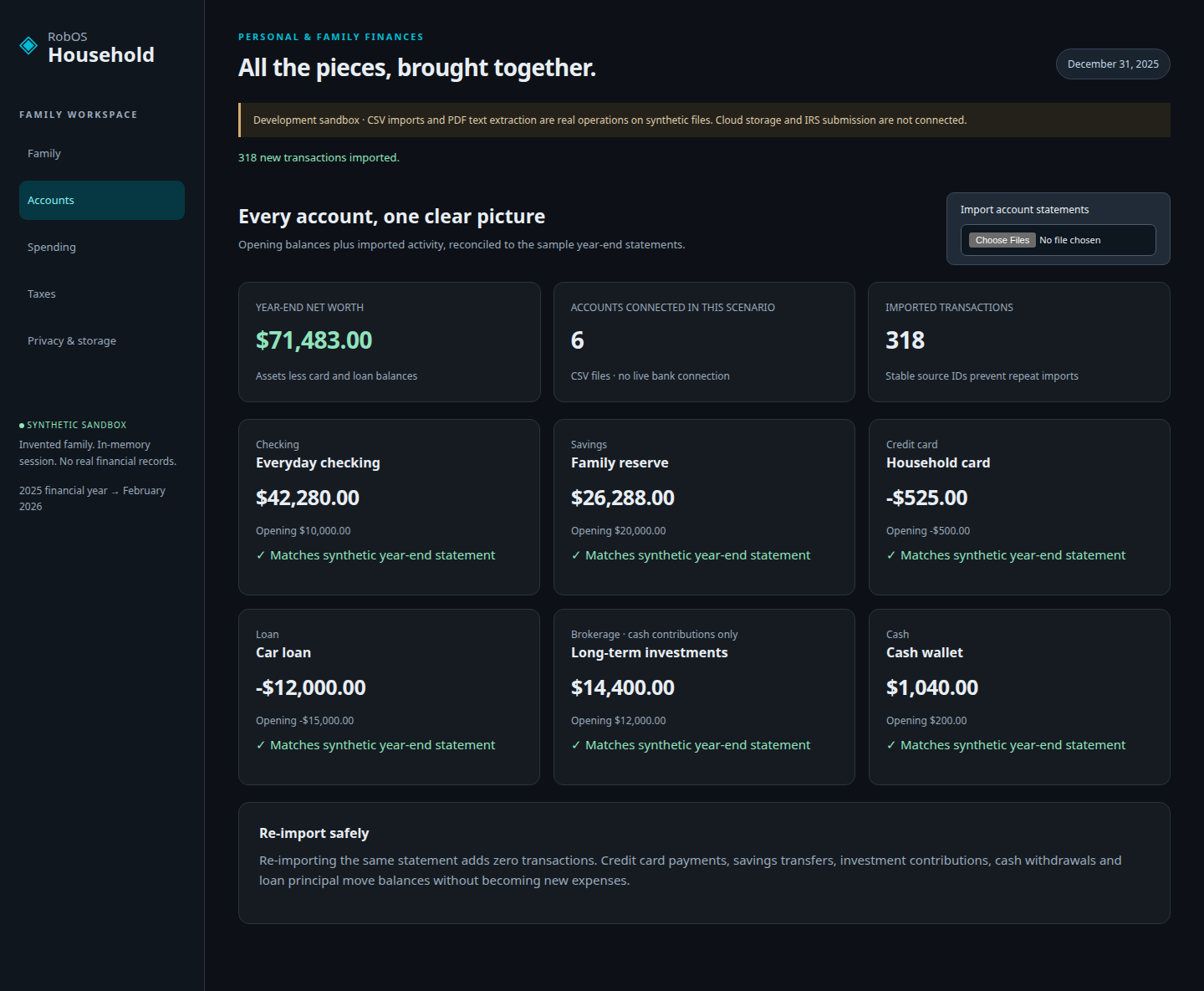
Reconciled Multi-Account Ledger: Tested against a full synthetic family financial year across checking, savings, credit card, auto loan, investment, and cash CSV statements (318 transactions), verifying closing balances, idempotent re-imports, category corrections, and split purchases.
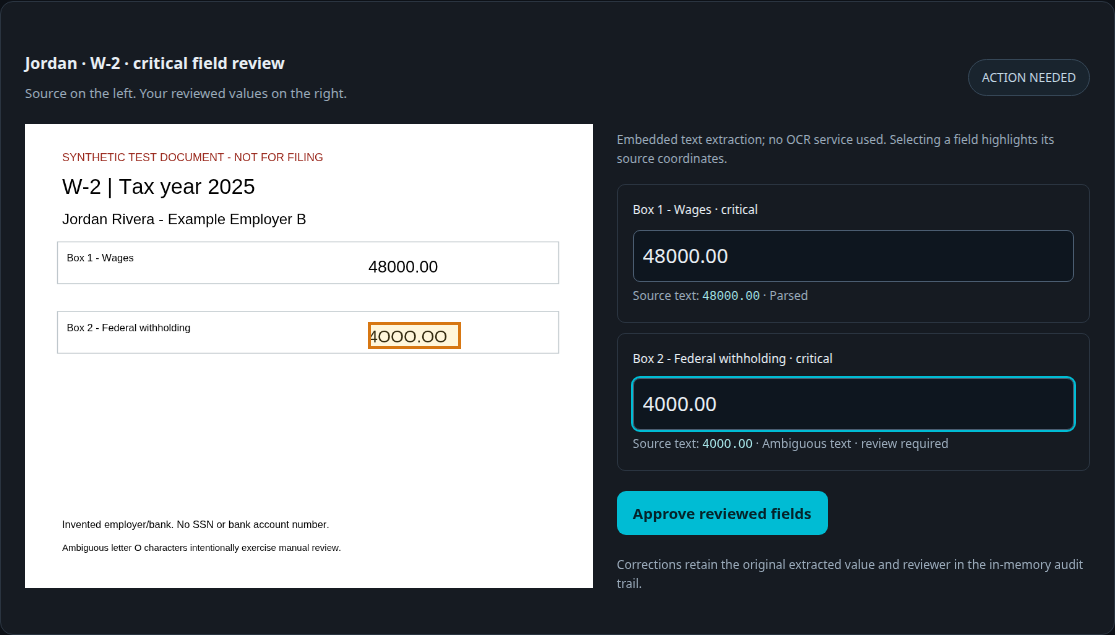
Side-by-Side PDF Field Review: Uses PDF.js to extract text and page coordinates from W-2 and 1099-INT forms, highlighting source fields side-by-side and blocking tax calculation until ambiguous OCR/text fields are human-reviewed and approved.
Local TenForty + OpenTaxSolver Calculation: Computes federal taxable income, standard deductions, and child tax credit supplements locally via TenForty and OpenTaxSolver while enforcing strict privacy and non-filing boundaries.
Six reconciled accounts and 318 imported transactions in the Household sandbox.Side-by-side W-2 source field highlighting and human verification before tax calculation.
Shipped a touchscreen cash register, customer self-checkout kiosk, prep queue, cash drawer manager, and hardware scan-gun + webcam barcode/QR scanner with ready-to-run Retail, Coffee Shop, and Bar workflows.
Small retail shops, cafés, and bars often pay steep monthly fees for basic register software. We built RobOS Point of Sale (packages/point-of-sale) as a free, open-source register and self-checkout suite with an open checkout-session API and three complete sample businesses:
Retail Store: SKU catalog and inventory tracking, promotional discounts, manager PIN overrides, and hardware scan-gun or webcam scanning across UPC-A, EAN-13, EAN-8, QR, DataMatrix, and Aztec codes.
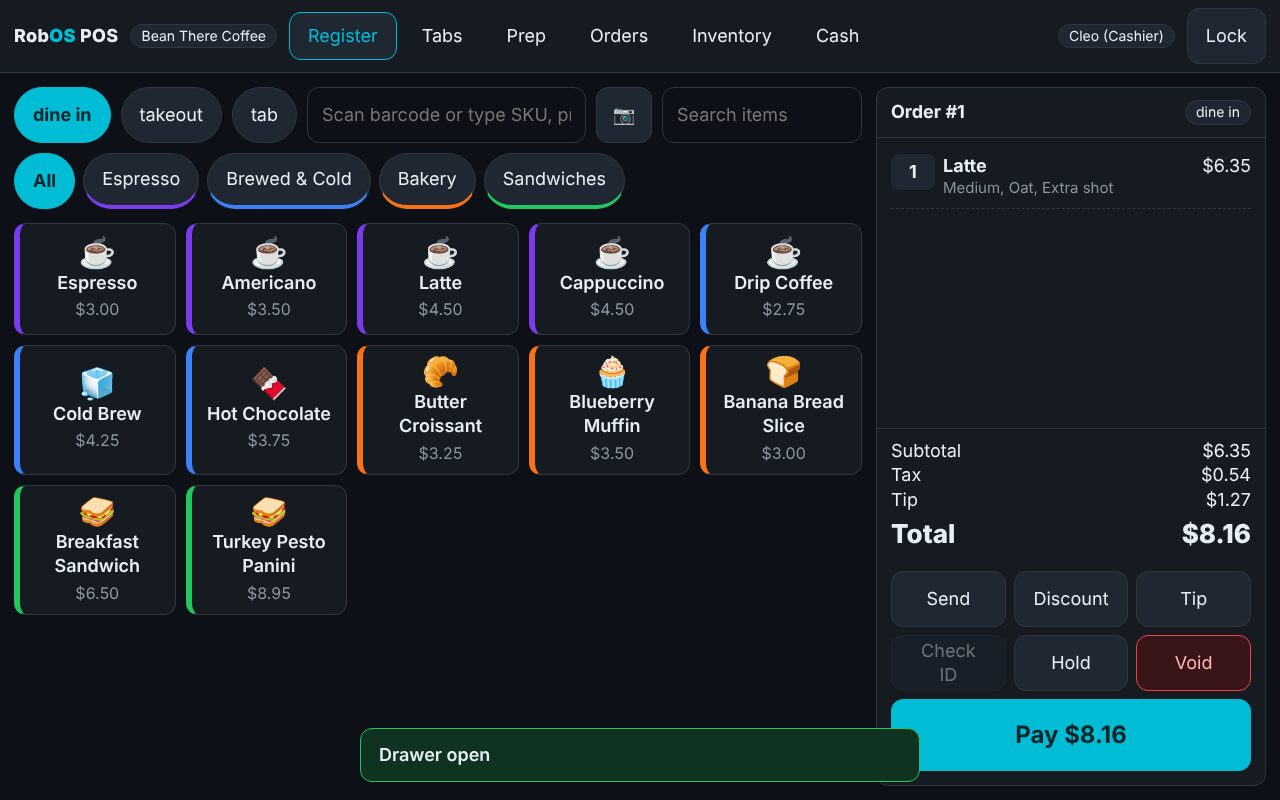
Coffee Shop: Touchscreen counter register, customer self-checkout kiosk with drink modifiers, live barista prep queue, ready-board announcements, and opening/closing cash drawer counts.
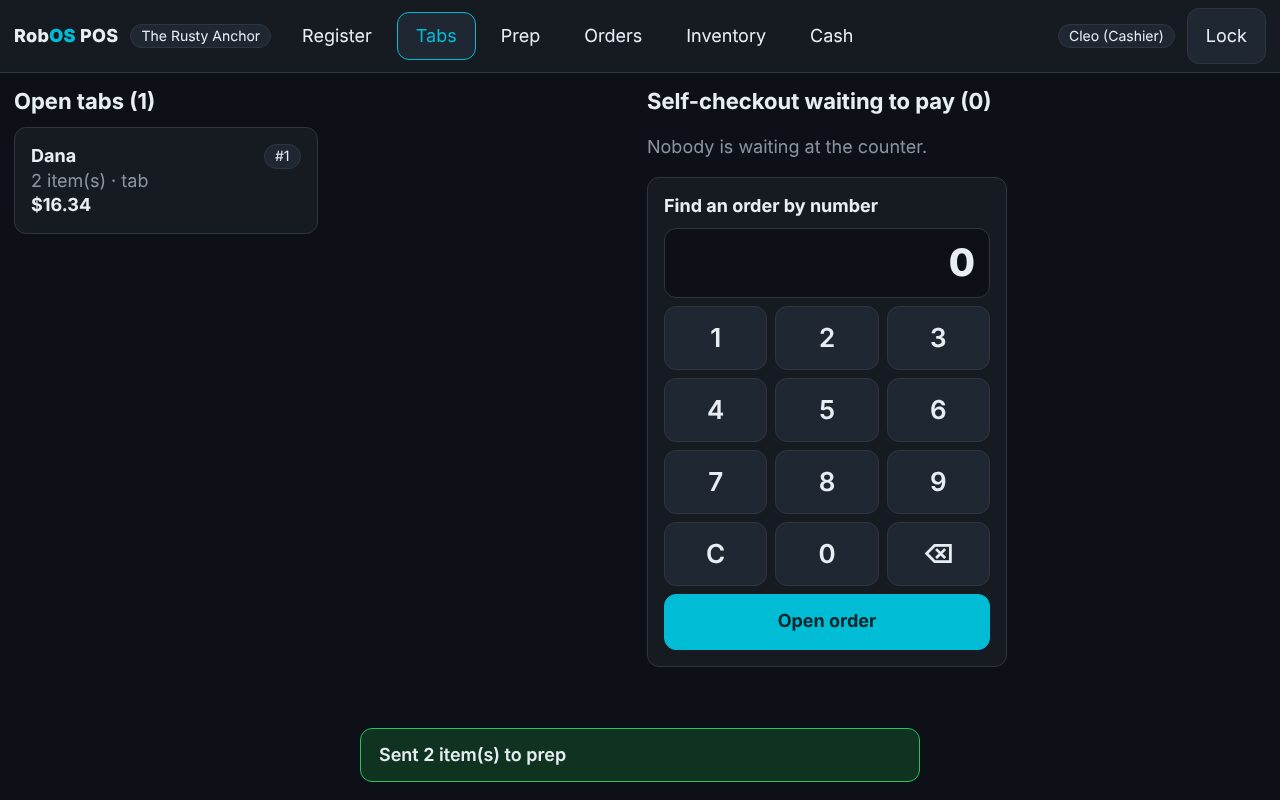
Bar: Open bar tabs, automatic happy-hour pricing rules, multi-guest split payments, tip prompts, and itemized receipts.
Worker touchscreen register for café orders, modifiers, and cash/card checkout.Bar tab management with happy-hour pricing and split payment support.
Built an end-to-end automotive repair shop and vehicle owner suite covering Shop Admin, Front Desk intake, Mechanic Bench timing and parts ordering, Checkout guards, and job profit reporting.
Backed by public vehicle Knowledge Graph schemas, RobOS Auto Center (packages/auto-center) serves both individual vehicle owners (repair history backups, invoice OCR, bulk safety recall checks) and independent repair shops across four dedicated workspaces:
Shop Admin & Catalog Import: Configure shop details, default hourly labor rates, team roles, supplier parts price lists, and validated bulk customer/vehicle CSV imports.
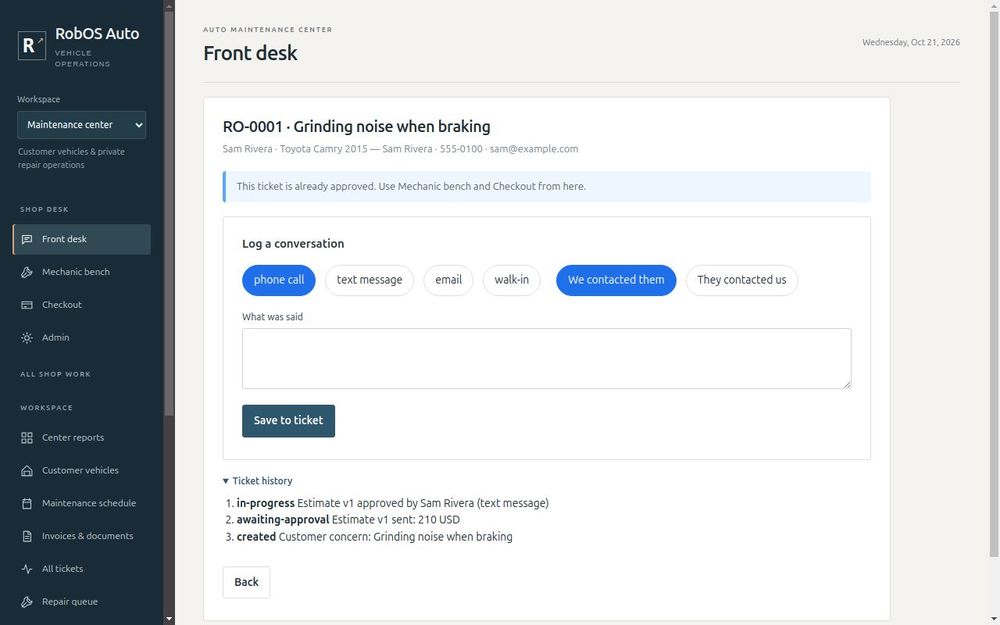
Front Desk Intake & Estimates: Look up returning customers by phone, walk through structured multi-choice service intake questions, type-ahead vehicle makes/models/years/OBD-II trouble codes, and record customer estimate approvals.
Mechanic Bench & Checkout Guards: Mechanics claim tickets, time labor with a built-in stopwatch, log diagnostic findings, and order/receive parts (blocking job completion while parts remain on order). Checkout enforces customer re-approval if charges exceed the estimate and prevents releasing keys with an unpaid balance.
Front Desk intake preparing an itemized repair estimate and recording customer approval.Mechanic Bench tracking labor time, diagnostic notes, and received parts.
Created a SnowPlay and StarCraft II-inspired deterministic RTS engine featuring three asymmetric factions, a 2.5D angled perspective renderer, and an automated 1080p 4-act battle recorder.
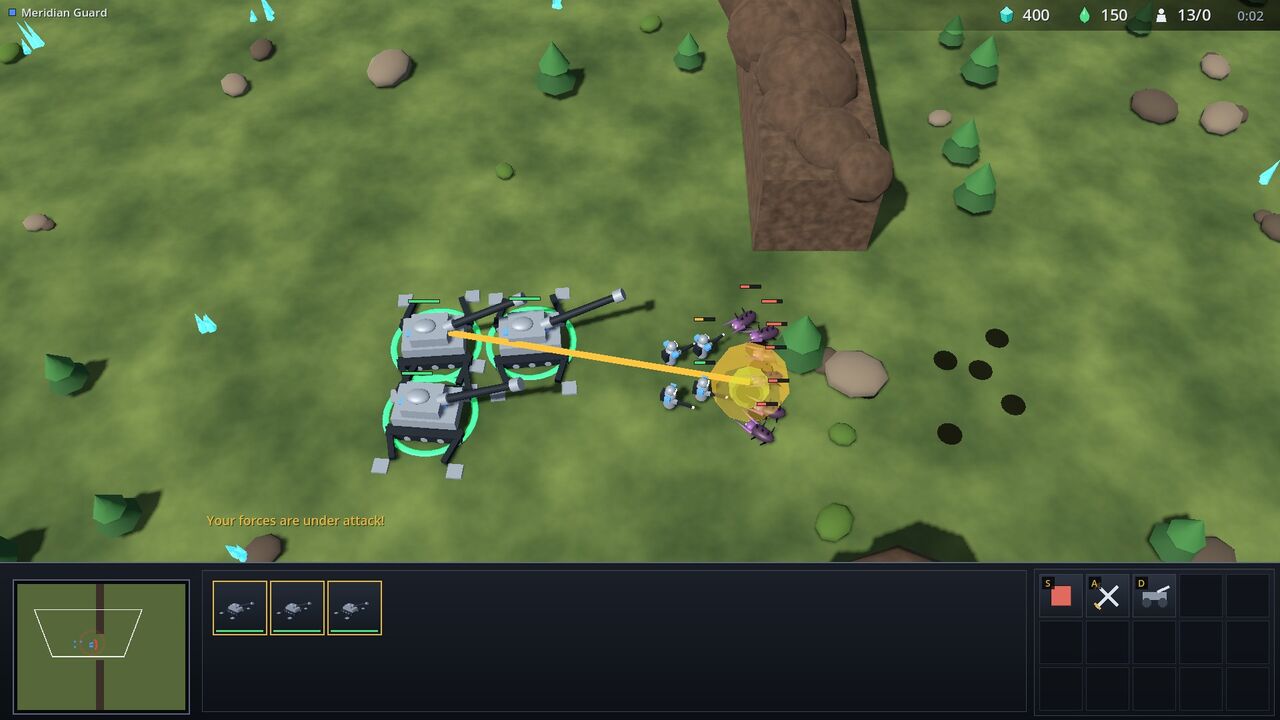
To test how far KGraph-driven game architecture stretches into high-unit-count real-time simulation, we built Starfall Command (games/robos-rts), a deterministic real-time strategy game with a custom 2.5D angled 3D perspective renderer:
Three Asymmetric Factions: Command the Meridian Guard (human terran-style infantry, siege howitzer splash lines, and retractable silo gates), the Gnarl Brood (swarming bio-monsters), or the Aurelian Concord (high-tech phase-stepping walkers and cliff-striding Spire Walkers).
Classic RTS Economy & Controls: Full crystal and aether tap harvesting, build-grid placement validation, production queues, control groups, idle-worker alerts, supply caps, and kiting micro-management.
Programmatic Capture & 4-Act Demo: Exposed HTTP/IPC camera, selection, and screenshot control endpoints to drive a deterministic 4-act 1080p battle showcase.
Emplaced Meridian Guard howitzers firing splash volleys across Starfall Canyon.Three-faction clash between the Meridian Guard, Gnarl Brood, and Aurelian Concord.
Published "The Skill Commons" whitepaper on reducing AI data center strain via reusable WebAssembly base tasks, redesigned rowbose.com around an interactive 31-slide SDLC hero player, and launched the open-source contributor internship track.
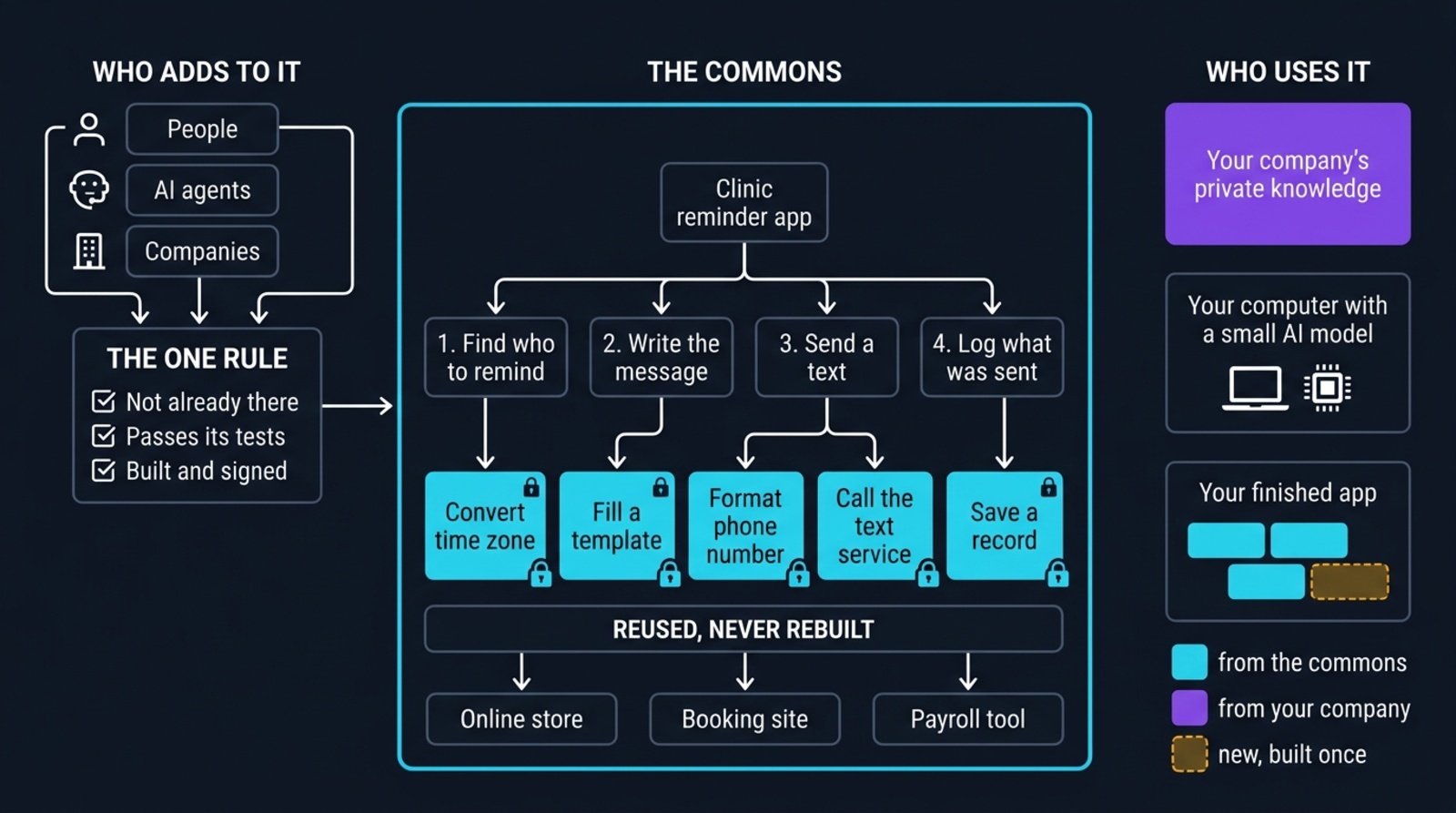
We rewrote our long-term architectural thesis into The Skill Commons whitepaper and plain-English summary at rowbose.com/future: instead of asking frontier data centers to regenerate solved routines from scratch for every app, software tasks are decomposed into content-addressed, verified WebAssembly (WASI 0.2 / WIT) leaf skills and snapped together locally by a small model on your own machine.
rowbose.com v2 & 31-Slide Live Hero: Promoted the new flat, light-by-default front site to rowbose.com (archiving classic docs under /v1/), featuring a 31-slide interactive player and full video recording that traces a real task from planning to merged PR.
Small-Business Playbook & Contributor Internships: Added the "Make Money with RobOS" small-business section on the homepage, replaced placeholder app letters with native RobOS SVGs across /apps/, and framed open-source contributions at /contribute/ as a public context-engineering internship.
The Skill Commons: decompose jobs into verified base tasks once, and assemble them locally.
Turned code review into a two-stage local and peer workflow with syntax-aware diffs, steerable agent walkthrough checkpoints, evidence-backed PR descriptions, and live Buildkite/GitHub CI failure recovery.
Agents shouldn't open noisy pull requests before a developer has inspected the work. We restructured the delivery workflow across Task Implementer, Dev Central v2, and PR Review Theater (packages/pr-review) so agents push a feature branch first and hand off to a local review stage:
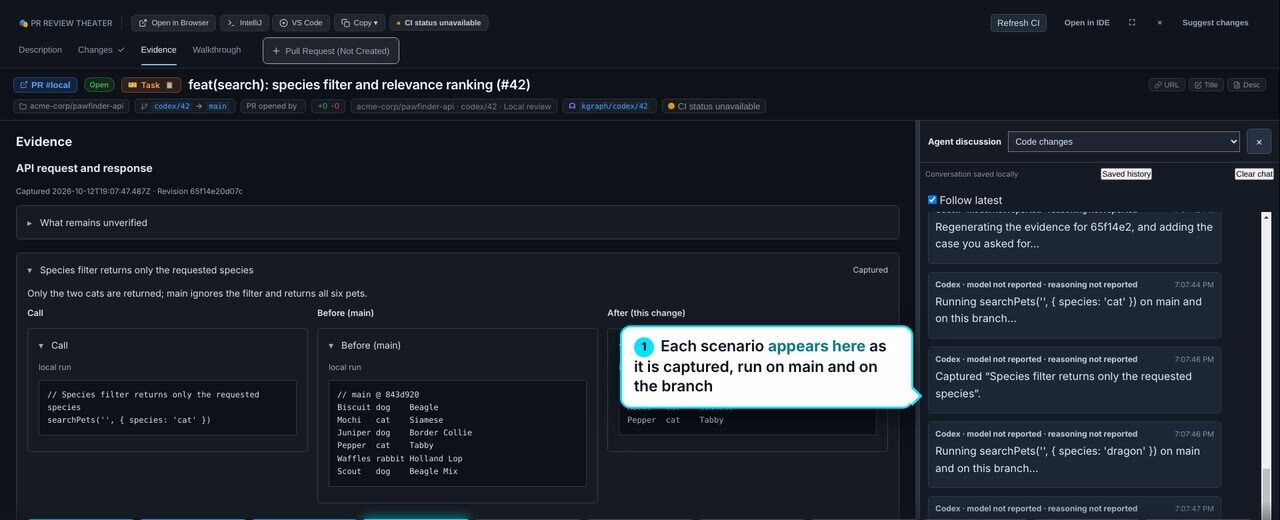
Changes, Evidence & Steerable Walkthroughs: Developers inspect syntax-highlighted diffs, before/after screenshot evidence, and editable multi-checkpoint walkthroughs—and can send live steering messages in the side-pane chat to refine code, evidence, or demo steps in place.
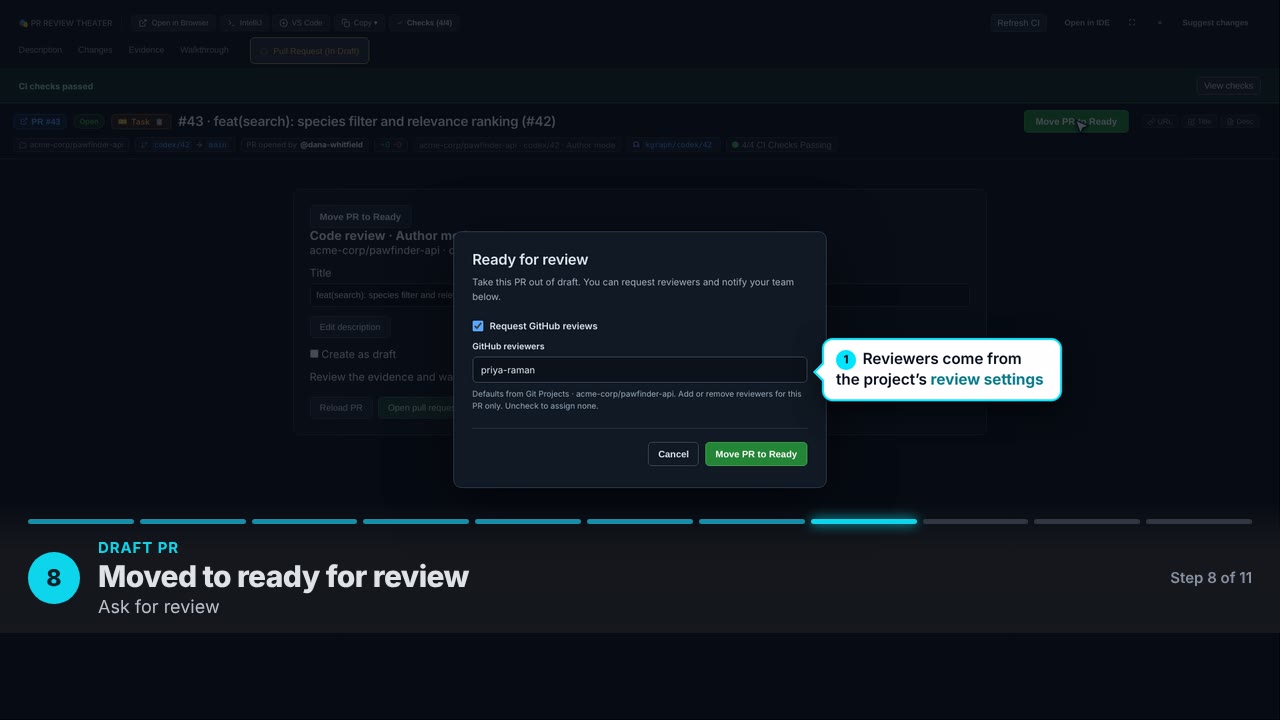
Factual PR Descriptions & Team Handoff: When ready, developers create a draft PR with Markdown descriptions grounded in real walkthrough screenshots, monitor live GitHub Actions and Buildkite logs, trigger guided local CI repair on failed checks, and undraft with prefilled reviewers and Slack mentions.
Desktop Polish: Shipped the RobOS GNOME Desktop App Installer (packages/gnome-desktop-installer) with background worker-thread shortcut repair, plus a built-in skill browser in <robos-ai-textarea>.
PR Review Theater comparing before-and-after visual evidence alongside the agent chat pane.Promoting a verified draft PR after CI passes, with reviewer selection and team notification.
Built an Infinity Engine-inspired tactical cRPG in Godot 4 with 3D miniature combat, socketed equipment, a 22-spell VFX suite, and a unified Electron authoring studio with topological quest trees.
We built Realm of Heroes cRPG (games/crpg-realm) and consolidated all campaign authoring tools into the unified RobOS cRPG Editor (packages/crpg-editor):
Unified cRPG Editor & Topological Quest DAGs: Features Campaign Studio, a topological Quest Scenario Tree DAG editor with choice-anchored curves and transition triggers, a Story Flow page turner, Spells/Abilities/Item Studios, a first-class Enemies Bestiary, graphical drag-and-drop inventory bags with encumbrance meters, and exported Player Cartridges.
3D Miniatures, Equipment Sockets & 22-Spell BDD Suite: Upgraded characters and monsters to 3D models with dynamic weapon, armor, and shield socket attachment and real-time AC recalculation. Added 3D particle VFX and BDD verification for 22 spells including 8d6 Fireball, Magic Missile, Blizzard (with ground ice and prone slipping), Stinking Cloud, and Invisibility.
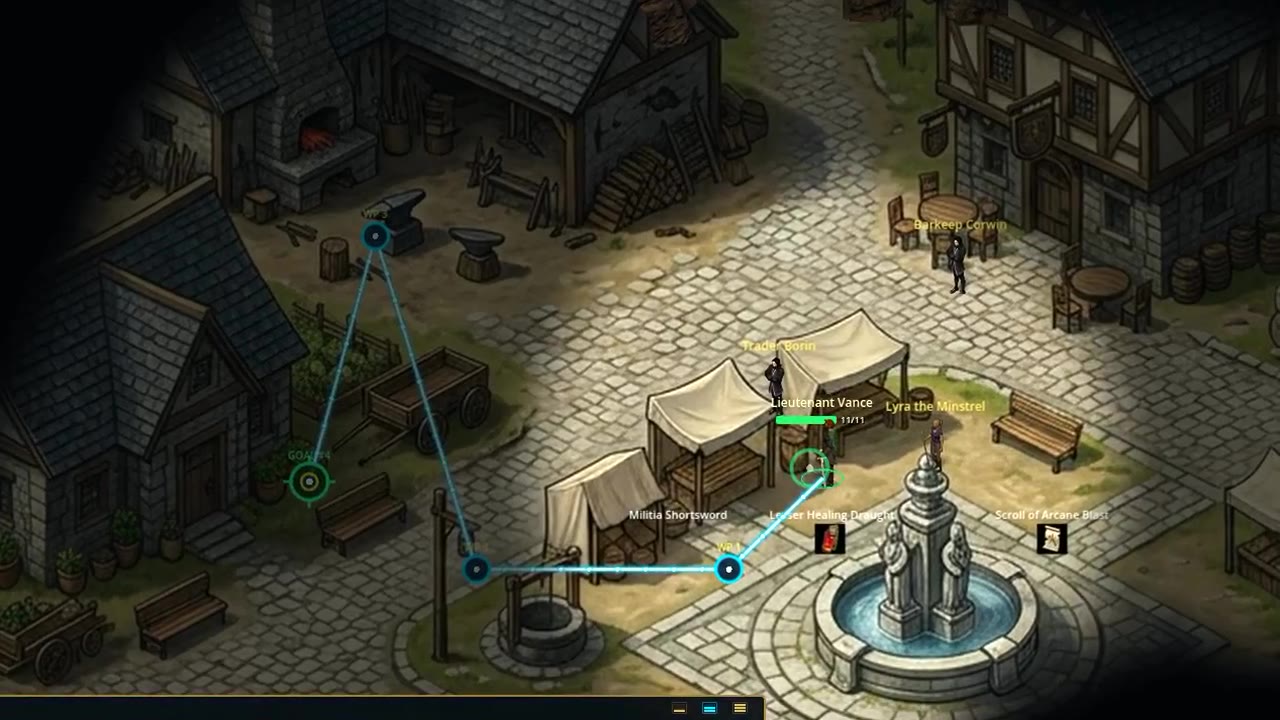
Elevation, Pathfinding & Playable Campaigns: Implemented AStarGrid2D pathfinding with string-pulling funnel smoothing, multi-tier house porch and stairs elevation transitions, Infinity Engine social aggro and trap detection, and playable Dragon Warrior 1 and Rescue the Princess campaigns.
Realm of Heroes cRPG in Godot 4 with tactical party formations, 3D miniatures, and spell VFX.
Delivered a bi-directional neural voice assistant wired to all RobOS skills, a high-throughput KGraph Parse Portal fronting the Luxir C++ search engine and Tika 4.0, and interactive training tracks.
To make the desktop environment and Knowledge Graph accessible by voice and capable of indexing massive enterprise document stores, we shipped three major subsystems in late September:
RobOS Voice (packages/voice-prompt): Bi-directional voice assistant combining natural Kokoro-82M / Edge-TTS neural speech with offline Whisper STT, Rhasspy/whisper_streaming adaptive energy VAD, suffix-prefix utterance stitching, PipeWire live waveform preview, and real-time voice execution of RobOS skills.
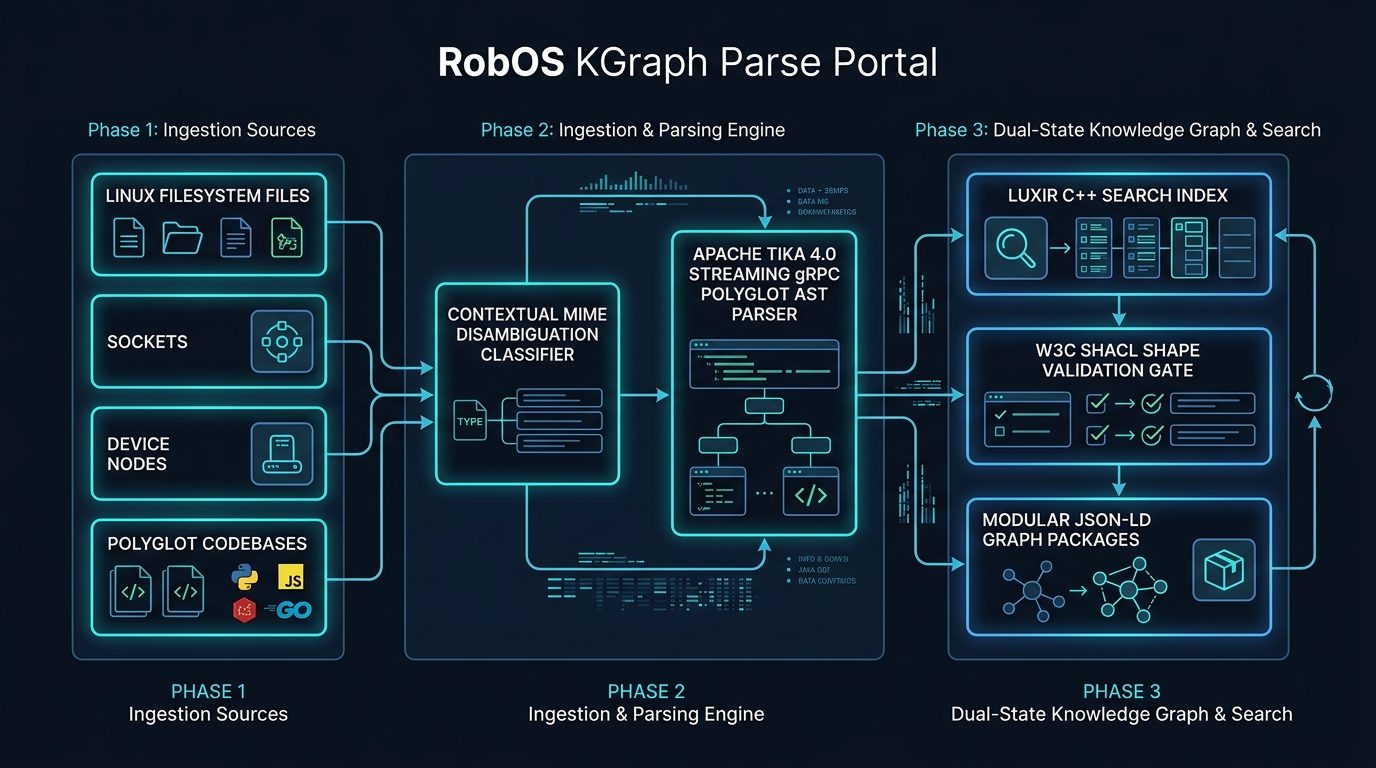
KGraph Parse Portal & Luxir C++ Search (packages/kgraph-parse-portal): Built the ingestion gateway fronting Apache Tika 4.0 gRPC connectors, contextual MIME disambiguation, and the built-in Luxir C++ search index (alongside Solr, Elasticsearch, and OpenSearch schemas).
The Gig Bandit (getemgigs.com) & E-Learning Tracks: Shipped the production Next.js live-music discovery app and nextjs-vercel-web App Wizard template, plus interactive RobOS eLearning courses and role-based training tracks for Non-Developers, Systems Architects, Agent Harness Engineers, and Senior Reviewers.
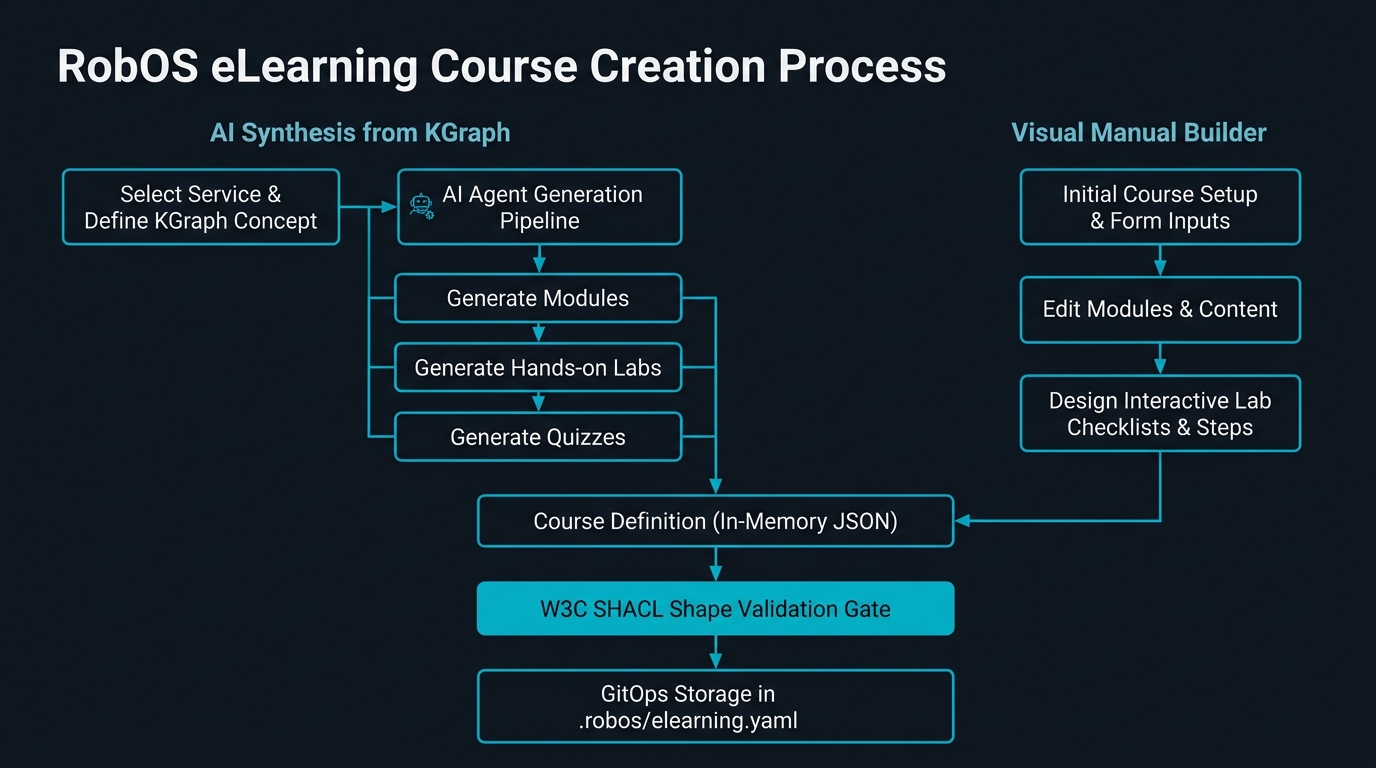
KGraph Parse Portal ingestion pipeline with Apache Tika 4.0 and Luxir search indexing.Interactive eLearning player, quiz engine, and Knowledge Graph certificate issuance.
Laid the foundation of RobOS: a multi-package JSON-LD Knowledge Graph validated by W3C SHACL shapes, a complete desktop SDLC suite from C4 topology modeling to Kind Kubernetes auto-deploy, and the foundation release.
The first month of this two-month sprint established the core thesis of RobOS—that the Knowledge Graph is the product—and delivered the foundation release across the desktop appliance VM and native app suite:
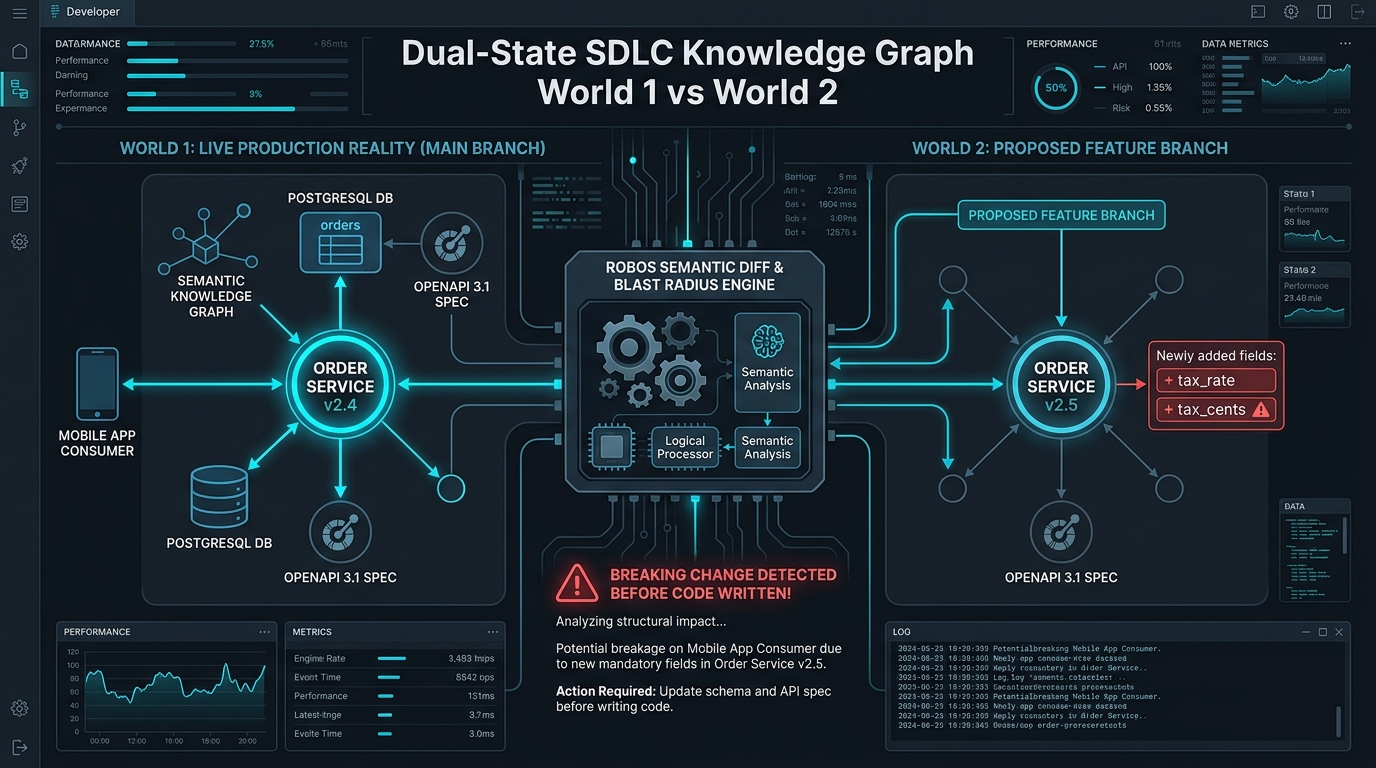
Modular Dual-State Knowledge Graph (.robos/kgraphs/): Replaced monolithic config files with namespaced JSON-LD packages validated by W3C SHACL shapes and aligned with Schema.org, backed by Knowledge Graph Explorer (with an embedded Swagger-UI OpenAPI console and reviewed workspace imports), Schema Studio, and the kgraph-* skills CLI for semantic blast-radius diffing between main and feature branches.
16-Step Verified SDLC & Cloud-Init Onboarding: Automated first-boot QEMU/KVM provisioning with robos-splash and unified GitHub onboarding; verified the 16-step Acme Petshop lifecycle across Task Planner, System Topology Studio (C4 + OpenAPI 3.1 synthesis), Git Projects, Bruno REST API Client, and Kube Studio (with real local Kind Kubernetes clusters and zero-click KGraph auto-deployment).
IDE Debugging Bridges, UHP Agent Routing & Prompt Security: Shipped the IntelliJ IDEA (port 63343 IPC) and VS Code breakpoint reproduction and PR review bridges, Agents Manager & Agent Chat with UHP HarnessRouter, MCP OAuth, Caveman prompt compression, DSPy optimization, Remote Execution Studio (Bazel/Buck2/REAPI), and the zero-dependency Prompt Security Guard.
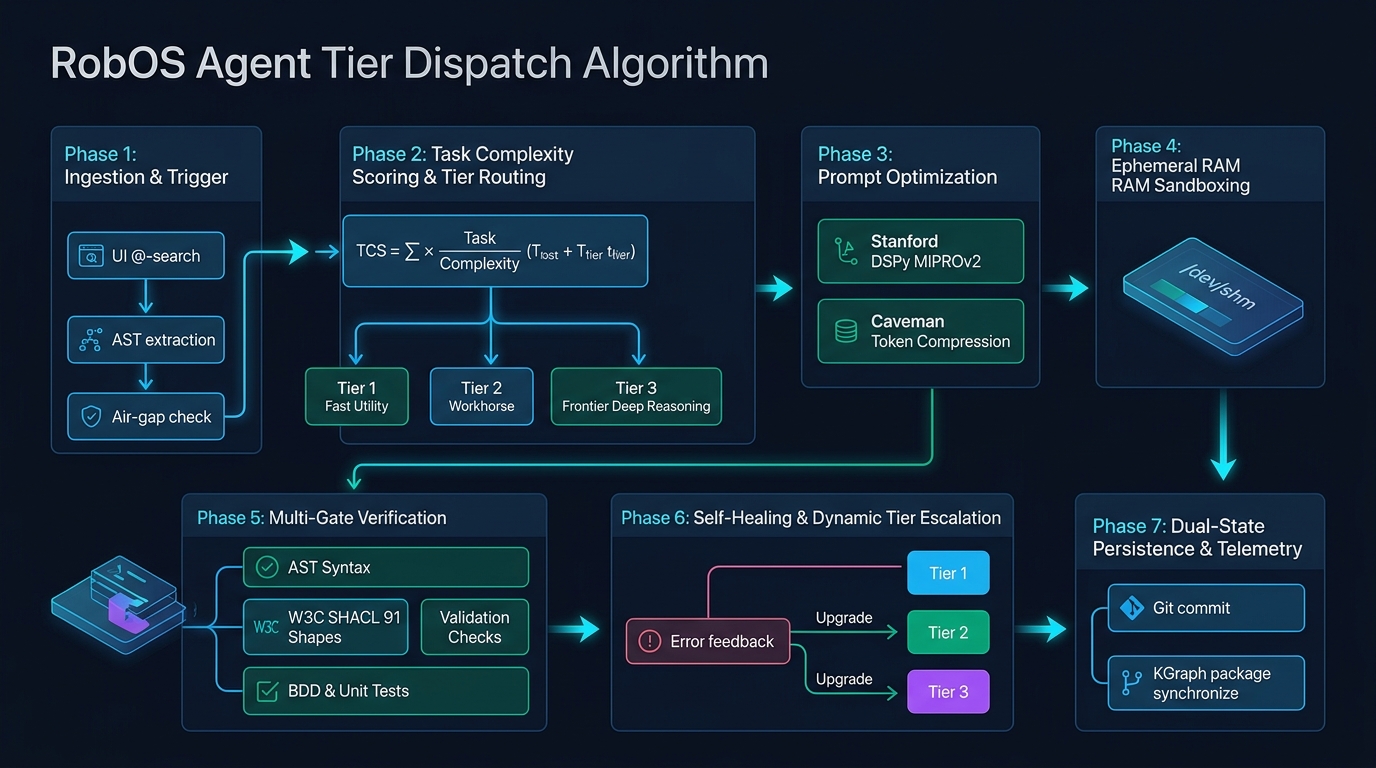
Dual-State Knowledge Graph comparing production main against a feature branch before merge.Context-efficient routing across frontier and cheap/local models via the Unified Harness Protocol.