RobOS eLearning

Courses that teach by doing.

Short lessons, hands-on steps you tick off on your own machine, and quizzes that tell you why an answer is right. Your progress is saved on your computer, and you get a certificate when you finish.

  • Free and open source, no account, no subscription
  • Works offline: courses and progress stay on your computer
  • Write, edit and publish your own courses

Install RobOS eLearning from the RobOS App Manager, then open Getting Started with RobOS.

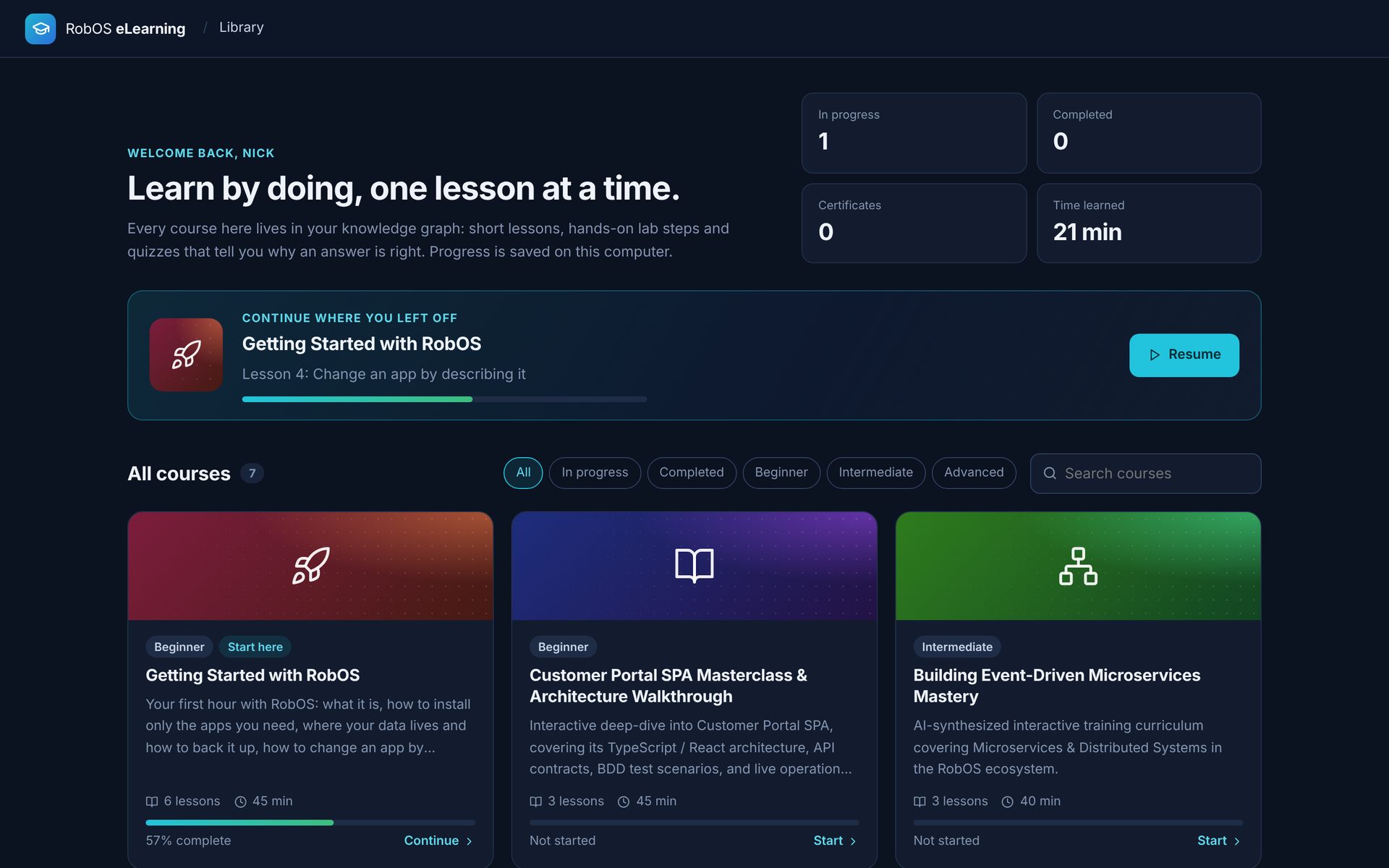
RobOS eLearning course library: a Continue where you left off card for Getting Started with RobOS at 57 percent, filters, search and course cards with progress bars
  • Course librarySearch, filter by level, and pick up where you left off.
  • Readable lessonsHeadings, tables, code and a "Key ideas" box in every lesson.
  • Hands-on labsReal steps to do on your machine, ticked off as you go.
  • Quizzes that explainCheck an answer, see why, try again. First-try score counts.
  • Saved progressClose the app any time. Nothing leaves your computer.
  • CertificatesFinish a course and save your certificate as a PDF.

A course, start to finish

What taking a course looks like

These screens are the real app, running the Getting Started with RobOS course that ships with it.

1

Read a lesson

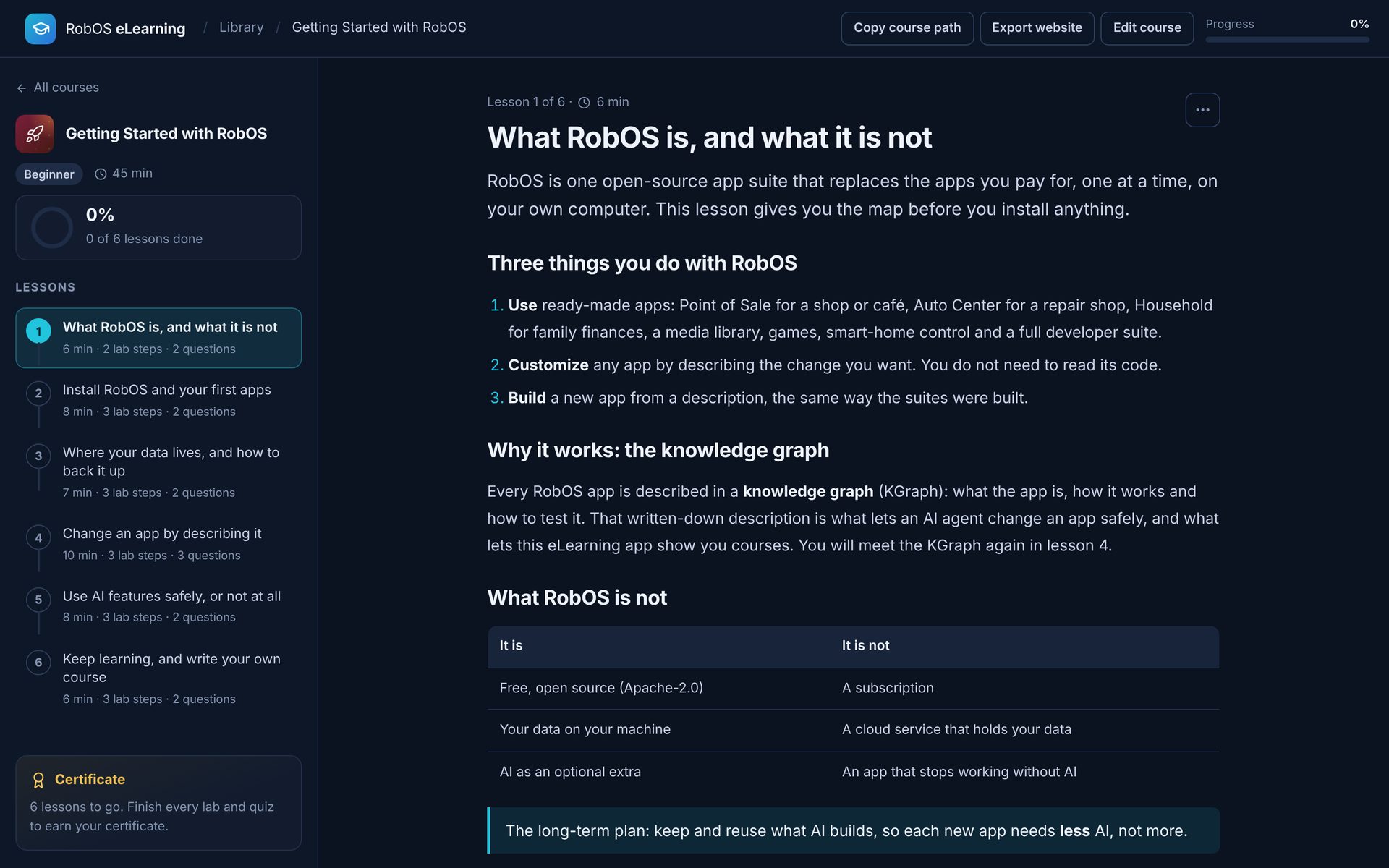
Each lesson opens with a one-line summary, then the lesson itself: short sections, tables and code where they help. The lesson list on the left shows what is done, what you have started and how long each one takes.

  • Move between lessons with the arrow keys
  • A ring shows how far through the course you are
A lesson titled What RobOS is, and what it is not, with a summary, headings, a numbered list and the lesson list with progress on the left
2

Do the lab, not just the reading

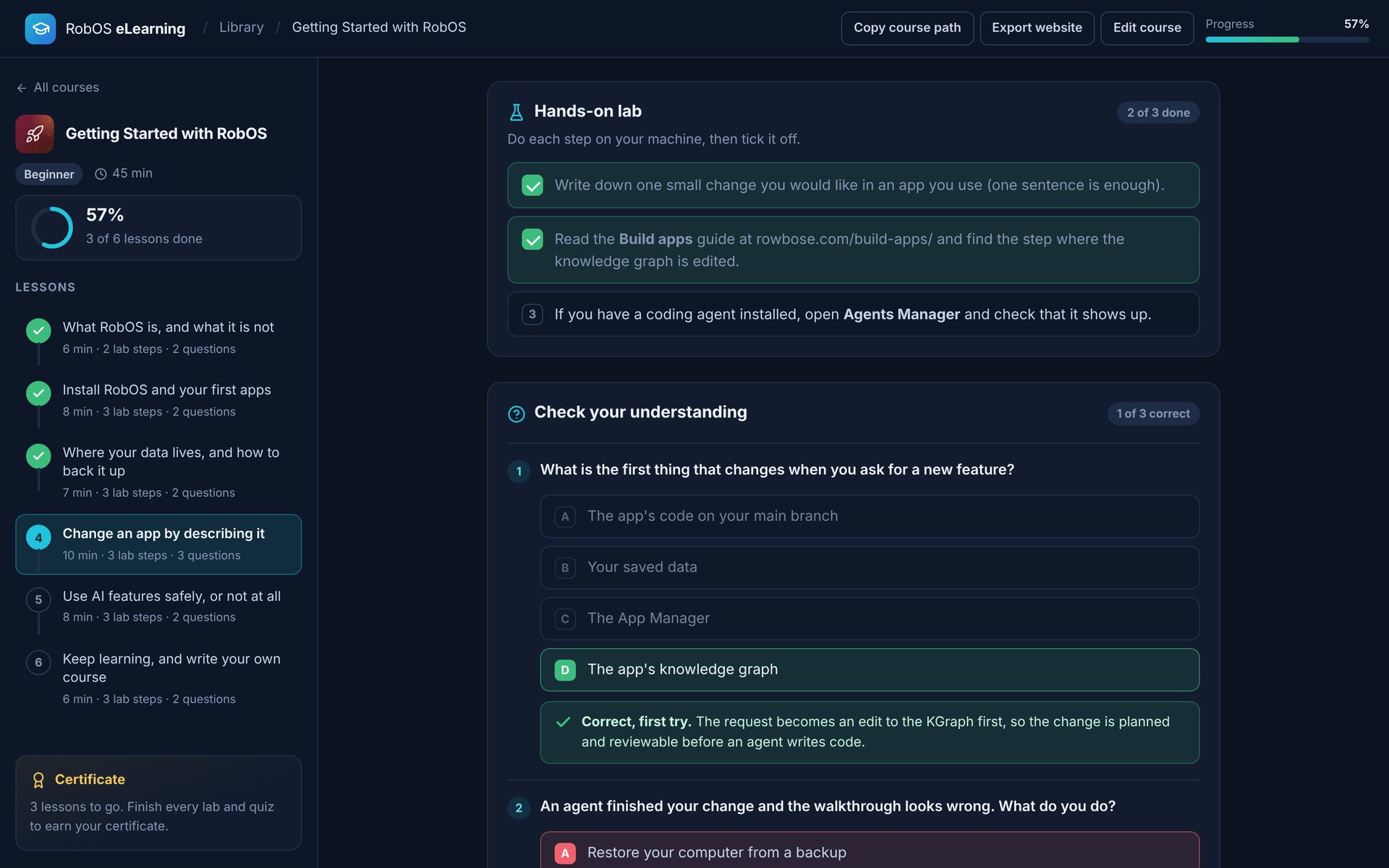
Lab steps are things to actually do on your computer: open an app, change a setting, check a file. Tick each one off when it is done. The counter shows how many are left.

  • Steps can include commands and file paths
  • Your ticks are saved, so you can come back tomorrow
The Hands-on lab panel with two of three steps ticked, above the Check your understanding quiz
3

Answer, then learn why

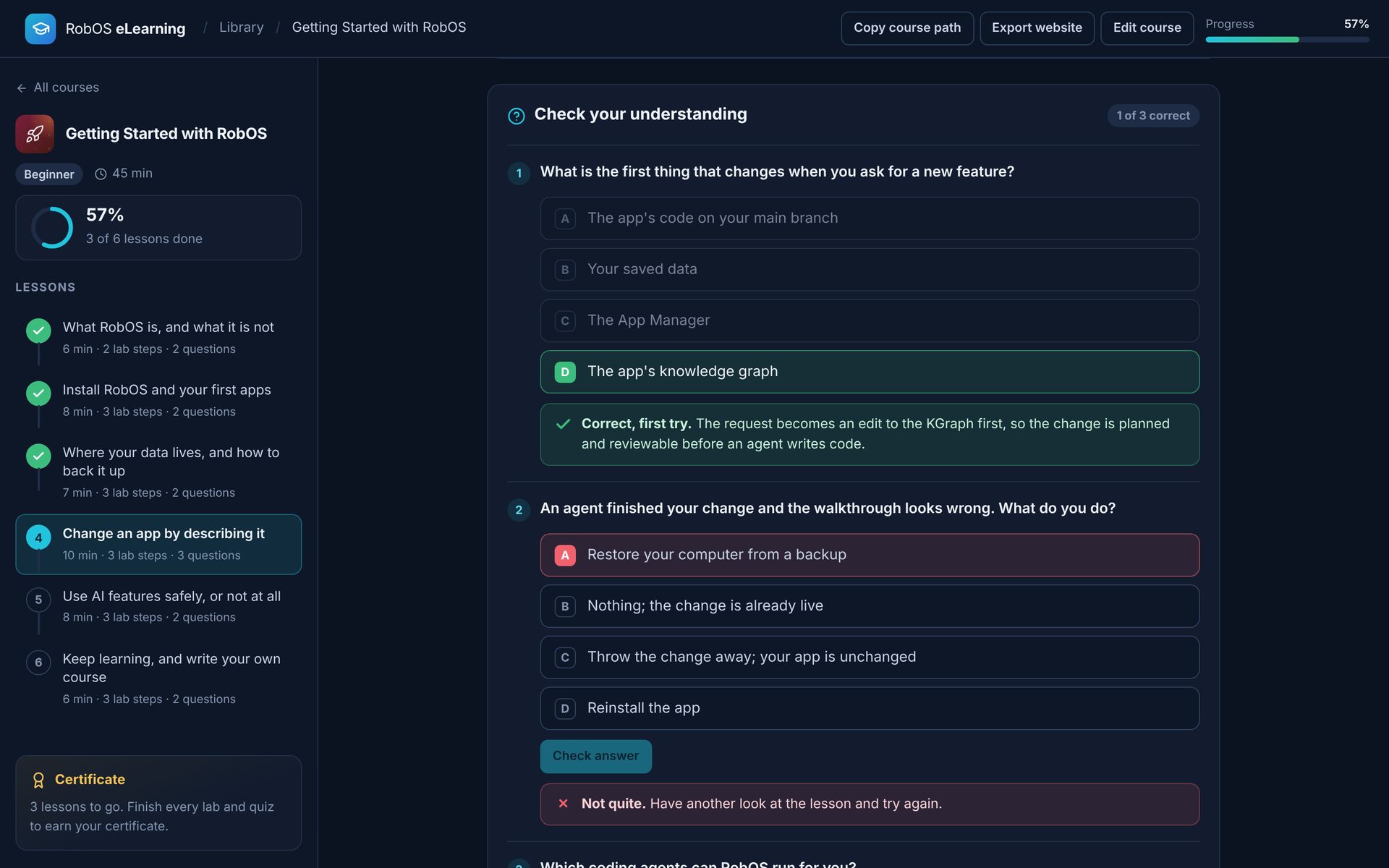
Pick an answer and press Check answer. A right answer shows the explanation. A wrong one asks you to look again, and after a second miss it shows the answer and the reason. Answers are shuffled, so the right one is not always first.

  • Your quiz score counts first-try answers only
  • A lesson is done when every lab step and question is
Quiz questions: one answered correctly with an explanation, one answered wrongly with a Not quite message
4

Finish and get your certificate

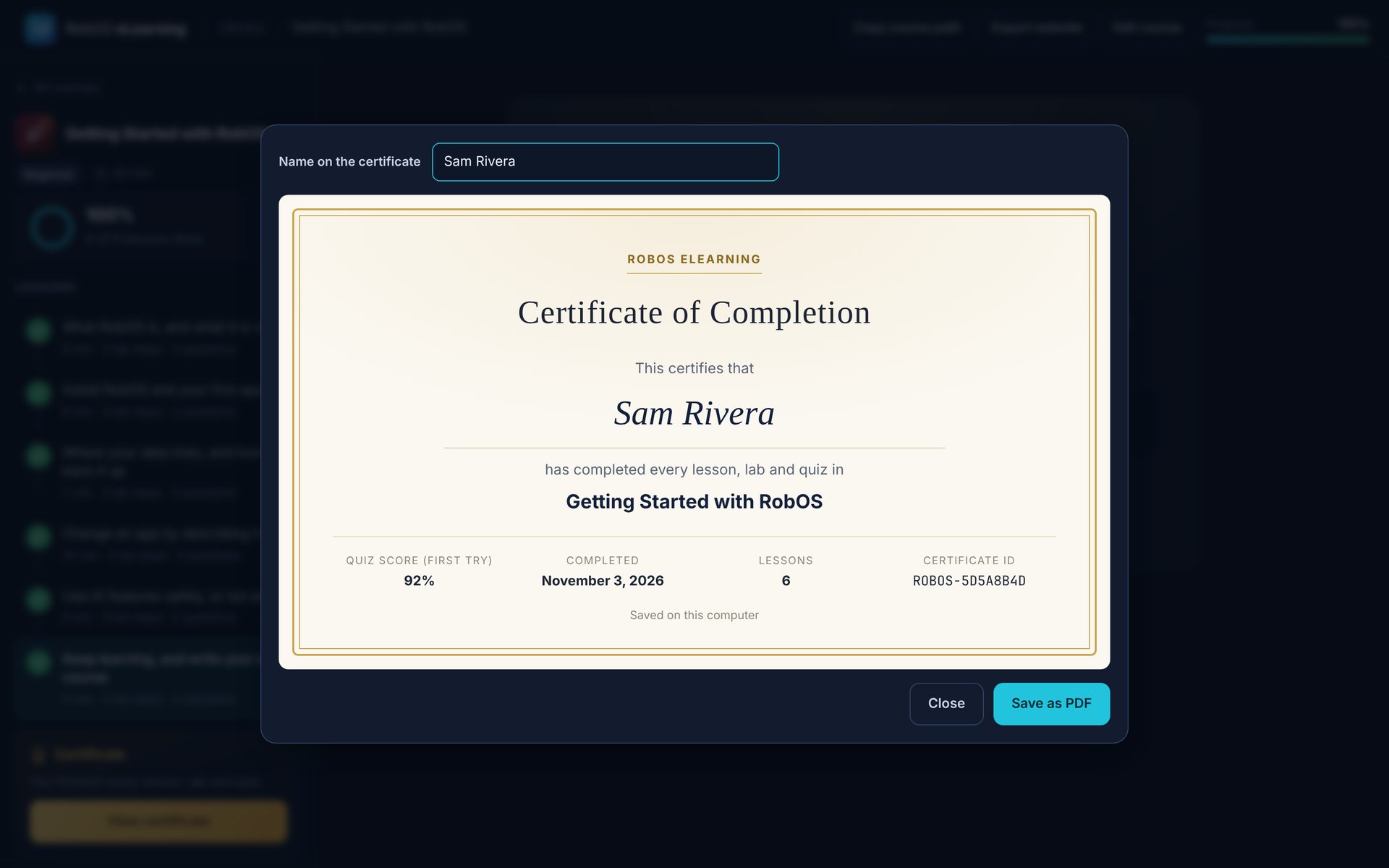
When every lesson is done, you get a summary of the course and a certificate with your name, the date, your first-try quiz score and a certificate ID. Save it as a PDF. When the knowledge graph is available, the certificate is also recorded there.

  • Type the name you want on the certificate
  • Courses marked as reference material do not issue one
Certificate of Completion for Getting Started with RobOS, made out to Sam Rivera, with quiz score, date, lesson count and certificate ID, and a Save as PDF button

In the box

Courses you can take today

Start with the beginner course. The others go deep on how parts of RobOS are built.

Beginner · Start here

Getting Started with RobOS

Written for complete beginners. Install one app, run a pretend coffee shop, find the file your work is saved in, back it up and restore it on a fresh machine, then learn how optional AI works and what changing an app really takes.

8 lessons · 80 min · Open in browser →
Beginner · New

How to Rebuild a Classic Video Game

No experience needed. Rebuild a tiny game with your AI agent, through real screen recordings: collect a fan site, pull out the facts, connect them into a knowledge graph, and have a robot play the result. Then learn game programming and Godot from a complete game. Works with Claude, Copilot, Codex or any agent.

12 lessons · 265 min · Open in browser →

Want to try one in a browser first? Every course above is published at rowbose.com/elearning/{course-id} — open the Rebuild a Classic Video Game course →

For teachers, teams and app makers

Write your own course

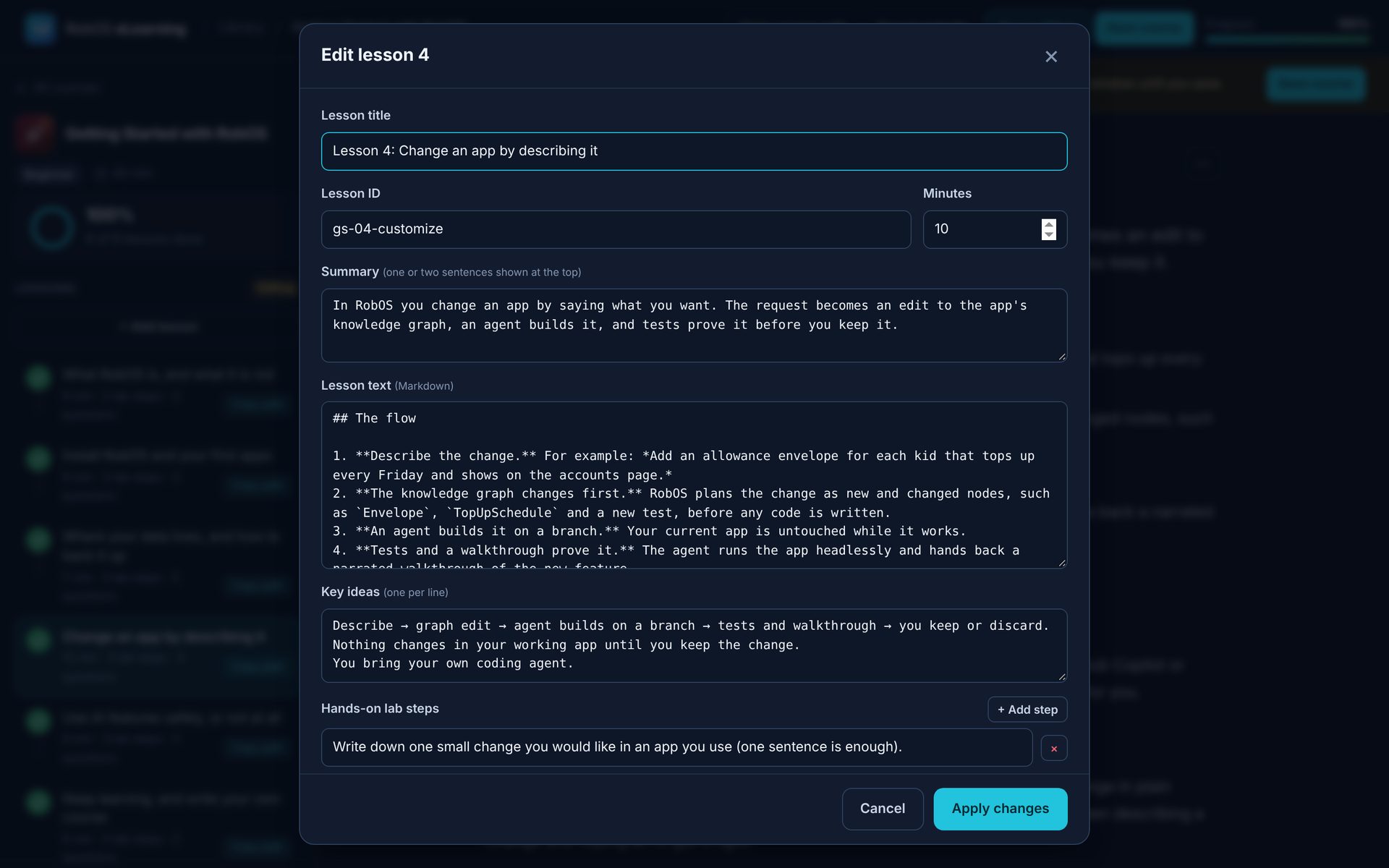
Every course is a node in the learning package of the RobOS knowledge graph. Choose Edit course to change any lesson: its summary, the lesson text in Markdown, key ideas, lab steps, and quiz questions with the reason each answer is right. Save course writes it back to the graph and to .robos/elearning.yaml.

  • Export website turns a course into one static HTML page you can host anywhere
  • Export as HTML Zip packages a single lesson for offline use
  • The generate-app-elearning agent skill drafts a course for any app in the graph, for you to review
The lesson editor with fields for title, ID, minutes, summary, Markdown lesson text, key ideas and lab steps

Export a course from a terminal:

node packages/robos-elearning/cli-export-web.js --course=getting-started-with-robos --output=course.html

Open the app straight into a course:

electron packages/robos-elearning --course=getting-started-with-robos

Start learning

Three steps to your first lesson

  1. Download RobOSGet the App Manager for Windows, macOS or Linux.
  2. Install RobOS eLearningTick it in the App Manager under Everyday & business.
  3. Open Getting Started with RobOSIt is the first course in the library.