

The RobOS phone: LineageOS 24 on an old Moto G100, with RobOS Home, Smart Home and Preferences
We turned an old Motorola Moto G100 into a RobOS phone: a LineageOS 24 (Android 17) image built from source with a RobOS layer: the RobOS boot animation, RobOS Home as the launcher, RobOS Smart Home controlling lights (now including Feit Electric and Smart Life) straight over Wi-Fi, and a new RobOS Preferences that signs in to Google Drive and restores lights from the desktop's Config Sync backup. Getting Android 17 through its build analysis on a 59 GB laptop took a memory-capped service, a patched Go garbage collector limit and 48 GB of compressed swap. The setup guide is at rowbose.com/phone.
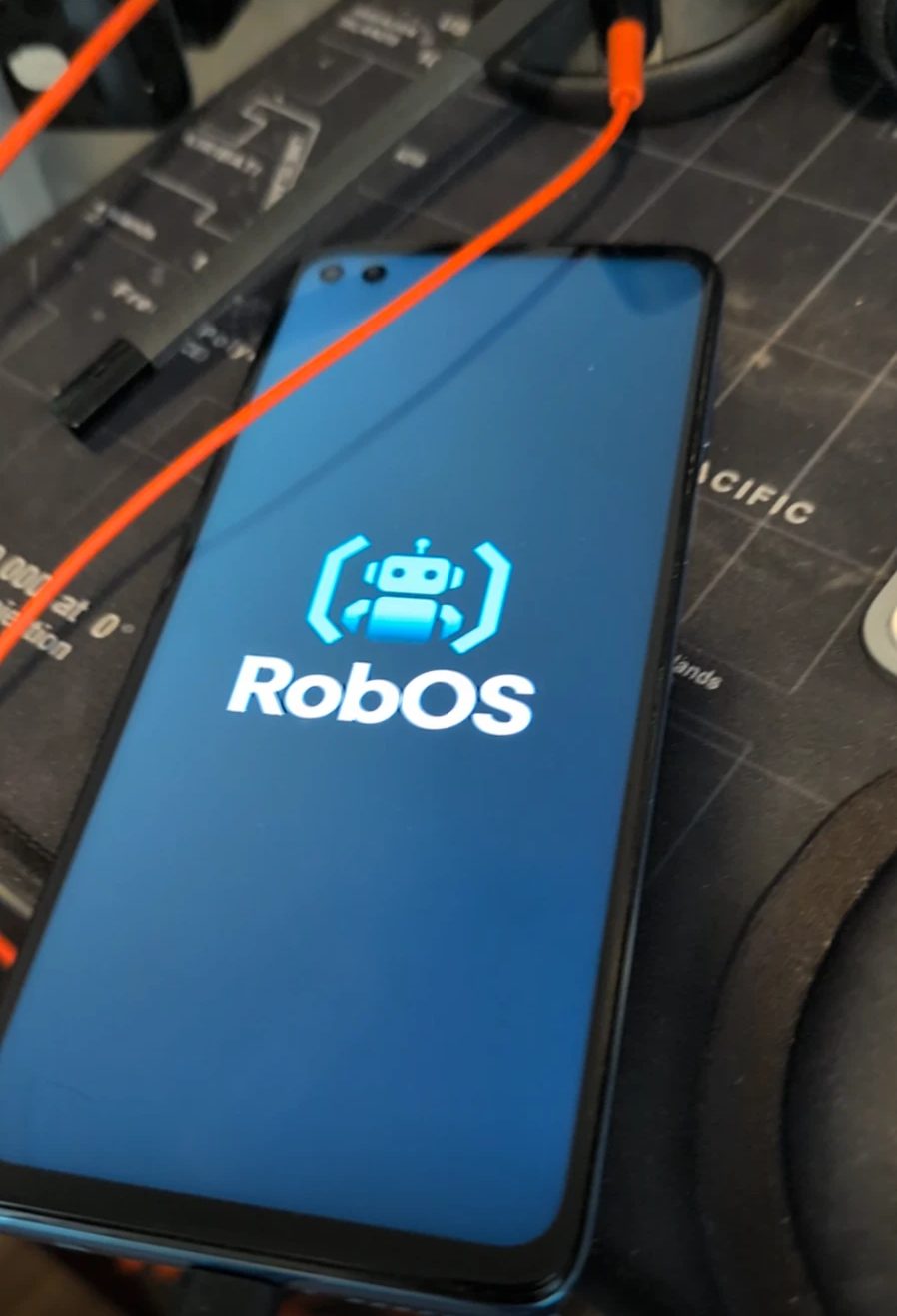
#0d1117 is generated by infra/android/tools/make-bootanimation.py: it fades in, then pulses until Android is ready.The goal. Take a phone that was going in a drawer and make it a RobOS device: our own home screen, our own apps, and the settings we already keep on our RobOS computers. Phones can't run the Electron desktop, so the phone runs Android, and the RobOS parts are native Kotlin apps built into the image. The plain-English setup guide, with everything you need and the honest limits, is at rowbose.com/phone. This post is how we got there.
Check the codename first. We started out building for a Moto G10 (codename capri), because that is what we thought the phone was (a0128d54). The phone itself said otherwise:
nio is the Moto G100 (model XT2125-4): a Snapdragon 870, 8 GB of memory and a 1080 × 2520 screen. Flashing a capri image onto it could have left it unable to boot. The script now targets nio by default and keeps capri behind ROBOS_DEVICE=capri (34ace380). LineageOS supports the G100 on its current branch, lineage-24.0, which is Android 17.
The image: LineageOS plus a RobOS layer
Everything lives in infra/android/. robos-image.sh has one subcommand per stage: check (tools, Pillow, 400 GB free), parts (build the three RobOS APKs with Gradle and render the boot animation), sync (the LineageOS source, over 100 GB, using local_manifests/robos-nio.xml to add the device trees), start (build as a background service) and build (build in this shell). The RobOS layer is a small vendor folder:
vendor/robos/Android.bpimports RobOS Home, Smart Home and Preferences as prebuiltandroid_app_importmodules, signed with the build's public test key (certificate: "testkey"). RobOS Homeoverridesthe stock Launcher3 and the LineageOS Updater, which would otherwise replace RobOS with stock LineageOS on the first update.vendor/robos/config/robos.mkadds the three packages to the product and switches navigation to the three-button bar, because gesture navigation lives in the launcher we removed.tools/make-bootanimation.pywrites abootanimation.zipat the screen's exact resolution from the RobOS logo.
Building Android 17 on a laptop
Compiling is not the hard part. Before anything compiles, Android's build system, Soong, analyses every module in the tree in one process, and on Android 17 that process wanted about 45 GB of memory. The laptop has 59 GB. The first runs pushed the whole desktop session past the limit, and systemd-oomd killed the session along with the build; one run also took down a local Kubernetes cluster that happened to be running. Four changes got it through:
- Its own capped service (dc19546a).
robos-image.sh startruns the build withsystemd-run --user --unit=robos-imageand aMemoryMax, so when memory runs short it is the build that stops, not the desktop and the app running it. - A memory limit inside Soong.
patches/soong-memory-limit.patchaddsdebug.SetMemoryLimit(40 << 30)tosoong_build'smain(). By default Go lets the heap grow to about twice the live data before collecting; with a limit, the collector works harder as it approaches 40 GiB instead of asking for more. - No incremental analysis (b3163b94).
SOONG_INCREMENTAL_ANALYSIS=falsekeeps the extra state for incremental runs out of memory. - 48 GB of compressed swap in RAM (869a7619). Analysis data compresses well with lz4, so a zram device turns spare memory into much more room. When the script sees zram, it lowers the service's memory cap to 36 GB and lets it use swap.
With all four, analysis passed in about 14 minutes, peaking at 36 GB of memory plus 7 GB of swap. Two smaller failures came after it. ccache's sandbox path had been created as an empty file instead of a folder, so every compile failed with ccache: error: Not a directory; the script now makes sure the folder exists (f213cc7c). Then the build's uses-library check rejected the RobOS APKs, because their manifests list the optional androidx.window libraries that Android.bp didn't declare; they are now optional_uses_libs (e388a1c2).
The full build ran 21.5 hours to reach 85%, then 2.4 hours to finish, with a terminal progress bar from tools/progress.sh that knows setup stages from the build itself (932ad051, 20b38341). The output was lineage-24.0-20261106-UNOFFICIAL-nio.zip, 1.0 GB.
Flashing
The phone was on Motorola's Android 12 firmware (S1RTS32.41-20-16-1-9), which the LineageOS build expects. After unlocking the bootloader through Motorola's official unlock-code process, the install follows the LineageOS guide for nio. On this phone the recovery lives in the boot partition:
The first attempt failed in fastboot with reap_urb … Protocol error. The phone was plugged into a USB dock; plugged straight into the laptop, every step went through.
RobOS Home
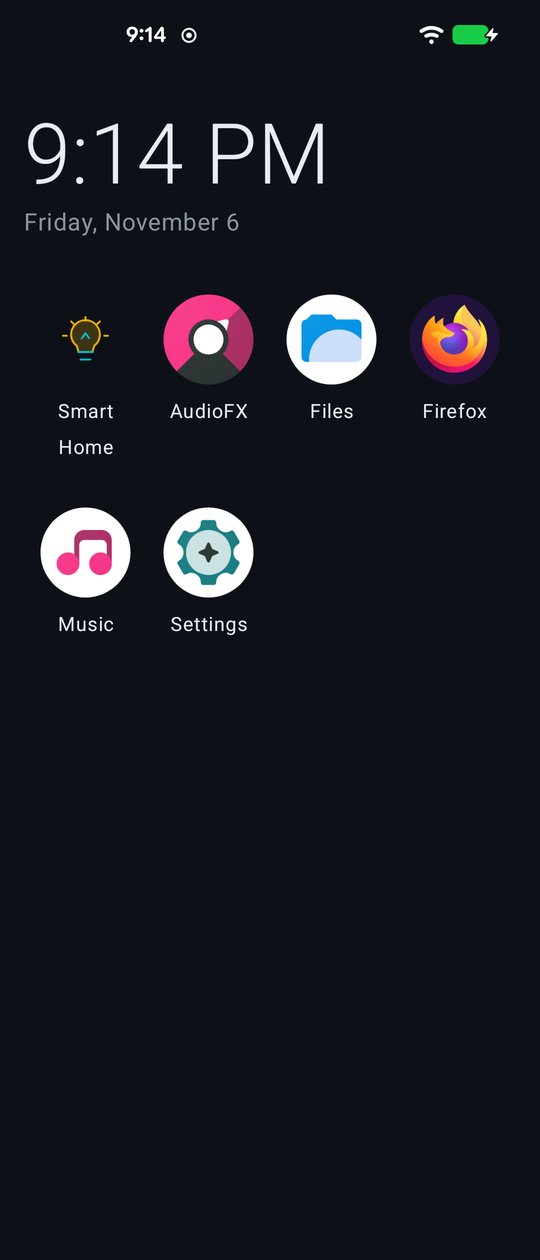
packages/robos-launcher-android): the time, the date and every app, RobOS apps first.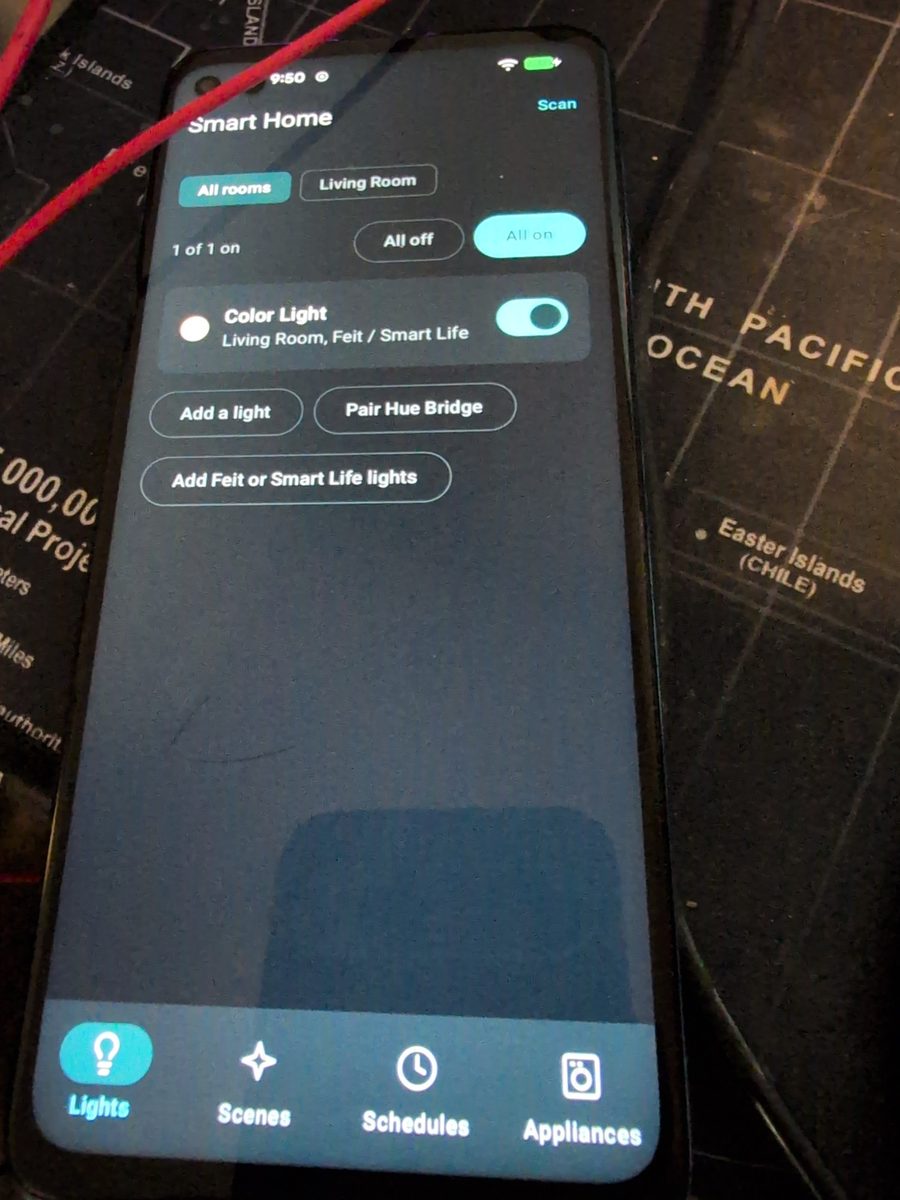
The first version of the image removed most LineageOS apps and the home screen only showed com.robos.* apps and Settings. That left no file manager and no way to see an app installed with adb. The image now keeps the LineageOS basics, and RobOS Home lists every launchable app, RobOS apps first (0d4ed54d). Firefox 159 went on with adb install, from Mozilla's official archive after checking its signature.
Smart Home: Feit and Smart Life lights over Wi-Fi
RobOS Smart Home for Android (packages/smart-home-android, f9f5b362) is a native Kotlin and Compose app. It talks to the lights itself, with no RobOS computer in the middle: WiZ, Hue, WLED, Kasa, LIFX, Govee, Elgato, Yeelight, Shelly and Home Assistant, plus rooms, scenes, read-only LG ThinQ appliances, and schedules with fades that keep running when the app is closed.
The light on our desk is a Feit Electric bulb, which uses Tuya's platform under the Smart Life app, so the phone needed Tuya support (f222230e). Tuya lights are controlled locally over TCP port 6668 with protocol 3.3, 3.4 or 3.5, but each light's encryption key is only available from Tuya's cloud. So the app imports the keys once from a free Tuya cloud project, stores them in a file encrypted with an Android Keystore key, and from then on controls the lights directly. Newer bulbs announce themselves only after an app broadcasts a "where are you" request on UDP port 7000, the way the Smart Life app does (8b6da309 on the desktop); the phone now sends it too.
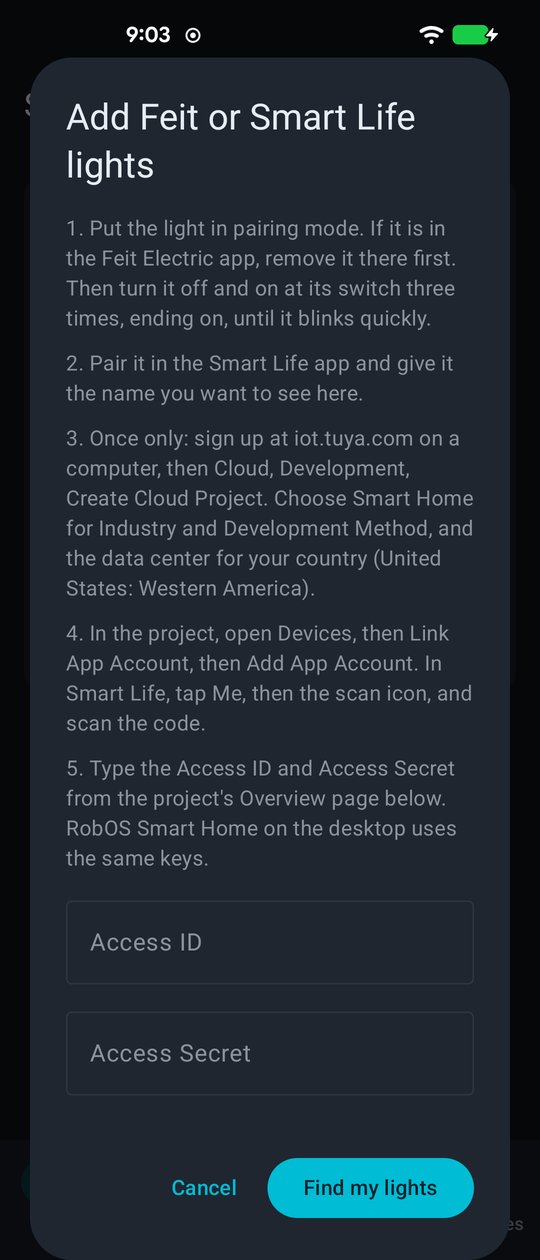
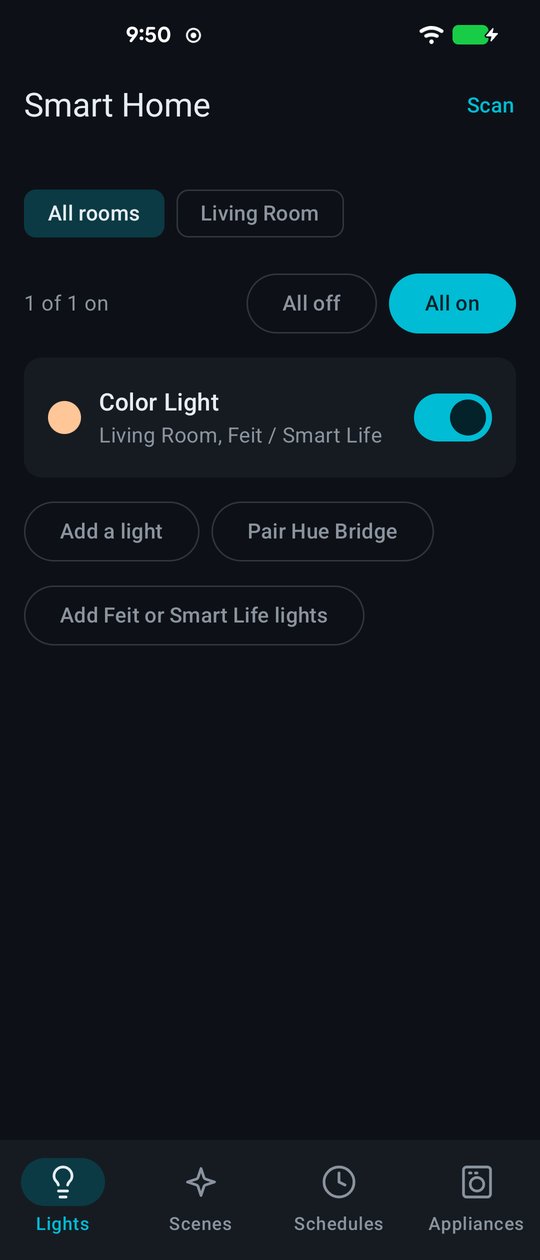
The desktop's JavaScript Tuya code was verified first on the real Feit bulb. GoldenTest runs the phone's Kotlin against vectors produced by that JavaScript and checks the encrypted packets byte for byte, so the two implementations can't drift apart.
Preferences: the desktop's settings, on the phone
RobOS Preferences for Android (packages/robos-preferences-android, 917da4d6) is new. It signs in to Google in the phone's browser exactly like the desktop: the same public "rclone" OAuth client, a loopback redirect to 127.0.0.1 and PKCE. It then lists the Config Sync backups in the user's Google Drive and opens passphrase-protected ones with Kotlin scrypt and AES-256-GCM matching robos-lib/config-sync.js. It shows the files in each category (2c62e845) and restores what phone apps can use. Today that is Smart Home's lights, rooms, scenes and schedules, handed over through a content provider guarded by the signature permission com.robos.permission.MANAGE_SETTINGS, so only apps signed with the same key can write them.
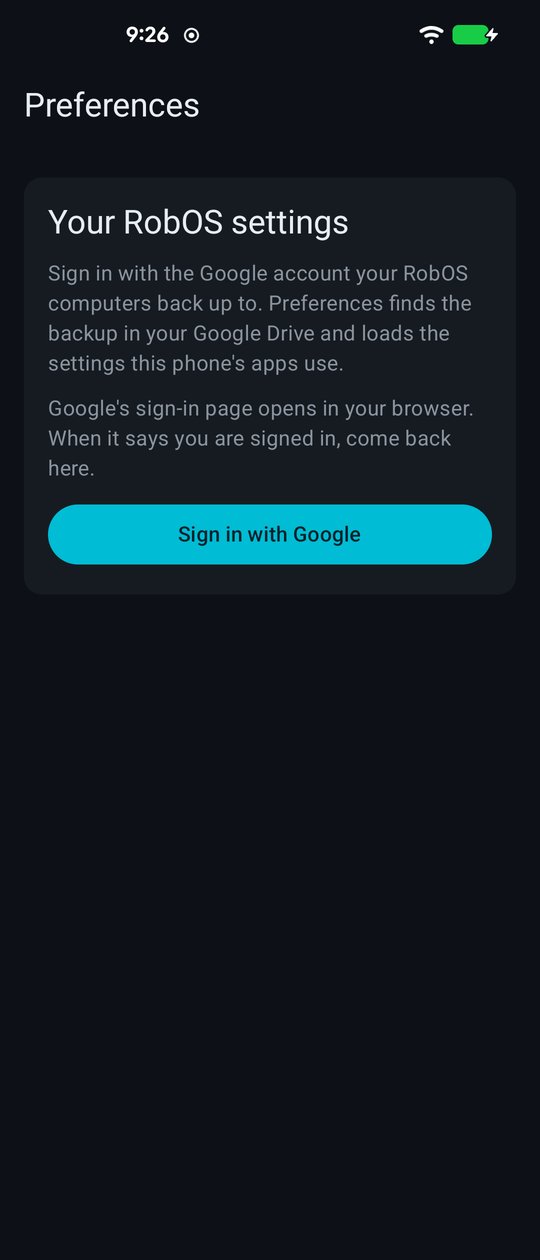
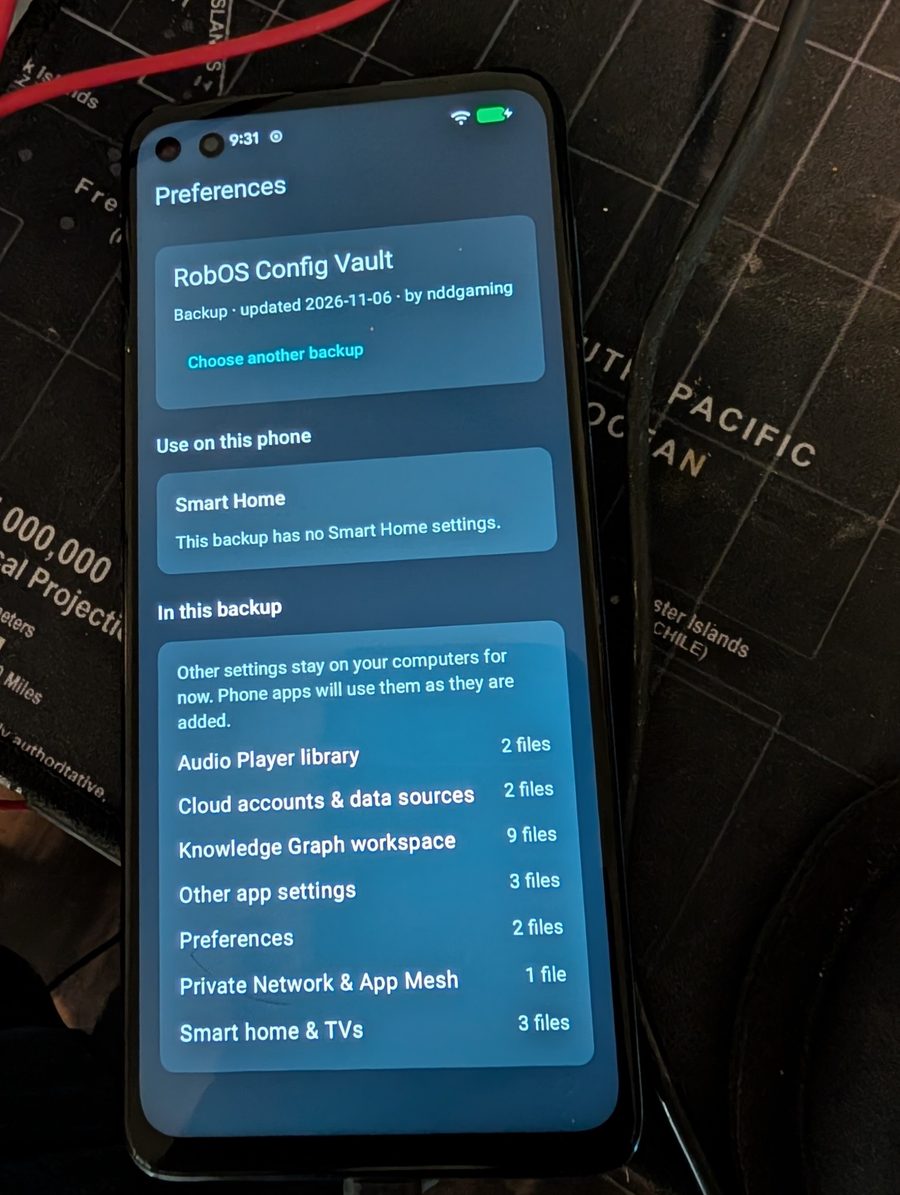
Two Android behaviours took a fix each. Android 17 blocks network access for apps in the background, and while the user signs in, Preferences is behind the browser, so the token exchange failed. It now waits until the user comes back to Preferences (fabaeae0). And Android can deliver a content provider call before the receiving app's Application.onCreate has run, so Smart Home's provider now waits for the app to finish starting before taking restored settings (ce2c9a45). After both, the phone reported "Smart Home: 1 light added."
The desktop side
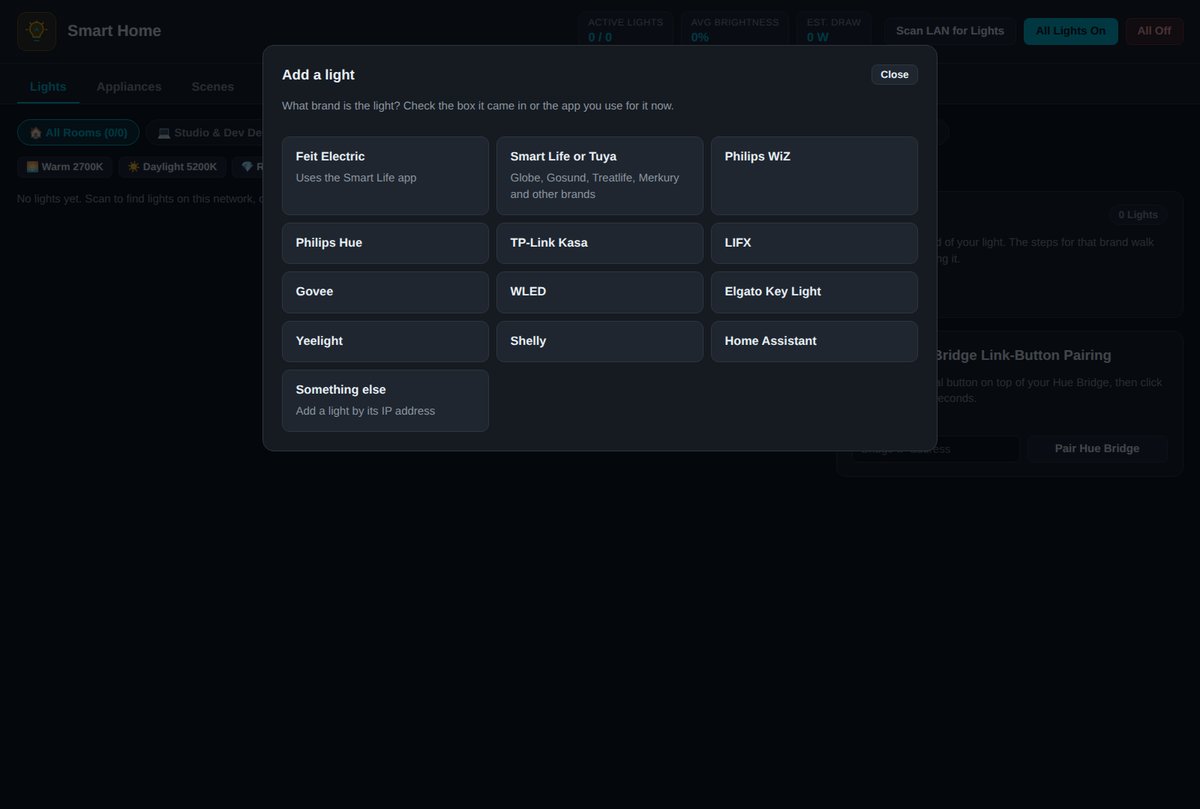
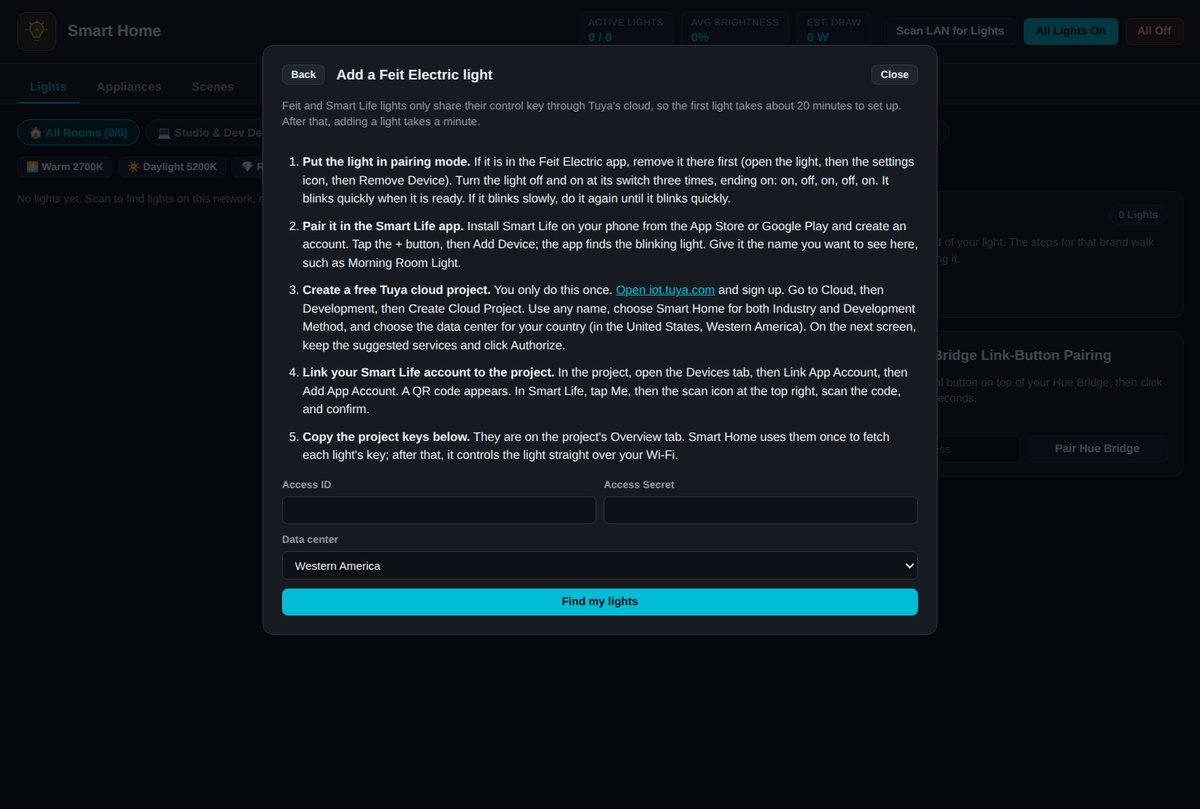
The phone restores what the desktop backs up, so the desktop changed too. Smart Home got Feit and Smart Life support and an Add-light wizard that asks for the brand and walks through that brand's steps (b4fb2523). It no longer starts with made-up sample lights (9d4b05f3), and light controls now say when a light didn't take a change.
Config Sync now never uploads Tuya keys or settings .bak files (813fd8b8); each device fetches its own Tuya keys. And Apply used to give no sign it was working, so people clicked it again and got "Another sync is running". The sync engine now reports each step, and Preferences shows it on the button and as a progress bar with the current file (ba273c84).
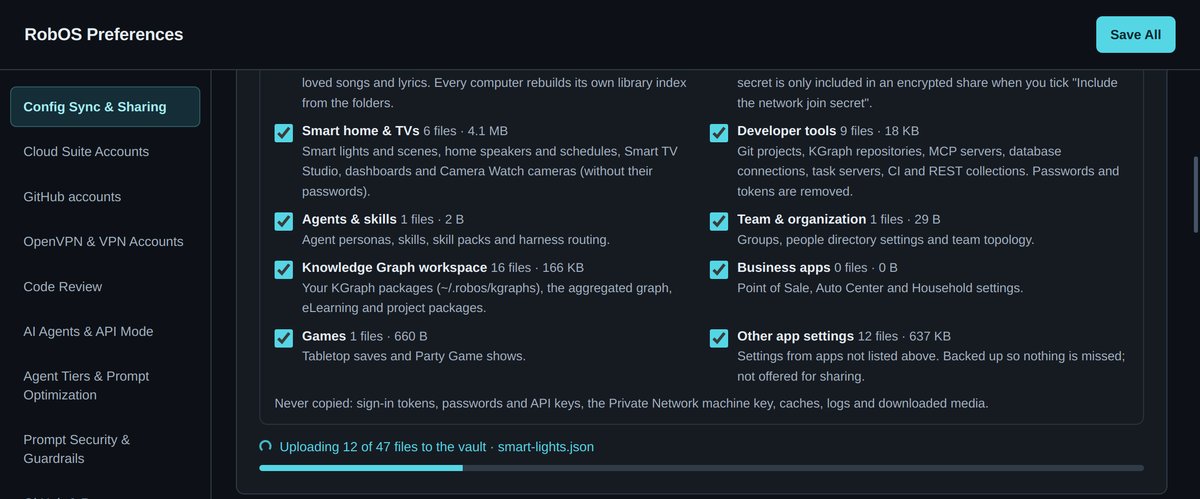
smart-lights.json, file 12 of 47: the file the phone restores the light from.The whole flow, end to end: add a light in Smart Home on the desktop, sync to the Google Drive vault, restore it in Preferences on the phone, and switch it in Smart Home on the phone.
Limits
Installing erases the phone and needs a bootloader Motorola will unlock. The image is a userdebug build signed with public test keys, and Motorola's unlocked-bootloader warning shows at every boot. There are no Google Play services. The Recents button does nothing, because the app switcher was part of the launcher we replaced. Building needs about 60 GB of memory with zram, 300 GB or more of disk and a day. Feit and Smart Life lights need a one-time Tuya cloud project, and only Smart Home settings restore so far. Next: more phone apps that can use the rest of the backup, and replacing Motorola's warning screen through the logo partition, which we haven't tried yet.