

Turning Classic JRPG Guides into a Playable Godot Game: The JRPG KGraph Parser, Chained Cucumber Playthroughs, and a 12-Module Bootcamp
Classic 8-bit RPGs are thoroughly documented across fan wikis, atlas PNGs, manuals, and 6502 assembly guides, yet those sources disagree on tile coordinates, palettes, and stats. We built robos-jrpg-parser to ingest local resource folders into an OSLC JSON-LD Knowledge Graph, flag conflicts between tables and prose, emit chained Cucumber milestone suites plus isolated mechanic tests, and drive the resulting Godot 4 game through the RobOS Game Playthrough viewer—backed by a 12-module hands-on eLearning course and Godot bootcamp.
Recreating a classic 8-bit RPG from scratch sounds straightforward until you put the community sources side by side. A StrategyWiki table lists a weapon's price and attack bonus, the PDF manual omits who can equip a late-game sword, an atlas PNG from VGMaps mixes five floors onto one image sheet or includes GBA/PSP remake rooms, and a prose walkthrough describes a dungeon chest whose contents depend on whether the game's 6502 assembly applies an in-room or out-of-room palette. When an AI coding agent tries to build a game directly from raw web pages, those silent contradictions turn into soft-locks: heroes spawn on impassable border trees, shopkeepers never advance past their greeting, and chests open with the wrong palette.
To make classic JRPG reconstruction repeatable—and to keep third-party reference downloads strictly private on your own disk while publishing only clean-room code and art—we built packages/robos-jrpg-parser, extended the RobOS Game Playthrough desktop app (packages/game-playthrough) to watch any KGraph-generated JRPG run milestone by milestone, and published a 12-module hands-on course and Godot 4 bootcamp at /elearning/how-to-recreate-classic-jrpg-using-kgraph-parsing-with-automated-playthrough/.
1. Harvesting Local Resources Without Polluting Your Git Repo
The workflow starts outside the repository in a private local folder (for example, ~/Downloads/<game-id>/). Instead of scraping sites inside a build step, a small Python harvester collects five categories of reference material into separate subdirectories: pixel-exact 16x16 atlas map PNGs, wiki HTML/Markdown tables (weapons, armor, magic, shops, monsters), scanned manuals, audio reference tracks, and assembly/mechanics notes (damage formulas, encounter tables, and tile walkability).
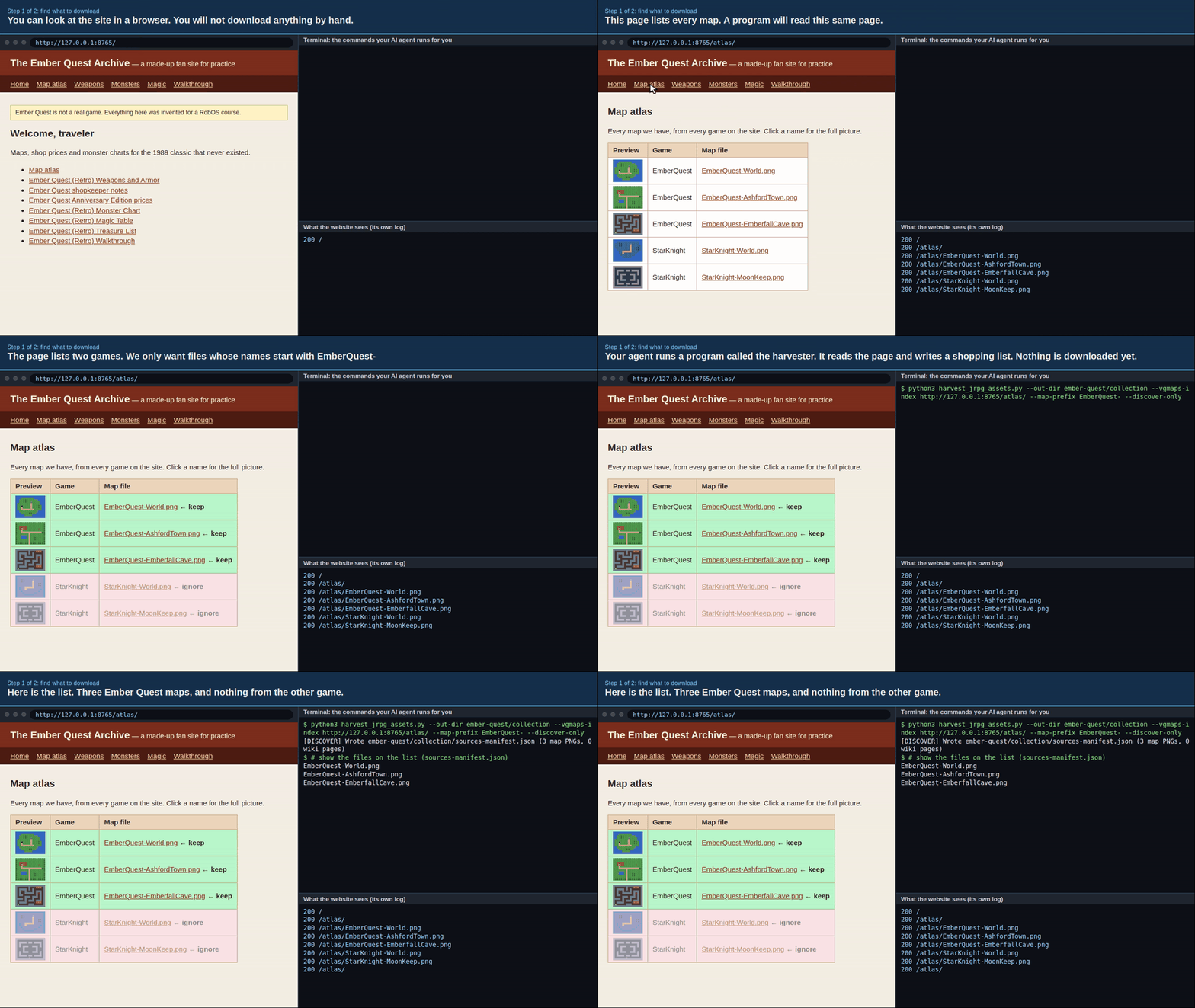
~/Downloads/<game-id>/.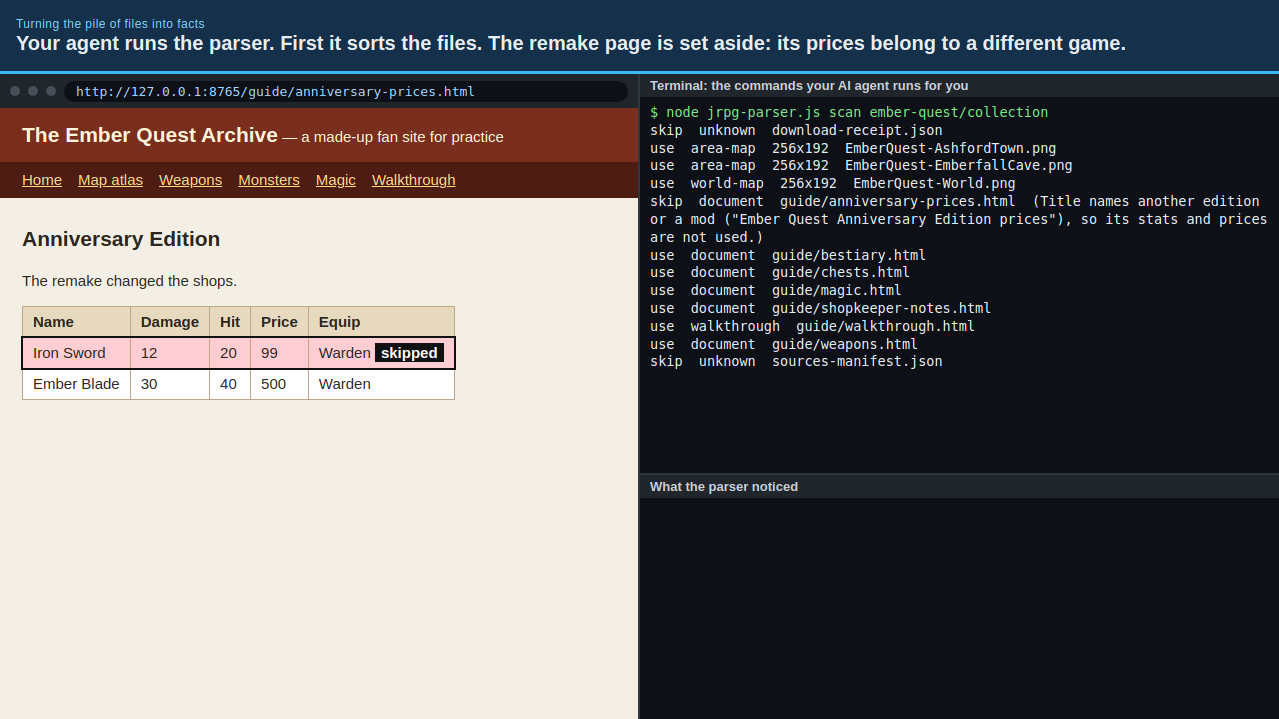
Crucially, raw reference downloads stay in ~/Downloads/<game-id>/ and are never committed to git. When robos-jrpg-parser runs with --no-copy-assets (now the safe default for public repos), the generated Knowledge Graph records clean metadata and relative logical IDs without copying third-party screenshots, manuals, or rips into your repository. The companion jrpg-generate-art skill then uses Gemini image generation to produce original, clean-room tilesets, battle backdrops, and sprite sheets matching the exact dimensions required by the graph.
2. Parsing Tables, Slicing 16×16 Maps, and Catching Conflicts
Pointing packages/robos-jrpg-parser at the local resource directory runs five specialized extractors (classify.js, maps.js, charts.js, walkthrough.js, and playthrough.js) and writes an OSLC JSON-LD Knowledge Graph alongside a human-readable completeness report:
node packages/robos-jrpg-parser/bin/jrpg-parse.js \
  --input ~/Downloads/my-jrpg \
  --out ~/kgraphs/my-jrpg \
  --game-id my-jrpg \
  --title "My Classic JRPG"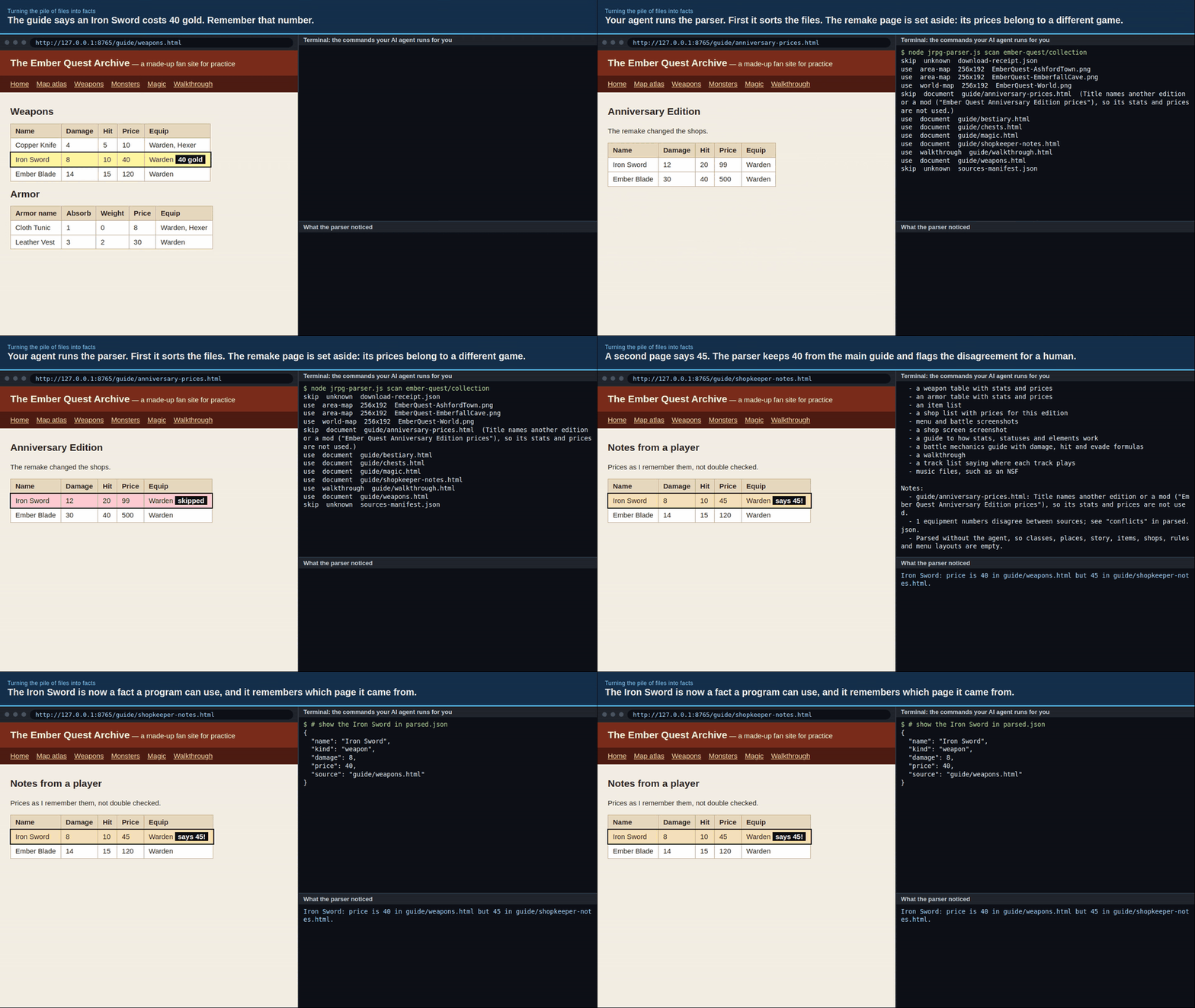
jrpg-parse.js: the parser classifies every file in the folder, extracts typed nodes (maps, monsters, spells, weapons, armor, shops, classes, and story milestones), and prints a completeness audit table.Rather than blindly trusting a single source, the parser cross-checks structured tables against prose walkthroughs and assembly notes:
- Extended Combat & Economy Ontology: Monster nodes (
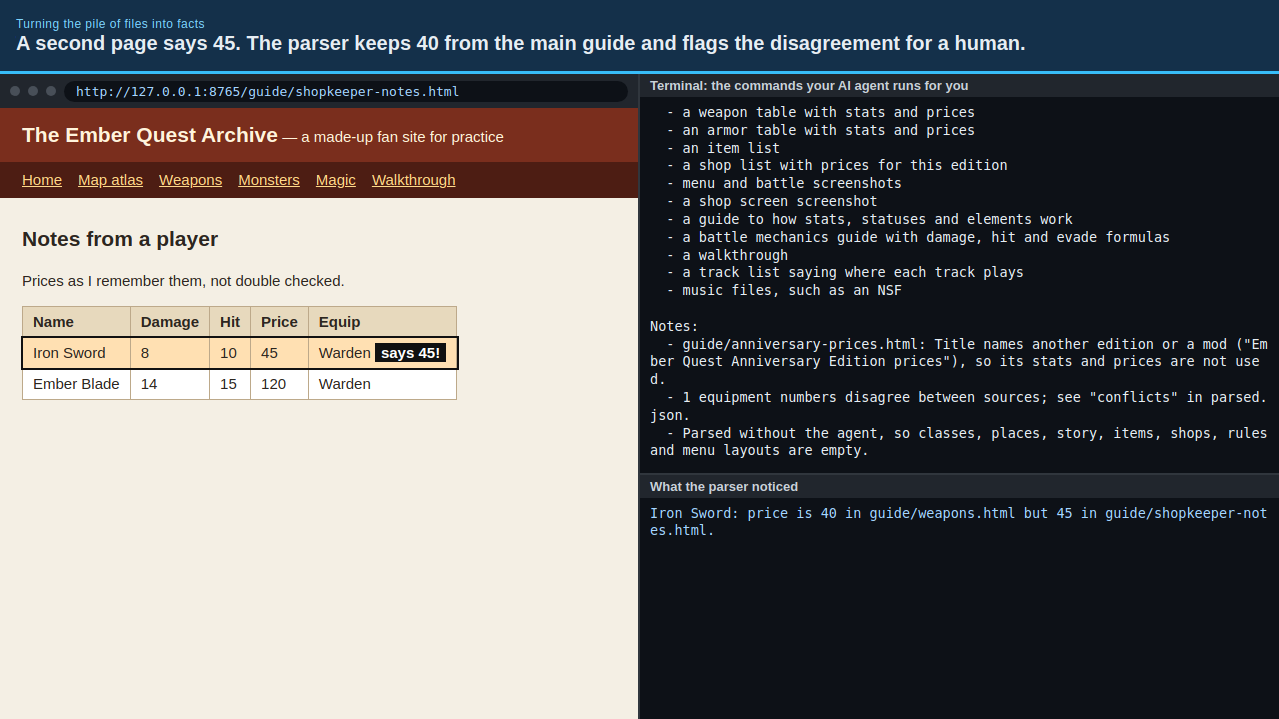
robos:JRPGEnemy) capture HP, attack, accuracy, hits-per-turn, critical rate, defense, evasion, magic defense, elemental weaknesses, status immunities, XP, and gold. Spells (robos:JRPGSpell) record MP/slot level, target scope, effect power, accuracy, and per-class permissions. Weapons and armor capture price, stat modifiers, and equip bitmasks. - Conflict & Completeness Auditing: When a prose walkthrough mentions a boss with 106 HP or a shop selling a spell for 100 G while a summary table says 120 HP or 400 G, the parser flags the discrepancy instead of silently picking whichever file sorted last. If a game lacks battle formulas or encounter rates, the completeness matrix marks whether the missing data blocks walking, shopping, or combat.
- 16×16 Tile Slicing & Coordinate Verification: Atlas maps are sliced on a
16x16pixel grid, deduplicated by tile hash into a compact tileset atlas, and paired with walkability and trigger coordinates so doors, stairs, treasure chests, and NPCs sit on verified walkable tiles.
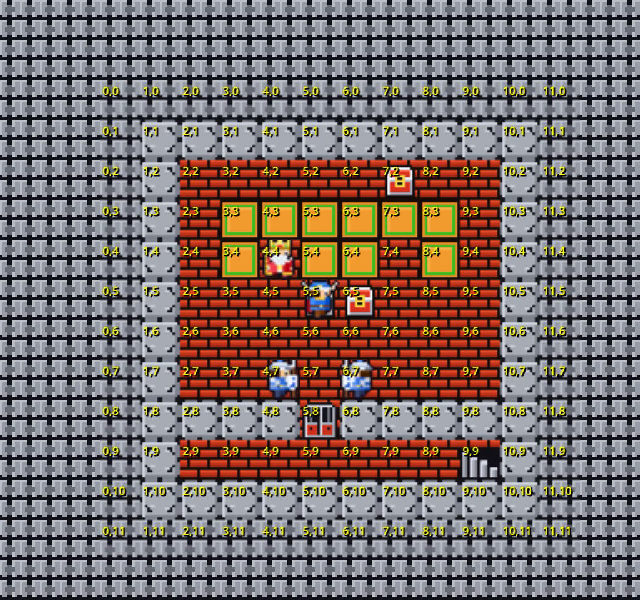
16x16 tile grid so spawn points, shop counters, and exits never land on unwalkable border trees.3. Isolated Mechanic E2E Tests First, Full Checkpoint Playthrough Second
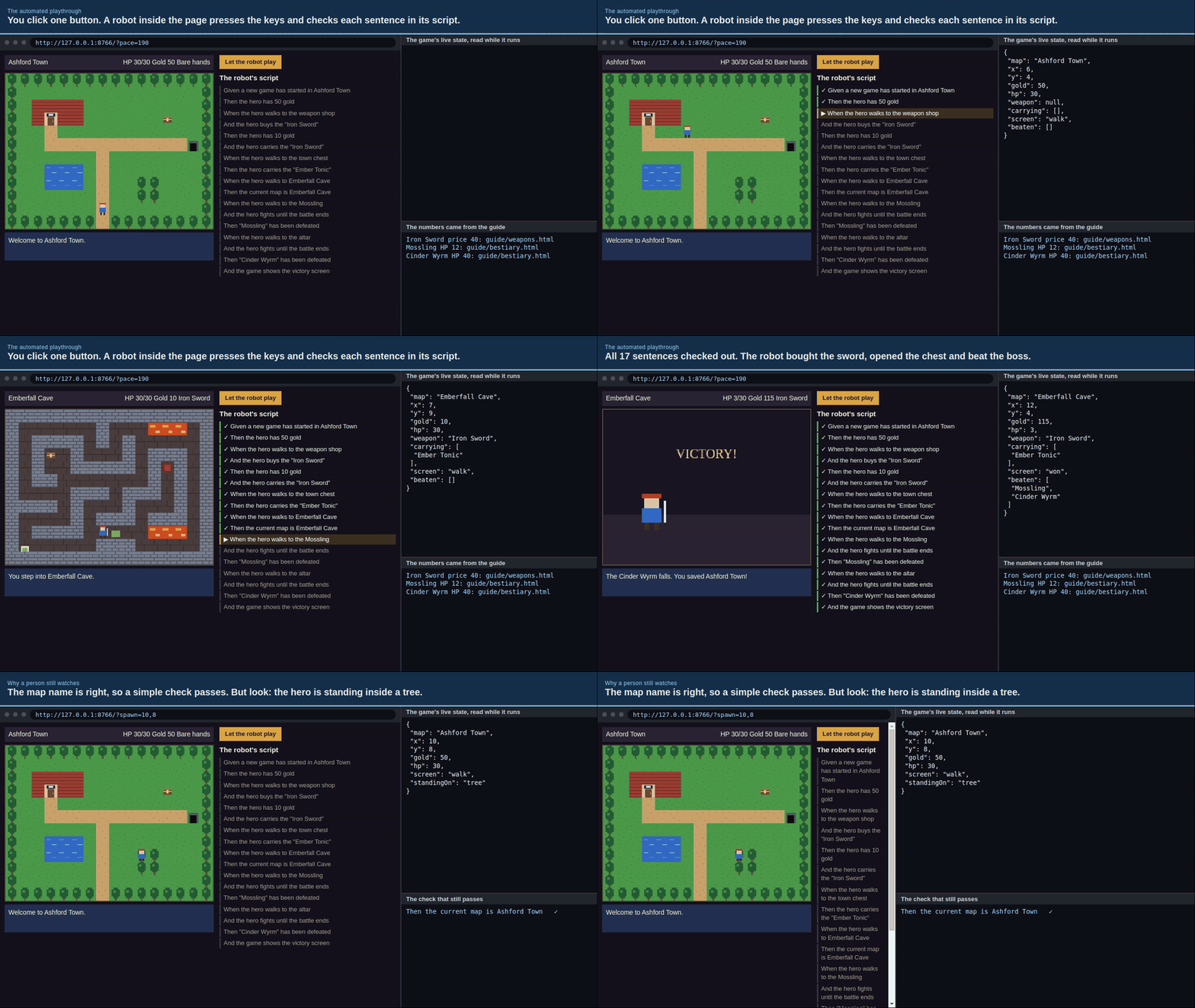
One of the biggest lessons from building our first automated playthrough (for Quest: Warrior Dragon) is that running a full-game AI playthrough before individual mechanics are verified wastes hours in retry loops. If the AI walks into a Weapon Shop and gets stuck in a loop because the shop dialog expects a two-step Buy → Select Item → Exit cursor flow, you do not want to discover that fifteen minutes into a full run.
Now, packages/robos-jrpg-parser/lib/playthrough.js emits both a milestone registry (playthrough/milestones.json) and a two-tier Cucumber BDD test suite right alongside the Knowledge Graph:
- Isolated Headless Mechanic Features: Fast, targeted Gherkin suites that boot the Godot 4 game under
Xvfb, jump straight to a specific mechanic via the local HTTP control server (127.0.0.1:8090), and verify it in seconds:01_start_new_game_and_create_party.feature— Title screen to party creation to overworld spawn on a verified walkable tile.02_smoke_maps_and_transitions.feature— Entering and exiting towns, castles, and multi-floor dungeons without getting trapped on border tiles.03_npc_dialogues.feature— Facing NPCs, opening dialogue boxes withui_accept, and cleanly dismissing them.04_shops_and_inn.feature— Entering Weapon, Armor, White/Black Magic, Item, and Inn interiors, navigating the pointing-hand cursor throughBuyandExit, verifying Gold deduction, inventory/spell slot updates, and Inn HP/MP restoration.05_treasure_chests.feature— Stepping onto dungeon chests, opening them once, verifying item/gold rewards, and confirming the open-chest tile persists.06_random_encounters_and_boss.feature— Triggering overworld/dungeon encounters and boss fights, resolving turn-based combat rounds, and verifying XP/Gold awards.
- Checkpoint-Chained Milestone Playthrough (
checkpoint_playthrough.feature): Once every isolated feature passes headlessly, the full playthrough driver (tests/e2e/play_full_game.py --fresh --stepped) chains the milestones together—creating the party, visiting the Weapon, Armor, and Magic shops, speaking with the King, marching to the first dungeon, looting chests, and defeating the first boss—saving a JSON save-state checkpoint, PNG screenshot, and MP4 video after each milestone.
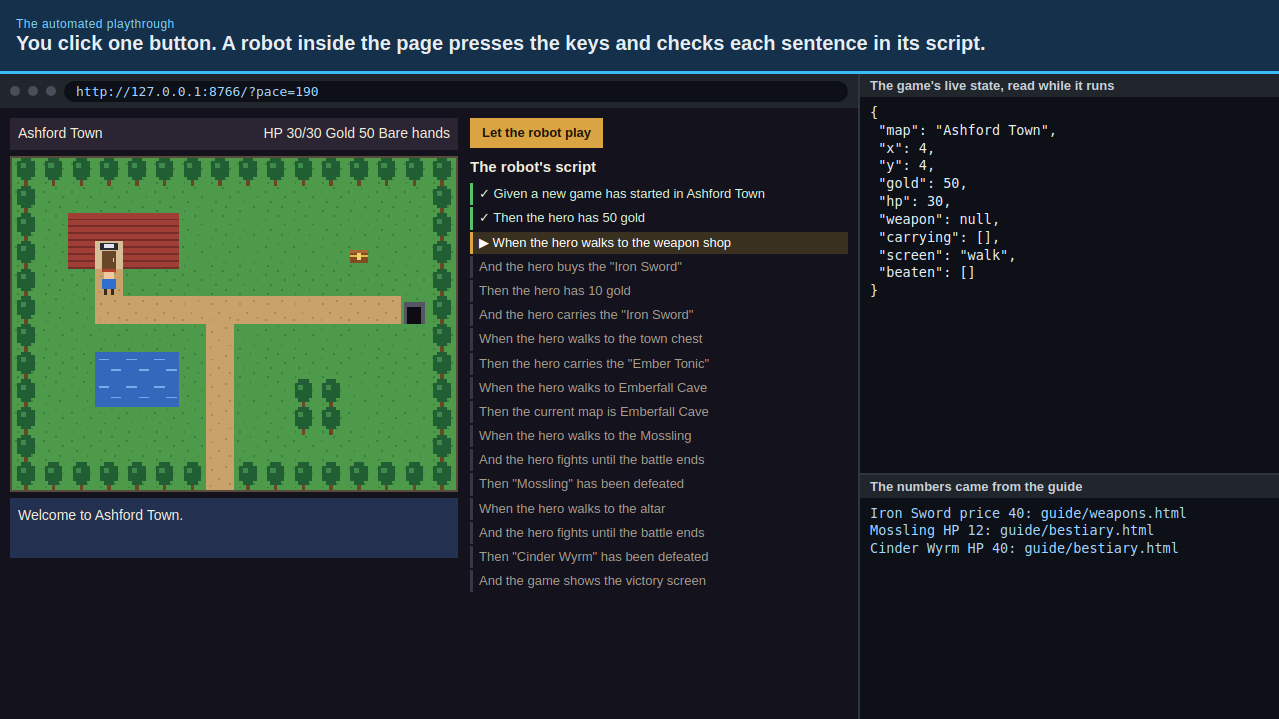
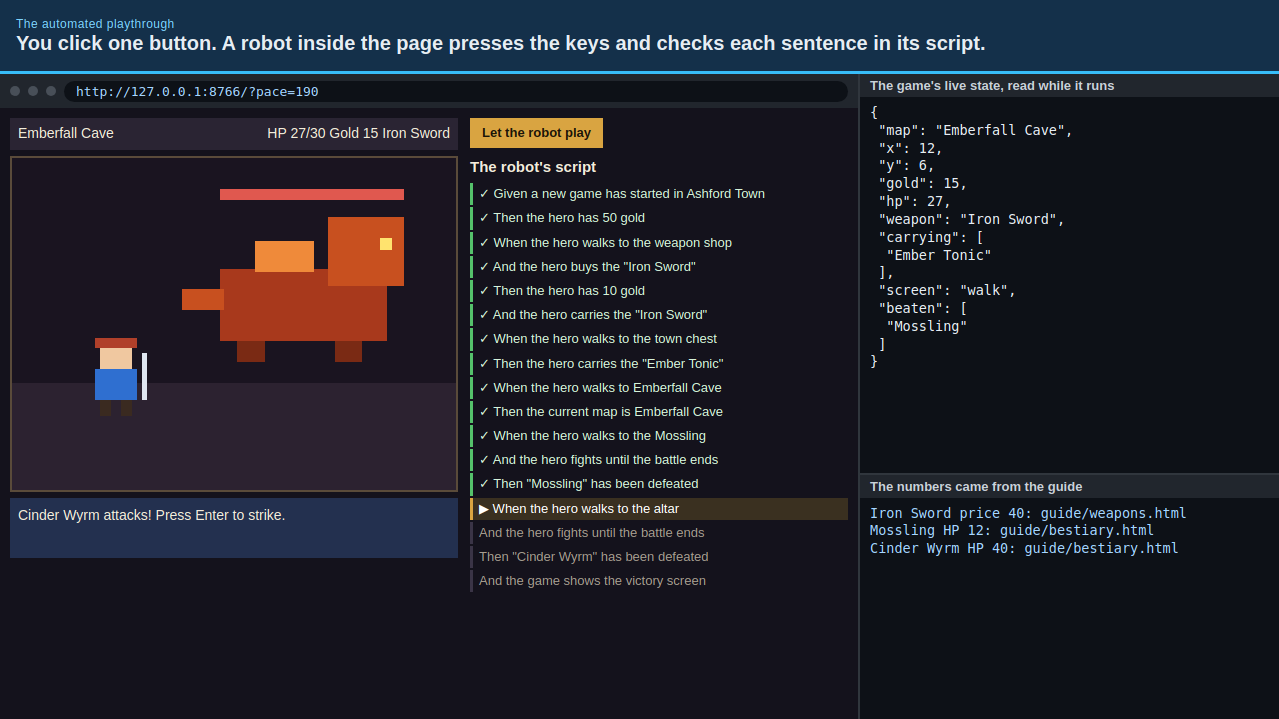
4. Watching Any JRPG Run in the RobOS Game Playthrough App
Previously, the RobOS Game Playthrough desktop app (packages/game-playthrough) was wired specifically to Quest: Warrior Dragon. We upgraded packages/game-playthrough so it can point at any JRPG project generated from a Knowledge Graph via --game-dir /path/to/game or the JRPG_GAME_DIR environment variable, dynamically reading the game's title and milestone registry from data/milestones.json.
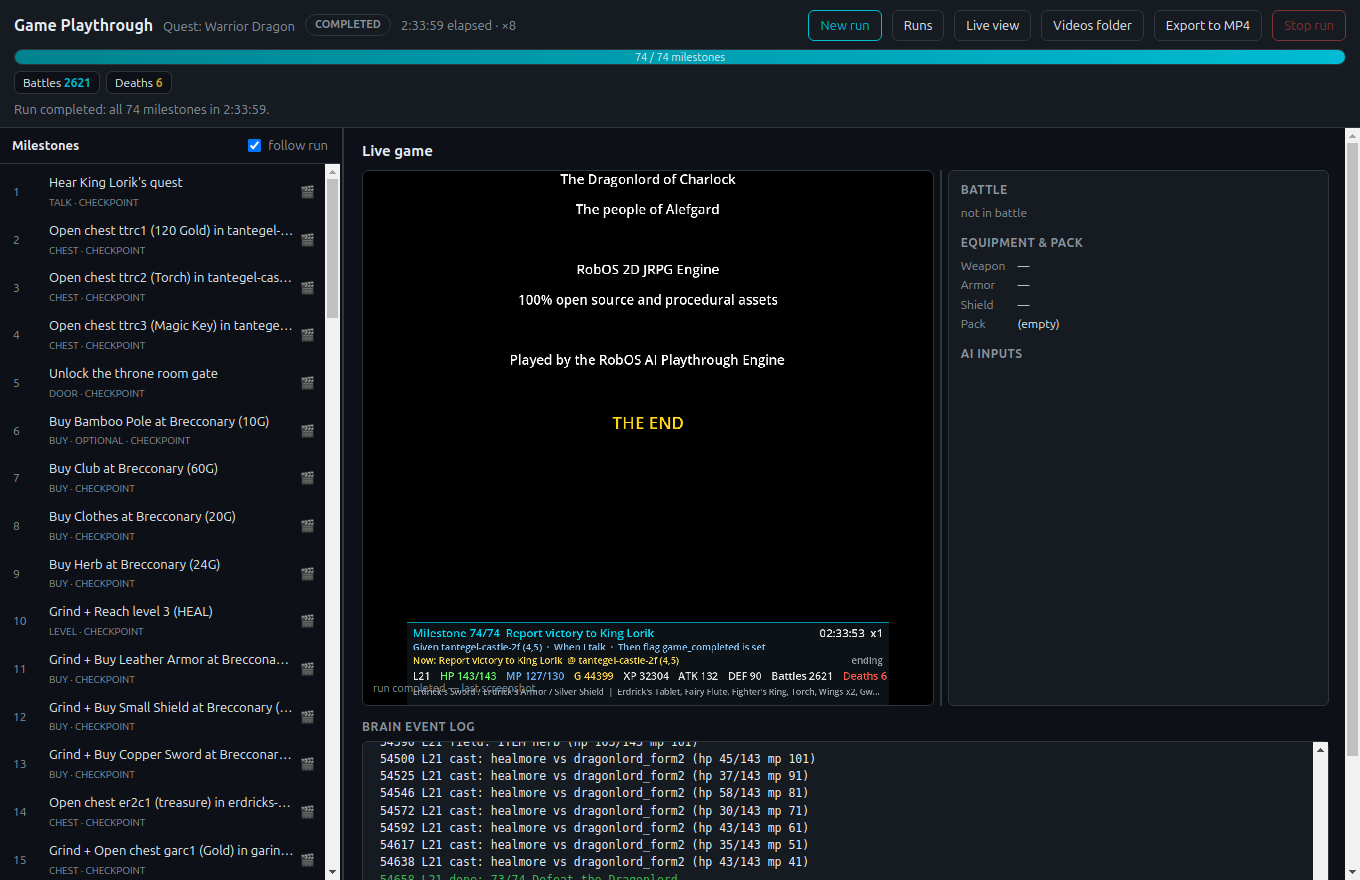
packages/game-playthrough) watches live or archived stepped runs for any KGraph-driven JRPG, pairing each milestone card with its recorded MP4 clip, save-state checkpoint JSON, and one-click replay command.During a stepped run, a GNOME tray icon shows a live progress ring while the main window lists every milestone on the left and streams the live game screen, party stats, inventory, and AI event log on the right. Clicking any completed milestone plays its recorded MP4 clip, inspects the exact JSON save checkpoint captured at the end of that milestone, and lets you replay a single milestone (--stepped --only N) or resume from that checkpoint (--stepped --from N) without re-running the earlier chapters.
5. Take the 12-Module eLearning Course & Godot 4 Bootcamp
We wrote down the entire process—from zero prior Godot experience to a working, checkpoint-verified classic JRPG—in a new 12-module interactive course on the RobOS eLearning site: How to Recreate a Classic JRPG Using KGraph Parsing with Automated Playthrough.
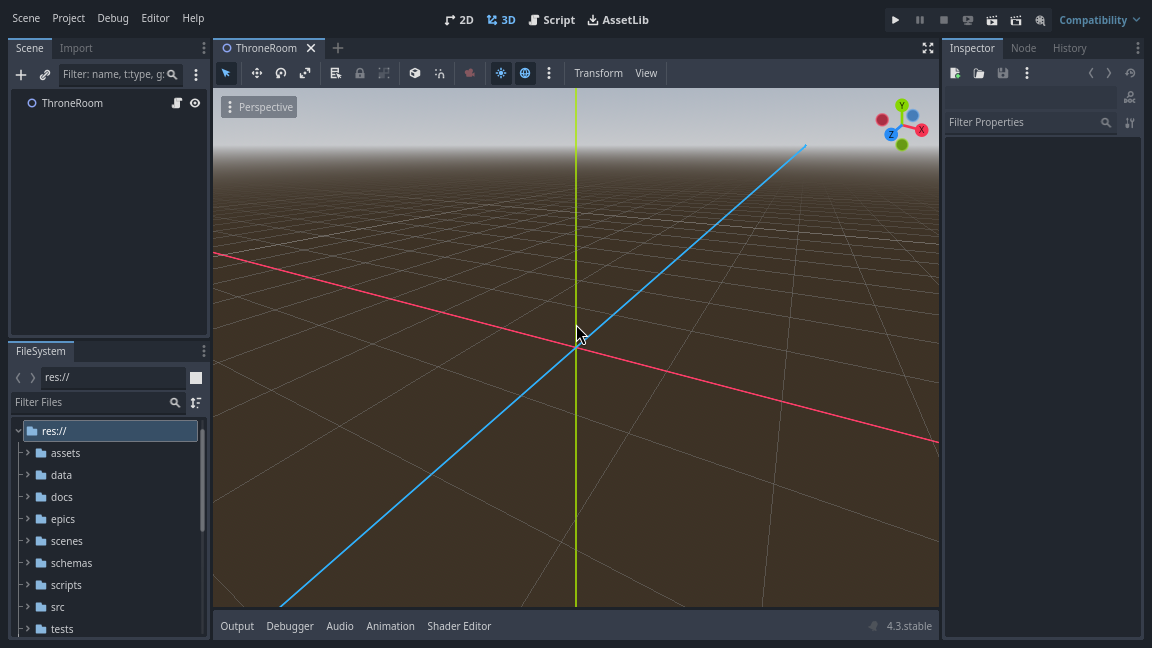
TileMapLayer, CanvasLayer menus, and the HTTP control server before generating the game.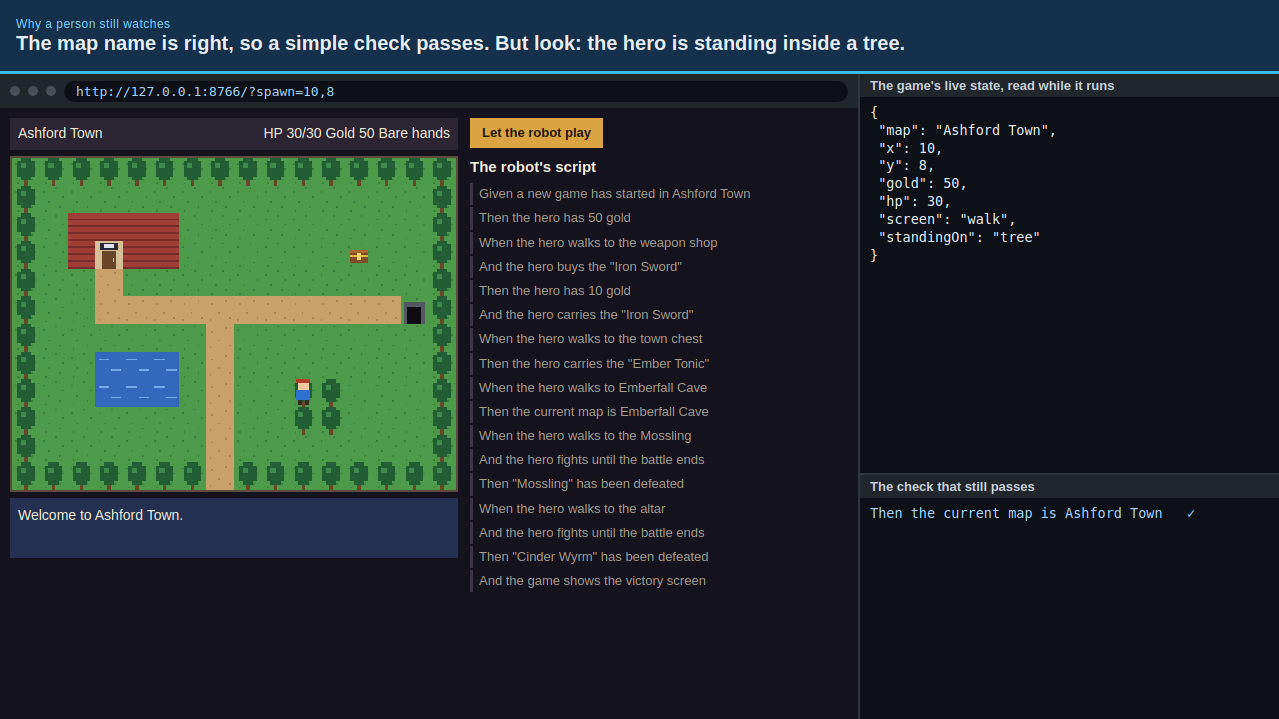
The course is written for developers who work with AI coding agents (Claude Code, OpenAI Codex, GitHub Copilot, or Gemini CLI / Google Antigravity) and walks through every stage with real recordings, copy-pasteable agent prompts, and deeper scenario-based knowledge checks:
- Modules 1–4 (Harvesting & Parsing): Setting up a private
~/Downloads/<game-id>workspace, discovering and downloading maps and wiki tables respectfully, separating original 8-bit editions from remakes, and runningrobos-jrpg-parserto produce the JSON-LD Knowledge Graph and conflict report. - Modules 5–7 (Godot 4 Bootcamp): A ground-up walkthrough of how a 2D RPG works in Godot 4—
Node2Dscenes,TileMapLayeratlases,CharacterBody2Dgrid movement,CanvasLayershop and command dialogs, turn-based battle state machines, and the 180-lineGameControlServer.gdHTTP bridge that lets external tests read state and press buttons. - Modules 8–12 (Clean-Room Art, Isolated Cucumber Tests & Stepped Playthrough): Generating original sprites and tilesets with
jrpg-generate-art, writing isolated Cucumber mechanic features for shops, inns, NPCs, and chests, chaining the milestone checkpoints to defeat the first boss, and inspecting every milestone clip in the RobOS Game Playthrough viewer.