

Hands-Free Two-Way Voice Approval with Home Assistant Voice (NC-VK-9727) & RobOS Home Speaker
How we added zero-cloud two-way voice conversation and hands-free spoken approval to RobOS Home Speaker (packages/home-speaker) using the Nabu Casa Home Assistant Voice Preview Edition (NC-VK-9727), ESPHome Protobuf VoiceAssistantAnnounceRequest (start_conversation=true), Kokoro-82M neural TTS, and local Whisper STT.
Live Demo (YouTube Shorts): An AI coding agent asks out loud over the Home Assistant Voice Preview Edition (NC-VK-9727) if it is okay to push to main, automatically opens the speaker's microphone with no wake word or button press, transcribes the spoken reply locally, and confirms back out loud.
Why agents need a physical, zero-cloud voice intercom on your desk. When an autonomous coding agent finishes a task or reaches a deployment gate (like pushing to main), you aren't always staring at a terminal window. With the Nabu Casa Home Assistant Voice Preview Edition (NC-VK-9727) connected to RobOS Home Speaker (packages/home-speaker, port :19200), any agent or script can speak a question out loud in natural Kokoro-82M neural voice, automatically open the speaker's dual-microphone array as soon as the question finishes playing, transcribe your answer locally on your workstation using Whisper (Xenova/whisper-tiny.en), and confirm your decision out loud—all over your local LAN with zero cloud dependencies.
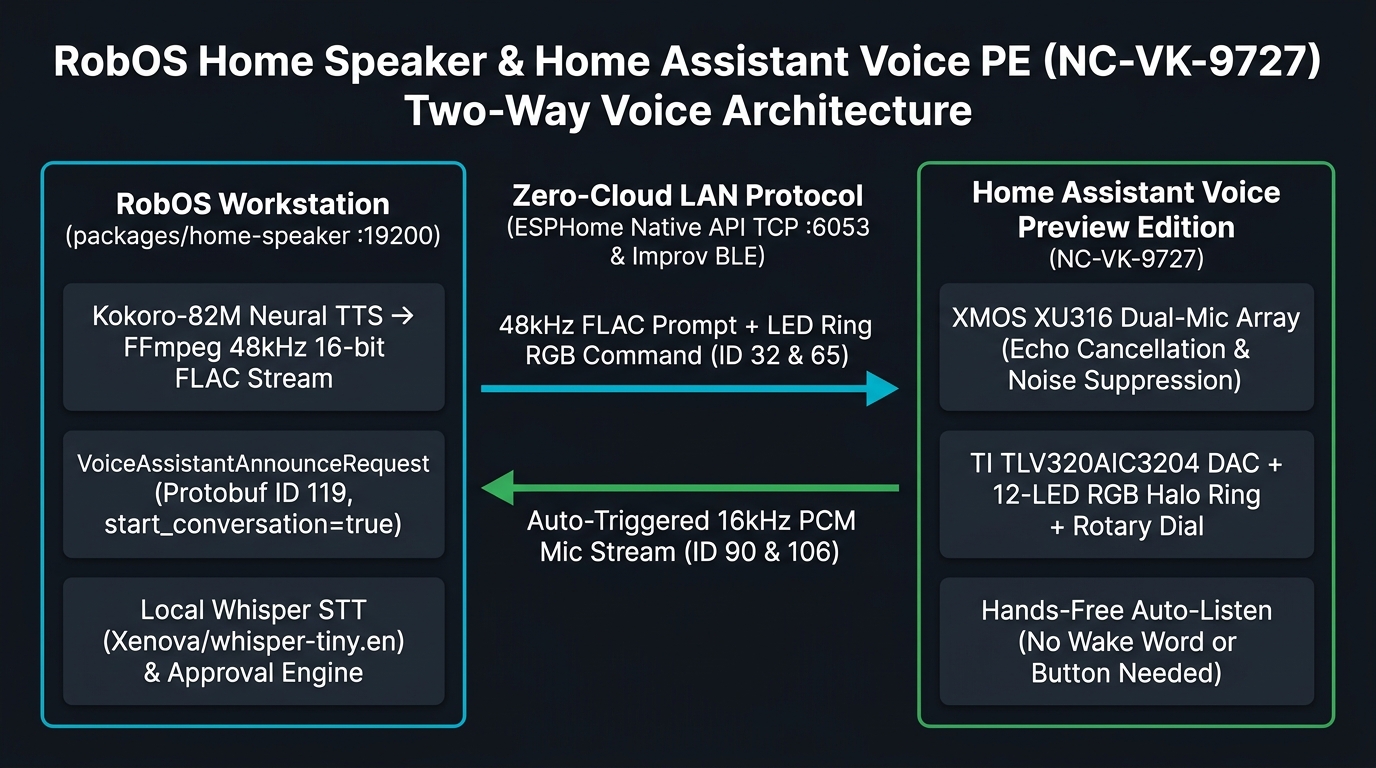
packages/home-speaker/lib/esphome-voice-service.js: Kokoro-82M neural TTS transcoded to 48 kHz 16-bit stereo FLAC, ESPHome Native API TCP :6053 Protobuf VoiceAssistantAnnounceRequest (msgType 119, field 4 start_conversation=true), XMOS XU316 hardware acoustic echo cancellation, and local Whisper STT.How hands-free auto-listen works under the hood (ESPHome msgType 119 field 4). Normally, smart speakers require you to say a wake word ("Okay Nabu") or press the physical center button before they stream microphone audio. By subscribing as a native ESPHome voice assistant pipeline over TCP port 6053 (VoiceAssistantSubscribeRequest, msgType 89 with flags = 1) and sending VoiceAssistantAnnounceRequest (msgType 119) with field 1 set to the HTTP FLAC stream URL and field 4 (start_conversation) set to true, the NC-VK-9727 plays the spoken question through its TI DAC and—at the exact millisecond playback finishes—automatically triggers VoiceAssistantRequest (msgType 90, start=true) and streams 16 kHz 16-bit mono PCM chunks (VoiceAssistantAudio, msgType 106) back to RobOS.
Acoustic echo guard & RMS silence detection. To prevent the room's acoustic reverb tail from the speaker's own TTS prompt from false-triggering the voice detector, esphome-voice-service.js applies a 550 ms post-playback echo guard before arming RMS speech detection, then automatically closes the mic stream with VoiceAssistantEventResponse (msgType 92) after 950 ms of post-speech silence and runs local Whisper transcription.
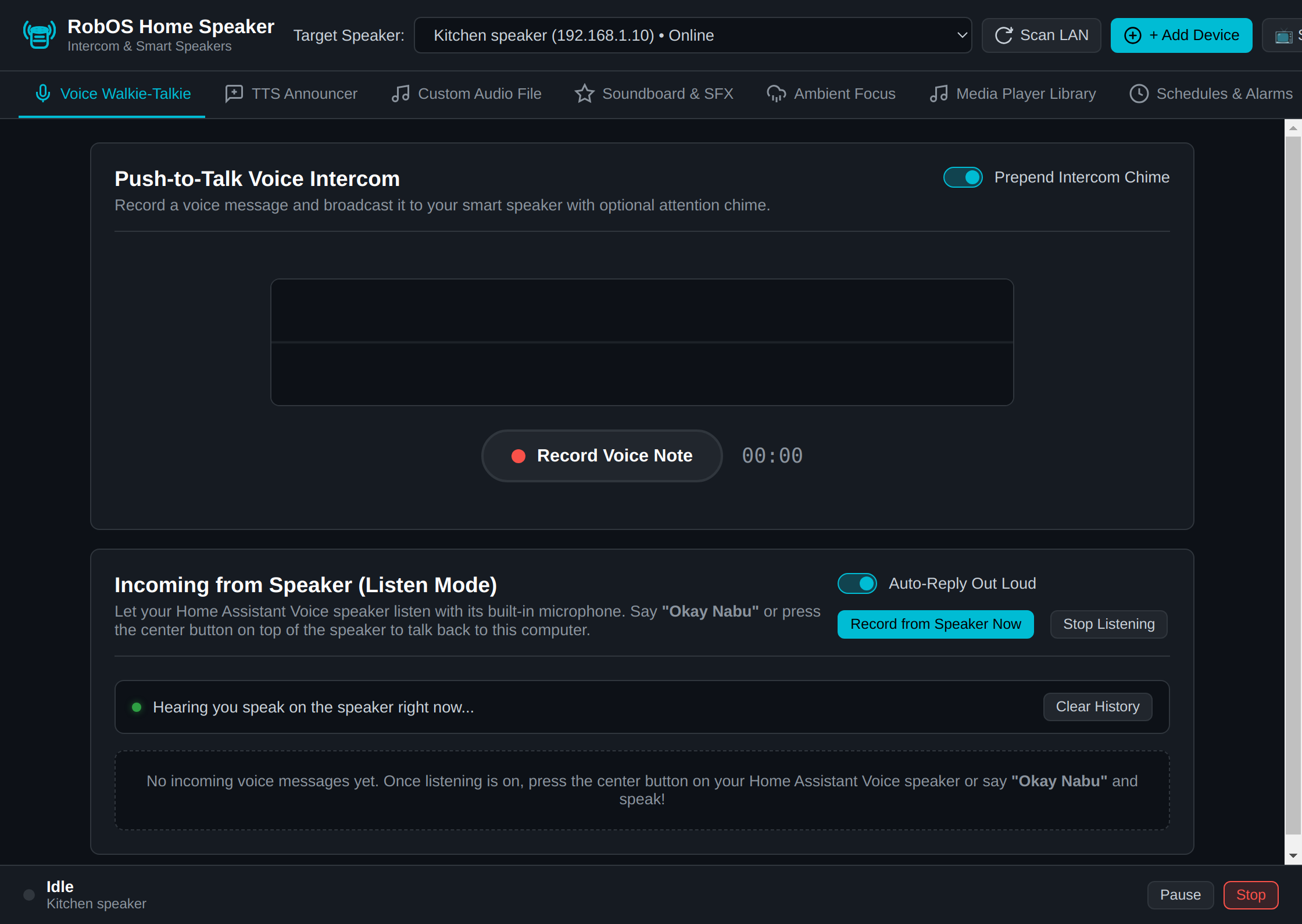
packages/home-speaker): Turn on background wake-word/button listening, click Listen Now, or use Ask & Listen (Hands-Free) to speak a question and automatically record the spoken reply.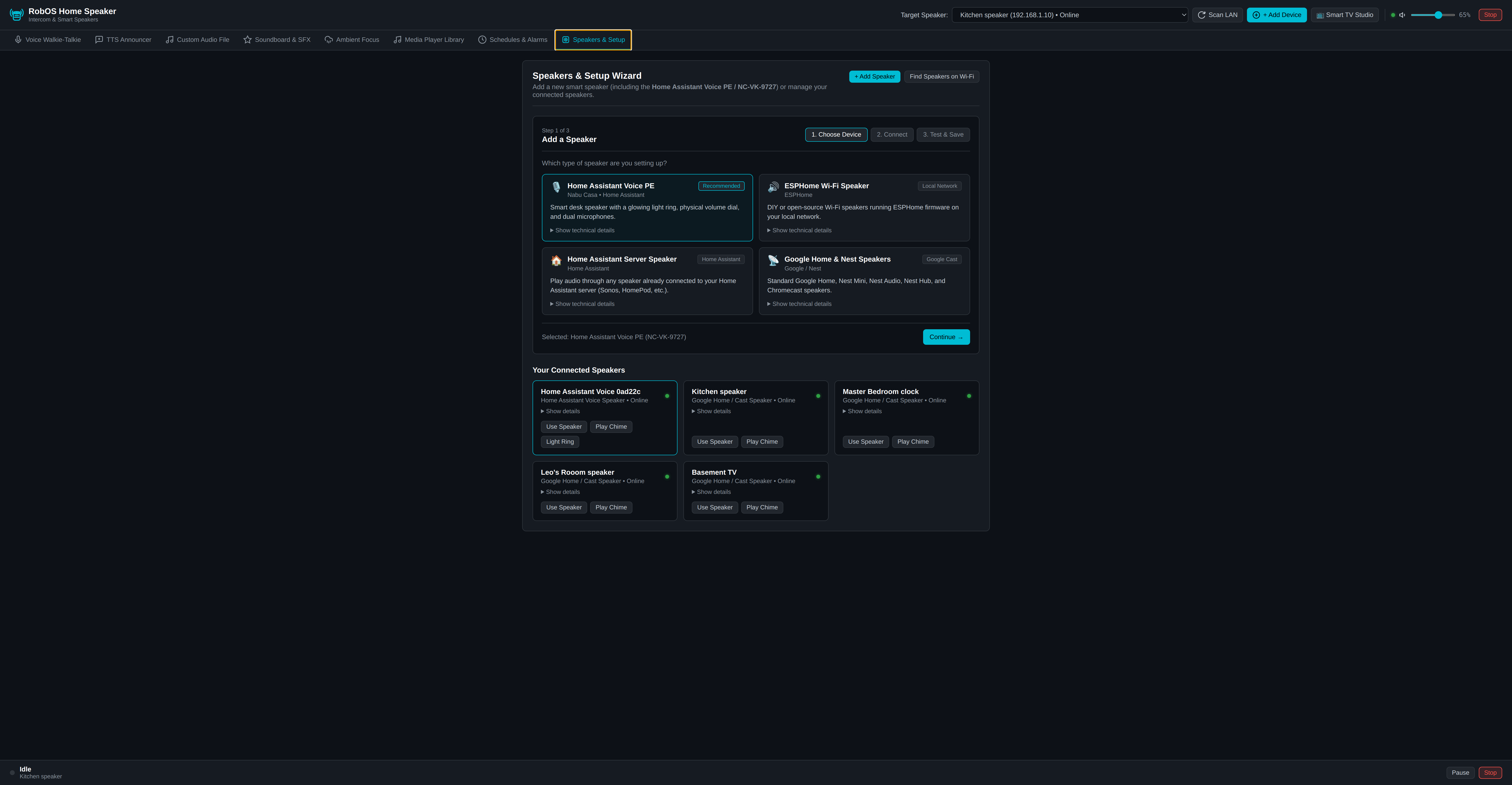
NC-VK-9727 over Bluetooth Low Energy (Improv BLE) or auto-discover it via mDNS (_esphomelib._tcp.local) with clean cards and expandable technical details.