

Unlocking KeePassXC (.kdbx) Archives with a Single YubiKey Touch Over FIDO2 hmac-secret
How we replaced RobOS's directory-of-GPG-files pass frontend with a single-archive KeePassXC .kdbx 4.1 studio (packages/pass-manager) and built a FIDO2 CTAP2.1 hmac-secret key-wrapping engine (packages/robos-lib/kdbx-vault.js) so even FIDO-only YubiKeys without Slot-2 OTP can unlock .kdbx keystores with a single finger press.
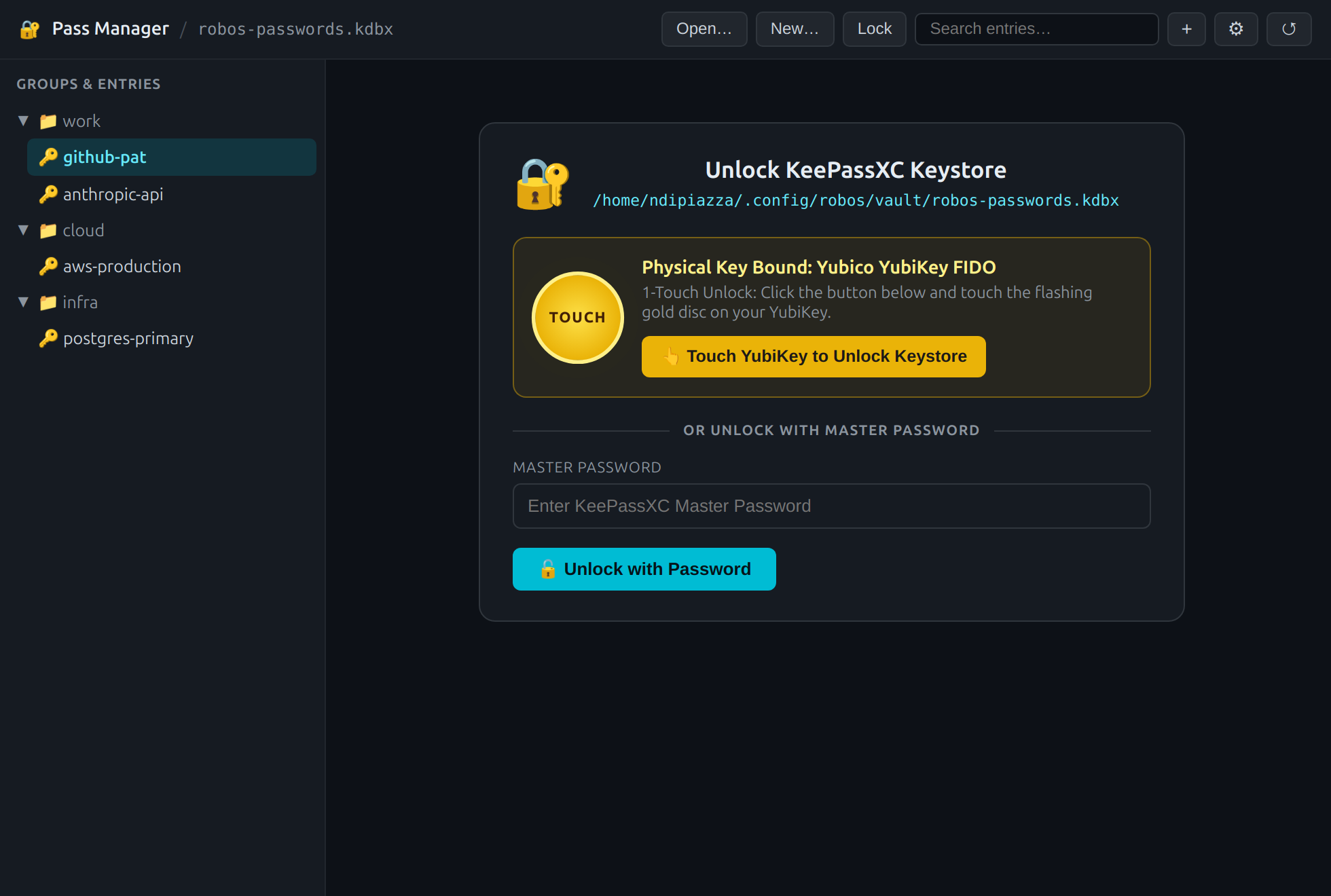
packages/pass-manager, port :19113): touching the flashing gold contact on a connected YubiKey Security Key C NFC evaluates a deterministic 256-bit FIDO2 hmac-secret over /dev/hidraw0 and unlocks robos-passwords.kdbx.Why we moved from a tree of .gpg files to a single KeePassXC .kdbx archive. Traditional Unix pass stores every secret as a separate file inside ~/.password-store/. Even when the file bodies are GPG-encrypted, the directory structure and filenames (~/.password-store/cloud/aws-production.gpg, ~/.password-store/work/github-pat.gpg) sit in plaintext on the filesystem, leaking metadata to any process that can run readdir()—and backing up or syncing the vault means wrangling hundreds of small files plus a matching GPG keyring. KeePassXC's KDBX 4.1 format solves both problems at once: the entire folder hierarchy, entry titles, usernames, passwords, URLs, UUIDs, and notes are sealed inside one authenticated .kdbx file protected by AES-256 and Argon2id.
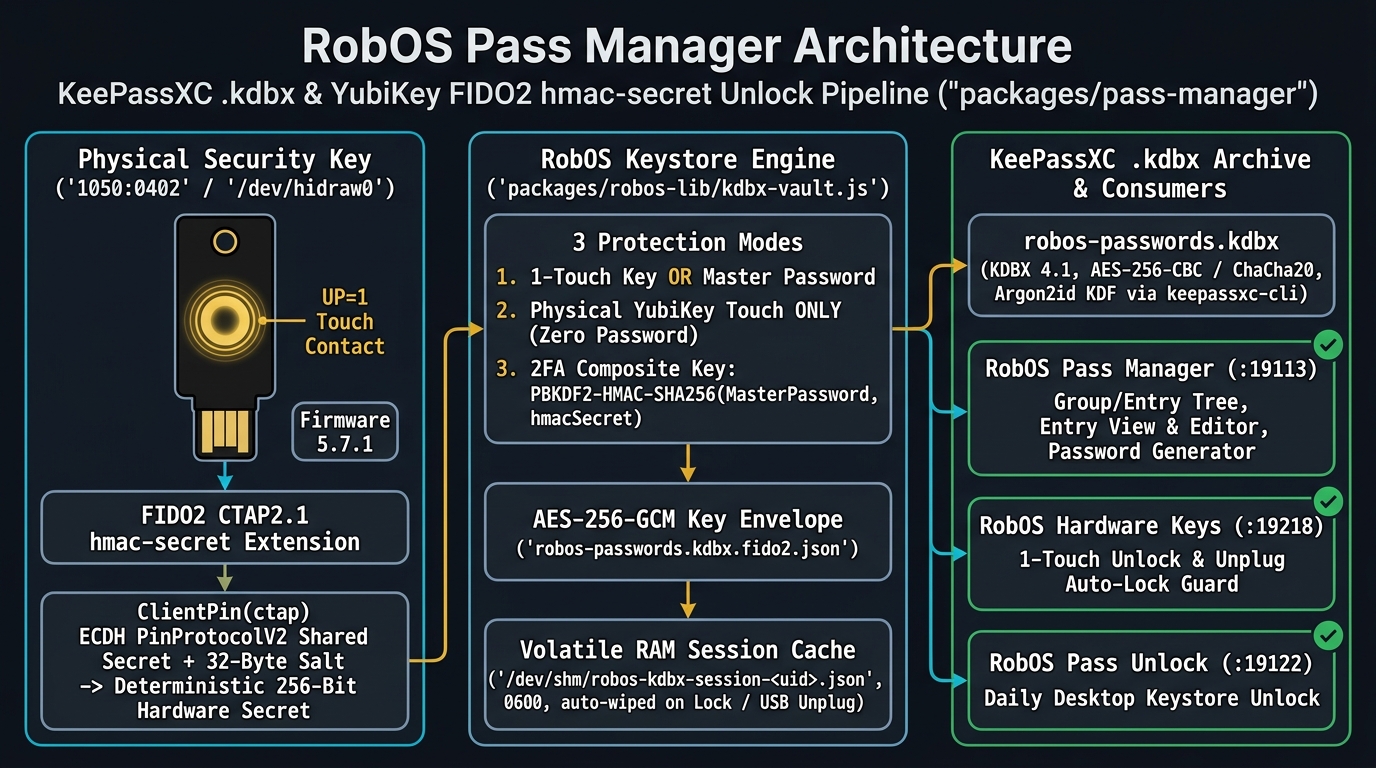
packages/robos-lib/kdbx-vault.js: CTAP2.1 ClientPin ECDH + hmac-secret on the YubiKey, AES-256-GCM key wrapping and /dev/shm volatile session storage in the middle, and KDBX 4.1 consumers on the right.The hardware catch: FIDO-series YubiKeys don't have Yubico OTP Slot 2. If you run keepassxc-cli open -y 2:serial vault.kdbx, KeePassXC expects the legacy Yubico OTP applet's Slot 1/2 HMAC-SHA1 challenge-response interface. On a Yubico Security Key C NFC (USB ID 1050:0402, Firmware 5.7.1) or any pure FIDO2 authenticator, ykman info reports that only the FIDO2 and FIDO U2F applets exist on the chip—Yubico OTP is not present. However, querying Ctap2(dev).get_info() over /dev/hidraw0 reveals that the key supports the CTAP2.1 hmac-secret extension alongside EdDSA (-8) and ES256 (-7).
Unlocking .kdbx archives via CTAP2.1 hmac-secret and PinProtocolV2 ECDH. Even when no FIDO2 PIN is set on the key (clientPin: false), the CTAP2 hmac-secret specification requires encrypting the 32-byte salt in transit between the host and the USB token using an ephemeral ECDH key agreement. In packages/robos-lib/kdbx-vault.js, we negotiate that shared secret via ClientPin(ctap)._get_shared_secret(), encrypt a 32-byte salt with PinProtocolV2, and pass the authenticated salt tuple {1: keyAgreement, 2: saltEnc, 3: saltAuth, 4: protocolVersion} into ctap.get_assertion(..., extensions={"hmac-secret": ...}). The YubiKey blinks its LED, waits for your physical finger touch (UP=1), and returns a deterministic 32-byte hardware secret that never exists on disk. We use that 256-bit secret (or a PBKDF2-HMAC-SHA256 composite with your Master Password in 2FA mode) to unwrap the AES-256-GCM vault key stored in robos-passwords.kdbx.fido2.json and hold the active session exclusively in volatile RAM (/dev/shm/robos-kdbx-session-<uid>.json, mode 0600).
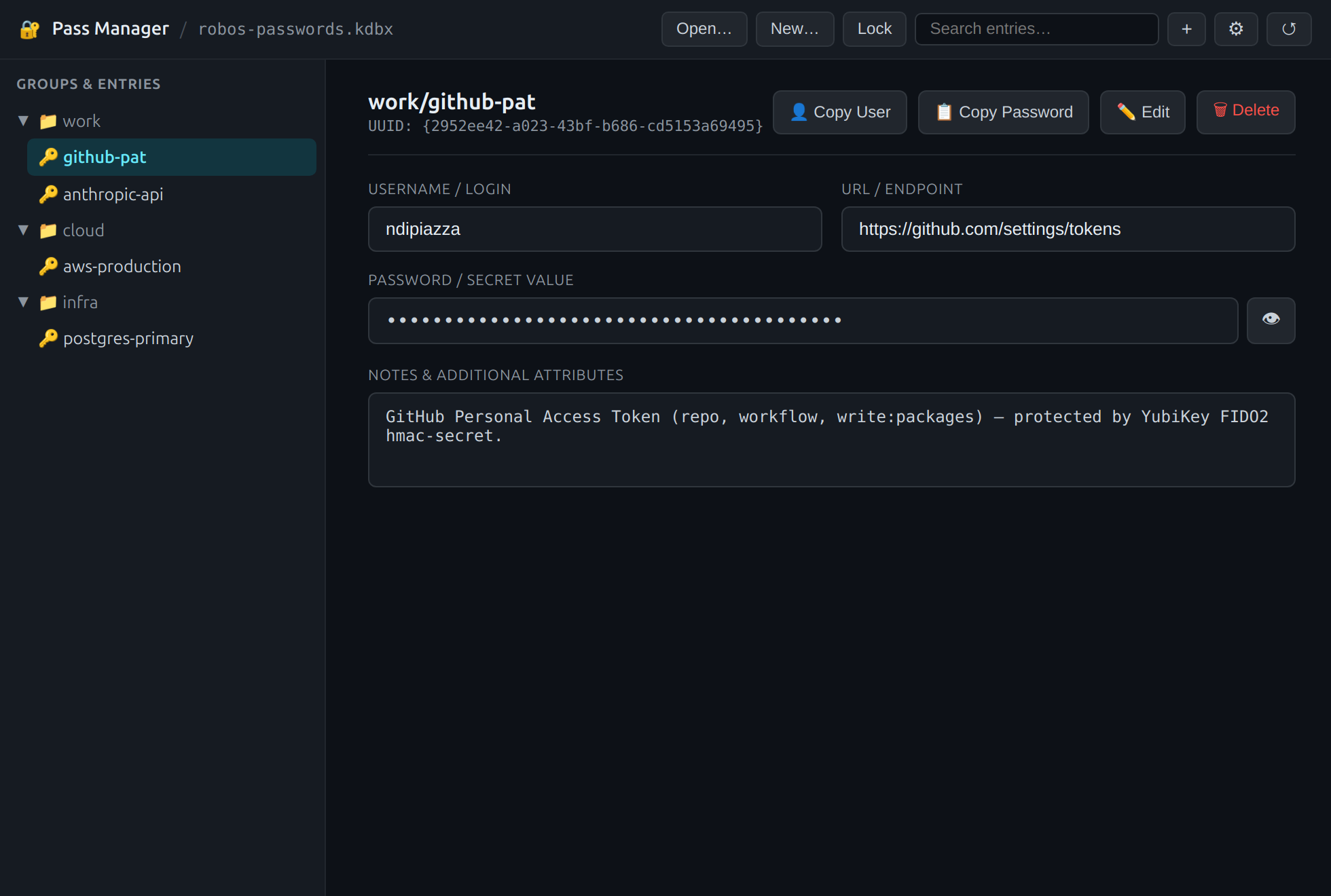
Pass Manager / robos-passwords.kdbx), collapsible group tree, and structured entry view with 30-second auto-clearing clipboard buttons.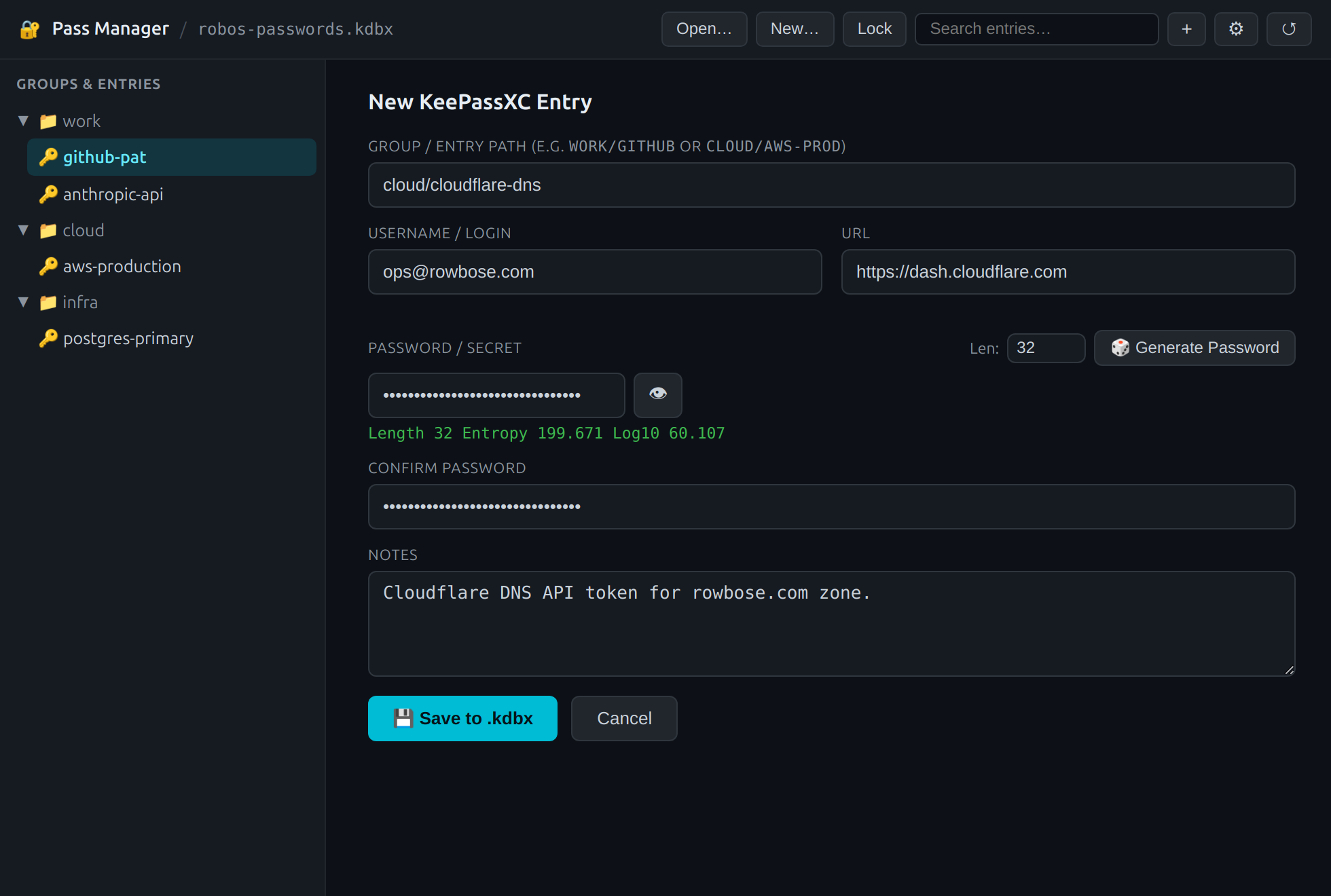
keepassxc-cli estimate feedback.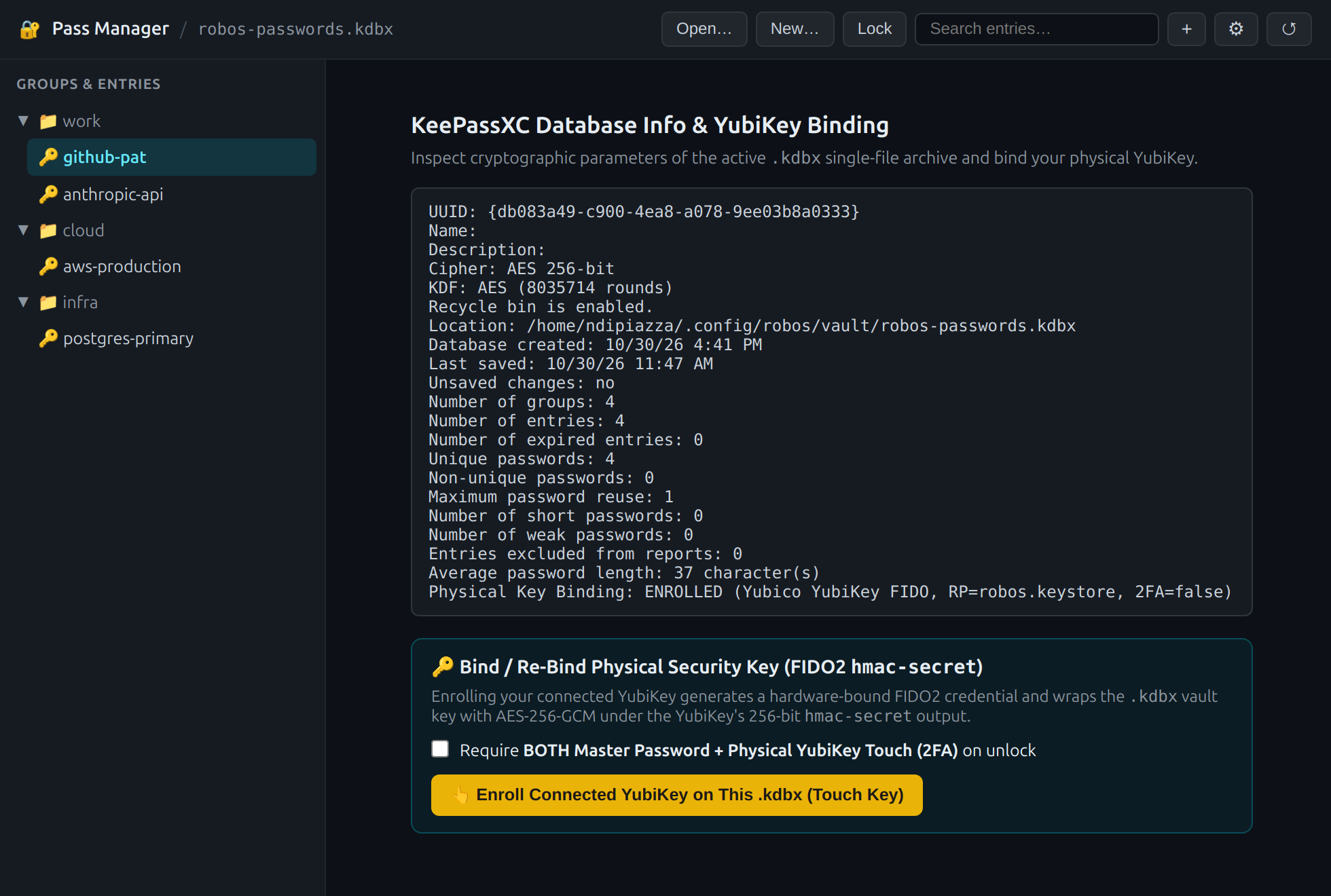
⚙): Inspect KDBX 4.1 cipher headers (AES 256-bit, Argon2d) and bind or re-bind your YubiKey in 1-Touch or 2FA mode.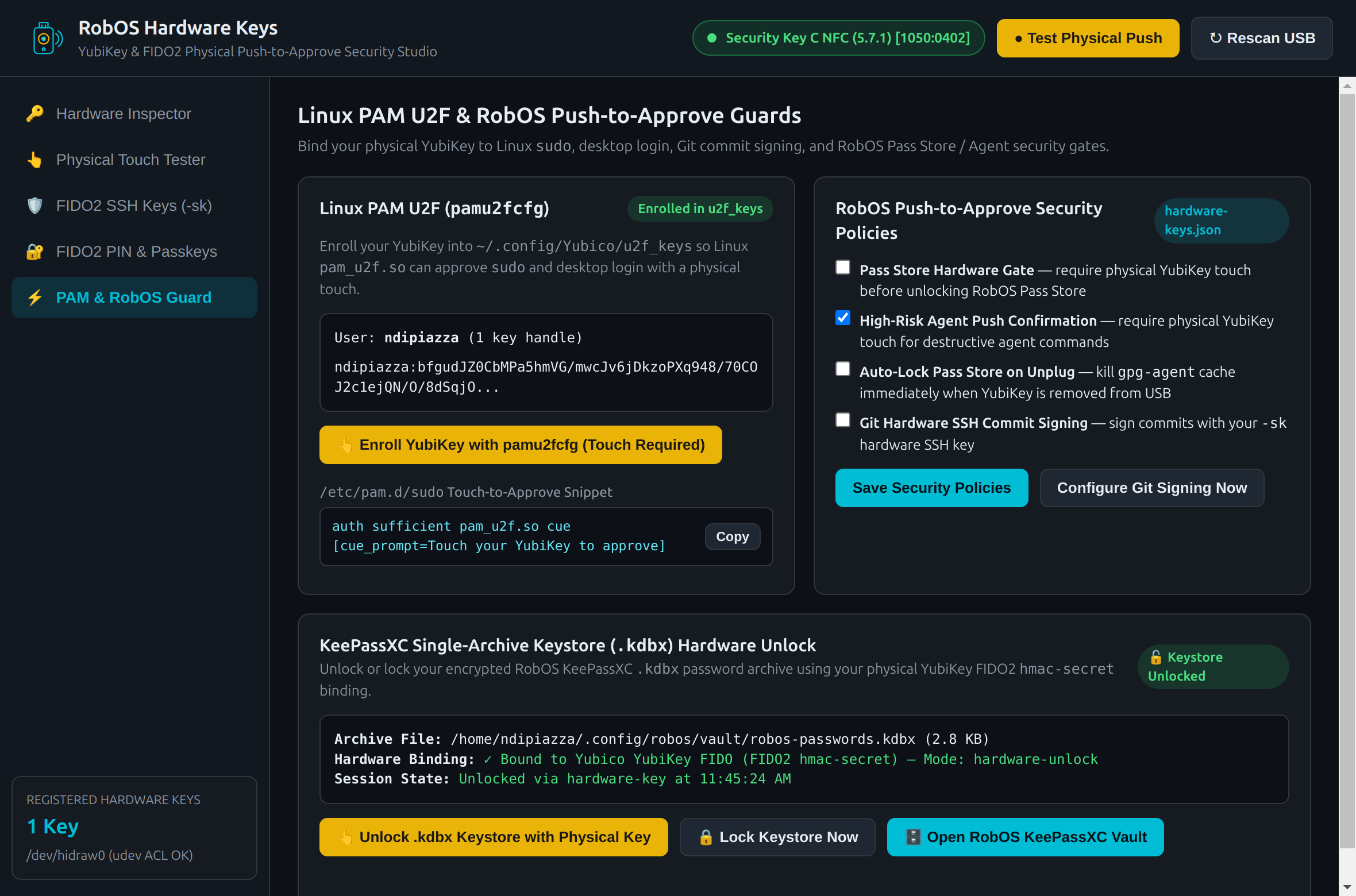
.kdbx archive from RobOS Hardware Keys (:19218), and automatically wipe /dev/shm session keys when the YubiKey is unplugged.