

Step 8 of 9 · about 15 minutes
Run the shop day to day
A simple daily routine, the reports that tell you how you are doing, and how to handle the awkward cases.
Once the shop is set up, the day follows the same loop. Here is a routine you can print and stick on the wall.
A daily routine
Opening
- Open Auto Center. Check Front desk for Waiting for the customer to approve, and call those customers.
- Open Center reports to see who is on the shop floor.
During the day
- Front desk: take every call, text and walk-in through Start an intake. Log any conversation about an existing ticket.
- Mechanics: pick their name on Mechanic bench, take a ticket, request parts, log hours and finish the job.
- Front desk: when a mechanic finds more work, contact the customer before the work is done.
- Checkout: as each car finishes, invoice it, take payment and hand over the keys.
Closing
- Check Mechanic bench for any ticket whose timer is still running.
- Open Admin, then Backup, and press Back up now.
See what is happening: Center reports
Open Center reports in the left menu. It has four tabs.
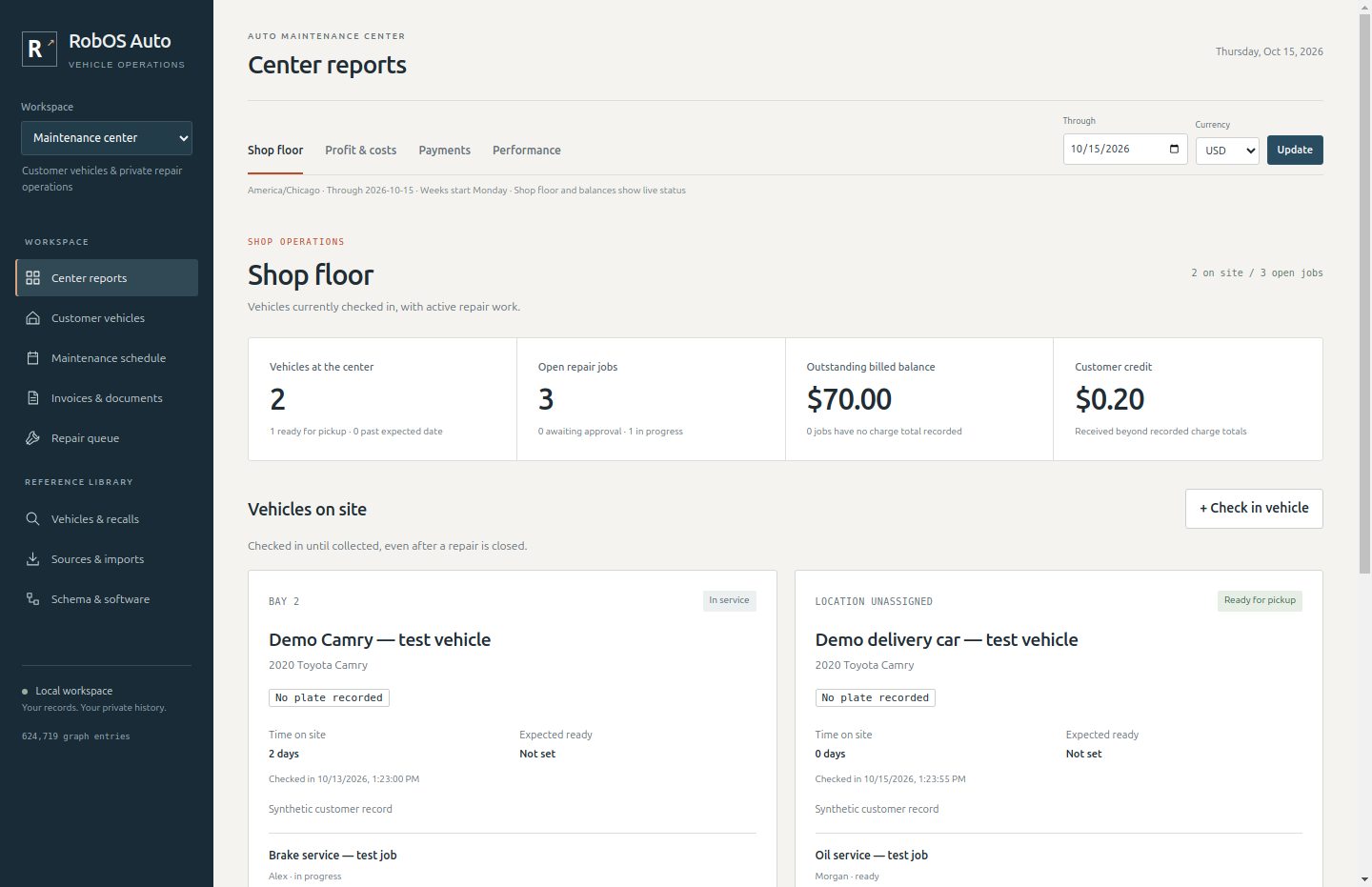
Shop floor shows the cars on site, how long each has been there, who is working on it and what is ready for pickup.
Profit & costs shows profit by day, week and month, and by repair job.
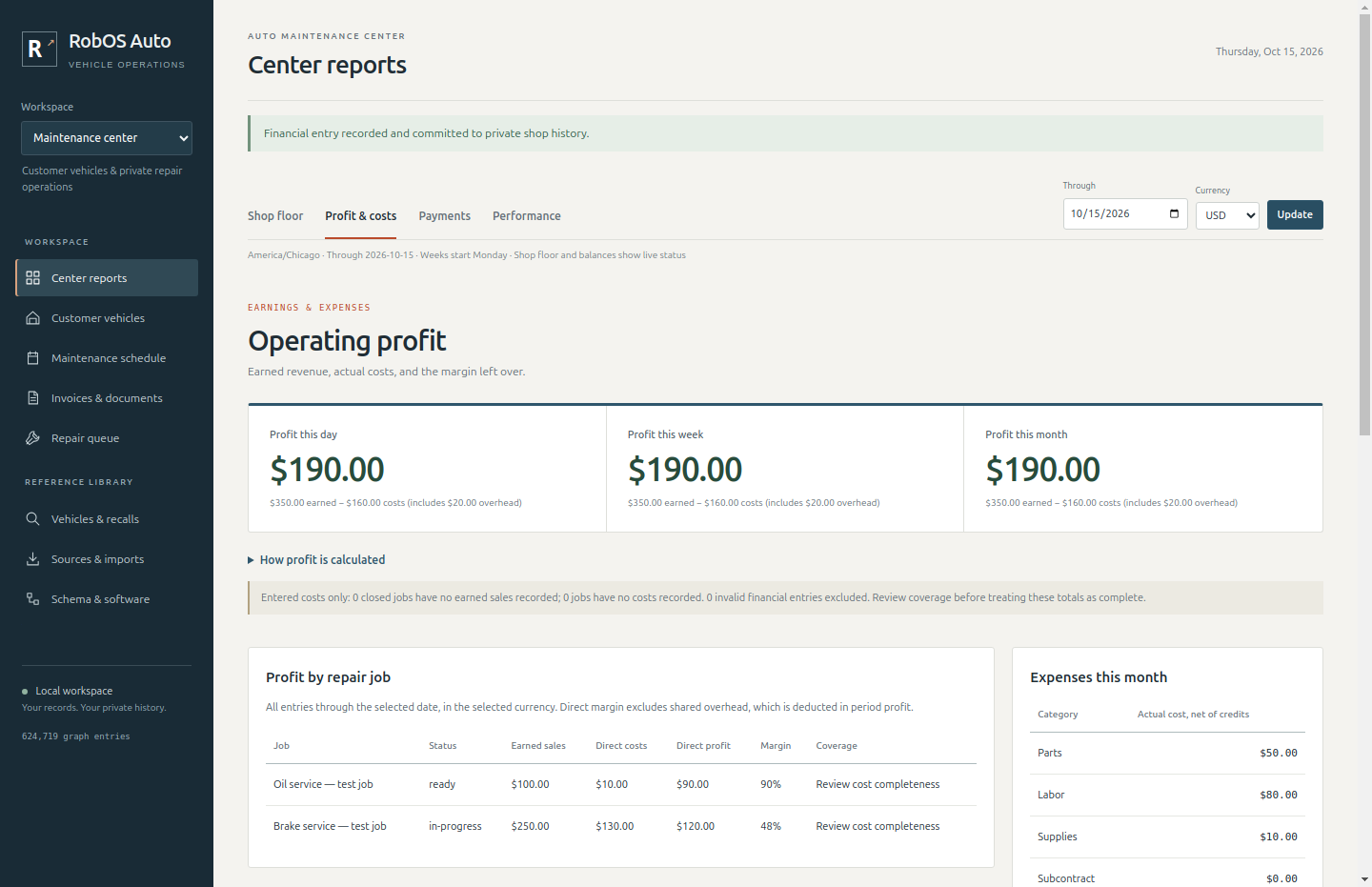
Important. Profit is worked out from the sales and costs you record in this tab, using Record expense, earned sale or correction. Invoices issued at Checkout do not create sales entries by themselves. Record each job's sale when it is earned, and your parts and labor costs as they are incurred, for profit to be right.
Payments shows money received and refunded, by day. It includes every payment you record at Checkout.
Performance shows jobs by status, open jobs per mechanic, and how many cars arrived and were collected each week.
When things do not go to plan
The customer declines the estimate. Press Customer declines on the estimate. The ticket goes back to diagnosis and you can send a revised one. If the customer wants none of the work but owes you a diagnostic fee, make an estimate with one labor line for the diagnosis, get it approved, log the time, finish the job and check the customer out as usual.
You find extra work. The mechanic presses Found more work. The front desk contacts the customer. After approval, add the work to the invoice as an extra charge at Checkout, up to 10% over the estimate. Bigger changes need a new approval.
A part is late. Leave the part marked ordered. The job cannot be finished until it arrives, and the ticket shows the part on order.
The customer pays in two goes. Record each payment at Checkout. The car cannot be handed back until the balance is zero.
A refund or correction. Record it in Center reports, under Payments or Profit & costs. The original entry is kept, so there is always a record of what happened.
A mechanic leaves. Deactivate them in Admin, then Team. Their past hours stay on old tickets.
You are ready when
- Everyone knows which menu is theirs
- You have walked through the daily routine once
- You know where to record sales and costs for the profit report