

Step 6 of 9 · about 10 minutes
Check the customer out
Invoice the job, take payment in as many goes as you need, and hand back the keys.
Checkout is a four-step wizard: Pick a car, Invoice, Payment, Hand back.
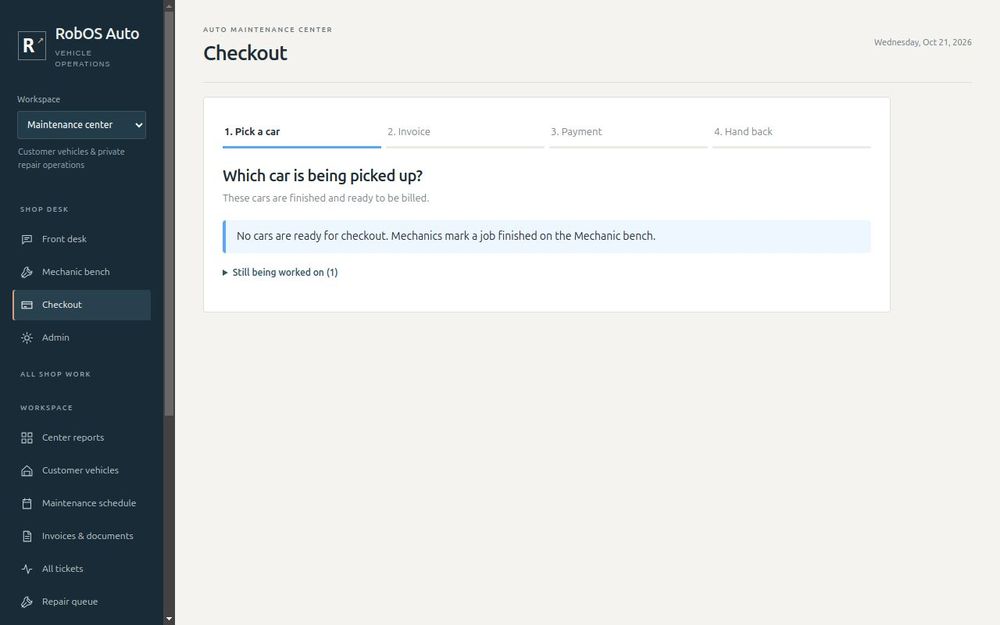
Step 1: Pick the car
You see every car that is finished and ready to be billed. Cars still being worked on are listed separately, so you can tell a customer how much longer to wait.
Step 2: Invoice
The invoice shows the approved estimate, the hours worked and the cost of the parts. The total comes from the estimate the customer approved. Press Issue invoice.
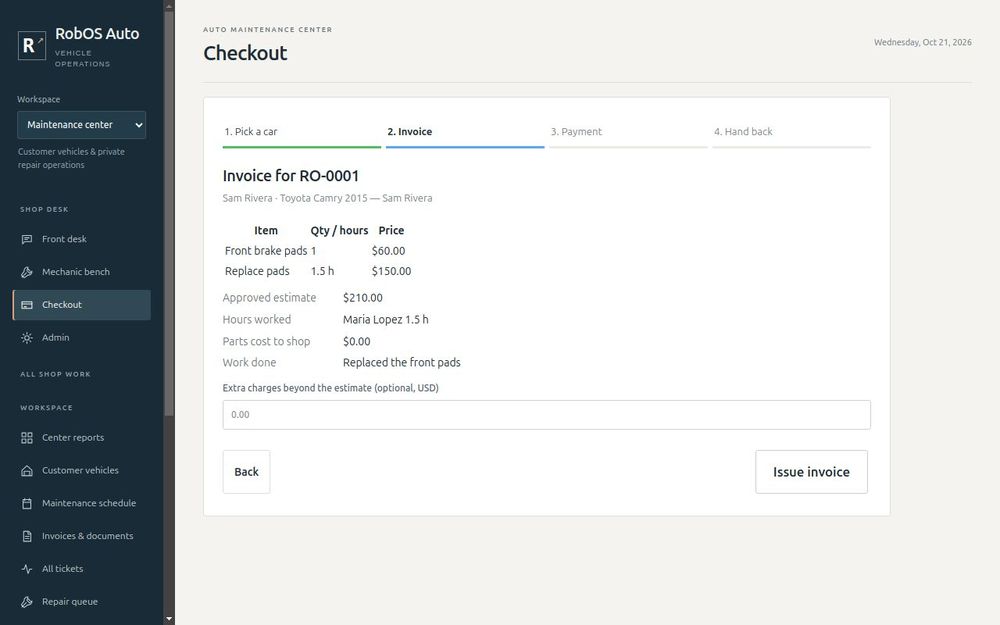
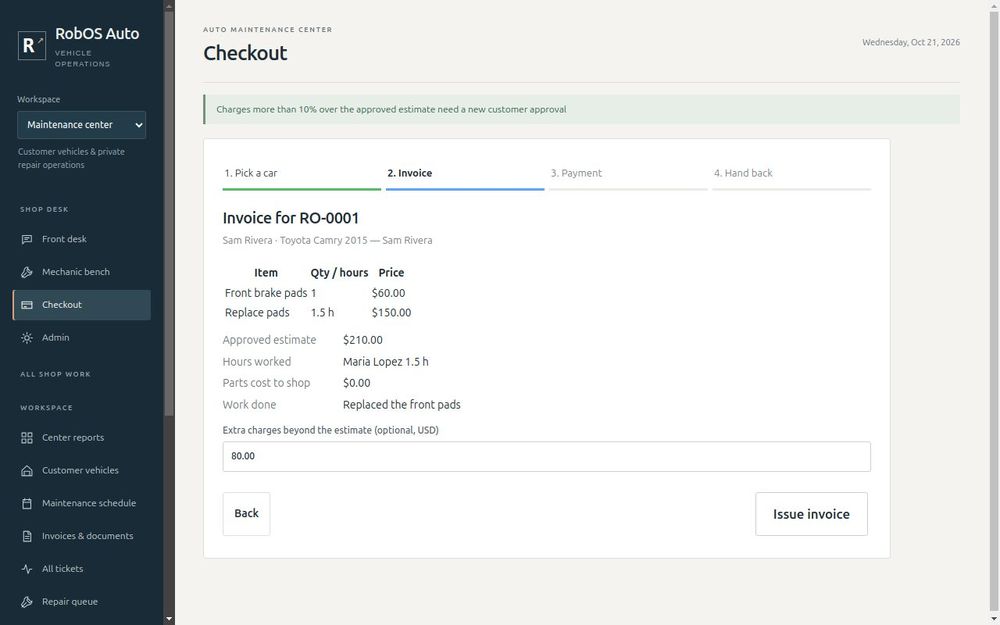
If the job needs a small extra charge, enter it before you issue the invoice.
Safety net. An extra charge of more than 10% over the approved estimate is refused. Ask the customer to approve a new estimate first.
Step 3: Take payment
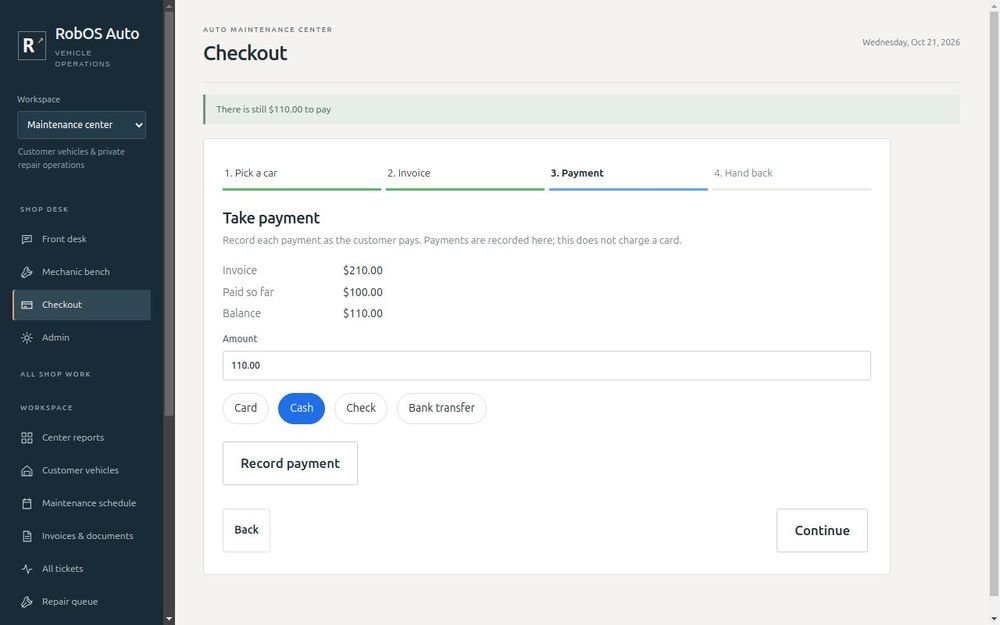
Enter the amount, choose Card, Cash, Check or Bank transfer, and press Record payment. The amount is filled in with the balance. If the customer pays in two goes, record each one. The balance drops every time.
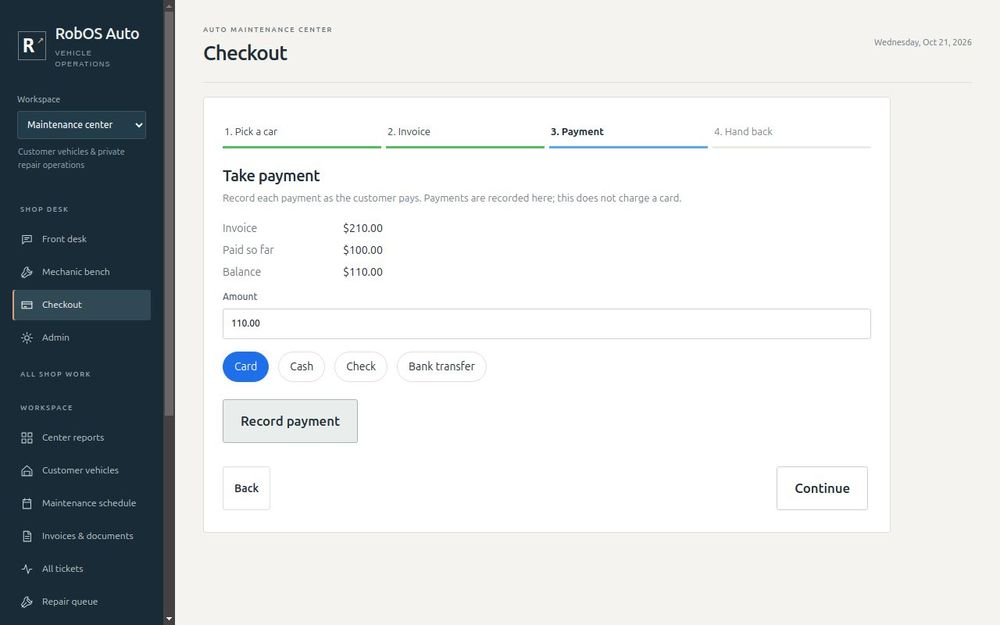
Important. This records a payment you have already received. Auto Center does not charge cards. Take the card payment on your terminal first, then record it here.
The wizard will not let you move on while anything is still owed.
Step 4: Hand back the keys
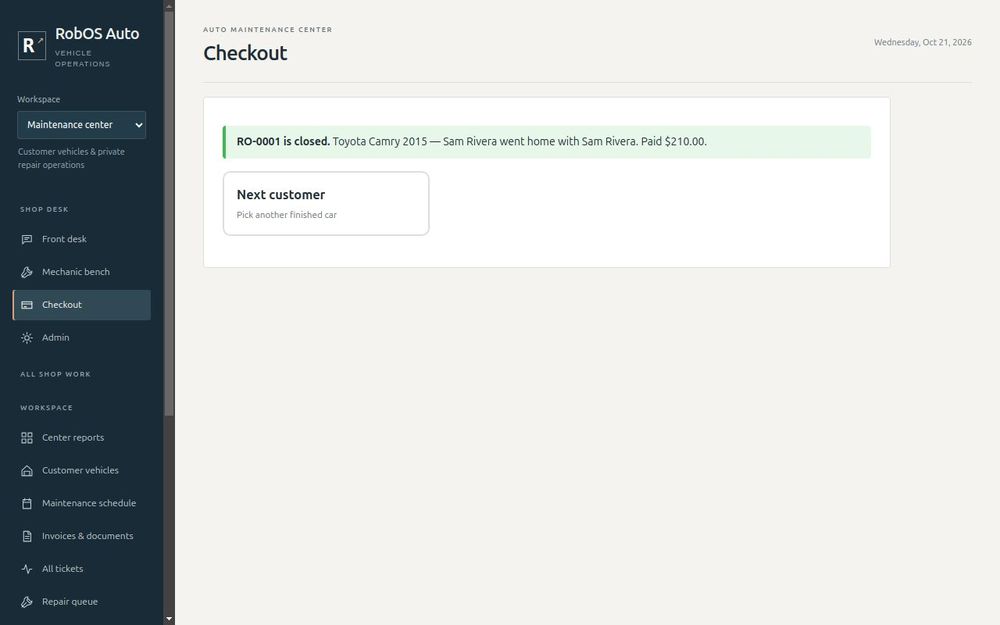
Enter who collected the car and press Hand over keys and close ticket. The ticket is closed, the car leaves the shop floor, and the payment is in your reports.
You are ready when
- You have checked out a test car from invoice to keys
- You know where to record a part payment
Next: Protect your data.