

Guide · Security › RobOS Pass Manager (packages/pass-manager)
KeePassXC (.kdbx) vault & YubiKey unlock
RobOS Pass Manager stores your credentials, API tokens, database URLs, and notes inside a single portable KeePassXC .kdbx 4.1 archive (AES-256 / Argon2id) and binds it to your physical YubiKey / FIDO2 Security Key using the CTAP2.1 hmac-secret extension—so you can unlock your entire keystore with a single finger press on the key's gold contact.
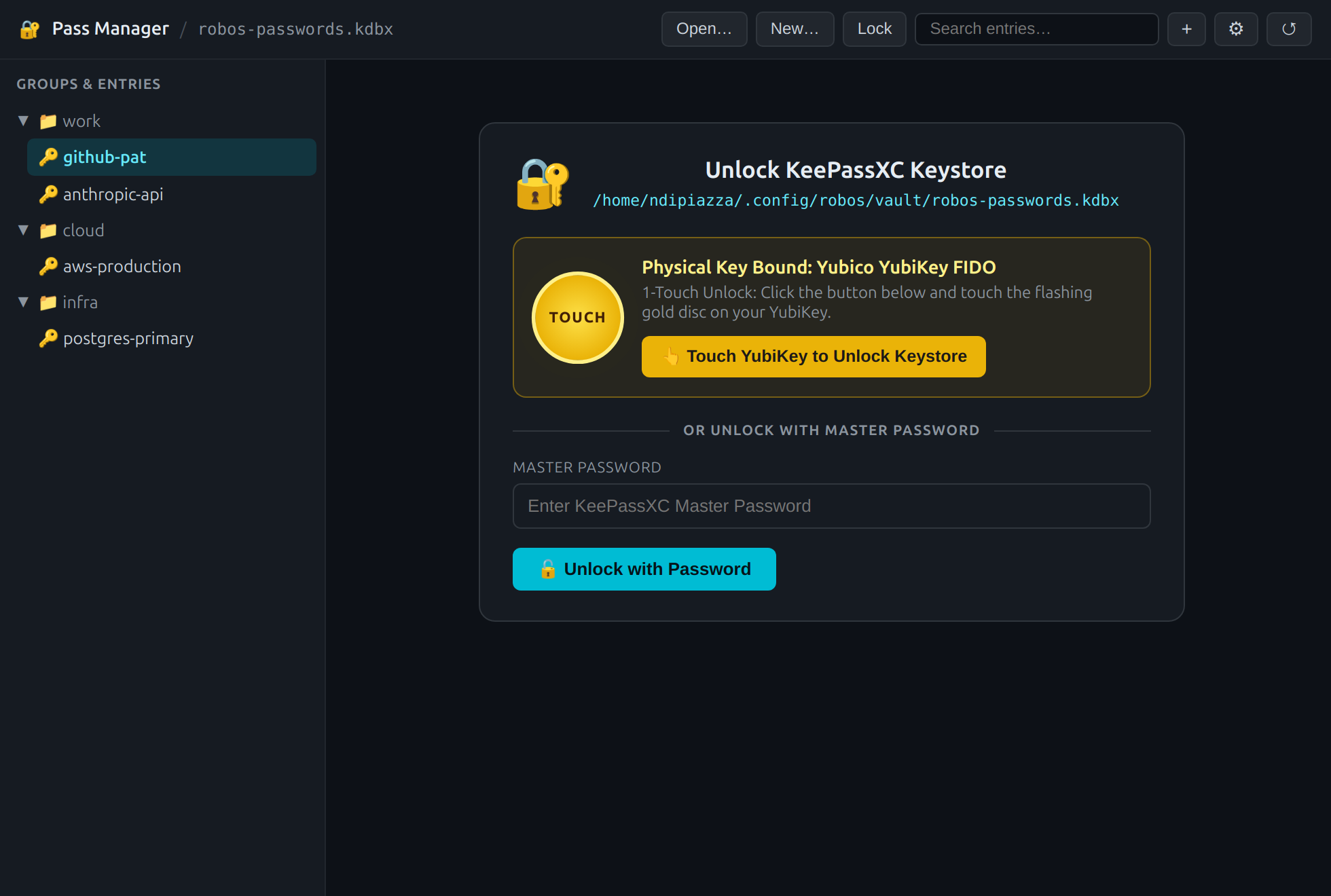
:19113): press the gold touch button on your YubiKey to unwrap and unlock robos-passwords.kdbx.- ArchitectureKDBX 4.1 archive, FIDO2
hmac-secret&/dev/shmsession - 3 Hardware Modes1-Touch OR Password, Touch-Only & 2FA Composite
- Entry Studio & GeneratorGroups, structured fields & entropy estimation
- KDBX Cipher & Binding
keepassxc-cli db-info& FIDO2 key enrollment - Hardware Keys GuardCross-app unlock & USB unplug auto-lock
- CLI & API Reference
kdbx-vault.js, files & debug port:19113
Architecture
Instead of scattering folder trees and filenames in plain view on disk (as traditional pass stores do with ~/.password-store/**/*.gpg), RobOS Pass Manager uses the standard single-file KeePassXC KDBX 4.1 container format backed by keepassxc-cli and the shared engine in packages/robos-lib/kdbx-vault.js. Group names, entry titles, usernames, passwords, URLs, and notes are all encrypted inside one .kdbx file (`~/.config/robos/vault/robos-passwords.kdbx` by default).
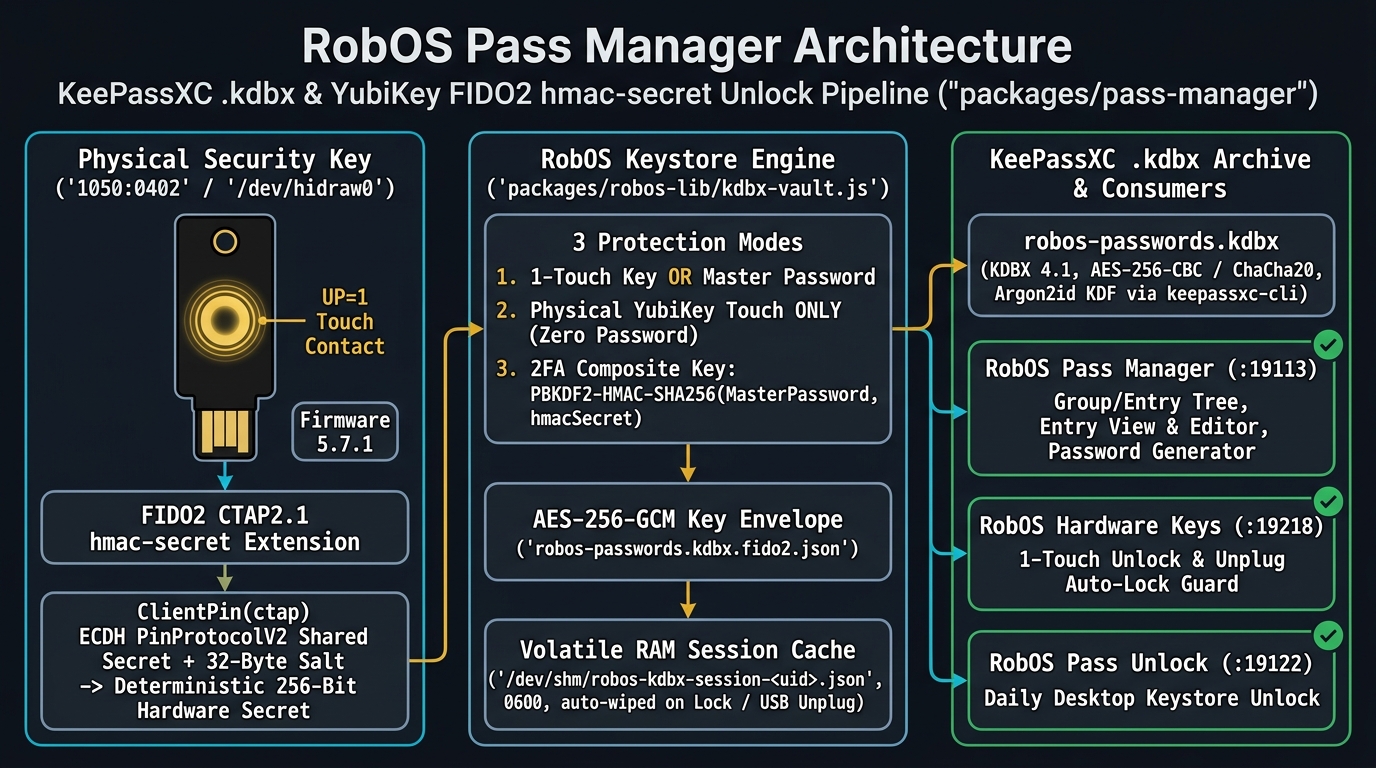
packages/robos-lib/kdbx-vault.js: physical YubiKey FIDO2 hmac-secret derivation on the left, AES-256-GCM envelope & volatile /dev/shm session cache in the center, and KDBX 4.1 archive consumers on the right.
flowchart LR
  subgraph YK["Physical Security Key (/dev/hidraw0 • 1050:0402)"]
    TOUCH["Capacitive Gold Touch Disc
User Presence (UP=1)"]
    ECDH["CTAP2.1 ClientPin ECDH
PinProtocolV2 Shared Secret"]
    HMAC["FIDO2 hmac-secret Extension
32-Byte Salt -> 256-Bit Hardware Secret"]
    TOUCH --> ECDH --> HMAC
  end

  subgraph ENGINE["RobOS Keystore Engine (packages/robos-lib/kdbx-vault.js)"]
    WRAP["AES-256-GCM Key Envelope
robos-passwords.kdbx.fido2.json
(1-Touch / Touch-Only / 2FA PBKDF2)"]
    SHM["Volatile RAM Session Cache
/dev/shm/robos-kdbx-session-UID.json (0600)
Wiped on Lock or USB Unplug"]
    CLI["keepassxc-cli Bridge
db-create / ls / show / add / edit / rm / db-info"]
    HMAC --> WRAP --> SHM --> CLI
  end

  subgraph CONSUMERS["Single-File Archive & RobOS Apps"]
    KDBX[("robos-passwords.kdbx
KDBX 4.1 • AES-256 • Argon2id")]
    PM["RobOS Pass Manager (:19113)
Entry Tree, Editor & Generator"]
    HK["RobOS Hardware Keys (:19218)
Keystore Guard & Unplug Auto-Lock"]
    PU["RobOS Pass Unlock (:19122)
Daily Desktop Unlock Prompt"]
    CLI --> KDBX
    SHM --> PM
    SHM --> HK
    SHM --> PU
  end
1. Three Hardware Key Protection Modes
When creating a new .kdbx archive (New…) or binding a YubiKey to an existing database (⚙), RobOS supports three cryptographic binding modes:
| Protection Mode | How Unlock Works | Best For |
|---|---|---|
| 1-Touch Physical Key OR Master Password (Recommended) | Touch your YubiKey for instant 1-touch unlock over FIDO2 hmac-secret, or type your Master Password if your key is not with you | Daily workstation convenience with full password recovery backup |
| Physical YubiKey Touch ONLY | Zero master password—the .kdbx archive is encrypted directly by the 256-bit hardware hmac-secret output of your YubiKey | Maximum hardware isolation where no memorizable password exists |
| 2FA Composite Key (Password + YubiKey Touch) | Derives the AES-256-GCM wrapping key via PBKDF2-HMAC-SHA256(masterPassword, yubikeyHmacSecret, 100000)—requiring both knowledge and physical possession | High-security production or infrastructure vaults |
2. Entry Studio & Password Generator
Once unlocked, RobOS Pass Manager presents a collapsible group/entry tree on the left and a structured credential inspector on the right:
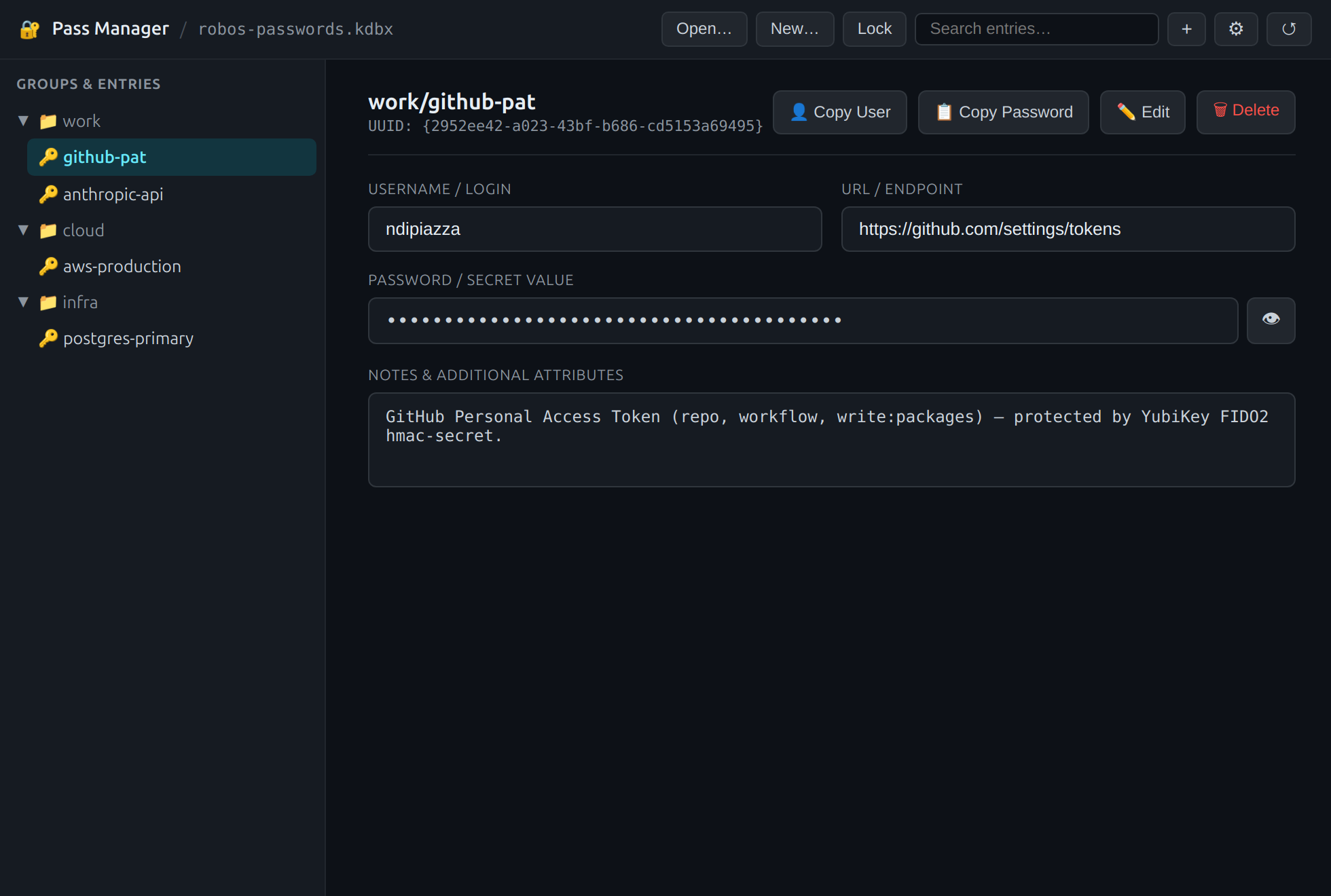
work/, cloud/, infra/), UUID tracking, 1-click username/password clipboard copy (auto-cleared after 30s), URLs, and notes.- Auto-Clearing Clipboard: Clicking 👤 Copy User or 📋 Copy Password copies the field to the system clipboard and automatically wipes it after 30 seconds if unchanged.
- Inline KeePassXC Password Generator: Click + in the top toolbar to add a new entry or ✏️ Edit to update an existing one. The inline generator invokes
keepassxc-cli generateandkeepassxc-cli estimateto produce high-entropy secrets of any length (8–128 chars).
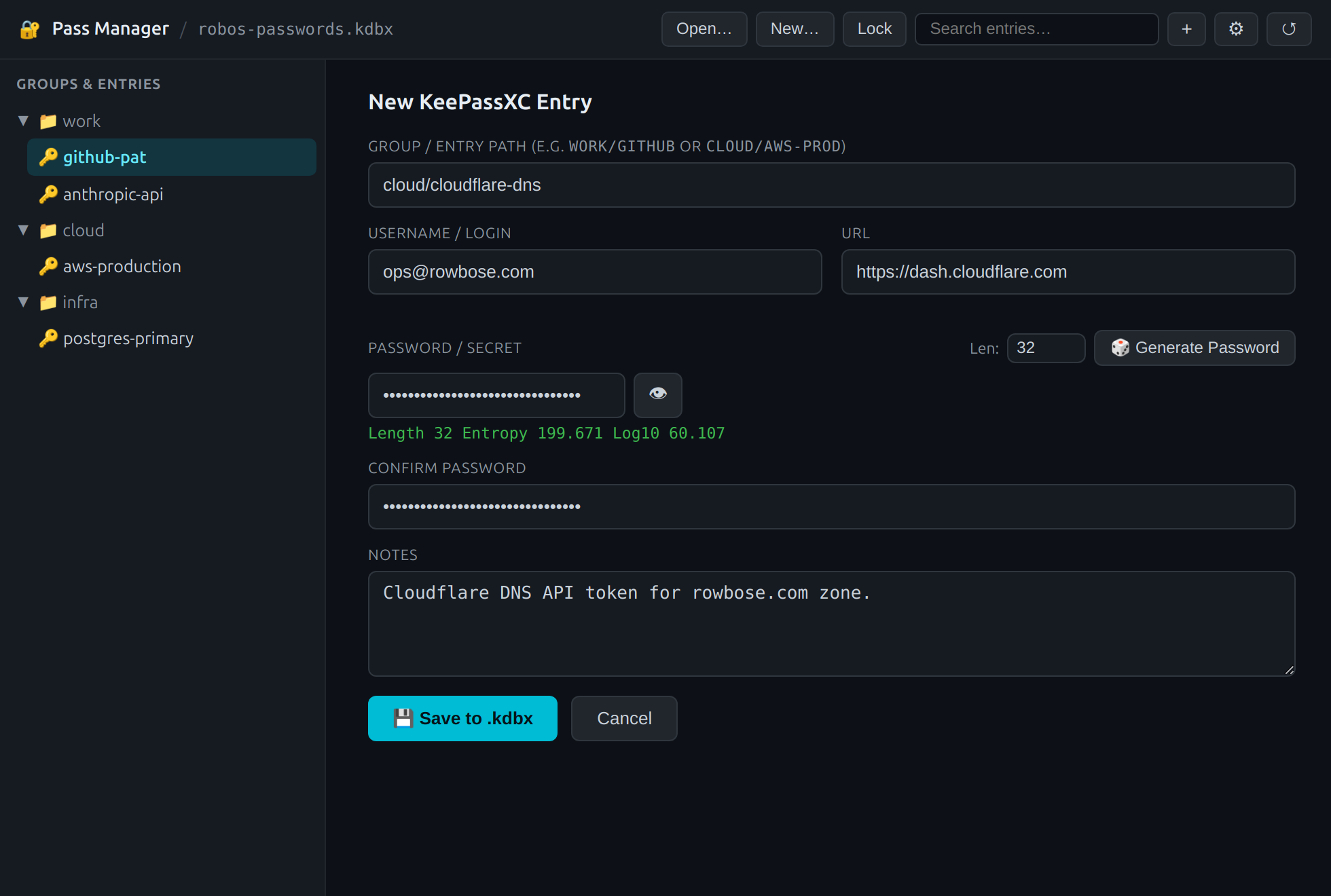
cloud/cloudflare-dns) and generate high-entropy passwords backed by keepassxc-cli generate.3. KDBX Cipher Inspector & Physical Key Enrollment
Click the ⚙ button in the top toolbar to inspect the underlying KDBX 4.1 header parameters (keepassxc-cli db-info) and bind or re-bind a physical security key at any time:
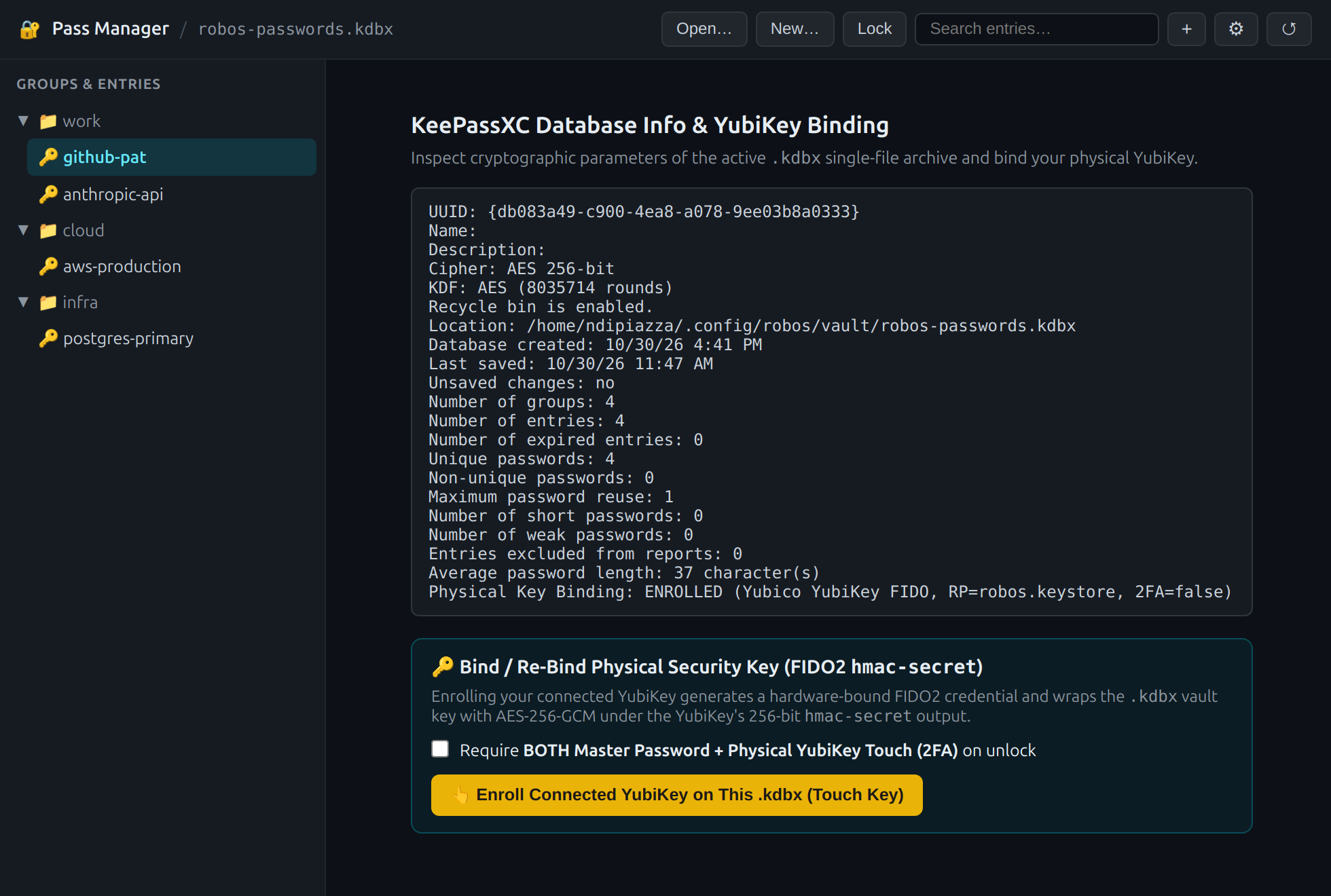
⚙): Displays KDBX 4.1 cipher metadata, active FIDO2 hmac-secret binding, and one-click migration from legacy ~/.password-store directories.4. Cross-App Hardware Keys Guard & Auto-Lock on Unplug
Your .kdbx keystore is also integrated directly into RobOS Hardware Keys (packages/hardware-keys, port :19218):
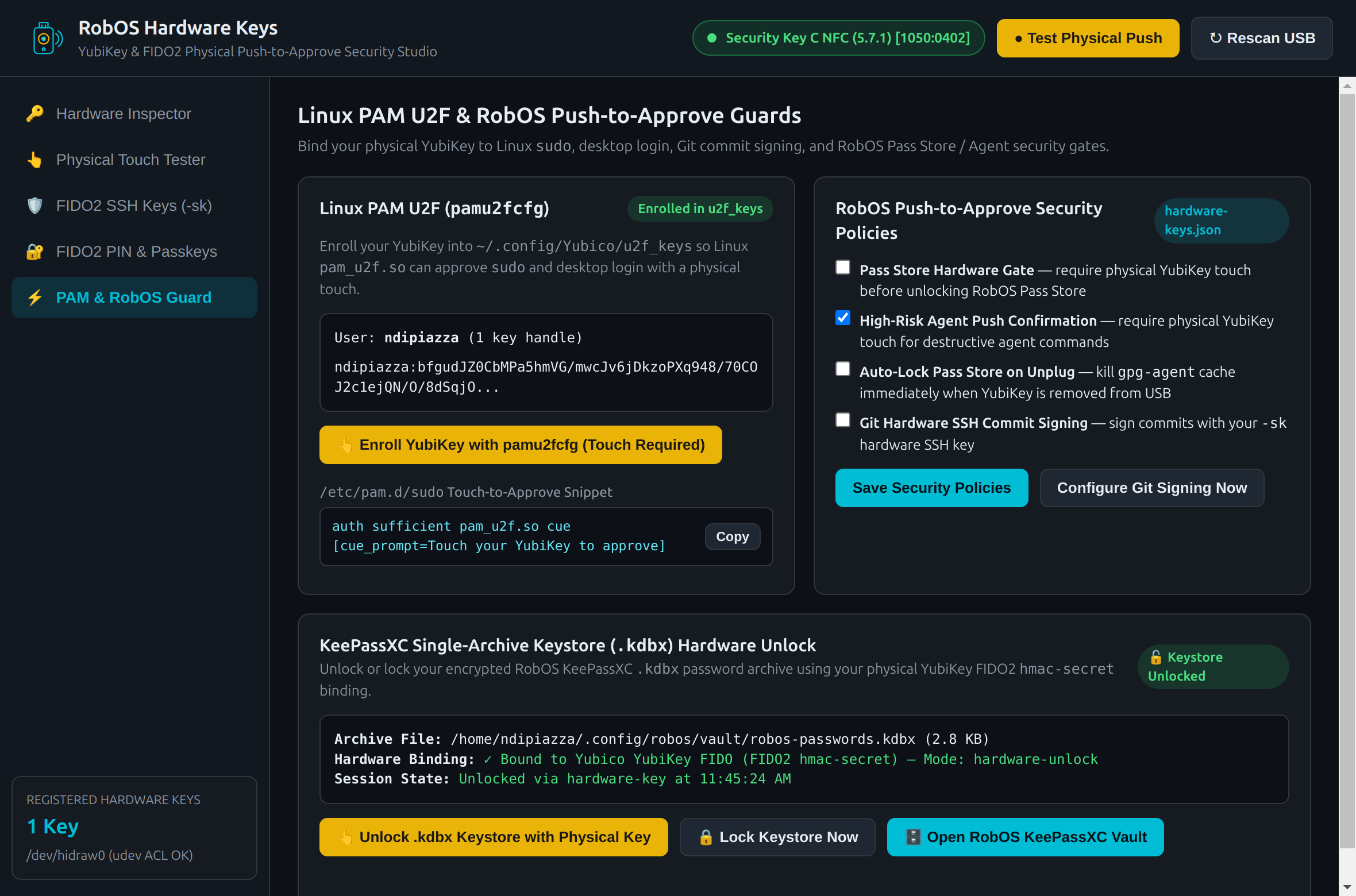
.kdbx archive directly from the hardware security studio, and automatically wipe volatile session keys when the YubiKey is unplugged from USB.5. CLI & Programmatic Reference
| Path / Interface | Purpose |
|---|---|
~/.config/robos/vault/robos-passwords.kdbx | Default encrypted KeePassXC 4.1 single-file password archive |
~/.config/robos/vault/robos-passwords.kdbx.fido2.json | FIDO2 hmac-secret credential ID, 32-byte salt, and AES-256-GCM wrapped vault key |
/dev/shm/robos-kdbx-session-<uid>.json | Volatile in-RAM (`tmpfs`, `0600`) unlocked session state; wiped on Lock, reboot, or USB unplug |
packages/robos-lib/kdbx-vault.js | Shared Node.js engine (`initDatabase`, `unlockWithHardwareKey`, `unlockWithPassword`, `listEntries`, `getEntry`, `saveEntry`) |
http://127.0.0.1:19113 | RobOS DOM Snapshot & E2E debug server for pass-manager |
← Physical Push Keys (YubiKey & FIDO2) | Read the Engineering Blog post →