

RobOS Hardware Keys: Putting a Physical Capacitive Touch Gate Between Autonomous Agents and Your Keys
Why software prompts aren't enough when autonomous coding agents share your workstation: how we built RobOS Hardware Keys (packages/hardware-keys) on top of /dev/hidraw, python3-fido2 CTAP2.1, OpenSSH ed25519-sk, and Linux pam_u2f so high-stakes operations require a physical finger press on a YubiKey.
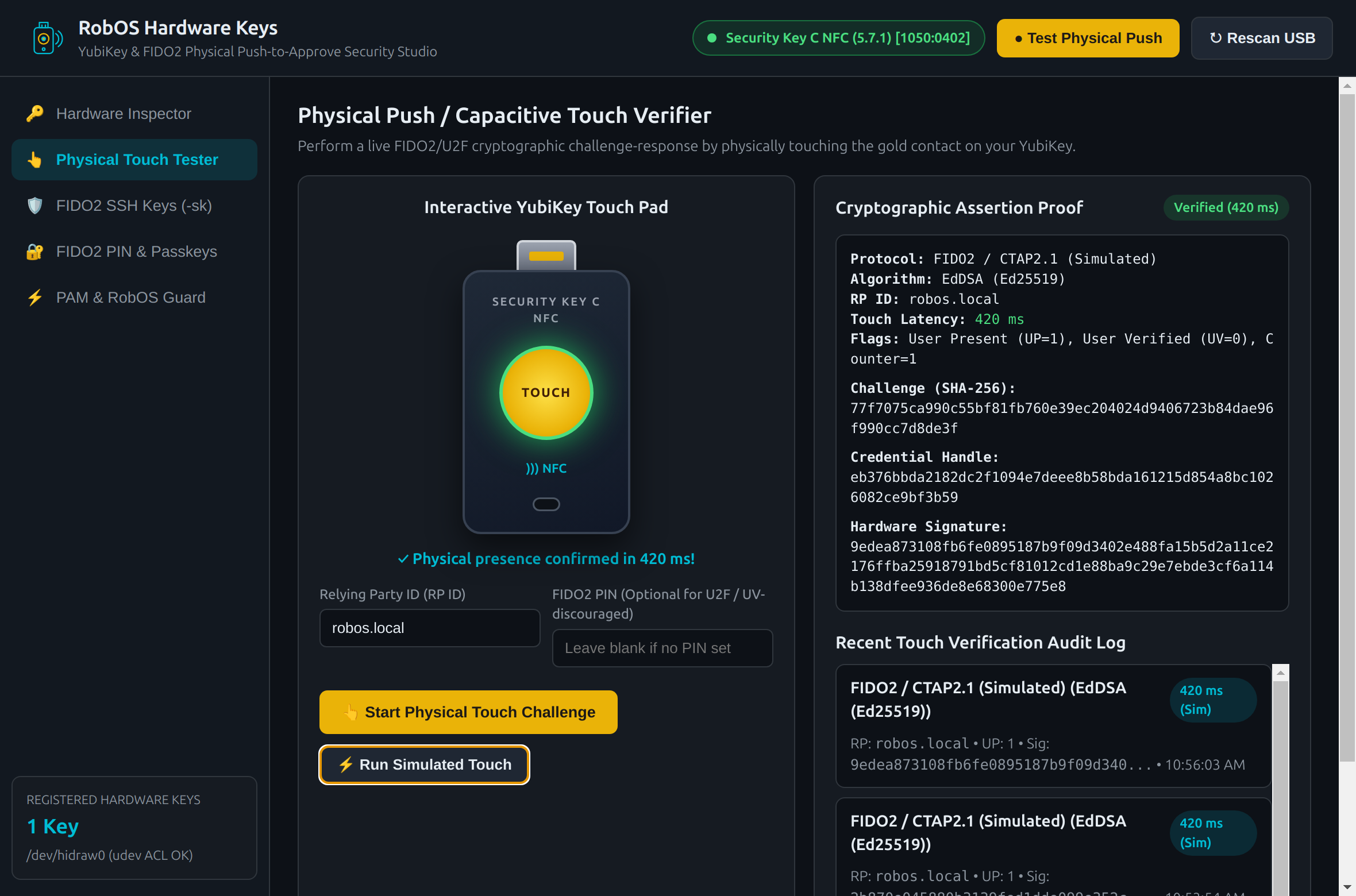
packages/hardware-keys, debug port :19218) connected to a live YubiKey Security Key C NFC (Firmware 5.7.1, USB ID 1050:0402): the interactive touch verifier issues a 32-byte SHA-256 nonce over CTAP2, waits for physical user presence (UP=1), and records latency and the hardware signature.The problem with software-only approvals on an agent workstation. When you run autonomous coding agents locally—spawning shells, pushing branches, and reading development secrets—any private key sitting unencrypted in ~/.ssh/id_ed25519 or any unlocked agent socket in user-space is reachable by the same UID. A modal dialog in an Electron window can be clicked by a script, and an environment variable can be inherited by a child process. A physical FIDO2 security key changes the physics of that boundary: the private key lives inside an isolated secure element on the USB bus, and the chip refuses to sign a single byte until a human finger closes the capacitive circuit on the key's gold contact (UP=1).
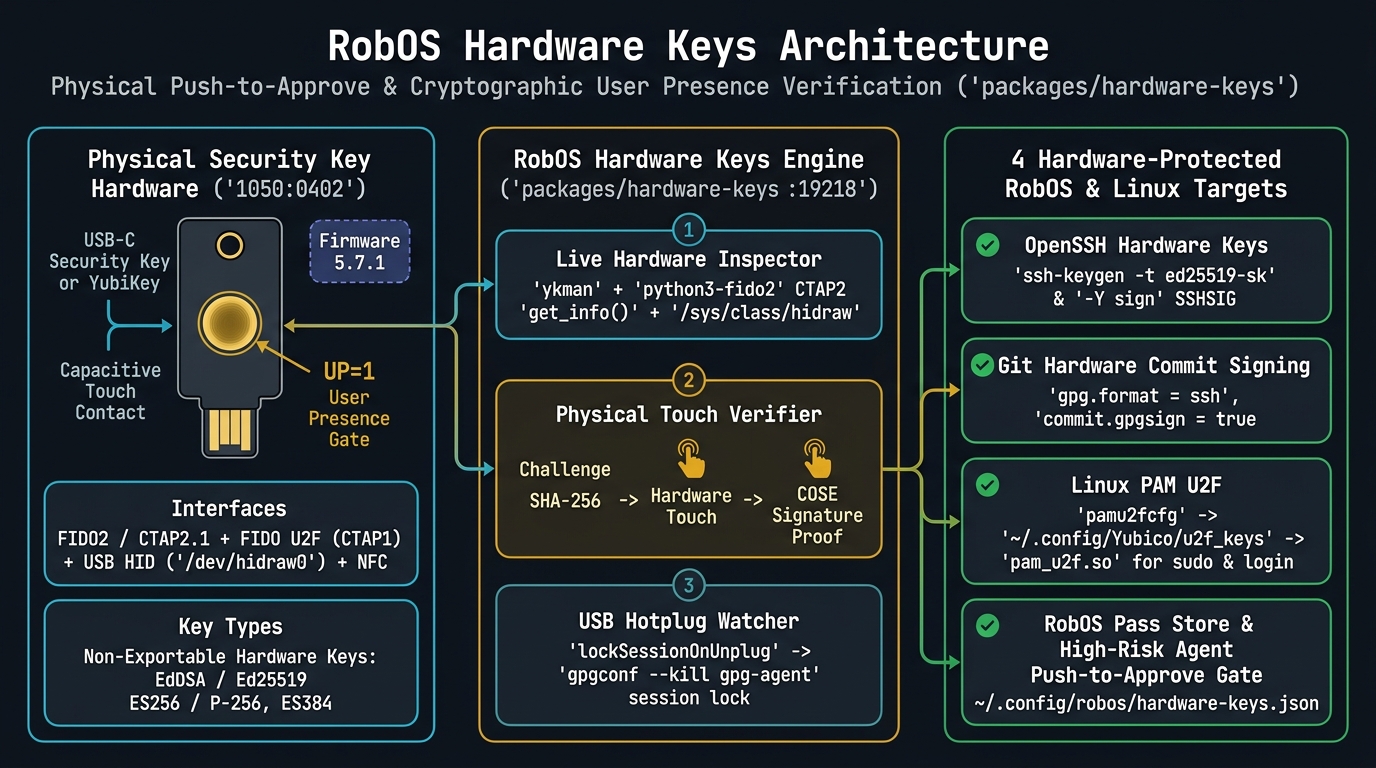
packages/hardware-keys: raw USB HID & CTAP2 frames on the left, the inspection/challenge/hotplug engine in the center, and four protected workstation targets on the right.Talking directly to /dev/hidraw, ykman, and CTAP2.1. Rather than relying on a browser WebAuthn origin prompt, packages/hardware-keys/lib/hardware-keys-core.js correlates three local Linux sources: kernel /sys/class/hidraw/hidraw*/device/uevent descriptors (confirming udev ACL write access on /dev/hidraw0), ykman info / ykman fido info, and direct python3-fido2 Ctap2.get_info() calls. On our plugged-in Security Key C NFC (Firmware 5.7.1), the inspector immediately decodes integer firmware 329473 (0x050701), maps AAGUID e77e3c64-05e3-428b-8824-0cbeb04b829d, enumerates hardware COSE algorithms (ES256 / P-256, EdDSA / Ed25519, ES384 / P-384), and reports all 100 remaining discoverable passkey slots.
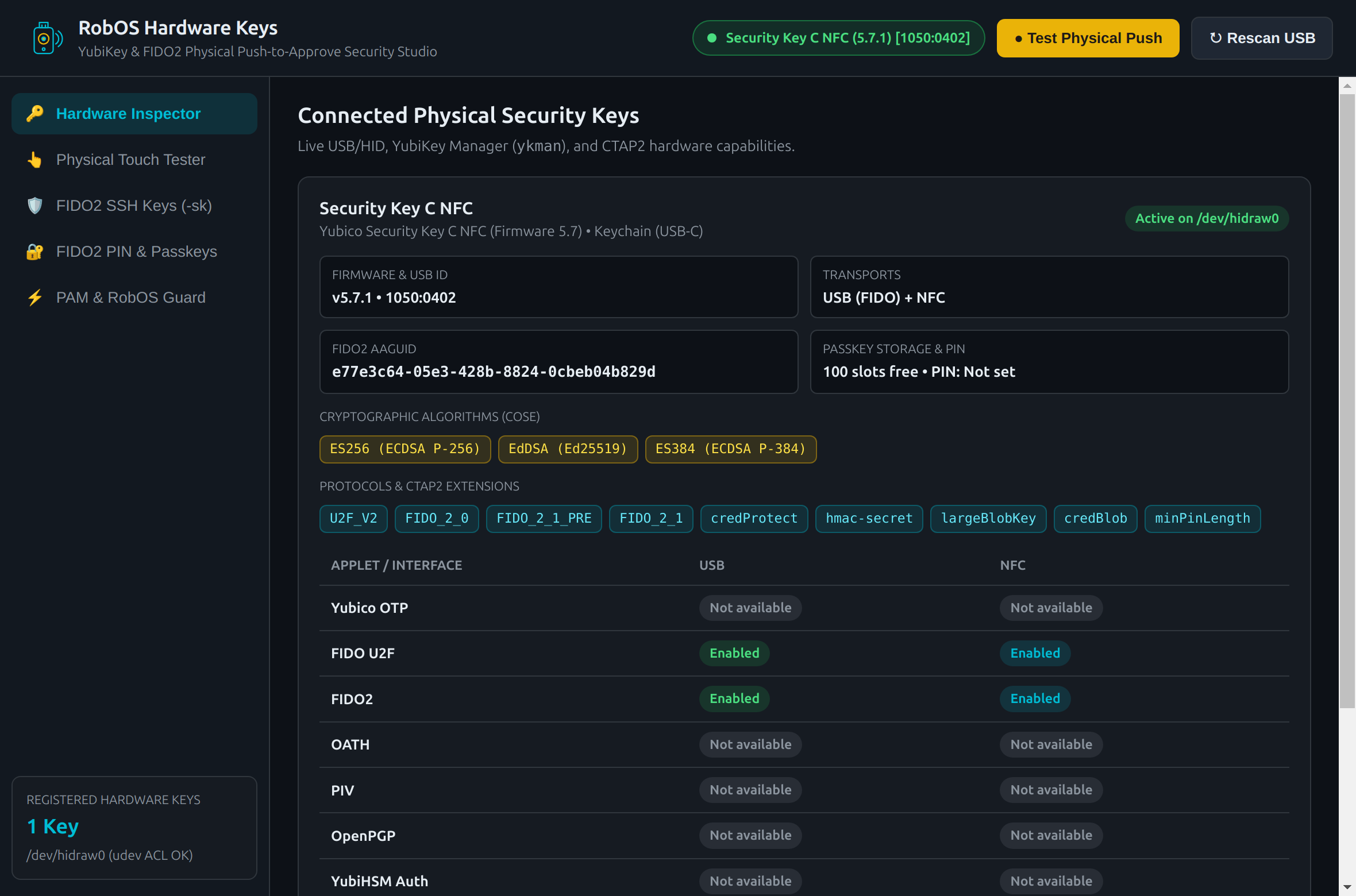
/dev/hidraw0 udev ACL verification.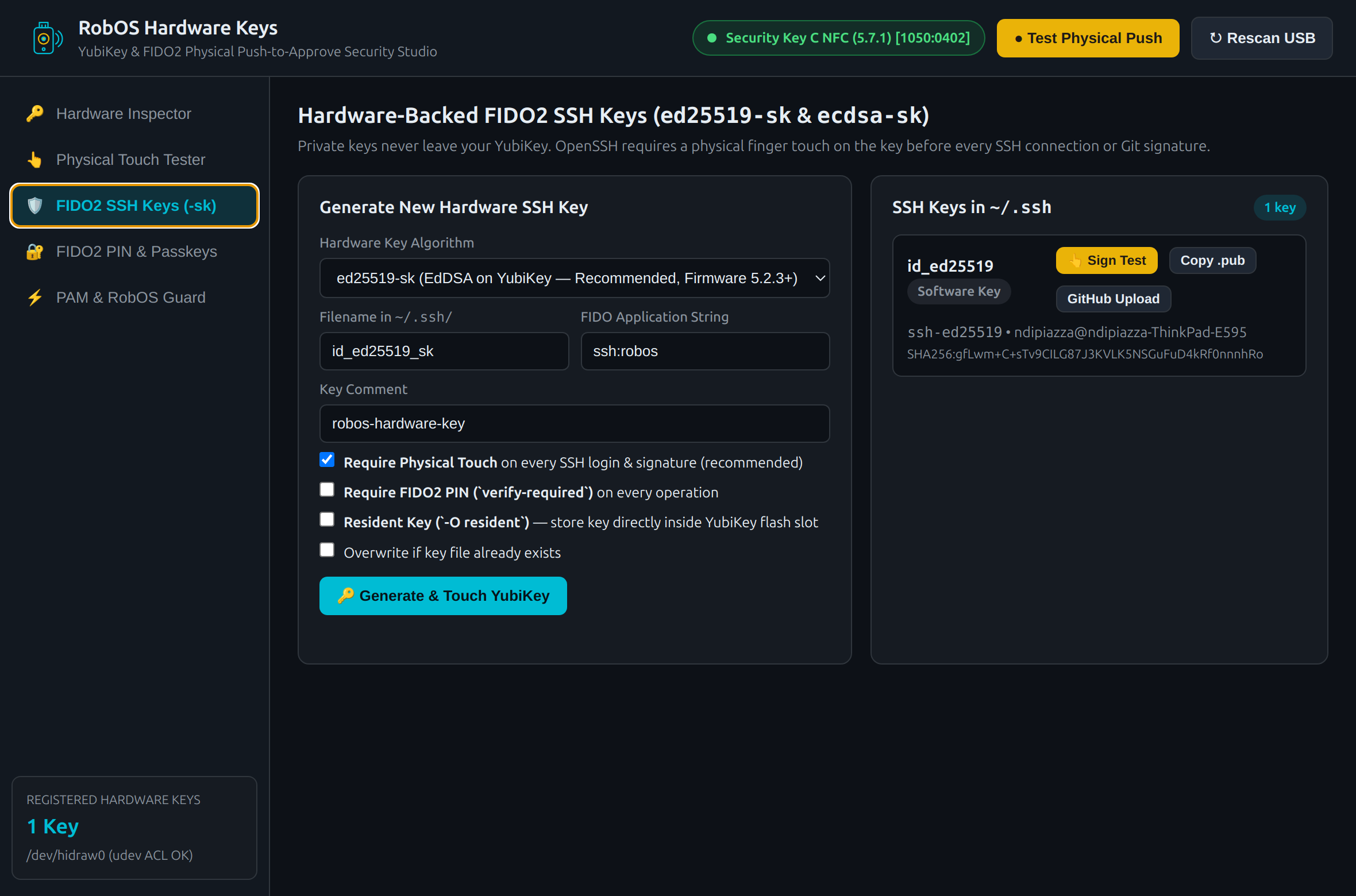
-sk): One-click generation of ed25519-sk and ecdsa-sk keys, live ssh-keygen -Y sign testing, and GitHub public key upload.Zero-PIN physical touch challenges via makeCredUvNotRqd and CTAP1 fallback. One subtle annoyance with FIDO2 tools on Linux is that testing whether a key's touch sensor works often fails if the user hasn't configured a FIDO2 PIN yet—or conversely, demands a PIN when all you want is a fast User Presence (UP=1) push check. In runPhysicalTouchChallenge(), we inspect the authenticator's CTAP 2.1 options map first: when makeCredUvNotRqd: true is advertised and no PIN is set, we issue an ephemeral non-resident (rk: false) EdDSA (-8) credential challenge directly over CTAP2; if a PIN is set on the token but omitted by the caller, we transparently fall back to a raw Ctap1.register() polling loop (catching 0x6985 SW_CONDITIONS_NOT_SATISFIED every 150 ms until you touch the blinking key). That gives RobOS a universal "push-to-approve" primitive that works out of the box on any FIDO2 or U2F key.
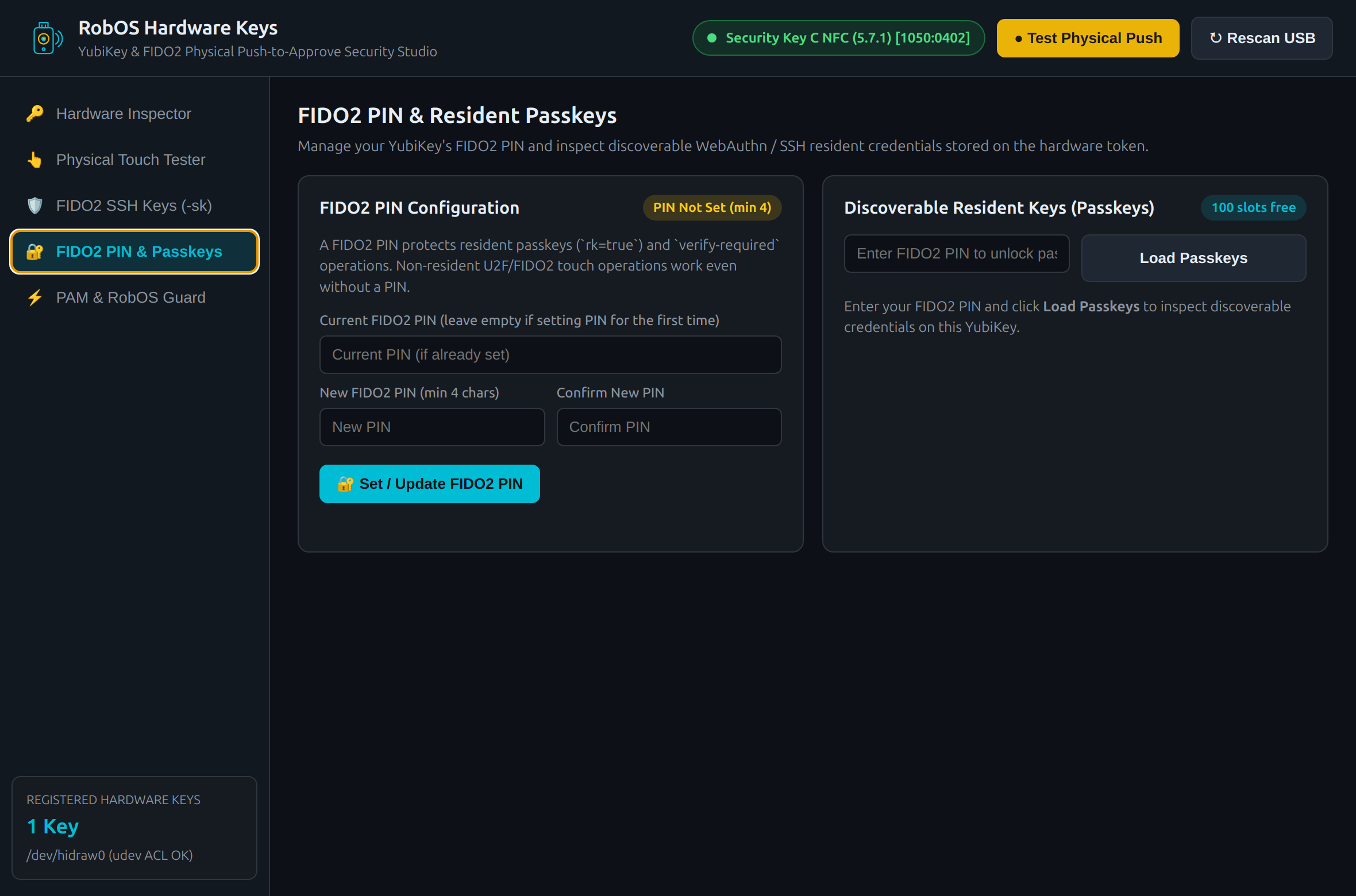
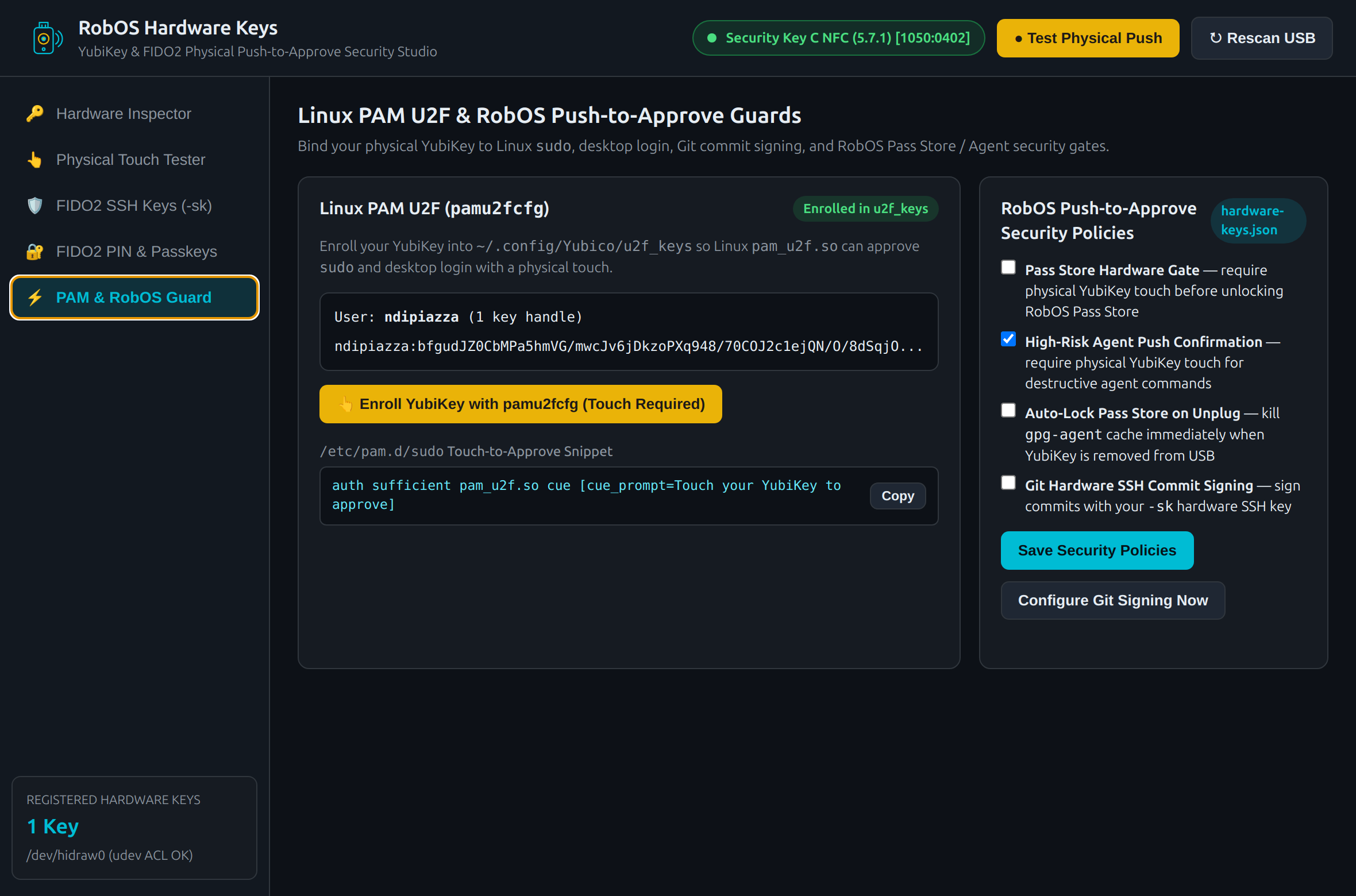
~/.config/Yubico/u2f_keys via pamu2fcfg, configure Git SSH commit signing, and auto-lock gpg-agent when the key is unplugged.Binding the key to SSH, Git, sudo, and unplug auto-lock. Beyond hardware inspection and touch testing, the studio wires your physical key into four daily developer workflows: generating non-exportable id_ed25519_sk SSH keys (with optional -O resident and -O verify-required flags), configuring global Git SSH commit signing (gpg.format = ssh), enrolling Linux PAM U2F handles into ~/.config/Yubico/u2f_keys via pamu2fcfg, and running a 3.5-second USB hotplug loop in the Electron main process that executes gpgconf --kill gpg-agent the instant you pull your YubiKey out of the USB port.