

Config Sync & Sharing: one RobOS setup on every machine, and in the hands of the people who need it
Setting up RobOS a second time used to mean doing it all again: movie folders, playlists, lights, the private network, every repository and MCP server. Now RobOS Preferences keeps ~/.config/robos and ~/.robos in a private Google Drive folder that every machine you own syncs with, and lets you hand chosen parts of it to someone else: your family, a new hire on day one, a coworker taking over a project. This post is about the decisions behind it, and the three things the end-to-end runs caught that a design review would not have. The how-to is the Config management guide.
Two kinds of folder, on purpose. The obvious design is one sync mechanism with permissions on top. We tried describing it that way and it got confusing fast: is my coworker editing my config? Does leaving a share delete my files? So there are two things with different rules. A vault is yours: one private folder, every machine reads and writes it, and it behaves like the IntelliJ settings repository, a per-file three-way compare between this machine, the vault, and the two as they were at the last sync. A share goes one way: you publish, they apply, and applying merges into their lists instead of replacing their files. Both use the same folder format (robos-config.json plus content-addressed blobs/), so the engine is one module. Only the merge rules differ.
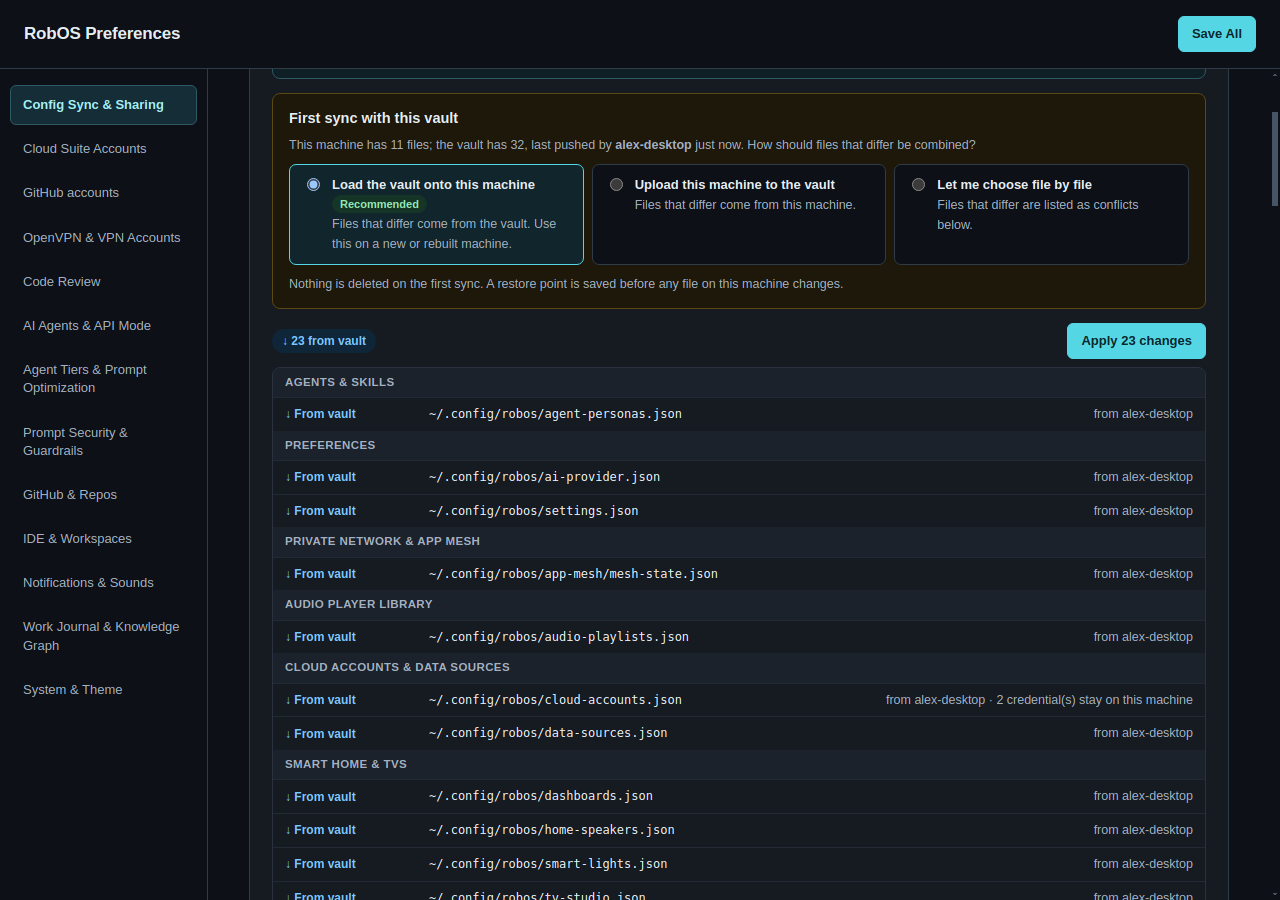
The first sync is the dangerous one. With no shared history there is no way to tell which side changed a file, so RobOS asks: load the vault onto this machine, upload this machine, or choose file by file. Whichever you pick, files that exist on one side only are copied, and nothing is deleted. Every change to local files is preceded by a restore point. Deletions only happen after a common history exists, when the three-way compare can prove the other side deleted the file and this side did not touch it.
Credentials never travel, and pulling never signs you out. Credentials are stripped by key name (accessToken, password, keyPem, *_TOKEN…) before anything is uploaded, and references like pass paths are kept. The subtle part is the way back: a pulled cloud-accounts.json has no tokens, so writing it as-is would sign the machine out of the very Google account it is syncing through. On pull, RobOS puts this machine's credentials back into the incoming file, matching list items by id. A sign-in that exists only on this machine is kept and uploaded next time without its token. The one exception to "never travels" is opt-in: the Private Network join secret can ride inside a share encrypted with a passphrase, so family can join the home network without a separate invite.
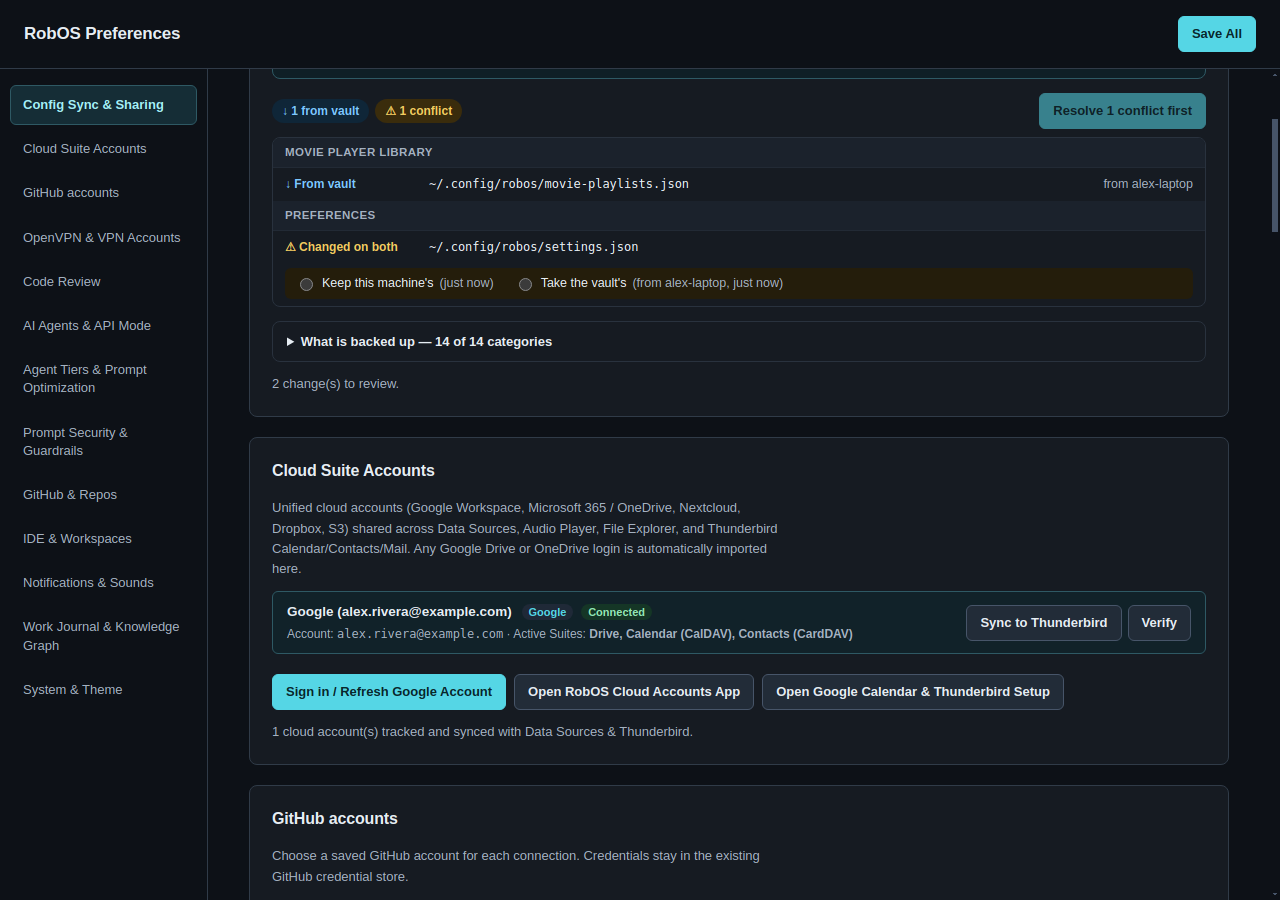
settings.json waits for a decision and says which machine wrote the other version.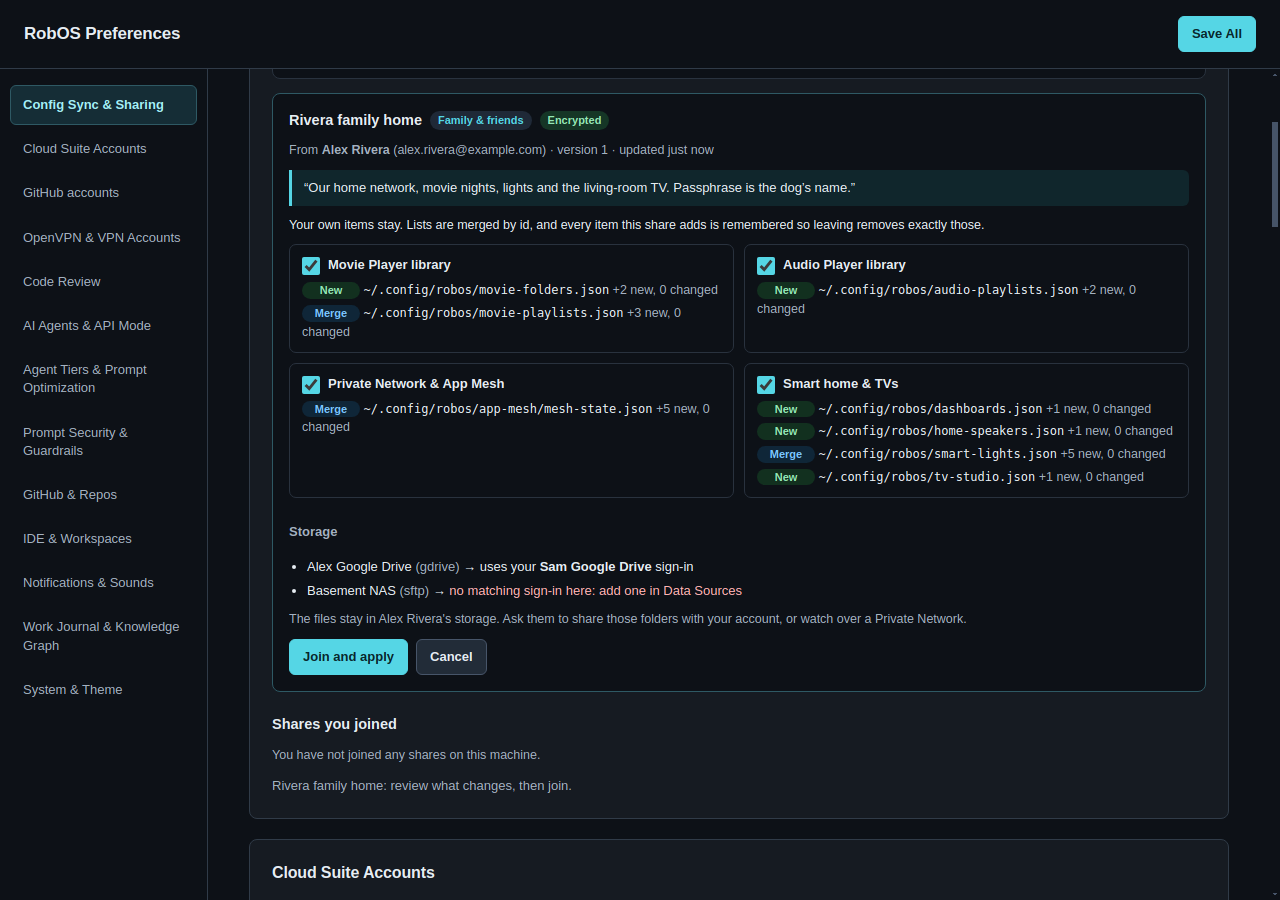
What the end-to-end runs caught. The scenarios run through the real Preferences window, each person and machine in their own home directory, against an in-memory Google Drive that enforces sharing the way Drive does. Three findings changed the design:
- A config file that changes every time it is read. Cloud Accounts rewrites
cloud-accounts.jsonwith freshupdatedAttimestamps and recomputed login state on every read. Two machines would conflict on every sync forever. The fix is a per-file list of machine-local keys: login status, last-checked times, live TV casts, the mesh listen port. They are left out of the stored copy and always kept from the local one. A regression test now refreshes Cloud Accounts between syncs and asserts there is nothing to do. - A fresh machine is not empty. The first heuristic for recommending "load the vault" was "this machine has almost no files". Then the laptop scenario recommended the cautious file-by-file option: a brand-new install already had eleven files, because the default KGraph packages had been scaffolded. (That turned out to be a bug of its own: Preferences was starting a hidden copy of KGraph Explorer in its own process, fixed the same day. Other RobOS apps also scaffold those packages, so the heuristic stays.) The recommendation now ignores sign-in, profile and KGraph packages the vault also has, and compares the rest with the vault's size.
- "Restore" was too blunt. A restore point covers everything one sync changed. When the test took back only the IDE setting, it also took back the playlist the laptop had added. Restore points now restore one file or all of them.
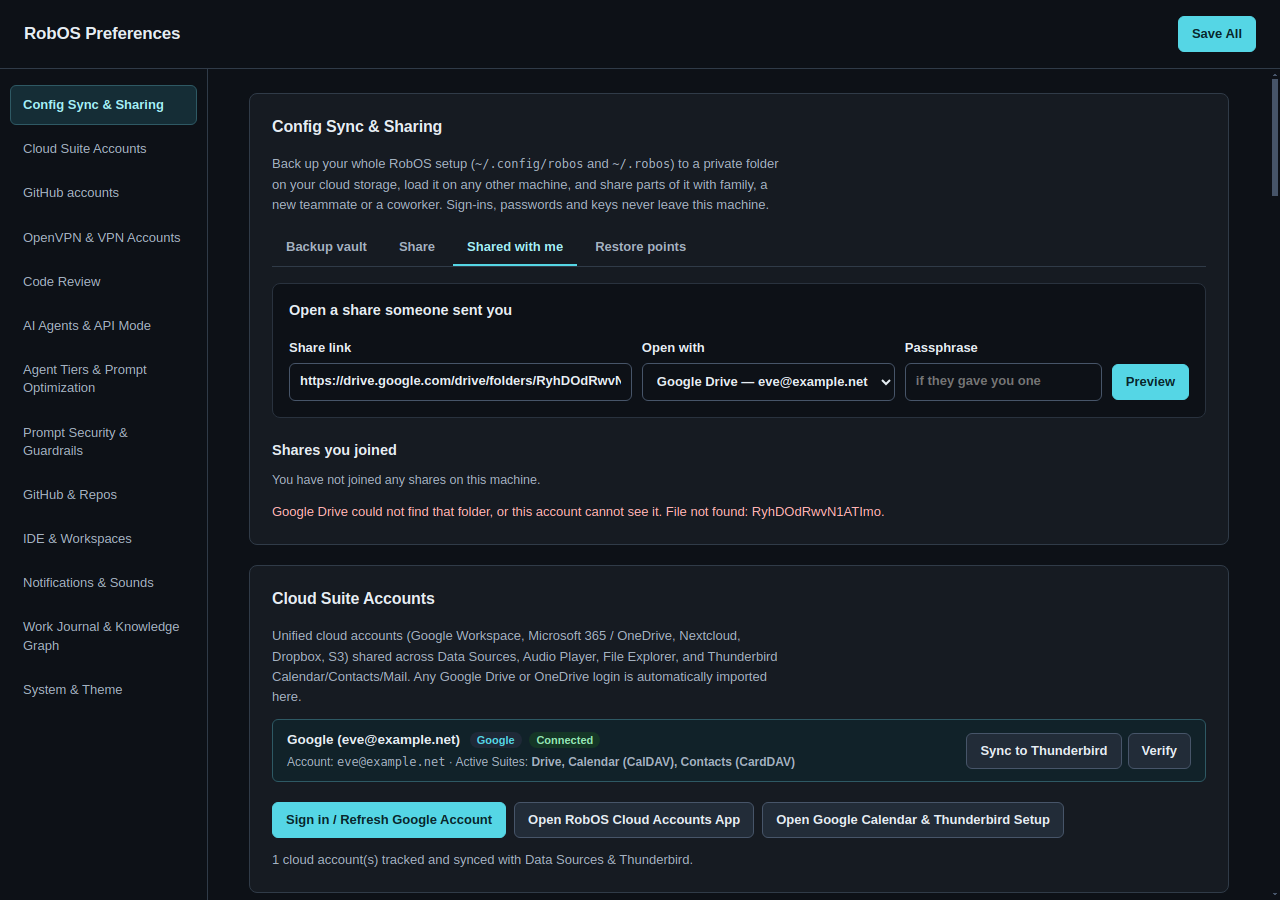
Shares remember what they added. Joining a share merges list items by id (rooms, lights, playlists, repositories, peers) and records each item it added. Leaving removes exactly those, plus any file the share created that you have not edited since. Priya's own notes project survives leaving Alex's handoff share, while the three projects the share brought are removed. Items you already had are never removed, even if the share updated them. Data sources are rebound to the recipient's own sign-in of the same kind, and the preview says plainly that the files themselves stay in the publisher's storage.
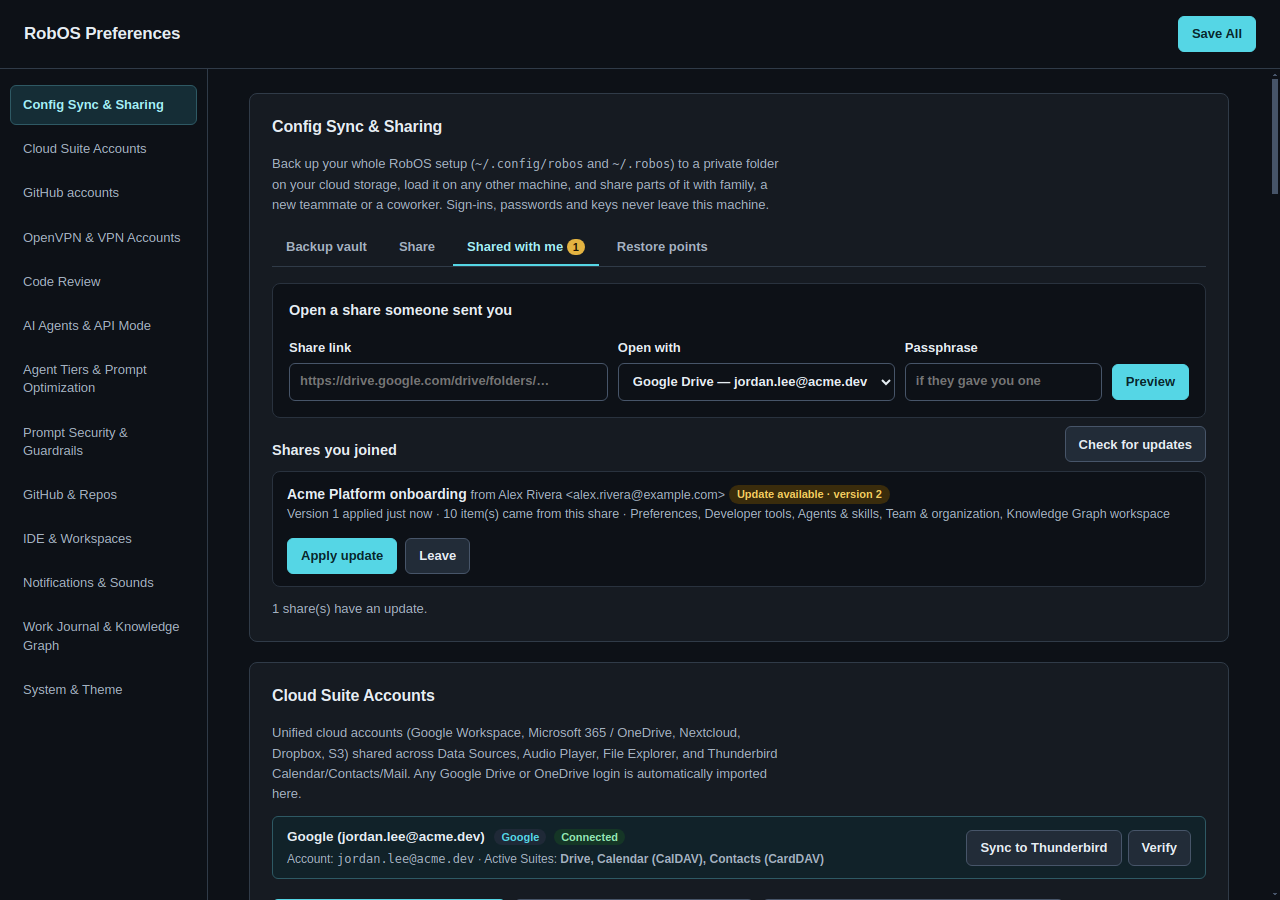
What is not done yet. Sync runs when you click it, or on an interval with the CLI's --watch; there is no background daemon. Google Drive and local (synced) folders are the two storage options; direct OneDrive, Dropbox and S3 backends would follow the same interface in config-sync-backends.js. Removing someone's access is done in Drive, not yet from RobOS. A conflict is resolved per file; merging two edits inside the same JSON file is a future step.